

Page 1
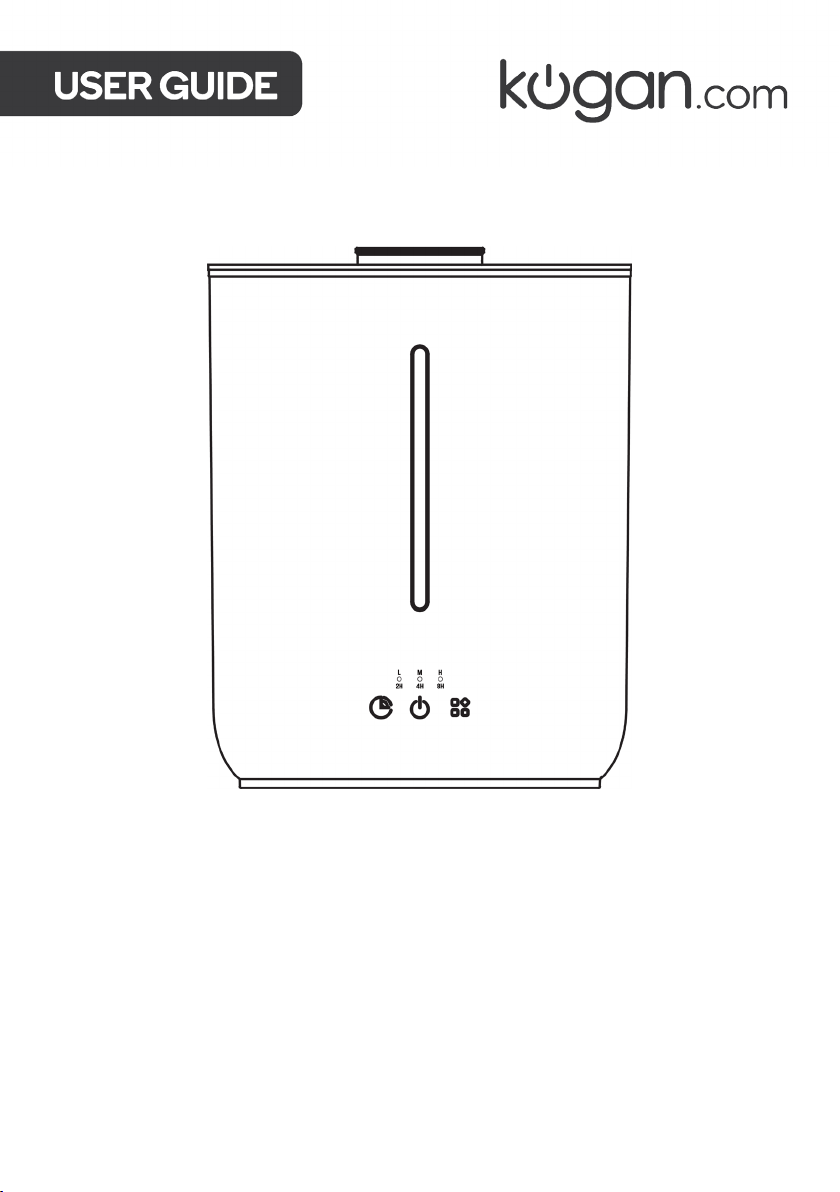
KOGAN SMARTERHOME™
2.8L HUMIDIFIER
WHITE
KASMTHF28WA
Page 2

Page 3

SAFETY & WARNINGS
Ensure to read all instructions and warnings in this user guide prior to first use. Retain this
user guide for future reference.
• Only use the humidifier as described in this user guide.
• This humidifier can be used by children aged from 8 years and above and by persons
with reduced physical, sensory, or mental capabilities, or lack of experience and
knowledge if they have been given supervision or instruction concerning the use of
the humidifier in a safe way and understand the hazards involved.
• Do not allow children to play with the humidifier.
• Do not allow children to perform cleaning and maintenance unless under supervision.
• Do not place the humidifier near heat sources or under direct sunlight.
• Ensure the humidifier is unplugged when not in use and before cleaning.
• Ensure the humidifier is unplugged when filling.
• Do not fill water through the mist outlet or air outlet.
• When in use, be aware of the emission of hot water vapour from the mist outlet.
• Do not put fingers, hands, or any object into the humidifier while operating.
• Do not touch the water while the humidifier is operating.
• To avoid the risk of electric shock, do not submerge the humidifier into water or any
other liquid.
• If the power cord is damaged, stop use immediately and contact help.Kogan.com for
assistance.
• Do not attempt to dismantle or repair the humidifier yourself.
• Use two hands when moving the humidifier.
• Do not use third party power cords to power the humidifier.
• Do not allow essential oils to touch the exterior of the humidifier.
Page 4
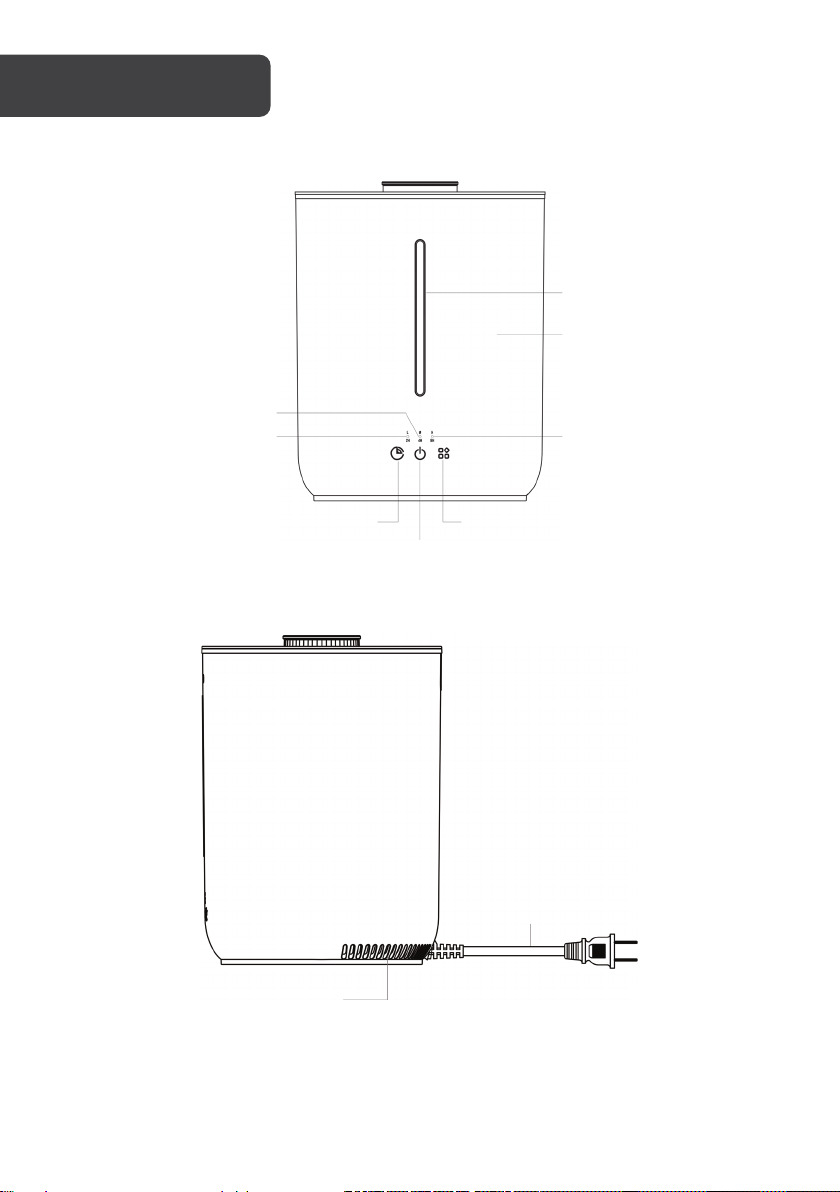
Power cord
Power button
Timer button
Water tank
Light
H/8H indicator
M/4H indicator
L/2H indicator
Function button
OVERVIEW
Front view
Side view
Air inlet
Page 5
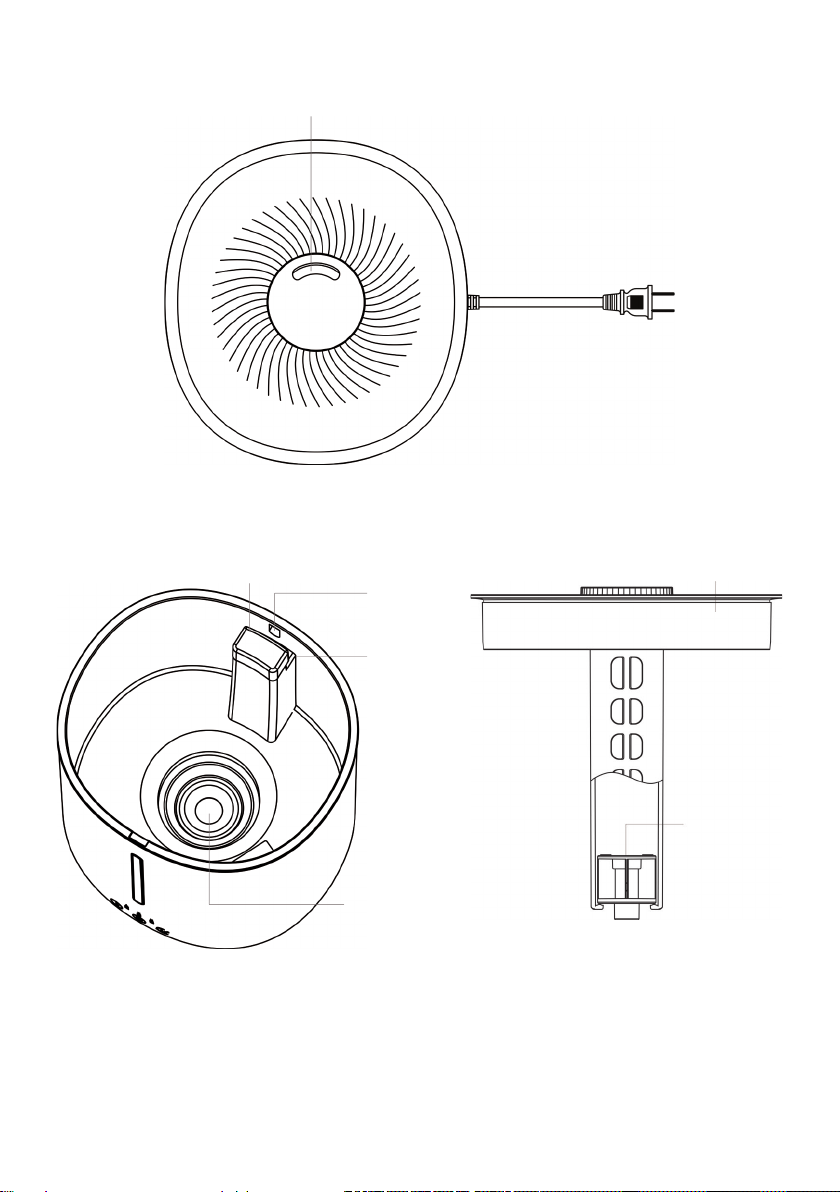
Top view
Mist outlet
Top cover
Air pump
Max water
Air outlet
Ceramic disc
Overflow
Inside view
hole
level line
Page 6
Note:
furniture, or walls.
OPERATION
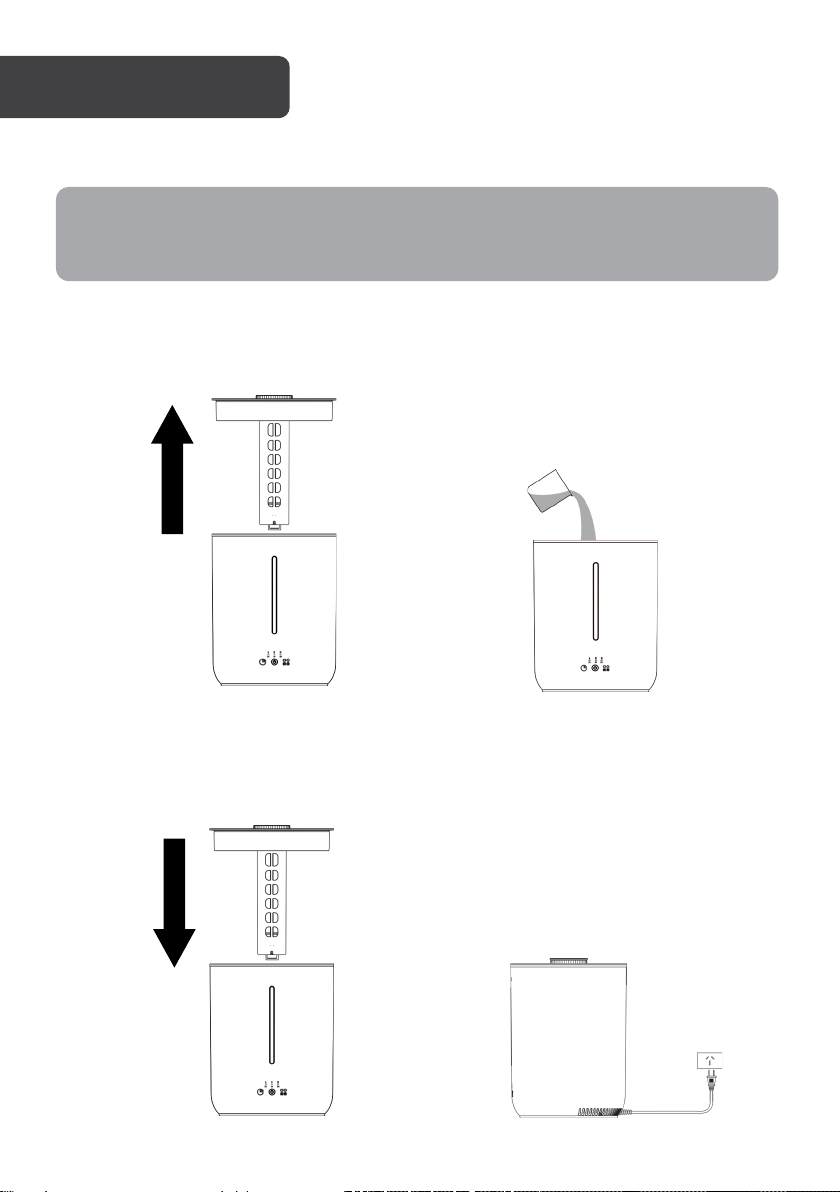
1. Place the humidifier on a flat, water-resistant surface.
The moisture may otherwise cause damage if placed onto carpet, finished floors,
2. Lift the top cover from the humidifier, revealing the water tank. Pour tap water into
the water tank up to the max water level line. Add approximately 10 drops of your
chosen essential oil per 1L of water poured into the water tank.
3. Insert the top cover back onto the humidifier. Plug the power cord into a power socket
and switch the socket on. Wait for a few minutes to allow the essential oil to blend
with the water.
Page 7

4. Press the power button to turn on the humidifier. The H/8H indicator will illuminate
Note:
avoid burning.
Note:
and begin to diffuse the water and essential oil at a high intensity. The light will also
turn on. If other functions are desired, follow by pressing the function button.
When the humidifier runs out of water and essential oil, the alarm will beep three
times and the light will flash. The humidifier will then automatically turn off to
5. When finished use, press the power button to return the humidifier to standby.
Function button
After pressing the power button to turn on the humidifier, the function button can be
pressed to access other diffusing intensities and the sleep mode.
• Press the function button once to allow the humidifier to diffuse the water and
essential oil at a medium intensity. The ‘M/4H’ indicator will be illuminated.
• Press the function button twice to allow the humidifier to diffuse the water and
essential oil at a low intensity. The ‘L/2H’ indicator will be illuminated.
• Press the function button three times to enter sleep mode. In this mode, the
indicators will all turn on momentarily before turning off. The light will be off and the
alarm will not beep when water becomes low.
• Pressing the function button four times will return the humidifier to diffuse at a high
intensity with the ‘H/8H’ indicator illuminated.
• Subsequent presses of the function button will cycle through the above actions.
Provided the humidifier is diffusing at a low, medium, or high intensity, press and
hold the function button for 2 seconds to turn the light on/off.
Timer button
When operating, the timer button allows users to pre-set a running time for the humidifier
before it automatically turns off.
• Press the timer button once to set the humidifier to diffuse for 8 hours.
• Press the timer button twice to set the humidifier to diffuse for 4 hours.
• Press the timer button three times to set the humidifier to diffuse for 2 hours.
• Pressing the timer button four times will turn all indicators on for 1 second before
turning off. There will no longer be a timer and the humidifier will continuously diffuse
at its current intensity.
Page 8

• Subsequent presses of the timer button will cycle through the above functions.
Notes:
• Maximum continuous run time when running on low intensity is up to 20 hours.
• Maximum continuous run time when running on high intensity is up to 8 hours.
• Actual maximum running times are dependent on the environment’s humidity
levels and other external factors.
Wi-Fi function
The Wi-Fi function on this humidifier must be turned on if connecting to the Kogan
SmarterHome™ app.
• To turn the Wi-Fi function on, ensure the humidifier is on standby. Press and hold the
function button for 5 seconds. All indicators should flash white twice and you will hear
two beeps. This will confirm the Wi-Fi function is on.
• To turn the Wi-Fi function off, ensure the humidifier is on standby. Press and hold the
function button for 5 seconds. All indicators should flash white once and you will hear
one beep. This will confirm the Wi-Fi function is off.
Page 9
CONNECT TO SMARTERHOME™ APP
Install App
Download the “Kogan SmarterHome” app from the Play Store (Android) or App Store (iOS).
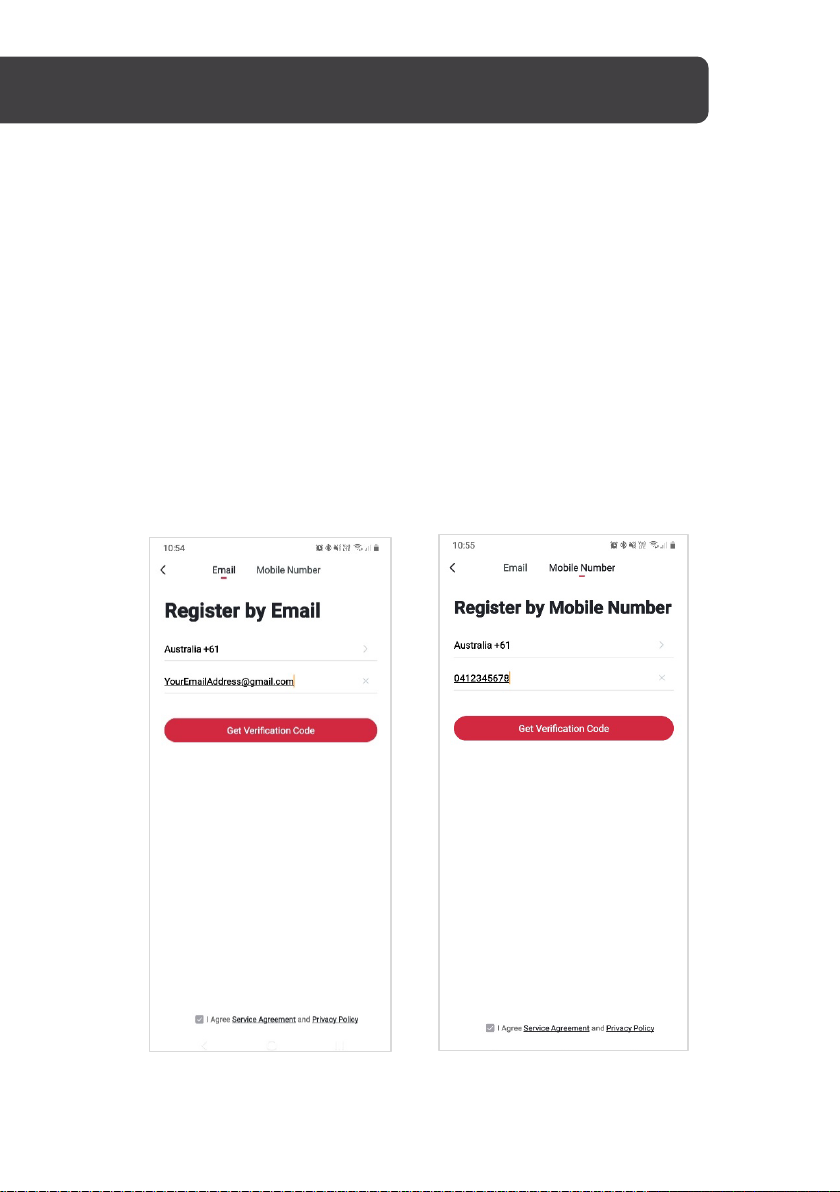
Register
If you do not have a Kogan SmarterHome™ account, register or sign in with a verification
code sent by SMS.
To register:
1. Ta p to enter the registration page.
2. The system automatically recognises your country/area. You can also select your
country code manually. Enter your email address and tap ‘Next.’
3. Alternatively, you can select ‘Register by mobile number’ and enter the verification
code sent to you by SMS.
4. Create a profile on the next page to define your location and room.
Page 10

Set device in pairing mode
When the device is first turned on, it may automatically enter pairing mode (the light will be
flashing rapidly).
If not automatically in pairing mode when powered on, you can manually set the device in
pairing mode by pressing and holding the timer button for 2 seconds until the light turns on.
After 10 seconds, the light will begin flashing rapidly.
Add device through network
5. Once registered, tap “+” in the upper right corner of the app’s home page to add a
new device through the network.
6. Select the product type from the list of options in the app (Air Treatment >
Humidifiers).
7. Ensure that the device is in pairing mode, with the light flashing rapidly, and tap
“Confirm light is rapidly flashing”.
Page 11

8. Upon successfully confirming pairing mode, enter your Wi-Fi details. It is important
Notes:
that your SmarterHome™ device and the app are connected to the same Wi-Fi
network during setup.
9. The device will commence the pairing process and connect to the app. Ensure your
Wi-Fi router, mobile phone, and the SmarterHome™ device are kept close until
connection is complete.
10. After successfully being added, you will have the option to rename the device and
assign it to a location. It will now be listed on the app’s home page. Tap the device
listing to enter its control page.
The device and the app have to use the same Wi-Fi network.
•
•
The device is only compatible with 2.4Ghz networks.
Page 12

Notes:
CLEANING & CARE
Ensure the humidifier is turned off and unplugged before cleaning.
1. Lift off the top cover and tilting away from the air outlet, empty any water inside the
water tank.
2. To remove potential build-up, rinse the water tank with a 1:1 ratio solution of white
vinegar and water.
3. Dry thoroughly with a soft cloth.
• Do not use strong cleaning agents.
• The ceramic disc should not touch any hard or sharp objects.
SPECIFICATIONS
Water capacity 2.8L
Buttons available Timer, power, function
Timer options 2, 4, 8 hours
Automatic safety shut off Yes
Page 13

Page 14

Page 15

Page 16

Need more information?
We hope that this user guide has given you
the assistance needed for a simple set-up.
For the most up-to-date guide for your product,
as well as any additional assistance you may require,
head online to help.kogan.com
 Loading...