

Page 1
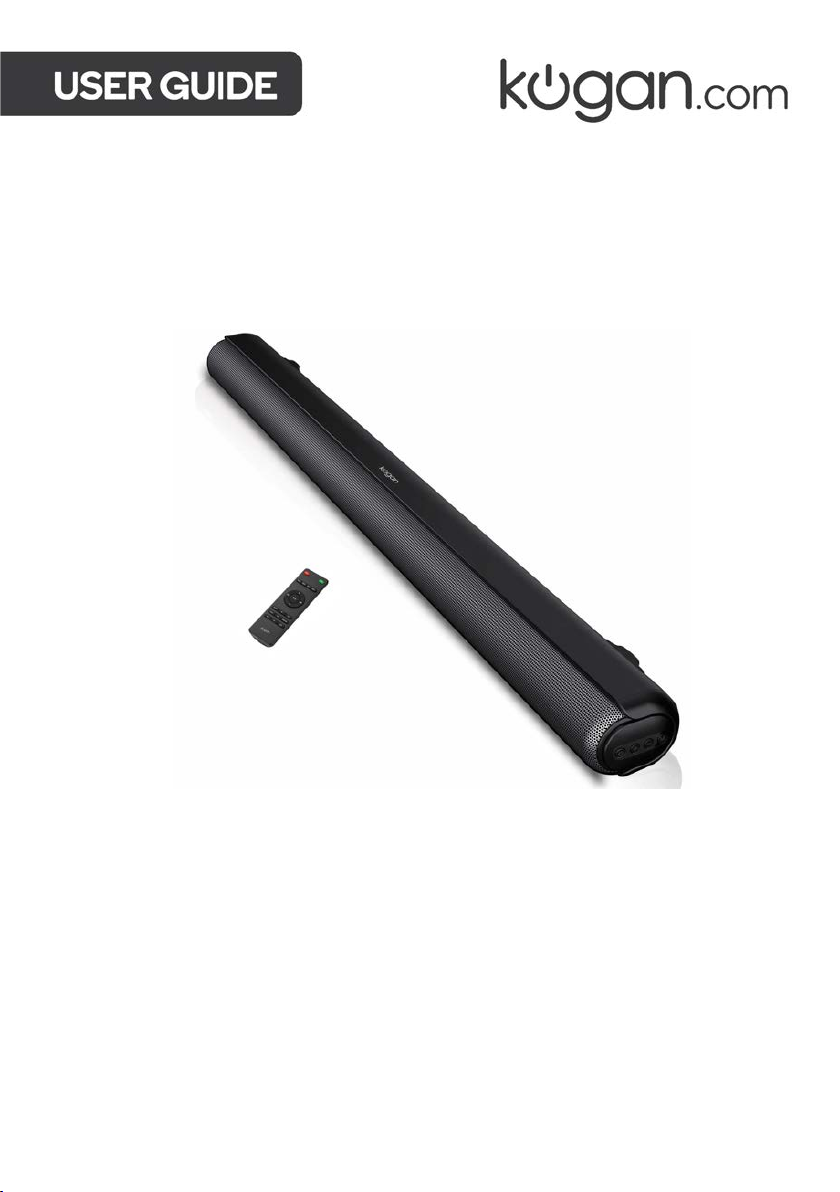
2.1CH 80W DOLBY SOUNDBAR
WITH BUILT-IN SUBWOOFER
KASBD80HA
Page 2

Page 3
SAFETY & WARNINGS
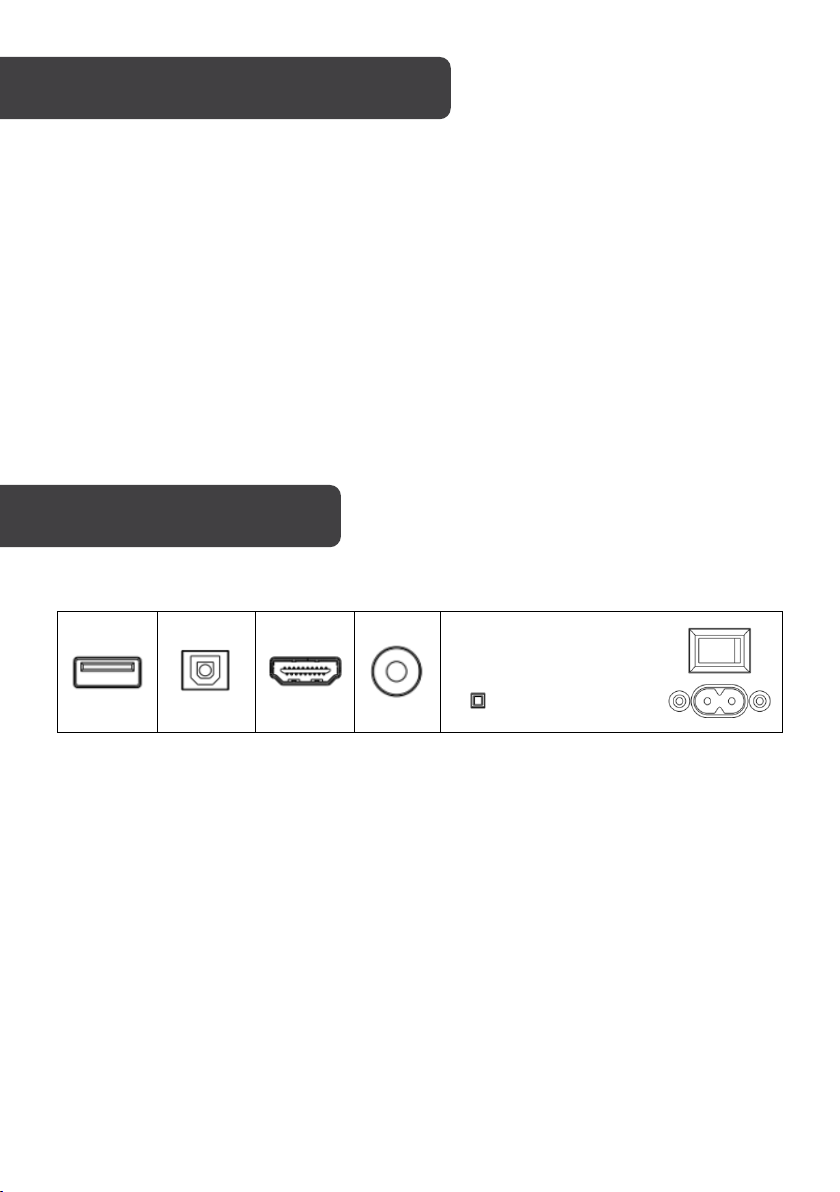
CONNECTIVITY
USB
OPT
AUX
HDMI(ARC)
AC 100-240V 50/60Hz
OFF
ON
• Do not use this product in a high temperature or wet environment.
• To reduce the risk or electronic shock or fire, do not remove the cabinet cover.
• Do not attempt to repair or dismantle the unit on your own. Contact help.Kogan.com
for support.
• If small fragments or liquids fall into the product, cease use immediately and contact
help.Kogan.com for support.
• Don’t install the unit in or near a location where it may be exposed to rain, moisture or
other liquids.
1. USB IN: Use to connect a flash drive for direct MP3/WAV/FLAC playback (FAT32
format and 64GB max).
2. OPTICAL IN: Use to connect compatible devices using an optical cable (not provided).
3. HDMI(ARC): Use to connect compatible devices using a HDMI cable (not provided)
4. AUX IN: Use to connect compatible devices using the supplied 3.5mm stereo jack
cable.
5. AC IN: Use to connect the AC power supply.
Page 4
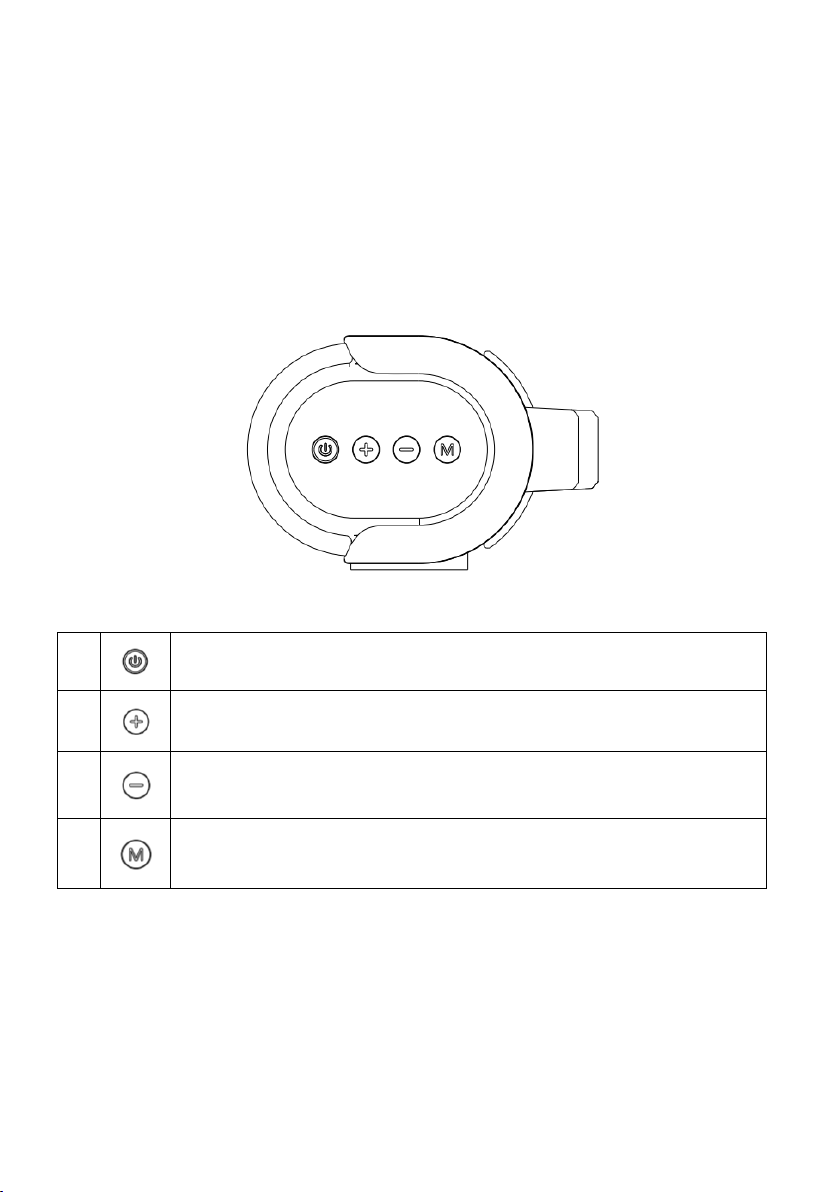
LED display
1. Press to power on/off the soundbar.
2.
Long press to increase volume/Short press to skip to next
track(BT/USB model only)
3.
Long press to decrease volume/Short press to skip to previous
track(BT/USB model only)
4.
Short press to switch different modes
1. Red LED: Standby
2. BT: Bluetooth mode
3. USB: USB media mode
4. AUX: Auxiliary input mode
5. OPT: Optical mode
6. ARC: HDMI(ARC) mode
Page 5
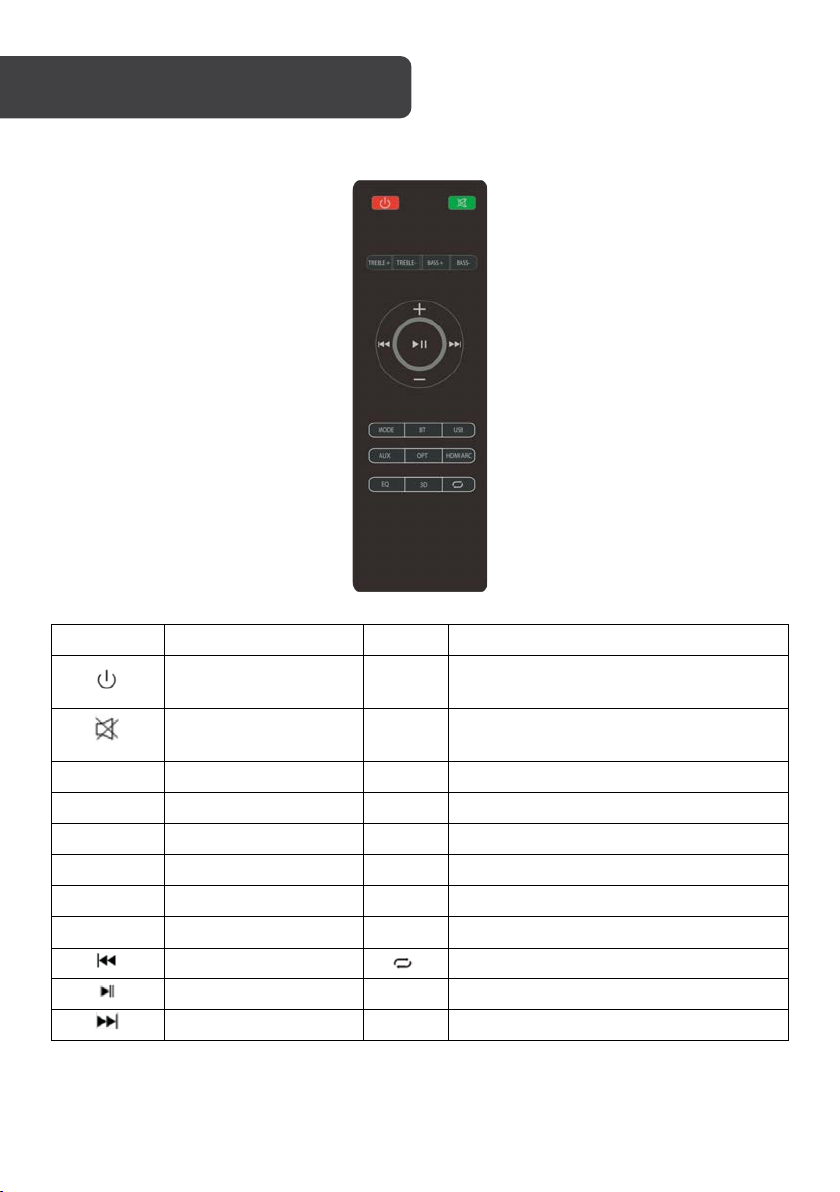
Button
Function
Button
Function
Power On/Off
MODE
Switch between
BT/USB/AUX/OPT/HDMI(ARC)
Mute or recover the
volume
BT
Switch to BT mode
TREBLE +
Increase the Treble
USB
Switch to USB mode
TREBLE -
Decrease the Treble
AUX
Shifting into AUX mode
BASS +
Increase the Bass
OPT
Shifting into Optical in mode
BASS -
Decrease the Bass
HDMI
Shifting into HDMI(ARC) mode
+
Volume turning up
EQ
Shifting to different EQ
-
Volume turning down
3D
3D Surround on/off
Previous track
USB Repeat modes
Pause/Play
Next track
REMOTE CONTROL
Page 6

OPERATION
Power ON/OFF: Press the Power button on the remote control or soundbar control panel to
turn the unit on and off.
AUX in: Connect a compatible device using the 3.5mm stereo jack cable provided, then
press the MODE button on the remote control or soundbar control panel repeatedly until
AUX is displayed on the LED display. Ensure the connected device is producing an audio
signal, then adjust the volume of the soundbar using the Volume up and Volume down
buttons on the remote control or soundbar control panel.
Bluetooth: Press the BT button on the remote control or repeatedly pressing the MODE
button on the soundbar control panel until BT is shown on the LED display. The LED display
will flash to indicate that the soundbar is in Bluetooth pairing mode. Ensure that the device
you wish to connect is also in pairing mode and search for ‘Kogan 80W Dolby SB’ in its
device list. When the two devices are paired, the LED display on the soundbar will stop
flashing and remain constant. (The soundbar will now automatically re-pair with this device
whenever it is within range and has Bluetooth turned on.)
USB media mode: The soundbar is compatible with USB flash drives of up to 64GB in size
and can play MP3/WAV/FLAC audio files directly. Simply insert a compatible drive into the
USB port on the back of the soundbar and the unit will automatically switch to USB mode
and play the first compatible track.
USB repeat mode (accessed via the remote control) enables single track repeat (press
once) and all track repeat (press twice).
The media player also has a memory function that will recall and continue from the lastplayed point when a USB flash drive that has previously been used with the soundbar is
reinserted.
HDMI(ARC): Connect a HDMI ARC compatible device to the HDMI ARC port on the
soundbar using a standard HDMI cable (not supplied), then press the MODE button on the
remote control or soundbar control panel repeatedly until ARC is displayed on the LED
display. Ensure HDMI ARC is selected as the TV’s audio output, then adjust the volume of
the soundbar using the Volume up and Volume down buttons on the remote control or
soundbar control panel.
Optical in: Connect a compatible device to the OPTICAL port on the soundbar using a
digital optical cable (not supplied), then press the MODE button on the remote control or
soundbar control panel repeatedly until OPT is displayed on the LED display. Ensure
Optical SPDIF is selected as the TV’s audio output, then adjust the volume of the soundbar
using the Volume up and Volume down buttons on the remote control or soundbar control
panel.
Equalizer modes: The soundbar has 3 equalizer presents, tailored to complement various
styles of music. Press the EQ button on the remote to choose between Music (EQ1), Movie
(EQ2), News (EQ3).
Wall mounting: The soundbar has two keyhole slots on the back to enable wall mounting,
using the fixings provided or a compatible soundbar bracket (not supplied).
Page 7

Audio output
80W RMS
Speaker drivers
4 x 2.25” 20W + 2 x 2.25” 15W
Bluetooth version
5.0
Bluetooth range
Up to 10m
Connection
USB, OPTICAL, HDMI(ARC), AUX (3.5mm), AC IN
Power supply
100-240V
Dimensions
904 x 108 x 72mm
Page 8

Need more information?
We hope that this user guide has given you
the assistance needed for a simple set-up.
For th e mo st u p-to-date guide for your product,
as well as any additional assistance you may require,
head online to help.kogan.com
 Loading...