

Page 1
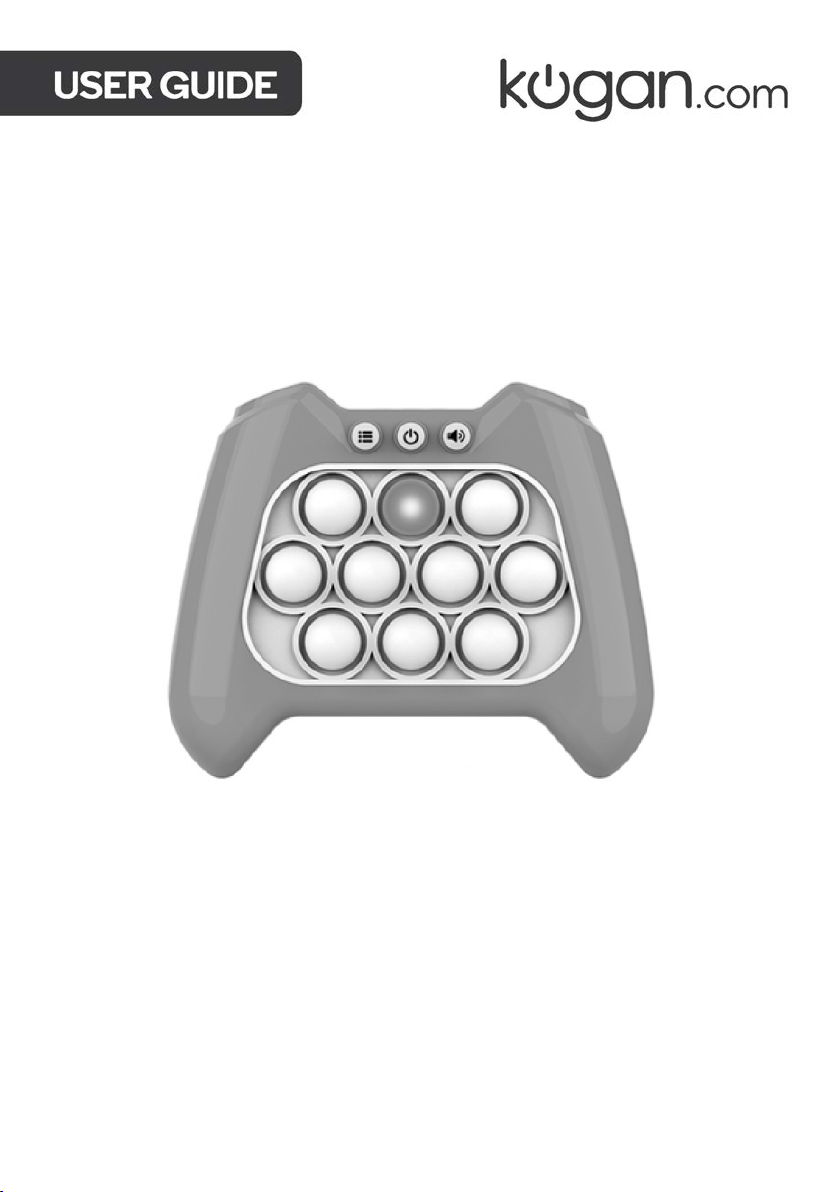
RAPID PUSH PUZZLE GAME
KARPPUGAMAA
Page 2

Read all instructions in this guide before using this product. Retain this guide for future
reference. Do not skip, substitute or modify any steps or procedures in this guide, as doing
so could result in personal injury or product damage.
• To avoid damaging the product, do not use fingernails or other sharp objects to
squeeze the edges of the bubbles.
• Do not use rechargeable batteries in this product.
• Before allowing a child to play with this product, ensure that the battery compartment
cover is securely tightened.
• Do not recharge a battery unless it is specifically marked "rechargeable." Attempting to
recharge a non-rechargeable battery could result in leakage or rupture.
• Battery replacement should only be performed by an adult.
• Do not mix old and new batteries or mix different types or makes of batteries. Doing so
can cause leakage or rupture, resulting in personal injury or property damage.
• Flat batteries should be always immediately removed and not left inside this product.
• To avoid possible damage, do not short circuit the battery terminals.
Page 3
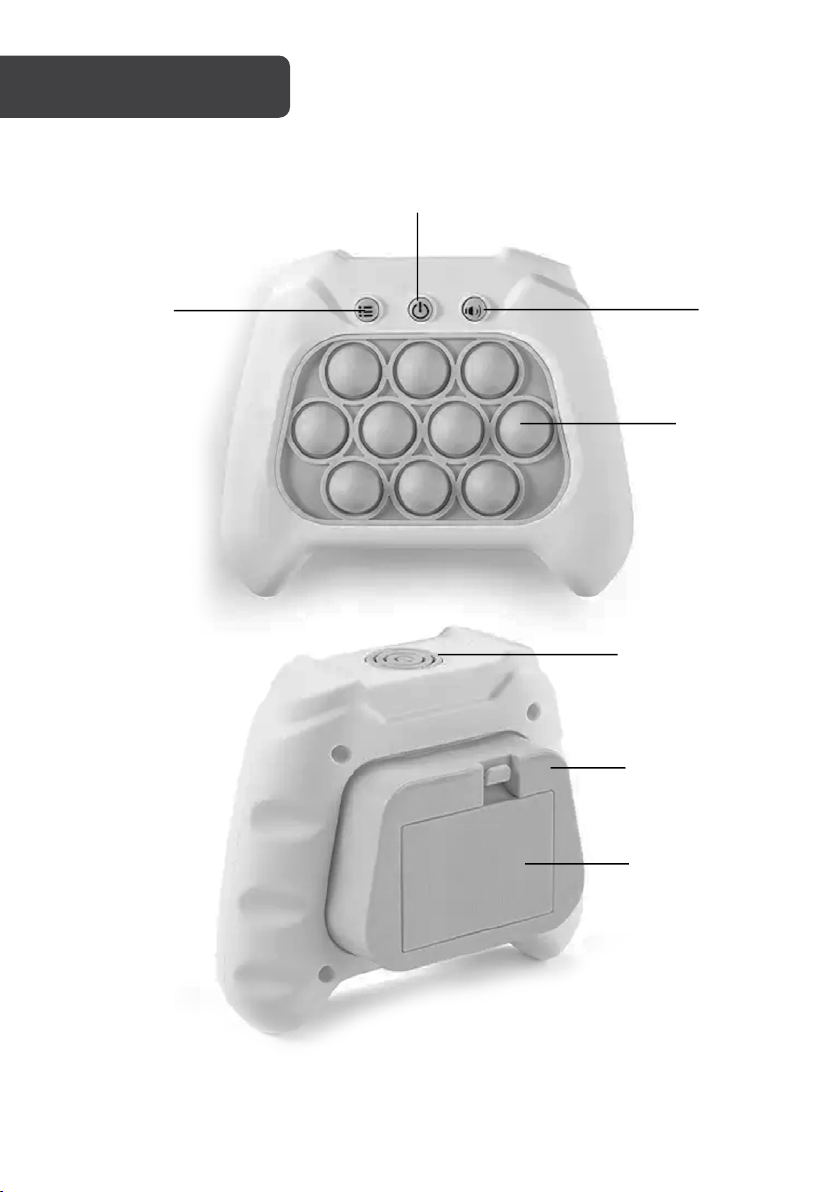
OVERVIEW
Power button
Mode selection
button
Volume
button
Bubbles
Speaker
Back
button
Battery
compartment
Page 4
OPERATION
WARNING:
• Do not use rechargeable batteries in this product.
• Before allowing a child to play with this product, ensure that the
battery compartment cover is firmly in place.
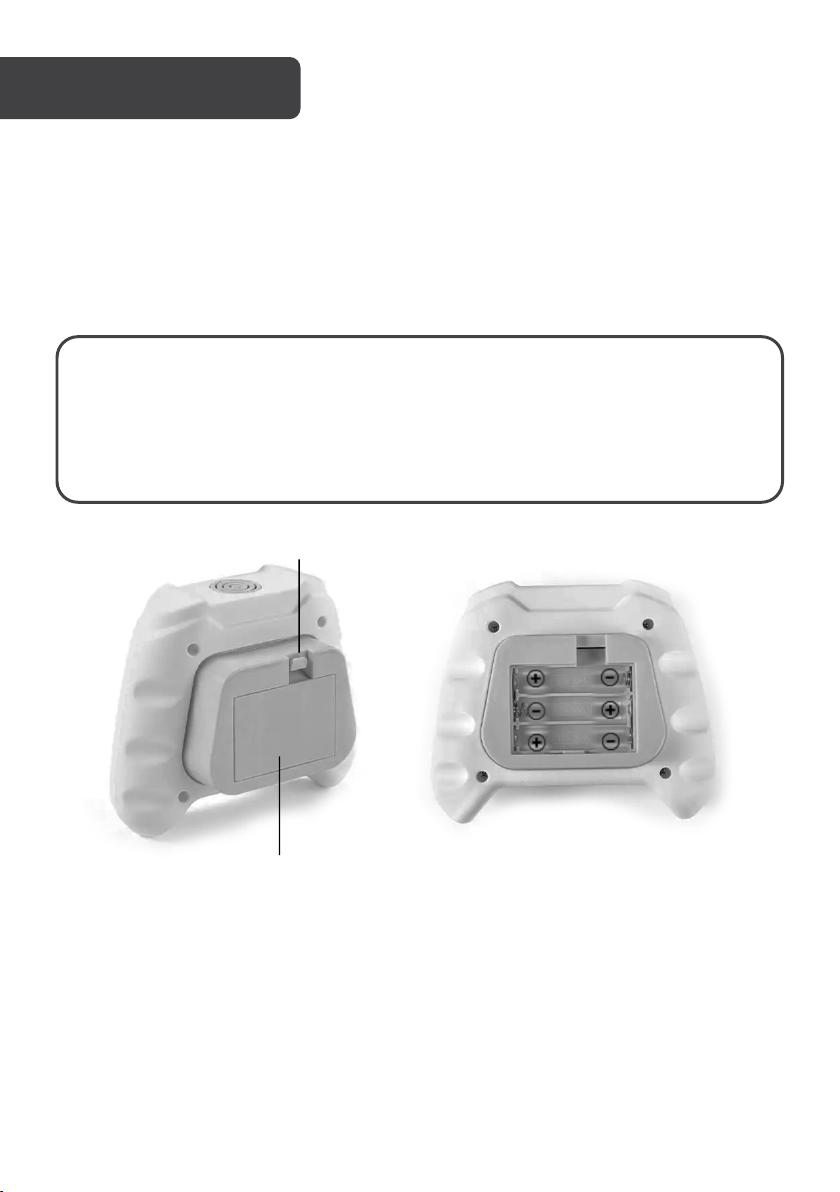
Release tab
Battery
compartment cover
Battery Installation
1. Use the release tab to open the battery compartment cover.
2. Insert x3 AAA batteries into the battery compartment paying close attention to the
orientation of the polarity symbols “+ , -”.
3. Replace the battery compartment cover.
Turning the Game ON/OFF
• Press the power button to turn the game ON. The bubbles will flash and an audio
prompt will play.
• Press the power button again to turn the game OFF.
• If there is no user input for 1 minute, the game will automatically turn OFF.
Page 5
Adjusting the Volume
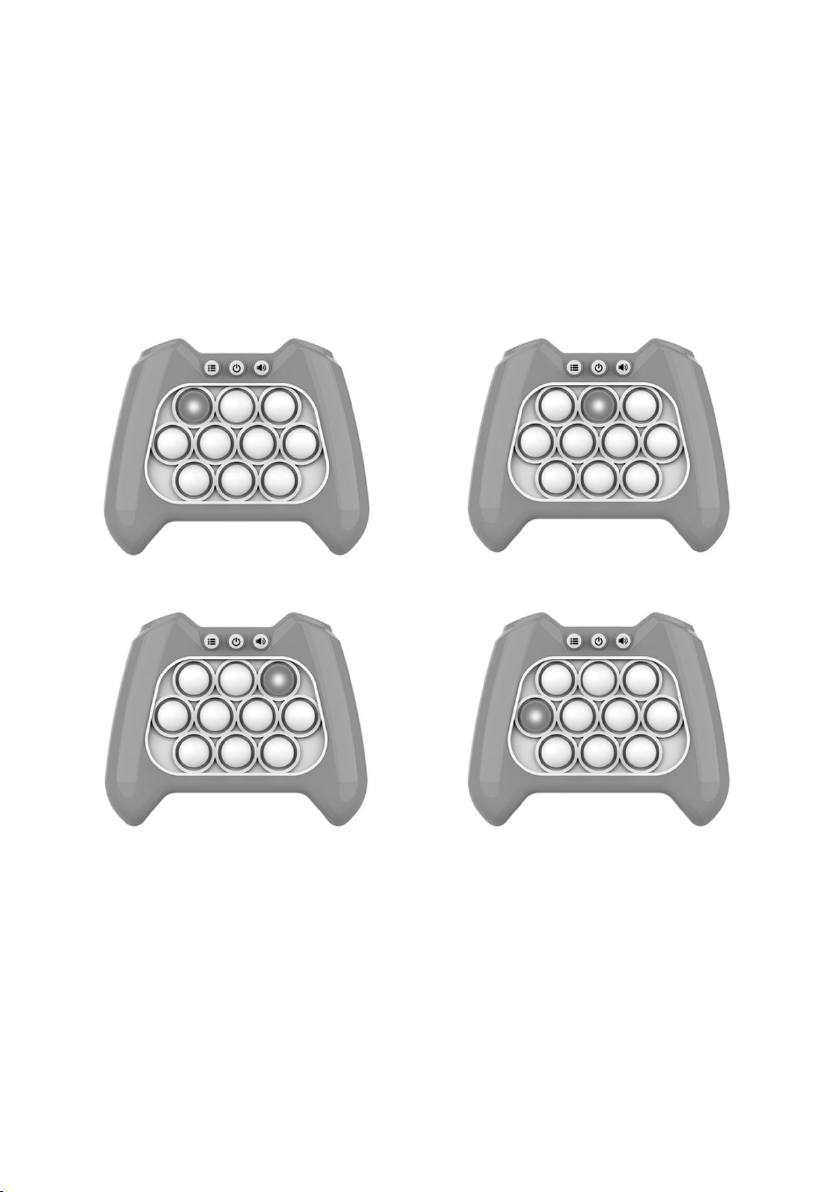
Mission mode
Memory mode
High Score mode
Multiplayer mode
By default, the game will be set to maximum volume. Press the volume button to cycle
through the four volume levels (mute, low, medium, maximum).
Game Modes
1. When first turned on, the game will be in Mission mode. Press the mode selection
button to select between the four game modes.
2. Press the back button to confirm your selection and start the game.
Page 6
Mission Mode
• In this mode, you will need to quickly
press all the bubbles that light up
followed by pressing the back button
within the time limit to move onto the
next level.
• There are 30 mission to play through.
Each mission contains 5 small levels.
• As you progress through the missions,
more lights will turn on and the time limit
will be reduced.
• If you fail to press all the bubbles within
the time limit or press the wrong bubble
the game will reset back to the first
mission.
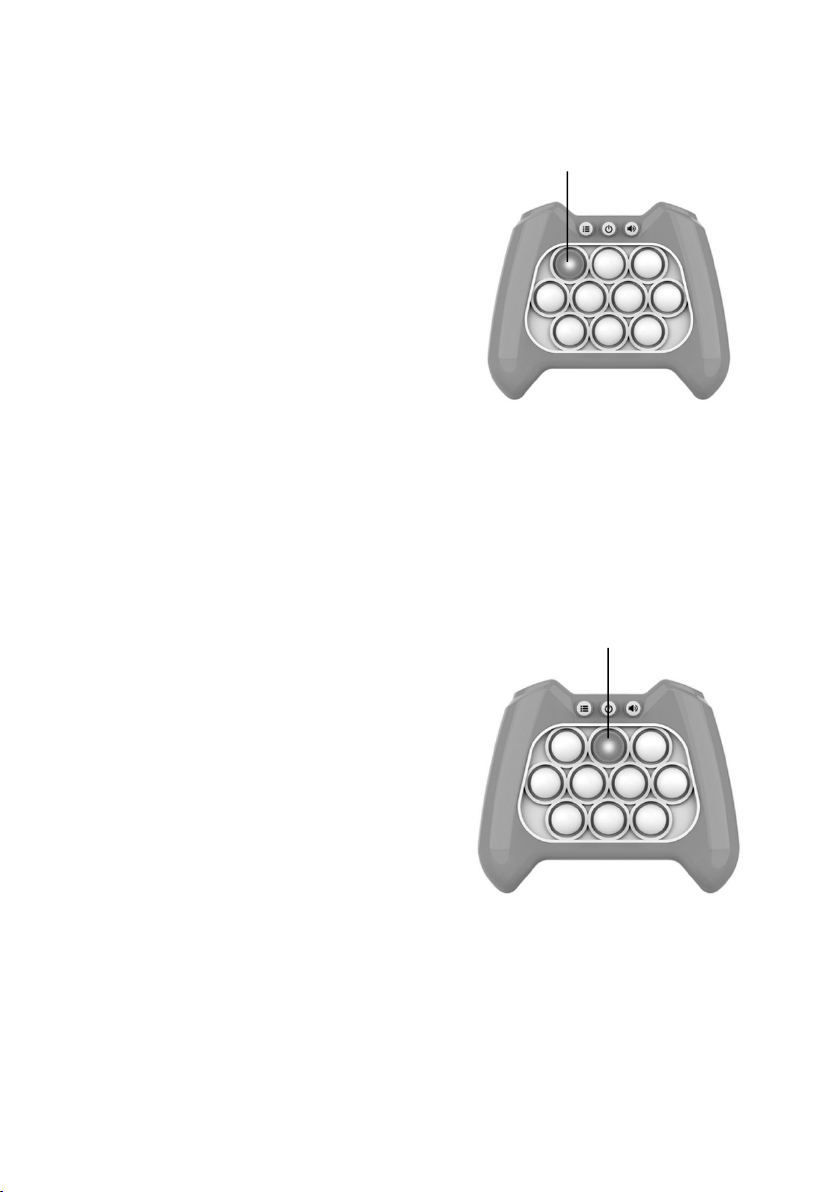
• If you press the first bubble before
starting the mission, you can select the
mission you wish to start on. Press the
back button to confirm your selection
and start the game.
Memory Mode
• In this mode, the bubbles will light up in a
sequence followed by an audio prompt.
You will need to press the bubbles
following the same sequence and then
press the back button.
• There are 9 difficulty levels to play
through. Each level contains 5 smaller
levels.
• If you fail to press the correct bubble the
game will reset back to the first level.
• If you press the second bubble before
starting the level, you can select the level
you wish to start on. Press the back
button to confirm your selection and
start the game.
First bubble
Second
bubble
Page 7
High Score Mode
• In this mode, you have 1 minute to press
as many bubbles as you can before the
timer runs out.
• Once you have pressed all 10 buttons
you will need to press the back button to
continue playing.
• After the timer is up the game will tell
you your score (100 is the maximum
score).
• If you press a bubble that isn’t lit, you will
fail and will not receive a score.
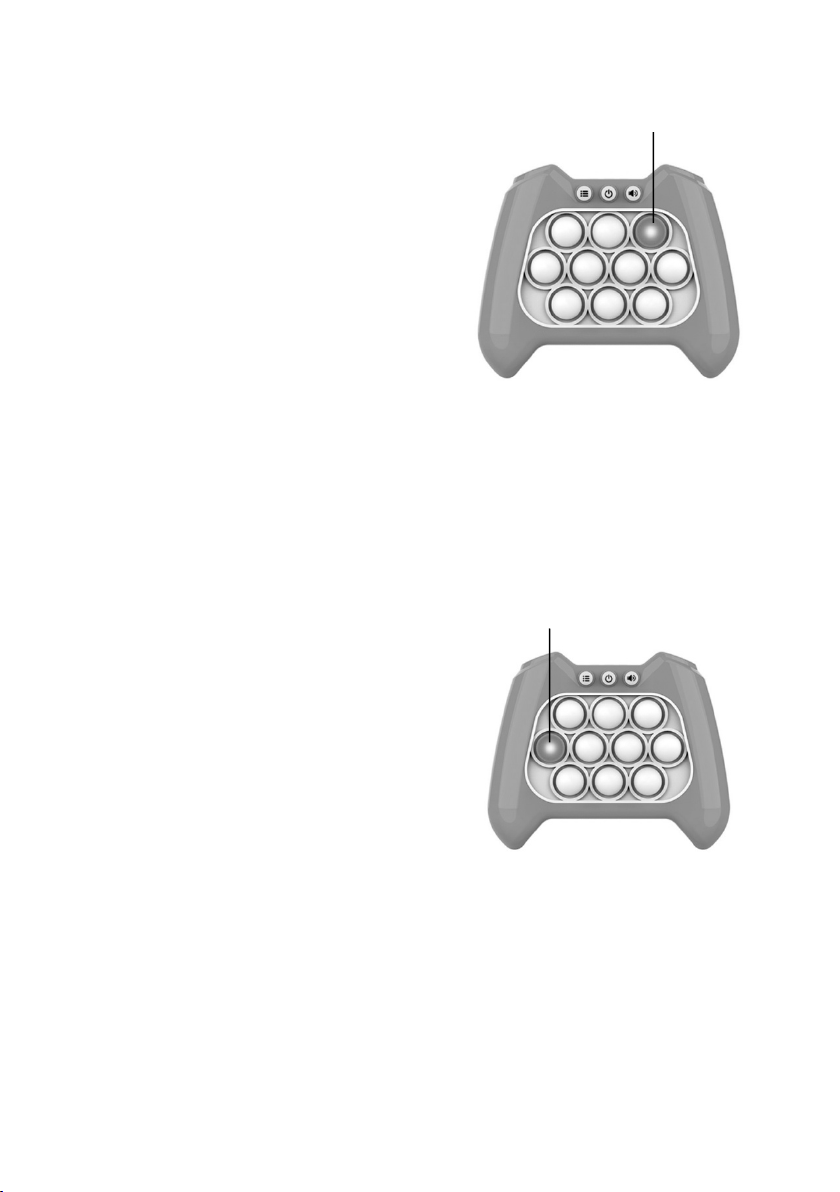
• If you press the third bubble before
starting the game, you can hear the
current high score.
Note: The high score will be cleared
when the batteries are removed.
Multiplayer Mode
• In this mode, each player will need to
quickly press all the bubbles that light up
and then press the back button. The
bubbles will flash in an arrow formation
prompting you pass it to the next player
• As you progress through the levels, more
lights will turn on and the time limit will
be reduced.
• If you fail to press all the bubbles within
the time limit or press the wrong bubble
the game will reset back to the first
mission.
• If you press the fourth bubble before
starting the game, you can select the
level you wish to start on. Press the back
button to confirm your selection and
start the game.
Third bubble
Fourth
bubble
Page 8

Need more information?
We hope that this user guide has given you
the assistance needed for a simple set-up.
For th e mo st up -to-date guide for your product,
as well as any additional assistance you may require,
head online to help.kogan.com
 Loading...