

Page 1
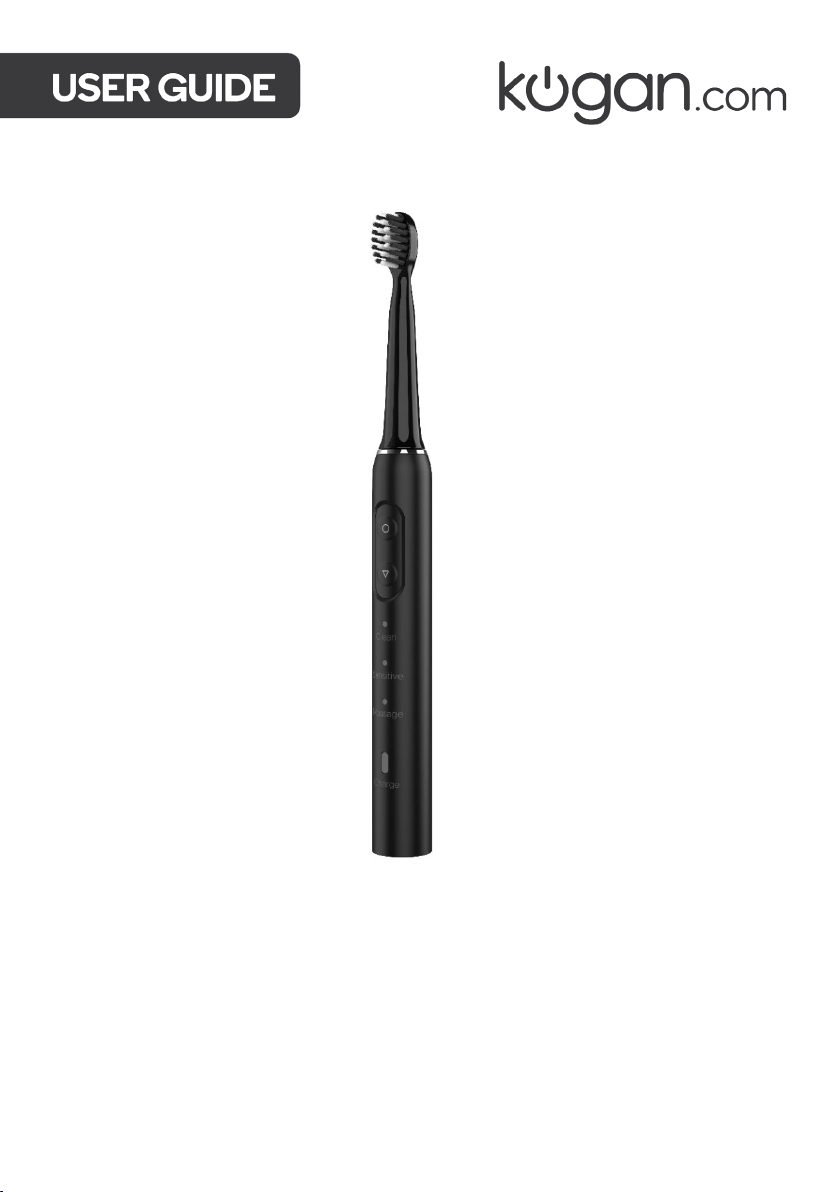
SONIC CLEAN ELECTRONIC
TOOTHBRUSH
BLACK
KAECTBRSBKA
Page 2

Page 3

SAFETY & WARNINGS
Ensure to read all warnings and instructions in this user guide prior to use.
• This product is only intended to be used for cleaning teeth, gums, and tongue. Do not
use the appliance for other than intended use.
• This appliance is not intended for use by persons (including children) with reduced
physical, sensory, or mental capabilities or lack of experience and knowledge, unless
they have been given supervision or instruction concerning use of the appliance by a
person responsible for their safety.
• The charging voltage and current is 5V/≥0.5A. Ensure any adapter used with this
charger is correctly rated to match.
• To avoid serious injury, do not use the charging cable or any chargers and plugs in the
bathroom or anywhere near water and other liquids.
• Do not let chargers touch water or any other liquid. If the charger is dropped into liquid,
do not touch it. Cut off the power and then remove it from the liquid.
• Do not use the toothbrush while charging. Charging must only be conducted when
toothbrush is not in use.
• Do not touch the charger with wet hands.
• Do not immerse the toothbrush into hot water.
• Do not put metal objects on the charger to avoid a potential fire hazard.
• Do not use the appliance if the charging cable or plug shows visible damage.
• Do not detach or modify the toothbrush in any way.
• Do not use the toothbrush if it is damaged.
• Do not press the toothbrush onto your teeth and gums with excessive force due to
potential damage to your teeth and gums.
• While in operation, do not brush in the same position for excessive periods to avoid any
damage to teeth and gums.
• If currently under dental treatment or have undergone a dental operation in the last 2
months, consult with your GP for advice prior to use.
• Bleeding may occur in the mouth when using the toothbrush for the first time. If the
bleeding lasts for longer than a week, stop use and consult with your GP for advice.
• Before using the toothbrush, if your body is equipped with a heart pacemaker or other
electronic device, consult a GP for advice.
• Stop using the brush head if bristles become crushed or bent. Replace the brush head
at least every 3 months, or when signs or wear and tear appear.
• The cable of charger is irreplaceable. If damaged, the charger should be scrapped.
• Do not use chemicals, steel, wood, or abrasives to clean the toothbrush.
• When charging, do not charge in an environment below 0° or above 45°C as it may
cause damage to the battery.
• For hygiene reasons, the toothbrush is only to be used by one person. Do not share the
toothbrush with others.
Page 4
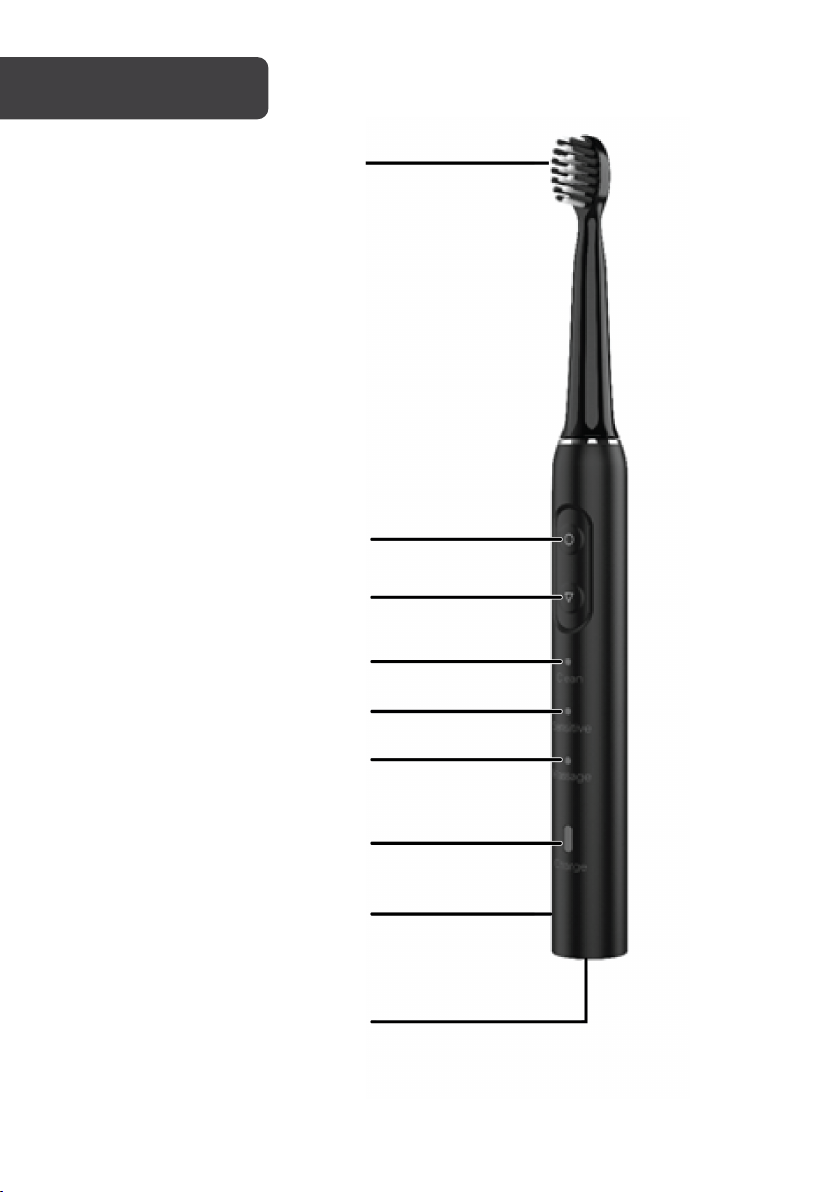
Brush head
Switch button
Select button
Clean mode indicator
Sensitive mode indicator
Massage mode indicator
Charging/battery indicator
Toothbrush body
Charging port
Page 5
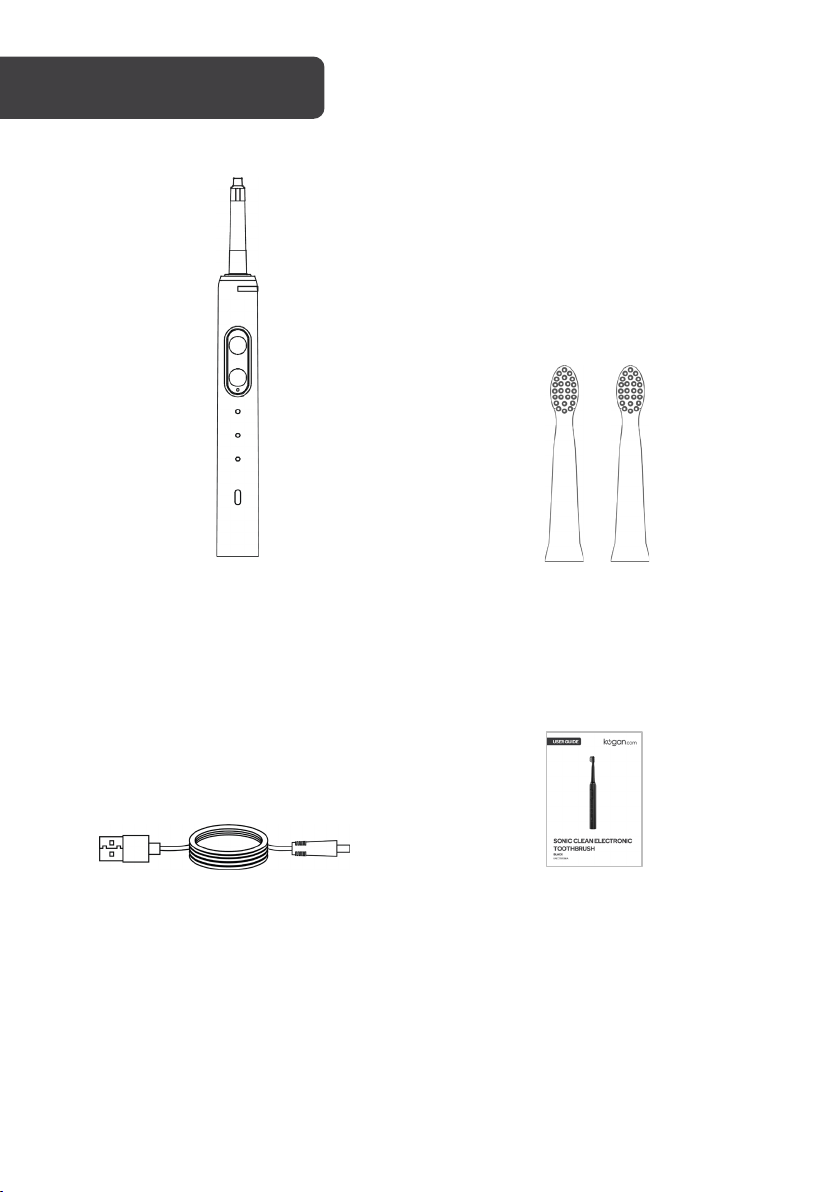
A Toothbrush body (x1)
B Toothbrush head (x2)
COMPONENTS
C Charging cable (x1)
D User guide (x1)
Page 6
Notes:
OPERATION
Charging before first use
The toothbrush will need to be charged prior to first use.
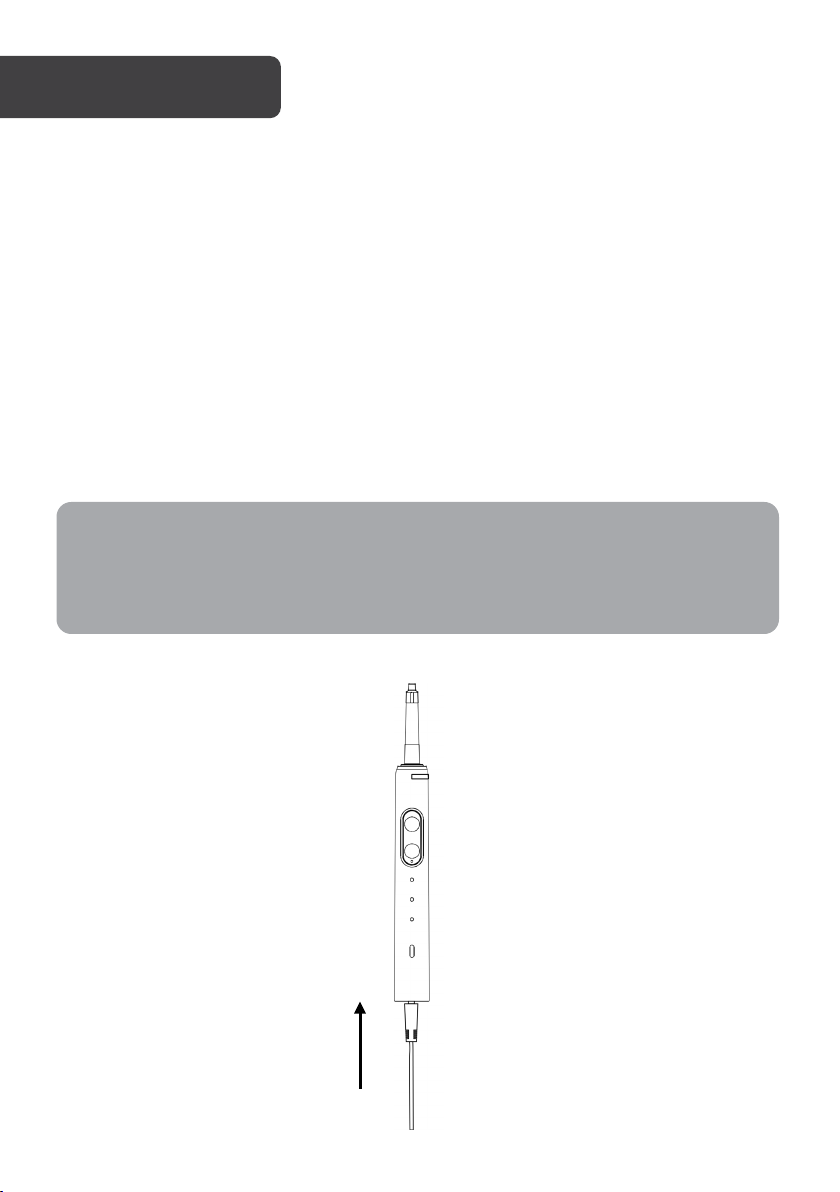
1. Connect the toothbrush with the charging cable included into the charging port
located on the bottom of the device.
2. Insert the other end into an adapter and plug the adapter into a power socket to
charge.
When charging, the charging/battery indicator on the toothbrush will be flashing
white. The charging/battery indicator will illuminate a solid white light when the
toothbrush is fully charged.
• The toothbrush must be turned off before being charged.
• When unplugging the toothbrush, pull the charger from the outlet. Do not unplug
it by pulling from the charging cable directly.
Page 7
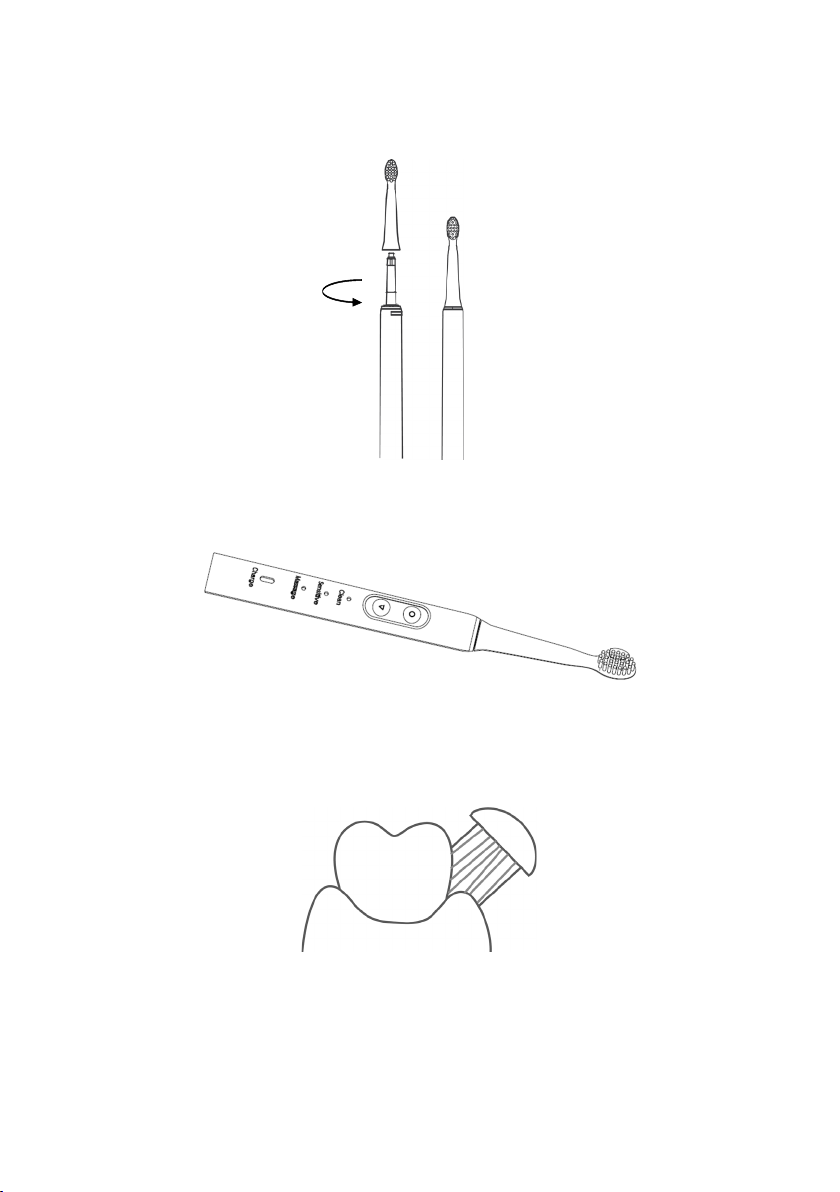
Operating instructions
1. Twist the brush head in an anticlockwise direction onto the toothbrush body. There
should be a locking sound to confirm when it is twisted on correctly.
2. Rinse the brush head with water and then put on the toothpaste on the brush
head.
3. Place the brush head between your teeth and gums.
Page 8
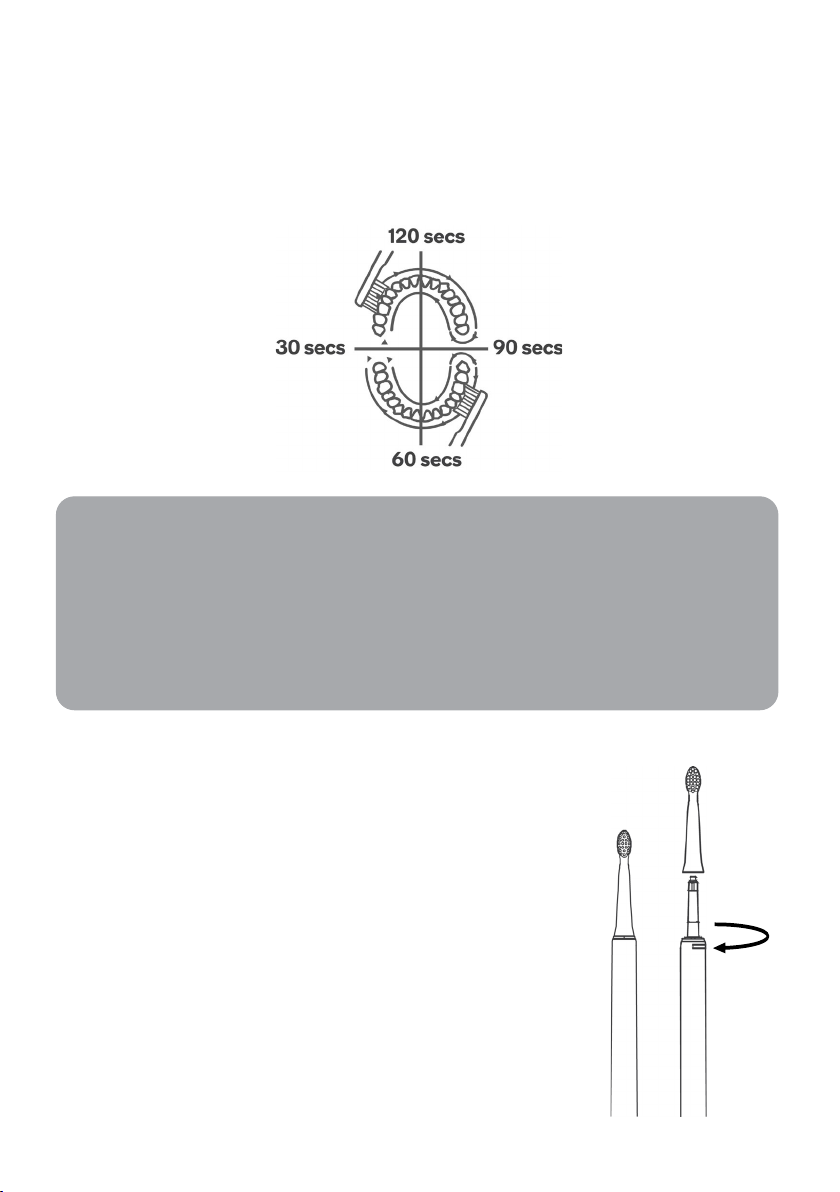
4. Press the select button to turn on the toothbrush. Use the Select button to choose
Notes:
from Clean, Sensitive or Massage modes, then begin brushing, moving the brush
back and forth against your teeth.
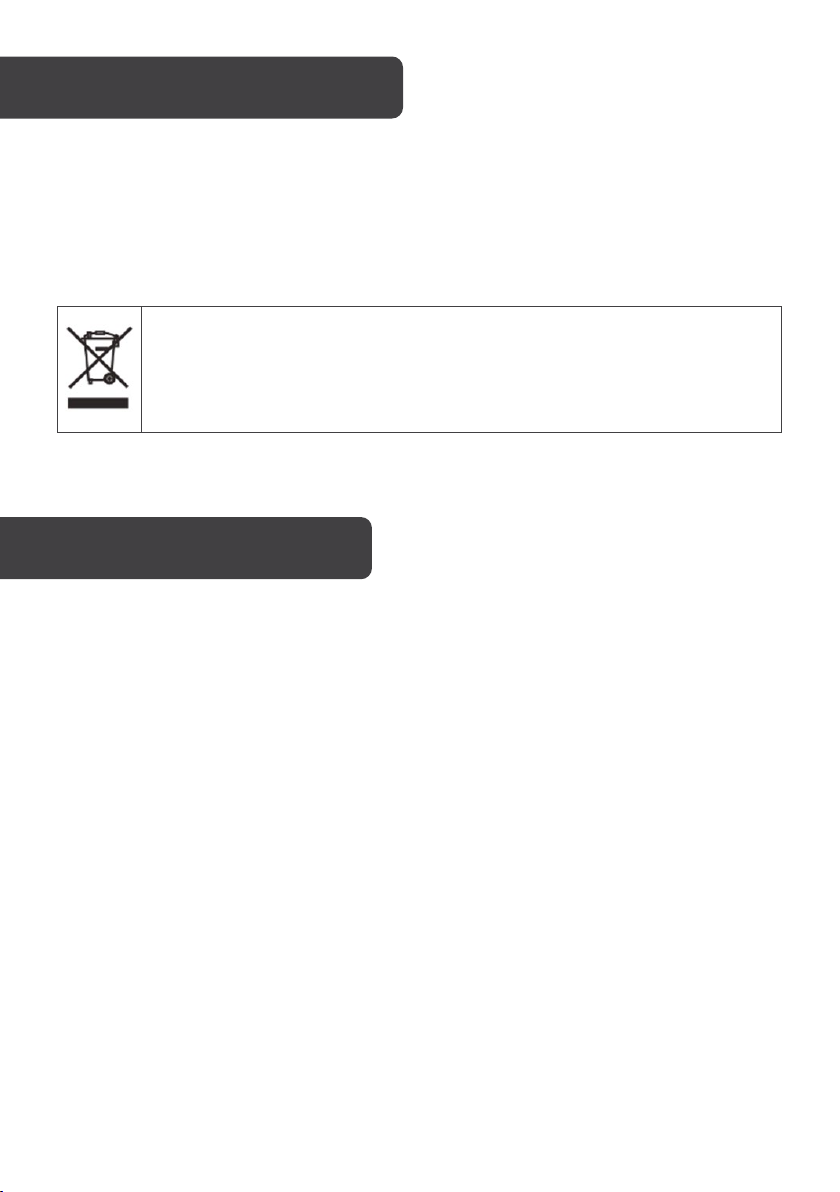
Remember that there are four quadrants of the mouth to clean. The toothbrush
will pause operating roughly every 30 seconds to remind you to brush other
sections of your mouth.
• After turning on and selecting your desired mode, the toothbrush can run for
up to 2 minutes. The toothbrush will then automatically turn off in its current
mode. If you require further brushing, turn the toothbrush on again and it will
commence in the last used mode.
• If the charging/battery indicator starts blinking red during use, this means
the toothbrush is low on power. Charge the toothbrush after use.
5. Once finished brushing, press the switch button to turn
the toothbrush off.
6. Remove the brush head by twisting it off in a clockwise
direction.
Page 9

Mode switching
You can switch between the different brushing modes by repeatedly pressing the select
button on the toothbrush until the desired mode is set. The toothbrush cycles through the
pattern of activating the clean, sensitive then massage mode in that order. Mode indicator
lights will illuminate a white light to correspond with the current mode activated.
Brushing modes
There are 3 brushing modes on this toothbrush:
• Clean
• Sensitive
• Massage
Clean mode
This mode is the strongest and allows the toothbrush to spin at a rate of 30000rpm ±15%.
Sensitive mode
This mode allows the toothbrush to spin at a rate of 26000rpm ±15%. It is suitable for those
with more sensitive teeth and gums.
Massage mode
This mode allows the toothbrush to alternate between a spin rate of 30000rpm ±15% and
20000rpm ±15%. Giving a massage like experience, the spin rate alternates every half a
second.
Page 10
CLEANING & CARE
Unplug the appliance before cleaning.
Wipe the brush head and toothbrush body with a soft cloth, then dry well. Never use
products with strong chemicals to clean this toothbrush.
This marking indicates that this appliance should not be disposed with other
household wastes. To prevent possible harm to the environment or human
health from uncontrolled waste disposal, recycle it responsibly to promote the
sustainable reuse of material resources.
SPECIFICATIONS
Rated voltage 1.2V
Rated power 1.2W
Rated input of charger 5V/1A
Executive standards GB4706.1-2005, GB4706.59-2008
Page 11
NOTES
Page 12

Need more information?
We hope that this user guide has given you
the assistance needed for a simple set-up.
For the most up-to-date guide for your product,
as well as any additional assistance you may require,
head online to help.kogan.com
 Loading...