

Page 1
PS5 DUAL CONTROLLER
CHARGER
KACHPSCNTC
Page 2

Page 3

SAFETY & WARNINGS
• The PS5 console must be used to provide power to this product. Other power supplies
may cause this product to work abnormally.
• During charging, if the controller reaches up to 80% or more, if you remove the
gamepad and plug it again, the gamepad may not be charged due to the battery
protection function. You will need to wait until the battery power of the gamepad is
lower than 80%.
• When this product is fully charged or not in use, the power USB cable should be
disconnected from the console.
• When this product is used or stored, dust and heavy pressure should be avoided as
much as possible.
• If this product is immersed in water, dropped or broken due to improper use and
performance problems occur. Cease use immediately and contact help.Kogan.com for
support.
• This product must not be used or stored in a humid environment.
• This product does not contain any user serviceable parts. Do not disassemble or modify
it in any way.
Page 4
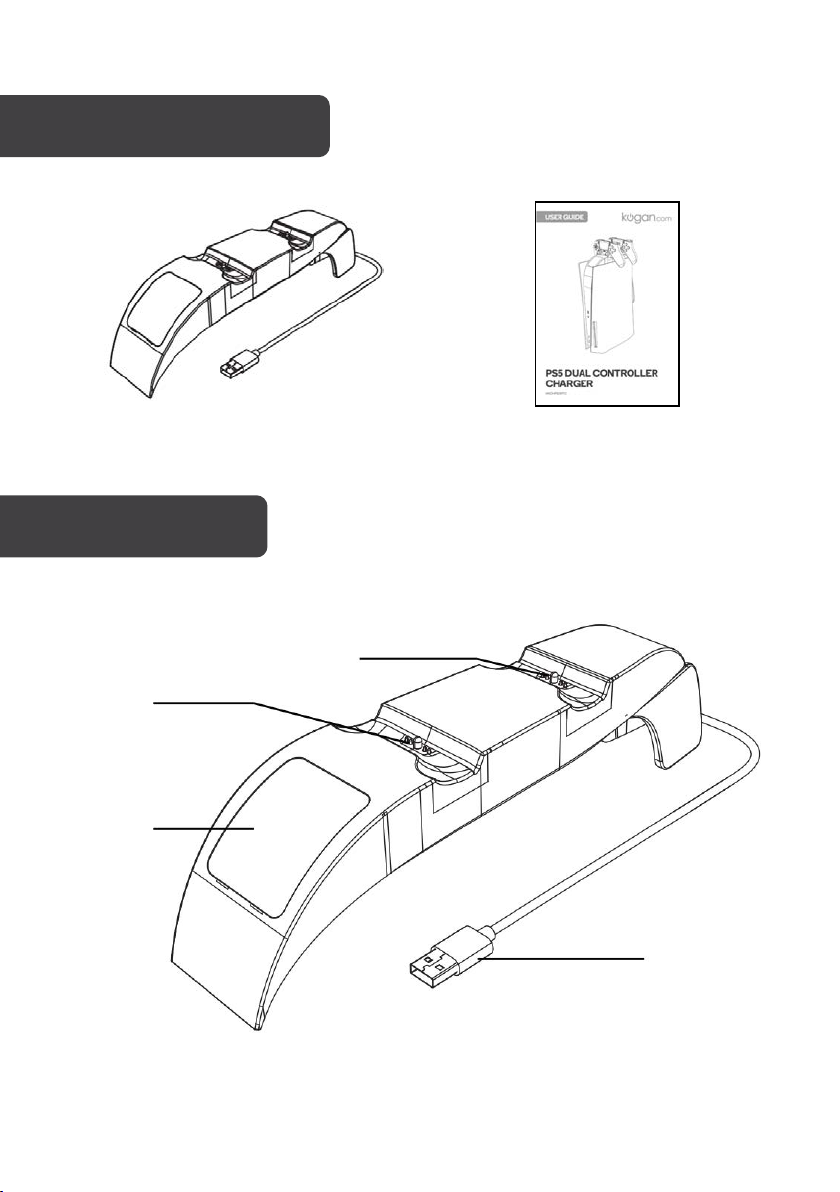
Dual Controller Charger
User Guide
Charging
dock 1
Charging dock 2
Charging
indicator
panel
COMPONENTS
OVERVIEW
USB cable
Page 5
Gel
OPERATION
• This product is suitable for charging Dual Sense Controllers.
• The charging indicator panel allows you to easily to identify the charging status of each
controller.
• This product features a built-in DC boost regulator circuit, which can continuously
provide 5V regulated charging.
Installation
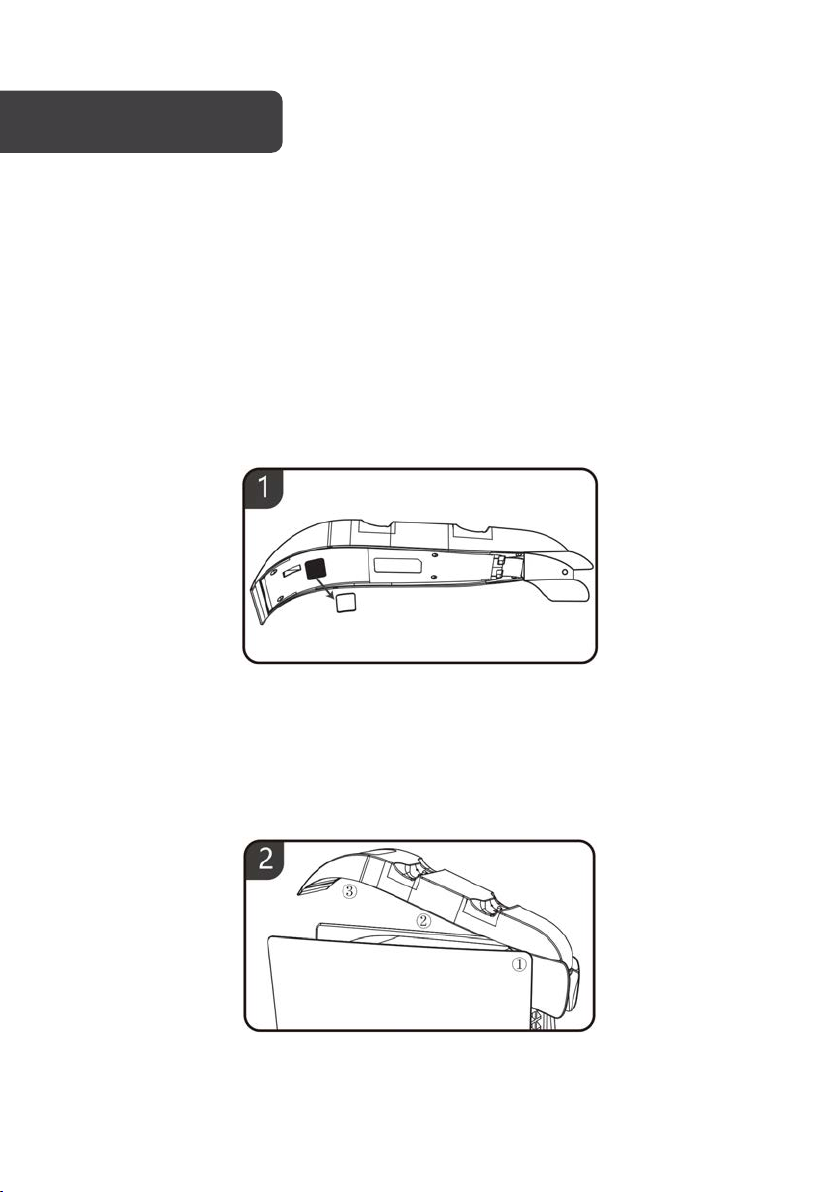
1. Remove the gel from the bottom of the Charger
2. Starting with the rear of the charger (1) and then following the sequence (2 & 3),
attach the charger to the top of the console. Connect the USB cable to USB port
on the rear of the console. The logo will illuminate White, and the indicators will
turn Blue.
Page 6
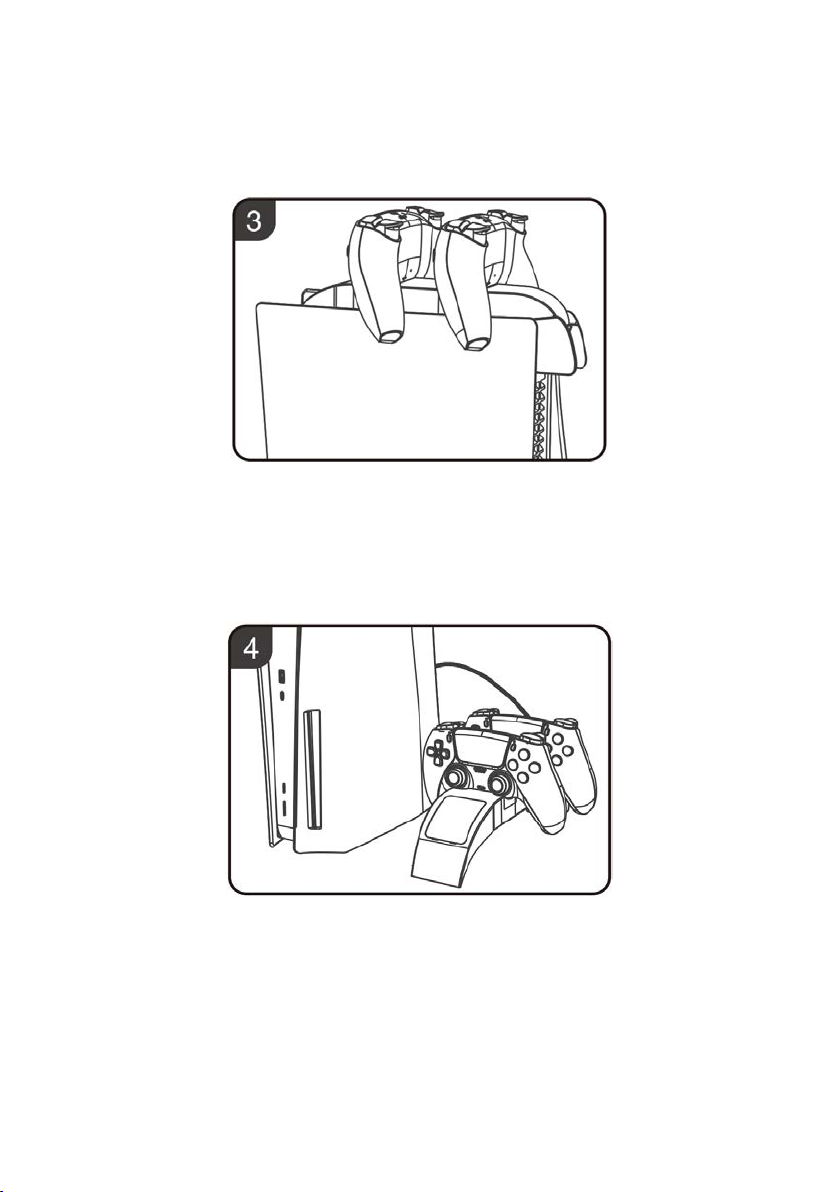
3. Align the charging contacts on the bottom of the controller with the contacts on
the charging docks on the charger. The indicator will turn Red while charging.
When the controllers are fully charged the indicators will turn Blue.
4. Alternatively, the dual controller charger can be placed on a flat surface next to
the console.
Page 7
Working voltage
DC 5V
Charging current
≤850 mA (single controller)
Charging time
2.5 - 3 Hours
SPECIFICATIONS
TROUBLESHOOTING
If the controllers do not charge when placed on the charger, check the following to help
troubleshoot the issue.
• Ensure the controller is placed properly in the charging dock with the contacts aligned.
• Dirt and dust may cause the charger to operate abnormally. Ensure both the controllers
and the charger are clean.
• When the controllers are fully charged or the battery level is greater than 95%, it will
stop charging. Use the controllers for a period before placing back on the charger.
Page 8

Need more information?
We hope that this user guide has given you
the assistance needed for a simple set-up.
For the most up-to-date guide for your product,
as well as any additional assistance you may require,
head online to help.kogan.com
 Loading...