

Page 1
BLUETOOTH AUDIO
ADAPTER
KABTAADAPTA
Page 2

Page 3

• This equipment complies with the limits for a Class B digital device in accordance
with FCC regulation. These limits are designed to provide reasonable protection
against harmful interference in a residential installation.
• This equipment generates, uses and can radiate radio frequency energy and, if not
installed and used in accordance with the instructions it may cause interference to
radio or television reception.
• If this equipment does cause interference to your radio or television reception, the
following measures can be taken to rectify the problem:
o Reorient or relocate the adapter.
o Increase the distance between your equipment and adapter.
o Connect the equipment into a different power outlet to which the adapter is
connected to.
• Do not dismantle or modify this equipment in anyway.
Page 4
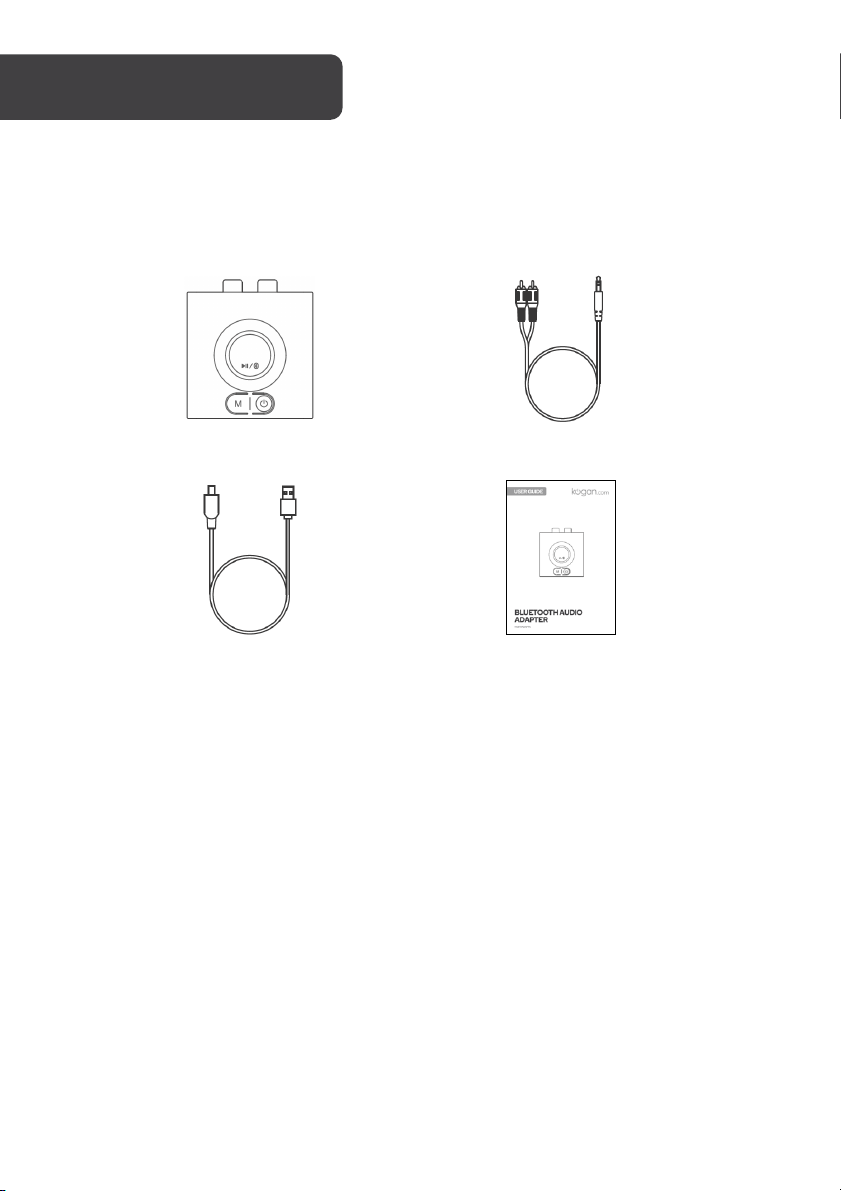
Bluetooth adapter
3.5mm to RCA cable
Charging cable
User guide
Page 5
OVERVIEW
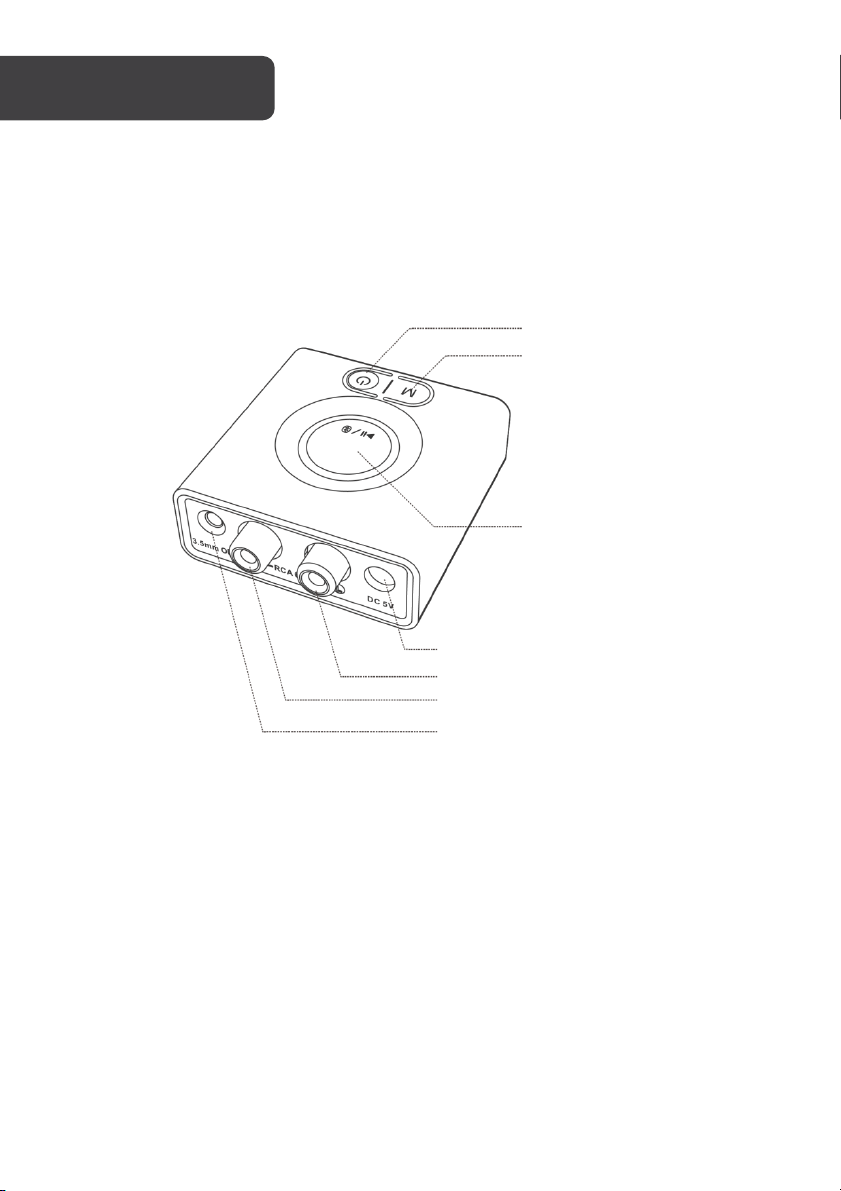
Power
Mode
Multi-function button
Charging port (DC-5V)
RCA out L
RCA out R
3.5mm audio output
Page 6
OPERATION
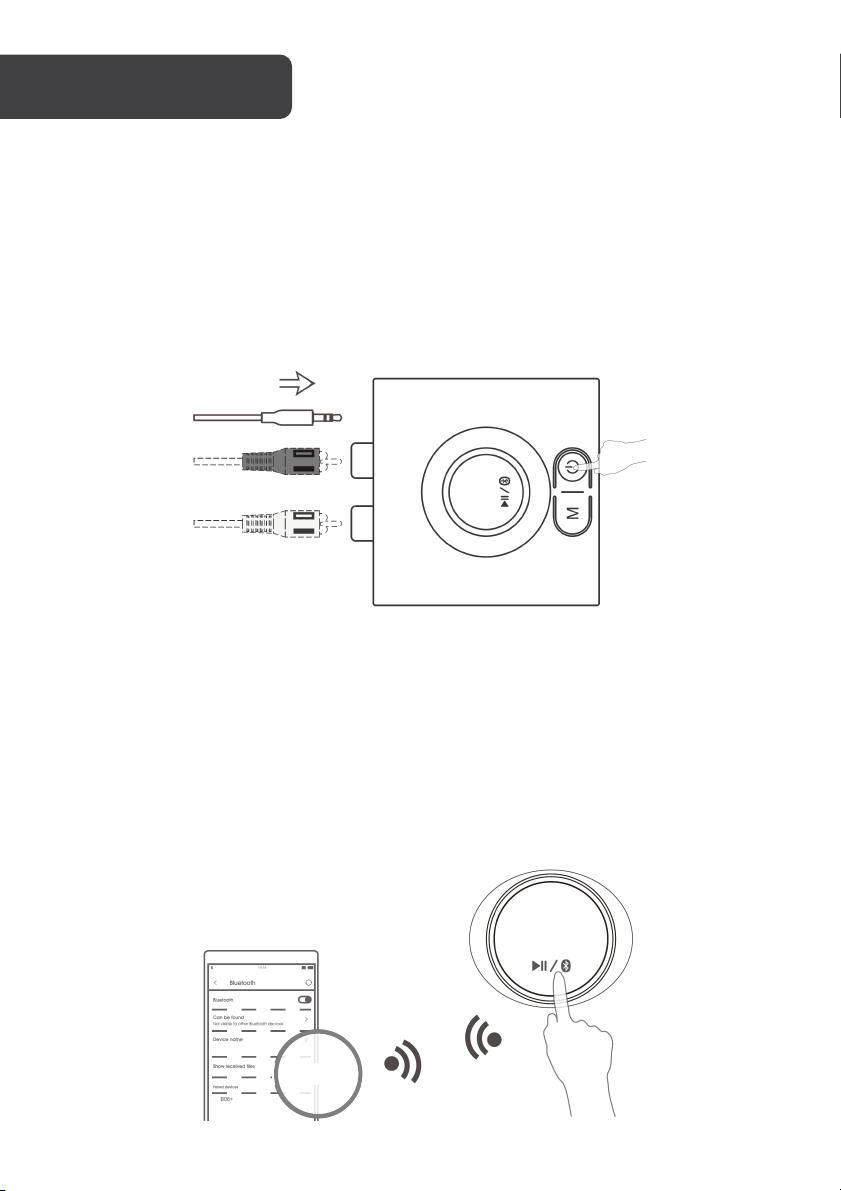
3.5mm to RCA cable
3.5mm audio cable
(not supplied)
KABTAADAPTA
Getting Started
Step 1: Connecting to audio device
• Connect the Bluetooth adapter to your audio system or headphones using either
the supplied 3.5mm to RCA cable or a 3.5mm audio cable.
• Press and hold the power button to turn on the Bluetooth adapter.
Step 2: Pairing with Bluetooth device
• Press and hold the multi-function button (MFB) to enter pairing mode. The blue
and red indicators will flash.
• Activate Bluetooth on your phone or another device and click "KABTAADAPTA" to
connect.
Note: Up to two devices can be simultaneous paired with the Bluetooth adapter.
Connect the second device by following the same pairing process. Only one device can
play audio at a time.
Page 7
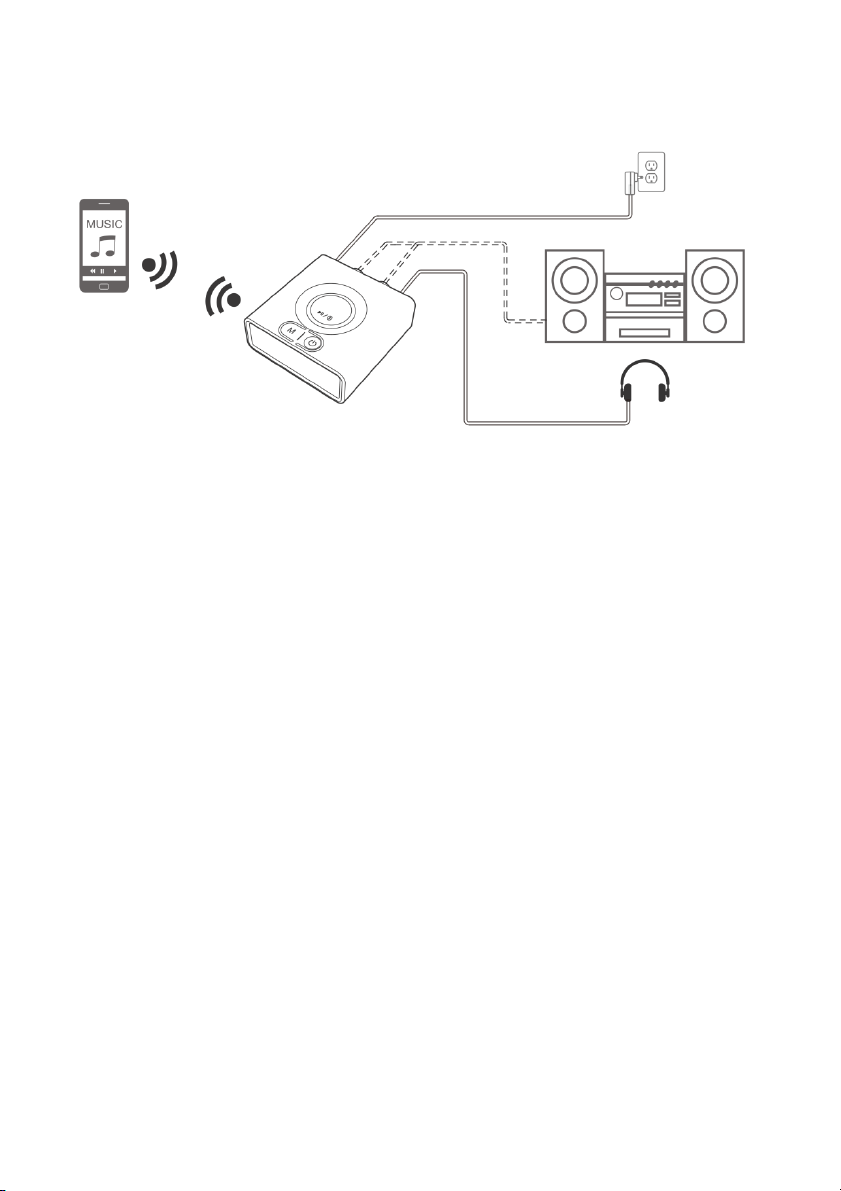
Step 3: Play
Bass Booster
• Pressing the “Mode” button will activate the adapter’s bass booster function.
• The indicator will turn green and the adapter will amplify your music’s lower
frequencies.
• The volume levels may need to be adjusted to achieve the optimum result.
Charging the Adapter
• Plug the supplied charging cable into the charging port on the Bluetooth adapter.
• Plug the cable into a power adapter (mobile phone charger).
• The adapter is fully charged when the indicator turns off.
Reset
If the receiver cannot be connected or operate properly, please refers to the following
method to reset the device:
• Press and hold the multi-function button for 10 seconds.
• The indicator flashes purple 3 times.
• Delete the adapter from your Bluetooth device’s connection list.
• Fol low the pairing pro cess to reco nnect the adapt er to you r de vice .
Page 8

Bluetooth Version
5.0
Operating range
indoors: up to 15-21m (without obstructions)
outdoors: up to 50m (without obstructions)
Input voltage/ current
DC 5V 500mA
Charging time
Approx. 2.5 hour
Operating time
Approx. 12 hours
Operating temperature
-10°C ~ 45°C
Storage temperature
-20°C ~ 60°C
Dimension
60x54x23mm
Product weight
35g
Page 9

Page 10

Page 11

Page 12

Need more information?
We hope that this user guide has given you
the assistance needed for a simple set-up.
For th e most up-to-date guide for your product,
as well as any additional assistance you may require,
head online to help.kogan.com.
 Loading...