

Page 1
!
KLIM IMPACT USER MANUAL
Thank you for purchasing our product, if you ever encounter any problem whatsoever
please remember we will remain at your disposal to help you.
I. KLIM IMPACT FUNCTIONALITY
The KLIM Impact’s operation is fairly simple, it has 3 control buttons: one to increase
the volume, one to decrease it and one to deactivate the microphone.
II. KLIM IMPACT INSTALLATION
1. On Windows
Check that the audio and the microphone are recognised, go to the Control Panel =>
Hardware & Sound => Sound. The exact title wording may vary depending on your
version of Windows.
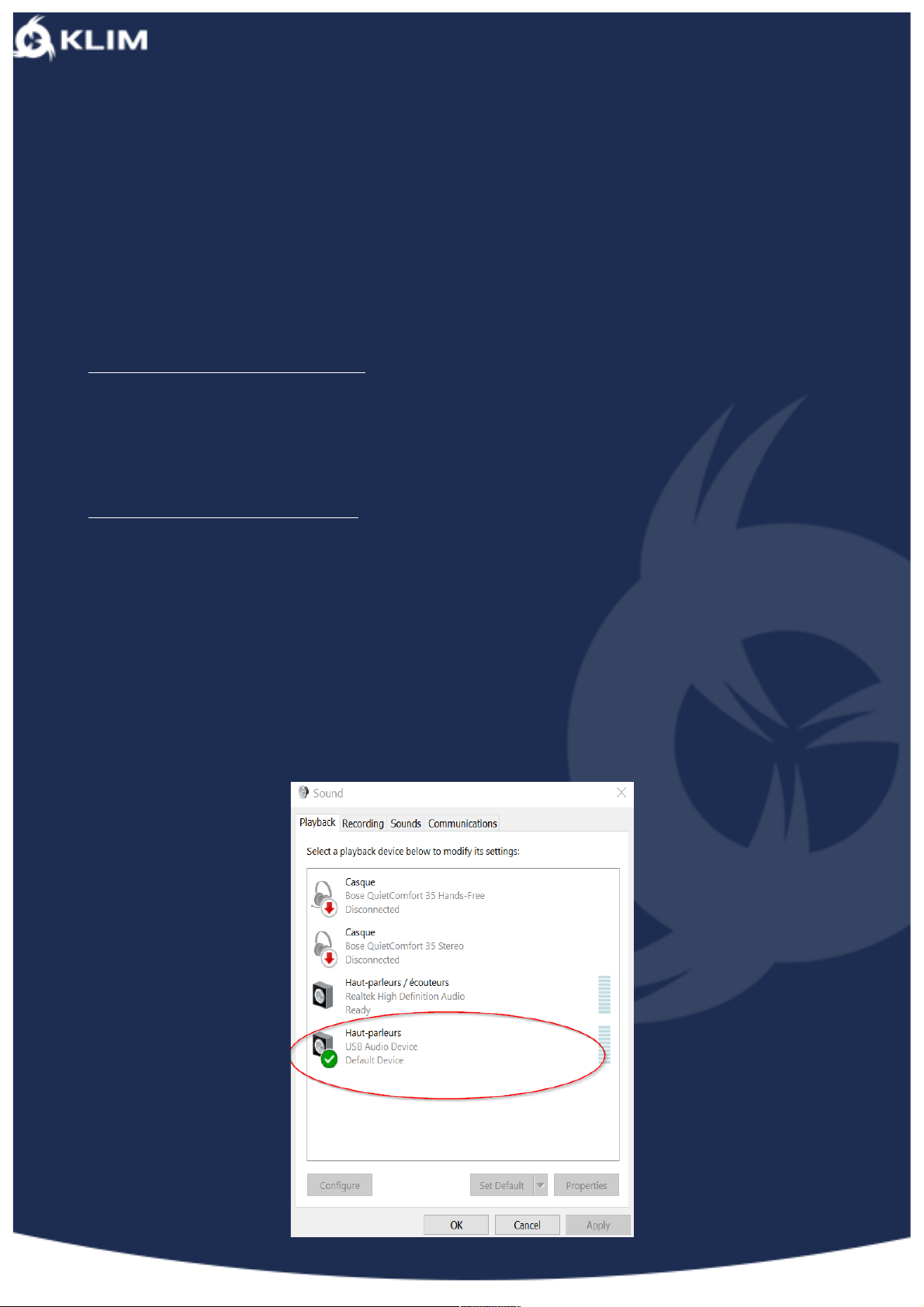
Then check the headphones are showing up on the list and are selected as the default
audio device (little green tick icon).
Page 2
!
2. On MacOS
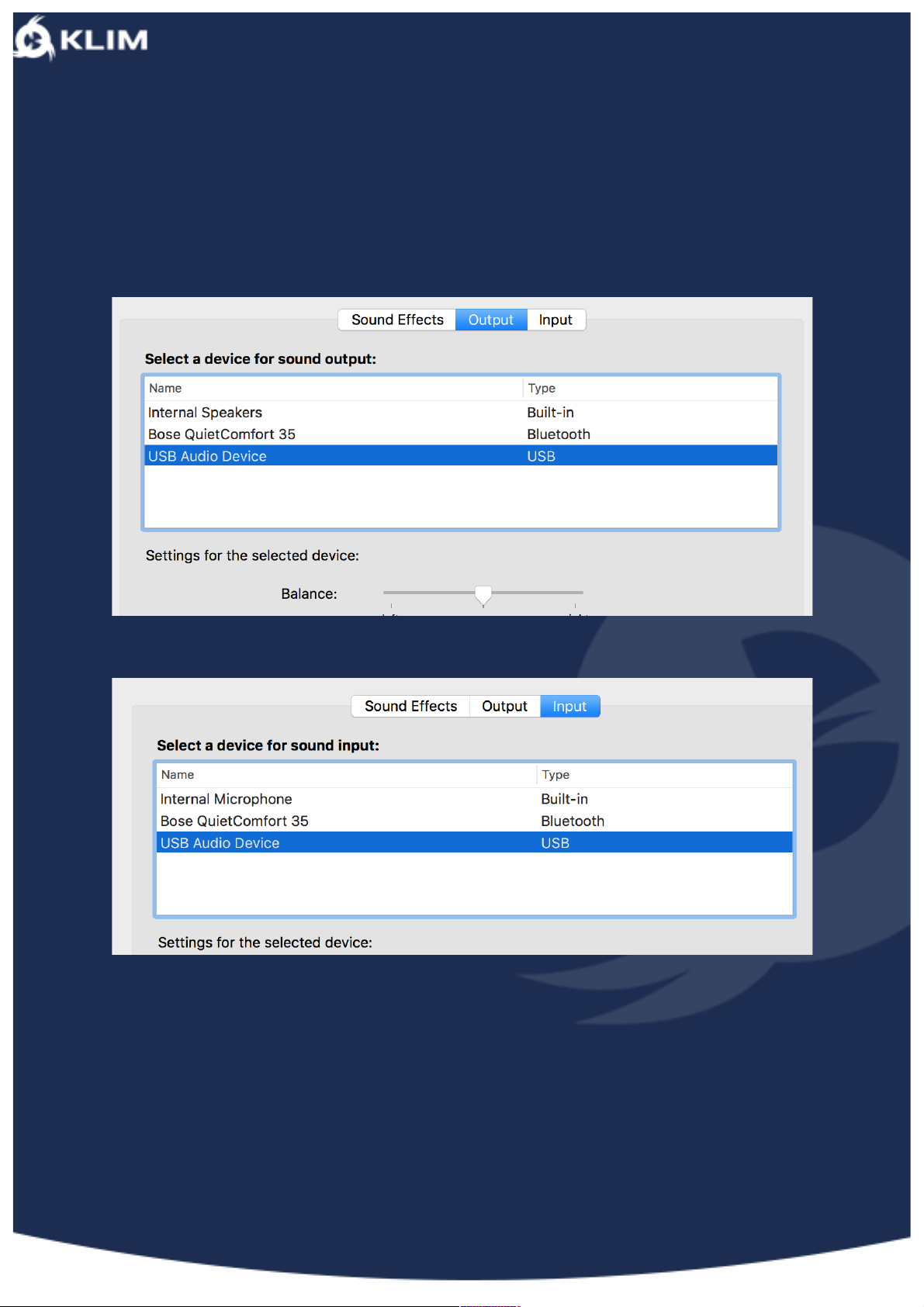
Go to “System Preferences” and “Sound”, make sure that the USB Audio Device is
selected as audio in and out.
Also remember to check inside the software you’re using that the KLIM Impact is
selected.
Page 3
!
III. DRIVER INSTALLATION
• Download the driver from our website.
• Open it, if Windows warns you that the software is potentially dangerous, ignore
it. It is just a precaution Windows takes, our software is secure. There are no third
party programs.
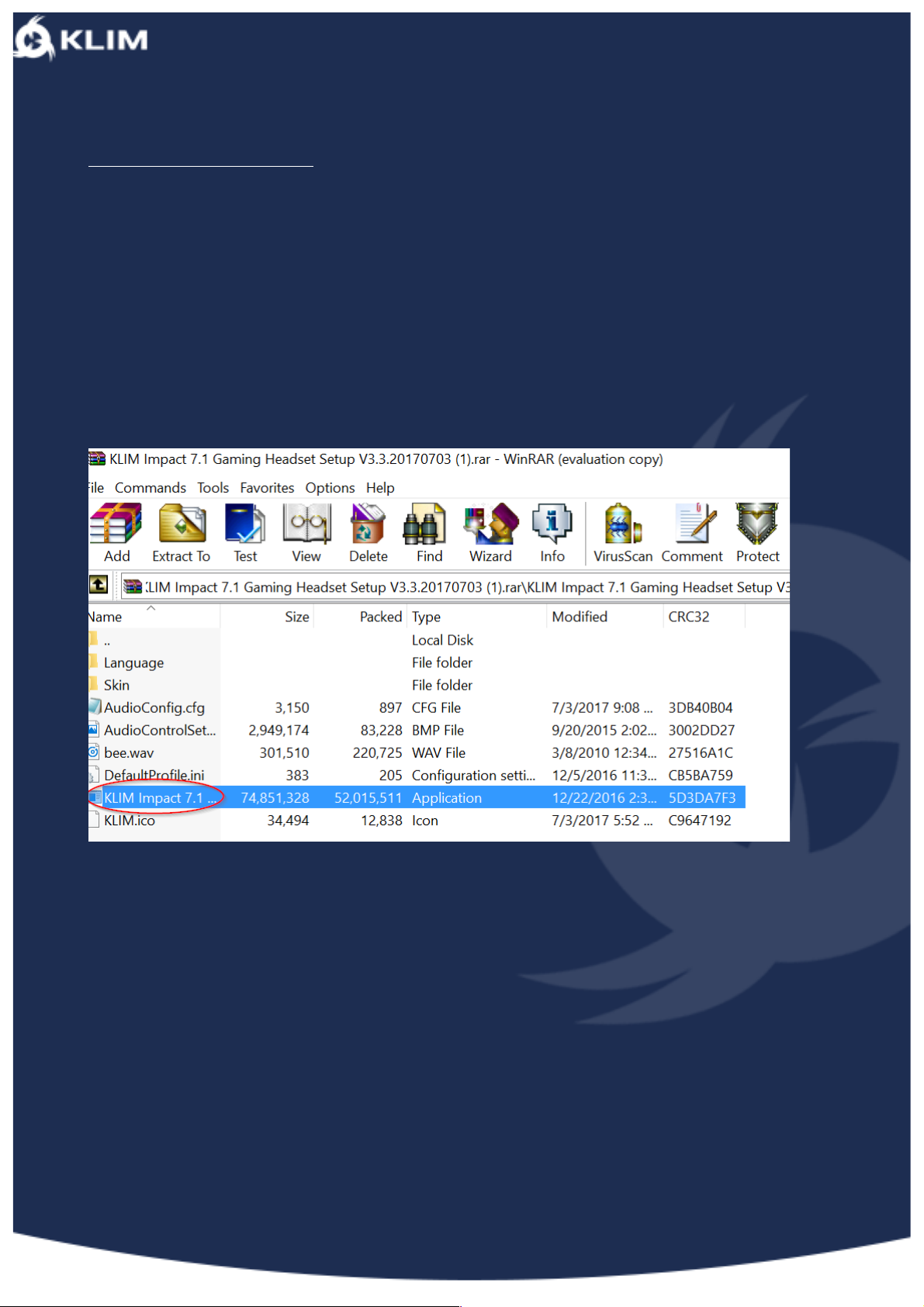
• Open the file with an unzipping tool such as Winrar.
• Double click on KLIM Impact 7.1 Gaming Headset Setup V3.3.20170703.rar
• Extract the archive: this may take a few moments.
Once you’ve done this, select the installation language.
Once the software has been installed, you will be asked to restart your computer. Most
of the time, this will not be necessary.
Page 4
!
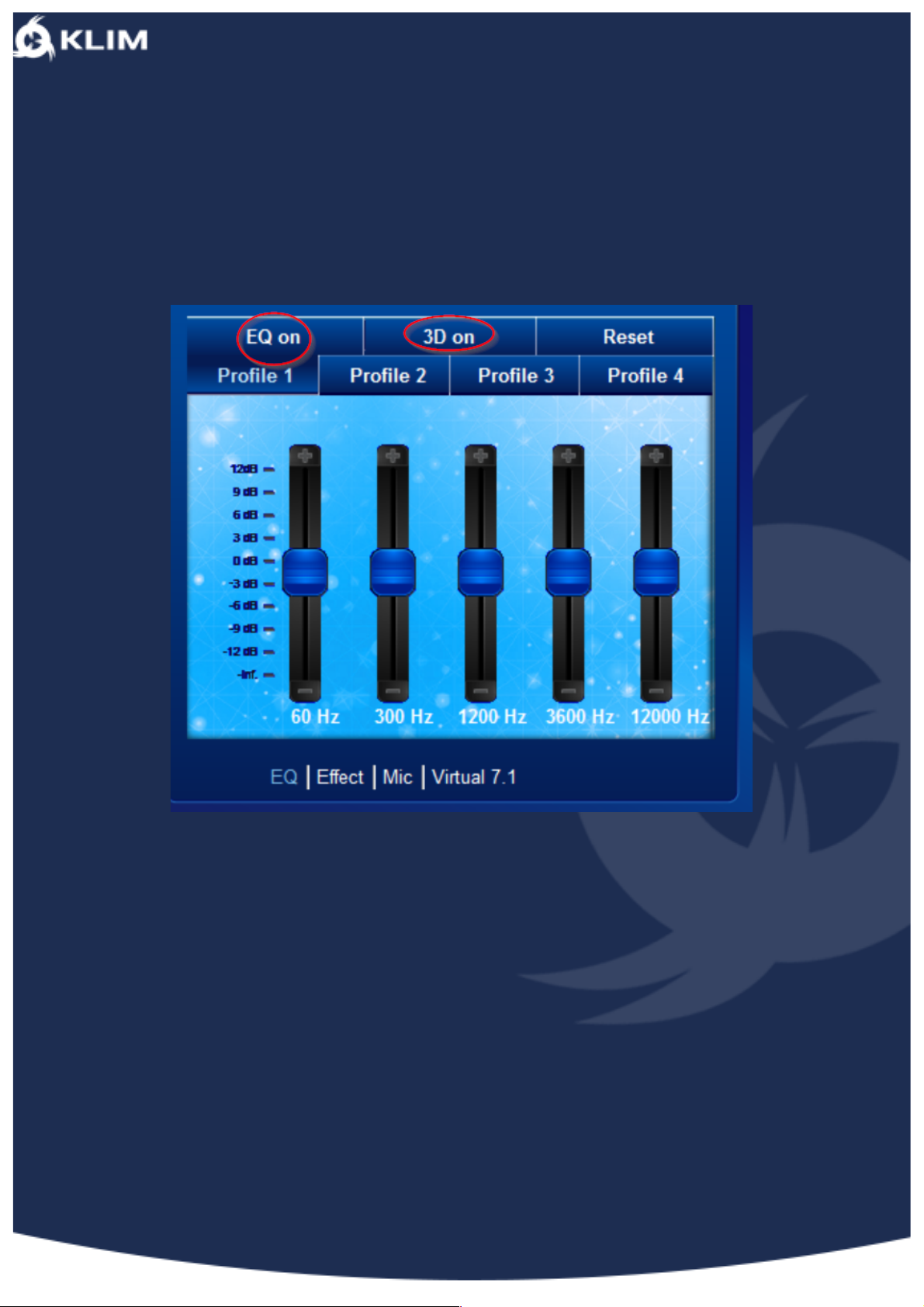
Firstly, you can control the Equalizer. For most people, this step is not useful and it is
recommended that you keep the default settings.
You also get a 3D option as well as the option to save several different profiles.
Page 5
!
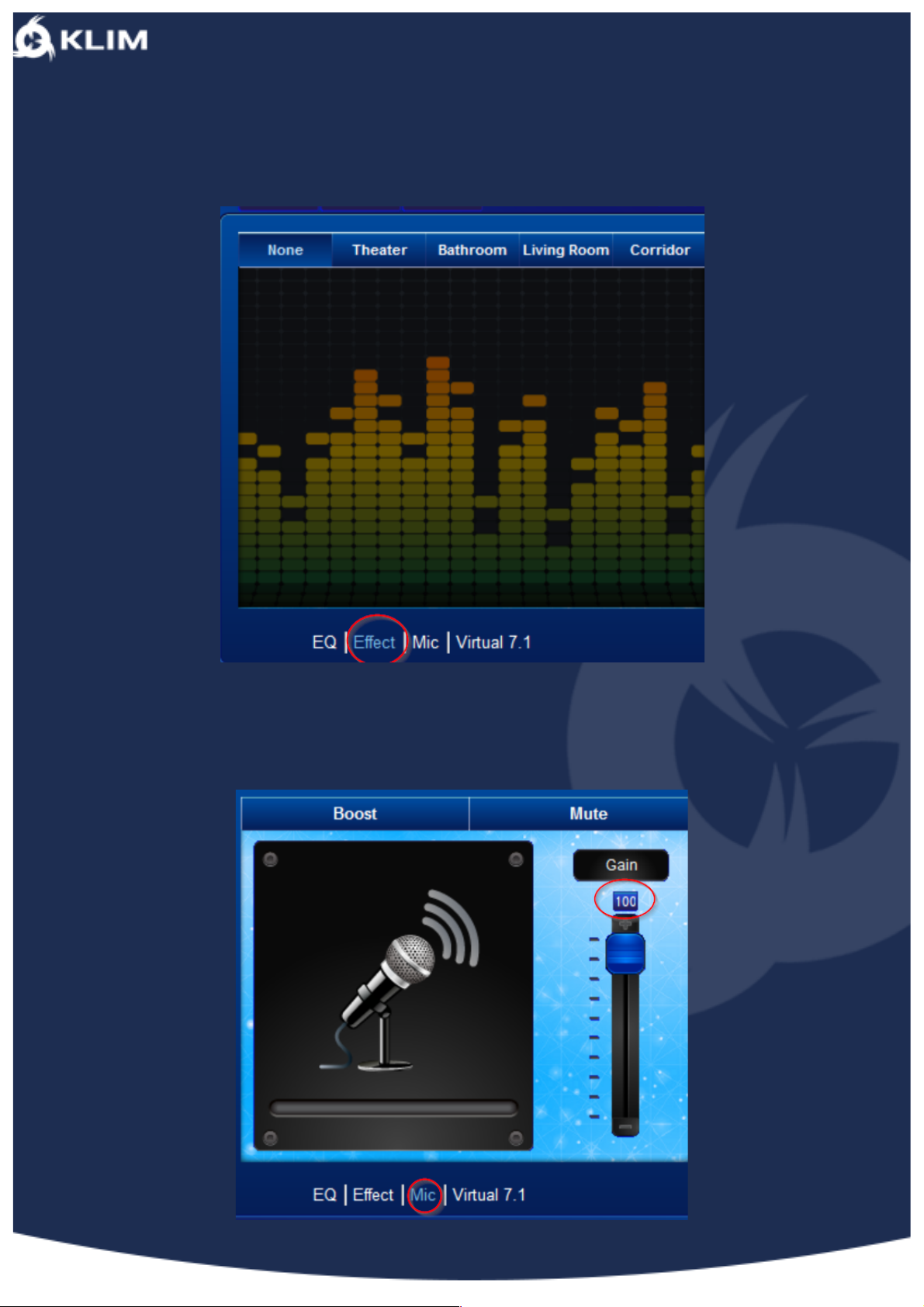
Let’s now focus on what is useless but indispensable, what would sound be like if you
were in a hall!
Then we need to look at the microphone settings, this will allow you to amplify the
microphone’s gain.
Page 6
!
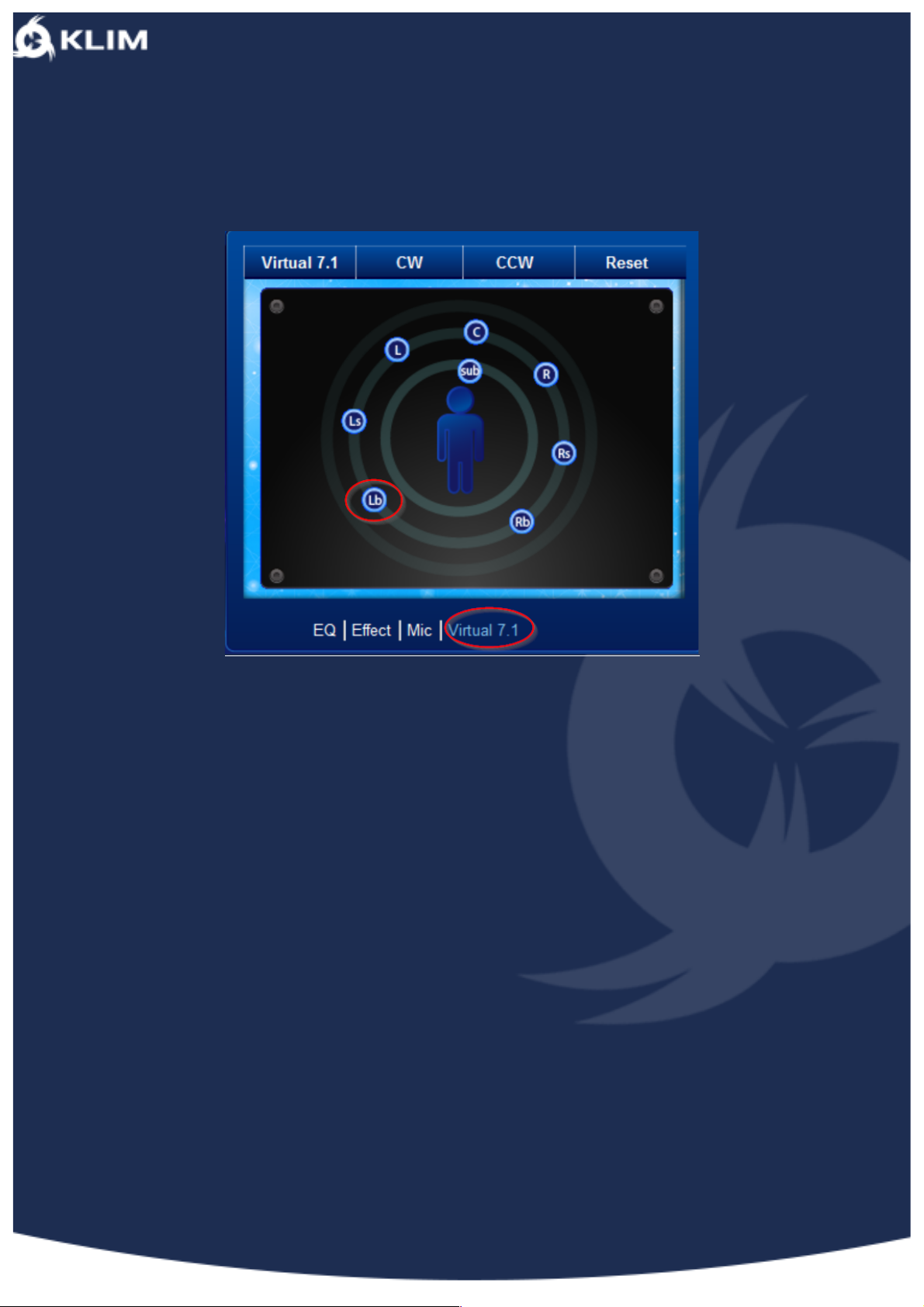
You can then set the 7.1 as you wish. For instance, you can move LB around.
To finish, if you ever wanted to go back to original settings, you can reset or simply
close the driver.
--
We would like to thank you, in the name of the entire team here at KLIM, for having
purchased the KLIM Impact and we hope it will live up to your expectations!
Don’t hesitate to leave us a comment on the website you purchased it from, it really
helps us tremendously!
KLIM Team
 Loading...