

Page 1
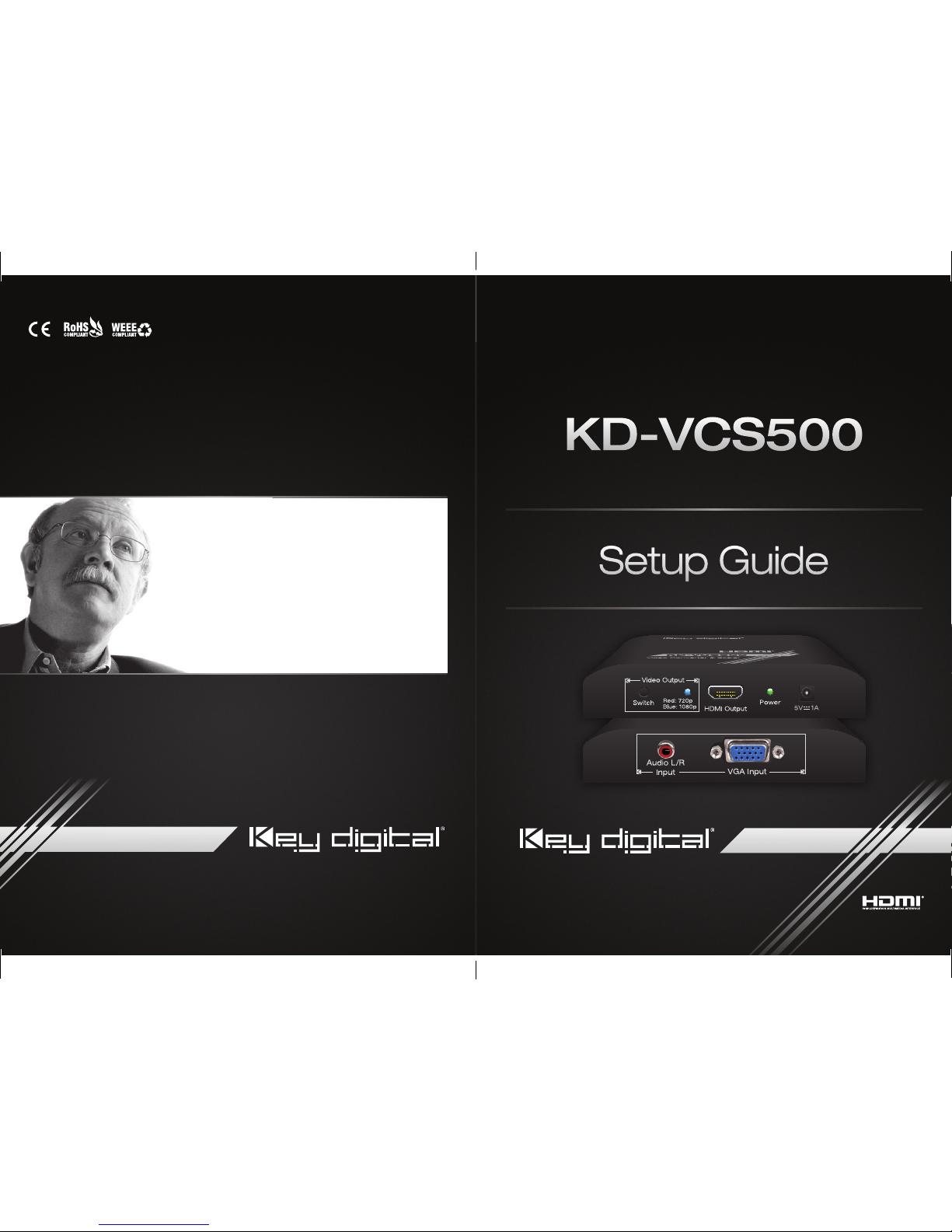
Video Converter & Scaler
The Experts in Digital Video Technology and Solutions
™
KD-VCS500
Key Digital® Systems :: 521 East 3rd Street :: Mount Vernon, NY 10553
Phone : 914.667.9700 Fax : 914.668.8666 Web : www.keydigital.com
Rev 0 – Oct 2014
Setup Guide
Setup Guide
Key Digital®, led by digital video pioneer Mike Tsinberg,
develops and manufactures high quality, cutting-edge
technology solutions for virtually all applications where
high quality video imaging is important. Key Digital
®
is at the forefront of the video industry for Home Theater
Retailers, Custom Installers, System Integrators,
Broadcasters, Manufacturers, and Consumers.
KD-VCS500 Manual.indd 2-3 11/12/14 3:28 PM
Page 2
4 1
Please read all instructions to insure safe operation of the product.
You MUST use the Power Supply provided with your unit or you VOID
the Key Digital
®
Warranty and risk damage to your unit and associated
equipment.
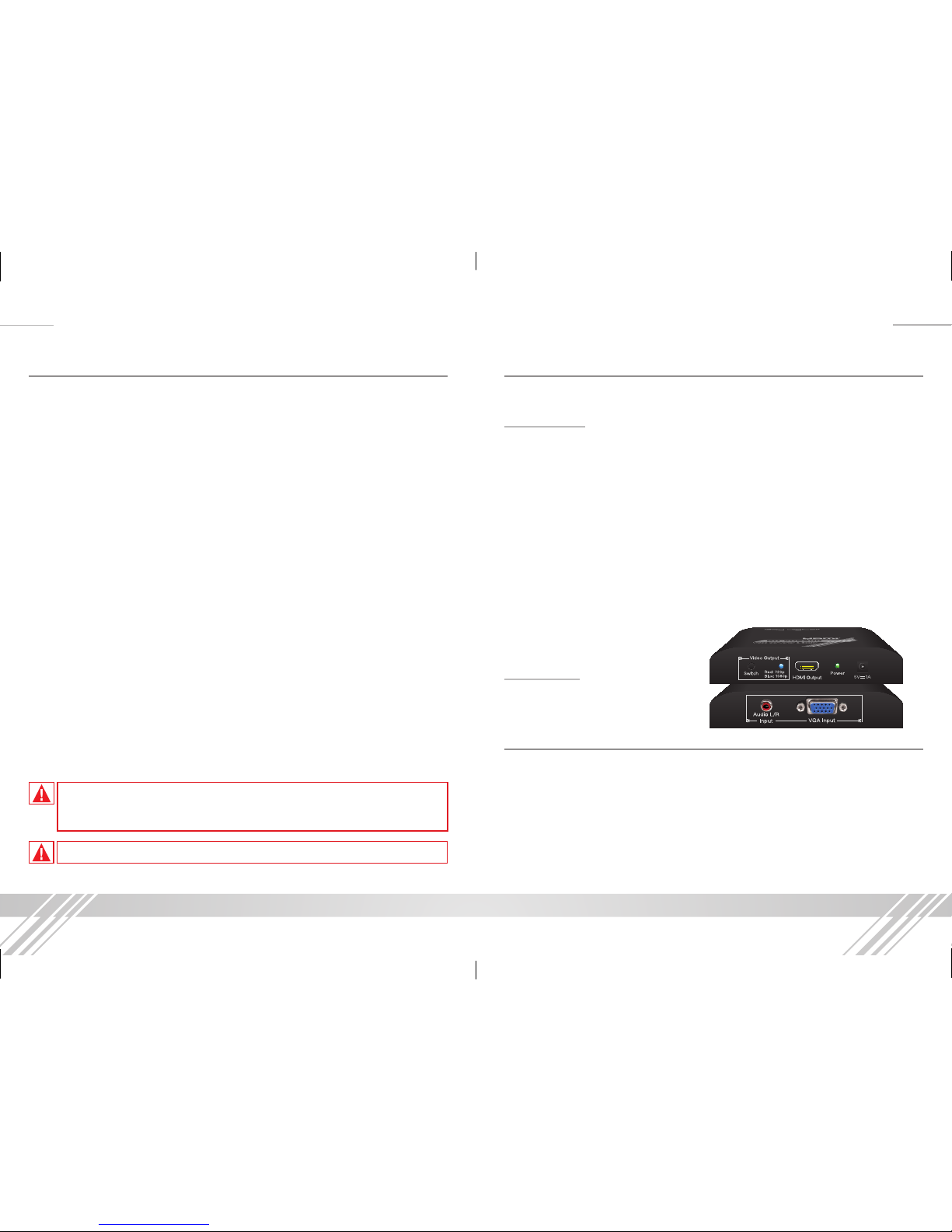
About KD-VCS500
KD-VCS500 is a Video Converter & Scaler of VGA/Audio to HDMI.
Key Features
›
Converts:
VGA video+ analog audio to digital HDMI video and audio
›
Embeds:
Incoming analog audio onto the HDMI output
›
Up-scales:
VGA resolutions to 720p or 1080p
›
Supports the following VGA resolutions:
640x480@60, 800x600@60,
1024x768@60, 1152x864@60Hz, 1280x720@60, 1280x768@60,
1280x800@60, 1280x960@60, 1360x768@60, 1366x768@60, 1280x960@60,
1280x1024@60, 1440x900@60/75, 1600x1050@60, 1680x1050@60,
1600x1200@60, 1920x1080@60
›
Resolution Selection:
Simple switching between 720p and 1080p up-scaling
➔ Dual-color LED allows for easy identification of resolution mode
›
HDMI® and HDCP Licensing:
Fully licensed and compatible with all HDMI
and HDCP technologies
›
Ultra small design
Accessories
› 5V 1A DC Power Supply
Mounting
› Thanks to its small size, the KD-VCS500 can be placed on a tabletop, set onto
a rack shelf, Velcro mounted under a conference table, or placed anywhere
convenient.
© 2014 Key Digital, Inc. All rights reserved.
Table of Contents
About KD-VCS500 .............................................1
Mounting .....................................................1
Connections ..................................................2
Buttons and LEDs ..............................................3
Application Example ............................................3
Quick Setup Guide .............................................4
Specifications .................................................4
Important Product Warnings & Safety Instructions: .....................5
How to Contact Key Digital
®
......................................6
Warranty Information ............................................7
KD-VCS500 Manual.indd 1 11/12/14 3:28 PM
Page 3
2 3
Connections
Inputs:
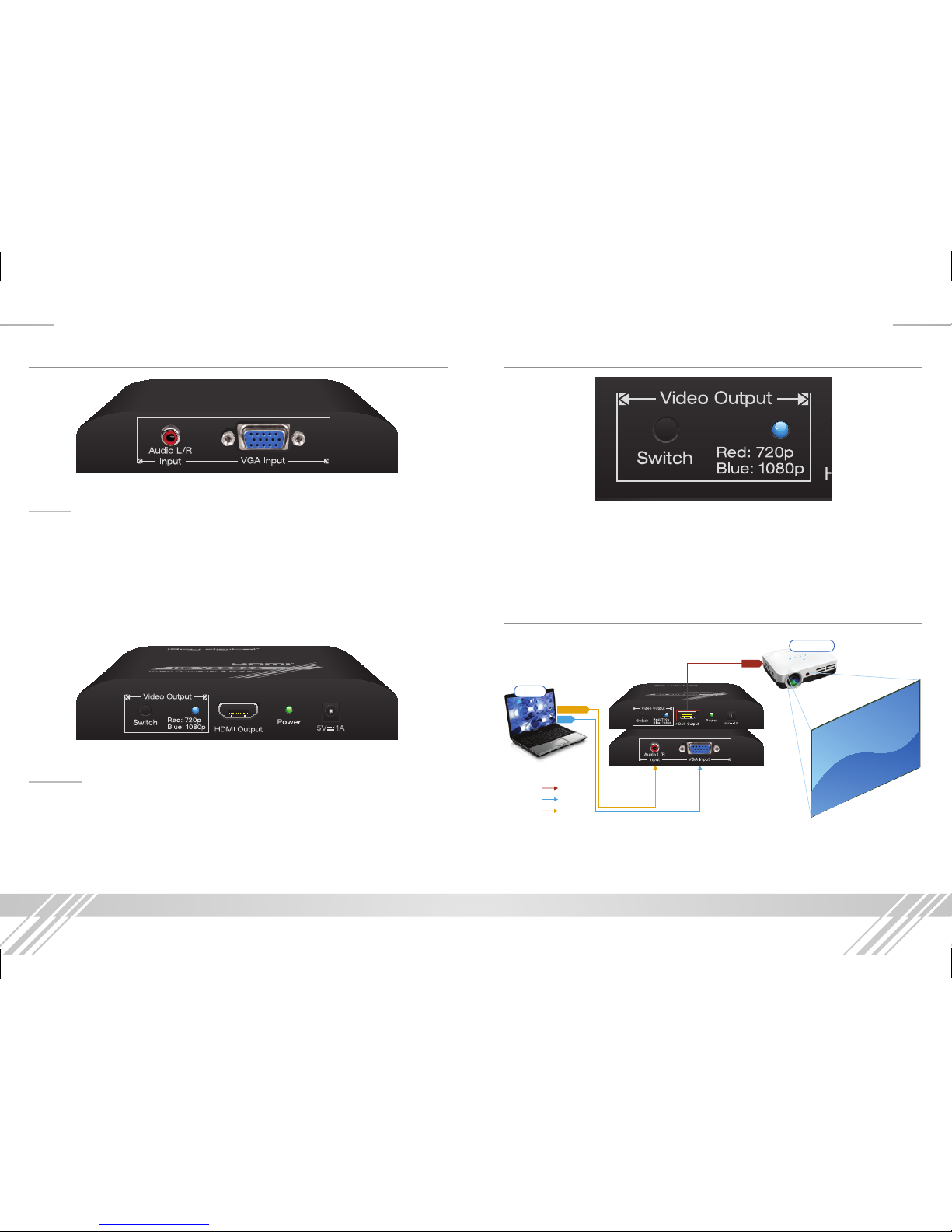
There is a standard 15-pin VGA video input and a standard 3.5mm analog audio
input. The KD-VCS500 supports the following incoming signal formats:
›
VGA Video:
640x480@60, 800x600@60, 1024x768@60, 1152x864@60Hz,
1280x720@60, 1280x768@60, 1280x800@60, 1280x960@60, 1360x768@60,
1366x768@60, 1280x960@60, 1280x1024@60, 1440x900@60/75,
1600x1050@60, 1680x1050@60, 1600x1200@60, 1920x1080@60
›
Analog Audio:
2CH PCM, 48KHz/24bits
Outputs:
There is one HDMI output. The KD-VCS500 supports the following output signal
formats:
›
HDMI Video:
720p or 1080p
›
HDMI Digital Audio:
2CH PCM, 48KHz/24bits
Buttons and LEDs
There is a black pushbutton to toggle between the two output resolutions. The
LED next to the pushbutton will change color to indicate the selected resolution.
›
720p:
Red LED
›
1080p:
Blue LED
Application Example
HDMI
L/R Audio
VGA
VGA
HDMI/DVI
L/R Audio
Laptop
Projector
KD-VCS500 Manual.indd 3 11/12/14 3:28 PM
Page 4
4 5
Important Product Warnings:
7. Connect all cables before providing power to the unit.
8. Test for proper operation before securing unit behind walls or in hard to
access spaces.
9. If installing the unit into wall or mounting bracket into sheet-rock, provide
proper screw support with bolts or sheet-rock anchors.
Safety Instructions:
Please be sure to follow these instructions for safe operation of your unit.
1. Read and follow all instructions.
2. Heed all warnings.
3. Do not use this device near water.
4. Clean only with dry cloth.
5. Install in accordance with the manufacturer’s instructions.
6. Do not install near any heat sources such as radiators, heat registers,
stoves, or other apparatus (including amplifiers) that produce heat.
7. Only use attachments/accessories specified by the manufacturer.
8. Refer all servicing to qualified service personnel. Servicing is required when
the device has been damaged in any way including:
➔ Damage to the power supply or power plug
➔ Exposure to rain or moisture
Power Supply Use:
You MUST use the Power Supply provided with your unit or you VOID the
Key Digital
®
Warranty and risk damage to your unit and associated equipment.
Quick Setup Guide
Connections
1. Begin with the KD-VCS500 and all input/output devices turned off with
power cables removed.
2. Connect VGA source to the VGA input connector
3. If using audio, connect a 3.5mm audio cable to the audio input connector
4. Connect a display via HDMI
5. Connect power to the KD-VCS500 as well as to all other input and output
devices and turn them on.
6. Select the desired output resolution by pressing the black pushbutton and
verifying the selected resolution with the resolution LED indicator
Specifications
Technical
› Inputs: 1 VGA, 1 3.5mm stereo audio
› Outputs: 1 HDMI
› Control: Pushbutton Resolution Switching
› DDC Signal (Data): Input DDC Signal: 5 Volts p-p (TTL)
› DDC Communication: EDID and HDCP Bi-directional Transparency from
Display to Source
› Power: 5V 1A external power supply
General
› Regulation: CE, RoHS, WEEE
› Enclosure: Black Plastic
› Product Dimensions: 4.68” x 2.91” x 0.9”, Weight: 0.8 lbs
› Shipping Dimensions: 7” x 5.3” x 2.6”, Weight: 1 lb
KD-VCS500 Manual.indd 4-5 11/12/14 3:28 PM
Page 5
6 7
How to Contact Key Digital®
System Design Group (SDG)
For system design questions please contact us at:
› Phone: 914-667-9700
› E-mail: [email protected]
Technical Support
For technical questions about using Key Digital® products, please contact us at:
› Phone: 914-667-9700
› E-mail: [email protected]
Repairs and Warranty Service
Should your product require warranty service or repair, please obtain a Key
Digital® Return Material Authorization (RMA) number by contacting us at:
› Phone: 914-667-9700
› E-mail: [email protected]
Feedback
Please email any comments/questions about the manual to:
› E-mail: [email protected]
Warranty Information
All Key Digital® products are built to high manufacturing
standards and should provide years of trouble-free operation.
They are backed by a Key Digital Limited Lifetime Product
Warranty Policy.
› http://www.keydigital.com/warranty.htm
KD-VCS500 Manual.indd 6-7 11/12/14 3:28 PM
 Loading...