

Page 1
Quick Start Guide
LSX II LT
Wireless HiFi Speakers
Page 2
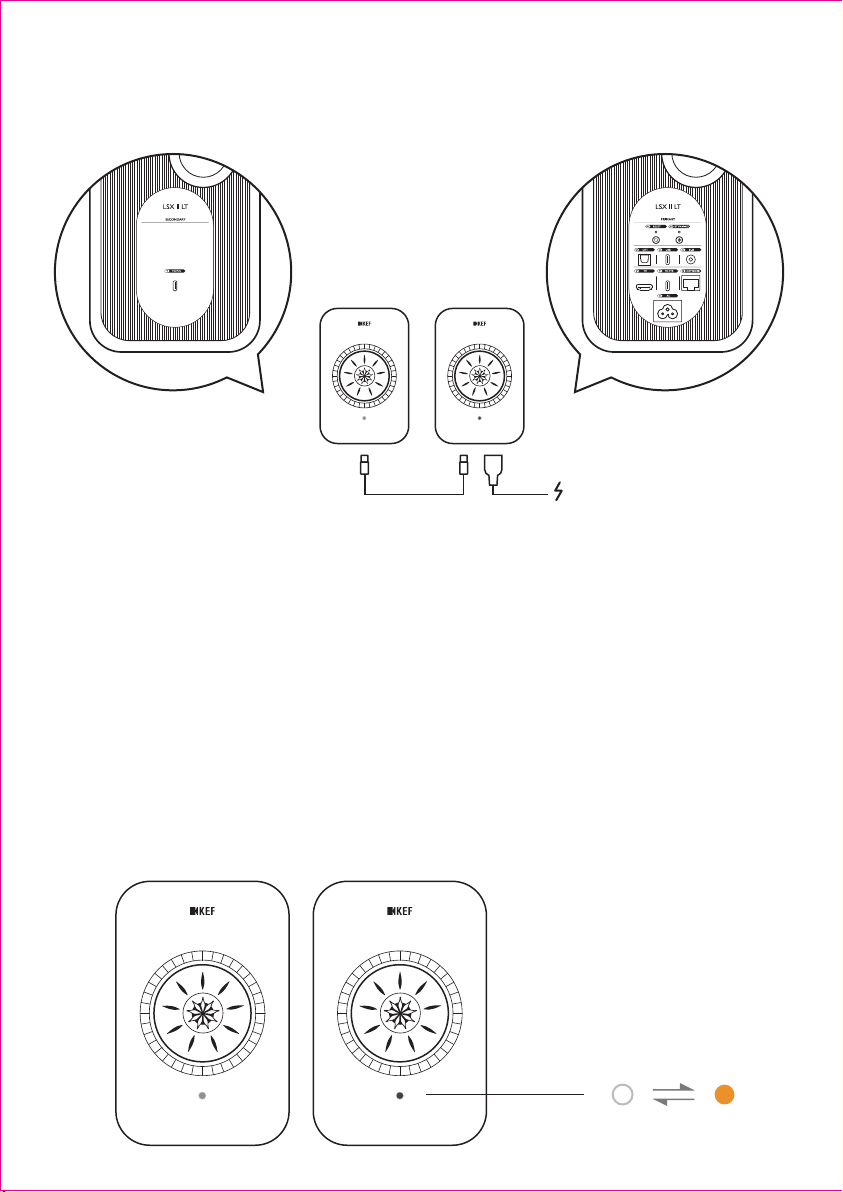
Step 1 Placement
Secondary
L
You can switch L/R channel in KEF Connect App.
Sie können den L/R-Kanal in der KEF Connec t App umschalten.
Vous pouvez inverser les canaux droite/gauche dans l'appli KEF Connect.
Puede cambiar el canal L/R en la aplicación KEF Connect.
KEF Connect アプリで、L/R チャンネルの切り替えが可 能です。
您可以透過
你可以在
KEF Connect App에서 좌/우 채널 변경이 가능합니다.
Вы можете переключать левый/правый канал в приложении KEF Connec t.
KEF Connect App中切換左/右聲道。
KEF Connect App 中切换L/R(左/右)通道。
Primary
R
Step 2 Wi-Fi Set up
RL
Page 3
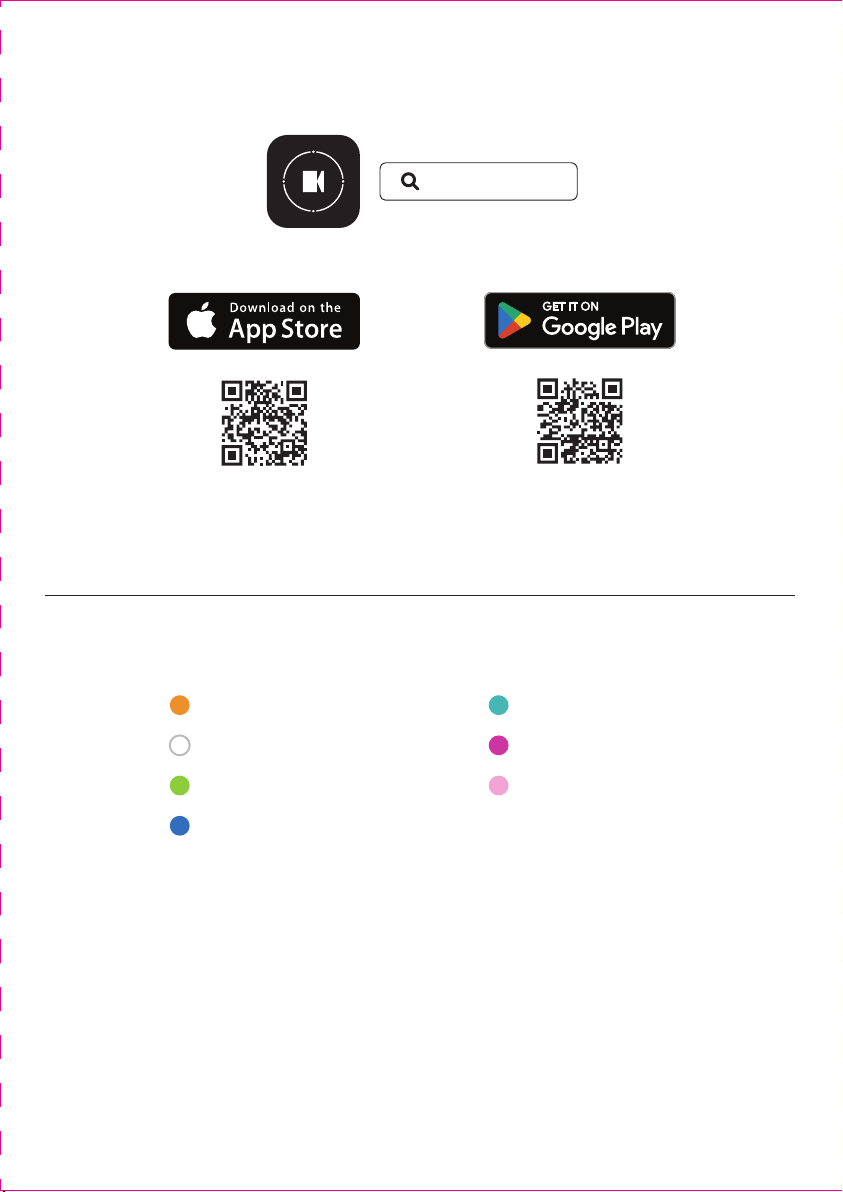
Step 3 App Download
KEF CONNECT
LED Indicaon
Standby
Wi-Fi
Spofy Connect
Bluetooth
TV (HDMI)
Opcal
USB
Page 4
Use of the Works with Apple badge means that an accessory has been designed to
work specifically with the technology identified in the badge and has been certified
by the developer to meet Apple performance standards.
The LSX II LT is a premium speaker compatible with AirPlay. To use AirPlay with
LSX II LT, the latest version of iOS, iPadOS, or macOS is recommended. Apple and
AirPlay are trademarks of Apple Inc., registered in the U.S. and other countries and
regions. The trademark “iPhone” is used in Japan with a license from Aiphone K.K.
Google Play and Chromecast built-in are trademarks of Google LLC.
GP Acouscs (UK) Limited
Eccleston Road
Tovil, Maidstone
Kent, ME15 6QP
UK
The Spotify Software is subject to third party licenses found here:
https://www.spotify.com/connect/third-party-licenses Use your phone, tablet or
computer as a remote control for Spotify. Go to spotify.com/connect to learn how.
The Bluetooth® word mark and logos are registered trademarks owned by Bluetooth
SIG, Inc. Other trademarks and trade names are those of their respective owners.
For further informaon, please visit KEF.com
KEF reserves the right, in line with connuous research and development, to amend
or change specificaons without prior noce. E. & O.E.
KEF.com
 Loading...