

Page 1
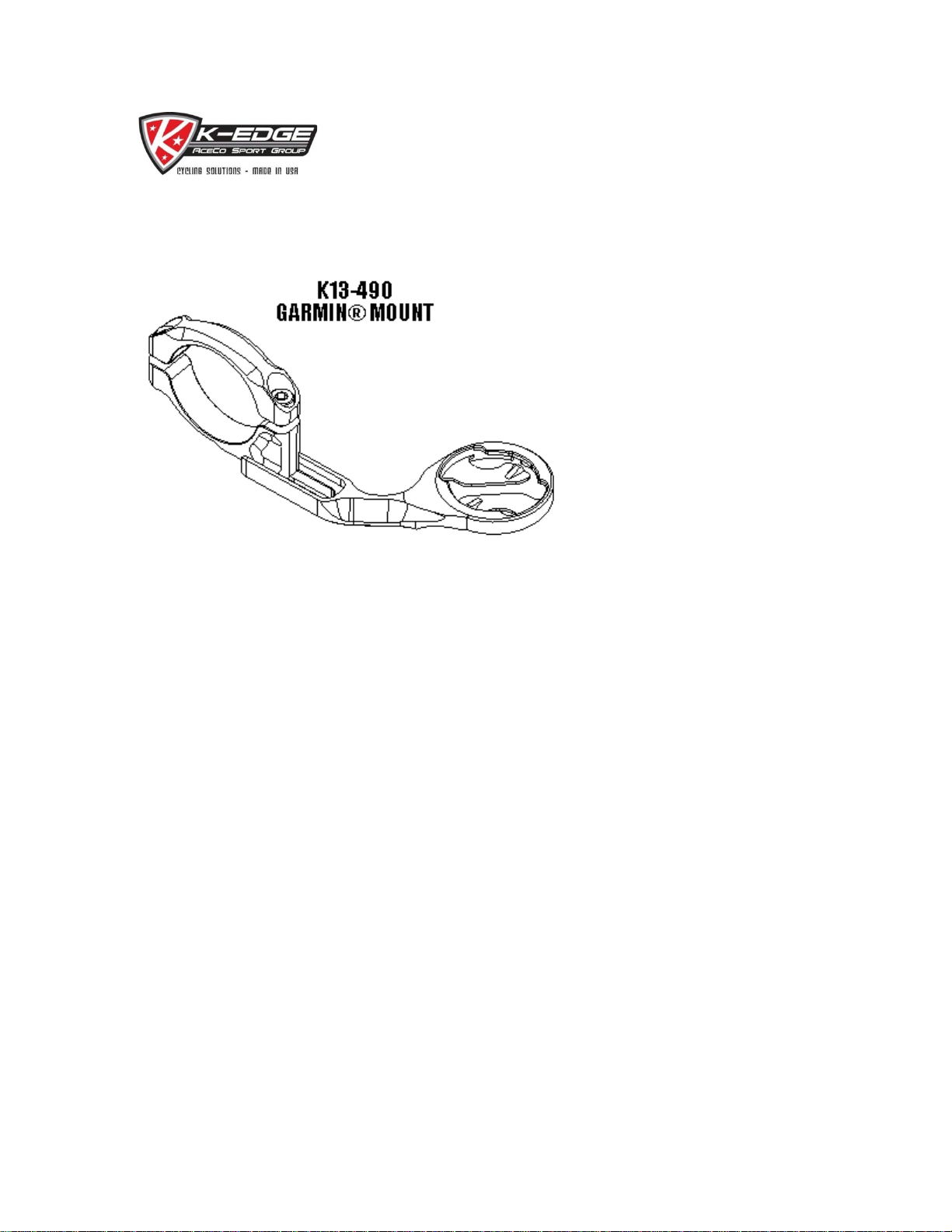
GARMIN® Mount Installation Instructions
(K13-490)
Description:
The K-Edge GARMIN® Mount is designed for in stallation of a GARMIN EDGE® computer onto a 31.8mm handlebar.
Compatibility:
The K13-490 GARMIN® Mount is compatible with all GARMIN EDGE® computers utilizing the same mounting system.
Warnings:
These instructions are generalized to accommodate a wide ranges of setups for a bike. If your setup does no t match what is being
described, take extra care in the process of your setup and contact K-Edge Support if you have any questions.
Improper installation of any K-Edge product or use outside of its design intentions could lead not only to damaging the bike but could
also cause personal injury to the rider.
Parts Included:
K13-490
1x K-Edge Handlebar Clamp
1x K-Edge GARMIN® mount arm
2x M4 x 12 mm bolts
1x M4 x 8 mm (Blue Thread Lo ck applied)
Tools/Items Required:
Metric Allen Set (3 mm for clamp bolt and 2.5 mm for mounting arm)
Torque wrench
1
Page 2

Installation Ste ps:
1. Separate the upper clamp half (K13-421) from the lower clamp half (K13-423) by re moving the 2x M 4 x 12 bol ts.
2. Install the clamp onto the right side (driveside) of the stem on the handlebar.
3. Install the upper clamp half (K13-421) back onto the lower clamp half (K13-432).
4. Install, but do not tighten, the 2x M4 x 12mm bolts bac k onto the clamp a ssembly.
5. Position the clamp to your desired position.
6. Torque both bolts equally to 2 N-m.
2
Page 3
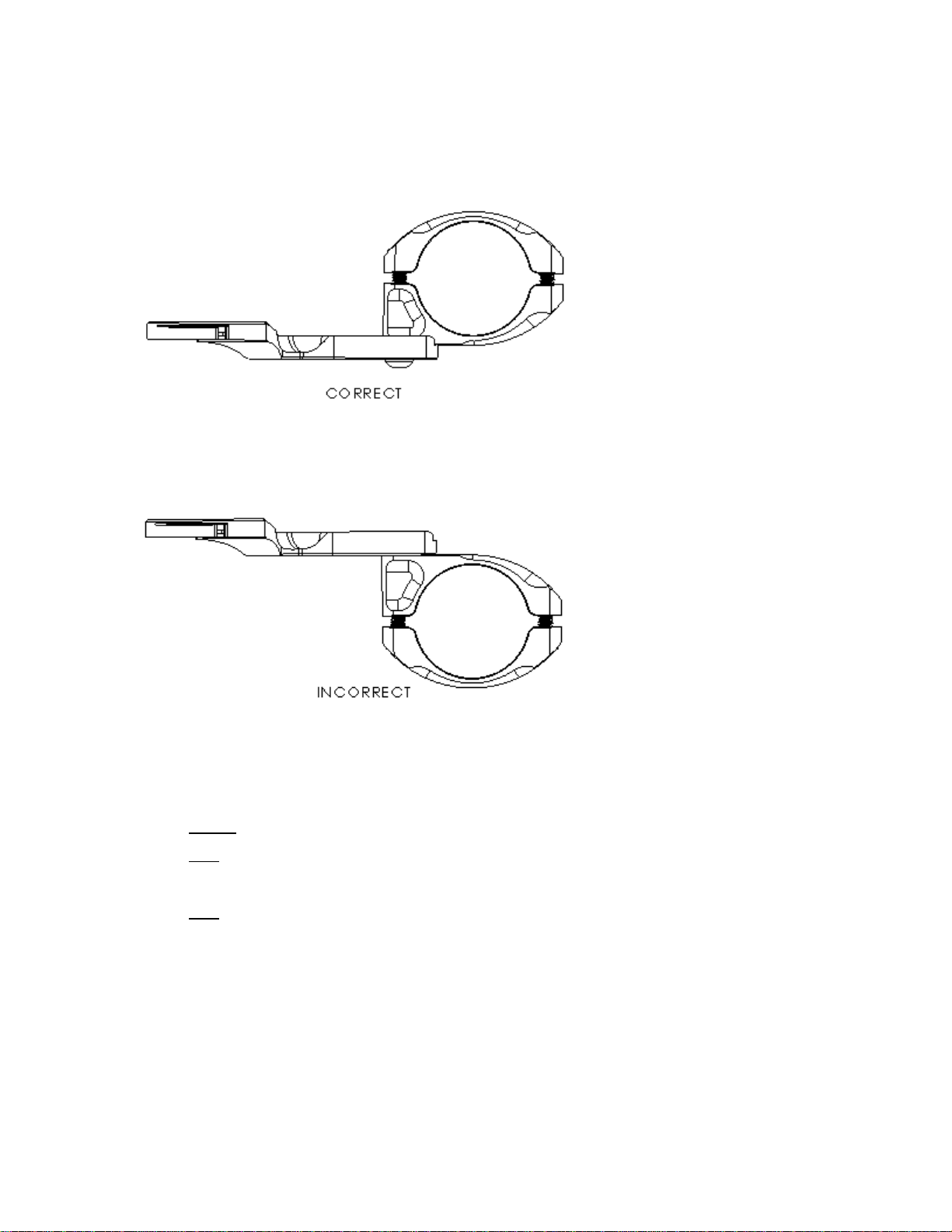
7. Install the mounting arm (K13-491) in the correct position shown below :
8. Install, but do not tighten, the M4 x 8mm Button Head bolt into the lower clamp half (K13-423).
9. Adjust the mounting arm (K13-491) to your de sired position.
10. Torque the M4 x 8mm Button Head to 2 N-m.
Caution:
Note: A small amount of te mporar y thread lock has been applied to t he M4 x 8mm bolt at t he factory , it is
recommended that an additional amount be added if this bolt were t o be adjusted multiple times.
Note: It is strongly recommended that y ou periodically check all bolts to ensure proper torque.
Do not over-torque this M4 x 8mm Button Head screw.
3
Page 4

Troubleshooting:
• My computer hits the front stem cap when I install/remove it from the mount.
• I do not get a definitive 'click' when I install my computer.
• There is a slight amount of plastic residue on the mounting arm (K13-491) when I remove my computer.
• The mount moves downward when I install my computer.
o Adjust the mounting arm (K13-491) to avoid contact between the computer and front stem cap.
o Check to insure that the back tabs on the mounting arm (K13-491) are making positive contact on the back of
the computer mount. If positive contact is not being made, carefully
increase contact and ensure lock. Large or excessive amounts of adjustments can cause the tabs to brea k.
o Slight residue is to be expected, extensive tests have been conducted to ensure that there is positive
engagement and reliability over the life of your GARMIN EDGE®. There w ill be break-in period during the first
few insertions.
o Check that the proper amount of torque is applied to the 2x M4 x 12mm bolts on the clamp.
make slight adjustments to the tabs to
Support/Contact:
If problem(s) still persist after troubleshooting, please contact K-Edge Support for further assistance at [email protected]
immediately. Please be sure to include your full name, phone nu mber, K-Edge pr oduct purchased, brand and model of bike,
crankset with ring sizes, front derailleur, cassette size (if applicable), rear derailleur (if applicable) and a brief de scription of your
problem.
4
 Loading...