

Page 1
1
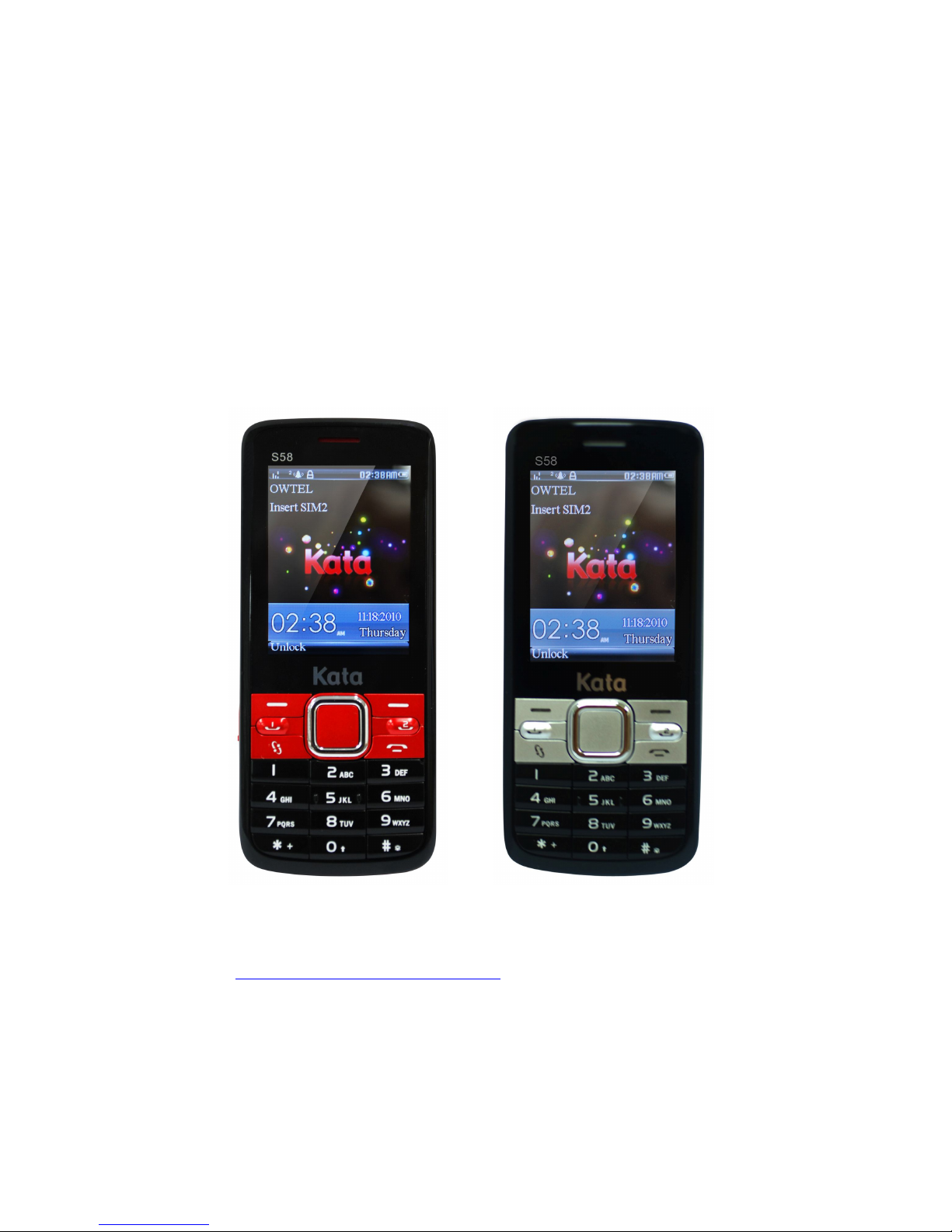
Quick Guide for Kata S58.
GSM/GPRS Digital Mobile Phone
For the complete user guide and other helpful resources, please
go to www.katamobile.com/support. Please also read the Safety
and regulatory guide that’s included in the box
Page 2

2
Before you do anything else, please read this
Charge the battery
The battery in your phone hasn’t been charged yet. While your phone is
charging, it’s important that you do not remove the battery pack. Doing so can
damage your phone. Also, please don’t try to take your phone apart. (If you do,
it may invalidate your warranty.)
Choose a rate plan wisely
Your phone can use up a lot of Internet bandwidth really quickly. Before you
use your phone, we strongly recommend that you talk to your mobile operator
about data rates.
Know about privacy laws
Some countries have strict laws about how and when you can record phone
conversations. It’s a good idea to find out what the laws are where you live
before you use your phone’s recording feature.
And finally, a few important words from our legal team (LIMITATION OF
DAMAGES)
To the maximum extent permitted by applicable law, in no event shall
Kata or its affiliates be liable to you, any user, or third party for any
indirect, special, consequential, incidental or punitive damages of any
kind, arising in contract, tort, or otherwise, including, but not limited to,
injury, loss of revenue, loss of goodwill, loss of business opportunity,
loss of data, and/or loss of profits, regardless of the foreseeability
thereof or whether Kata or its affiliates have been advised of the
possibility of such damages. And in no event shall the total liability of
Kata or its affiliates exceed the amount received from you, regardless of
the legal theory under which the cause of action is brought. The
foregoing does not affect any statutory rights which may not be
disclaimed.
Page 3
3
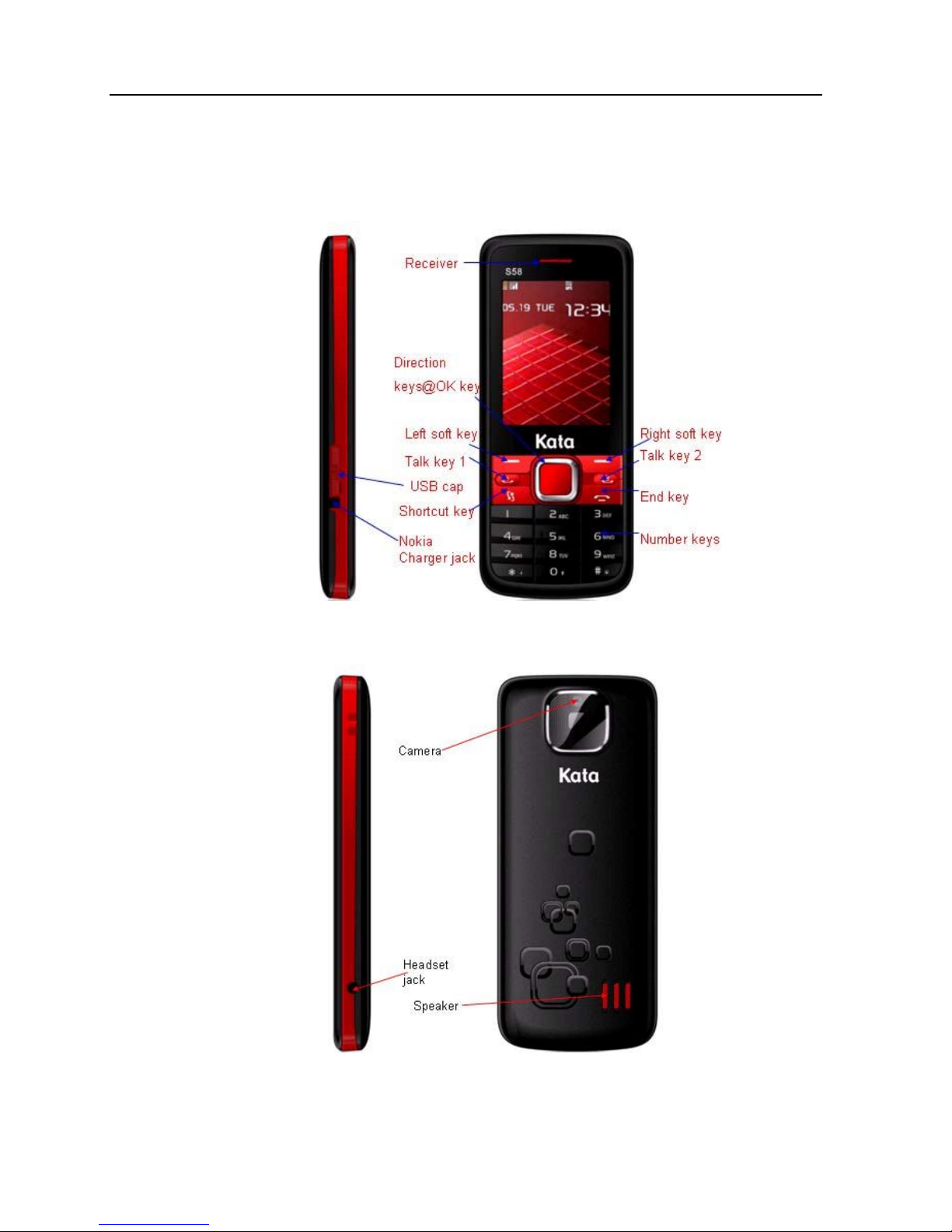
1. At a glance
Front Side
Back Side
Page 4
4
2. Before you turn on your phone
Get everything in order before you press the POWER button.
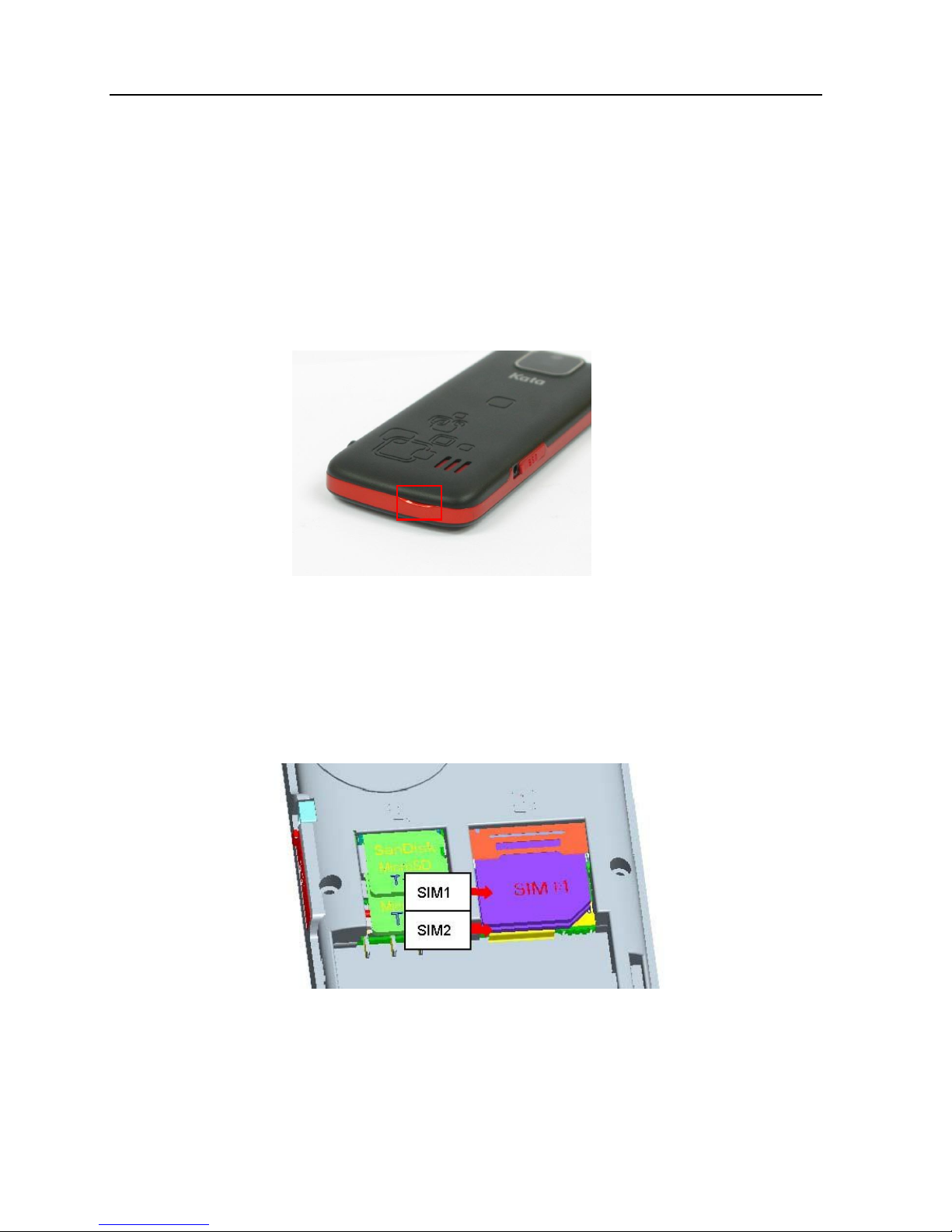
Remove back cover
1. Hold your phone securely with the front facing down.
2. Pull up back cover from gaps on bottom.
Inserting SIM Cards and storage card
1. Remove Battery
2. Insert SIM 1, SIM 2, micro-SDs (if applicable) (with its gold
contacts facing down and cut-off corner face out) all the way
into the SIM card slots.
Page 5
5
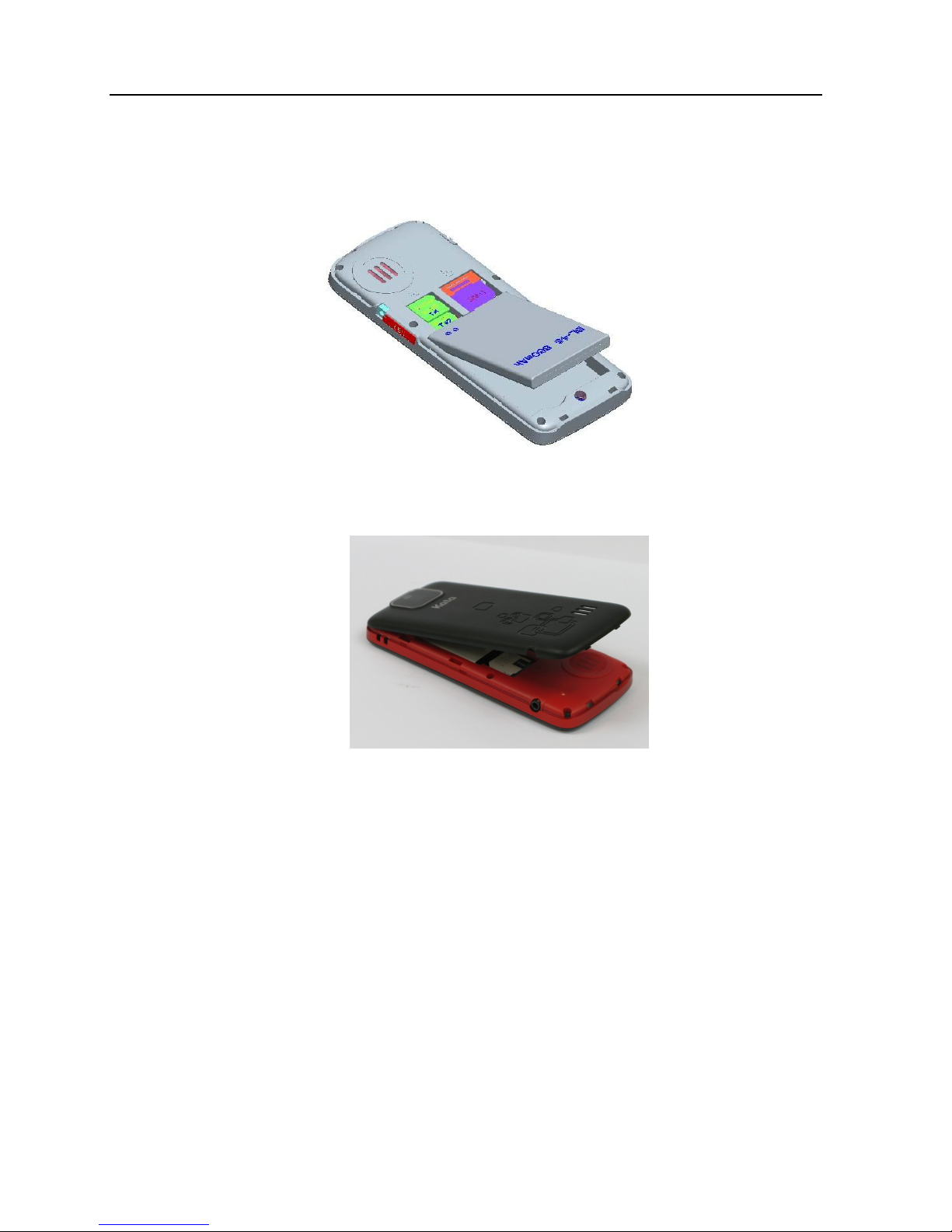
Inserting the battery & installing back cover
1. Insert the battery (with its exposed copper contacts first) into
the battery compartment.
2. Press all sides of the back cover towards the phone
Charging the battery
Use the supplied power adapter and USB cable to charge your phone.
Page 6

6
3. Make your first call
1. Enter the number or contact you want to call, then press
or or for choosing SIM 1 or SIM 2
2. To hang up, press
4. Keep in contact
Adding a new contact
1. Input phone number
2. Press “Option” > “OK”
3. Choose storage media
4. Input detail information
5. “Done” to save a contact
5. Send a text message
1. “Menu” > “Messages”
2. Select message type as “SMS”
3. Select “Write message”
4. Type message, press “Option” While ready to send
5. Select “Send to” to enter the number or contact you want to send
6. Select “Enter number” and enter the number
7. Press “Option” and “Send”
Page 7
7
6. Use of application tools
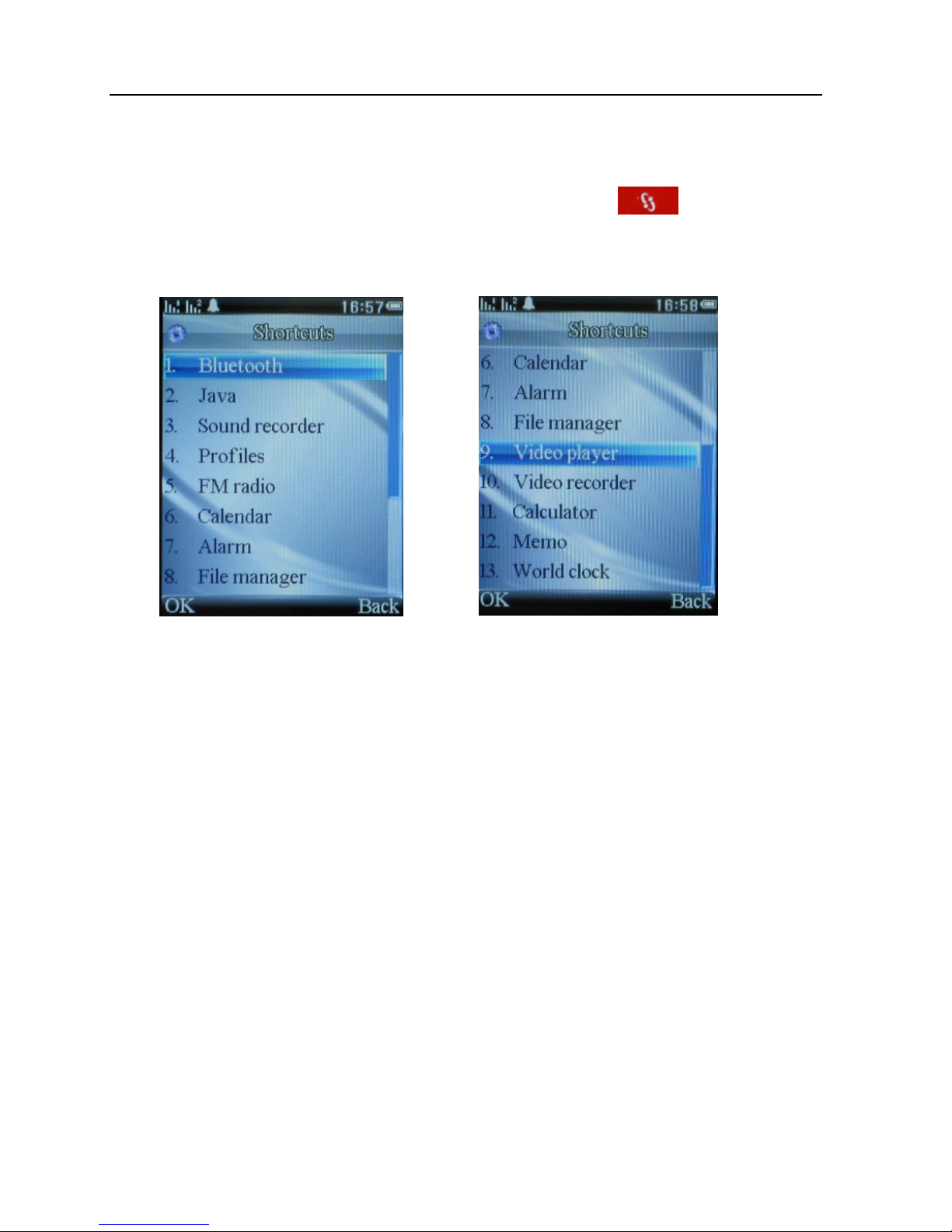
For ease of accessing application tools, a short cut key on key pad is
available for the following functions:
Page 1 Page 2
7. Connect to the Internet
It’s simple. When you turn your phone on for the first time (with the SIM card
inserted), it should connect automatically to your mobile operator’s data
service.
© 2011 SAA Asia Limited. All rights reserved. Kata is a trademark of SAA Asia Limited, registered
in the H.K. and other countries.Other product and company names mentioned herein may be
trademarks of their respective companies.
 Loading...