

Page 1
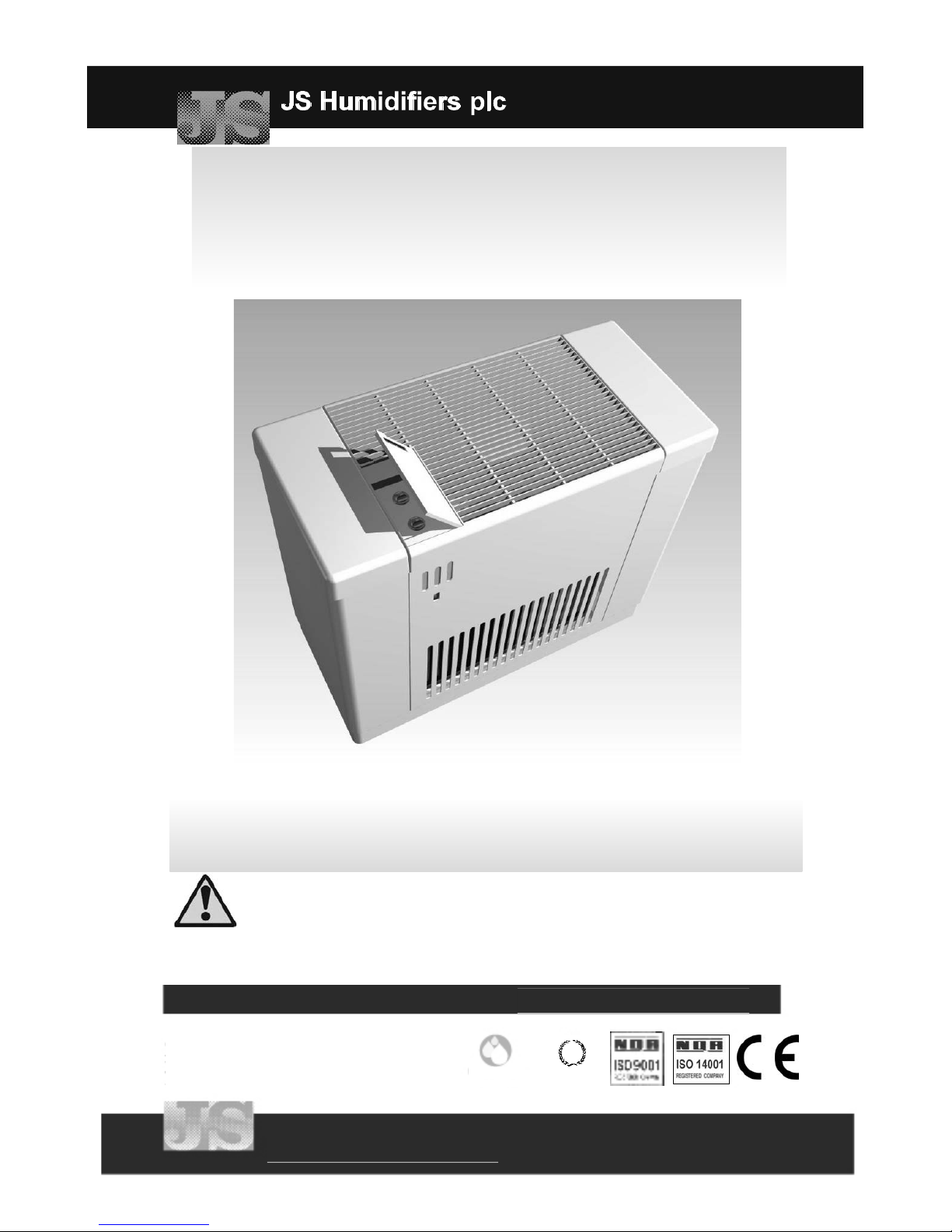
HumEvap Mobile Plus Humidifier
Operating, Installation and Instruction Manual
Version 1.00 June 2006
WARNING: This Humidifier must be installed, operated and maintained in
accordance with this manual. Failure to do so could result in contamination that
might cause Legionnaires’ disease, which can be fatal.
WARNING: Failure to maintain this humidifier as recommended in this manual
will invalidate warranty.
JS Humidifiers plc
Artex Avenue, Rustington, LITTLEHAMPTON,
West Sussex, BN16 3LN, UK
Tel: (+44) 01903 850 200. Fax (+44) 01903 850 345
email: sales@jshumidifiers
Humidity Group
of the HEVAC Association
INVESTORS IN PEOPLE
JS Humidifiers plc
www.jshumidifiers.com
Page 2

HumEvap Mobile Plus Humidifier
Introduction
Safety
i
General Safety
Legionella Health & Safety
Correct Use
Water
Note
This manual contains all details necessary for the planning and installation of
the JS HumEvap Mobile Plus Humidifier. In addition commissioning, operating
and maintenance details are included.
The manual is intended for use by engineers and properly trained technical
personnel. Maintenance, servicing or repair work must only be carried out by
suitably skilled and qualified personnel, the customer MUST be responsible
for ensuring their suitability.
No liability will attach to JS Humidifiers plc if any damage, injury or accident is
attributable to inattentive, inappropriate, negligent or incorrect installation and
operation of the machinery whether or not caused deliberately.
Always isolate all electrical and water supplies before commencing any
maintenance.
Please contact JS Humidifiers plc if in any doubt.
Warning! This humidifier must be installed, operated and maintained in
accordance with this manual. Failure to do so could result in
contamination that might cause Legionnaires’ disease, which can be
fatal.
Your attention is drawn to the Health and Safety Executive's Approved Code
of Practice (ACoP) and their technical guidance on the prevention and control
of legionellosis in water systems. If inadequately maintained, water systems,
of which any humidifier is a part, can support the growth of micro-organisms
including the bacterium that causes Legionnaires' disease. JS Humidifiers plc
has considered all aspects of the design of their humidification systems to
reduce as far as possible the risk of Legionnaires' disease and other similar
conditions, but it is important that users are also aware of their responsibilities
under the ACoP in reducing the risk of legionellosis.
To prevent the growth of legionella, users are required to:
Carry out a risk assessment of the water system by a competent
person, and implement a monitoring and control regime.
Avoid water temperatures that favour the growth of legionella
(20-45°C);
Avoid water stagnation;
Clean and disinfect the humidification system in accordance with
the ACoP and enclosed instructions;
NEVER leave your HumEvap Mobile Plus out of operation containing water for
more than 24hrs, as it could result in contamination that might cause
Legionnaires’ disease, which can be fatal. In the event that the humidifier is
turned off for prolonged periods, ensure that the water reservoir and pipe-work
supplying the unit are drained, unless they supply other systems which ensure
a regular renewal of water in the system. If the unit is found to have been out
of operation for more than 24hrs containing water, water stagnation and
contamination may occur, and the system will require thorough cleaning.
If you intend to shut the system down for any length of time please contact JS
Humidifiers plc for advice.
The JS HumEvap Mobile Plus Humidifier is only intended for light industrial
direct air humidification and any other or further application is not considered
use for the intended purpose. The manufacturer cannot be made liable for any
damage resulting from incorrect use.
JS Humidifiers systems are designed to be used with mains or softened water.
On no account attempt to introduce any other fluid or chemical into the system
without first consulting JS Humidifiers.
Water supply installation must comply with local regulations.
The water supply to the JS HumEvap Mobile Plus should be free of microbial
contamination and should run at less than 20°C within 2 minutes of turning on
supply
Our policy is one of continuous research and development. We therefore
reserve the right to amend without notice the specifications given in this
document.
Page 3

HumEvap Mobile Plus Humidifier
Introduction
Contents
ii
Safety....................................................................................................i
Contents...............................................................................................ii
Standards and Certificates...................................................................iii
Technical Specification........................................................................iv
Principle of Operation..........................................................................v
Operating Parameters.........................................................................1
Unit Positioning and Installation..........................................................2
Water Supply.......................................................................................3
Routine Maintenance...........................................................................4
Maintenance Frequency......................................................................5
Replacement of Ionic Silver Stick........................................................6
Troubleshooting & Spares...................................................................7
Introduction
Operation
Installation
Maintenance
Page 4

Distributor’s Name
And Address
Type of Equipment
Model Name(s) & Series
Year of Manufacture
JS Humidifiers plc
Artex Avenue,
Rustington,
LITTLEHAMPTON, WEST SUSSEX, UK
BN16 3LN
Tel: 01903 850200
HumEvap Mobile Plus Humidifier
HumEvap Mobile Plus - Series 1.00
2006
HumEvap Mobile Plus Humidifier
Introduction
Standards and Certificates
iii
Page 5
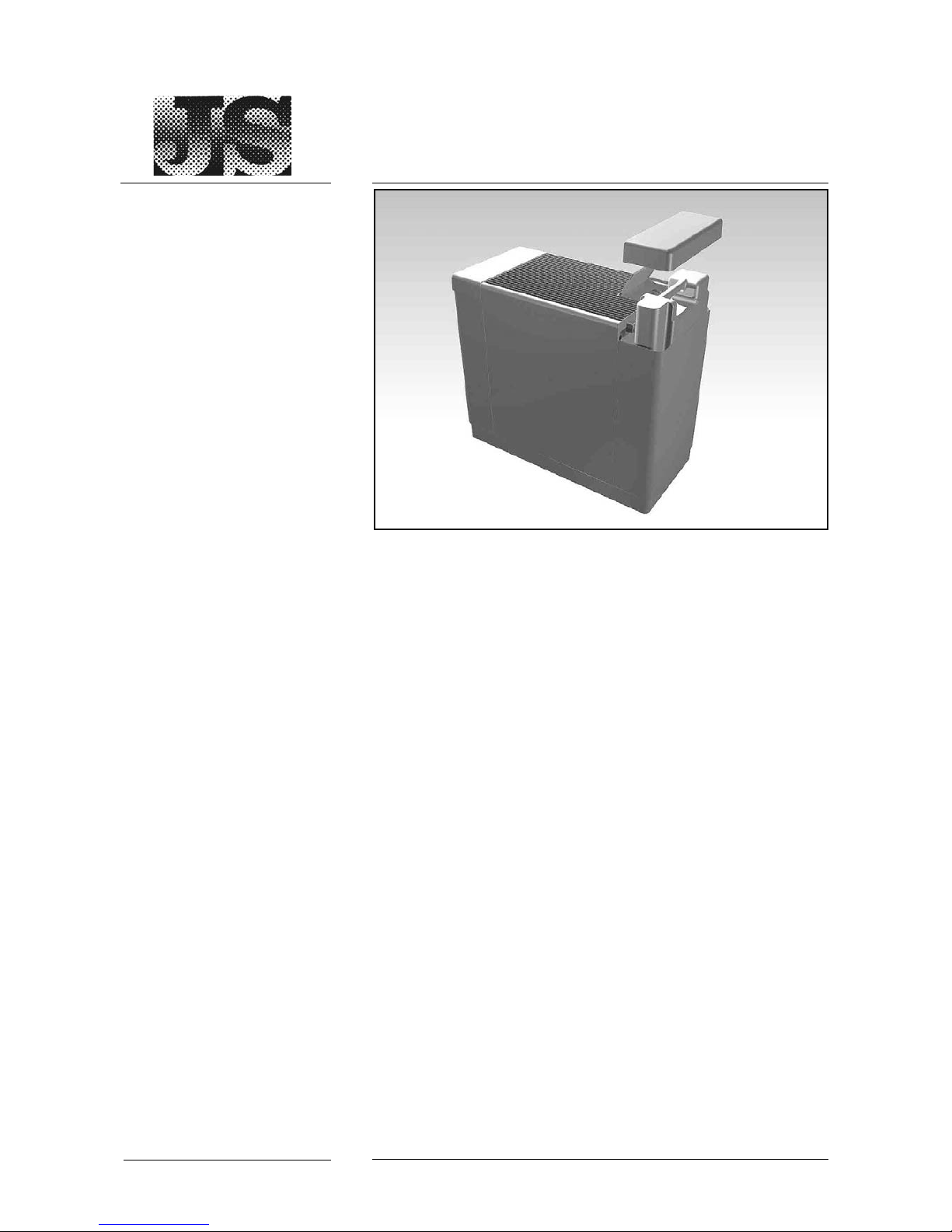
Electrical Supply
Power Consumption
Maximum Evaporative
Capacity / Day
Water Reservoir Capacity
Dimensions (mm) W x D x H
Run-dry protection
Water Supply
230 Volt; 50 Hz; 0.75amp
40-170W
41 litres (at 21°C and 30% rH)
19 litres (2 x 9.5ltr tank)
670 x 310 x 635
Water level Float Switch
It is essential that clean cold mains water be used with the HumEvap
Mobile Plus to ensure hygienic, trouble-free operation.
This water supply MUST be checked regularly to ensure there is no
microbiological build up within the building's water supply.
This is particularly significant if, for example, the unit’s water supply is
at the end of a dead leg where water might stand for some time or if
the water comes from a storage tank.
If you have any queries regarding water sampling and testing
please contact JS Humidifiers plc on 01903 850200.
HumEvap Mobile Plus Humidifier
Introduction
Technical Specification
iv
Page 6
Introduction
Principle of Operation
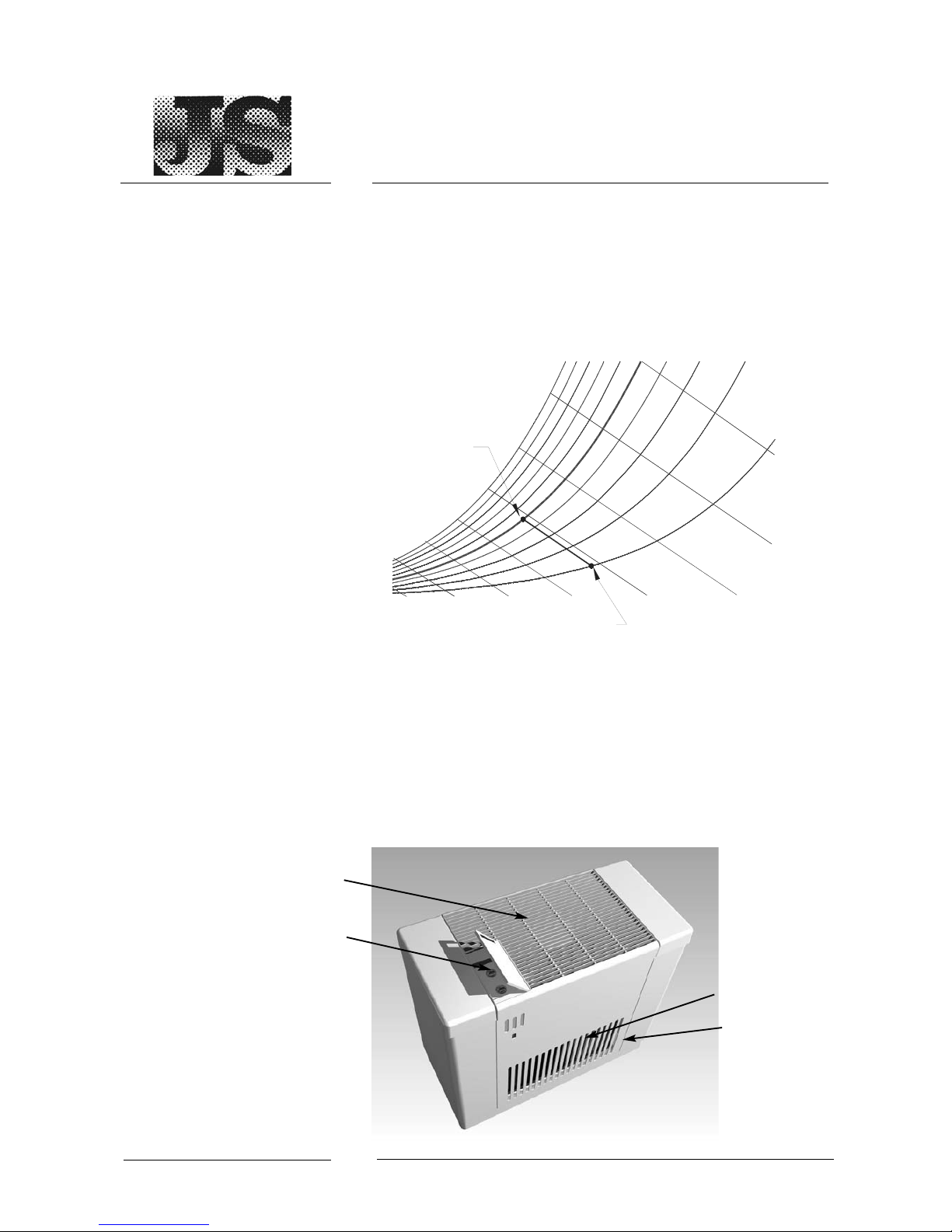
The energy efficient HumEvap Mobile Plus humidification system
operates by the principle of evaporation, where the energy required
to evaporate moisture is taken from the passing air flow. This in turn
increases the relative humidity of the air, while decreasing the dry
bulb temperature, producing an adiabatic cooling effect.
(See diagram below).
Mains or demineralised water in the water reservoir is used to
moisten the Evaporator Cassette
Air, drawn from the room through the ‘Air Care’ filter, travels through
the wetted evaporator cassette and absorbs water as it passes.
This humidified air is distributed into the room through the air outlet
grilles. on the top of the HumEvap Mobile Plus.
HumEvap Mobile Plus Humidifier
Introduction
Principle of Operation
v
0102030
40 50
60
Relative Humidity ( %rH)
50 %
20 %
100 %
AIR OFF
CONDITION
AIR ON CONDITION
Temp. (°C)
Air Care air filter
Water reservoir
Air outlet grilles
Humidity control
Rear view of
HumEvap Mobile Plus
Page 7
Start-up and Operation
Operating Parameters
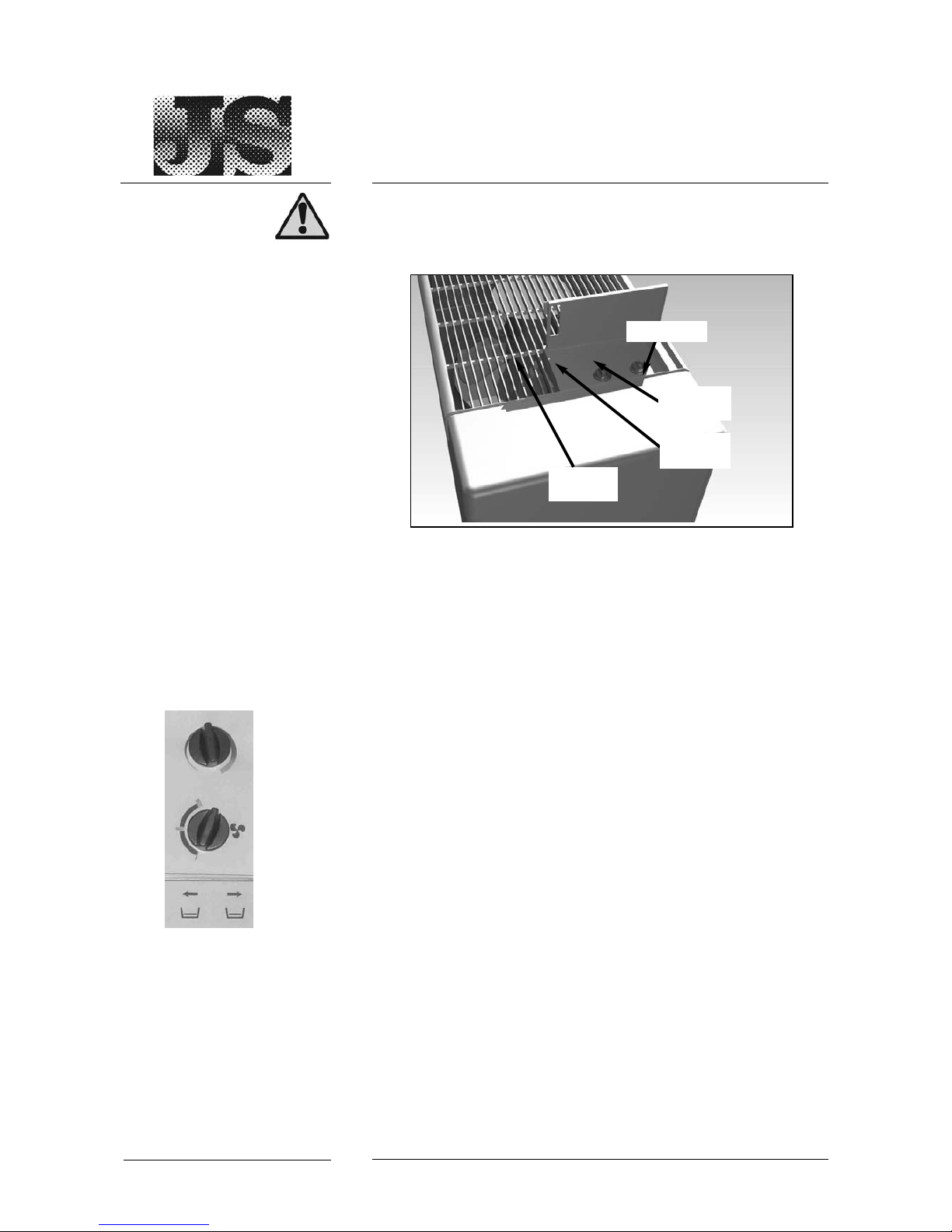
Water Tank Cover
Humidity
Control
Fan Speed
Refill
Indicator
The humidity controller maintains the humidity level in the room at
the required level.
The tank cover sits over the water tanks. When removed, the tanks
are exposed, and can be removed for re-filing.
Turn the Humidity Control to desired humidity level. When this
humidity is reached, the fan will turn OFF
When set to maximum the humidifier will run continuously. When set
to minimum the humidifier will switch OFF automatically.
Use to set Fan speed to ‘I, II or III’ . To switch the humidifier OFF,
turn to 0-position.
The Orange lights will illuminate independantly when the water level
in each water tank is low.
When both lights illuminate, the humidifier will automatically switch
OFF.
This light will only extinguish when the Water tanks are re-filled.
To refill, see the section “Unit Water Supply”.
HumEvap Mobile Plus Humidifier
Operation
Operating Parameters
1
Tank Cover
Humidity
Control
Fan
Speed
Refill
Indicator
HumEvap Mobile Plus Humidifier Control Panel
Warning! This humidifier must be installed, operated and maintained in
accordance with this manual. Failure to do so could result in
contamination that might cause Legionnaires’ disease, which can be fatal.
Page 8

Unit Positioning
Installation
Position the HumEvap Mobile Plus close to the electrical and water
supply in such a way that air inlet and outlets are not blocked.
Do not position the unit directly against a wall.
Do not position the humidifier near sensitive furniture, paintings or
other objects, that might be damaged by excessive humidity.
If possible locate the unit in the middle of the room.
Keep out of reach of children!
Make sure humidifier is in a safe position and cannot fall over or be
pushed and damaged accidentally.
Mechanical Installation:
- Check Water Reservoir for any leaks or damage.
- Check Evaporator Cassette is properly located in the reservoir.
Electrical Installation:
- Before using the unit extend the power cable and inspect for any
signs of damage.
- Check the plug and socket for any damage.
- Always use an earthed
230V, 50Hz 13 amp power socket.
- Make sure Fan Switch is in OFF (0-position).
- Make sure the power socket is in the OFF position.
- Plug the humidifier power cable into the power socket.
- Before filling ensure the unit is disconnected from the power
supply
- For additional safety the installation of a high sensitivity circuit
breaker (RCD) rated at 30mA is recommended.
Running the Unit:
- To check the unit’s operation turn the Fan Switch to i ii or iii
and increase the Humidity Control until it runs.
Cool air should discharge from the Supply Grilles.
Please Note: Unit will not run if there is insufficient water in the Water
Reservoir. The ‘Water Low’ indicators should be lit if this is the case.
HumEvap Mobile Plus Humidifier
Installation
Unit Positioning and Installation
2
Warning! This humidifier must be installed, operated and maintained in
accordance with this manual. Failure to do so could result in
contamination that might cause Legionnaires’ disease, which can be fatal.
Page 9
HumEvap Mobile Plus Humidifier
Installation
Water Supply
3
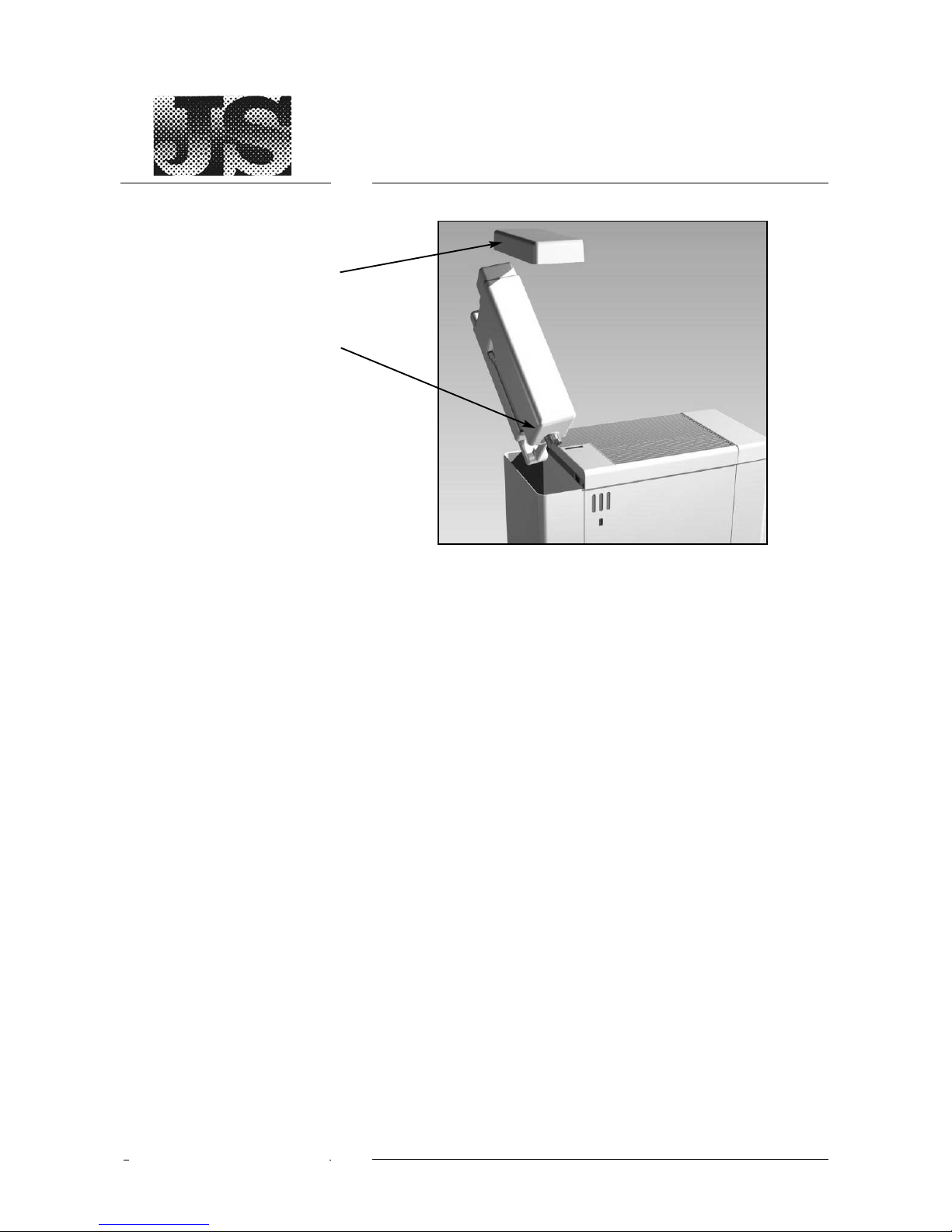
Remove the water tank cover to access the water tanks.
The water level indicator lamps (Orange lights on the control panel)
will automatically indicate a low water level in the Water Tanks and in
the water reservoir.
(see “Operating Parameters”).
If both orange lights show, switch OFF the humidifier by turning the
Fan Switch to 0-Position.
Remove both water tanks, and re-fill using fresh or de-mineralised
water.
To run the unit, turn the Fan Switch to either i, ii or iii and increase
the humidity control setting.
Make sure the water does not make contact with the controls on
the control panel of the humidifier.
Wipe water off with a dry cloth before starting the humidifier.
It is essential that clean water is supplied to the unit to ensure
hygienic, trouble-free operation.
The water supply used with the humidifier MUST be checked
regularly to ensure there is no microbiological build up within the
building's water supply. For example this might be caused by
external factors such a high environmental temperature or the quality
of mains water supply.
This is particularly significant if, for example, the humidifier water
supply is at the end of a dead leg where water might stand for some
time or if the water comes from a storage tank.
If you have any queries regarding water sampling and testing
please contact JS Humidifiers plc on 01903 850200.
Water Tanks
Re - filling
Water Supply
Water Tank
Water Tank Cover
Page 10
4
Cleaning the
Evaporator Cassette
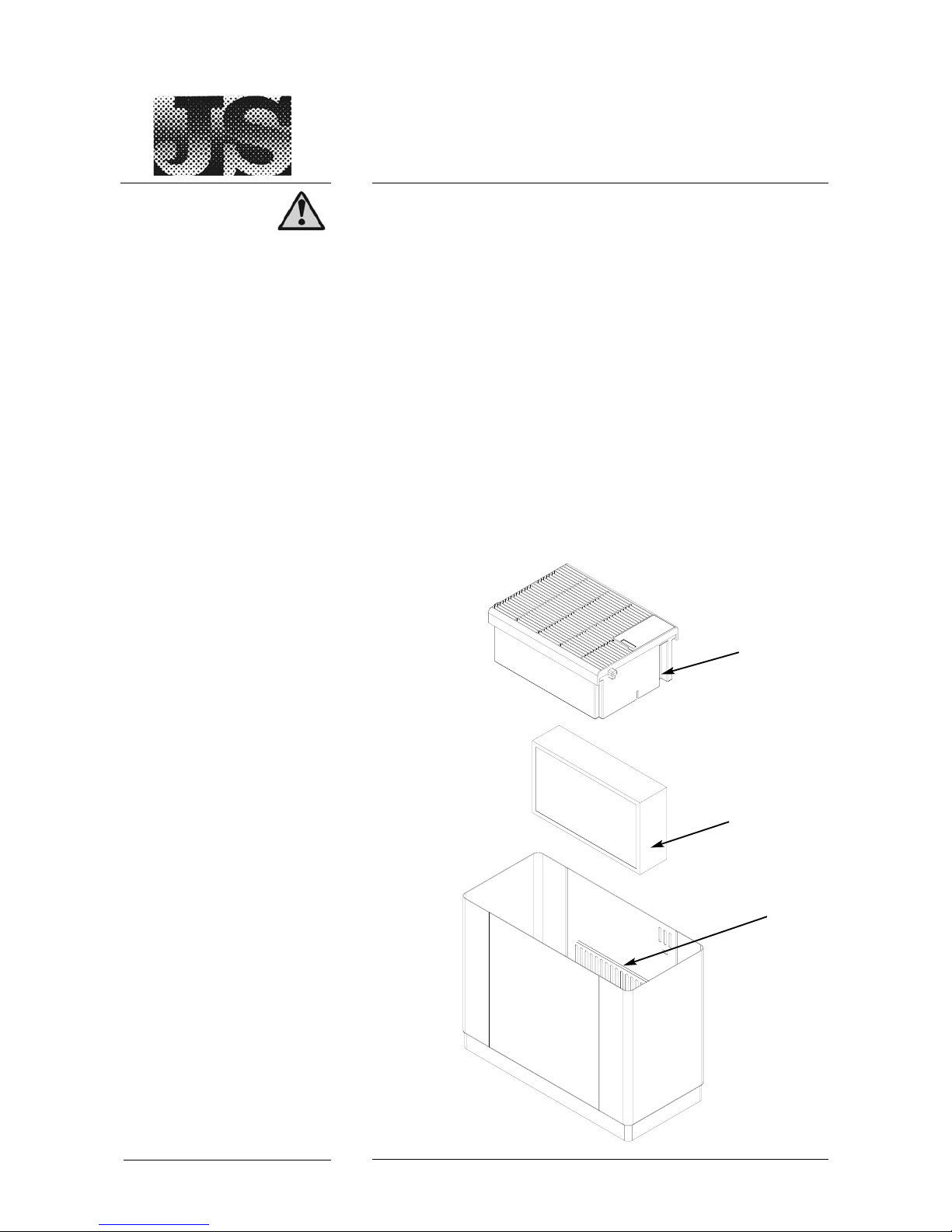
The Evaporator Cassette is located within the humidifier housing,
beneath the Fan. To maintain or replace the Cassette, remove the
water tank covers and water tanks as shown previously and then
remove the fan unit.
Replace the evaporator cassette every 3 months or before if any of
the following symptoms occur.
Odours
Heavy soiling or scaling
Reduced humidifacation permormance
HumEvap Mobile Plus Humidifier
Maintenance
Routine Maintenance
Warning! This humidifier must be installed, operated and maintained in
accordance with this manual. Failure to do so could result in
contamination that might cause Legionnaires’ disease, which can be fatal.
Evaporator
Cassette
Fan Unit
Housing
Supporting Lip
To Hang
Evaporator
Cassette
Page 11

Cleaning Water Tanks
Non- use of Solvents or
Scouring Materials
To clean and refresh the system,
1 Drain the water reservoir fully.
2 Flush Tanks with fresh water removing any debris.
3 Refill completely with fresh water and place Disifin
disinfection tablet into each tank of water. Refer to Disifn
instructions for handling.
4 Allow tablets to dissolve in the water reservoir, then run the
unit.
There is no need to flush the unit, as Disifin is 100% biodegradable.
Always wash hands after handling.
Do not use solvents or other aggressive liquids for cleaning.
Do not use scouring materials (wire brush or scouring cloth etc) for
cleaning; they leave scratches that encourage the growth of microorganisms and bacteria.
WARNING: Failure to maintain this humidifier as recommended in this
manual may invalidate warranty.
HumEvap Mobile Plus Humidifier
Introduction
Routine Maintenance
5
Warning! This humidifier must be installed, operated and maintained in
accordance with this manual. Failure to do so could result in
contamination that might cause Legionnaires’ disease, which can be fatal.
Page 12

HumEvap Mobile Plus Humidifier
Maintenance
Maintenance Frequency
6
Use and Care
Maintenance Overview and
Frequency
Daily Inspections
Weekly Inspections
Monthly Inspections
Quarterly Inspections
6 Monthly Inspections
Frequent cleaning is necessary to maximise and extend the life of
the humidifier.
To refesh the system, every month, place 1 small Disifin tablet into
the water tank and allow to dissolve.
Always disconnect the unit from the power socket before cleaning
and maintenance.
Regular inspections MUST be carried out by the user to ensure the
unit is operating correctly.
The following represent an inspection regime that may be adopted or
adapted according to the individual circumstances.
1. Visually check system for leaks
2. Visually check water level.
3. Check the the fan runs when humidity set point turned to
maximum, and fan switched to i, ii and iii.
1. As for daily inspections, plus:
2. Check operation of the Water Tank low level float
switch.
3. Check cleanliness of air filter
1. As for weekly inspections, plus:
2. To ensure that the system is microbiologically clean, water
samples can be taken.
3. Remove the Evaporator Cassette and de-scale.
4. Drain the humidifier Water Reservoir and visually check for
signs of microbial presence, such as a gel-like biofilm (which
might be flaky when dry).
5. Clean the Water Reservoir if necessary.
6. Place Disifin purification tablet into the water reservoir, and
allow to dissolve. Run the unit.
1. As for monthly inspections, plus:
2. A water sample must be tested for the presence of
legionella.
3. Replace Ionic Stick
4. Inspect air filter and replace air filter if necessary
5. Replace the evaporator cassette
1. Replace air filter.
If you have any questions regarding water sampling and testing
please contact JS Humidifiers plc on 01903 850200.
Page 13

Replacing the Ionic Stick
The HumEvap Mobile Plus is
supplied with an Ionic Silver Stick to
reduce bacterial contamination of the
water.
This Stick requires replacing every
three months to ensure proper
bacterial control.
The Ionic Stick is located in the water
reservoir, underneath the Evaporator
Cassette.
7
HumEvap Mobile Plus Humidifier
Maintenance
Replacement of Ionic Silver Stick
Page 14

Stale smelling unit
Fan not running
Power ON, Humidity Control
set above Room level,but no
fan movement
Orange lights are illuminated
Water in reservoir has become
stagnant
Unit is switched OFF at its
external power source.
Humidity Control set below
room humidity level.
Fan Control Switch is OFF
Fan Motor defective
Water level in the Reservoir
and water tanks are too low.
HumEvap Mobile Plus Humidifier
Maintenance
Troubleshooting & Spares
8
Flush reservoir and place a
Disifin tablet into the reservoir
and allow to dissolve.
Check and switch ON
Raise Humidity Control level if
necessary.
Turn Fan switch to Hi or Lo
speed.
Contact JS Humidifiers plc for
more information.
Check water level
Malfunction Cause Remedy
Name of Spare Part Ref.
Air Care Air Filter SAN1050
Evaporative Cassette (Set) SAN1041
Disifin disinfection tablets (25 box) DISIFIN
Ionic Silver Stick ACOS 7018
Recommended Spares
Order on line at www.jsumidifiers.com for free delivery
Alternatively
phone (+44) 01903 858657 or
email [email protected]
Page 15

HumEvap Mobile Plus Humidifier
Installation & Instruction Manual (Version 1.00)
© JS Humidifiers plc June 2006
All rights reserved. No parts of this publication may be reproduced without
the express consent of the publishers.
 Loading...