

Page 1
User Manual
Page 2

CONGRATULATIONS
ON YOUR PURCHASE!
This user manual will help you assemble and operate your new SquareGlow
alarm. Be sure to read ALL OF THE INFORMATION in this manual before
using SquareGlow.
Main Features
1 2 4
7 Led Colors 52 Ring Tones Volume Control
• IP 44 waterproof transmitter
• Operates up to 600 feet away
• Easy to add additional transmitters
• Low power consumption
Page 3
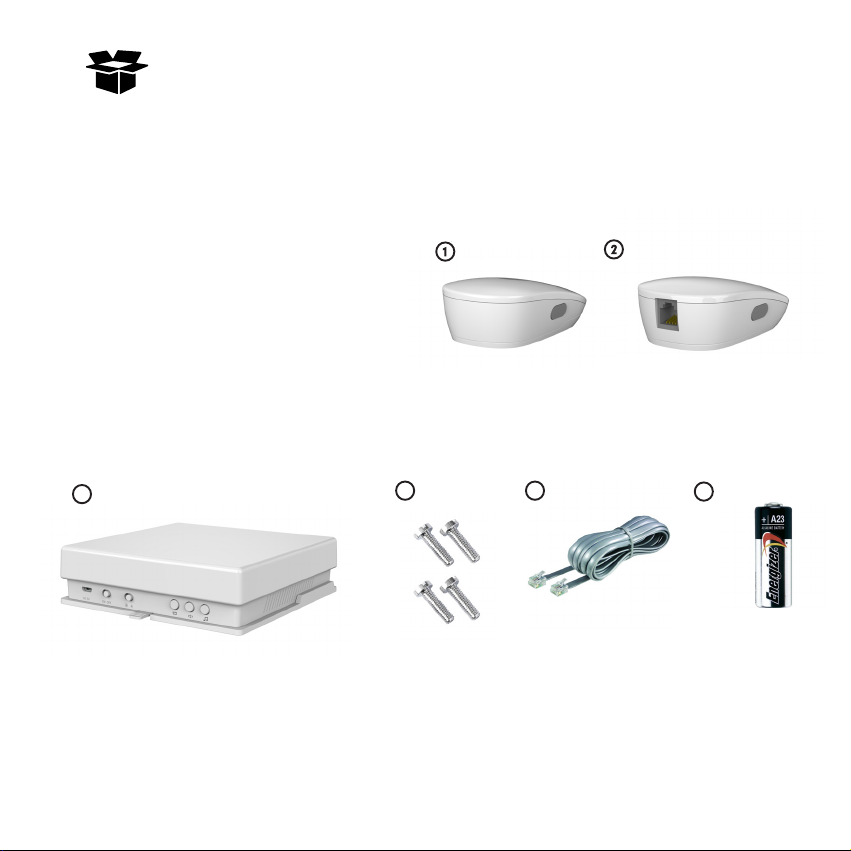
Unpack
You should find each of these items in your SquareGlow box:
1. Doorbell
2. Phone Signaler
3. 2 Receiver(Flasher)
4. 4 Screws
5. RJ11 Wire
6. 12v 23a battery
3
4
5
Remove all packing material, then inspect each item for any
accidental damage that may have occurred during shipping.
6
Page 4

What you should know
before installation
1. Doorbell’s signal can be affected by metal, walls, concrete
and interference from other electronics.
2. Determine the operating Range you want before
installation.
3. Flasher only supports DC 5V 2A adapter or 3 AA batteries.
Page 5
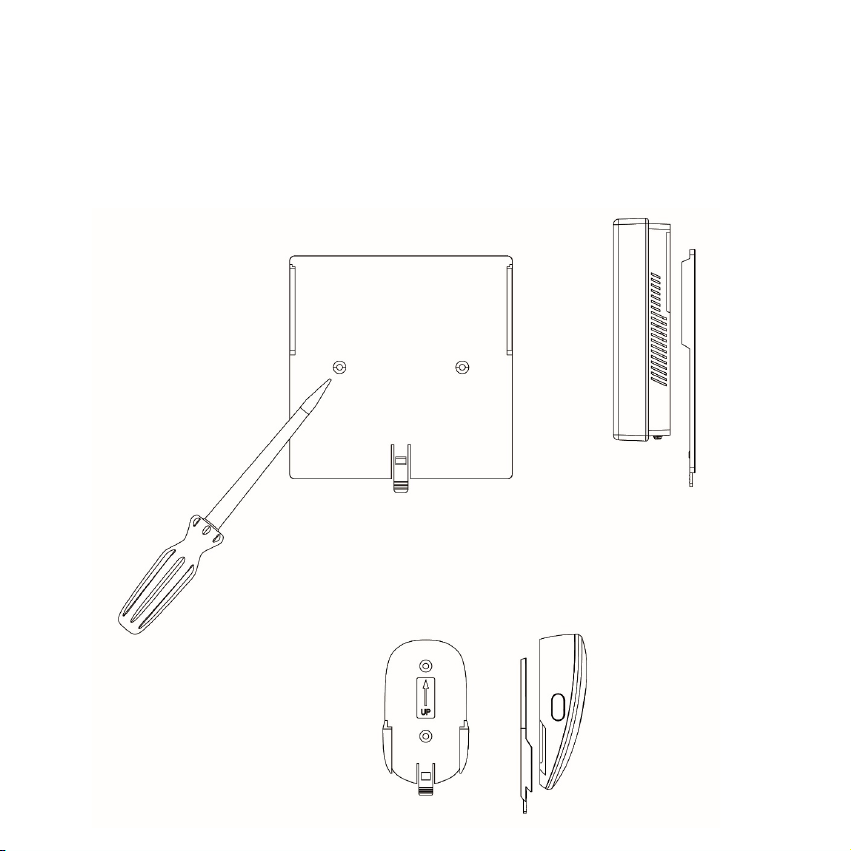
Installation Methods
You can put it on the desk ,or hang it up as following method:
Page 6
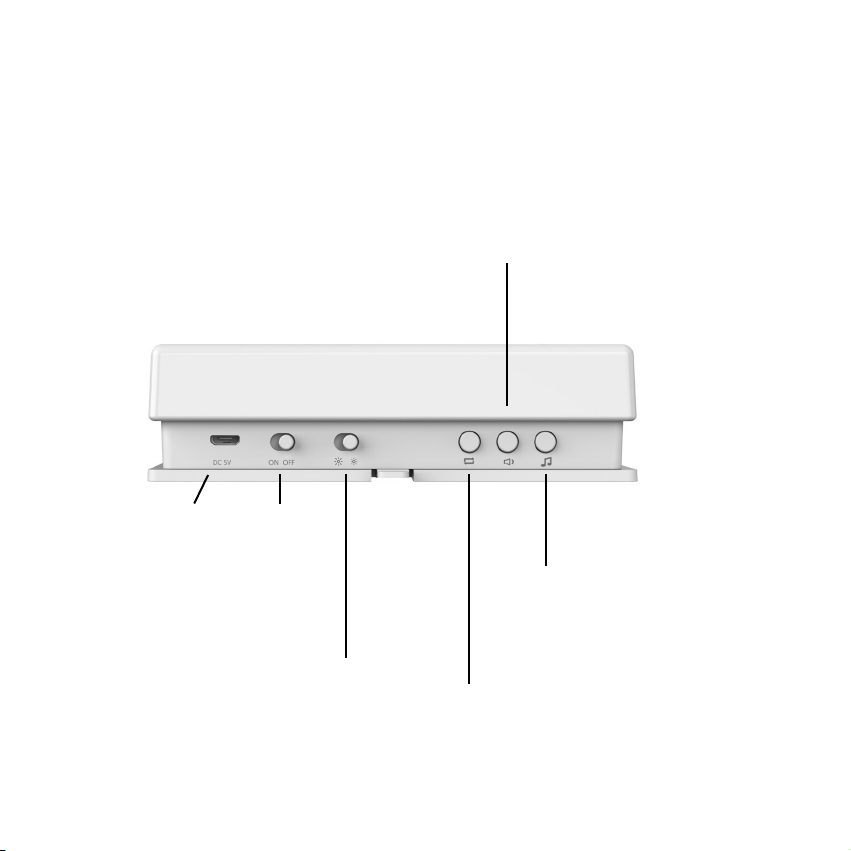
Operating Instructions
Please read the following diagram of button functions before
operation:
Short press: Adjust Volume/
Flasher
Long Press: Learn code
DC 5V Adapter ON/OFF
Full Bright/
Half Bright
Short press: Select ringing
tone / Long Press: Clean
code
Short press: Select Colors/
Long Press: Turn on/off light
Page 7
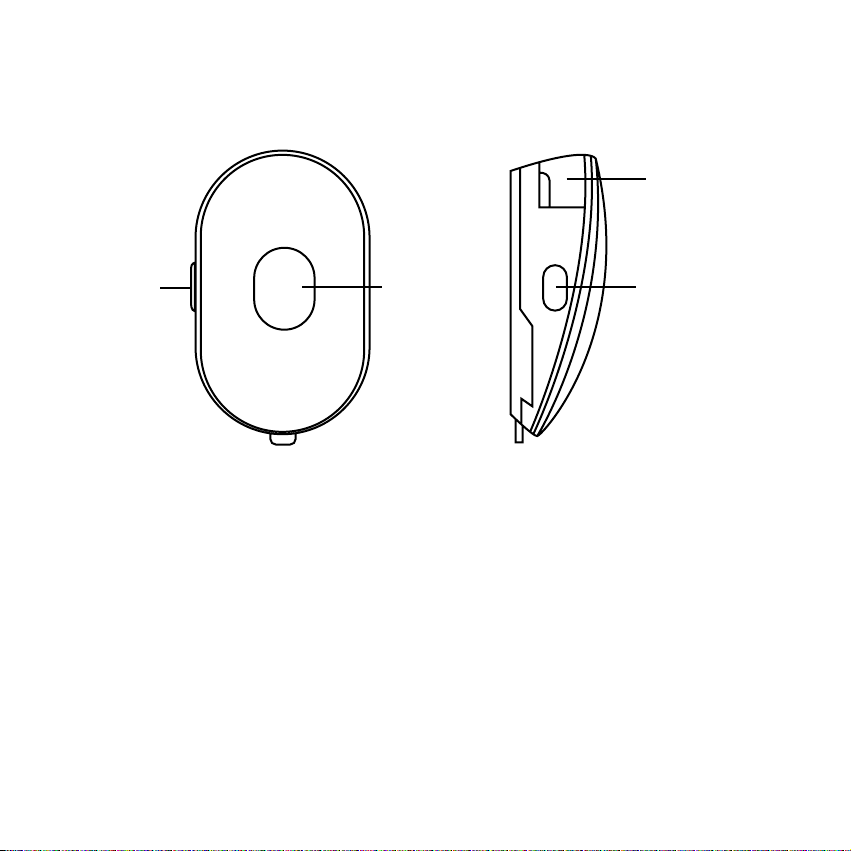
Doorbell
Phone
Signaler
RJ 11
Port
Change
Colors
Push
Button
Change
Colors
Attention before operating
Pull out the insulating strips rom the phone signaler.
Insert the RJ 11 wire for phone signaler.
Equip flashers with batteries or DC 5V adapter.
Don’t use other adapters on flasher.
Page 8
Pairing Transmitters with Flashers
Pairing LED colors:
1. Turn on flasher.
2. Please ensure that the light on flasher is turned off after
you turned off the power.
3. Short press… to select the LED color you want.
4. Long press… to launch pairing signal until flasher is
flashing.
5. Press the doorbell or phone signaler button quickly.
6. Congratulations on your success.
if it is not working, please try again.
Page 9

Pairing ringing tones:
1. Turn on the flasher.
2. Please ensure that the light on flasher is turned off after
you turn on the power.
3. Short press… to select the ring tone you want.
4. Long press… to launch pairing signal until the flasher is
flashing.
5. Press the doorbell or phone signaler button quickly.
6. Congratulations on your success.
if it is not working, please try again.
Attention after pairing:
1. One flasher can pair with unlimited signalers.
2. One signaler can pair with countless flashers.
3. User can long press to wipe all records, then begin
pairing again.
Page 10

Warranty
For further information on warranty and claims, please visit
www.squareglow.com. For returns or repairs, please send your products
in its original box to ensure a smooth return transition.
Page 11

 Loading...