

Page 1
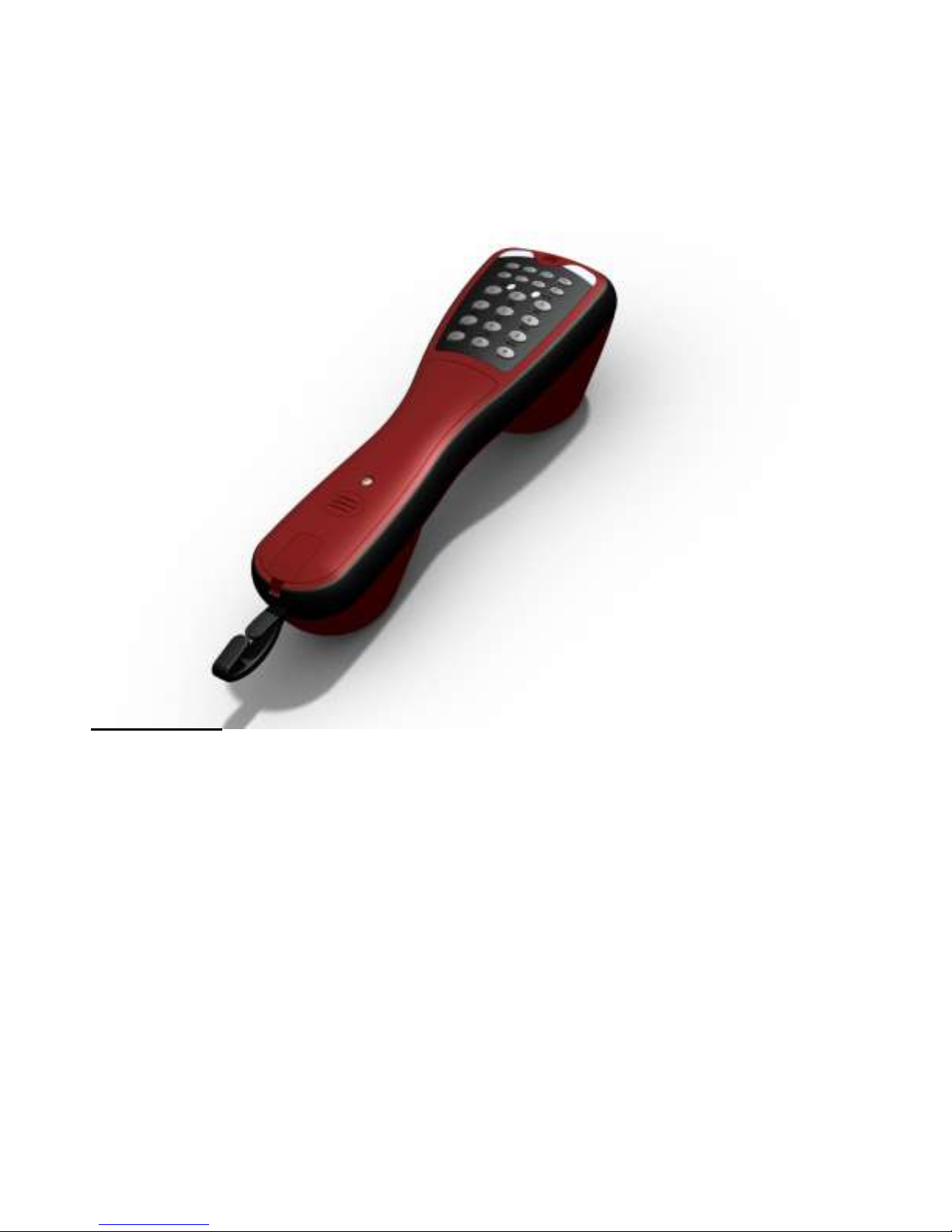
Main Features:
Digital Line Compatible (Integral ADSL Filter)
Two Way Hands Free
Eight Level Volume Control (Handset and Hands free)
Microphone Mute
Tone/Pulse Dial Selection with Indication
Ultra Hi-Z on/off-hook Line Polarity Indication
Hi- Z Speaker Monitor Mode with Four Volume Levels
Ultra Low Line Current with Over Current Protection
Low 0.1 REN (Ringer Equivalence Number)
Low Battery Indication
Full Telephone Parameter Set up via Keypad
Ten Ringer Melody’s ( 5 x 3- Tone, 5 x 2- Tone)
Hands Free Background Noise Compensation
13 x 21 Digit Memories (1 Speed Dial Memory)
Configurable Key Beeps
Quick Change Battery
Quick Change Cords or RJ11 Lead
High Impact Resistance
Fully Sealed to IP67
Rugged Belt Clip
Two Year Warranty
Issue 2.04; 20/1/2012
OPERATION MANUAL
TestPhone 850
JSD TestPhone Ltd
Unit E2
Formal Industrial Estate
Treswithian
Cornwall
TR14 0PY
www.jsdtestphone.com
Page 2
Introduction
The TestPhone 850 provides both handset and handsfree telephone
communication. The product provides a standard Public Switched
Telephone Networks (PSTN) interface, user interface and handset and/
or handsfree vocal interface to allow the user to originate or answer
standard PSTN calls on both Dual-tone Multi-frequency (DTMF - tone
dialling) and Loop Disconnect (LD - pulse dialling) lines. In addition the
product features on-hook audio line monitoring, PSTN line polarity
indication, automatic on-hook/power-off and integral ADSL digital line
filtering.
Dialling
`DTMF` dialling
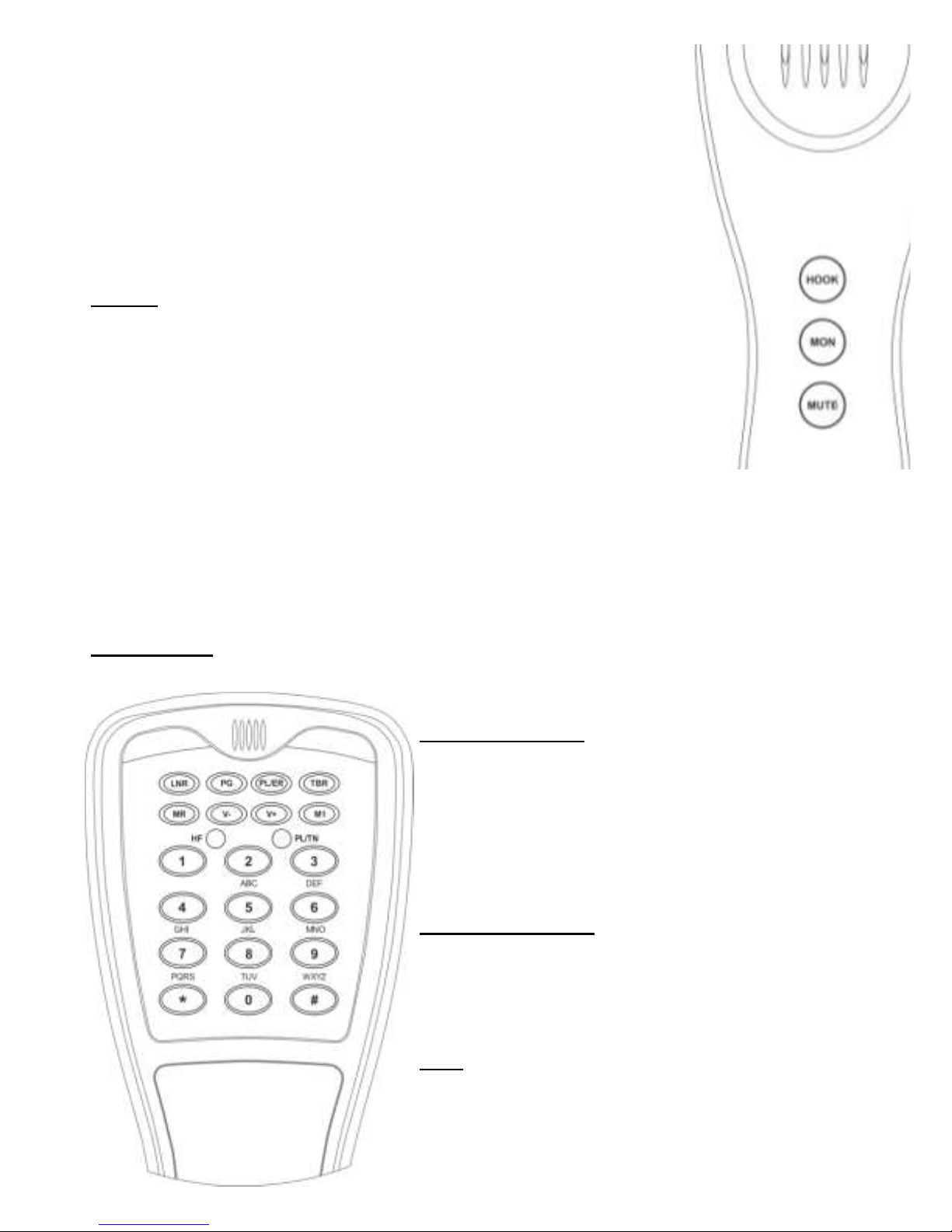
To dial out press the [HOOK] button. Then enter a telephone number,
press [LNR] to redial or dial a pre-stored number from memory and
conduct a vocal call upon connection.
This mode is indicated by the `PL/TN` LED being Green.
`LD` dialling
To initiate a `LD` call, whilst `on hook` press [PL/ER] once, within 5
seconds press [HOOK] and proceed as above.
Upon terminating the call the telephone will revert to ‘DTMF’ signalling.
This mode is indicated by the `PL/TN` LED being Red.
Handsfree Call
To transfer to handsfree mode (indicated by the `HF` LED being illuminated), press [MON]
while `off hook` (tone will be heard through the loudspeaker).
Incoming Call
Incoming calls generate a ringing indication on speaker. To answer press [HOOK], or [MON]
for handsfree mode.
Terminating A Call
To terminate a call press [HOOK].
Terminating A Handsfree Call
To terminate a handsfree call press [MON], or press
[HOOK] to switch to handset mode. In handsfree
mode the call will automatically be terminated after
30 minutes.
Volume Adjustment
During a call the receive volume can be varied by
pressing [V+] or [V-] as required. When the
maximum adjustment has been reached, three short
beeps will be heard.
Mute
To mute the telephone during a call, press [MUTE]
(the `PLTN` LED will flash). A short burst of
confidence tone will be heard. To initiate
conversation, press [MUTE] again.
Page 3

Last Number Redial (LNR)
Pressing [LNR] will initiate the Last Number Redial.
Timed Break Recall (TBR)
Pressing [TBR] will generate a Timed Break Recall. Duration may be configured.
Earth Recall (ER)
Pressing [PL/ER] will instigate an Earth Recall. This can only be carried out if the
telephone has an earth connection.
Telephone Memory Store
The telephone has a 13 address memory store.
12 are accessed via [MR] and 1 number accessed via [M1].
Note: The telephone must be connected to a live telephone line before
programming can be carried out.
To store a number:
press [HOOK] to go `off hook` and pres [PG]
press 1) [M1] or 2) [MR] followed by the memory location [0]-[9], [] or [#]
Enter the number on the numerical keypad (max 21 digits) pauses may be entered by
pressing [LNR]
to store the number press [PG]
To access the store press 1) [M1] or 2) [MR] followed by the store location [0]-[9], [] or [#]
Polarity Indication
When `off hook` the relative polarity will be indicated - Green LED positive polarity on
Line A, Red LED positive polarity on Line B.
Monitoring
High Impedance monitoring (indicated by the `HF` LED being illuminated) is carried out
by connecting the telephone to line and pressing [MON]. Pressing the button 3 more
times will increase the volume. The 4th press will terminate the monitoring.
Note: You must press [MON] 5 times before you can originate an outgoing call.
Should the user not deactivate monitor mode or press `MON` for 10 minutes then the
testphone is automatically turned off.
Low Battery Warning
When the battery is low the ‘PL/TN’ led will alternately flash Red/Green.
Field Repairs
Field repairs are limited to battery replacement or line cord replacement.
To replace the battery, with the telephone keypad uppermost remove the two screws in
the centre of the body and remove the top moulding. Using a suitable tool remove the
battery type PP3/6LR61/1604A. Replacement is a reversal of the operation.
To replace the line cord, additionally remove the two screws holding the line cord in
position, remove the existing line cord. Replacement is a reversal of the operation.
Page 4

Mode programming
Select TBR duration
The TBR [flash] duration may be configured as follows:
[PG] [2] [0] [PG] - 100mS duration (default)
[PG] [2] [1] [PG] - 285mS duration
Select Pause time
The Pause time [LNR] may be configured as follows:
[PG] [4] [0] [PG] - 1 second pause (default)
[PG] [4] [1] [PG] - 3 second pause
Easy keypad lock
The keypad may be quickly locked and unlocked as follows:
[PG] [5] [3] [9] [PG] - Toggles locked/unlocked state
Select Ringer volume
The Ringer output volume may be configured as follows:
[PG] [6] [0] [PG] - Low
[PG] [6] [1] [PG] - Medium
[PG] [6] [2] [PG] - High (default)
Select Ringer melody
The Ringer melody may be configured as follows:
[PG] [7] [n] [PG]
Where [n] is 0 (default) to 4.
Select Ringer ON/OFF
The Ringer may be turned OFF or ON as follows:
[PG] [8] [1] [PG] - ON (default)
[PG] [8] [0] [PG] - OFF
Connections
`PSTN` line - RJ11 [FCC4/4] socket and 3 terminals, identified as ‘LINE’.
Pin 1 - Line A; Pin 2 - Earth Recall; Pin 3 - NC; Pin 4 - Line B
Characteristics
DC Electrical Characteristics
PSTN idle current (on-hook) < 1uA @ 50Vline
PSTN operational current (off-hook) 15 – 60mA nominal (60mA limited)
5 – 15mA reduced performance
0 – 5mA power-down
PSTN line protection 200V SAD + Dual 130mA PTC
Battery voltage 9V nominal (PP3/6LR61/1604A type)
Battery supply current 44uA (on-hook), 6-8mA (handset)
20-200mA (Handsfree/monitor)
Battery low voltage 7.5V
AC Electrical Characteristics
Speaker output power 0.25W into 8R @ 9V
Speaker total harmonic distortion 2% @ 0.25W
PSTN transmit gain (handset) 35.8dB typical
PSTN transmit gain (handsfree) 44.0dB typical
PSTN transmit soft clip level 2V typical
PSTN transmit soft clip attach 70uS/6dB
PSTN transmit soft clip decay 100mS/6dB
PSTN transmit mute attenuation 60dB
PSTN receive gain (headset) -0.5dB typical
PSTN receive gain (handsfree) 27dB typical
PSTN receive volume range 15dB in 8 steps
PSTN receive soft clip level 1V typical
PSTN receive soft clip attach 70uS/6dB
PSTN receive soft clip decay 100mS/6dB
Default parameters
Earth Recall duration 250mS
Auto on-hook timer 30 minutes
Button de-bounce time 20mS
Inter-digit pause (Pulse[LD]) 840mS
Tone [DTMF] tone duration 82mS
Tone [DTMF] tone pause 82mS
TBR duration 100mS
Pause duration 1 S
Pre-digit pause (Pulse[LD]) 33mS
Post TBR pause 274mS
Handset TX gain 37dB
Handset RX gain 1dB
Handsfree TX gain 46dB
Handsfree RX gain 29dB
DTMF level (low group) -6dBm
Tone [DTMF] comfort tone (handset) -40dBr
Tone [DTMF] comfort tone (handsfree) -9dBr
Pulse [LD] make/break ratio 2 : 3
Pulse [LD] dial rate 10 pulses a second
DC Mask 4.5V
Operating Enviroment temperature -25°C - +70°C;
humidity up to 80% non-condensing
Dimensions 24.5 x 8.0 x 6.5 (cm)
Weight 458 (g)
Supplied by:
 Loading...