

Page 1
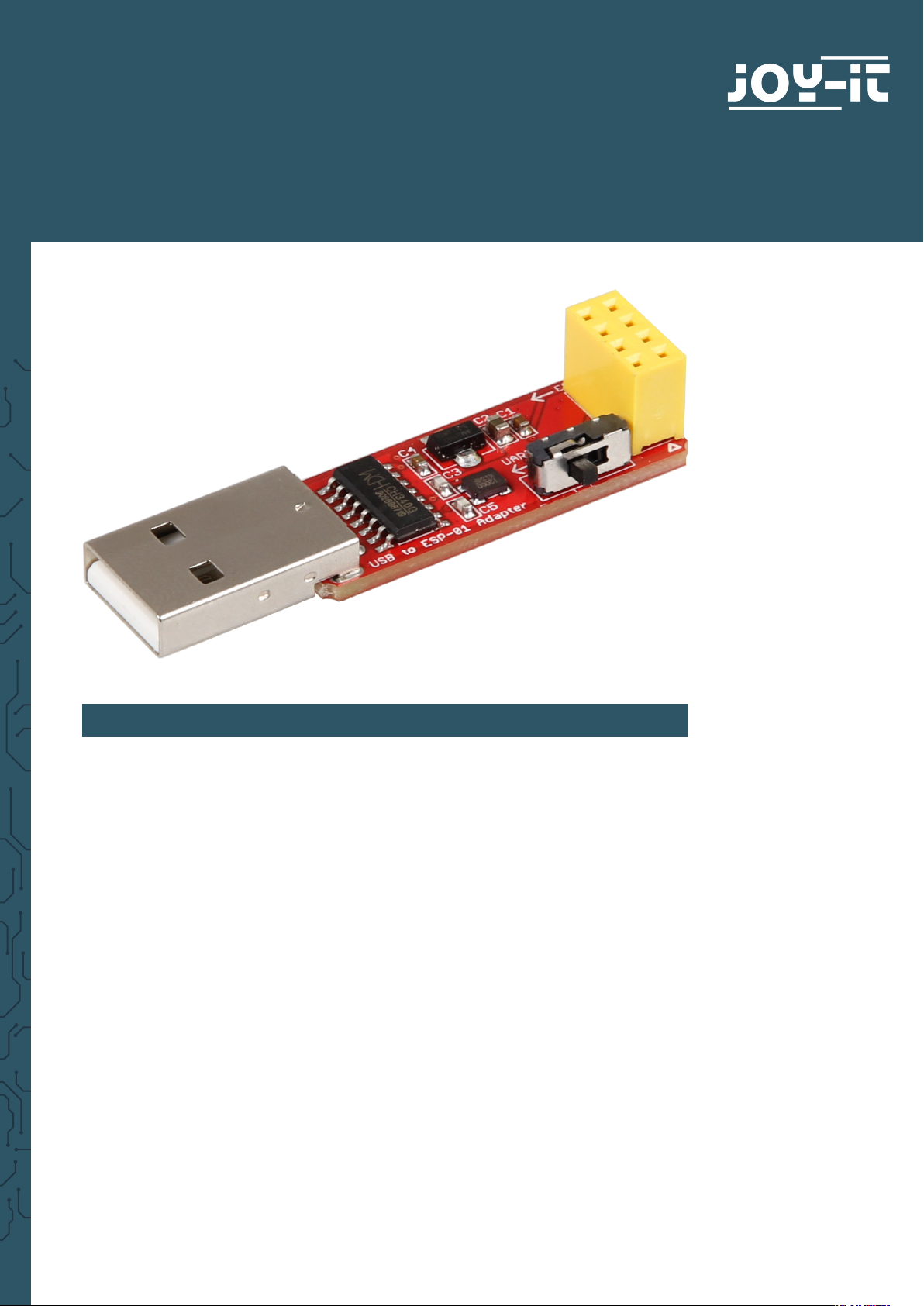
ESP8266-PROG
Help for the programming and use of a ESP8266
1. GENERAL INFORMATION
Dear customer,
thank you for choosing our product. In the following, we will show what
you should note at the commissioning and during the usage.
Should you encounter any unexpected problems during use, please do not
hesitate to contact us.
Page 2
2.CONFIGURATION OF SOFTWARE ENVIRONMENT
First of all, you must prepare the Arduino development environment for the
use with the ESP8266.
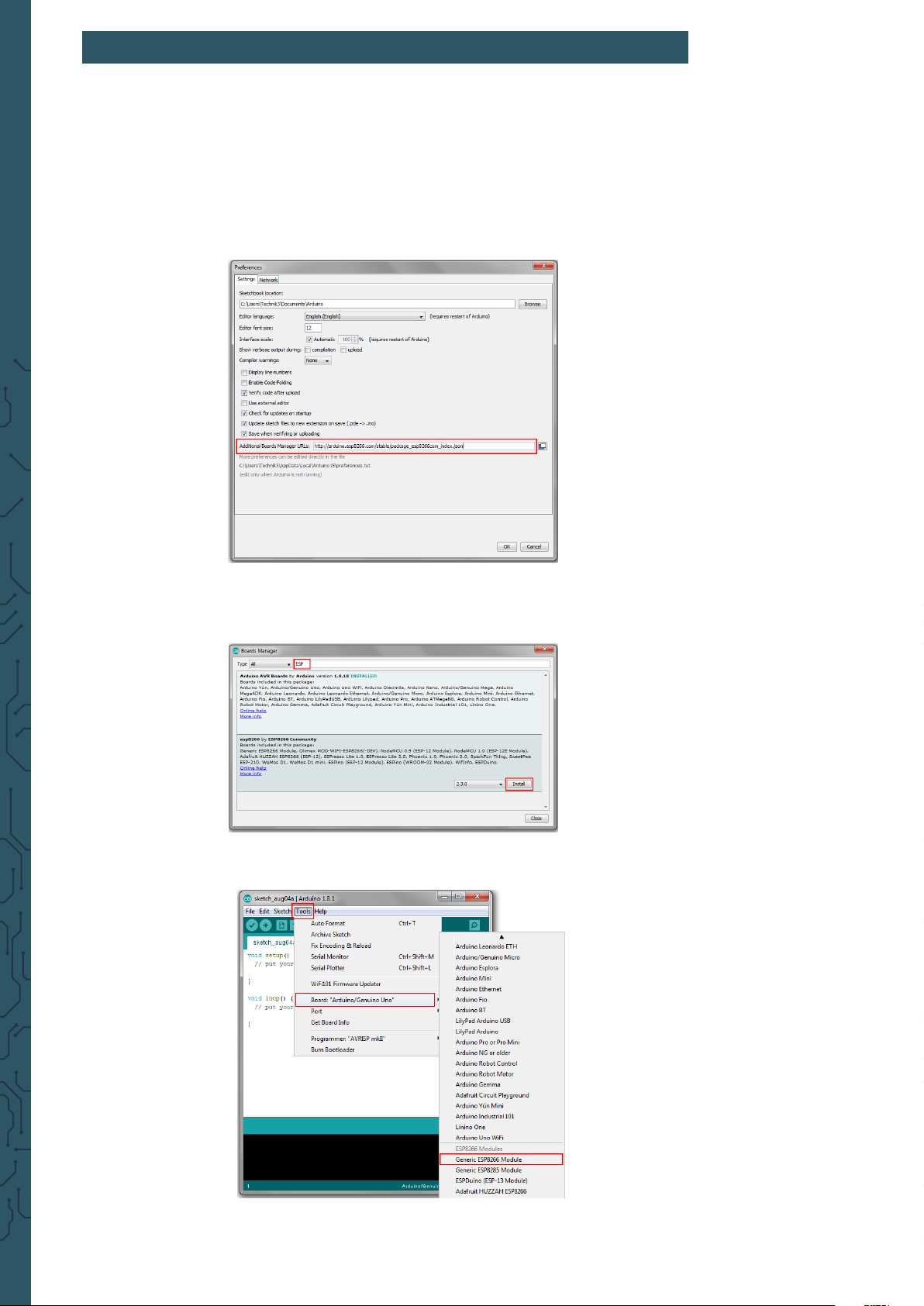
For that, enter in the global settings of the program the following URL as an
additional board manager URL:
https://arduino.esp8266.com/stable/package_esp8266com_index.json
Aer that, the additional board library must be installed. For that open the
board manager and install the ESP8266-library.
As soon as the board is successfully installed, you can select the Generic
ESP8266 Module in the list of available boards.
Your Arduino development environment is now ready for the use with the
ESP8266.
Page 3
3. CONNECTION & PROGRAMMING OF ESP8266
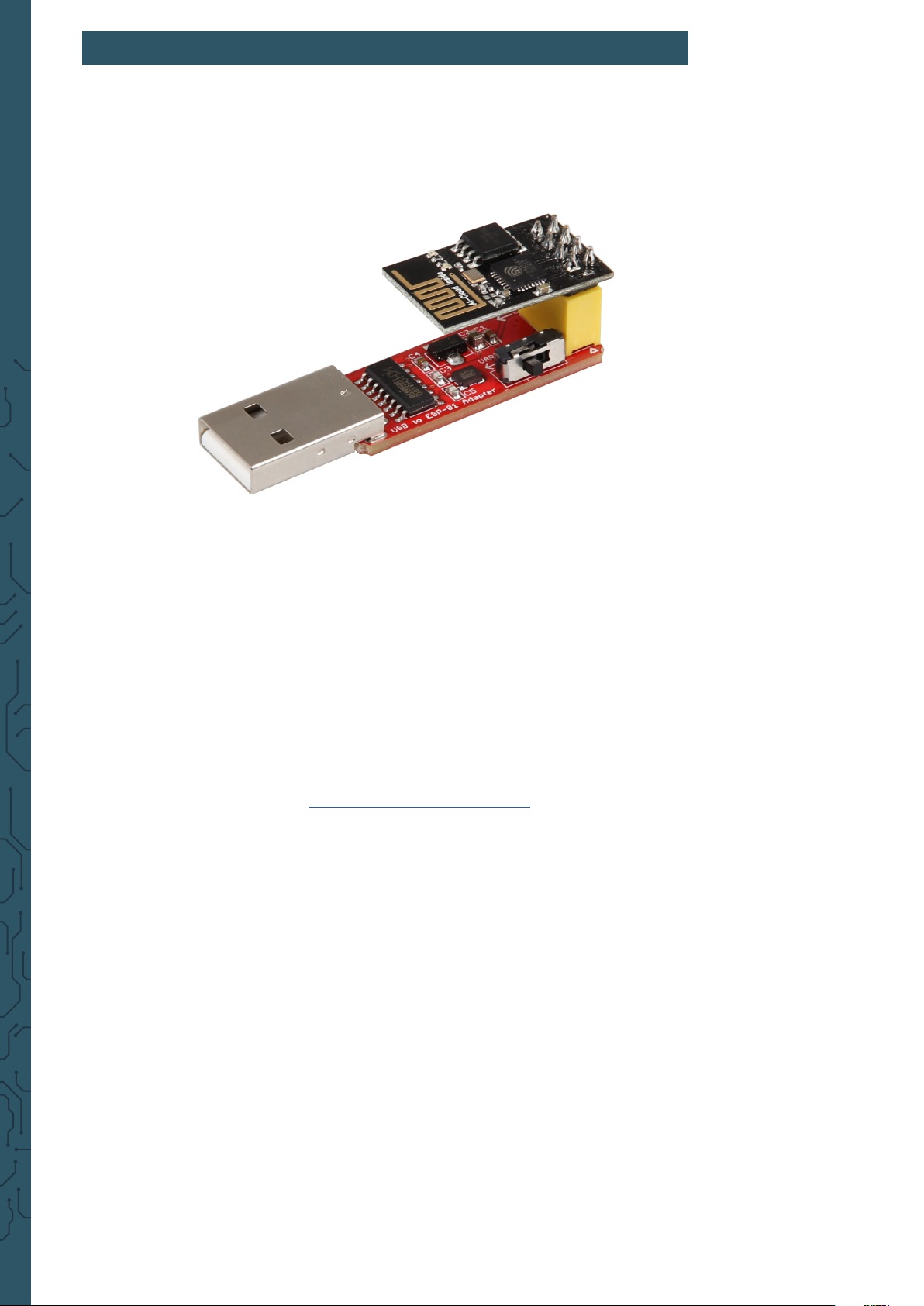
Put now the ESP8266 in the yellow connector of the programming module
like shown in the picture.
Next to the yellow connector is a small switch (also shown in the
picture). Note that the switch should be on Prog if you want to program your
ESP8266. For the regular use, you must set the switch to UART.
Connect the programming module with the USB-interface of your computer.
If the automatic installation of drivers fails, you have to install the drivers
manually.
In this case download the driver installation program and install the
drivers. Note that the accurate port is selected in the Arduino settings.
The in the Arduino environment installed ESP-package provides some code
examples for the use of this module. These examples are highly
qualied for the entering into the programming of the ESP8266.
Page 4

4. FURTHER INFORMATION
Our information and redemption obligation according to
the electro-law (ElektroG)
Symbol on electrial and electronic products :
This crossed-out bin means that electrical and electronic products do not
belong into the household waste. You must hand over your old appli-ance
to a registration oice. Before you can hand over the old appliance, you
must remove used batteries and accumulators which are not enclosed by
the device.
Return options :
As the end user, you can hand over with the purchase of a new device
your old appliance (which has essentially the same functions as the new
one) free of charge for disposal. Small devices which do not have outer
dimensions greater than 25 cm can be submitted independently of the
purchase of a new product in normal household quantities.
Possibility of restitution at our company location during our opening
hours :
Simac GmbH, Pascalstr. 8, D-47506 Neukirchen-Vluyn
Possibility of restitution nearby :
We send you a parcel stamp with which you can send us your old appliance
free of charge. For this possibility, you must contact us via e-mail at
[email protected] or via telephone.
2
Information about packaging:
Please package your old appliance safe during transport. Should you not
have a suitable packaging material or you do not want to use your own
material, you can contact us and we will send you an appropriate package.
5. SUPPORT
If any questions remain open or problems arise aer your purchase, we are
available by e-mail, telephone and with a ticket support system to answer
these.
E-Mail: [email protected]
Ticket-System: http://support.joy-it.net
Telephone: +49 (0)2845 98469 – 66 (10 - 17 o‘clock)
For further information visit our website:
www.joy-it.net
1
Published: 28.08.2019
www.joy-it.net
Simac Electronics Handel GmbH
Pascalstr. 8 47506 Neukirchen-Vluyn
 Loading...