

Page 1

User manual
Model: 230
Brand: JOO
Page 2

User Guide
230 Page 2
1
1
W
Weellccoo
m
mee
Thank you for purchasing the Feature phone. Your Feature phone is
packaged with the following state of the art features:
0.08M Camera
2.4 Inch screen
Music
FM Radios
Video player and FM Recording
Dual SIM (GSM + GSM)
T-Flash Card support (up to 32 GB)
English / Arabic / French / Swahili Support
IImmppoorrttaanntt::
11.
.
PPlleeaassee rreeaadd tthhee ccoonntteennttss ooff tthhiiss mmaannuuaall ttoo ffuullllyy uuttiilliizzee tthhee ffeeaattuurreess ooff
tthhiiss pphhoonnee..
22.
.
PPlleeaassee rreeaadd tthhee GGuuiiddeelliinneess sseeccttiioonn pprroovviiddeedd wwiitthh tthhiiss RReeffeerreennccee
gguuiiddee..
Page 3

User Guide
230 Page 3
Table of Contents
1 Welcome ................................................................................... 2
2 Know Your Phone ..................................................................... 6
2.1 Insert SIM Card 7
2.2 Insert SIM Card 7
2.3 Insert Memory Card 7
3 Basic Operations ...................................................................... 7
3.1 Switch Phone ON/OFF 7
3.2 Unlock the phone 8
3.3 Make a call 8
3.4 Choose User Profiles 8
4 Notable Features ...................................................................... 9
4.1 Secure your Phone 9
4.2 Blacklist and Whitelist 9
4.3 Manage Your Files 9
4.4 Connect to Internet 10
5 Call logs ....................................................................................... 10
5.1 Missed calls 10
5.2 Dialed calls 10
5.3 Received calls 10
5.4Rejected calls 11
5.5Delete all 11
5.6Call timers 11
5.7GPRS counter 11
6 Contacts ................................................................................. 11
Page 4

User Guide
230 Page 4
6.1New 11
6.2Delete multiple 12
6.3Import/Export 12
6.4Others 12
7 Music ...................................................................................... 12
8 Alarm clock............................................................................. 12
9 Internet .................................................................................. 13
10 Messages ................................................................................ 13
10.1Write message 13
10.2 Inbox 13
10.3 Outbox 13
10.4Drafts 13
10.5 sentbox 13
10.6Security inbox 14
10.6Templates 14
10.7Voice mail server 14
11 Radio ...................................................................................... 14
12 Games .................................................................................... 15
13 Camera ................................................................................... 16
13.1Camera 16
14 Photos .................................................................................... 16
15 Videos .................................................................................... 16
16 Settings .................................................................................. 16
16.1Phone settings 17
16.2Display settings 17
16.3 Profiles 17
Page 5

User Guide
230 Page 5
16.4Security settings 17
16.5Call settings 17
16.6Connections 18
17 Calendar ................................................................................. 18
Menu > Calendar 18
Month Display 18
18 Calculator ............................................................................... 19
19 Voice recorder ........................................................................ 19
20 Extras...................................................................................... 19
20.1 Alarm 19
20.2 Torch 19
20.3 Bluetooth 19
21 My files................................................................................... 20
22 Taking Care of Your Device ........................................................ 20
Page 6
User Guide
230 Page 6
2
2
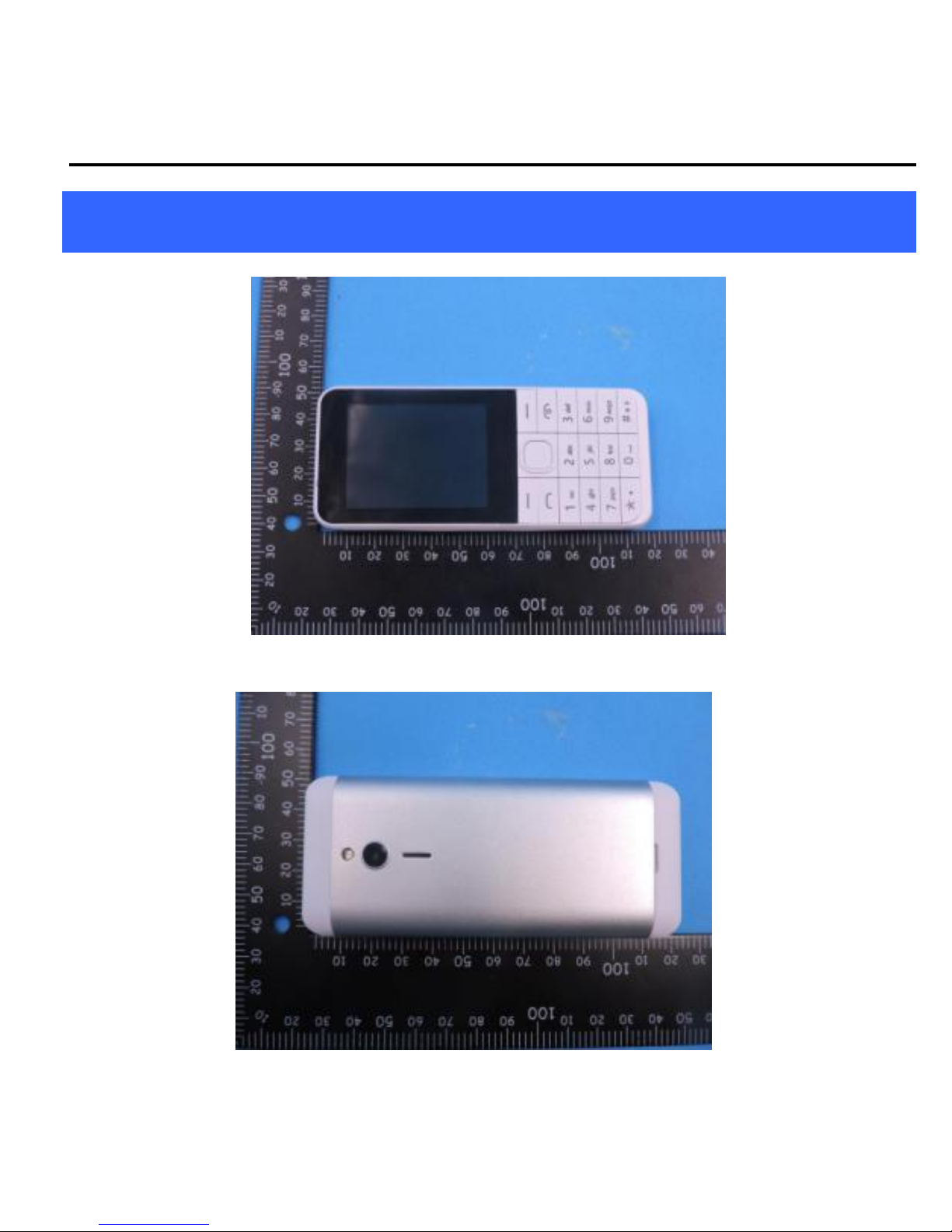
KKnnoow
w YYoouurr PPhhoonnee
Page 7

User Guide
230 Page 7
22..11 IInnsseerrtt SSIIMM CCaarrdd
The device is a Dual SIM mobile phone allowing you to use two SIM
Cards.
Switch off the mobile phone and remove the rear cover and battery.
22..2
2
IInnsseerrtt SSIIMM CCaarrdd
1. Insert the SIM card correctly in the SIM slot(s).
2. Finally, insert the battery and replace the rear cover of the mobile
phone.
22..3
3
IInnsseerrtt MMeemmoorryy CCaarrdd
1. Switch off the phone and remove the rear cover and the battery.
2. Insert the memory card into the slot.
3. Finally, insert the battery and the rear cover of the mobile phone.
Incompatible cards may damage the slot or corrupt the data stored in the
card.
3
3
BBaassiicc O
Oppeerraattiioonnss
33..1
1
SSwwiittcchh PPhhoonnee OONN//OOFFFF
To switch ON/OFF your phone, press and hold the End key for a few
seconds.
Page 8

User Guide
230 Page 8
33..2
2
UUnnlloocckk tthhee pphhoonnee
If you do not use the phone for a while, the screen is replaced with a
locked screen.
1. Press any key to activate the screen.
2. Press Left key, and then press * key.
33..3
3
MMaakkee aa ccaallll
You can make a call in the following ways:
Enter the desired number in standby mode and press the
Call key to make the call.
Go to Menu > Contacts and then select and dial the desired
number.
Just press the Call key to dial the contacts listed in Call logs.
You can also dial a contact from the messages.
33..4
4
CChhoooossee UUsseerr PPrrooffiilleess
MMeennuu>>PPrrooffiilleess
You can choose your profile such as silent mode, Normal, Meeting,
Outdoor, Earphone and so on.
Page 9

User Guide
230 Page 9
4
4
N
Noottaabbllee FFeeaattuurreess
44..1
1
SSeeccuurree yyoouurr PPhhoonnee
MMeennuu >> SSeettttiinnggss >> SSeeccuurriittyy >> PPhhoonnee LLoocckkeedd
Let you lock/unlock your phone via a security password which you can
change anytime.
The default security code to unlock the phone is 1234.
Note: After you activate the phone lock, you would be asked for a
password when you power on your phone next time.
44..2
2
BBllaacckklliisstt aanndd WWhhiitteelliisstt
MMeennuu >> SSeettttiinnggss >> SSeeccuurriittyy >>BBllaacckklliisstt
Blacklist undesired SMS senders and caller so that you do not receive
SMS and calling from them.
44..3
3
MMaannaaggee YYoouurr FFiilleess
MMeennuu >>FFiillee MMaannaaggeerr
You can view and manage your files available in the phone or memory
card from the gallery. You can rename, view details, move, delete files
and so on via the File manager
Page 10

User Guide
230 Page 10
44..4
4
CCoonnnneecctt ttoo IInntteerrnneett
MMeennuu >> SSeettttiinnggss>>CCoonnnneeccttiioonnss
You can connect to the Internet via GPRS connection.
To identify network data automatically based on your SIM card.
55 CCaallll llooggss
MMeennuu >> CCaallll llooggss
Tip: Directly access the call History of by pressing the Call key in idle
mode.
The Call History lists the calls you have recently dialed, received,
missed for SIM1 and SIM 2
55..11 MMiisssseedd ccaallllss
MMeennuu>>ccaallll llooggss>>mmiisssseedd ccaallllss
55..22 DDiiaalleedd ccaallllss
MMeennuu>>ccaallll llooggss>>DDiiaalleedd ccaallllss
55..33 RReecceeiivveedd ccaallllss
MMeennuu>>ccaallll llooggss>> RReecceeiivveedd ccaallllss
Page 11

User Guide
230 Page 11
55..44RReejjeecctteedd ccaallllss
MMeennuu>>ccaallll llooggss>>rreejjeecctteedd ccaallllss
55..55DDeelleettee aallll
MMeennuu>>ccaallll llooggss>> DDeelleettee aallll
55..66CCaallll ttiimmeerrss
MMeennuu>>ccaallll llooggss>> CCaallll ttiimmeerrss
55..77GGPPRRSS ccoouunntteerr
MMeennuu>>ccaallll llooggss>> GGPPRRSS ccoouunntteerr
6
6
CCoonnttaaccttss
Your Contacts stores all your saved contacts for anytime use. Your
Contacts data can be stored in your SIM card or your phone memory. You
can manage your contacts from here.
MMeennuu >> CCoonnttaaccttss
66..11NNeeww
MMeennuu >> CCoonnttaaccttss>> ooppttiioonnss >> NNeeww
Page 12

User Guide
230 Page 12
66..22DDeelleettee
mmuullttiippllee
MMeennuu >> CCoonnttaaccttss >>ooppttiioonnss >> DDeelleettee mmuullttiippllee
IInn tthhee CCoonnttaaccttss lliisstt,, sseelleecctt tthhee eennttrryy yyoouu wwaanntt ttoo ddeelleettee..
66..33IImmppoorrtt//EExxppoorrtt
MMeennuu >> CCoonnttaaccttss >> ooppttiioonnss >> IImmppoorrtt//EExxppoorrtt
YYoouu ccaann ccooppyy,, IImmppoorrtt oorr EExxppoorrtt ccoonnttaaccttss eennttrriieess ssttoorreedd iinn tthhee SSIIMM ccaarrdd ttoo
tthhee pphhoonnee mmeemmoorryy aanndd vviiccee--vveerrssaa..
66..44OOtthheerrss
SSppeeeedd ddiiaall
SSeett ffaasstt ccaallll wwiitthh nnuummbbeerr 22## ~~ 99##..
OOwwnn nnuummbbeerr
MMeemmoorryy ssttaattuuss
MMeennuu >> CCoonnttaaccttss >> ooppttiioonnss>> MMeemmoorryy ssttaattuuss
7
7
M
Muussiicc
MMeennuu>>mmuullttiimmeeddiiaa>>mmuussiicc
8
8
AAllaarrm
m cclloocckk
Entering alarm, choose Alarm, set time/Ringtone/Repeat mode
Page 13

User Guide
230 Page 13
9
9
IInntteerrnneett
YYoouu ccaann ccoonnnneecctt ttoo tthhee IInntteerrnneett vviiaa GGPPRRSS ccoonnnneeccttiioonn
110
0
M
Meessssaaggeess
1100..11WWrriittee mmeessssaaggee
MMeennuu >> MMeessssaaggeess >> WWrriittee mmeessssaaggee >> NNeeww SSMMSS
You can compose and send SMS . Pressing the LLeefftt KKeeyy during/after
composing the message gives you a host of messaging features..
1100..22 IInnbbooxx
Menu > Messages >Inbox: Display received SMS
1100..33 OOuuttbbooxx
Menu > Messages >outbox: Display sent out SMS
1100..44DDrraaffttss
Menu > Messages >drafts: Display save edit SMS
1100..55 sseennttbbooxx
Menu > Messages >sentbox: Save the information that has been sent
Page 14

User Guide
230 Page 14
1100..66SSeeccuurriittyy iinnbbooxx
Menu > Messages >Security inbox: Enter password 1234 enter
1100..66TTeemmppllaatteess
Menu > Messages > Templates
Enter into preset message templates and use them. These preset
templates can save you time if the theme of your message is the same as
those existing in the template.
1100..77VVooiiccee mmaaiill sseerrvveerr
Menu > Messages > Voice mail server
You can activate voicemail service to redirect your incoming calls (based
on your call settings) to a voicemail server and retrieve them later via
SMS alerts.
To divert incoming calls to a voicemail server, go to Settings>Phone tab >
Call Divert> Voice> (choose the desired call divert condition)> Activate>
Phone Number/Voicemail Number
111
1
RRaaddiioo
MMeennuu >> FFMM rraaddiioo
Page 15

User Guide
230 Page 15
Insert earphone.Your phone comes with an FM radio to let you listen to
FM channels.
Go to Options> Auto Search and save
Options>Channel list: Display search channel
Options>Save: Save current channel
Options>Manual search: Manual input frequency
Options>Open speaker: Open the trumpet player
Options>Background play
Options>Record
Options>Timing record
Options>Record file list
Options>Storage: Select the recording save location
Press the number keys on your keypad in accordance to the
channel list.
Press OK key to start/stop the radio.
Press the Up or Down key to increase/decrease the volume.
Press the Left key for various radio options
112
2
G
Gaa
m
meess
MMeennuu>> GGaammeess
Page 16

User Guide
230 Page 16
113
3
CCaam
meerraa
1133..11CCaammeerraa
MMeennuu>> ccaammeerraa
114
4
PPhhoottooss
MMeennuu>>PPhhoottooss
Let you to view your saved images. You can also send the images via
Bluetooth or use it as contact icon or wallpaper, etc.
115
5
VViiddeeooss
Menu > Videos
Press the OK Key to start recording.
You can press OOppttiioonnss switch to Camera and vice versa.
You can also press Options key to choose memory
Press Left key to choose various settings
Shortcut keys: Press the number keys as shortcuts on the phone’s
keypad to choose various video settings.
116
6
SSeettttiinnggss
Choose various preferences to customize your handset according to your
Page 17

User Guide
230 Page 17
requirements. You can set:
1166..11PPhhoonnee sseettttiinnggss
Menu>settings>phone settings: You can set date & time; language
settings; shortcut settings; auto power on/off; restore factory settings.
1166..22DDiissppllaayy sseettttiinnggss
Menu>settings>display: You can settings wallpaper; idle display; contrast;
keypad back light time; auto keypad lock.
1166..33 PPrrooffiilleess
Menu> Settings>profiles:
You can settings
normal/silent/meeting/indoor/outdoor/earphone/Bluetooth.
1166..44SSeeccuurriittyy sseettttiinnggss
Menu>settings>security: You can settings PIN; modify PIN2; phone
locked; modify the phone password; privacy; lock screen by end-key;
guardlock; fixed dialing; blacklist.
1166..55CCaallll sseettttiinnggss
Menu>settings>call settings: You can operate Dual-SIM/Call divert/Call
waiting/Call barring/Hide ID/Others
Others: You can operate IP prefix; call time minute reminder; auto redial;
vibration when connected; reply SMS after reject; auto record voice; any-
Page 18

User Guide
230 Page 18
key answer.
1166..66CCoonnnneeccttiioonnss
Menu>settings>connections: You can settings network account/GPRS
service/data connection settings/network selection/internet.
Internet:
You can use the network-related services with this function
117
7
CCaalleennddaarr
Menu > Calendar
Month Display
On month display of Calendar, slide the screen up and down to view
the previous and the next month calendar. Display option menu,
perform the following:
Day: Touch this option to switch into Day display.
Week: Touch this option to switch into Week display.
Month: Touch this option to switch into Month display.
Agenda: Touch this option to switch into Agenda list.
Today: On Month calendar, touch this option, highlight the system date;
On Agenda list, touch this option to browse today’s agenda records.
More: Include New event, Select Date, Calendars to display, Settings,
Delete all events.
Page 19

User Guide
230 Page 19
118
8
CCaallccuullaattoorr
Menu >calculator
119
9
VVooiiccee rreeccoorrddeerr
MMeennuu >>VVooiiccee rreeccoorrddeerr
You can record surrounding sounds using this feature
220
0
EExxttrraass
2200..11 AAllaarrmm
Entering alarm, choose Alarm, set time/Ringtone/Repeat mode
2200..22 TToorrcchh
Menu > extras >torch
You can open on/off the light.
2200..33 BBlluueettooootthh
Menu > extras>bluetooth
Bluetooth headset to listen to music or talk
Page 20

User Guide
230 Page 20
221
1
M
Myy ffiilleess
MMeennuu>>MMyy ffiilleess
Option Menu
On files or folders directory interface, press [ Options] to display option
menu, perform the following:
New folder: Display options menu of New, including: File, Folder, Search.
Delete: Delete this file or folder.
Details: View the properties of this file or folder.
Rename: Rename this file or folder.
Copy: Copy this file or folder
Sort: Sort by Name/Time/SIZE/Type
Mark: Mark to select the file or folder
Memory status: See phone memory capacity and memory card capacity,
or format phone memory and format memory card.
2222 TTaakkiinngg CCaarree ooff YYoouurr D
Deevviiccee
Your device is a product of superior design and craftsmanship and should be
handled with care: The following suggestions will help you protect your
phone:
Page 21

User Guide
230 Page 21
Keep the device dry. Precipitation, humidity, and all types of liquids or
moisture can contain minerals that will rust electronic circuits. If your
device does get wet, remove the battery without turning on the
device, wipe it with a dry cloth and take it the service center.
Do not store the device in high or cold temperature. High
temperatures can shorten the life of electronic devices and damage
batteries.
Do not use or store the device in dusty, dirty areas. Its moving parts
and electronic components can be damaged.
Do not attempt to open the device other than as instructed in this
guide. Repairing this phone by yourself other than our authorized
service agents/centers goes against the warranty rules.
Do not drop, knock, or shake the device. Rough handling can break
internal circuit boards and fine mechanics.
Do not use harsh chemicals, cleaning solvents, or strong detergents to
clean the device. Only use a soft, clean, dry cloth to clean the surface
of the device.
Do not store your device near magnetic fields or allow your device to
come in contact with magnetic fields for extended period of time.
Please put the battery in a cool and well-ventilated place out of direct
sunlight. We recommend you to charge the battery at room
BBaatttteerryy RReeccoommmmeennddaattiioonnss::
Page 22
User Guide
230 Page 22
temperature range.
Batteries have life cycles. If the time that the battery powers
equipment becomes much shorter than usual, the battery life is at an
end. Replace the battery with a new battery of the same make and
specification.
Do not discard the battery with household trash. Please dispose of
used battery according to your local environmental laws and
guidelines.
Use manufacturer approved batteries, chargers, accessories and
supplies. Feature phone will not be held responsible for user’s safety
when using unapproved accessories or supplies.
SSppeecciiffiieedd ccoolllleeccttiioonn ppooiinnttss ffoorr rreeccyycclliinngg ooff ssuucchh hhaazzaarrddoouuss wwaassttee..
CCoolllleeccttiioonn aanndd pprrooppeerr rreeccoovveerryy ooff yyoouurr eelleeccttrroonniicc wwaassttee eeqquuiippmmeennttss aatt
tthhee ttiimmee ooff ddiissppoossaall wwiillll aallllooww uuss ttoo hheellpp pprreesseerrvvee tthhee eennvviirroonnmmeenntt..
RReeccyyccllee YYoouurr HHaannddsseett
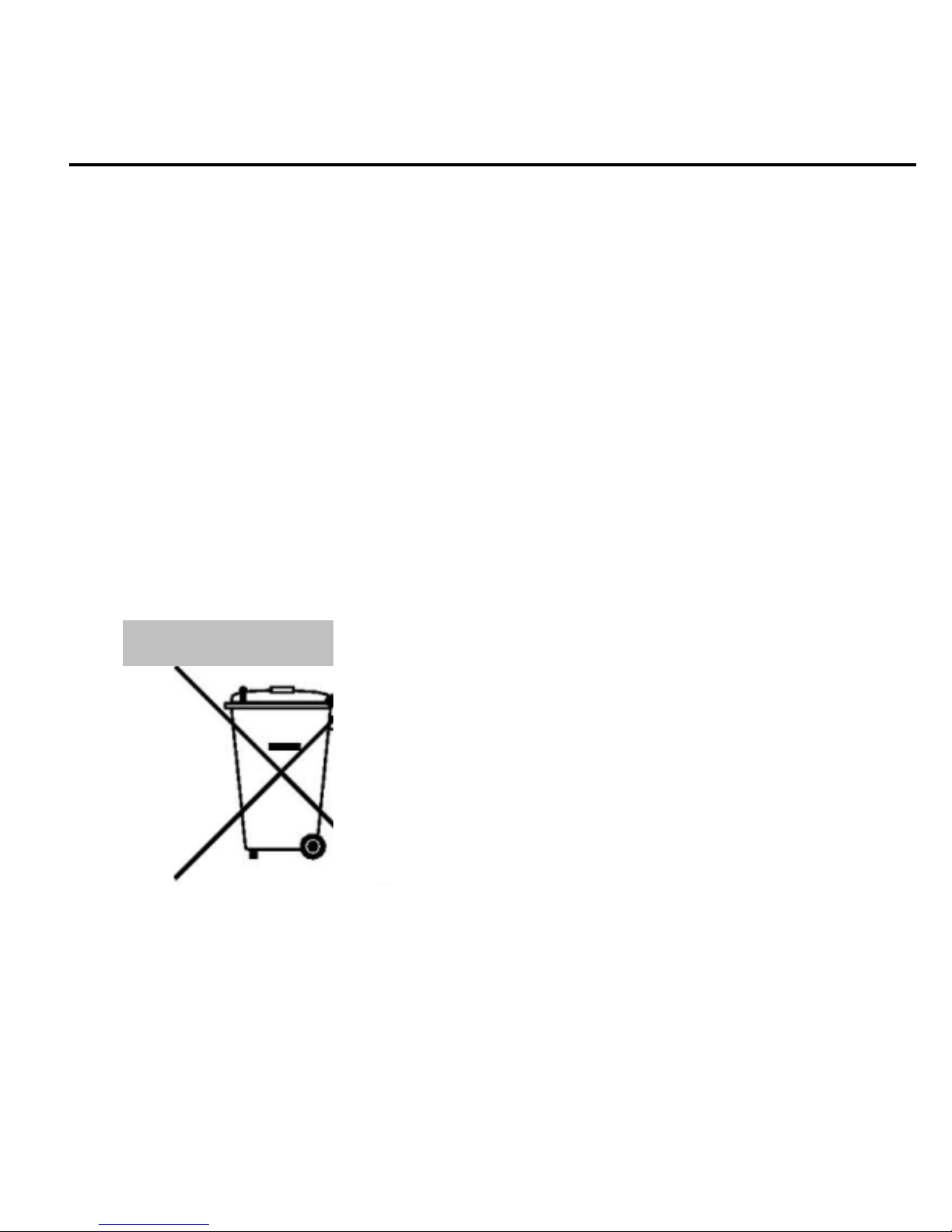
The WEEE logo (shown at the left) appears on
the product (battery, handset, and charger) to
indicate that this product must not be disposed
off or dumped with your other household
wastes. You are liable to dispose of all your
electronic or electrical waste equipment by
relocating over to the specified collection point
for recycling. of such hazardous waste.
Page 23

User Guide
230 Page 23
RReeccyycclliinngg ooff tthhee eelleeccttrroonniicc wwaassttee eeqquuiippmmeenntt wwiillll eennssuurree ssaaffeettyy ooff
hhuummaann hheeaalltthh aanndd eennvviirroonnmmeenntt..
1. The colors and specifications shown/mentioned in the user manual
may differ from the actual product. Images shown are for
representation purpose only. Other product logos and company
names mentioned herein may be trademarks or trade names of their
respective owners.
2. Feature phone keeps the right to make modifications to any of the
content in this user guide without public announcement in advance.
The content of this manual may vary from the actual content
displayed in the mobile phone. In such a case, the latter shall govern.
All rights reserved. Reproduction, transfer, distribution or storage of part
or all of the contents in this document in any form without the prior
written permission of Feature phone is strictly prohibited.
DDiissccllaaiimmeerrss
CCooppyyrriigghhttss
Page 24

User Guide
230 Page 24
FCC Warning
This device complies with part 15 of the FCC Rules. Operation is
subject to the condition that this device does not cause harmful
interference.
Any Changes or modifications not expressly approved by the party
responsible for compliance could void the user's authority to operate
the equipment.
Note: This equipment has been tested and found to comply with the
limits for a Class B digital device, pursuant to part 15 of the FCC
Rules. These limits are designed to provide reasonable protection
against harmful interference in a residential installation. This
equipment generates uses and can radiate radio frequency energy
and, if not installed and used in accordance with the instructions,
may cause harmful interference to radio communications. However,
there is no guarantee that interference will not occur in a particular
installation. If this equipment does cause harmful interference to
radio or television reception, which can be determined by turning
the equipment off and on, the user is encouraged to try to correct
the interference by one or more of the following measures:
-Reorient or relocate the receiving antenna.
-Increase the separation between the equipment and receiver.
-Connect the equipment into an outlet on a circuit different from
that to which the receiver is connected.
-Consult the dealer or an experienced radio/TV technician for help.
Page 25

User Guide
230 Page 25
-Consult the dealer or an experienced radio/TV technician for help.
Specific Absorption Rate (SAR) information:
This Feature phone meets the government's requirements for
exposure to radio waves. The guidelines are based on standards
that were developed by independent scientific organizations through
periodic and thorough evaluation of scientific studies. The standards
include a substantial safety margin designed to assure the safety of
all persons regardless of age or health.
FCC RF Exposure Information and Statement
The SAR limit of USA (FCC) is 1.6 W/kg averaged over one gram of
tissue. Device types: 230 (FCC ID: 2AI8M23) has also been tested
against this SAR limit. The highest SAR value reported under this
standard during product certification for use at the ear is 0.753W/kg
and when properly worn on the body is 0.704W/kg. This device was
tested for typical body-worn operations with the back of the
handset kept 10mm from the body. To maintain compliance with
FCC RF exposure requirements, use accessories that maintain a
10mm separation distance between the user's body and the back of
the handset. The use of belt clips, holsters and similar accessories
should not contain metallic components in its assembly. The use of
accessories that do not satisfy these requirements may not comply
with FCC RF exposure requirements, and should be avoided.
Page 26

User Guide
230 Page 26
Body-worn Operation
This device was tested for typical body-worn operations. To comply
with RF exposure requirements, a minimum separation distance of
10mm must be maintained between the user’s body and the
handset, including the antenna. Third-party belt-clips, holsters, and
similar accessories used by this device should not contain any
metallic components. Body-worn accessories that do not meet these
requirements may not comply with RF exposure requirements and
should be avoided. Use only the supplied or an approved antenna.
 Loading...