

Page 1
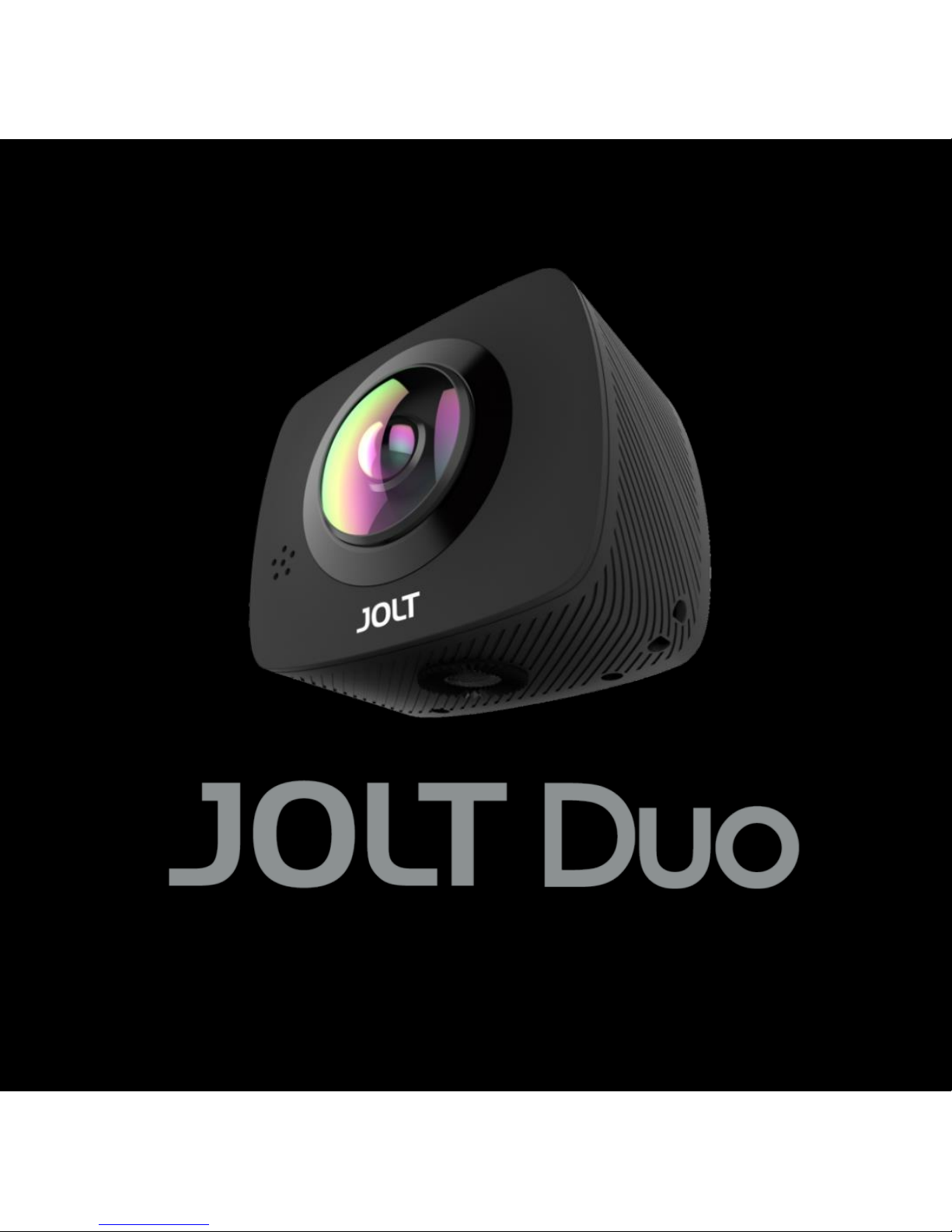
JOLT APP | 1
User Manual
User Manual
Page 2

JOLT APP | 1
Copyright
All camera products by GIGA-BYTE COMMUNICATIONS INC. mentioned in
this document, including the device, accessories, software, text, music, and
pictures, are owned by, or authorized by original manufacturers to GIGA-BYTE
COMMUNICATIONS INC. Reproduction, transfer, distribution, or storage of part
or all of the contents in this document in any form without the prior written
permission of GIGA-BYTE COMMUNICATIONS INC. is prohibited.
GIGA-BYTE COMMUNICATIONS INC.
Page 3

JOLT APP | 2
General Information
This section contains important information on safe and efficient operation.
Please read this information before using the device. Ignorance of the following
notices may lead to violations of the law.
Safety Cautions:
● Do not store or leave the camera for an extended period of time, in a
high temperature place such as in a vehicle parked with direct sunlight.
Doing so may cause permanent damage to your camera’s internal
components or even cause a fire or explosion.
● Prolonged usage of the camera may overheat the battery and raise the
internal temperature of the camera. If the camera overheats, turn power
off and allow it to cool down. High internal temperatures may result in
noise in your videos/photos.
● Do not use camera during charging. Doing so may cause temporary
system failure due to overheating.
● Do not drop or subject the camera to strong impacts. Doing so may
damage the camera’s external or internal components. Ensure hard
Page 4
JOLT APP | 3
objects do not come into contact with camera lens to avoid any
damage.
● Do not disassemble or attempt to repair camera. You may damage the
camera and expose yourself to the risk of an electric shock.
● Do not handle camera with wet hands. This may result in an electric
shock. Turn off the power immediately if water, liquid, moisture or other
foreign object gets into the camera.
● Operation temperature: 0°C to 40°C / Storage temperature: -10°C to
55°C
Declaration of Conformity (DoC)
“GIGA-BYTE COMMUNICATIONS INC.” declares that this product is in
compliance with the essential requirements and other relevant provisions of
Directive 1999/5/EC. Customers can download a copy of the original DoC to our
R&TTE products from our website: www.jolt360.com
User in the countries where this symbol shown in this section has been
specified in a national law on collection and treatment of E-waste
Page 5
JOLT APP | 4
Our Products contains high quality components and are designed to facilitate
recycling.
Our products or product packaging are marked with the symbol bellow.
The symbol indicates that the product must not be treated as
municipal waste. It must be disposed of separately via the
appropriate return and collection systems available. By following
these instructions you ensure that this product is treated correctly
and help to reduce potential impacts on the environment and human health,
which could otherwise result from inappropriate handling. Recycling of products
helps to conserve natural resources and protect the environment. For more
detailed information on collection and recycling systems for this product, please
contact the shop where you purchased it, it your local dealer or sales/ service.
FCC Compliance Statement
This device complies with part 15 of the FCC Rules. Operation is subject to the
following two conditions:
(1) This device may not cause harmful interference, and
(2) This device must accept any interference received, including interference
that may cause undesired operation.
This equipment has been tested and found to comply with the limits for a Class
B digital device, pursuant to part 15 of the FCC Rules. These limits are
designed to provide reasonable protection against harmful interference in a
Page 6

JOLT APP | 5
residential installation. This equipment generates uses and can radiate radio
frequency energy and, if not installed and used in accordance with the
instructions, may cause harmful interference to radio communications. However,
there is no guarantee that interference will not occur in a particular installation.
If this equipment does cause harmful interference to radio or television
reception, which can be determined by turning the equipment off and on, the
user is encouraged to try to correct the interference by one or more of the
following measures:
● Reorient or relocate the receiving antenna.
● Increase the separation between the equipment and receiver.
● Connect the equipment into an outlet on a circuit different from that to which the
receiver is connected.
● Consult the dealer or an experienced radio/TV technician for help
RF Exposure Information
This equipment complies with FCC radiation exposure limits set forth for an
uncontrolled environment. In order to avoid the possibility of exceeding the FCC
radio frequency exposure limits, human proximity to the antenna shall not be
less than 20cm during normal operation.
Page 7
JOLT APP | 6
IC Notice:
This device complies with Canada Industry licence-exempt RSS standard(s).
Operation is subject to the following two conditions:
(1) this device may not cause interference; and
(2) this device must accept any interference. Including interference that may
cause undesired operation of the device.
Avis d’Industrie Canada
Le présent appareil est conforme aux CNR d'industrie Canada applicables aux
appareils radio exem pts de licence L'exploitation est autorisée aux deux
conditions suivantes:
(1) I'appareil ne doit pas produire de brouillage; et
(2) I'utillsateur de I'appareil doit accepterbrouillage radioélectrique subi meme
si le brouillage est susceptible d'encompromettre le fonctionnement.
mauvais fonctionnement de I'appareil.
Page 8

JOLT APP | 7
Table of Contents
Copyright 1
General Information 2
1.Getting Stared 8
1.1 Your Camera 8
1.2 Using the keys 9
1.3 Charging the camera 10
1.4 Installing SD card 11
1.5 Power on/ off 12
1.6 Menu settings 13
2. Specification 15
Page 9
JOLT APP | 8
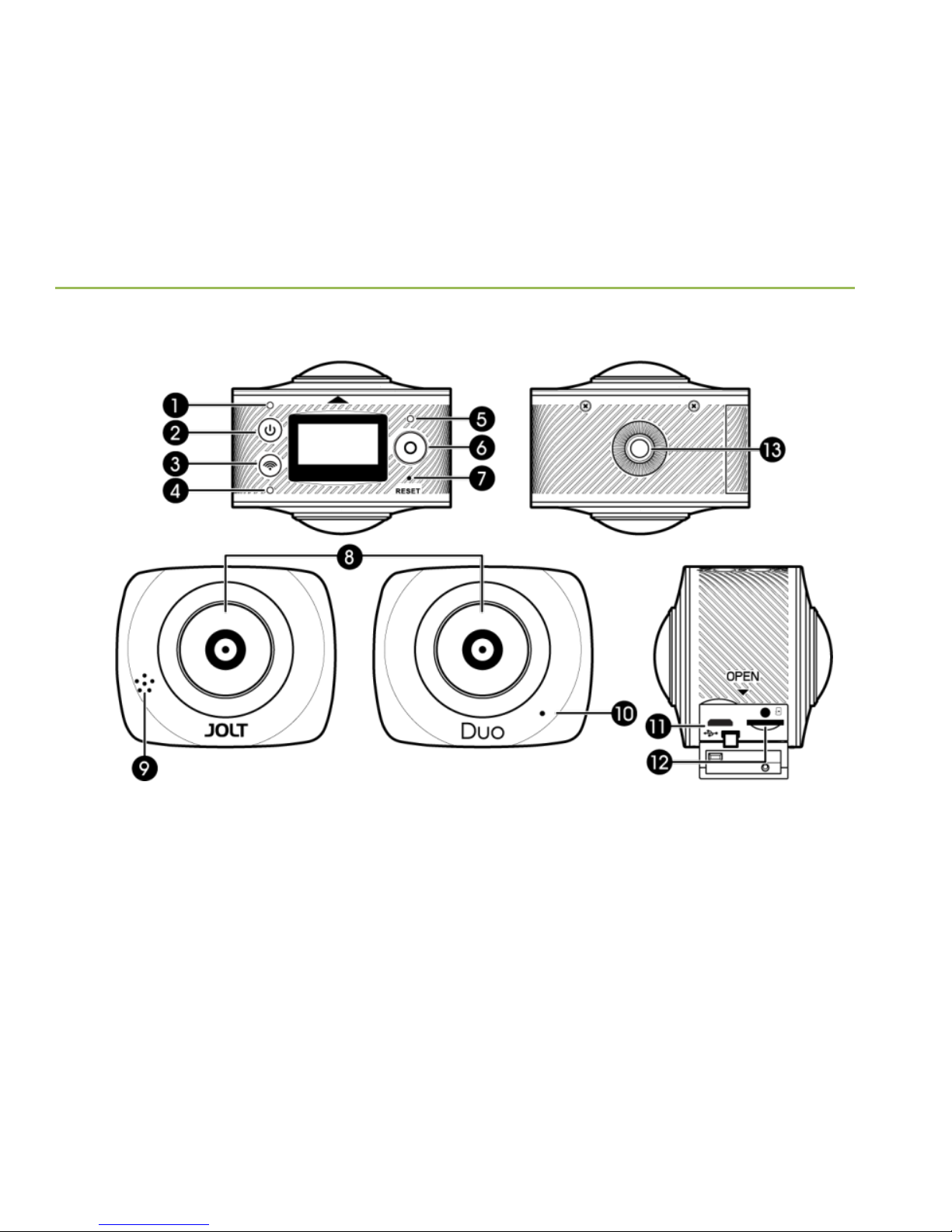
1. Getting Stared
Your Camera 1.1.
1. Power LED
5. Shutter LED
9. Speaker
13. Accessory socket
2. Power button
6. Shutter button
10. Microphone
3. Wi-Fi button
7. Reset
11. Micro USB Port
4. Wi-Fi LED
8. Camera lens
12. microSD card slot
Page 10

JOLT APP | 9
Using the keys 1.2.
Power Key
Power on / Power off
Press and hold for 2 seconds.
Switch between recording mode and
shooting mode.
Press shortly.
Shutter key
Take a photo in shooting mode.
Press shortly.
Record video in recording mode.
Press shortly.
Stop video recording.
Press shortly while recording a video.
Confirm the selection in menu settings.
Press shortly.
Wi-Fi key
Wi-Fi on / Wi-Fi off
Press shortly.
Enter / Exit menu settings
Press and hold for 2 seconds.
Move downward to go through all the
menu selections in menu settings.
Press shortly.
Back to previous menu in menu
settings
Press and hold for 2 seconds.
Page 11
JOLT APP | 10
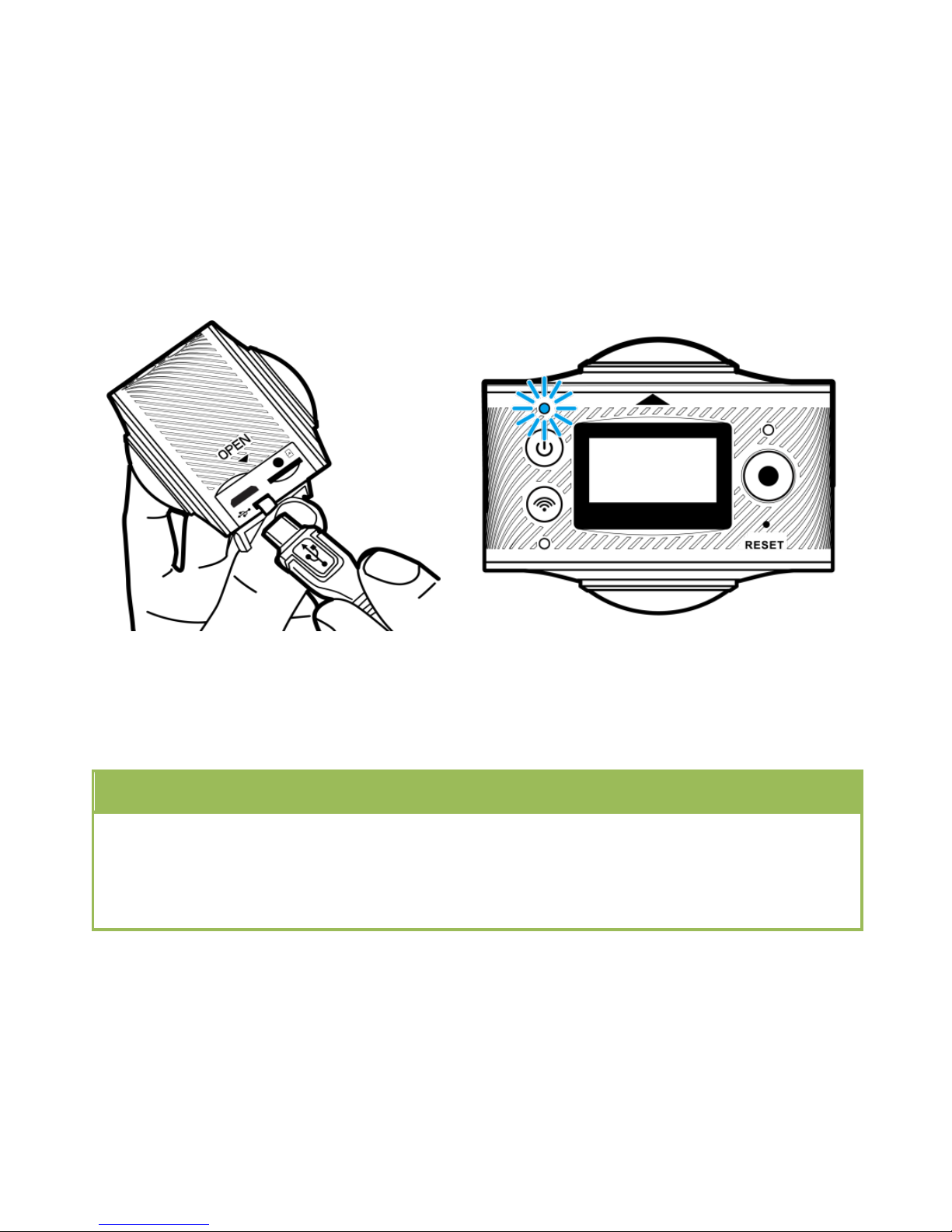
Charging the Camera 1.3.
(1) Connect USB cable to AC adapter connect to camera via USB cable.
(2) Plug AC adapter to socket
start charging.
(3) During charging, the blue light
indicator will stay on constantly;
when charging is completed, the
blue light indicator will go out.
NOTE
● If other charger is used, check the output power before use to ensure it is
within 5V/0.5A ~ 5V/2.0A range.
● Fully charge the battery before using the device.
Page 12
JOLT APP | 11
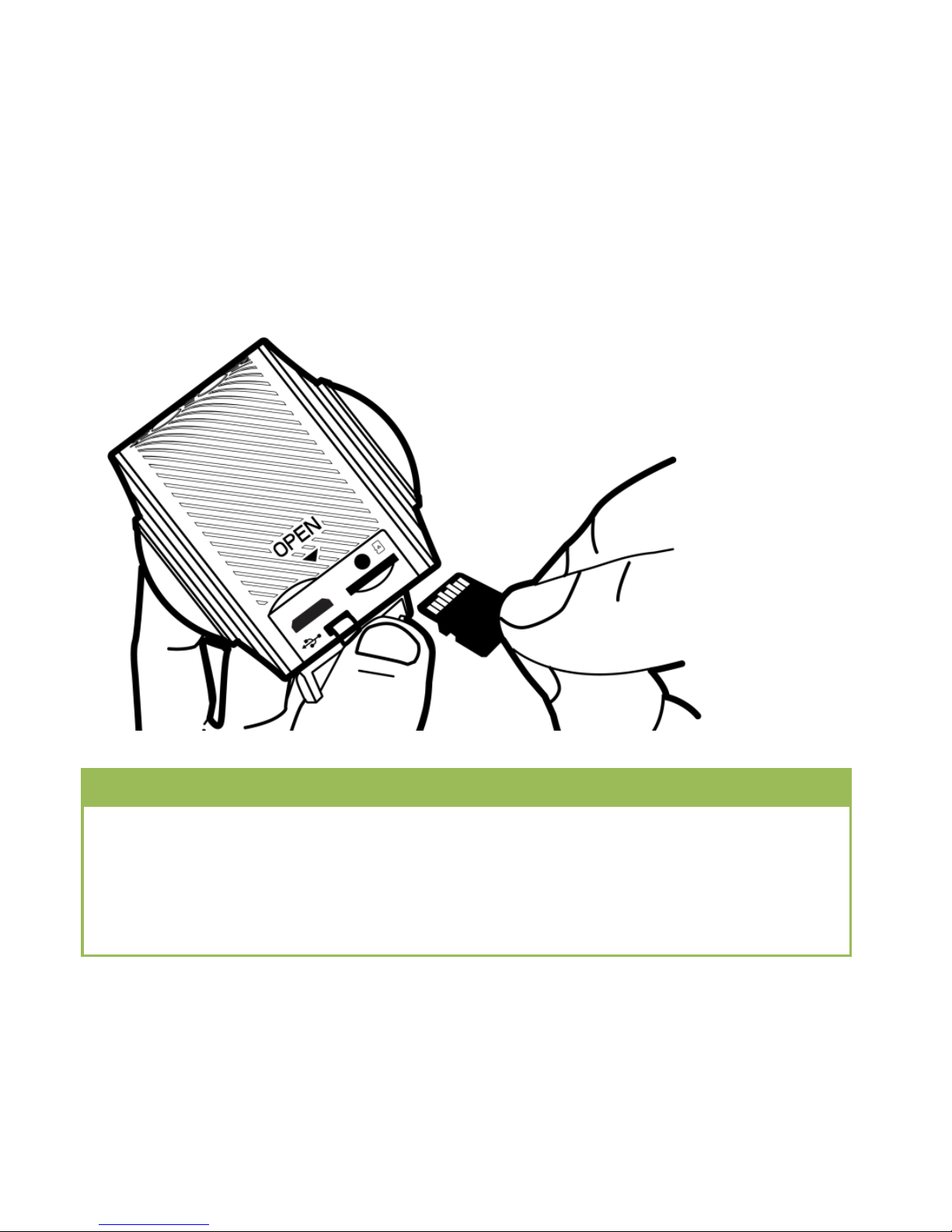
Install SD card 1.4.
(1) Insert the SD card with the gold contact facing up.
(2) Push the SD card until it clicks into slot.
NOTE
● A high-speed Micro SD card between Class 6~Class 10 or UHS-I rating is a
must; or else, this product may not work properly.
● Always turn off the camera before inserting or pulling out the card.
● MicroSD card is not included.
Page 13
JOLT APP | 12
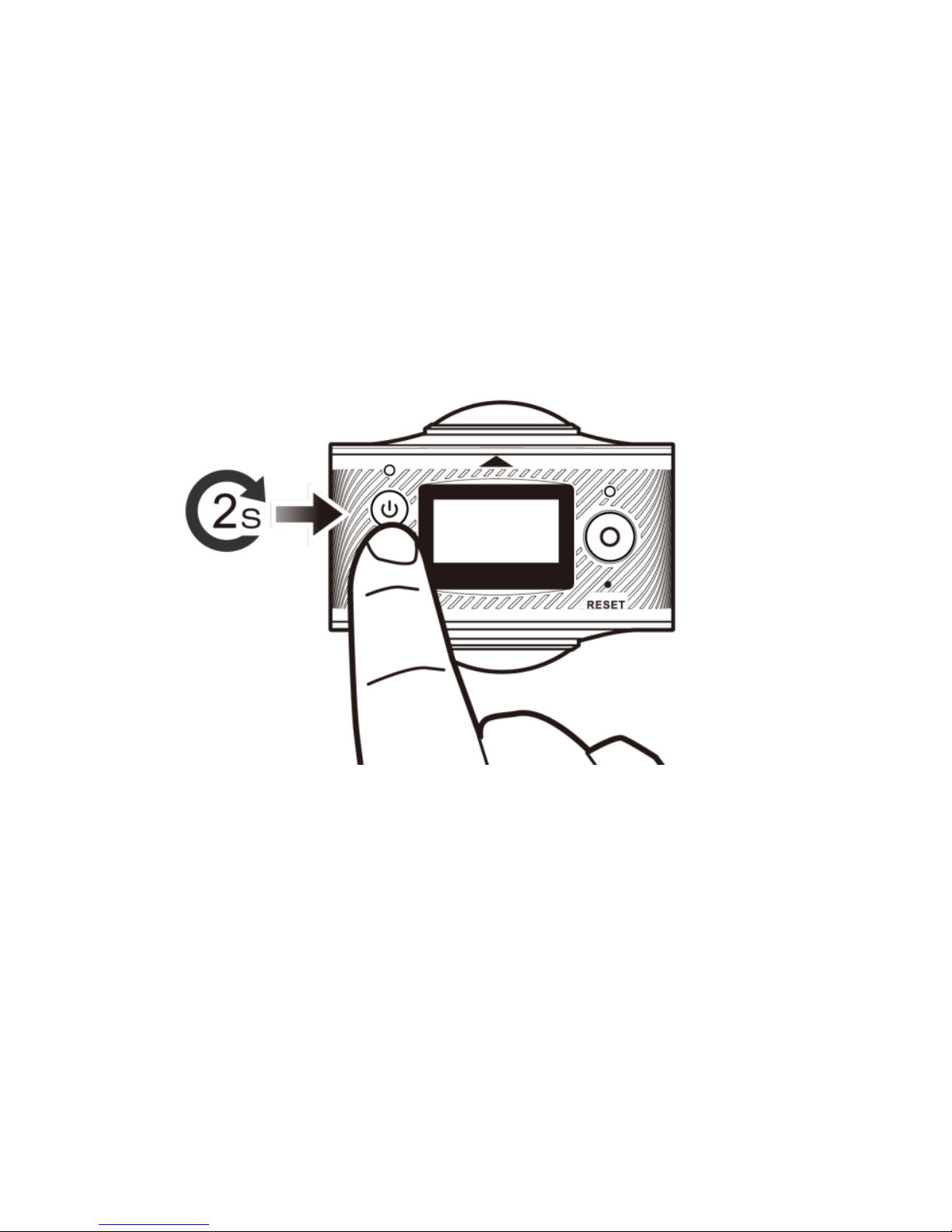
Power on/off 1.5.
Power on
(1) Press and hold Power button for 2 seconds, until it beeps.
(2) The display screen will be turned on.
Power off
Press and hold Power button for 2 seconds.
Page 14
JOLT APP | 13
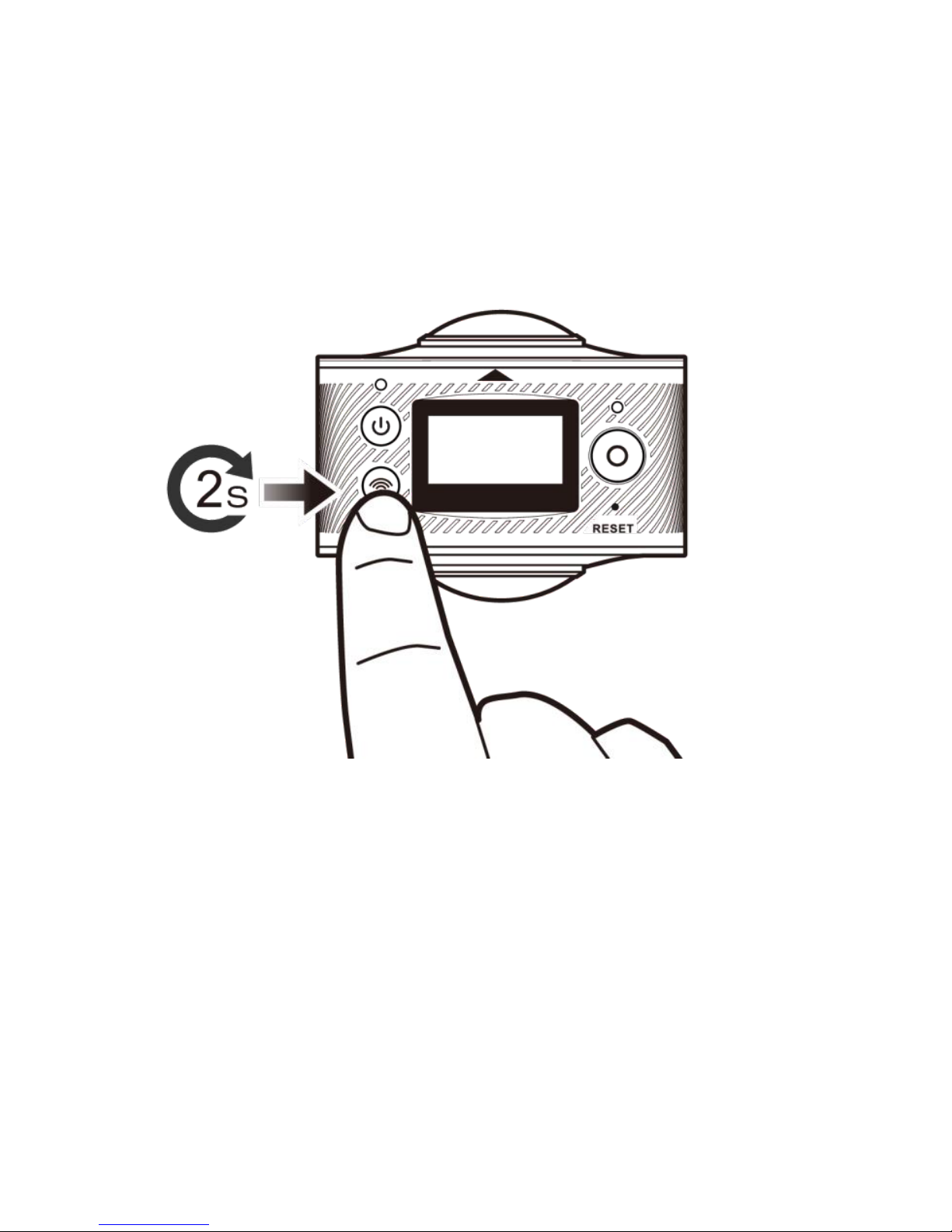
Menu Settings 1.6.
Press and hold Wi-Fi button for about 2 seconds to enter menu setting.
Menu operation
In menu settings,
● Press Wi-Fi button to go through menu selections.
● Press Shutter button to confirm.
● Press and hold Wi-Fi button to return to previous menu or exit menu setting.
Page 15
JOLT APP | 14
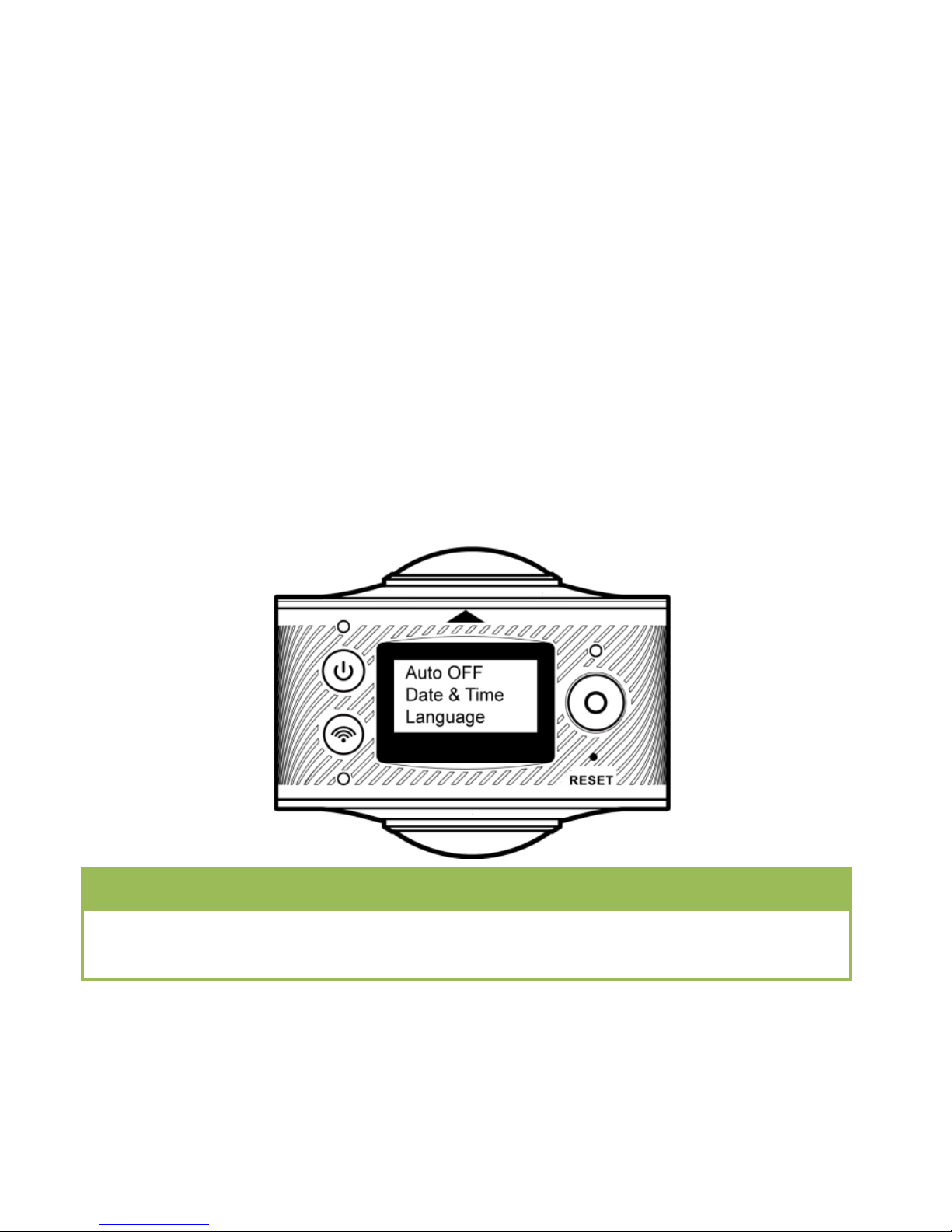
Menu functions introduction:
● Auto OFF: Set Power-save mode. You may set the camera to enter
Power-save mode after a certain period of time. The available options are
1min/3min/5min or Power-save mode off.
● Date & Time: Set system time for the camera manually.
● Language: Set system language for the camera, with English as its default
language.
● Reset: Restore factory default settings.
● System: Check system and storage card information.
● Format: Format storage card.
Note
After formatting, all existing data on the storage card will be lost. Please
proceed with caution!
Page 16

JOLT APP | 15
2. Specification
CAMERA
Image Sensor
4MP OmniBSI-2 CMOS sensor
Lens
7 elements, F2.0 aperture, 220° FOV
Focus
Fixed Focus
Exposure
Auto Exposure (AE)
White Balance
Auto White Balance (AWB)
RESOLUTION
Video Resolution
1920*960P@30fps
Photo Resolution
3008*1504 (4.5MP)
CODEC
Video Format
H.264 (MOV)
Photo Format
JPG
BATTERY
Capacity
1500mAh Li-ion battery (embedded)
Battery Life
Approx. 90 mins (WIFI OFF)/ 60mins (WIFI ON)
Charging
USB (5V1A)
Page 17

JOLT APP | 16
DISPLAY
LCD Monitor
1'' TN LCD
MEMORY
Storage(Not included)
micro SDHC, up to 32GB (Class 6 or higher speeds)
CONNECTIVITY
Wireless Connectivity
802.11b/g/n (2.4GHz), WIFI Direct
Input/Output
micro USB x 1
Microphone
Bulit-in
Buzzer
Bulit-in
DIMENSION
Dimension
60*49*32mm (104g incl. battery)
ACCESSORY
Inbox Accessories
USB cable, carrying pouch, quick guide, warranty card
Optional Lifestyle kit
Tripod, Monopod, Monopod Adapter for waterproof Case
Optional Outdoor kit
Waterproof Case, Vented Helmet Strap, Bike Mount, Flat
Adhesive Mount, Bike Mount Waterproof Case Adapter,
Floating Hand Grip
Page 18

JOLT APP | 17
SOFTWARE APP
App
JOLT 360
OS Compatibility
Android 4.2 or newer (inc. Android 6.0) / iOS 8.0 or newer
SOFTWARE APP
OS
Microsoft Windows 7/8/10
Mac OS X 10.10 or newer
ENVIRONMENT
Waterproof
Available with waterproof case
(sold separately)
Suggested Depth and Duration
Max. 15 meters for up to 30 minutes
Operating Temperature
0˚ to 40℃
Storage Temperature
-10˚ to 55℃
If this document is modified, please download the latest
version on JOLT official website.www.jolt360.com
Page 19
JOLT APP | 18
 Loading...