

Page 1
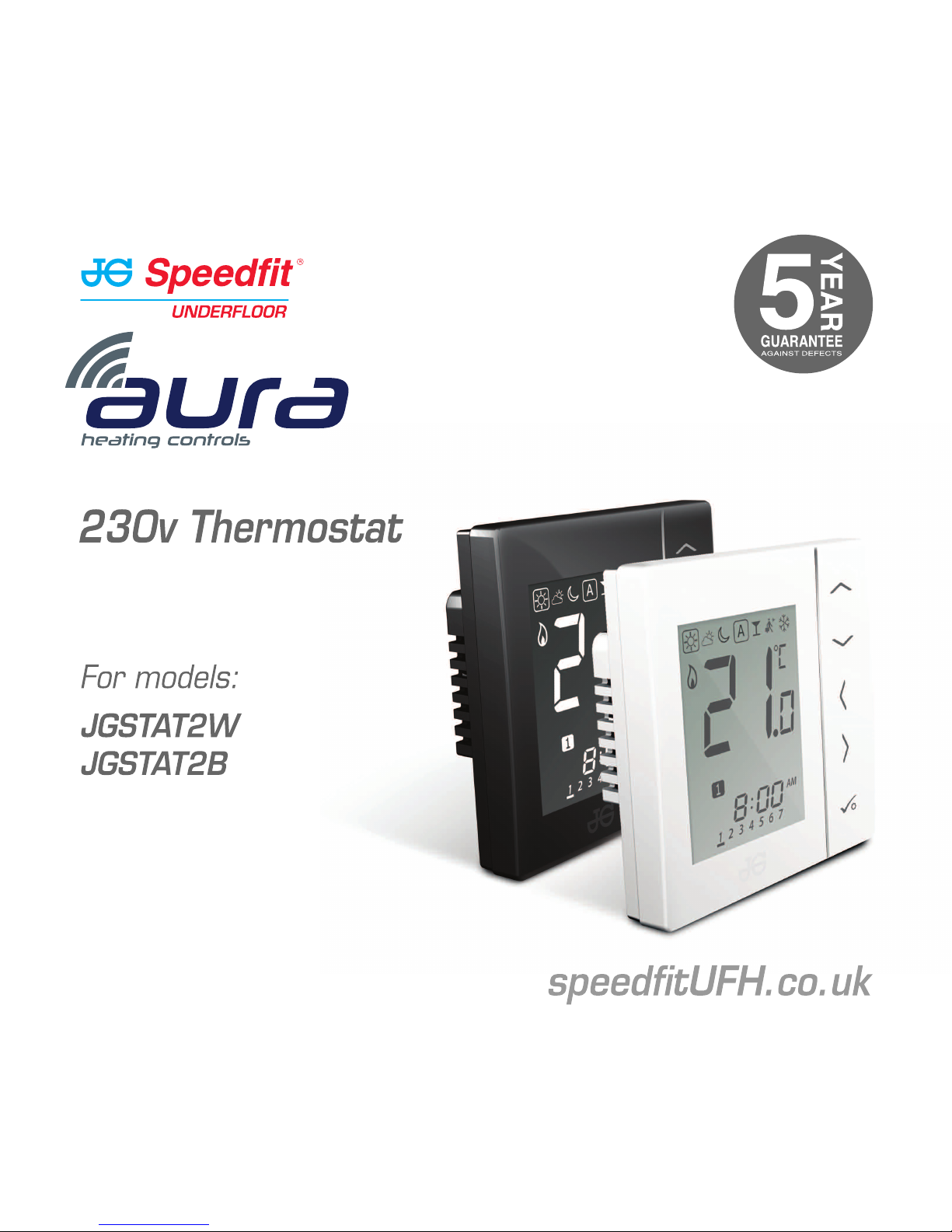
Quick Set-up Guide
Page 2

Quick Set-up Guide
JGSTAT2W
(White)
JGSTAT2B
(Black)
Fixing screws
Box contents:
Contents
Icons used in this guide:
Safety
Important info
For latest PDF Quick Set-up Guide and full
Instruction Manual please go to
speedfitUFH.co.uk
Quick Set-up Guide:
• Box contents
• Introduction
• Product compliance
• Terminal connections
• Model pre-sets
• Available set-up options
• Customising from default
configurations
• Setting device configuration
• Setting device communication
Quick Set-up Guide
03
speedfitUFH.co.uk
Page 3
04
JGSTAT2 Quick Set-up Guide
Introduction. Thank you for
purchasing one of our Speedfit Aura
230V Thermostat models. To use all of
the Thermostat features, the optional
communications cables are required.
The unit can be configured to be a
Programmable Room Thermostat
(PRT), Group Control Thermostat,
Group Thermostat or Hot Water Timer.
Communication between neighbouring
JGSTAT2 and JGSTAT1 Dial
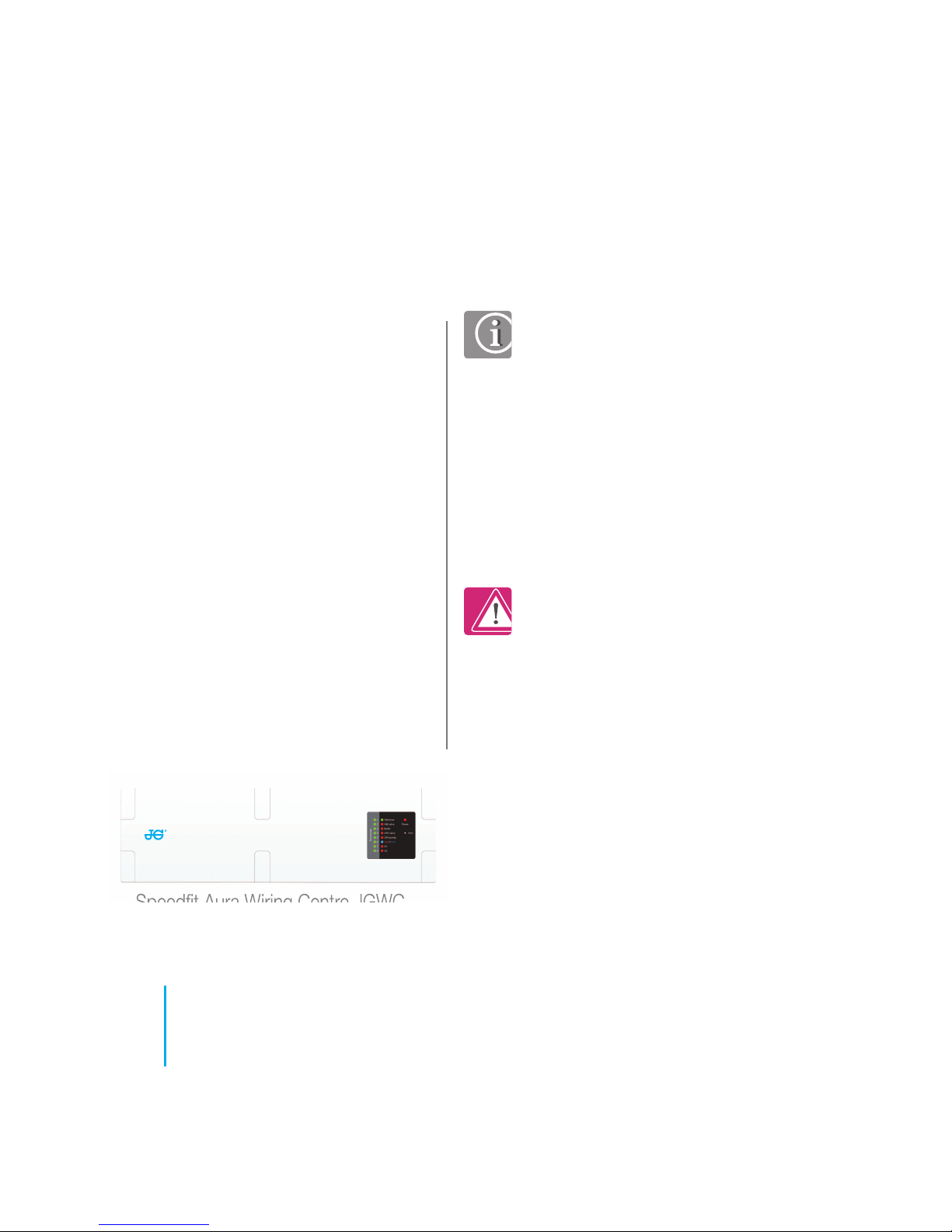
Thermostats is possible via the JGWC
Wiring Centre (pictured below) and the
optional communications cables.
Safety Information. Use in
accordance with the regulations.
The Aura JGSTAT2 is to be used for
room control of heating and hot
water systems inside buildings.
Product Compliance. This
product is CE compliant and meets
the following European Directives:
RoHS2 2011/65/EU, ElectroMagnetic Compatibility directive
2014/30/EU and Low voltage
directive 2014/35/EU.
Declaration of conformity available
at saluslegal.com
Speedfit Aura Wiring Centre JGWC
We hope you enjoy this product...
Product compliance & safety information
Page 4
Product compliance & safety information
Emergency. Switch off the
voltage to the individual
thermostat, wiring centre or
complete system.
Sources of danger. The
thermostat must be disconnected
from mains supply before
removing the cover.
Installer parameter settings.
The Aura JGSTAT2 is equipped
with an Installer Parameter section
(see website). This must only be
entered by the installer or a
competent person. Changing
these parameters can have a
serious effect on your heating
system.
230 AC
Warning. This product must be
fitted by a competent person.
Installation must comply with the
guidance, standards and
regulations applicable to the
location where the product is
installed. Failure to comply with the
requirements of the relevant
guidance, standards and
regulations could lead to
prosecution, injury or death.
These instructions are applicable to the
Aura models stated on the front cover of
this Quick Set-up Guide only.
Warning. Always isolate the AC
Mains supply before installing or
working on any components that
require 230v AC 50Hz supply.
05
speedfitUFH.co.uk
Page 5
06
JGSTAT2 Quick Set-up Guide
2 3 1
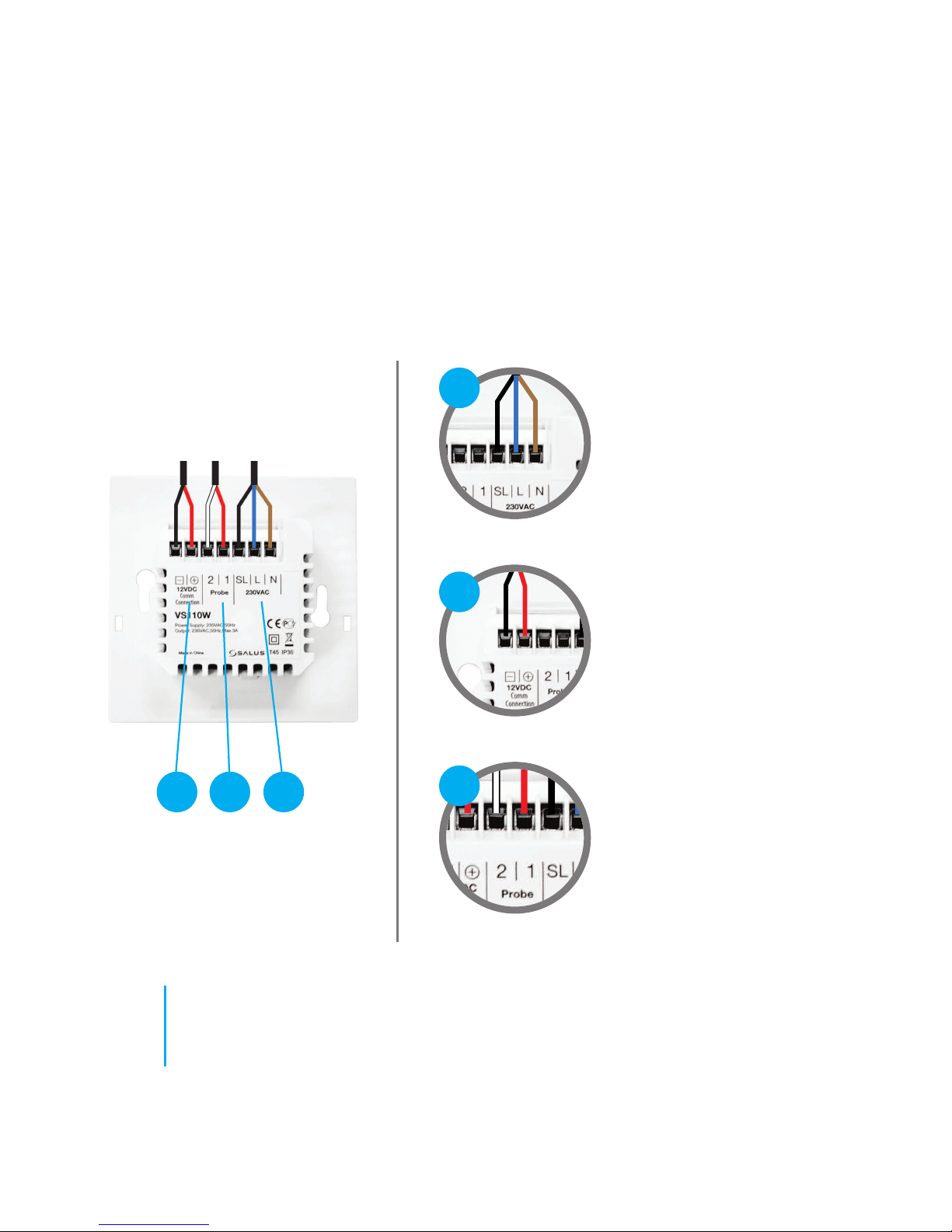
Understanding the terminal connections on your thermostat.
Rear of thermostat unit
Terminal connections
2
1
3
Live, Neutral and Switch Live
Group communications cable
Sensor / Probe terminals
Page 6
07
speedfitUFH.co.uk
Model pre-sets
1
2
3
4
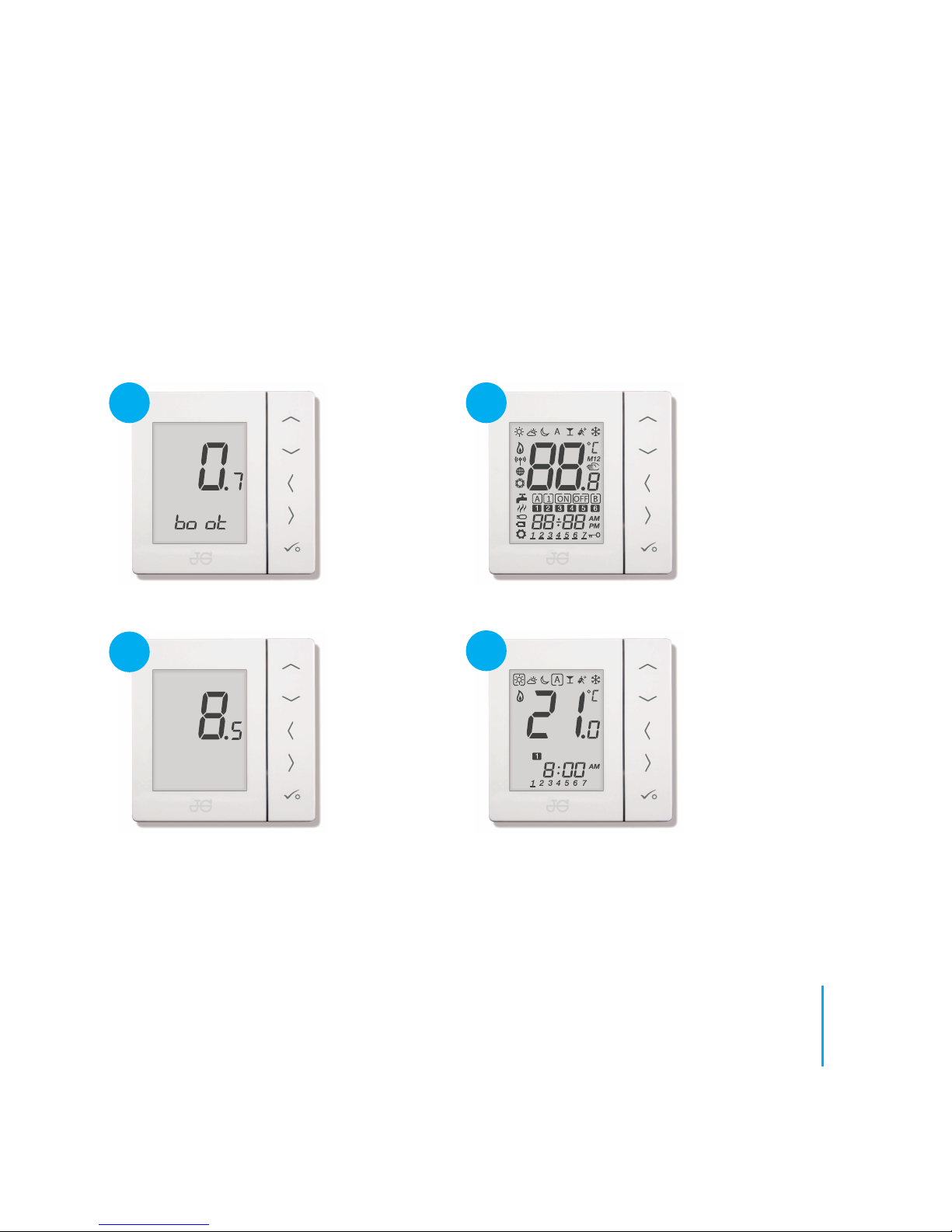
The enclosed unit has been pre-set to function as a standalone Programmable Room Thermostat
(PRT). On connection to mains power, the unit will display the following start-up sequence:
The unit can also function as a Group Control Thermostat, a Group Thermostat or a Hot Water
Timer. The features/benefits of each of these is covered in Configuration Options overleaf.
Page 7
08
JGSTAT2 Quick Set-up Guide
Configuration options
1
2
3
4
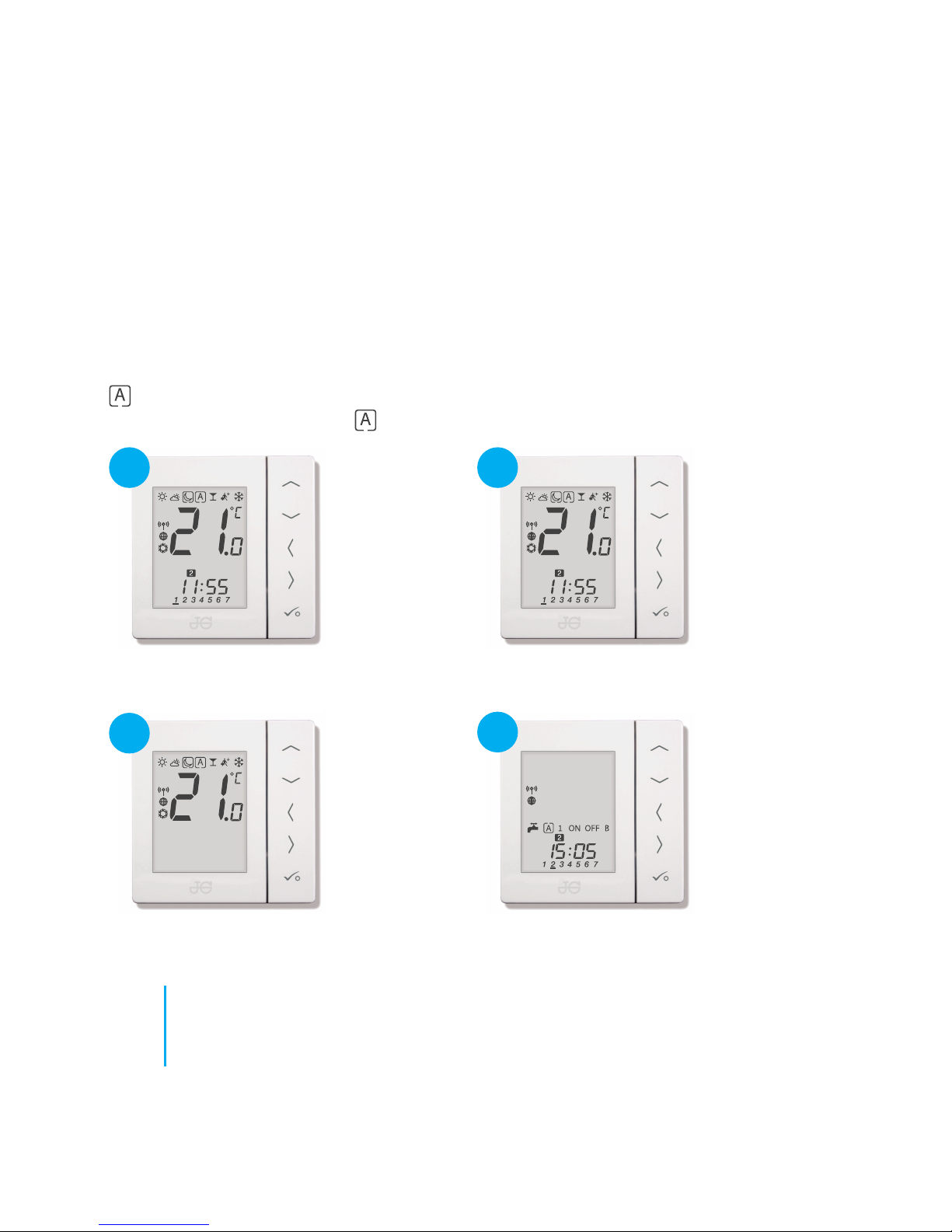
A Group set up will consist of 1 Master and up to 7 digital thermostats. Each thermostat will have
its own temperature control of a room but share a common time programme that will be dictated
by the Group Master thermostat. Each digital thermostat will join the group when put into
(Automatic) or will leave the group and become a stand alone manual (temperature only) digital
thermostat when moved out of (Automatic).
Stand alone Programmable Room thermostat.
Default setting, no communication cable fitted.
Group Digital thermostat.
With communication cable fitted.
Group Master Programmable Room thermostat.
With communication cable fitted.
Hot Water Timer.
With or without communication cable fitted.
Page 8

09
speedfitUFH.co.uk
Customising from default configurations
1
2
3
4
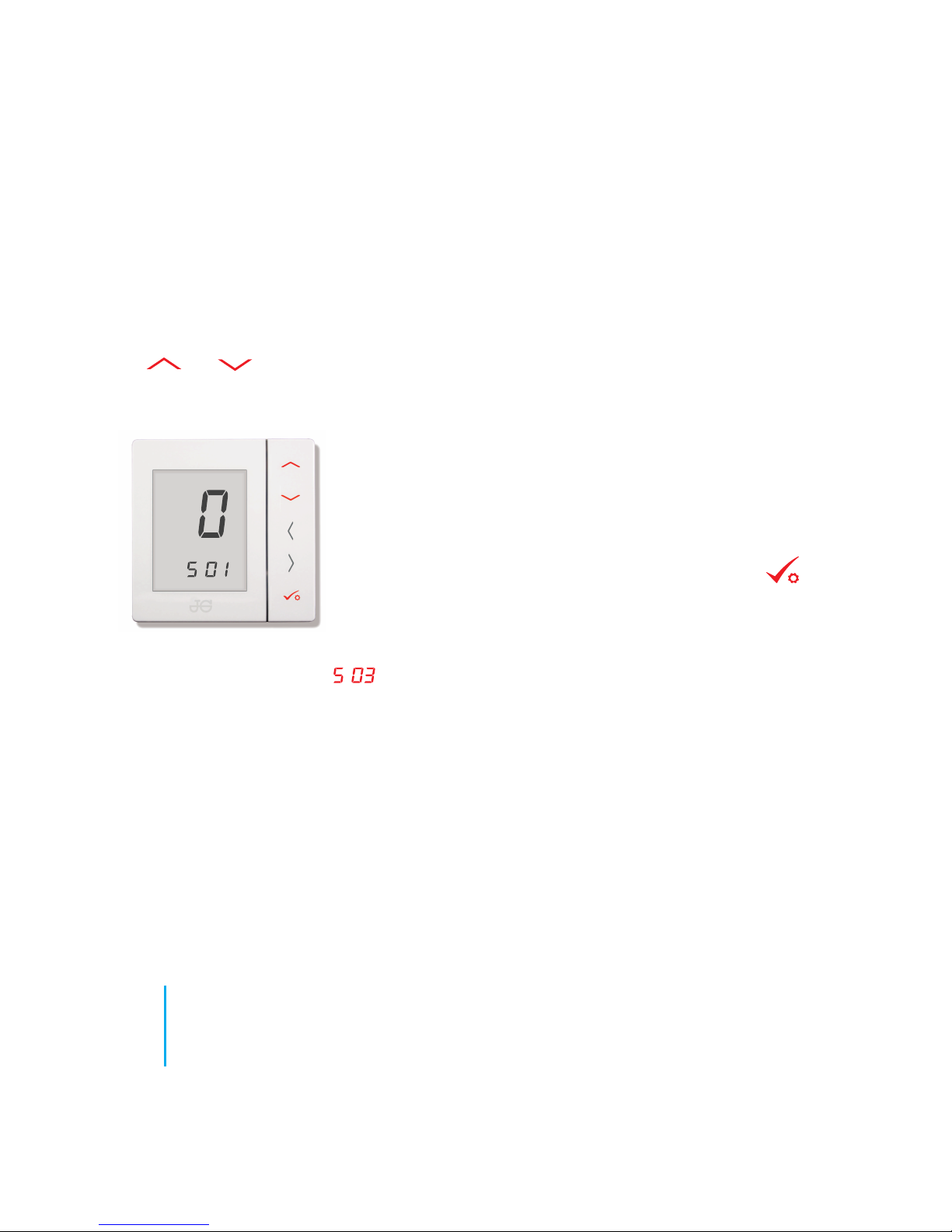
If any other configuration is needed then the thermostat must first be put into set up
mode. In order to do this follow the instructions below.
Press and hold bottom 3 buttons until the
above screen is shown.
will appear on the screen.
Press
CONFIRM
The screen will reboot as in steps 1 to 3 on page
7. The screen will stop at (settings 1).
You are now ready to configure the thermostat to
your preferred configuration.
Using
scroll through the numbers to .
Press
CONFIRM
Page 9
10
JGSTAT2 Quick Set-up Guide
Setting device configuration
0: Is to select a Programmable Room Thermostat or Group
Master (time and temperature).
1: Is to select a Digital (temperature only) Thermostat
2: Is to select a Hot Water Timer (time control only)
Once you have made your selection press CONFIRM
Use and to select the type of thermostat you want.
SO 1 (Set-up Menu 1)
The screen will now scroll to (Set-up menu 3).
Page 10
11
speedfitUFH.co.uk
Setting device communication
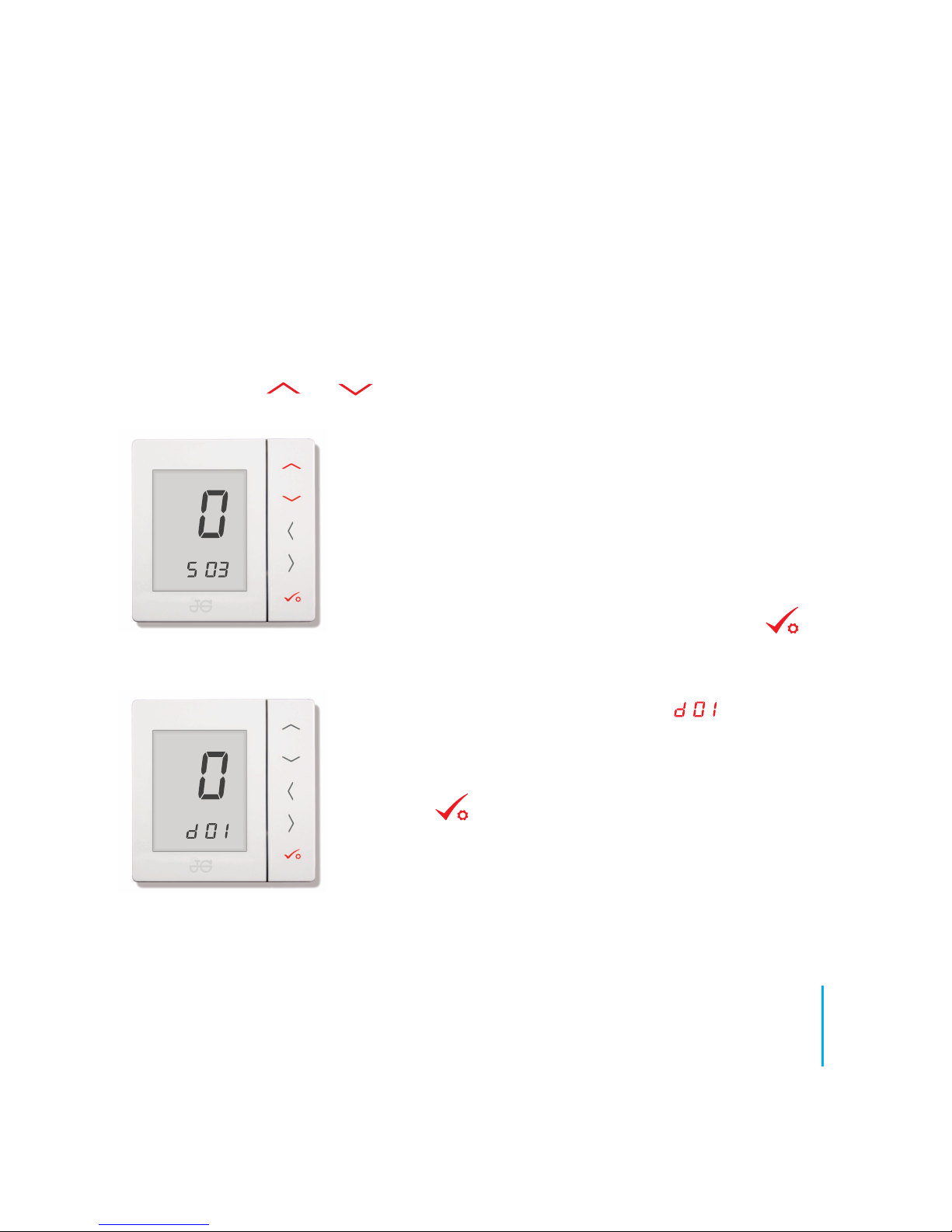
S 03 (Set-up menu 3) is where you will confirm if the optional Command / Communication cable
has been used. Use and to select the option you want.
The screen will scroll to the device menu . At this stage the
installer can access options including units of temperature (ºF / ºC)
and external temperature probes (see on-line Instruction Manual).
If no device parameter changes are needed press and hold
CONFIRM until the screen reverts to the home screen (page
7, figure 4). The unit is now ready to use.
SO 3 (Set-up Menu 3)
0: Not for the UK. This option is for Heat / Cool with the optional
Command Cable fitted.
1: This is the Group Option where a Command / Communication
Cable is fitted.
2: This is the Non Group option where a Command /
Communication cable is NOT fitted.
Once you have made your selection press CONFIRM
Page 11

John Guest Speedfit Limited
Horton Road, West Drayton, Middlesex UB7 8JL, England.
Tel: 01895 449233
Fax: 01895 420321
speedfitUFH.co.uk
Technical Help Desk: 01895 425333
,
The above namestyles are all trademarks of John Guest International Limited.
©
John Guest International Limited 2016. All rights reserved.
Z2105/457/0716
and
 Loading...