

Page 1
M-BT
FIXED CODE
SPECIFICATIONS
Brand: JMAAftermarket
Frequancy: Multiple
Buttons - 4
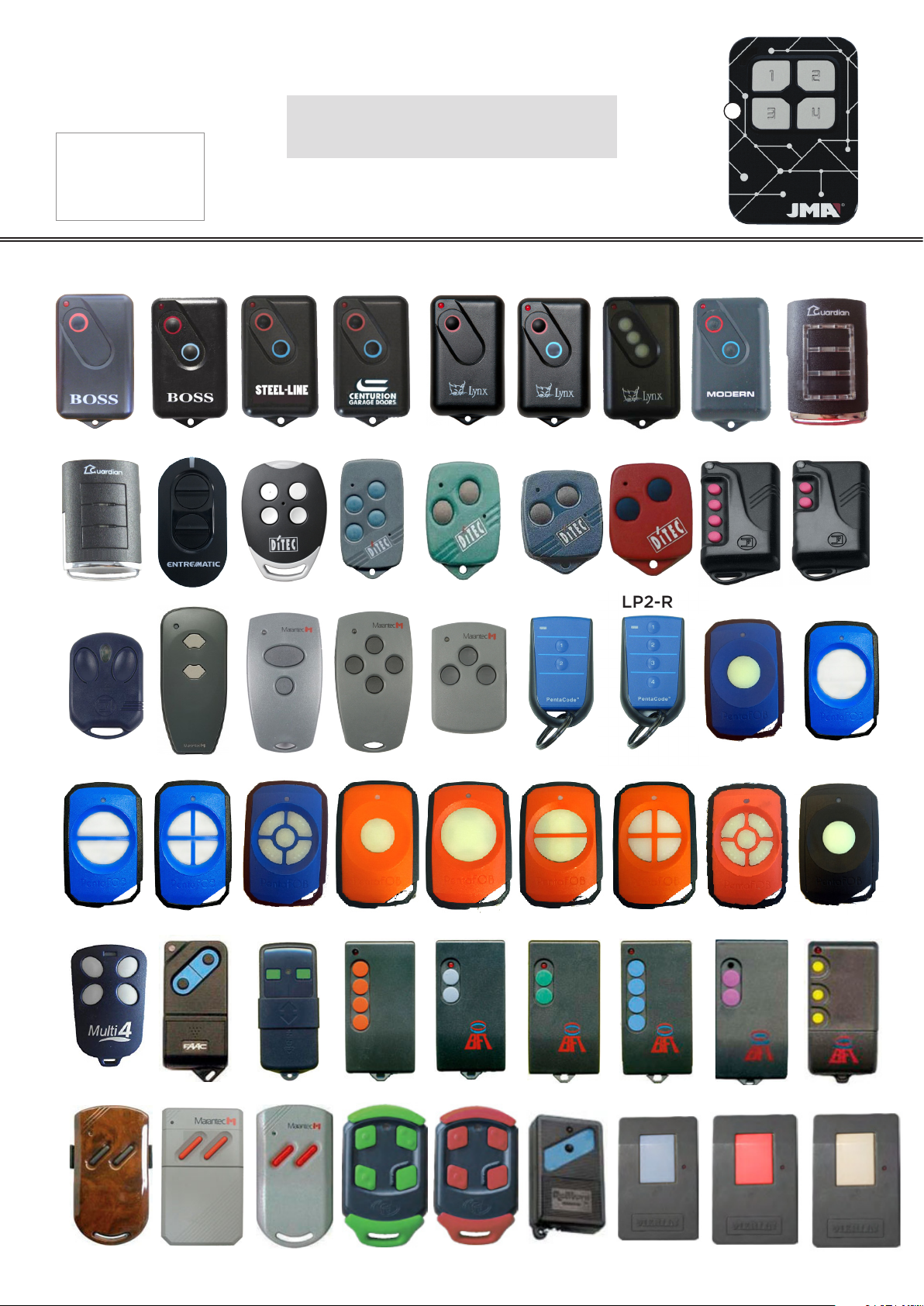
COMPATIBLE WITH
2211L-1
2211L-2
2211l-SL
Compatible with most xed code
remotes between 280 -868 Mhz.
2211L-C
2211L-C-1
2211L-C-2
2211L-C-3
A
2211L-M
BHT3-S
BHT3
43-SAW
PFOB2-B
zen4
D382
PFOB4-B
GOL4
D302
PFOB5-B
LG4
D304
PFOB1-S
LP2-G
D313
PFOB1
LS2
PFOB2
LP2-R
PCK4PCK2
PFOB4
ASTRO4 ASTRO2
PFOB1S-B
PFOB5
PFOB1-B
PFOB1S-BL
MULTI4
D21R
TM433DS
D10433
PFOB5-B
D21
TXF
SMART4
TO
CLASSIC4
VTM
Be412
TFQ
M2200
TzSP
M1100
TeO
M2000
Page 2
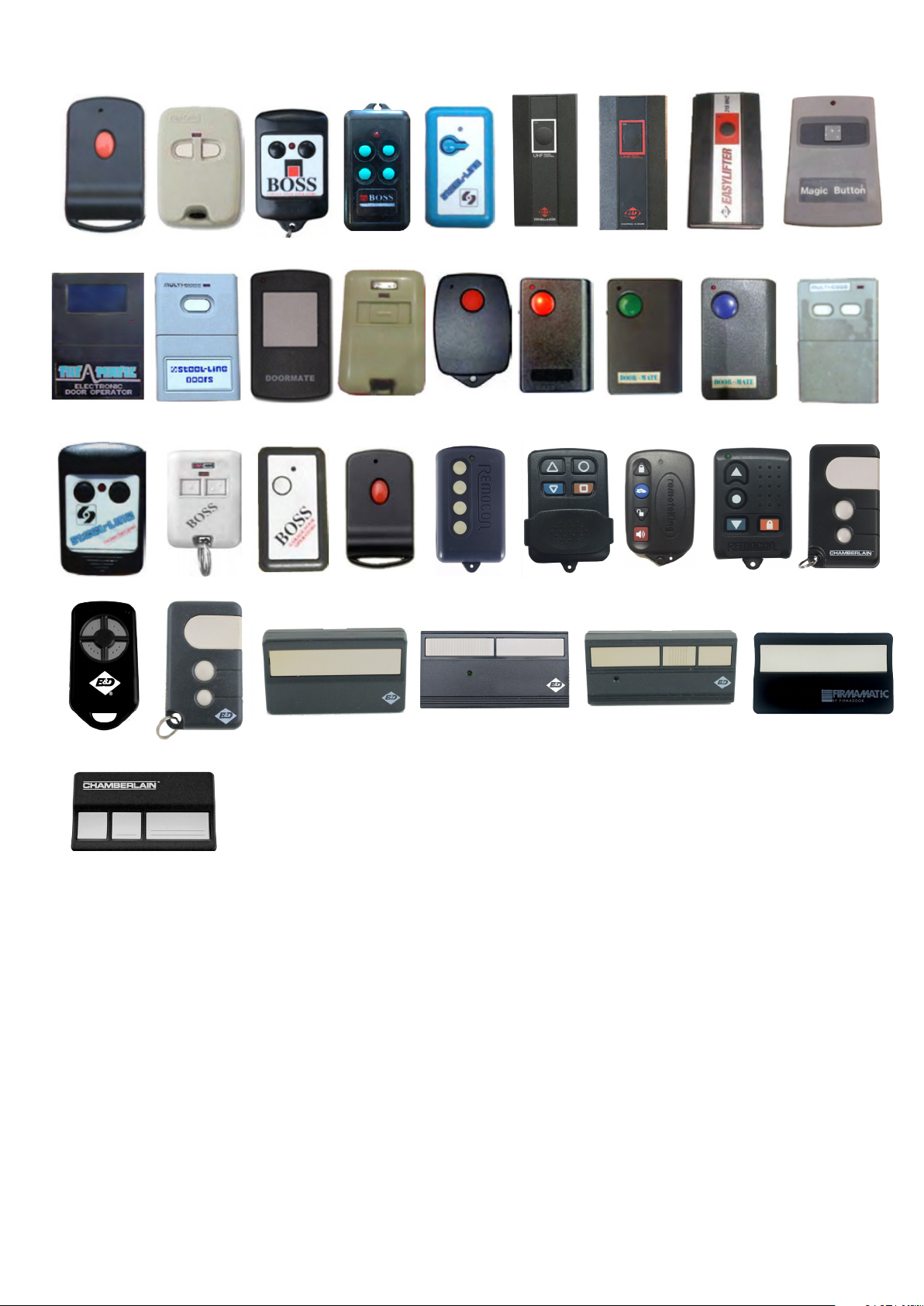
COMPATIBLE WITH (EXTENDED)
D21R
TRG113
SL1
DIGI-CODe
MULTI-CODe
D10433
BHT-1
DM1
BOSS7 TRG104
BOSS3
TXF
SL-BLUe
TRG117
RMC-519
MPC3
TRG112
RMC-195
MPC2
TRG111
RMC-205
eL3145
TRG113
RMC-105
MB304
TRG114
4335A
059116
4333A
4335eBD
4330eBD
CAD603
062170
4330eBD
Page 3
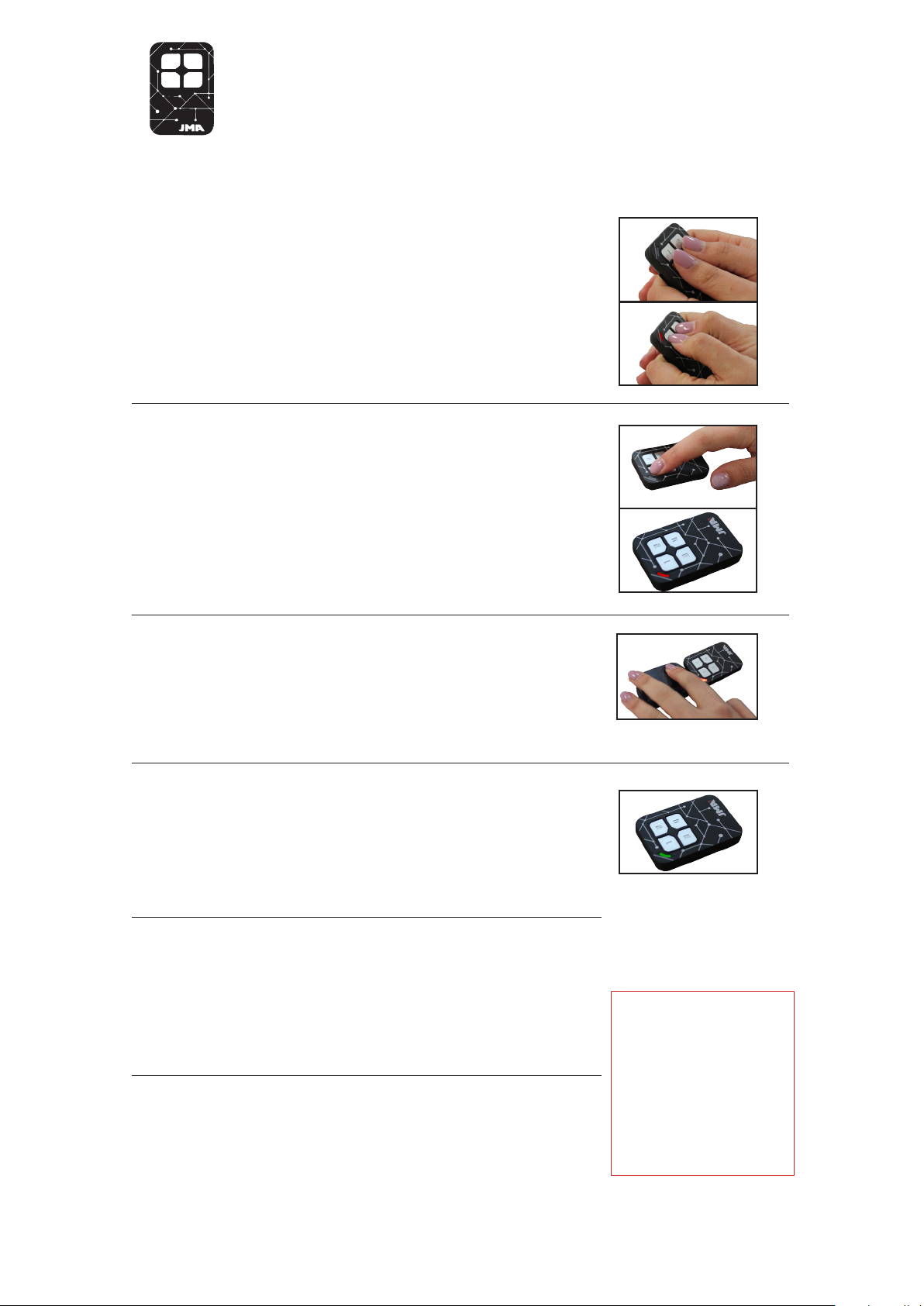
M-BT Instructions - Clone (Fixed Code)
CLONE
Press & hold buttons 1 & 2 at the same
1.
time on the M-BT remote until the Red
light ashes.
Wait for the red light to stop ashing and
2.
turn o, Press the button on the M-BT
remote that you wish to copy to.
Keeping the remote less than 1cm from
3.
the M-BT remote, Press and hold the
button on the original remote which you
wish to copy.
Once the M-BT remote light switches to
4.
Green, the code has been received and
you can release the button on the original
remote.
If the M-BT remote light changes to Red,
5.
it requires an extra transmission from the
original remote. If this occurs repeat steps
2-4.
Once the M-BT remote light switches o,
6.
the copy sequence is complete.
Fixed Code Remotes
If the original remote
has mulitple buttons,
each button has to be
copied 1 at a time to
the M-BT.
Page 4
M-BT
ROLLING CODE
SPECIFICATIONS
Brand: JMA Aftermarket
Frequancy: Multiple
Buttons - 4
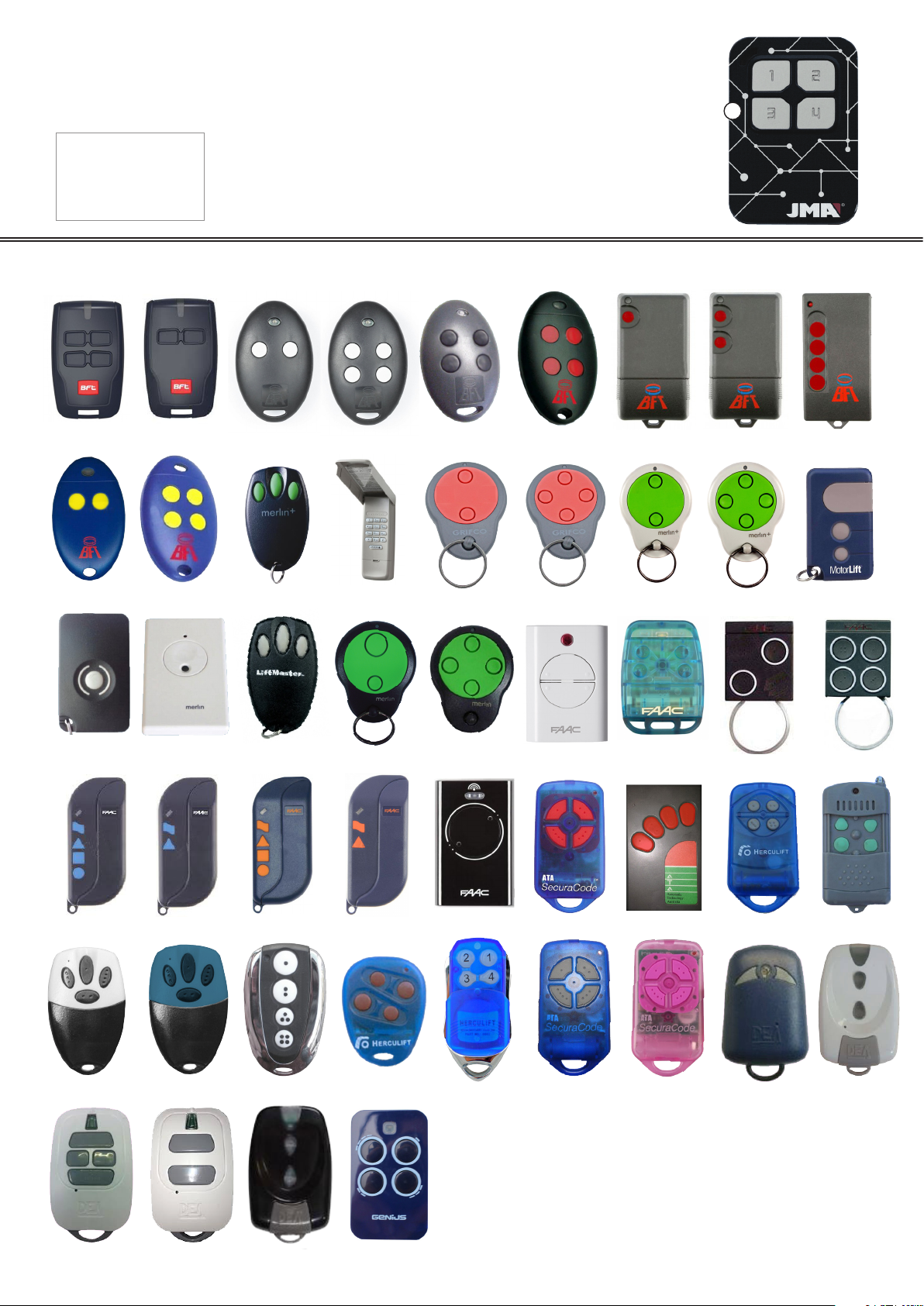
COMPATIBLE WITH
BRCB04
BRCB02
MITTO2
MITTO4
MITTO4-B
MITTO4US
TRC1
A
TRC2
TRC4
MITTO2A
HE433
TML4
MITTO4A
CM128
TML2
C945
TML4-O
C940
D30494335
TML2-O
CG842
D313
7870071
CG844
XT4
PTX4v1
CM842
433LC
TX2
CM844
T2433SLH
HC101
84335
T4433SLH
HC107
HC106
GT4
HC105
GT2
HC108
TR2N
HC104
TX4RC
HC102
PTX4-P
R273PTX4
TR2
More Remote Compatibility
ON NEXT PAGE
Page 5
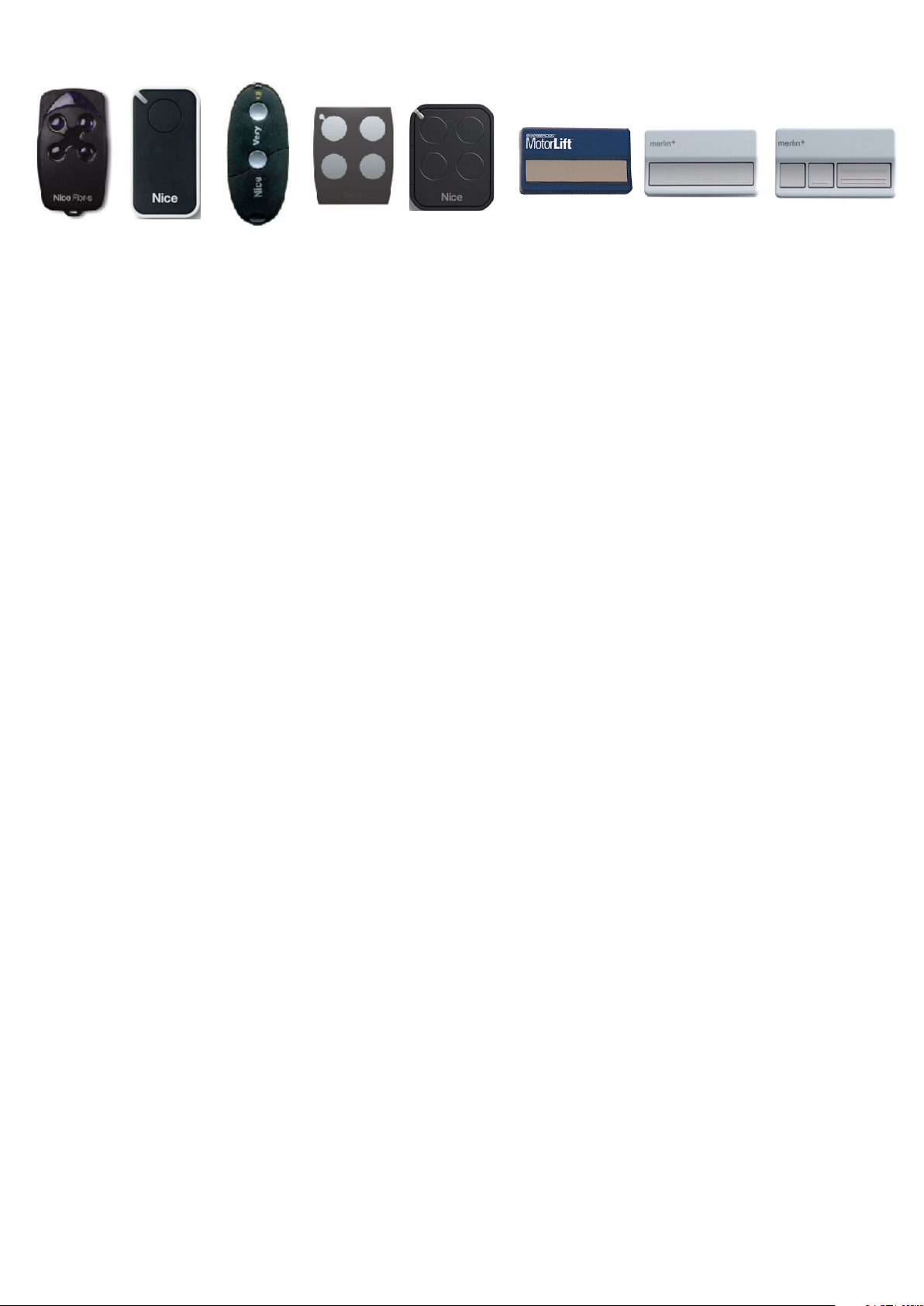
COMPATIBLE WITH (EXTENDED)
FLOR-R4
INTI
VERY-VR
ON
ERA-FLOR
84330
C940
C943
Page 6
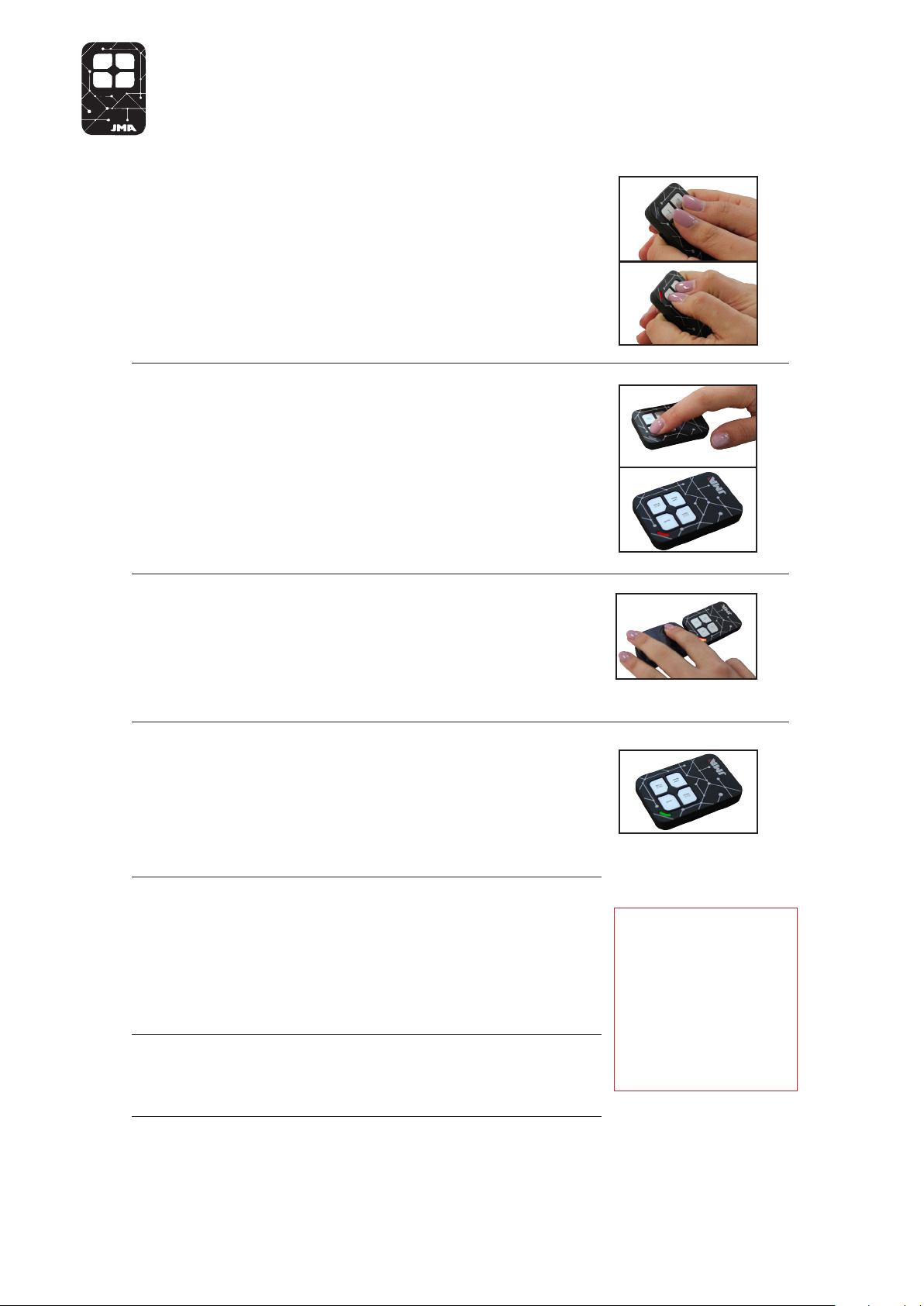
CLONE
M-BT Instructions - Clone & Learn (Rolling Code)
Press & hold buttons 1 & 2 at the same time
1.
on the M-BT remote until the Red light
ashes.
Wait for the red light to stop ashing and
2.
turn o, press the button on the M-BT
remote that you wish to copy to
Keeping the remote less than 1cm form the
3.
M-BT remote, Press and hold the button on
the original remote which you wish to copy.
Once the M-BT remote light switches to
4.
Green, the code has been received and
you can release the button on the original
remote.
If the M-BT remote light changes to Red,
5.
it requires an extra transmission from the
original remote. If this occurs repeat steps
2-4.
Once the M-BT remote light switches o.
6.
Rolling Code Remotes
Automatically copies all
buttons from the original
remote to the M-BT.
E.g. If you choose button 2
on the M-BT, buttons 1,2 & 3
on the original remote will be
copied on to buttons 2, 3 & 4
on the M-BT.
You will need to introduce the remote
7.
to the garage/gate receiver. See original
remote programming instructions for
details.
 Loading...