

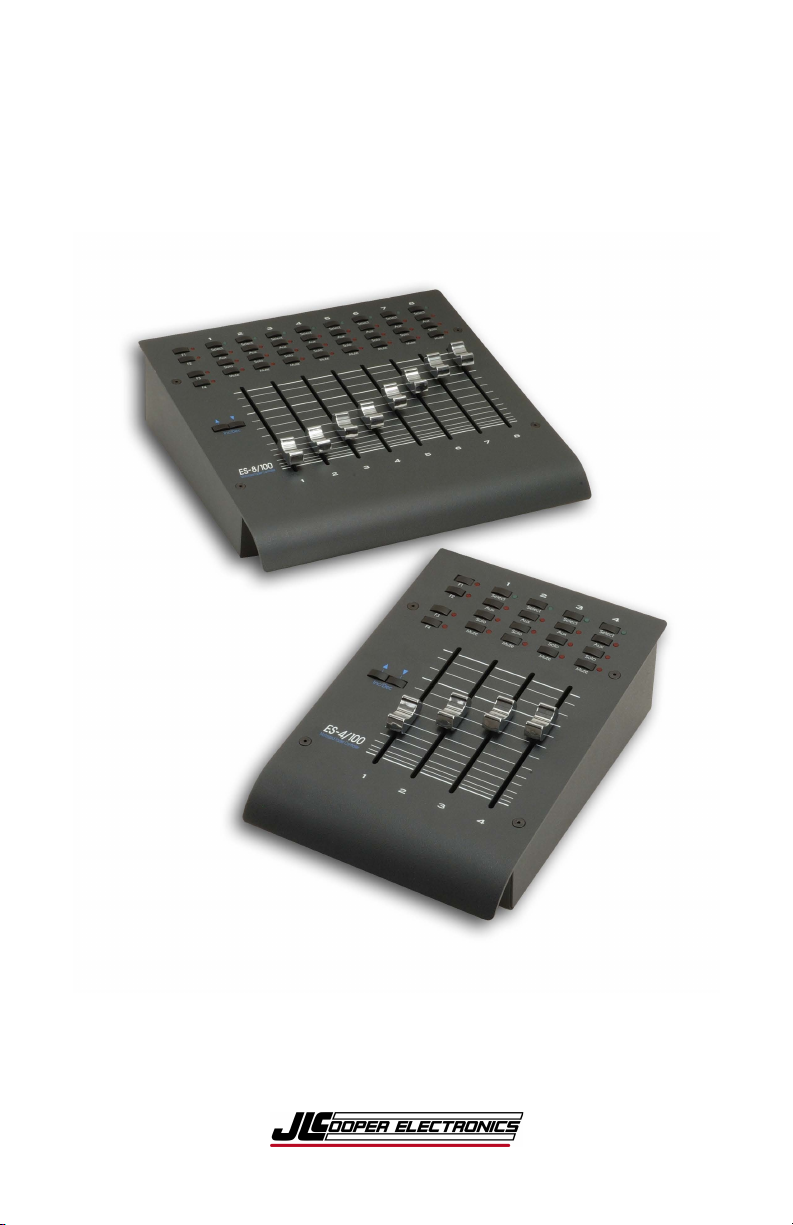
ES-4/100 & ES-8/100
USB Desktop Automation Controllers
Users Manual
First Edition

2
ES-4/100 and ES-8/100 USB Automation Controllers
User’s Manual, First Edition, Part Number 932498
Copyright ©2011
JLCooper Electronics
142 Arena Street
El Segundo, CA 90245 USA
+1 310 322 9990
www.jlcooper.com
All rights reserved worldwide.
ES-4/100 and ES-8/100, FaderMaster Professional, FaderMaster Pro,
FaderMaster, FaderMaster-4/100, MCS-3800, MCS-3400, MCS-3000, MCS3000x and MCS-3000 Series are the property of JLCooper Electronics.
All other product names are the property of their respective owners.

3
Welcome
Thank you for purchasing the ES-4/100 or ES-8/100. Continuing
in the tradition of JLCooper’s FaderMaster Professional, the ES4/100 and ES-8/100 retain the feel and control of high quality;
100mm long throw faders and adds touch sensitive, motorized
automation. The ES-4/100 and ES-8/100 deliver this in a compact,
durable desktop package.
Like the FaderMaster Professional, JLCooper’s design philosophy
is to give you the feel and control over your art that technology has
taken away. Modern hardware and software products are loaded
with so many features, but simply lack the tactile user-interface to
quickly and intuitively use these features.
The growing use of computer-based automation has necessitated
the development of a professional mix interface. No longer will
one-fader-at-a-time “mouse mixing” suffice in today’s fast paced,
high profile projects. The faders themselves must have the feel that
the professional video editor or audio engineer demands.
All these qualities have been combined to put you back in control
and give you new opportunities for creative freedom in the studio
or on-stage.

4
Table of Contents
Welcome .......................................................................................... 3!
Introduction .................................................................................... 5!
Features ...................................................................................... 5!
Interface ...................................................................................... 5!
Controls ...................................................................................... 6!
System Requirements ...................................................................... 8!
Installation ...................................................................................... 9!
Unpacking .................................................................................. 9!
Physical Setup ............................................................................ 9!
Hookup ....................................................................................... 9!
Drivers ........................................................................................ 9!
Operation ...................................................................................... 10!
Faders ....................................................................................... 10!
Function Select ......................................................................... 10!
Electrical Interface .................................................................. 11!
Care and Service ........................................................................... 14!
Troubleshooting ............................................................................ 15!

5
Introduction
The ES-4/100 and ES-8/100 are 4- and 8-channel automation
controllers. They can control computer-based applications such as
audio editing, music production, video editing, animation and
scientific visualization.
Features
• Controls music, audio, video and animation applications
• 4 or 8 100mm touch sensitive, motorized faders
• 8 virtual faders available via bank switching (ES-4/100)
• Select, Solo, Mute and Aux keys
• Implements all functions of JLCooper MCS-3000x
• Physically compatible with MCS3S and
other MCS-Pro series products in the deep chassis
• Durable, compact all-metal construction
• Single captive cable minimizes footprint
Interface
The ES-4/100 and ES-8/100 USB come with a standard USB
interface that connects to host computer that has a USB interface.

6
Controls
Figure 1 – Control Location
1
2 3 4

7
1. Faders
Prominently featured on the top panel of the unit are four or
eight 100mm, touch sensitive, motorized faders. Because
the faders are motorized, the faders can respond to updates
from your system or software package.
2. Fader Buttons and LEDs
Above the each fader is a button with a corresponding
LED. These buttons and LEDs provide for control various
functions such as SELECT, SOLO, MUTE and AUXiliary.
These buttons are momentary acting. Your system or
computer software controls the LEDs.
3. Function Select Buttons
To the left side are four buttons, which select the
functionality of the buttons above the faders.
4. Inc / Dec Buttons
Changes the fader bank. The ES-4/100 and ES-8/100
internally keeps track of 8 fader channels. However, since
the ES-4/100 only has 4 physical faders, the INC/DEC
buttons allow the user to select the four channels that the
unit controls at any given time. DEC selects channels 1,2,3
& 4, which is the default after power is applied, while INC
selects channels 5, 6, 7 & 8. These buttons in the ES-8/100
send Bank Up and Band Down commands

8
System Requirements
Any computer with a USB interface running one of the following
versions of Windows:
• Windows Server 2008 R2
• Windows 7
• Windows 7 x64
• Windows Server 2008
• Windows Server 2008 x64
• Windows Vista
• Windows Vista x64
• Windows Server 2003
• Windows Server 2003 x64
• Windows XP
• Windows XP x64
• Windows ME
• Windows 98

9
Installation
Unpacking
When unpacking the unit please keep the original packaging in the
event the unit needs to be shipped.
The unit is packed with the following items:
ES-4/100 or ES-8/100
Universal Power Supply and Power Cord
This Users Manual
Physical Setup
Mount the unit on a solid surface away from dust or moisture.
Connect the provided power supply to the unit.
Connect the power supply to a proper power outlet.
Connect the ES-4/100 and ES-8/100 to your system as outlined
below.
Hookup
The ES-4/100 and ES-8/100 USB connects to a USB port in your
system.
Consult your system documentation for more information on
setting up and configuring your USB port.
Drivers
The latest drivers can be downloaded from the following location:
http://www.ftdichip.com/Drivers/VCP.htm
Please refer to the following installation guides and choose the
appropriate one for your version of Windows:
http://www.ftdichip.com/Support/Documents/InstallGuides.htm

10
Operation
Faders
Since there are only 4 physical faders, only 4 faders can be
manipulated and shown at any time. The use of all 8 faders is
accomplished through “bank switching”. The faders are arranged
in two groups of 4 faders. The Inc/Dec button selects the bank to
make active. When the unit is first powered on, Bank 1 (faders 1-
4) is active. When the INC button is pressed, Bank 2 (faders 5-8)
is active. Bank 1 can be selected by pressing the DEC button.
The ES-4/100 and ES-8/100 internally keeps track of all 8 faders.
For example, if the INC button is pressed, the ES-4/100 and ES8/100 will remember the settings of Faders 1-4. Pressing the DEC
button will restore the faders to their original positions.
Additionally, if the computer made updates to the fader position,
those positions would be remember even if they were part of a
bank that was not currently selected.
This also holds true for the LEDs above the faders. The ES-4/100
and ES-8/100 will remember the settings of the LEDs when the
banks are changed.
Function Select
The Fader buttons can produce various actions in your application.
Typically, the Fader buttons can be set to perform a SELECT,
SOLO, MUTE or any other command that your software package
might use.
Please consult your documentation.

11
Technical Information
Electrical Interface
The ES-4/100 and ES-8/100 uses the following protocol over a
virtual serial port over USB.
The ES-4/100 and ES-8/100 sends data at 38.4 kbits/sec. The data
format is 1 start bit, 8 data bits, 1 stop bit and 1 parity bit. The
parity is odd. That is, the sum of the data bits and the parity bit is
an odd number.
D7 + D6 + D5 + D4 + D3 + D2 + D1 + D0 + P = odd number
Touch
When a fader knob is touched or released, the ES-4/100 and ES8/100 sends the following message:
Bnh 4Ah 0xxxxxxxx
n
0 to 7, corresponding to faders 1 thru 8
xxxxxxx
7Fh when the fader is touched and
00h when the fader is released

12
Faders
When a fader is moved, the ES-4/100 and ES-8/100 sends the
following message:
Bnh 07h 0xxxxxxxx 27h 0y000000
n
0 to 7, corresponding to faders 1 thru 8
xxxxxxx
Most significant 7 bits of fader position
y
Least significant bit of fader position.
For example, Fader #2 moved to full scale (FFh), would yield:
B1h 07h 7Fh 27h 40h
Conversely, to command a fader to move to a specified position,
the same message format is used.
Sending the least significant bit is optional. For example, the
command s:
B3h 07h 39h
and
B3h 07h 39h 27h 00h
are interpreted identically.
Note: Since there are only four physical faders, reception
of a fader position command for a fader not selected on the
current bank will be stored internally until the operator has
made a bank change.

13
Buttons/LEDs
The function select buttons determine the behavior of the buttons
above the faders. In the ES-4/100 and ES-8/100, there are 4
buttons that allow the user to directly select the function for the
buttons above the faders. An LED indicates the function selected
for the buttons above the faders.
When a button above the fader is touched or released, the ES-4/100
and ES-8/100 sends the following message:
Bnh 0xxxxxxx 0yyyyyyy
n
0 to 7, corresponding to faders 1 thru 8
xxxxxxx
button function (see table on next page)
yyyyyyy
7Fh when the button is pressed and
00h when the button is released
Mute
46h
Solo
47h
Aux
48h
Select
49h
F1
70h
F2
71h
F3
72h
F4
73h
Inc*
7Ah
Dec*
79h
* Only in ES-8/100.
As with the faders, the same message format is used illuminate the
LEDs above the faders.
Note: Since there are only four physical faders, reception
of a LED illuminate command for a fader not selected on
the current bank will be stored internally until the operator
has made a bank change.

14
Care and Service
While the ES-4/100 and ES-8/100 was designed to deliver years of
trouble free use, there are some things to keep in mind while using
this product:
• Use only the provided power supply and grounded power
cord
• Plug the power supply into a grounded power outlet
• Do not use unit if power cord is frayed or damaged
• Use the unit indoors
• Do not use the unit if it is wet or in a damp environment
• Do not use if a foreign object or liquid has fallen into the
unit.
• Do not use if the unit has been damaged
• Do not clean or lubricate the faders
• Use only a damp cloth to clean the unit
• Unplug the unit when not in use
• Do not use the unit during an electrical storm

15
Troubleshooting
The ES-4/100 and ES-8/100 is a rather straightforward device that
does not require any programming to setup. The unit works right
out of the box. Try these steps before calling a Customer Service
Rep.
None of the Function Select
LED illuminate.
Check power supply
Faders stick all the way up or
down.
Discontinue use immediately
and contact service center.
Computer does not recognize
unit.
Verify that the USB port drivers
are installed.
Verify that unit is plugged into
correct USB port
Application does not respond to
faders.
Verify that the computer shows
that the ES-4/100 and ES-8/100
device is installed.
Verify that fader automation is
set to WRITE.
Faders do not respond to
application.
Verify that application supports
external faders.
Verify that application is
configured to send fader
messages.
Verify that fader automation is
set to READ.
Application does not respond to
buttons.
Verify that driver and MCSEditor is installed.
Verify that MCS-Editor keyset
is configured for application.
Verify that buttons map to
functions in application.

16
JLCooper Electronics Limited Factory Warranty
JLCooper Electronics ("JLCooper") warrants this product to be free of defects in
materials or workmanship for a period of 12 months from the date of purchase. This
warranty is non-transferable and the benefits apply to the original owner. Proof of
purchase in the form of an itemized sales receipt is required for warranty coverage. To
receive service under this warranty, customers in the United States should contact the
JLCooper factory at +1 310 322 9990 and speak with a service technician. If necessary, a
Return Authorization number may be issued. For our customers outside the United States,
it is recommended that you first contact your Dealer or Distributor, since they may offer
their own service or support policy. If local support is not obtainable, please send a FAX
to JLCooper's Service Department at +1 310 335 0110 with a detailed description of the
service required. Upon issuance of return authorization, the product should be properly
packed and shipped to: Service Department, JLCooper Electronics, 142 Arena Street, El
Segundo, CA 90245. Please include the following: copy of the sales receipt, your name
and address (no P.O. Boxes, please), a brief description of the problem, and any other
related items discussed with the service department and considered necessary to evaluate
the product or effect a repair. The return authorization number must be clearly written on
the outside of the package. JLCooper will at its option, without charge for parts or labor,
either repair or replace the defective part(s). Shipping costs are not covered by this
warranty. JLCooper's normal repair turn around time at the factory is approximately 15
business days from receipt of product to shipping. Your actual turn around time will
include return shipping. Actual turn around time will vary depending upon many factors
including the repeatability of the customer's reported complaint, the availability of parts
required for repair, the availability of related products needed to evaluate the product if
necessary. Priority services are available at additional cost. These should be discussed
with the service technician at the time the return authorization is issued.This warranty
provides only the benefits specified and does not cover defects or repairs needed as
result of acts beyond the control of JLCooper including but not limited to: abuse, damage
by accident/negligence, modification, alteration, improper use, unauthorized servicing,
tampering, or failure to operate in accordance with the procedures outlined in the owner's
manual; nor for natural or man-made events such as, but not limited to flooding,
lightning, tornadoes, earthquake, fire, civil unrest, war, etc.
THE DURATION OF ANY OTHER WARRANTIES, WHETHER IMPLIED OR
EXPRESS, INCLUDING BUT NOT LIMITED TO THE IMPLIED WARRANTY OF
MERCHANTABILITY, IS LIMITED TO THE DURATION OF THE EXPRESS
WARRANTY HEREIN. JLCOOPER HEREBY EXCLUDES INCIDENTAL and
CONSEQUENTIAL DAMAGES, INCLUDING BUT NOT LIMITED TO: LOSS OF
TIME, INCONVENIENCE, DELAY IN PERFORMANCE OF THIS WARRANTY,
THE LOSS OF USE OF THE PRODUCT OR COMMERCIAL LOSS, and FOR
BREACH OF ANY EXPRESS OR IMPLIED WARRANTY OF MERCHANTABILITY APPLICABLE TO THIS PRODUCT. JLCOOPER SHALL NOT BE LIABLE
FOR DAMAGES OR LOSS RESULTING FROM THE NEGLIGENT OR
INTENTIONAL ACTS OF THE SHIPPER OR HIS CONTRACT AFFILIATES. THE
CUSTOMER SHOULD CONTACT THE SHIPPER FOR PROPER CLAIMS
PROCEDURES IN THE EVENT OF DAMAGE OR LOSS RESULTING FROM
SHIPMENT. THIS WARRANTY SHALL BE GOVERENED BY THE LAWS OF THE
STATE OF CALIFORNIA.
 Loading...