

Page 1
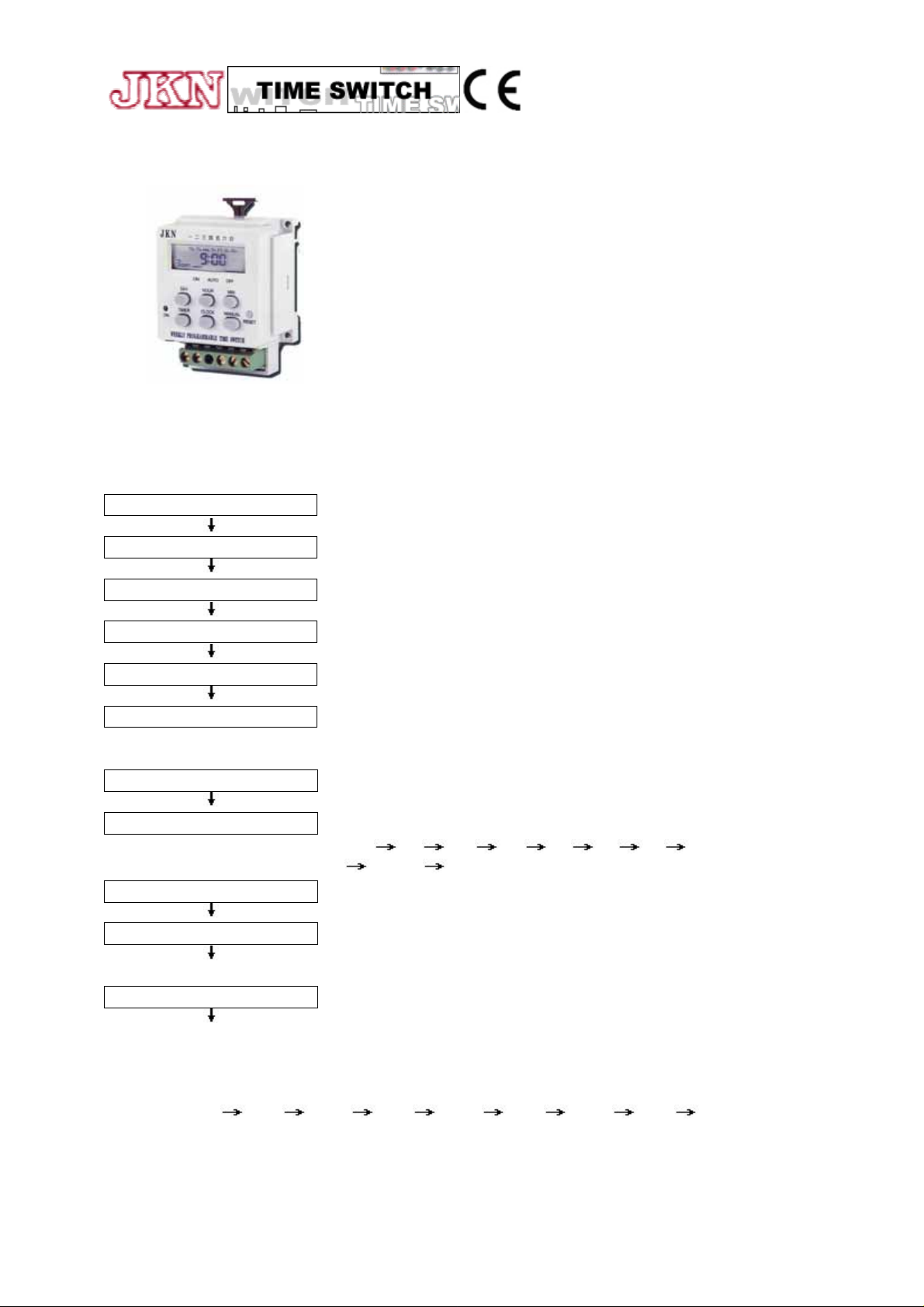
WEEKLY PROGRAMMABLE TIME SWITCH
MODEL: WTS-3
FEATURES:
* SIX ON/OFF SETTING
* 10 SETTING DAY FOR CHOICE:
(1)MO (2)TU (3)WE (4)TH (5)FR (6)SA (7)SU (8)MO+TU+WE+TH+FR
(9)SA+SU(10)FROM MO TO SU
MINIMUM SETTING INTERVAL: 1 MINUTE
SUPPLY VOLTAGE: 100-250VAC, 12V, 24V
OUTPUT: 7A 250VAC, 1 CONTACT
MAX. LOAD: 2000VA
INSIDE BATTERY:
NI-CA D*1 PC (JUST FOR CLOCK RUNNING, NOT FOR OUTPUT
ON/OFF SWITCHING
A. SETTING PRESENT DAY AND TIME
press CLOCK + Day — The day of a week will be changed from MO (Monday) to SU (Sunday).
release CLOCK & DAY — The day of a week will be set.
press CLOCK + HOUR — The hour will shift fast from 0 to 23.
release CLOCK & HOUR — The hour will be set.
press CLOCK + MIN — The minute will shift fast from 0 to 59.
release CLOCK & MIN — The minute will be set.
B. TO SET PROGRAMS
press TIMER key — Enter program mode (Program 1 ON is ready for setting.)
press DAY key — To select the setting day of a week. There are 10 choices for setting
press HOUR key — Set hour
press MIN key — Set minute
press TIMER again — Program 1 OFF is ready for setting
*Repeat the setting process ( press DAY key)
MO
*Program 1 ON setting has been completed now.
TU WE TH FR SA SU MO+TU+WE+TH+FR
SA+SU MO+TU+WE+TH+FR+SA+SU
After program 1 OFF is set completely, press TIMER again to enter program 2 ON setting, and so on,
program 2 OFF
3 ON 3 OFF 4 ON 4 OFF 5 ON 5 OFF 6 ON 6 OFF.
There are 6 ON/OFF programs for setting. But if you need only 2 or 3 programs, just ignore the rest
programs.
Page 2
C. After programs setting, press CLOCK key then return to present time( CLOCK MODE).
D. TO RESET TIMER
Press RESET key, the previous setting time and programs will be cleared to initial state.
E. TO SELECT ON/AUTO/OFF MODE
1. Press MANUAL key to select ON. AUTO, or OFF MODE
2."ON" mode set output at ON state
3."OFF" mode set output at OFF state
4."AUTO" mode set output to program mode. Relay contact will turn ON/OFF according
to the program setting time.
5.After program setting is confirmed, it is necessary to press MANUAL key and change
the mode to ensure the Timer working in correct program. Please check the present time.
If it is in the duration of program ON setting time, then press MANUAL to make it from
ON to AUTO mode. In case of the present time is now within program OFF setting time,
then make it from OFF to AUTO mode. Because from ON to AUTO, relay contact will be
turned to ON state until next OFF setting time coming. Contrary, from OFF to AUTO,
relay contact will be switched to OFF state and lasting until next ON setting time is
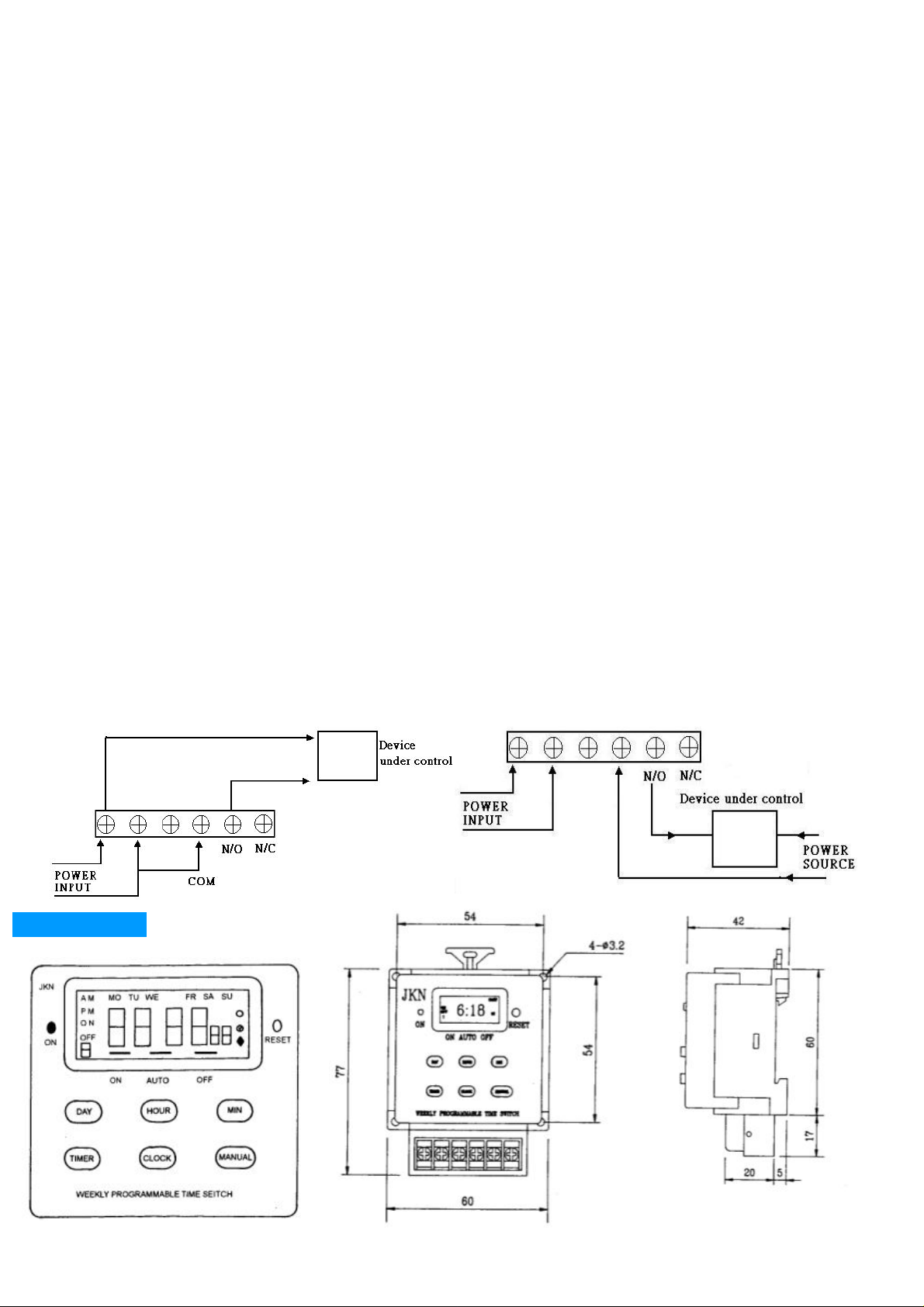
F. WIRE CONNECTION
Max, Load: 2000VA
Applied Voltage Range: 100-250VAC
Inside Battery: NI-CAD*1 PC(Just for clock operation, not for output ON/OFF switching.)
DIMENSIONS
coming.
29
 Loading...