

Page 1
Page 2
Page 3
ENGLISH
USER MANUAL
JB SYSTEMS®
1/5
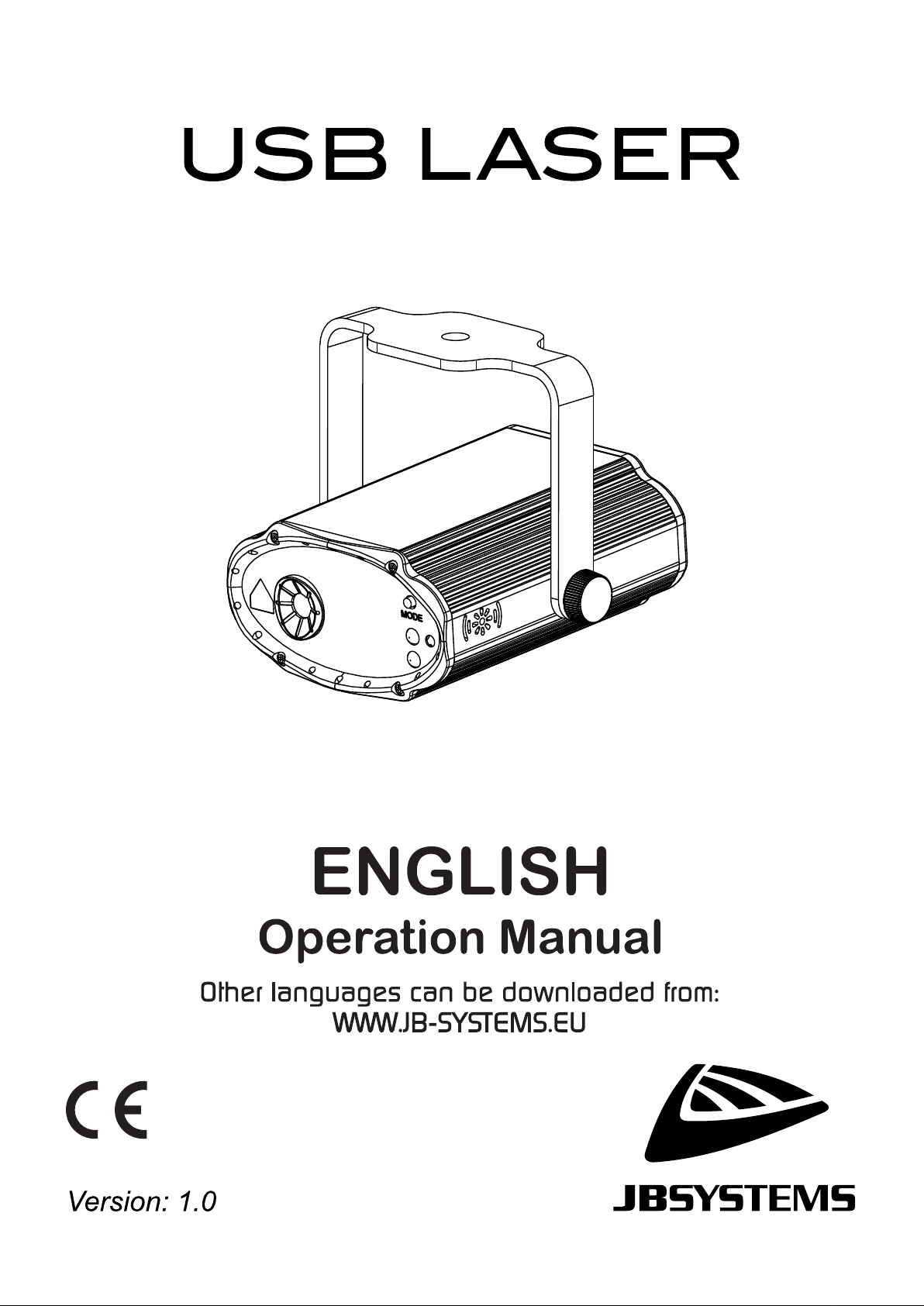
USB LASER
OPERATION MANUAL
Thank you for buying this JB Systems® product. To take full advantage of all possibilities and for your own
safety, please read these operating instructions very carefully before you start using this unit.
FEATURES
• A very versatile laser effect using for all your home parties.
• Based on a 532nm 30mW green and 650nm 80mW red laser
• The beams are split into an impressive number of beams to create an amazing, room filling effect
• Integrated automatic and sound controlled shows.
• The unique concept offers almost unlimited possibilities. You can power and control the unit in many ways:
• Do you like it simple and easy ? → Just use the function switch on the unit (off-auto-sound)
• Do you like to have some control ? → Use the supplied wireless IR remote to select your programs
• Do you like it mobile ? → Use a power bank or car adapter to power the unit (5V-2A)
• Do you prefer a more impressive setup and full control ? → connect it to the USB PARTYSET: all
effects will work synchronously and DMX control becomes available.
BEFORE USE
• Before you start using this unit, please check if there’s no transportation damage. Should there be any, do
not use the device and consult your dealer first.
• Important: This device left our factory in perfect condition and well packaged. It is absolutely necessary
for the user to strictly follow the safety instructions and warnings in this user manual. Any damage caused
by mishandling is not subject to warranty. The dealer will not accept responsibility for any resulting defects
or problems caused by disregarding this user manual.
• Keep this booklet in a safe place for future consultation. If you sell the fixture, be sure to add this user
manual.
Check the contents:
Check that the cardboard box contains the following items:
• USB LASER
• IR remote control
• USB A to -C cable
• 5V power adapter
• Operating instructions
SAFETY INSTRUCTIONS:
CAUTION: To reduce the risk of electric shock, do not remove the top cover.
No user-serviceable parts inside. Refer servicing to qualified service
personnel only.
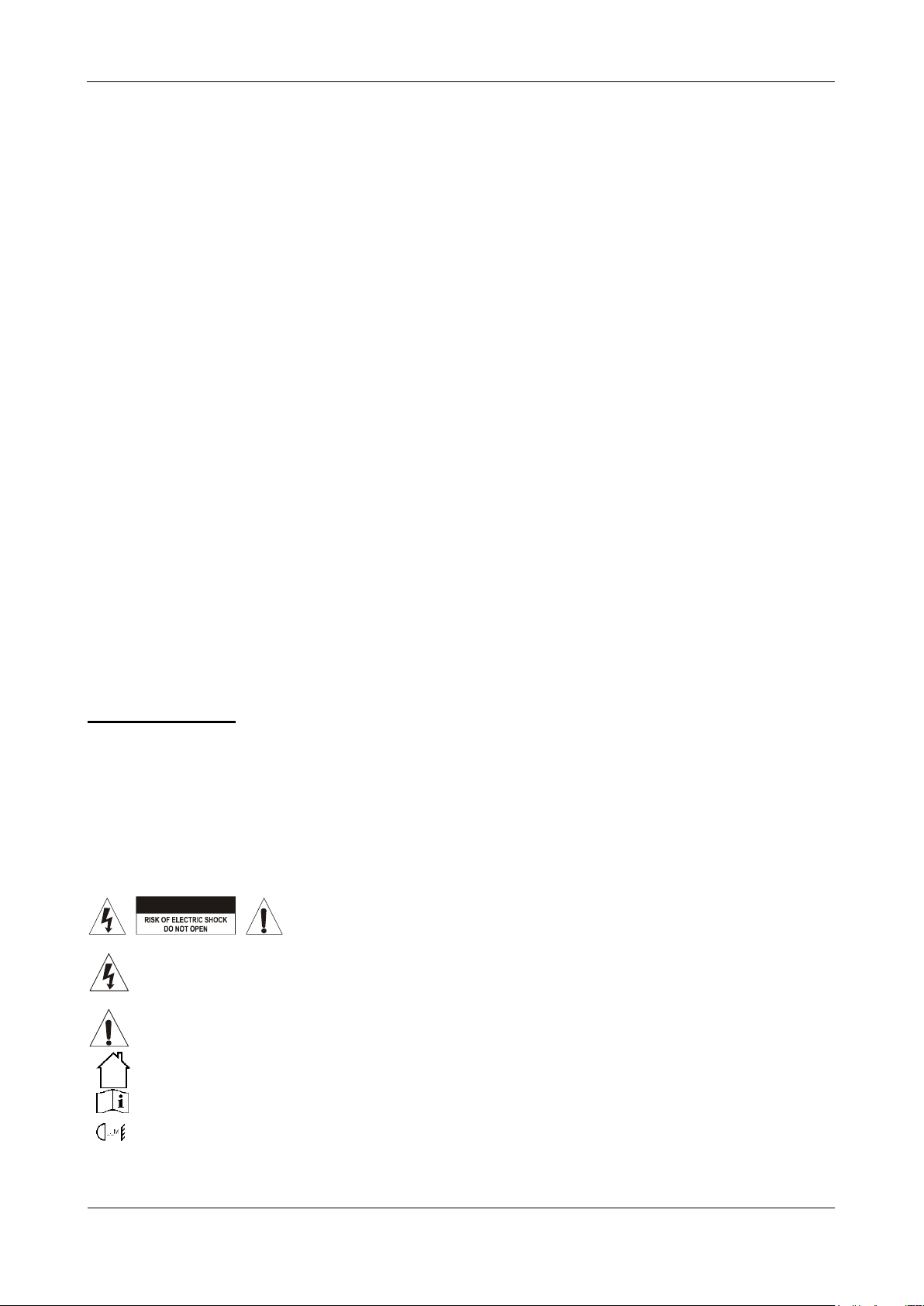
The lightning flash with arrowhead symbol within the equilateral triangle is intended to alert the use
or the presence of un-insulated “dangerous voltage” within the product’s enclosure that may be of
sufficient magnitude to constitute a risk of electric shock.
The exclamation point within the equilateral triangle is intended to alert the user to the presence of
important operation and maintenance (servicing) instructions in the literature accompanying this
appliance.
This symbol means: indoor use only.
This symbol means: Read instructions.
This symbol determines: the minimum distance from lighted objects. The minimum distance between
light-output and the illuminated surface must be more than 1 meter.
CAUTION
Page 4
ENGLISH
USER MANUAL
JB SYSTEMS®
2/5
USB LASER
• To protect the environment, please try to recycle the packing material as much as possible.
• To prevent fire or shock hazard, do not expose this appliance to rain or moisture.
• To avoid condensation to be formed inside, allow the unit to adapt to the surrounding temperatures when
bringing it into a warm room after transport. Condense sometimes prevents the unit from working at full
performance or may even cause damages.
• This unit is for indoor use only.
• Don’t place metal objects or spill liquid inside the unit. Electric shock or malfunction may result. If a foreign
object enters the unit, immediately disconnect the mains power.
• Locate the fixture in a well ventilated spot, away from any flammable materials and/or liquids.
• Don’t cover any ventilation openings as this may result in overheating.
• Prevent use in dusty environments and clean the unit regularly.
• Keep the unit away from children.
• Inexperienced persons should not operate this device.
• The save ambient temperature is between 10° & 40°C. Don’t use this unit at higher ambient temperatures.
• Make sure the area below the installation place is free from unwanted persons during rigging, de-rigging
and servicing.
• Always unplug the unit when it is not used for a longer time or before replacing the bulb or start servicing.
• The electrical installation should be carried out by qualified personal only, according to the regulations for
electrical and mechanical safety in your country.
• Check that the available voltage is not higher than the one stated on the rear panel of the unit.
• The power cord should always be in perfect condition. Switch the unit immediately off when the power cord
is squashed or damaged. It must be replaced by the manufacturer, its service agent or similarly qualified
persons in order to avoid a hazard.
• Never let the power-cord come into contact with other cables!
• Don’t connect the unit to any dimmer pack.
• In order to prevent electric shock, do not open the cover. Apart from the lamp and mains fuse there are no
user serviceable parts inside.
• In the event of serious operating problems, stop using the fixture and contact your dealer immediately.
• The housing and the lenses must be replaced if they are visibly damaged.
• Please use the original packing when the device is to be transported.
• Due to safety reasons it is prohibited to make unauthorized modifications to the unit.
Important: Never look directly into the light source! Don’t use the effect in the presence of persons suffering
from epilepsy.
LASER SAFETY INSTRUCTIONS:
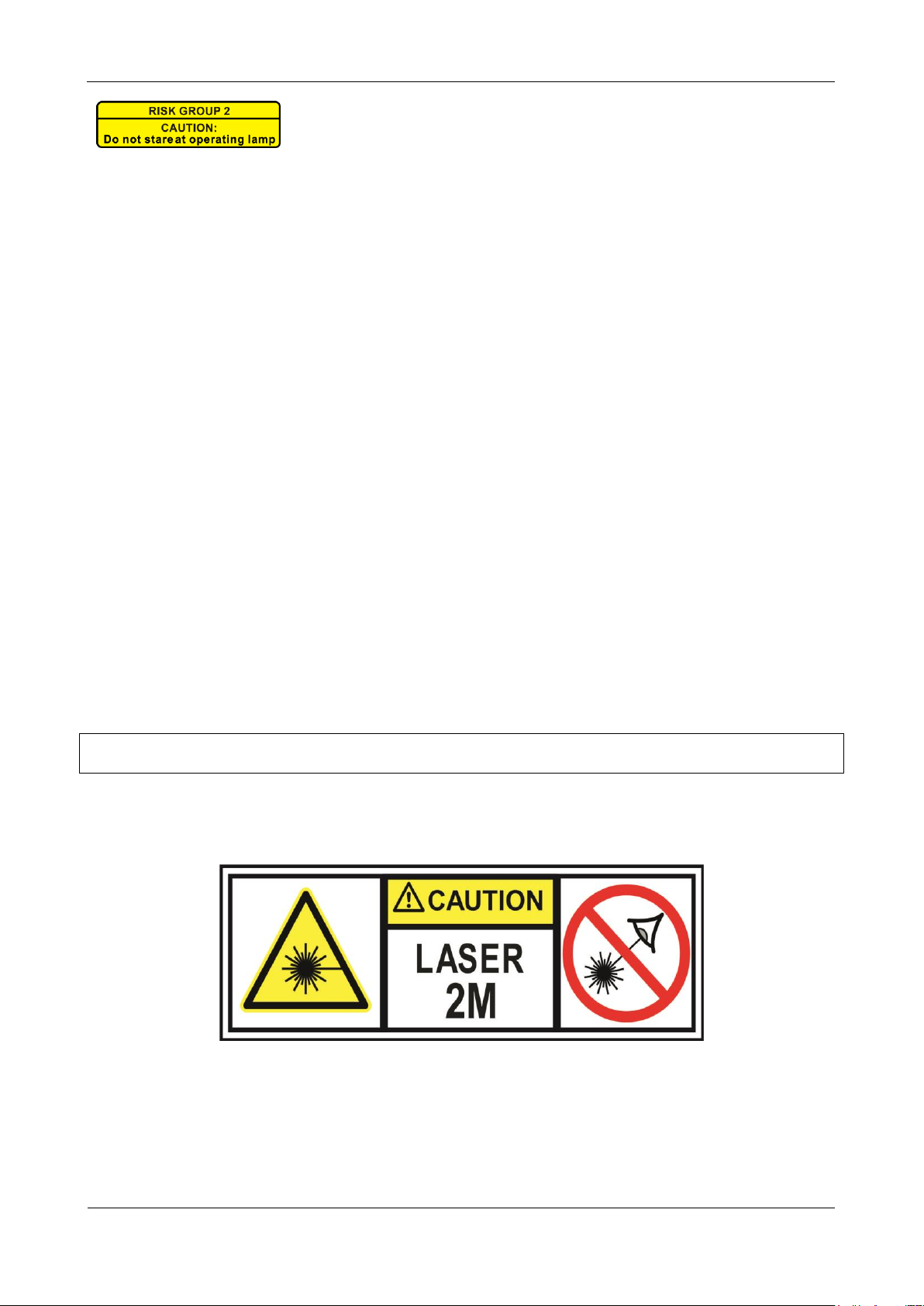
• According to the EN/IEC 60825-1:2014 regulations, this laser falls under the classification 2M. Direct eye
exposure can be dangerous.
DANGER: LASER RADIATION !
Avoid direct eye exposure! Laser radiation can cause eye damage and/or skin damage. All protective
measures for a safe operation of this laser must be applied.
• This product is a so-called show laser, emitting radiation with a wavelength spectrum between 532 and
650 nm and producing lighting effects for shows.
CAUTION: Do not stare at operating lamp.
May be harmful to the eyes.
Page 5
ENGLISH
USER MANUAL
JB SYSTEMS®
3/5
USB LASER
• Laser Light is different from any other light source with which you may be familiar. The light from this
product can potentially cause eye injury if not set up and used properly. Laser light is thousands of times
more concentrated than light from any other kind of light source. This concentration of light power can
cause instant eye injuries, primarily by burning the retina (the light sensitive portion at the back of the eye).
Even if you cannot feel “heat” from a laser beam, it can still potentially injure or blind you or your audience.
• Even very small amounts of laser light are potentially hazardous even at long distances.
• Never look into the laser aperture or laser beams
• Never direct the laser beam to people or animals and
never leave this device running unattended.
• This laser may only be used for shows.
• Depending on the classification, operating a laser
product can produce laser radiation that may cause
permanent eye damage and/or skin damage. The
legal instructions for using a laser product vary from
country to country. The user must always inform
himself on the legal instructions valid in his country
and apply them to his situation.
Please note that JB SYSTEMS cannot be made liable for damages caused by incorrect installations and
unskilled operation!
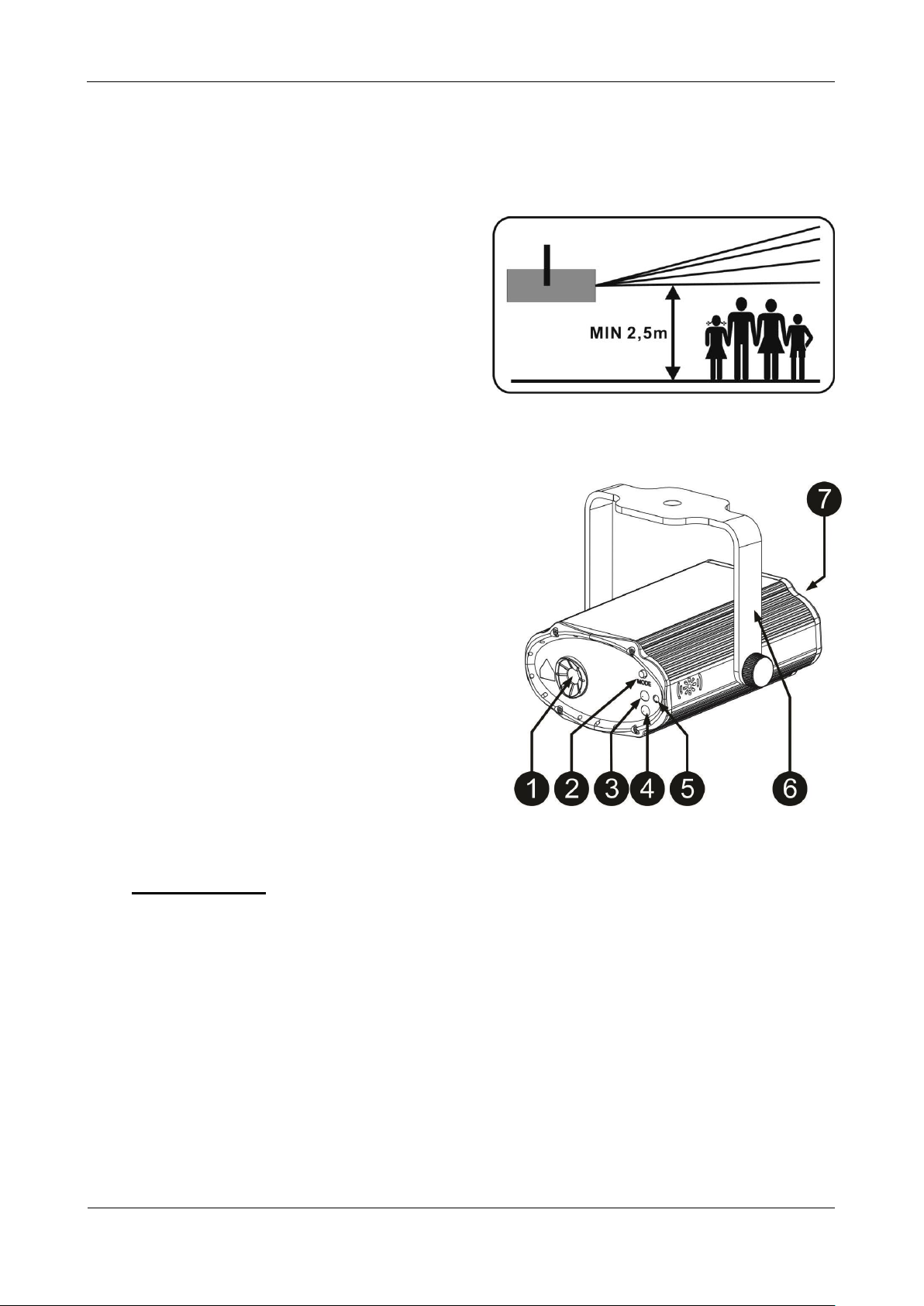
DESCRIPTION:
1. LASER APERTURE: the light output is provided by 3
Red, 3 Green, 3 Blue and 3 White LEDs. Warning:
never look directly into the light source.
2. FUNCTION SWITCH: to select the working mode
directly on the projector.
3. FUNCTION LED: shows the working mode you are in
4. IR-RECEIVER: When you use the wireless remote
control that is delivered with the unit you have to point
the infra-red remote controller to this infra-red receiver.
5. MICROPHONE: is used to trigger the sound modes
6. BRACKET: The bracked can be used as a floor stand
or you can fix a mounting hook in the bracket hole if
you want to hang the unit in truss.
7. USB INPUT: this is the 5 Volt input to power the unit.
Use the provided USB C cable (and adapter) to power
the unit
HOW TO CONTROL THE UNIT
1) POWER THE UNIT
The unit needs 5V to be powered. This can be done in several ways:
• Connect the unit with the provided USB cable and 5V/2A power adapter to the 230V mains.
• Connect the unit to a 5V/2A car adapter
• Connect the unit to a 5V/2A power bank
• Connect the unit to the USB PARTYSET bar (see manual of the USB PARTYSET)
2) WORKING MODE
Select the working mode via the function switch (2) on the front of the unit. Press the switch to
select another mode.
WARNING: Take care to don’t look into the laser beams !
• LED OFF: Blackout mode → no light output
• ORANGE LED: music mode 1. The unit will run internal automatic programs that will be controlled by
the surrounding sound or music
• RED LED: Automatic mode
• GREEN LED: music mode 2. The lasers will only go on when sound or music is detected.
Page 6
ENGLISH
USER MANUAL
JB SYSTEMS®
4/5
USB LASER
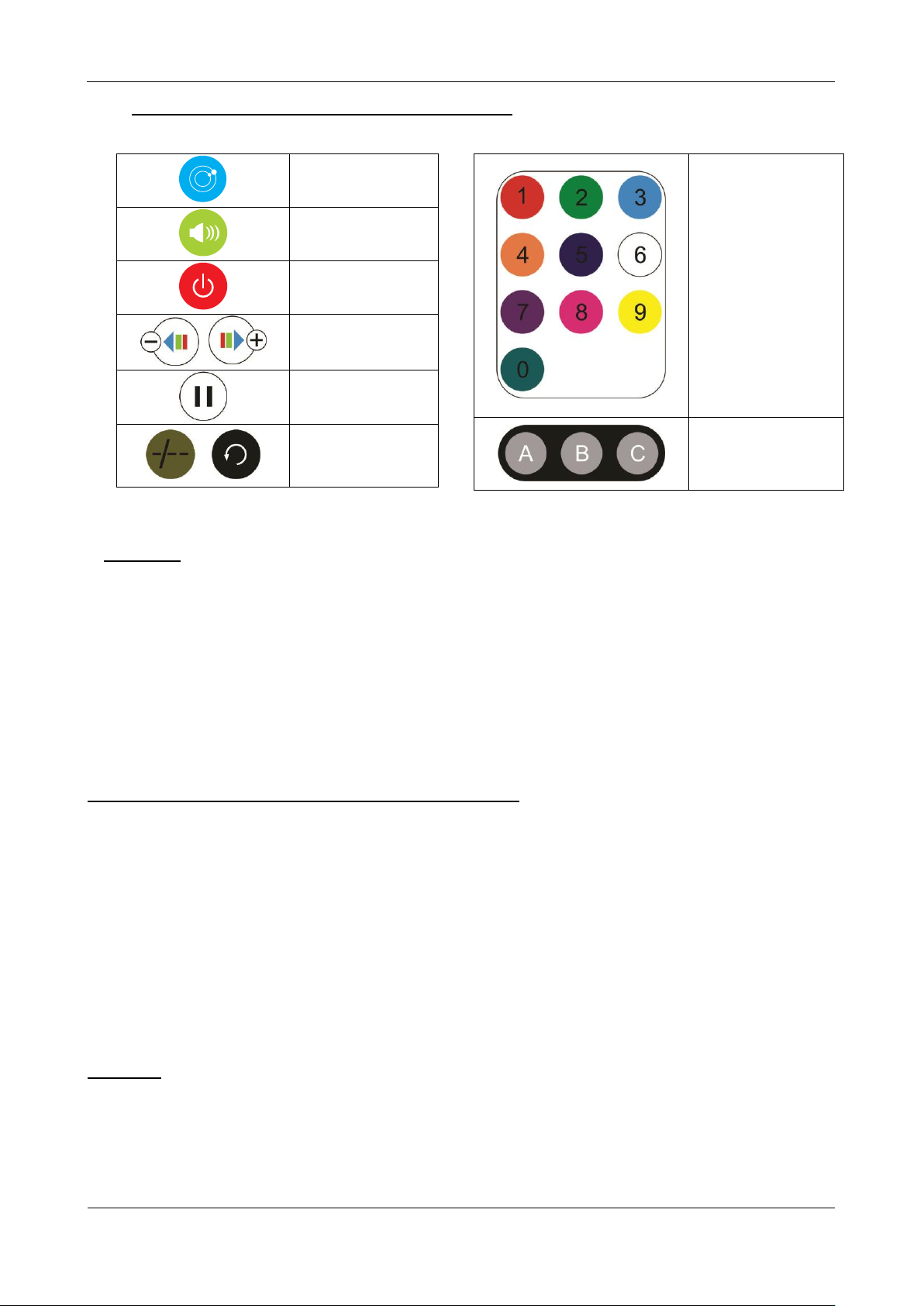
3) CONTROLLED VIA THE IR REMOTE CONTROLLER:
The unit can be controlled via the supplied IR remote
AUTO MODE
SOUND MODE
BLACKOUT
PROGRAM
SPEED
NOT USED
NOT USED
OVERHEAD RIGGING
• Important: Improper installation can result in serious injuries and/or damage to property.
Overhead rigging requires extensive experience! Working load limits should be respected, certified
installation materials should be used, the installed device should be inspected regularly for safety.
• Make sure the area below the installation place is free from unwanted persons during rigging, de-rigging
and servicing.
• Locate the fixture in a well ventilated spot, far away from any flammable materials and/or liquids.
• The device should be installed out of reach of people and outside areas where persons may walk by or be
seated.
• The device should be well fixed; a free-swinging mounting is dangerous and may not be considered!
MAINTENANCE
• Switch off the unit, unplug the mains cable and wait until the unit has been cooled down.
During inspection the following points should be checked:
• All screws used for installing the device and any of its parts should be tightly fastened and may not be
corroded.
• Housings, fixations and installations spots (ceiling, truss, suspensions) should be totally free from any
deformation.
• When an optical lens is visibly damaged due to cracks or deep scratches, it must be replaced.
• In order to protect the device from overheat the cooling fans (if any) and ventilation openings should be
cleaned monthly.
• The cleaning of internal and external optical lenses and/or mirrors must be carried out periodically to
optimize light output. Cleaning frequency depends on the environment in which the fixture operates: damp,
smoky or particularly dirty surroundings can cause greater accumulation of dirt on the unit’s optics.
• Clean with a soft cloth using normal glass cleaning products.
• Always dry the parts carefully.
• Clean the external optics at least once every 30 days.
• Clean the internal optics at least every 90 days.
Attention: We strongly recommend internal cleaning to be carried out by qualified personnel!
COLOR
SELECTION
1 = RED
2 = GREEN
3 = RED + GREEN
The other buttons
are not used
NOT USED
Page 7

ENGLISH
USER MANUAL
JB SYSTEMS®
5/5
USB LASER
SPECIFICATIONS
This unit is radio-interference suppressed. This product meets the requirements of the current European and
national guidelines. Conformity has been established and the relevant statements and documents have been
deposited by the manufacturer.
This device was designed to produce decorative effect lighting and is used in light show systems.
Mains Input: DC 5V/2A USB type C
Supplied power adapter: AC 100-240V 50/60Hz 0.3A → DC 5V 2A
Maximum Power consumption: 5W
Sound Control: Internal microphone
Laser power: 80mW Red Laser (λ = 650nm)
30mW Green Laser (λ = 532nm)
Laser Safety Standard: Class 2M
Working temperature: 10°C to 40°C
Size: 108 x 85 x 92mm
Weight: 0.26 kg
Every information is subject to change without prior notice
You can download the latest version of this user manual on our website: www.jb-systems.eu
Page 8
 Loading...