

Page 1
jabra.com/streamer
User Manual
JABRA STREAMER
Page 2

© 2014 GN Netcom A/S. All rights reserved. Jabra® is a registered
trademark of GN Netcom A/S. All other trademarks included herein
are the property of their respective owners. The Bluetooth® word
mark and logos are owned by the Bluetooth SIG, Inc. and any use
of such marks by GN Netcom A/S is under license. (Design and
specifications subject to change without notice).
Declaration of Conformity can be found on
www.jabra.com/CP/US/declarations-of-conformity
MADE IN CHINA
MODEL: HFS005
Page 3

3
ENGLISH
JABRA STREAMER
CONTENTS
1. WELCOME .......................................... 4
2. WHAT’S IN THE BOX ......................... 5
3. DASHBOARD SETUP ......................... 6
4. CONNECT TO MOBILE DEVICE ..........8
4.1 CONNECT TO ANOTHER MOBILE DEVICE
5. HOW TO USE ...................................10
5.1 EVERYDAY FUNCTIONS
5.2 MULTIPLE CALL HANDLING
ONE OR TWO PHONES
5.3 CHARGE YOUR MOBILE DEVICE
6. SUPPORT ..........................................13
6.1 FAQ
6.2 HOW TO CARE FOR YOUR JABRA STREAMER
7. TECHNICAL SPECIFICATIONS ...........14
Page 4

4
ENGLISH
JABRA STREAMER
1. WELCOME
Thank you for using the Jabra Streamer. We hope
you will enjoy it!
JABRA STREAMER FEATURES
Plug-and-play
Full call handling (Answer/ignore/redial/
two calls at the same time)
Music control (play/pause/skip tracks)
Phone voice control
Auto on/off
Charge your mobile device
Page 5
5
ENGLISH
JABRA STREAMER
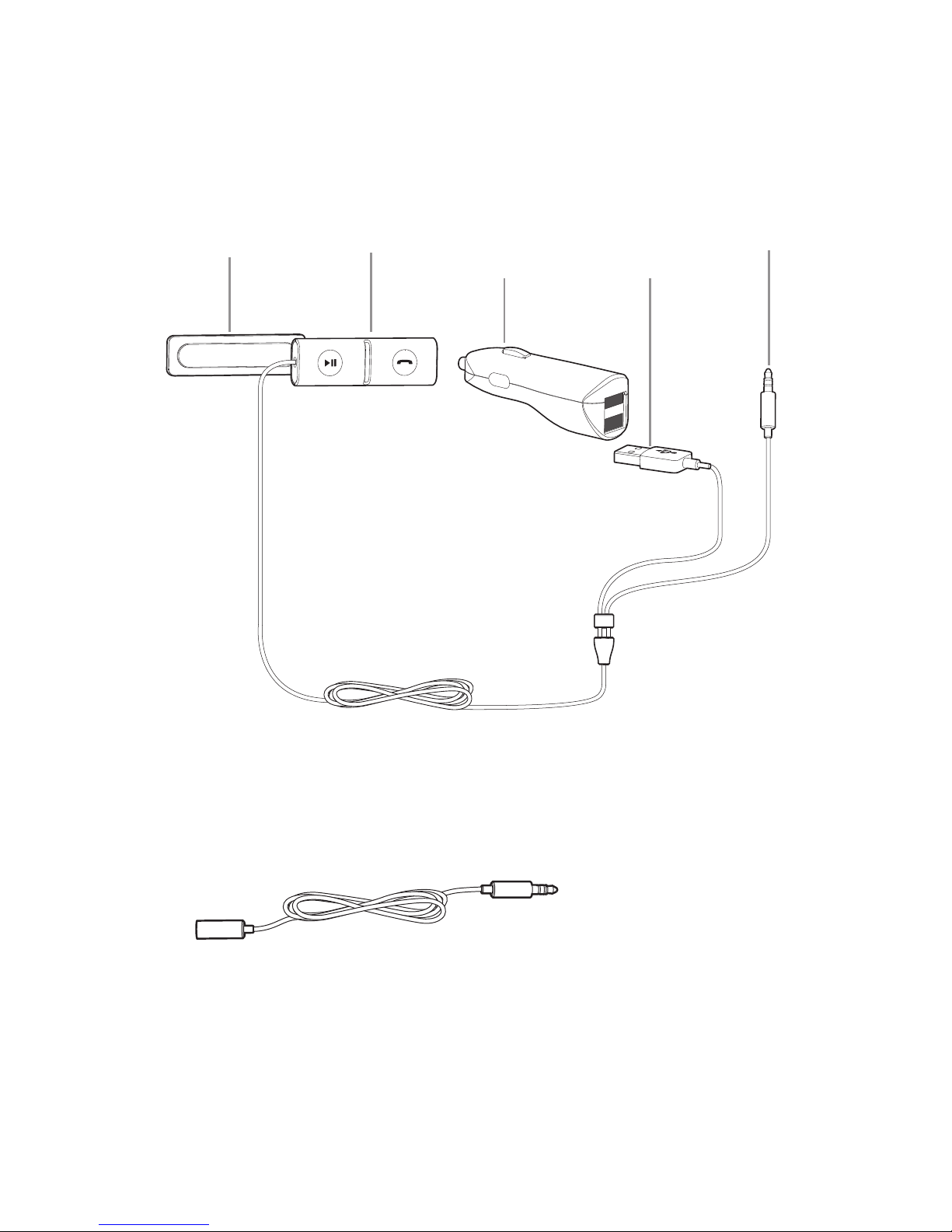
2. WHAT’S IN THE BOX
jabra
jabra
Extension cable
Mounting panel AUX cableController Dual USB port
power supply
USB power
cable
Page 6
6
ENGLISH
JABRA STREAMER
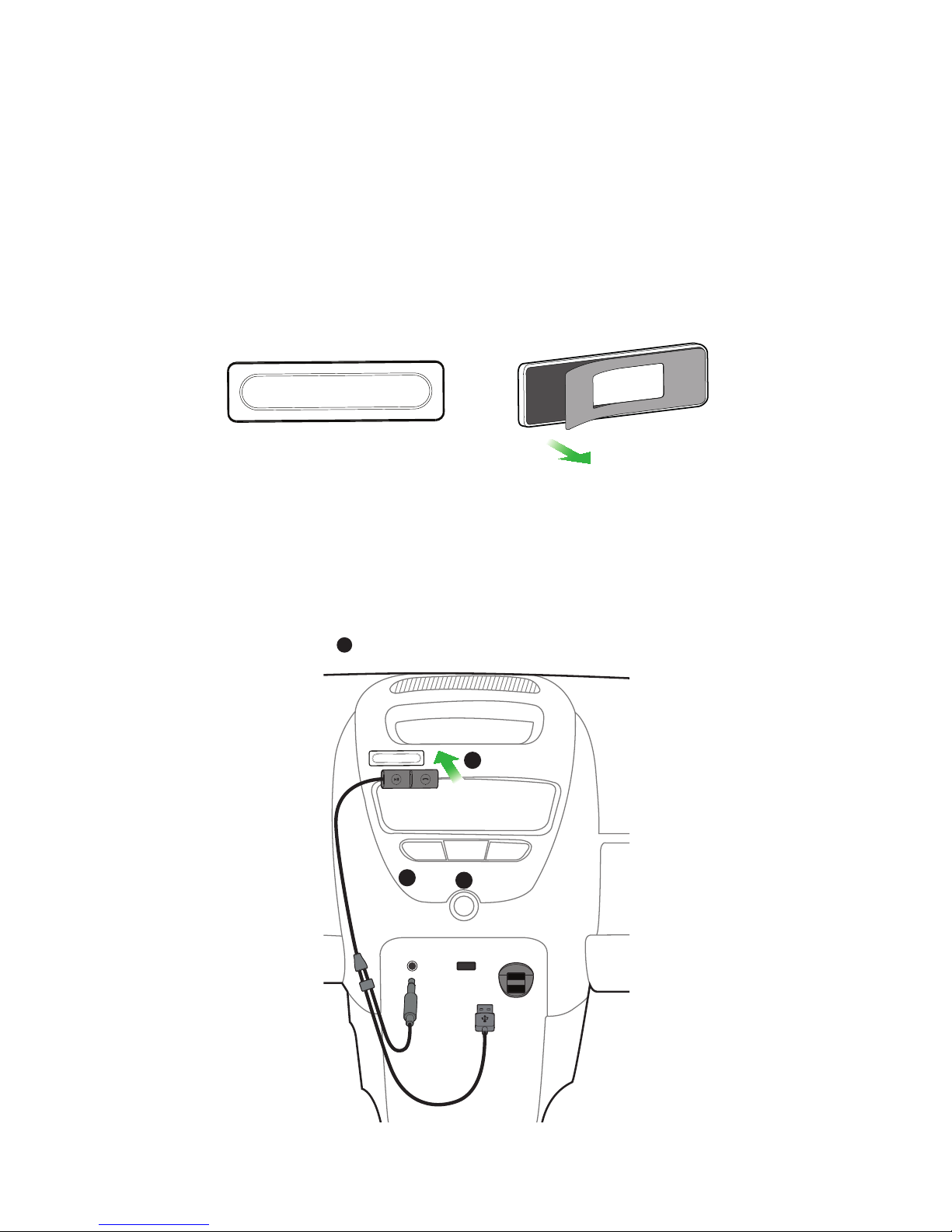
3. DASHBOARD SETUP
1. Peel off the back of the mounting panel to
expose the adhesive tape. Stick the mounting
panel to an optimal location on the dashboard.
jabra
2. Attach the controller magnetically to the
mounting panel.
jabra
AUX CD FM
AUX USB
POWER
OUTLET
jabra
Optimal mounting locations
Page 7
7
ENGLISH
JABRA STREAMER
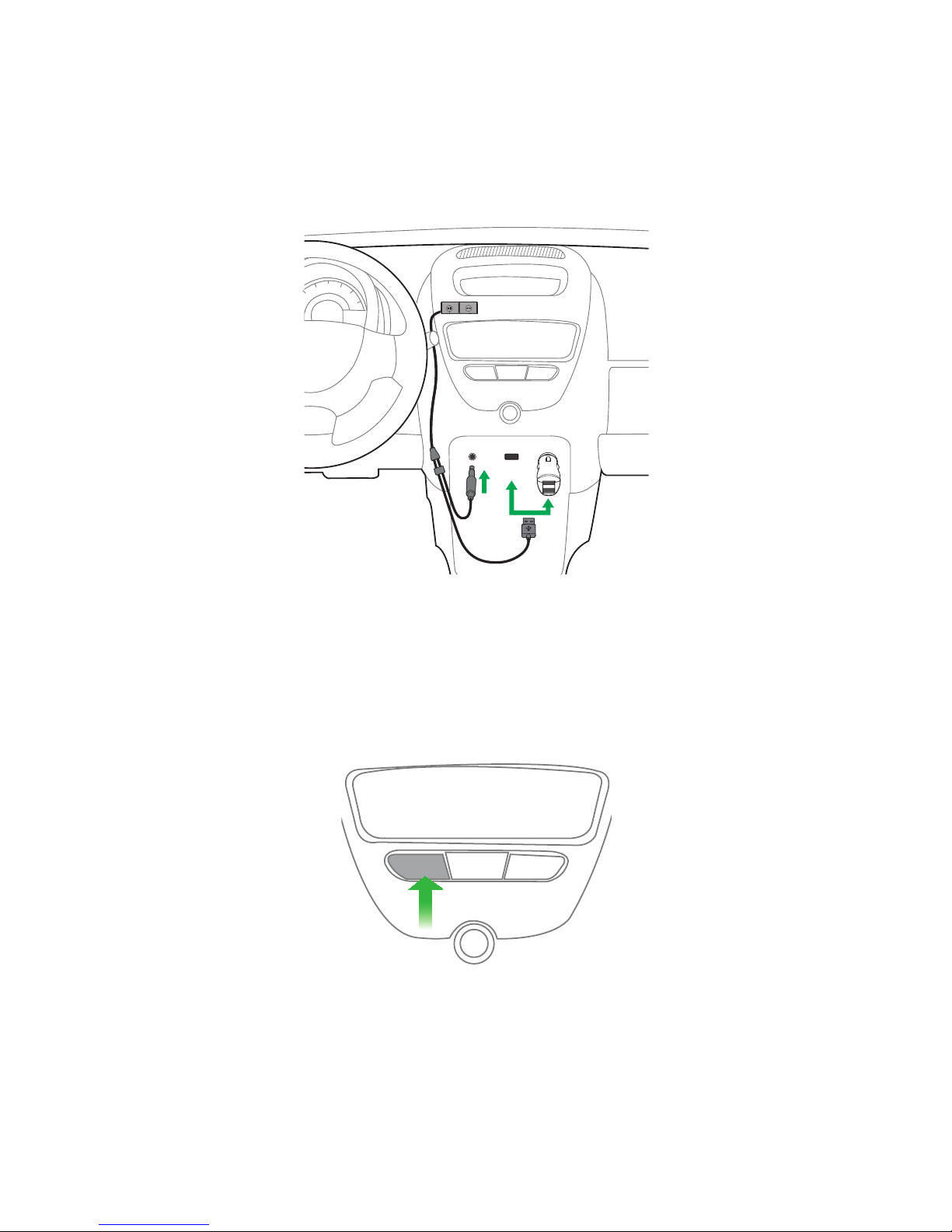
3. Plug the USB power cable into the dual USB
power supply (or dashboard USB port), and the
AUX cable into the dashboard AUX port.
AUX CD FM
AUX USB
POWER
OUTLET
jabra
4. Turn on the car stereo, and ensure the input is
set to AUX.
AUX CD FM
Page 8
8
ENGLISH
JABRA STREAMER
4. CONNECT TO MOBILE
DEVICE
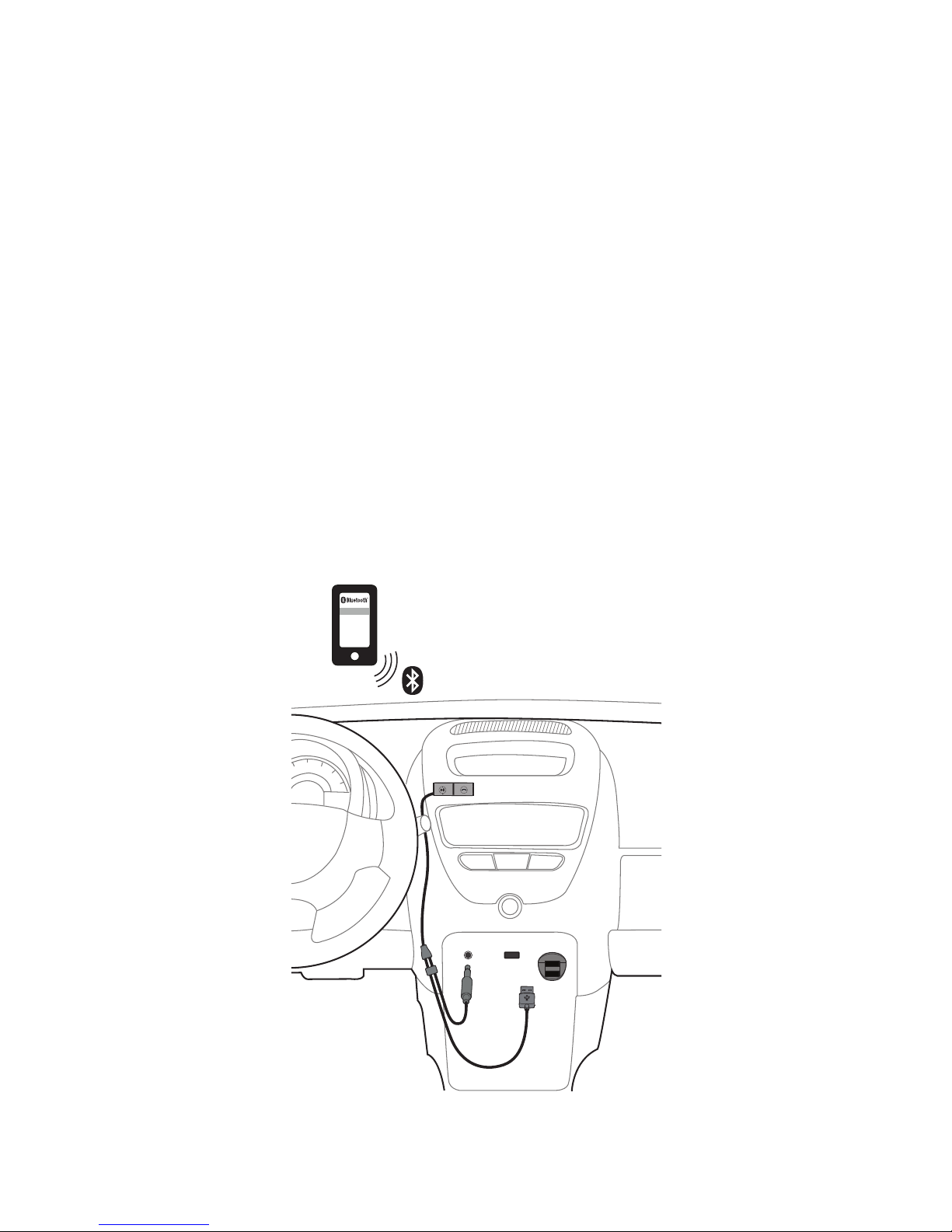
1. The first time the Jabra Streamer is connected to
power it will attempt to connect to your mobile
device.
2. Simply select the Jabra Streamer in the
Bluetooth pairing list on your mobile device to
connect and begin streaming your music.
The Jabra Streamer turns on and off with your car.
AUX CD FM
AUX USB
POWER
OUTLET
Jabra Streamer
jabra
Page 9
9
ENGLISH
JABRA STREAMER
4.1 CONNECT TO ANOTHER MOBILE DEVICE
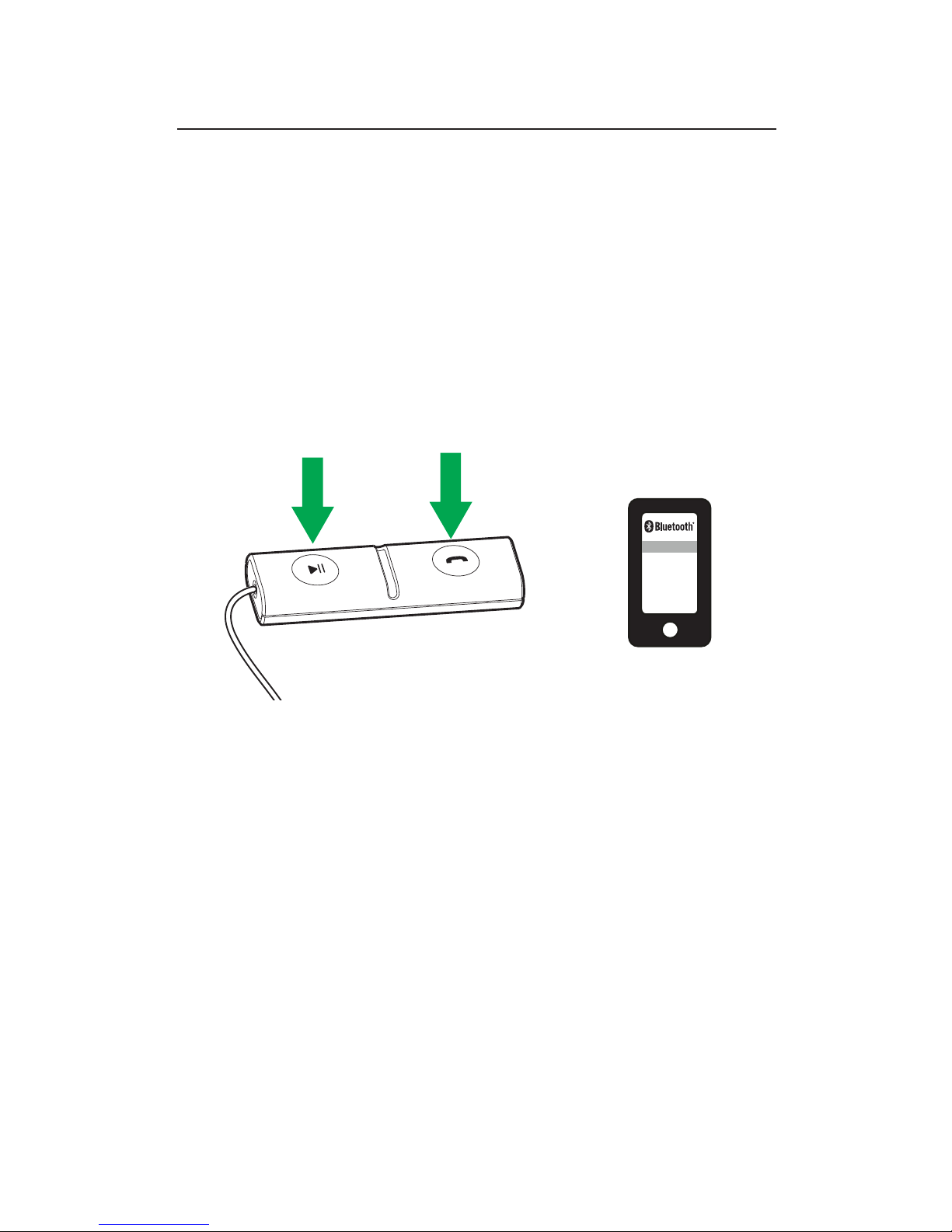
1. Press and hold (3 secs) both the Answer/end
button and the Play/pause button on the
controller to begin the Bluetooth connection.
2. Select the Jabra Streamer in the Bluetooth
pairing list on your mobile device.
Jabra Streamer
Page 10
10
ENGLISH
JABRA STREAMER
5. HOW TO USE
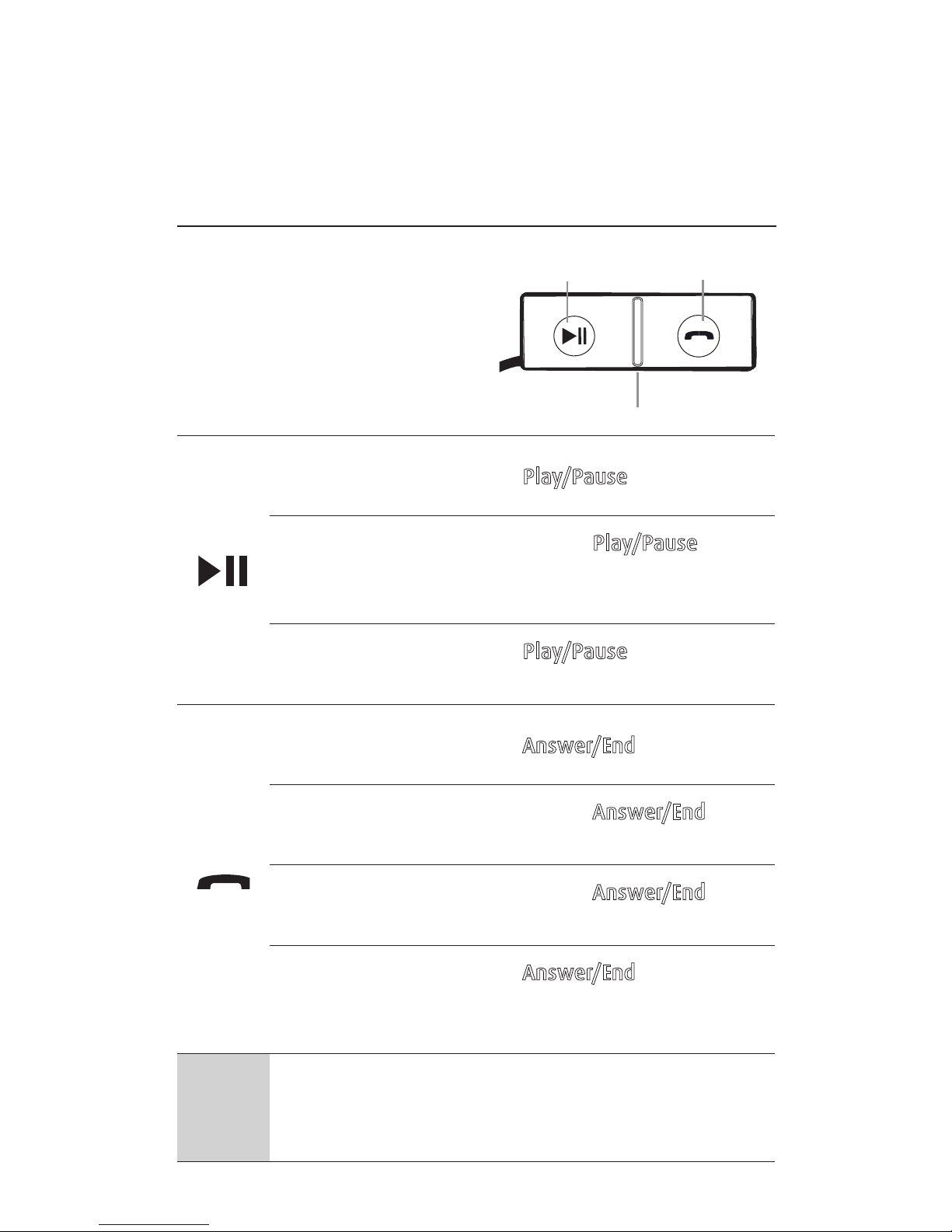
5.1 EVERYDAY FUNCTIONS
Play/pause
music
Tap the Play/Pause button
Skip track
Double-tap the Play/Pause button
to skip forward. Triple-tap to skip
backwards
Mute/unmute
microphone
Tap the Play/Pause button when
on a call
Answer/end
call
Tap the Answer/End button
Reject call
Double-tap the Answer/End
button
Redial last
number
Double-tap the Answer/End
button when not on a call
Voice controls
Tap the Answer/End button
when not on a call to access your
phone’s voice controls
Adjust
volume
Use your mobile device’s volume
controls, or the car speaker
volume controls
Play/Pause
Microphone
Answer/End
Page 11
11
ENGLISH
JABRA STREAMER
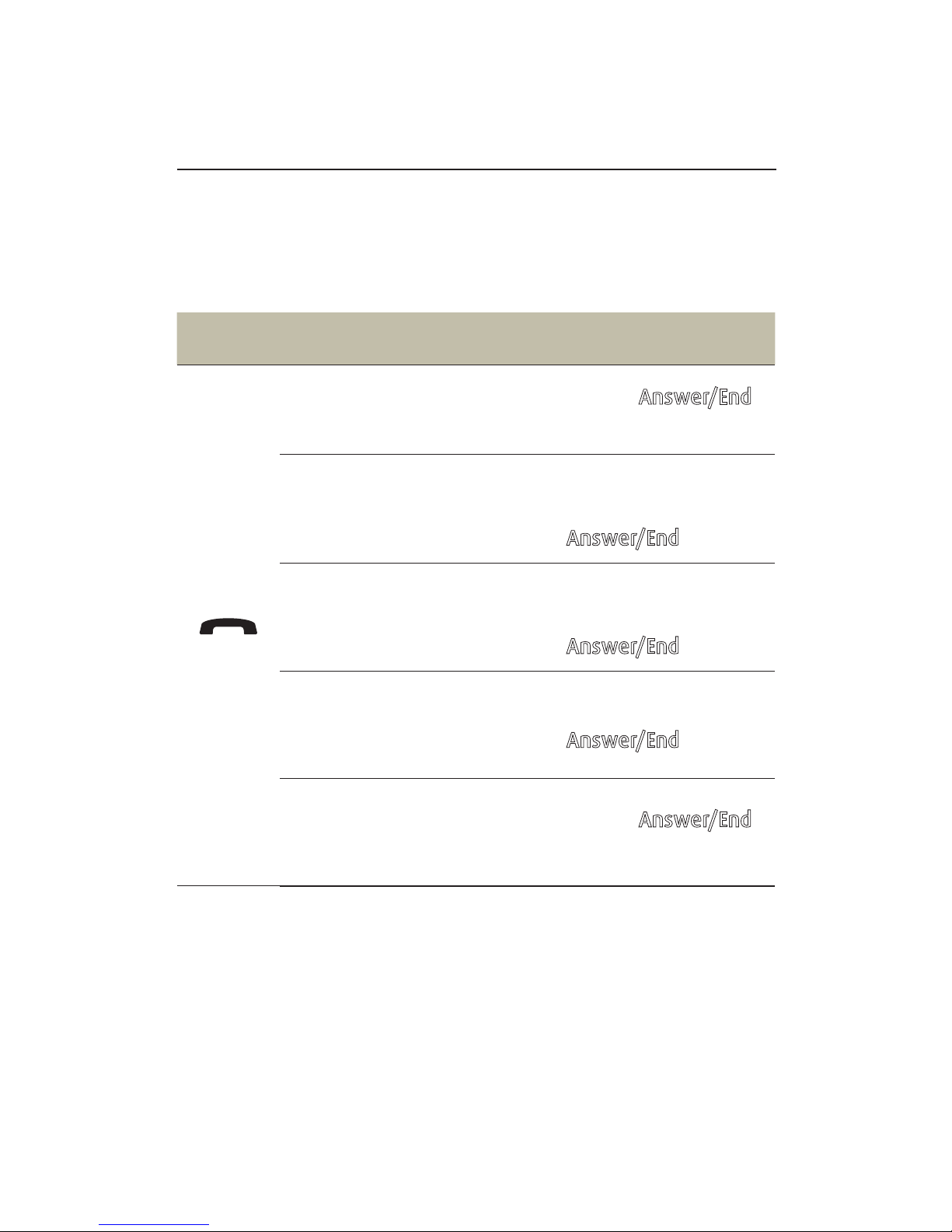
5.2 MULTIPLE CALL HANDLING
ONE OR TWO PHONES
The Jabra Streamer can accept and handle multiple
calls simultaneously on one or two phones.
FUNCTION ACTION
End current call and
answer incoming call
Tap the Answer/End
button
Switch between held call
and active call
Press and hold
(2 secs) the
Answer/End button
Put current call on hold
and answer incoming call
Press and hold
(2 secs) the
Answer/End button
Reject incoming call
Double-tap the
Answer/End button
End current call and
switch to held call
Tap the Answer/End
button
Page 12
12
ENGLISH
JABRA STREAMER
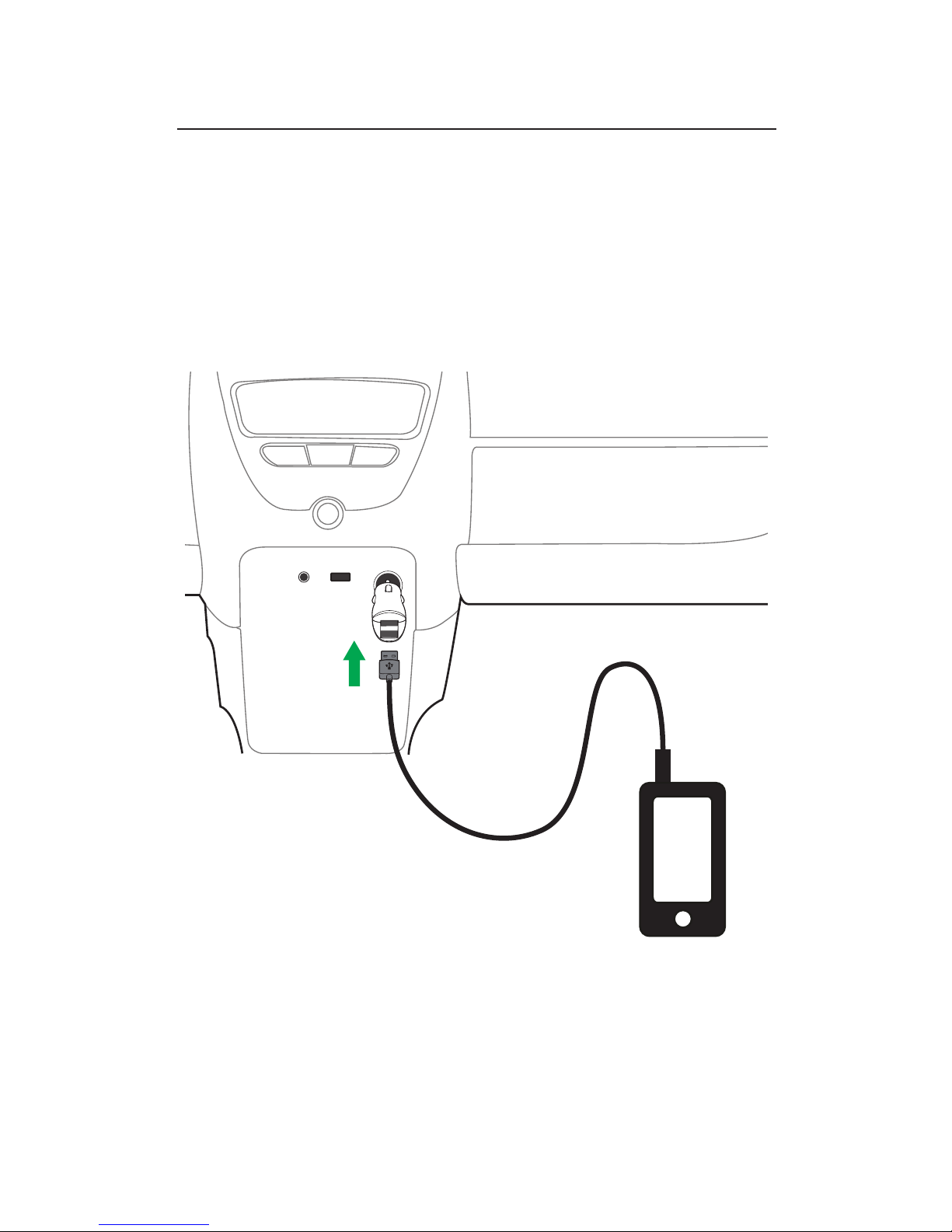
5.3 CHARGE YOUR MOBILE DEVICE
It is possible to charge your mobile device using
the Jabra Streamer. Plug your mobile device into
the dual USB power supply using the USB cable
supplied with your mobile device.
AUX USB
POWER
OUTLET
AUX CD FM
jabra
Page 13

13
ENGLISH
JABRA STREAMER
6. SUPPORT
6.1 FAQ
View the comprehensive FAQ on Jabra.com/streamer.
6.2 HOW TO CARE FOR YOUR JABRA
STREAMER
Avoid storage at extreme temperatures (above
85°C/185°F or below -40°C/-40°F)
Do not expose to liquids
Page 14

14
ENGLISH
JABRA STREAMER
7. TECHNIC AL
SPECIFICATIONS
JABRA STREAMER SPECIFICATION
Weight: 38g
Dimensions:
L 60mm x W 19.1mm x
H 9.3mm
Microphones: Omni directional
Operating range: 10 m/33ft (phone dependent)
Bluetooth version: 3.0
Paired devices:
Up to 8, connected to two at
the same time (MultiUse™)
Supported Bluetooth
profiles:
A2DP(v1.2), Hands Free Profile
(v1.6), Headset profile(v1.2),
AVRCP (v1.4)
Operating temperature: -20°C to 60°C (-4°F to 140°F)
Storage temperature: -40°C to 85°C (-40°F to 185°F)
Pairing passkey or PIN: 0000
Page 15

15
ENGLISH
JABRA STREAMER
REV C
www.jabra.com/streamer
 Loading...