

Page 1

iT7s2 USER MANUAL
Page 2

0
A Premier League Bluetooth® Wireless
Audio Product By Ian Taylor
Not content with kicking off his boots and taking it easy,
former English Premier League footballer, Ian Taylor, has
been working alongside Bluechipworld to launch this range
of wireless audio accessories.
Ian played for Aston Villa, Derby County, Sheffield Wednesday
and Port Vale with a total of 478 appearances and 79
career goals. His high standards have been adopted to the
development of each superb product in the iT7 Audio range
of premium Bluetooth® headphones and music products.
Each product in the iT7 Audio range is powered by the very
latest Bluetooth, stereo audio technology from CSR, a world
leader in platform solutions for wireless audio connectivity.
This means that you will listen to a crisp, clean, richer and
fuller musical reproduction on a robust Bluetooth platform.
Page 3

3
Content
Bluetooth wireless communication technology……………………………
About iT7s2 ………………………………………………………………………………………………………………………
Overview ……………………………………………………………………………………………………………………………
Charging your iT7s2 …………………………………………………………………………………………………
Using the your iT7s2 …………………………………………………………………………………………………
Turning on/off your iT7s2 …………………………………………………………………………………
Pairing your iT7s2 with Bluetooth devices……………………………………………
1) How to enter pairing mode………………………………………………………………………
2) Pairing your iT7s2 with Bluetooth devices …………………………………
3) Pairing your iT7s2 with Bluetooth transmitter…………………………
4) Pairing your iT7s2 with Multi-devices ………………………………………………
Reconnecting your iT7s2 with devices …………………………………………………
Wearing your iT7s2 ……………………………………………………………………………………………………
Making calls with your iT7s2 ……………………………………………………………………………
Playing music ……………………………………………………………………………………………………………….
LED indicator…………………………………………………………………………………………………………………
Indication tone ……………………………………………………………………………………………………………
Care and maintenance …………………………………………………………………………………………
FAQs ………………………………………………………………………………………………………………………………………
Specification …………………………………………………………………………………………………………………
4
4
7
8
9
9
10
10
10
12
13
14
15
16
19
21
22
22
24
26
Page 4

4
Please read this user manual carefully before using your
iT7s2 sports headphones.
Bluetooth Wireless Communication Technology
Bluetooth wireless communication technology
Bluetooth is a standard of close range radio-
communication technology that was drawn up by Ericsson,
IBM, Intel, Nokia and Toshiba in May 1998. With Bluetooth
technology we can achieve the highest transmission rate
among mobile phones, computers, printers, PDAs and other
devices. The maximum transmission range of class II is 10
metres whilst the maximum radio-communication range of
class I can reach up to 100 metres.
About iT7s2
iT7s2 is a water-resistant Bluetooth stereo headset. It
supports the following Bluetooth profiles:
HSP: Headset Profile
HFP: Hands-free Profile
A2DP: Advanced Audio Distribution Profile
AVRCP: Audio/Video Remote Control Profile
Page 5

5
Profile Description
HSP Headphones
HFP Phone call management
A2DP Stereo music playback
AVRCP Remote control of music (pause/play/
previous track/next track)
You can enjoy your music wirelessly by using the iT7s2.
Key features are as follows:
1) Pairing with any Bluetooth mobile phone or PDA that
support HFP. This allows you to:
• Answer, end and reject calls from your iT7s2
• Redial last number
• Voice dial
• Adjust the volume
• Switch the conversation between your iT7s2 and
mobile phone
• Mute microphone during conversation for confidentiality
Page 6

6
2) Pairing with any Bluetooth mobile phone or Bluetooth
transmitter that supports A2DP. This allows you to:
• Enjoy music wirelessly
• Adjust the volume
• Remote control pause/ play
• Remote control previous/next song
3) Easily switch between conversation and music; you will
not miss any incoming calls while listening to music.
4) Every time your iT7s2 is turned on, it will automatically
connect to the last paired device if available.
5) Your iT7s2 is designed for water-resistance and can
resist light rain and sweat.
Note: Even though the paired device and iT7s2 support the
same Bluetooth profiles, the functions may vary due to the
different specifications of the paired devices.
Page 7
7
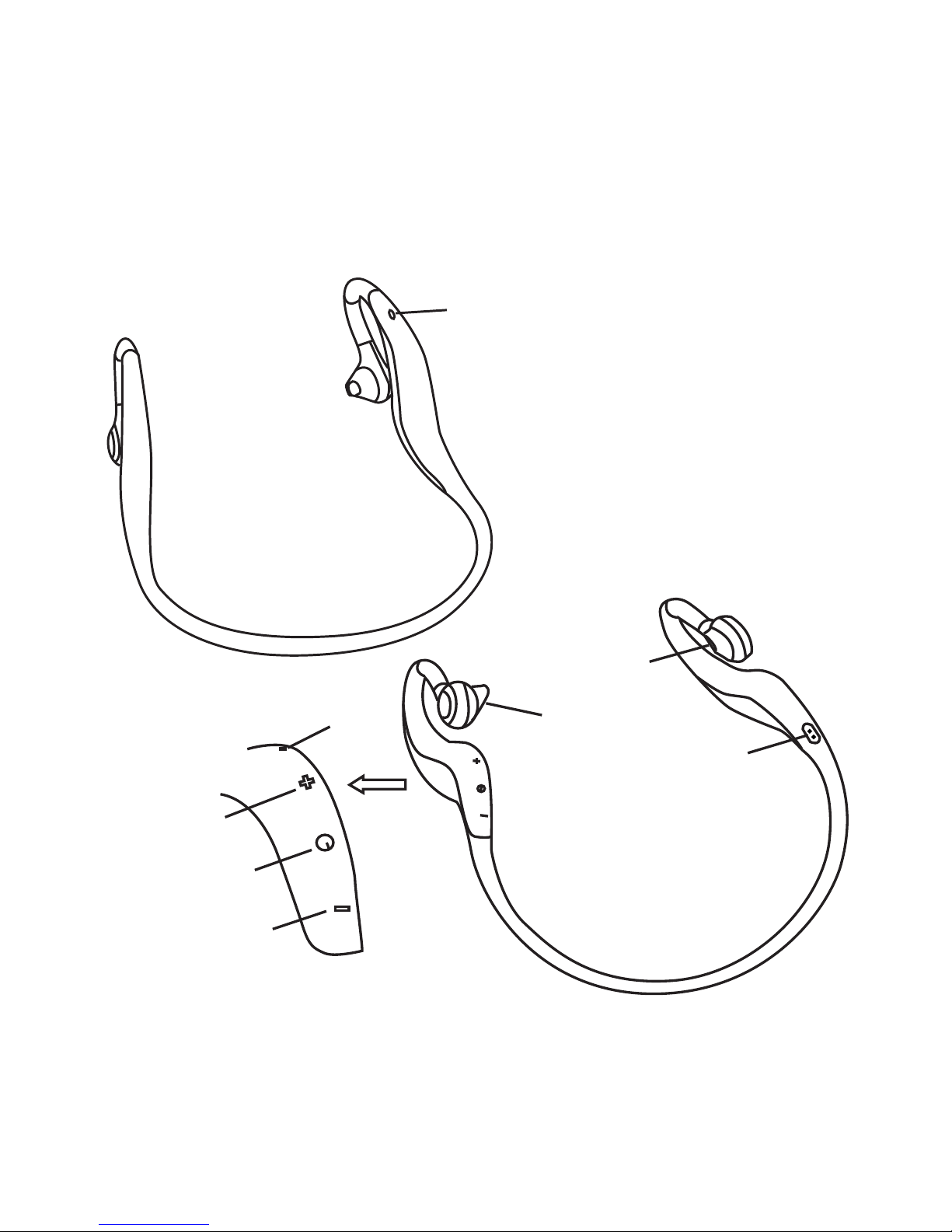
Overview
1
2
3
4
5
6
7
8
Page 8
8
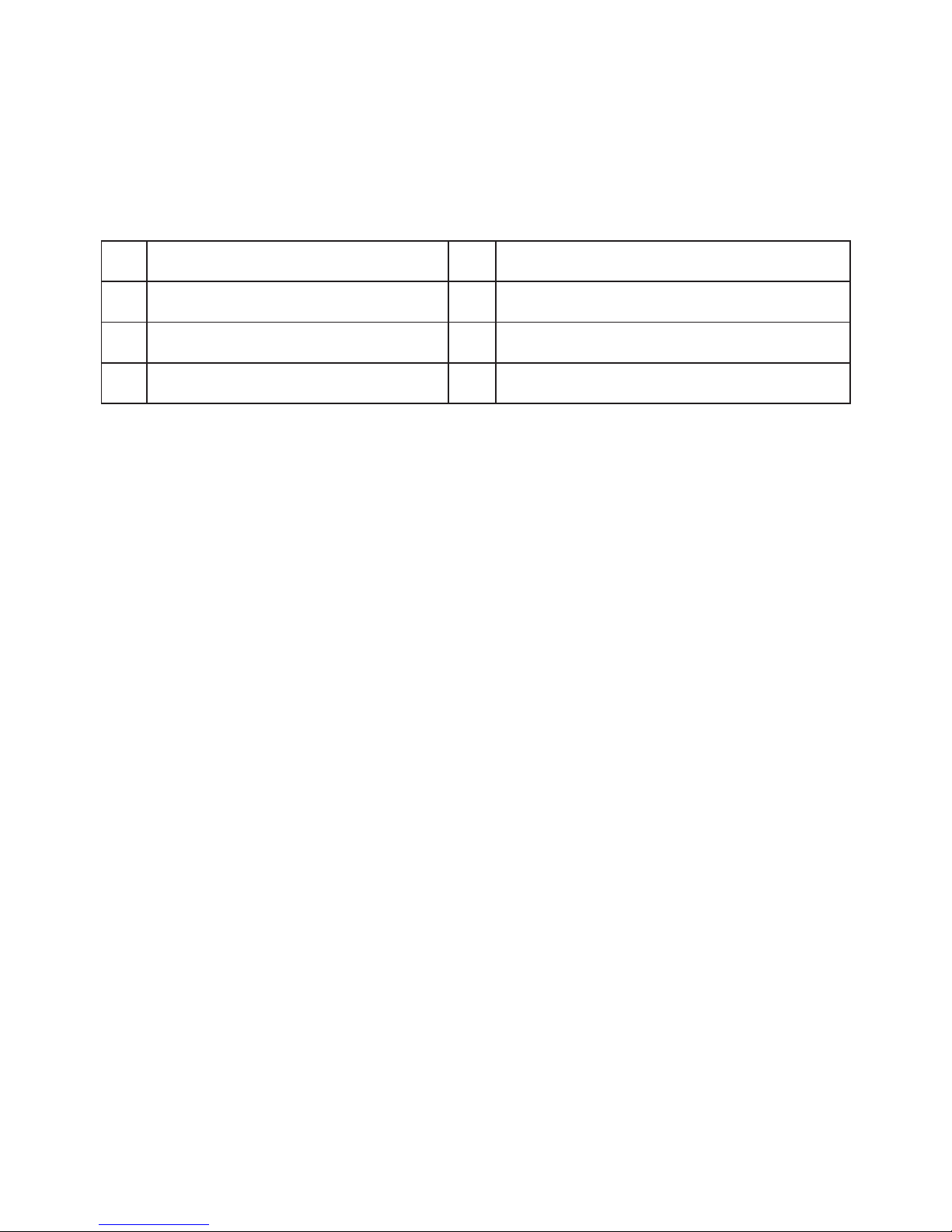
1 Status indicator light 5 Built-in microphone
2 Charging jack 6 Volume up/previous song
3 Left speaker 7 Multifunction button
4 Right Speaker 8 Volume down/next song
Charging your iT7s2
First time charging:
Before use, please charge the battery of iT7s2 fully.
Low battery:
When you hear three “DONG” tones every 30 seconds and
the red LED blinks twice, the battery is low on power and
needs to be charged.
Charging your iT7s2:
Using USB cable charger:
1. Plug USB cable into USB port of PC
2. Plug other end of USB cable into charging port of the
headset
Page 9

9
RED light on > Charging
RED light off > Finished charging
3. It will take about two hours to finish charging
Warning:
Do not dispose of the battery in fire, as it may cause
explosion. The battery is recyclable.
Using your iT7s2
Turning on/off your iT7s2
Function Operation Indicator light
Turn on Press and hold the
multifunction button for 3~5
seconds until the blue light
flashes
Blue light on
1 second
Turn off Press and hold the
multifunction button for 3~5
seconds until the red light
flashes
Red light on
1 second
Note:
The headset will turn off automatically if it can not
connect any devices within 5 minutes in order to save
power.
Page 10

10
Function Operation Indicator light
Enter
pairing
mode
Make sure the iT7s2 is
turned off, if not, please
turn it off first. Press and
hold the multifunction button
for 6~7 seconds until blue
light and red light flash
alternately.
Blue light and
red light flash
alternately.
Pairing your iT7s2 with Bluetooth devices
1. First enter pairing mode
Note:
Pairing mode will last 2 minutes. If the iT7s2 cannot
connect with any devices after 2 minutes it will switch to
standby mode automatically.
2. Then pair your iT7s2 with a Bluetooth device
To use your iT7s2 for the first time, you will need to pair it
with a Bluetooth-enabled mobile phone. Pairing procedures
are differ subject to different models of mobile phones.
Please refer to your mobile phone user manual for
Bluetooth pairing information. General pairing procedures
are as follows:
Page 11

11
• Please keep the iT7s2 and mobile phone within 1 metre
of each other when pairing.
• Switch the iT7s2 to pairing mode (refer to “enter
pairing mode”).
• Activate your mobile phone’s Bluetooth function,
search Bluetooth devices within available range and
select “iT7s2” from the list of devices shown.
• If a password of PIN is requested, , enter “0000” and
press “Yes” or “Confirm” button.
• After pairing successfully the iT7s2 will show a blue
light blinking 2 or 3 times every 4 seconds.
Note
• If pairing is not successful, please switch off the
iT7s2 and then re-pair.
• After pairing the iT7s2 and mobile phone will remember
each other and will not need to re-pair next time. The
iT7s2 can remember up to 8 paired devices. When the
number of paired devices exceeds 8, the first one will
be replaced.
• To pair your iT7s2 with other devices in addition to
your mobile phone, follow the pairing instructions..
Page 12
12
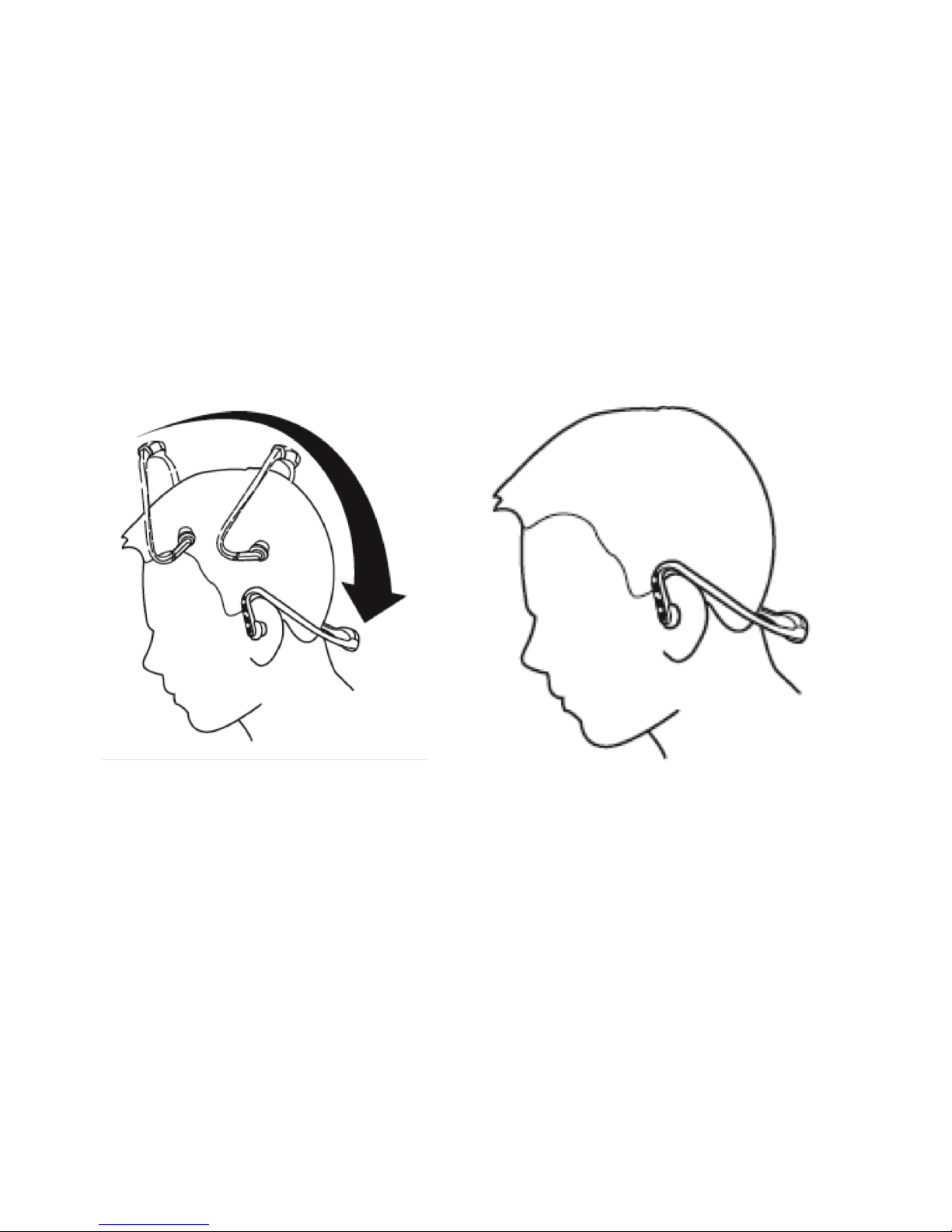
Wearing your iT7s2
As the following pictures show, place the headset on your
ears with both hands. Always use both hands to put on
and take off your iT7s2 - don’t pull it on or push it off.
Page 13

13
Function Status of the
headset
Operation
Cancel call Calling mode Press the multifunction
button once
Answer call Ringing Press the multifunction
button once
Reject call Ringing Press and hold the
multifunction button for
about 2 seconds until you
hear the prompt tone
End call Conversation
mode
Press the multifunction
button once
Volume up Conversation
mode
Press the “+”button
Volume
down
Conversation
mode
Press the “-”button
Call
transfer
to mobilephone
Conversation
mode
Press and hold the
multifunction button for 2
seconds
Making calls with your iT7s2
Basic conversation operation
Page 14

14
Call
transfer to
iT7s2
Conversation
mode
Press and hold the
multifunction button for 2
seconds
Microphone
mute
Conversation
mode
Double-click the
multifunction button
Cancel
mute
Conversation
mode
(Microphone
mute)
Double-click the
multifunction button
Voice dial Standby
mode (when
already
connected
with device)
Press and hold the
multifunction button for 2
seconds
Redial last
number
Standby
mode (when
already
connected
with device)
Double-click the
multifunction button
Delete
pairing list
Power off Press the multifunction
button and “+”button at the
same time for 8 seconds
until the blue light and red
light are on at the same time
for 1.5 seconds
Page 15

15
Function Status of the headset Operation
Answer new
call and end
current call
A second call is coming in Press the
multifunction
button
Answer new
call and hold
current call
A second call is coming in Double-click
multifunction
button
Switch call Keep conversation Double-click
multifunction
button
End current
call and
switch call
Keep conversation Press the
multifunction
button
The operation of a three-way call
Warning: : Excessive volume from earphones and
headphones can cause hearing loss.
Note:
• Not all mobile phones support all the functions listed
above. Please refer to your mobile phone user manual.
• Different mobile phones have different functions and
prompt tones.
Page 16

16
• When volume is adjusted to maximum or minimum, you will
hear a prompt tone.
• When pressing the answer button on some mobile
phones, the call will be transferred to the mobile
phone. You can switch the call to the iT7s2 by using
the multifunction button or via the mobile phone-
please refer to your mobile phone user manual for
further information.
Function Status of
the headset
Operation
Volume up Playing music Press “+”button
Volume down Playing music Press “―”button
Previous
song
Playing music Press and hold “+”button
for 2 seconds
Next song Playing music Press and hold “―”button
for 2 seconds
Playing music
When the iT7s2 connects to a mobile phone or a Bluetooth
transmitter, which supports A2DP, you can enjoy music
wirelessly through the iT7s2.
Page 17

17
Pause Playing music Press the multifunction
button
Play Pausing Press the multifunction
button
Note:
• When playing music on some mobile phones, the music
will be transmitted to the mobile phone’s speaker
instead of the headset. You have to select “transmit
the sound via Bluetooth” in the phone settings menu
and then choose “iT7s2” as the speaker device. Music
will then be transmitted to the iT7s2. Please refer to
your mobile phone user manual for further information.
• When the volume is adjusted to maximum or minimum,
you will hear a prompt tone.
• To remote control the last/next song or pause/play,
your Bluetooth mobile phone or Bluetooth transmitter
will need to be paired with the iT7s2 to support AVRCP
profile - please refer to the user manual of your
mobile phone or Bluetooth transmitter for further
information.
Page 18
18
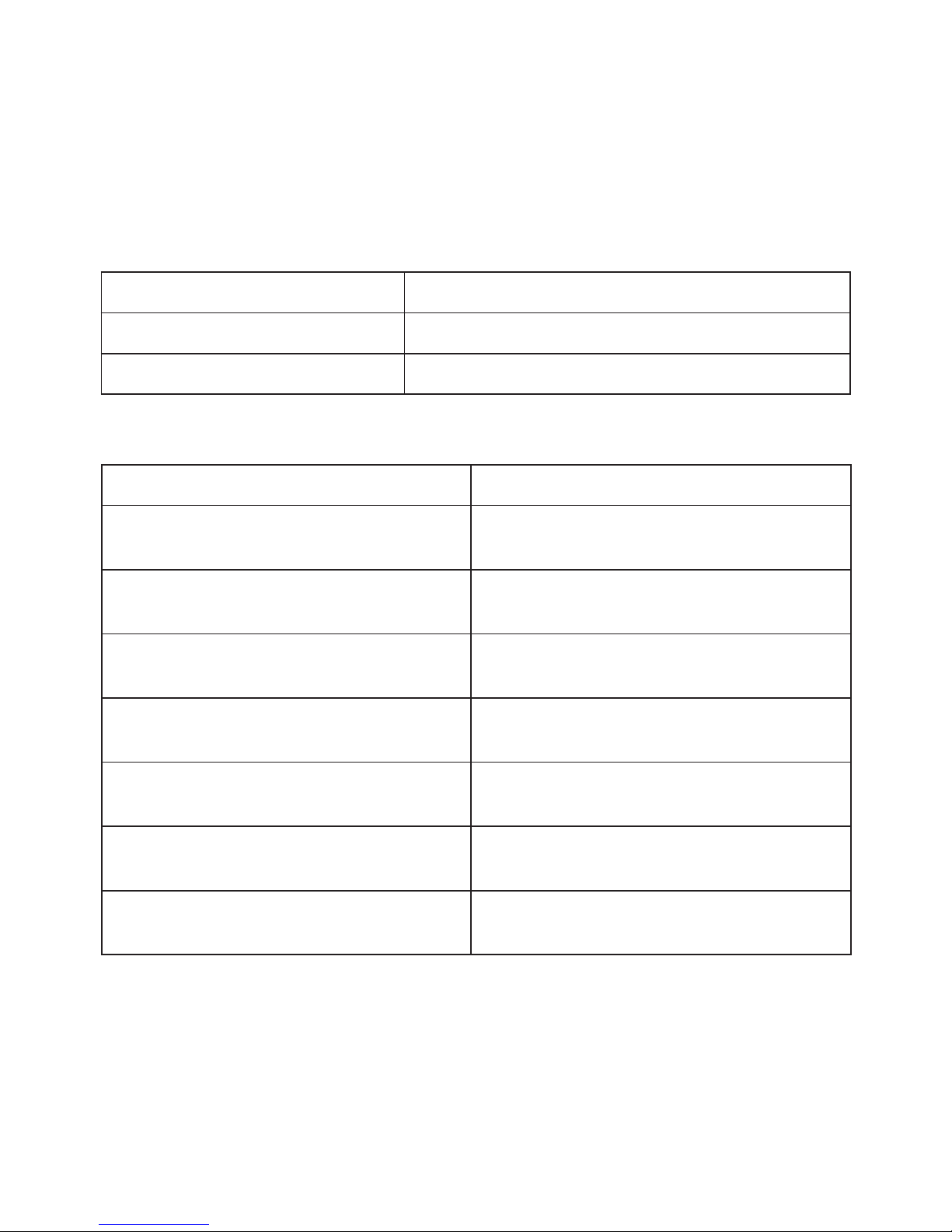
LED indicator Status of the headset
Red light on Charging
Red light off Finish charging
LED Indicator Charging
LED indicator Status of the headset
Red and blue light flash
alternately
Pairing mode
Blue light flash once every
2 seconds
Not connected to a device
Blue light flash twice every
4 seconds
Set up HFP and A2DP
connection at the same time
Blue light flash three times
every 4 seconds
Set up HFP and A2DP
connection at the same time
Blue light flash
continuously
Calling/incoming call
Blue light flash once every
4 seconds
Conversation mode
Red light flash twice every
30 seconds
Low battery
Pairing with the Bluetooth device
Page 19
19
Indication tone Status of the headset
Continuous indication tone
twice every 5 seconds
Conversation mode and
microphone mute
Three “dong” warning tone
every 30 seconds
Low battery
Indication tone
Care and maintenance
Please read the following recommendations carefully
before using your iT7s2 and you will be able to enjoy this
product for many years.
• Keep the charger jack’s cover plugged in securely if
the conditions of use are wet or steamy, in order to
avoid affecting the internal circuitry.
• Keep the headphones dry; avoid water going inside the
iT7s and don’t store in damp areas.
• Keep the iT7s2 away from both direct sunlight and hot
areas. High temperatures will shorten the life of this
electronic device, damaging the battery or distorting
plastic parts.
• Don’t allow water into the earpiece or charging jack at
any time.
Page 20

20
• Don’t allow hot water to touch any part of the device.
• Don’t expose the iT7s2 to excessive cold, as this may
damage the internal circuit board.
• Don’t try to disassemble the product as this may
cause damage.
• Don’t allow the product to fall onto the floor or
other hard surfaces. The internal circuitry might get
damaged.
• Don’t use intensive chemical products or detergent to
clean the product.
• Don’t scratch the surface with anything sharp.
If the product is not functioning correctly, return it to the
retailer where you bought it for advice.
Page 21

21
FAQs
1. What does it mean when red LED flashes twice every 30
seconds?
Battery has low power and needs to be recharged.
2. Why is the red LED off when charging?
a) Please make sure the charging device is connected
correctly with the iT7s2.
b) This could mean you have not used the headset for a
long period, in which the battery may be drained. If this
happens please charge the battery for 30 minutes and
then the red LED should come ON.
3. What is the effective range between the iT7s2 and mobile
phone and other Bluetooth devices?
According to the Bluetooth standard, the maximum
available range of Class II headset is 10 metres. This varies
in different environments.
4. Why can my mobile phone not search and find the iT7s2?
The mobile phone will not find the iT7s2 if the iT7s2 and
mobile phone are not in pairing mode. Make sure the iT7s2
Page 22

22
is in pairing mode and effective working range and then the
iT7s2 can be paired and connected.
5. Why can’t I hear voice in call mode?
a) Make sure the iT7s2 is switched on.
b) Make sure the volume is not too low or muted.
c) Make sure the iT7s2 is connects with your mobile phone
correctly.
d) Make sure the distance between your iT7s2 and the
mobile phone is within the available Bluetooth range.
6. Why is the sound not clear in conversation?
a) Make sure the mobile phone is in a strong signal area.
b) Make sure the iT7s2 is in the available Bluetooth range.
7. Why can’t I control pause, play, last song and next song
when playing music?
This function needs your Bluetooth device to support
AVRCP (Audio/Video Remote Control profile)
Page 23

23
Specifications Bluetooth V2.1+EDR
Bluetooth profiles 10 metres
Operating distance Low battery
Headset working time Music: up to 7 hours
Talk: up to 8 hours
Headset standby time Approx 180 hours
Charging input DC5.0V 130mA
Headset charging time Approx 2 hours
Dimensions 132 x 134.5 x 61mm
Weight Approx 35.3g
Specifications
Notes:
1. This device complies with Part 15 of the FCC Rules.
Operation is subject to the following two conditions:
(1) this device may not cause harmful interference, and
(2) this device must accept any interference received,
including interference that may cause undesired
operation.
2. Changes or modifications not expressly approved by the
party responsible for compliance could void the user’s
authority to operate the equipment.
Page 24

0
www.iT7audi0.co.uk
 Loading...