

Page 1
USER GUIDE
10/ 100M 24 P orts Po E Switc h
PoE & O pt ic al Tr ans m is si on
Statement
Product Overview
Product Introduction
The IPCP-24P2G-AF2 is a business class PoE switch that was designed for IP Camera Systems that utilizes 24 IP cameras
or less. This switch has 24 10/100 PoE powered ports with 2 additional 10/100/1000 gigabit non-powered
Uplink ports. The IPCP-24P2G-AF2 has the abilitie to provide up to 30 watts of power IEEE802.3at per port with a total
POE power budget of 250 watts.
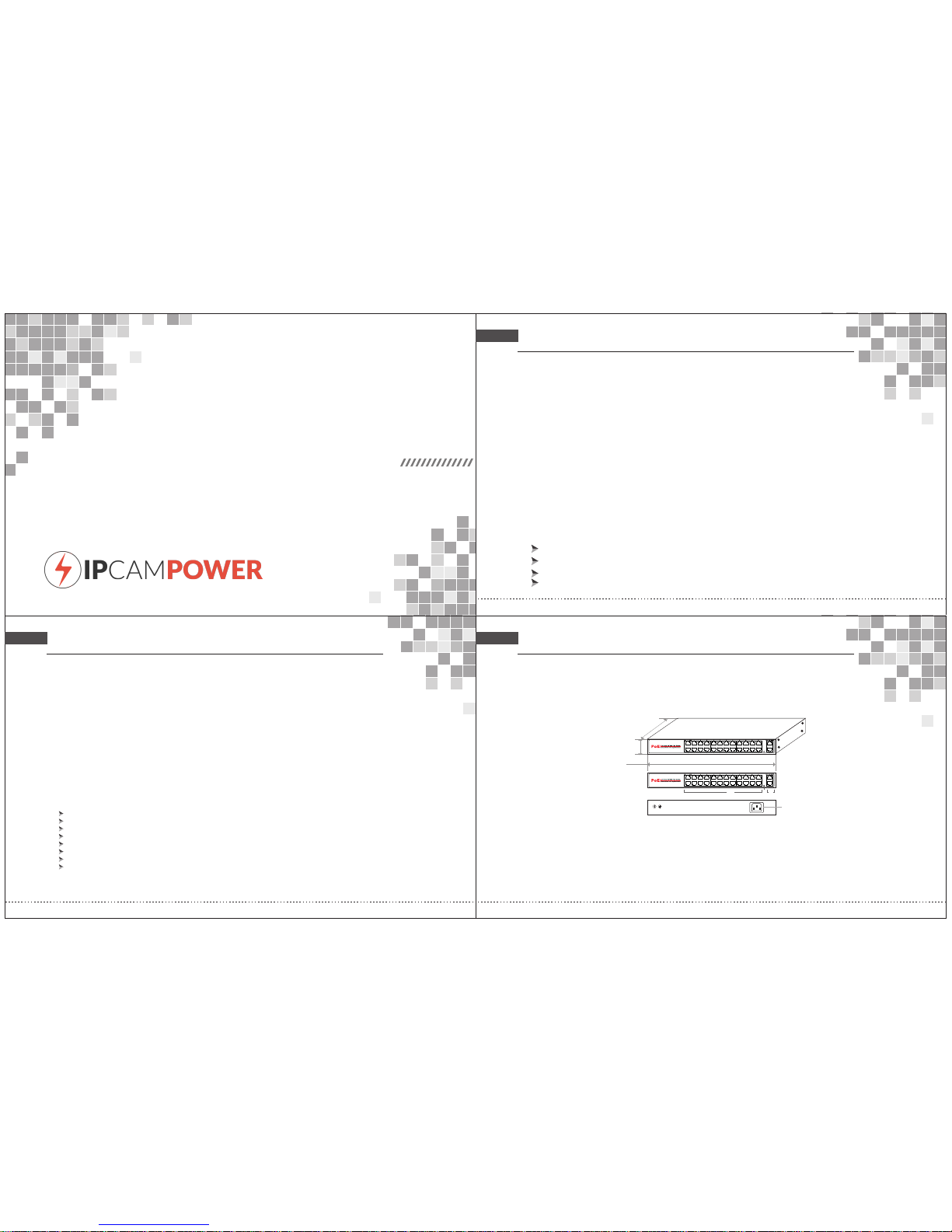
Technica l Structu re and Port Des criptio n
330 mm
44. 5mm
205 mm
AC/IN 100-2 40V
A
B
C
D
A. B.
C. 2 D.AC 100-2 40V,5 0/60H z
24 Por t PoE Work ing LED i ndica tor
Giga bit Up li nk Ethe rnet Po rt
Copyright © 2018 IPCamPower.com
This document contains proprietary information that is protected by copyright. No part of this document may be
reproduced, transmitted, transcribed, stored in a retrieval system, or translated into any language, in any form or by any
means, electronic, mechanical, magnetic, optical, chemical, manual or otherwise without the prior written permission
of our company.
The information and product specifications within this document are subject to change at any time, without notice and
without obligation to notify any person of such change.
Packing List
1 Gigabit PoE switch
1 Power Cord / Adapter
1 Mounting Kit
1 User Guide
Features
Complied to IEEE802.3af/at, 10Based-T, 100Based-T, 1000Based-T.
Ethernet Port Rate: 24 self-adaptive 10/100Mbps and 2 self-adaptive 10/100/1000Mbps.
Support IEEE802.3af PoE (15.4Watts) or IEEE802.3at(30Watts)
PIN assignment: End-span(1/2+,3/6-), Mid-span (4/5+, 7/8-)
Working mode: asynchronization, point to point, full/half duplex self-negotiation.
Ethernet Port Transmission Range: 100meters
Cable: UTP 5E, Interface: RJ45
19’ standard cabinet, industrial high reliability.
Page 2
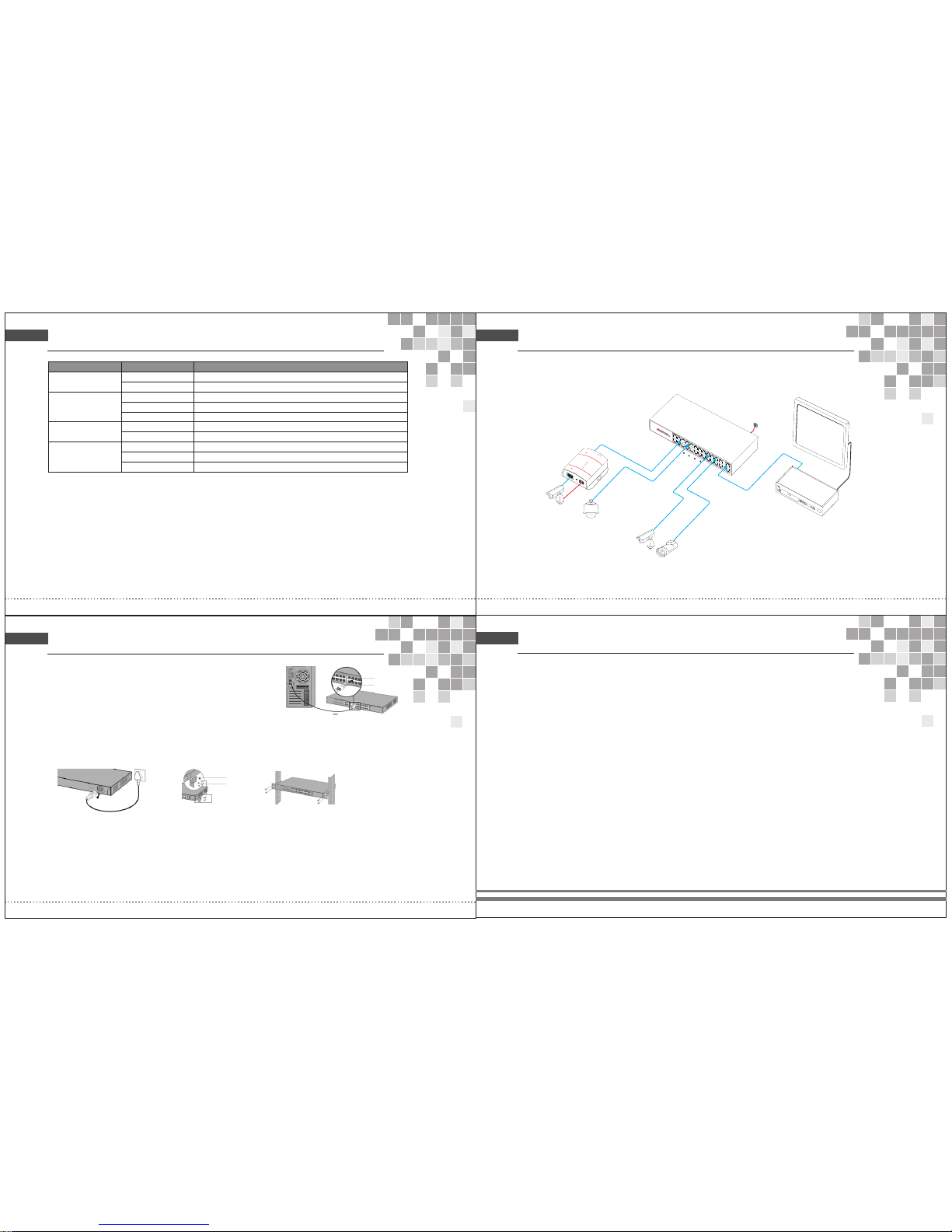
Indicator d escript ion:
Ind icato r
Sta tus
Des cript ion
OFF
Pow er Indi cator : PWR
Gre en LED ON
Pow er ON, No rmal Po wer Sup ply
Pow er OFF or P ower fa ilure
100 0M SPD in dicat or
Gre en LED ON
Wor king co nditi on 1000 M
Gre en LED OF F
Wor king co nditi on 10/1 00M
PoE i ndica tor: POE
Gre en LED ON
Con necte d stand ard PD, N ormal P ower Su pply
Gre en LED Bl ink Sho rt Circ uit or Ov er Load
OFF N o Conne ction o r Conne cted PD i s Non-S tanda rd PD
Connectio n Diagram
Installat ion guide
Con nect to R J45 por t
1.Co nnect o ne end of R J45 wir e to swit ch, the o ther en d to othe r equip ment, a s
show n as the fi gure on t he righ t;
2.Aft er powe r on, ple ase che ck the LE D indic tor sta tus. If i t is on, it s hows th e
link i s OK, oth erwis e, the li nk is dow n. Then p lease c heck th e link an d make
sure t he othe r equip ment is t urned o n, refe r to the in struc tion on a bove pa ge
for de tails .
Connect to power
PoE switch adopts AC 100-240V, 50/60Hz.
1.Ple ase che ck the po wer sup ply spe cific ation m atche s with th e requi red;
2.Con nect sw itch po wer wir e to AC pow er sock et, sho wn as in th e follo wing fi gure.
Powe r Suppl y Conne ction F igure Moun ting Ki ts Inst allat ion Fig ure
Rack I nstal latio n Figur e
L Angl e Iron
Scre w
Afte r insta llati on, ple ase che ck:
If the re is eno ugh spa ce for he at sink ; if the po wer soc ket is su itabl e for swi tch spe cific ation ; if the po wer, sw itch an d rack ar e
prop erly gr ounde d and if th e conne ction b etwee n switc h and oth er netw ork equ ipmen ts are no rmal.
Detai led d escri pti ons for t he pr oduct mode l numbers
IPCP-24P2G-AF2 24-port 10/100Mbps +2-port 10/100/1000Mbps up-link Ethernet port switch , No. 1-24 ports
support POE , IEEE802.3af/at, POE port output : 30watts , total power : 250watts
PoE Swit ch
Power
Monit or
NVR
Cat.5
Video l i
ne
PoE CameraIP
IP Came ra
PoE Spli tter
DC OU
T
Cat.5
PD-Powered Device
Power over Ethernet Splitter
OFF:12V
ON:5V
PoE RUN
PoE IN
DC
OUT
DC RUN
Ethernet out
IN
OUT
Cat.5
PoE IP Cam era
PoE IP Cam era
Rj45 p ort
Plug
Lin k/ACT i ndica tor
Yel low LED O N
Con ected p ort cor rectl y
Yel low LED B link
Rec eivin g or Send ing dat a
OFF Con necti on fail ed or Abn ormal L ink
PoE Indicators: The front panel has light indicators showing the status of PoE activity.
Network Traffic Indicators: The front panel has light indicators showing status of network activity.
SFP Gigabit fiber port: Two combo fiber ports, all ports support wire-speed forwarding, Rich port configuration.
 Loading...