

Page 1
www.humidifiersonline.com.au
Ionmax ION60 User Manual
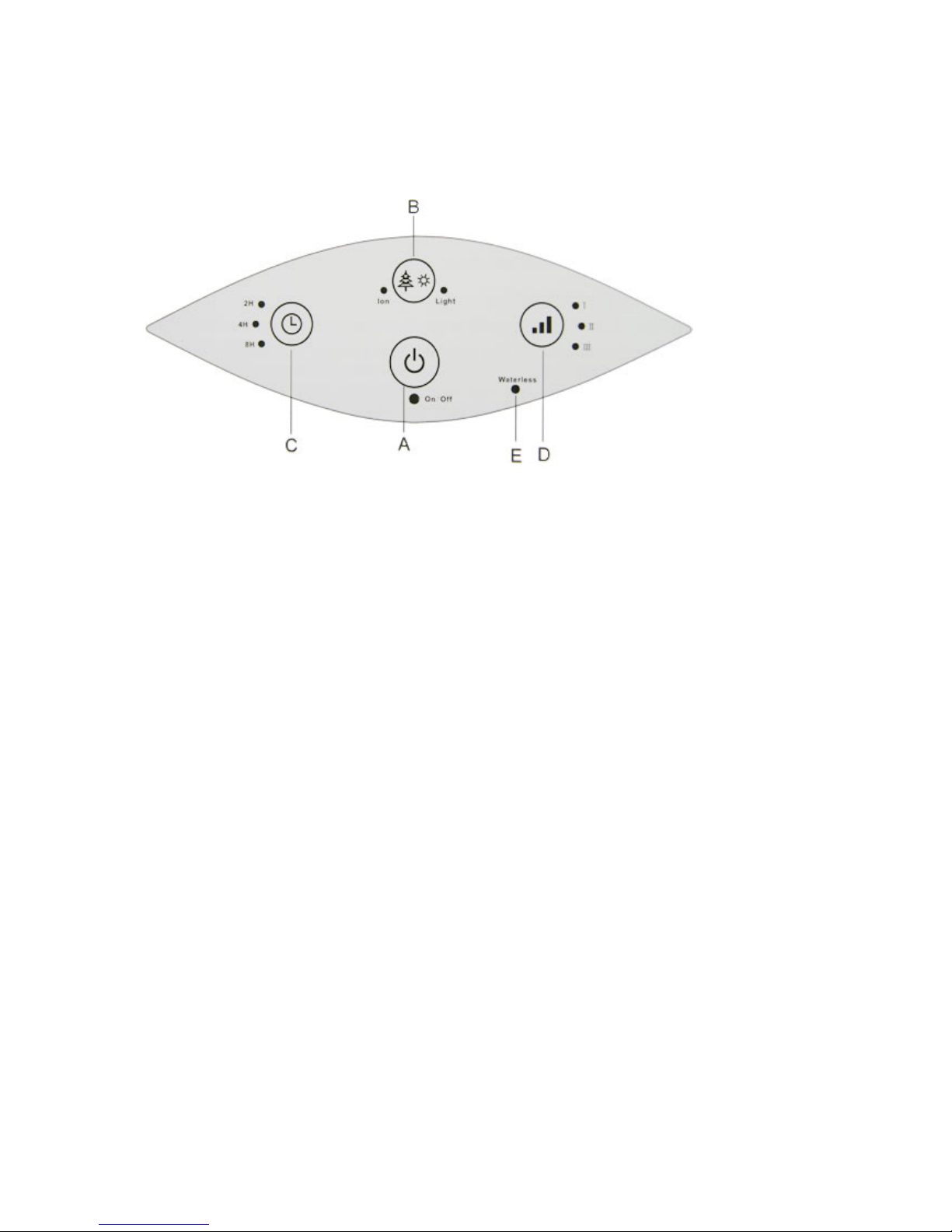
CONTROL PANEL FOR ION60 HUMIDIFIER
A) On/Off switch
Press Button A to turn the air humidifier on and off
B) Ioniser/Night Light
Press Button B to turn the night light on (1st press), night light off (2nd press), ioniser off
(3red press). The ioniser will be always on when the unit is turned on.
C) Timer setting
Press Button C to determine the operating time, it can be regulated among 2 hours, 4 hours
and 8 hours.
D) Mist emission setting
Press the Button D toadjust the Low(I), Medium (II) and high (III) mist emission. We
recommend to set low mist emission for night use
E) Waterless Warning
The indicator light (E) will alarm warning when water tank must be refilled.
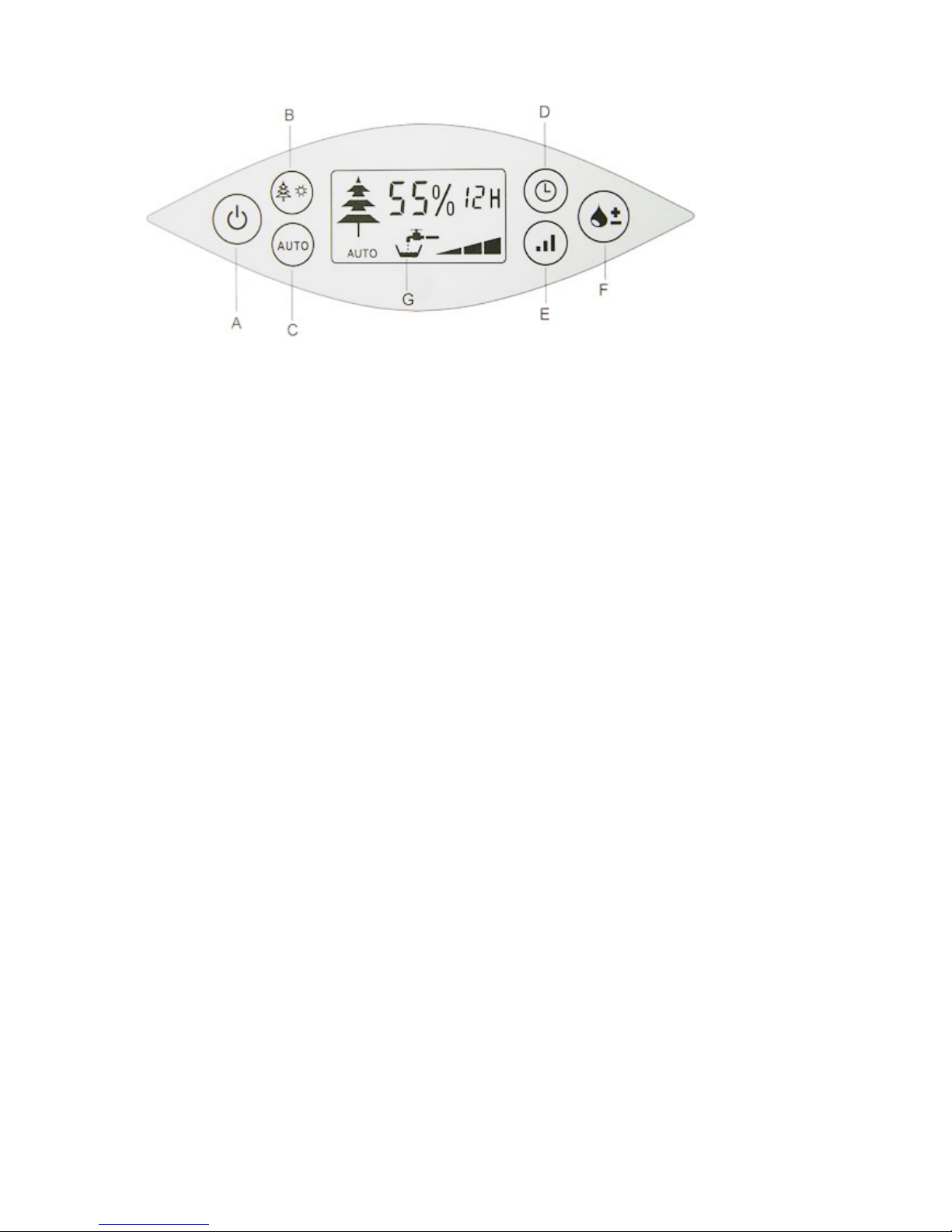
CONTROL PANEL FOR ION80 HUMIDIFIER
Page 2
www.humidifiersonline.com.au
A) On/Off switch
Press Button A to turn the air humidifier on and off
B) Ioniser/Night Light
Press Button B to turn the night light on (1st press), night light off (2nd press), ioniser off
(3red press). The ioniser will be always on when the unit is turned on.
C) Auto
Press Button C to activate the automatic humidity function, then the ideal humidity of 55% is
maintained. When the humidity level in the roo is less than the auto humidity level (55%), the
humidifier will continue to produce moisture automatically. Once the room level is met, the
humidifier will turn itself off.
D) Timer setting
Press Button D to determine the operating time, it can be regulated etween 1 and 12 hours or
for continous operation.
E) Mist emission setting
Press the Button E to adjust the low, medial and high mist emission. We recommend to set
low mist emisstion for night use.
F) Set humidity
Set the desired humidity in % by pressing Button F. We recommend a relative humidity of
between 40% and 60%. The appliance can be regulated from 30% to 70%. If the humidity
exceeds the desired setting, the appliance will turn itself off. The applicance will not turn
itself off if it has been set for continous operation ("Co). The desired value is shown while
you are making the selection. After a few seconds, the display automatically switches to the
current value.
G) Water level display
Page 3
www.humidifiersonline.com.au
The appliance will show on the display (G) with alarm warning when water tank must be
refilled.
ATTENTION: if condensation forms on your windows or walls , or your humidity % on
your display reads above 70% then turn the unit off.
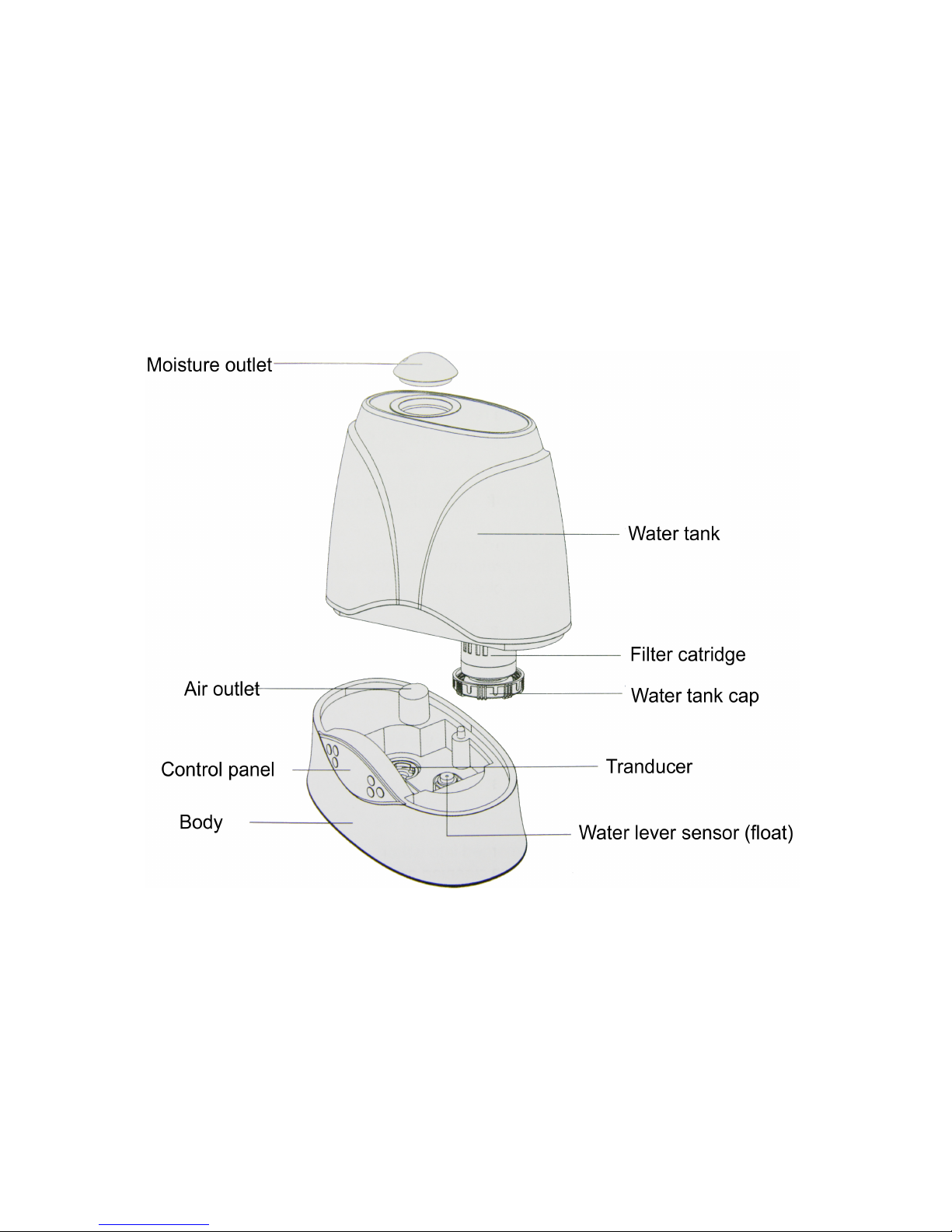
DESCRIPTION OF THE APPLIANCE
TECHINICAL DATA
•
Product name : Ultrasonic Cool Mist Humidifier with Humistat
•
Input voltage: 230V, 50Hz
•
Moisture capacity: 300ml/h (Max), 200ml/h (Med), 100ml/h (Low)
•
Water tank volume: 6.0 L
•
Rated power: 45 W
•
Dimension: Approx 320x183x339 mm
•
Weight: 3.0 kgs
•
Coverage Area: Approx 40-50 Sqm
Page 4

www.humidifiersonline.com.au
•
Negative ion: 3,000,000 ions/cc (measured at 10 cm away from ioniser generator)
 Loading...