

Page 1

USB 3.0 BoostLinq
Quick Start Guide
GUE310
PART NO. Q1280-a
www.iogear.com
Page 2
System Requirements
Package Content
Installation
• Windows Vista®, Windows® 7, Windows® 8 and Windows® 8.1
• Mac OS X 10.6 or later
• Available USB 3.0 Port
1 x USB 3.0 BoostLinq
1 x USB 3.0 Type-A female to Type-A male Adapter
1 x Quick Start Guide
1 x Warranty Card
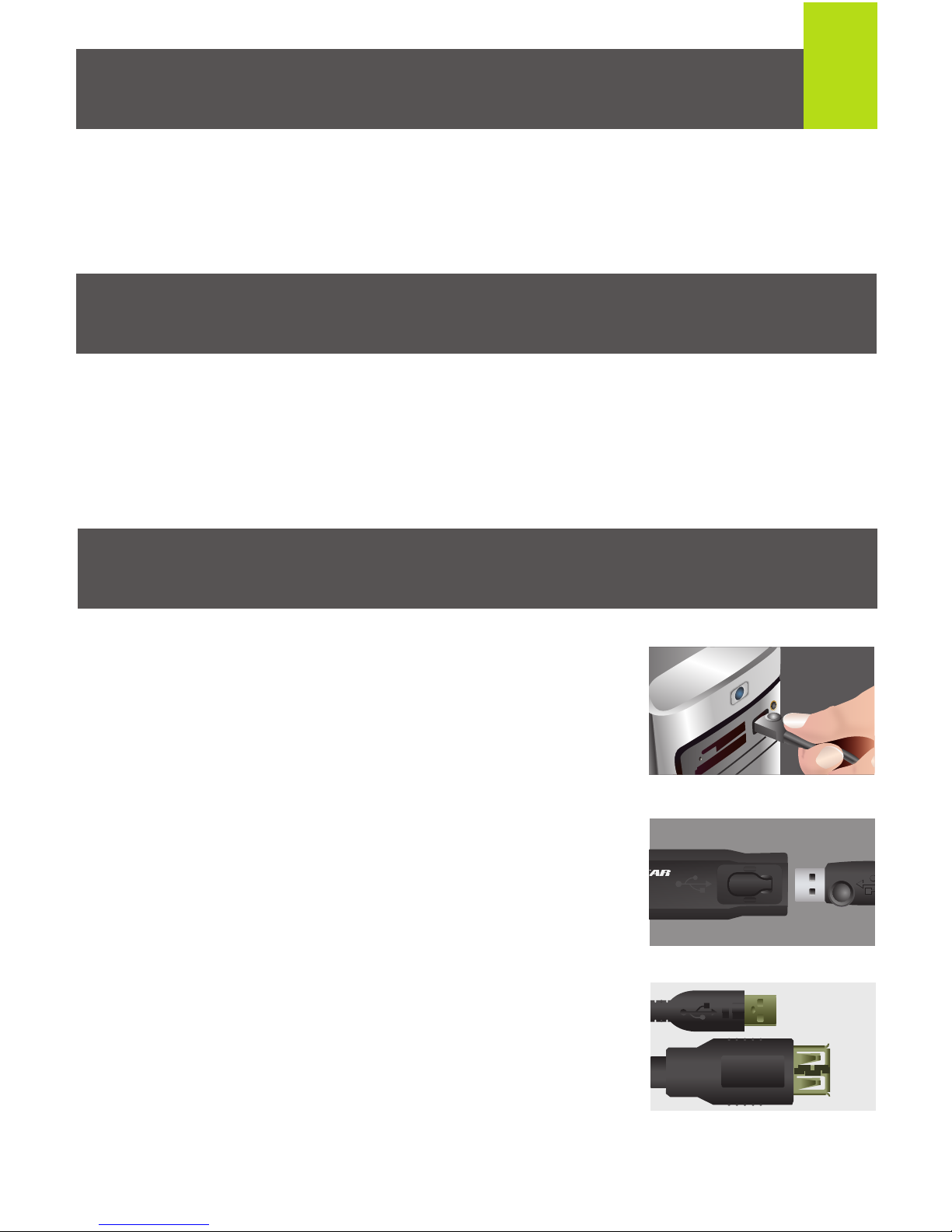
1. Connect the USB Type-A male connector
of the USB 3.0 Extension Cable to any
available USB 3.0 port on your computer.
2. Connect the USB Type-A male connector
of your USB device to the Female port end
of the USB 3.0 BoostLinq Cable.*
3. If your USB device’s connector does not fit
into the female port of the extension cable,
use the included USB Type-A female
adapter to connect your USB device and
the USB extension cable.
1
Page 3
FCC Statement
This equipment has been tested and found to comply with the limits
for a Class B digital device, pursuant to Part 15 of the FCC Rules.
These limits are designed to provide reasonable protection against
harmful interference in a residential setting. This product generates,
uses, and can radiate radio frequency energy and, if not installed and
used as directed, it may cause harmful interference to radio
communications. Although this product complies with the limits for a
Class B digital device, there is no guarantee that interference will not
occur in a particular installation
CE Compliance
This device has been tested and found to comply with the following
European Union directives: Electromagnetic Capability
(2004/108/EC), Low Voltage (2006/95/EC) and R&TTED (1999/5/EC).
Declaration of Conformity and related documents can be downloaded
directly from our website:
http://www.iogear.com/product/GUE310/certifications
Compliance Information
4. When longer extension runs are needed, up to 4 total USB 3.0
BootLinq cables can be daisy-chained together.
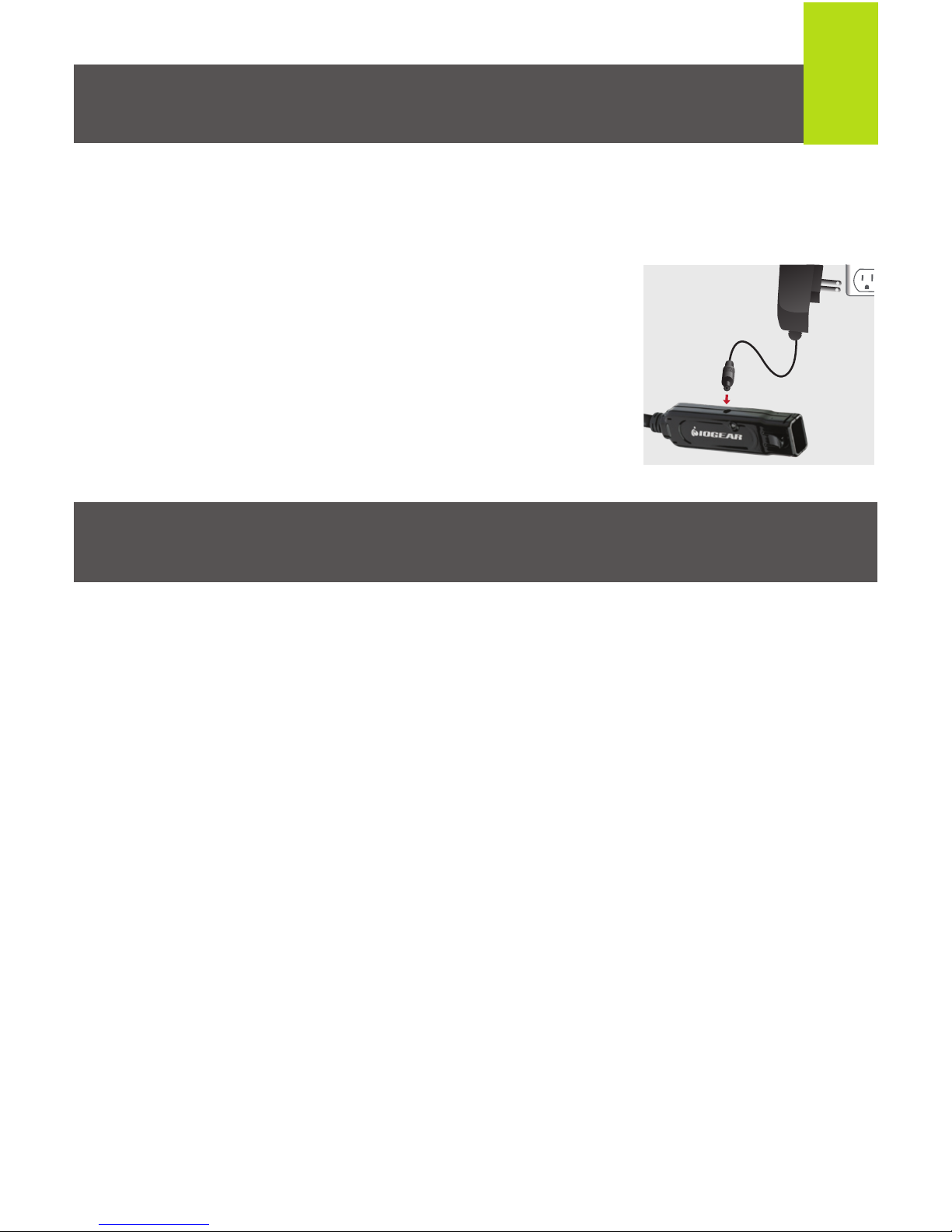
Note: Additional power may be required when
daisy-chaining several BoostLinq extension cables
together. If you experience problems connecting a
device through multiple cables, please visit
www.shopiogear.com to order the GUE310AC 1.5A
external power supply. Connect the GUE310AC to the
last BoostLinq cable in the chain as shown.
2
Page 4

Contact
Limited Warranty
iogear.custhelp.com
[email protected]
www.iogear.com
19641 Da Vinci, Foothill Ranch, CA 92610
WE’RE HERE TO HELP YOU!
NEED ASSISTANCE SETTING UP THIS PRODUCT?
Make sure you:
1. Visit www.iogear.com for more product information
2. Visit www.iogear.com/support for live help and product support
Warranty Information
This product carries a 3 Year Limited Warranty. For the terms
and conditions of this warranty, please go to
http://www.iogear.com/support/warranty
Register online at http://www.iogear.com/register
Important Product Information
Product Model
Serial Number
 Loading...