

Page 1
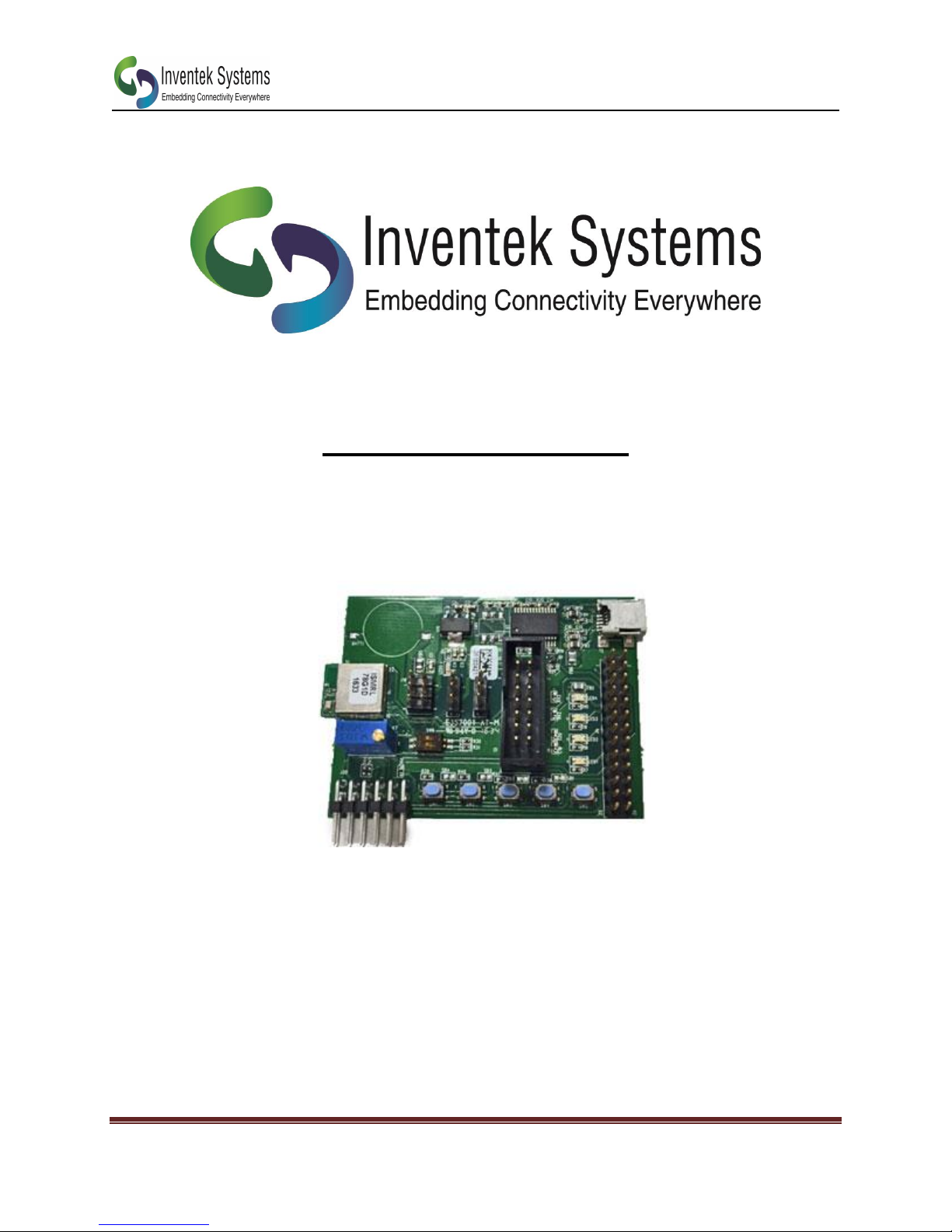
ISM78G1D-EVB
ISM78G1D-EVB
User’s Guide
DOC-DS-20095 www.Inventeksys.com Inventek Systems
Page 1
Page 2
ISM78G1D-EVB
ISM78G1D-EVB
Bluetooth
On board Antenna
1 General Description
The Inventek ISM78G1D module is an embedded wireless Bluetooth low energy (BLE)
connectivity device, based on the Renesas RL78/G1D microcomputer incorporating the
RL78 CPU core and low power consumption RF transceiver supporting the Bluetooth
ver.4.1 (Low Energy Single mode) specifications.
Hardware Features:
Renesas RL78/G1D microcomputer
Bluetooth 4.1 including BLE support.
2.4 GHz chip antenna
o U.FL Connector for external antenna
Host interfaces:
o UART: Bluetooth
o I2C/UART/SPI
o GPIO’s
Input Power: 1.6 - 3.6 V
o Optional Coin Cell Battery
FTDI for Bluetooth over USB
PMOD Connector
FCC and CE approval (in Process)
2 Part Number Detail Description
3 Additional Documentation
ISM78G1D Functional Specification
Renesas PL78/G1D MCU Functional Specification
Renesas Flash Tools
DOC-DS-20095 www.Inventeksys.com Inventek Systems
Page 2
Page 3
ISM78G1D-EVB
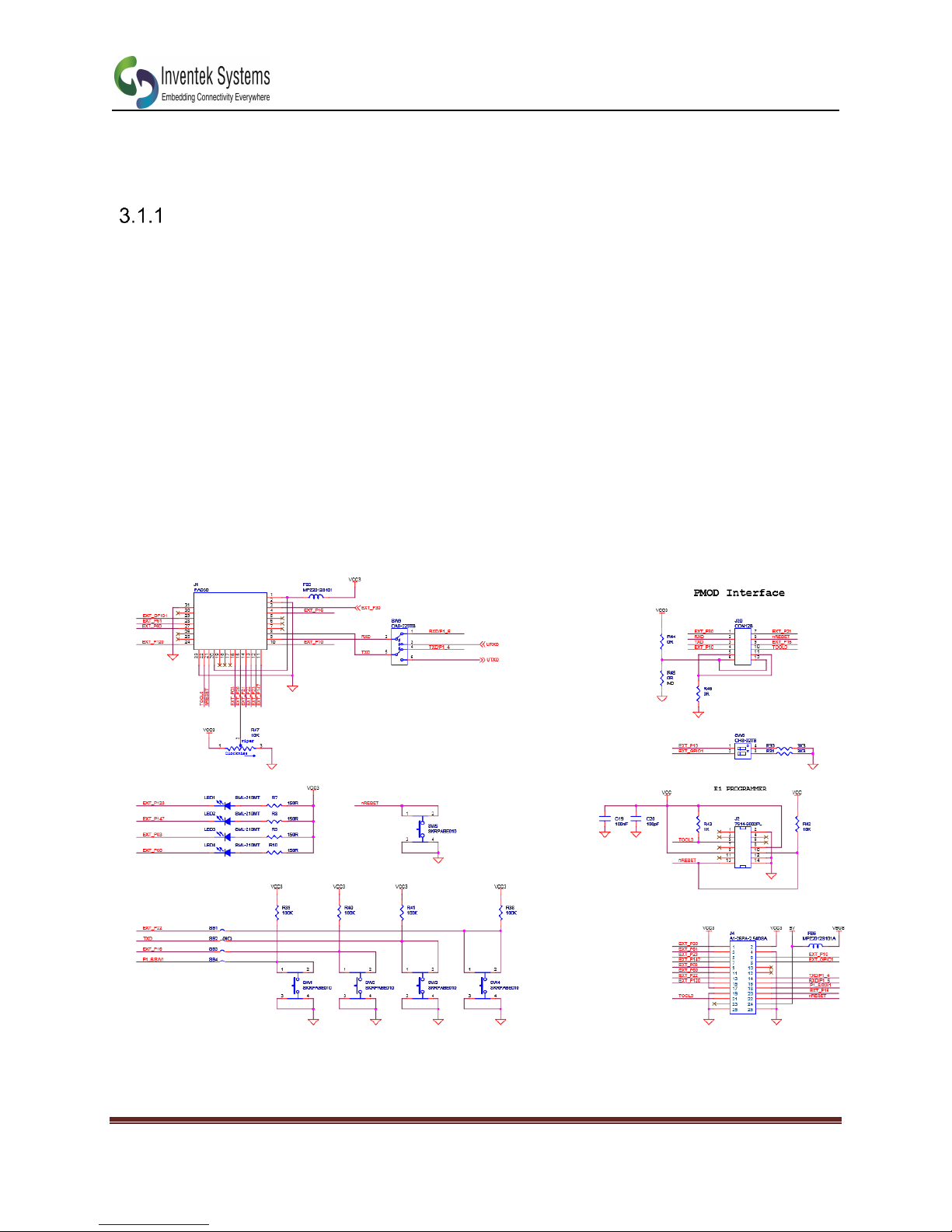
3.1 Powering the Board
The Evaluation board can be powered through USB, a coin cell battery or
externally.
Power Though USB
Connect pins 2 and 3 on J19 using a jumper.
3.1.2 Power Through coin cell battery
Connect pins 1 and 2 on J19 using a jumper.
3.1.3 Power Through E1 Programmer
Connect pins 2 and 5 on J19 using a jumper.
4 Schematic
DOC-DS-20095 www.Inventeksys.com Inventek Systems
Page 3
Page 4
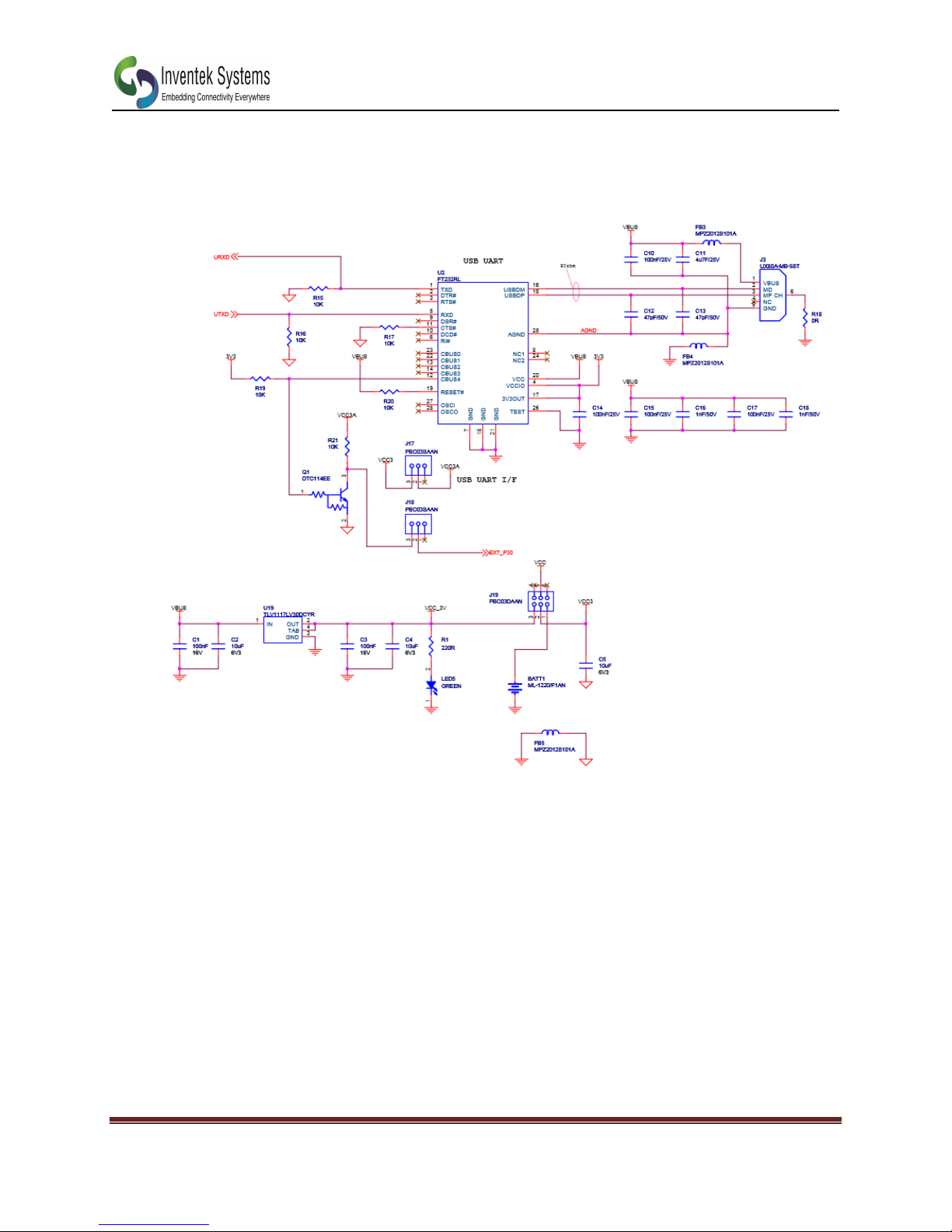
Schematic (2 of 2)
ISM78G1D-EVB
DOC-DS-20095 www.Inventeksys.com Inventek Systems
Page 4
Page 5
ISM78G1D-EVB
5 Quick Start Guide
1. Download Renesas Flash programmer
a. https://www.renesas.com/en-us/products/software-tools/tools/programmer/renesas-
flash-programmer-programming-gui.html#
2. Download the BLE Software from the Inventek website.
3. Connect the Renesas E1 Programmer to the J2 Connector on the ISMRL78G1D-EVB.
4. Connect pin 2 and 5 on J19 to put the board in flash mode.
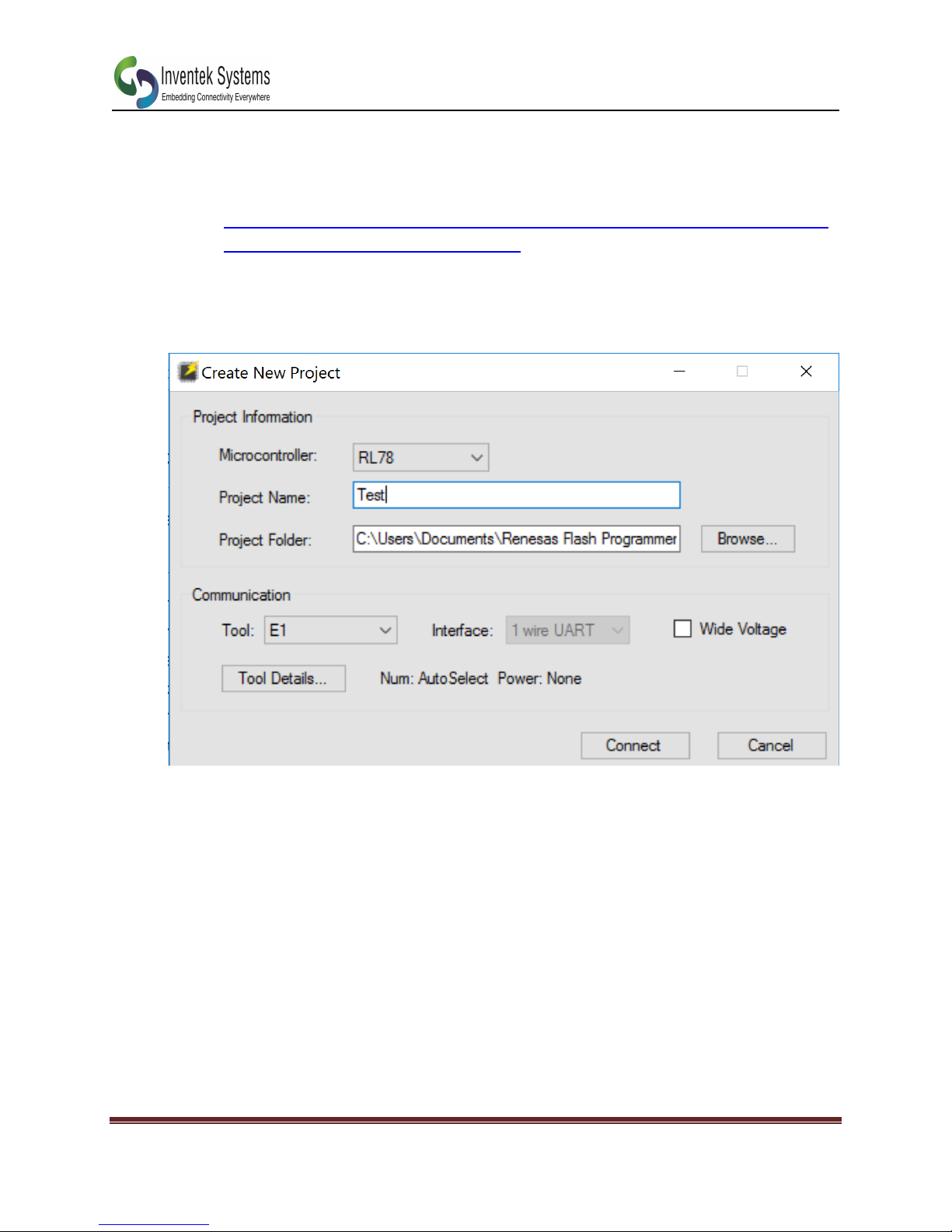
5. Open the Renesas Flash Programmer. Select Create New Project:
6. Click Tool Details and select 3.3V for the power supply.
7. Click Connect
8. Click Browse and select RL78_G1D_CCM(HTP,BLP,HRP).hex demo file onto the boards. The file
can be found here:
a. BLE_Software_Ver_1_11\RL78_G1D\ROM_File\ccrl\Modem
9. Click Start to flash the board
10. After the board is flashed, power Cycle and remove the E1 programmer.
11. Go to the exe folder (BLE_Software_Ver_1_11\BLE_Sample\project\VC 2013\Exe)
12. Edit the run.bat file to select the COM port of your ISMRL78G1D-EVB
13. Run the run.bat file and a menu should appear to test BLE functionality.
DOC-DS-20095 www.Inventeksys.com Inventek Systems
Page 5
Page 6
ISM78G1D-EVB
Document : ISMRL78G1D-EVB
Bluetooth module
External Release
Date
Author
Revision
Comment
9/28/2016
KMT
1.0
Preliminary Release
12/2/2016
KMT
1.1
Updated Quick Stat
Guide, Power info, and
features
6 Revision Control
7 CONTACT INFORMATION
Inventek Systems
2 Republic Road
Billerica MA, 01862
Tel: 978-667-1962
www.inventeksys.com
Inventek Systems reserves the right to make changes without further notice to any products or data herein to improve reliability,
function, or design. The information contained within is believed to be accurate and reliable. However Inventek Systems does not
assume any liability arising out of the application or use of this information, nor the application or use of any product or circuit
described herein, neither does it convey any license under its patent rights nor the rights of others.
DOC-DS-20095 www.Inventeksys.com Inventek Systems
Page 6
 Loading...