

Page 1
BIN-SENSE® Quick Start Guide
1
2
3
1.0 Introduction
Congratulations on purchasing your BIN-SENSE® system! This Quick Start Guide is designed to
direct you through the installation of the BIN-SENSE® system, plus show you how to establish
connection between the Master and Remote units before they are installed on top of the bin.
2.0 Overview
2.1 Master Unit Overview and Detail
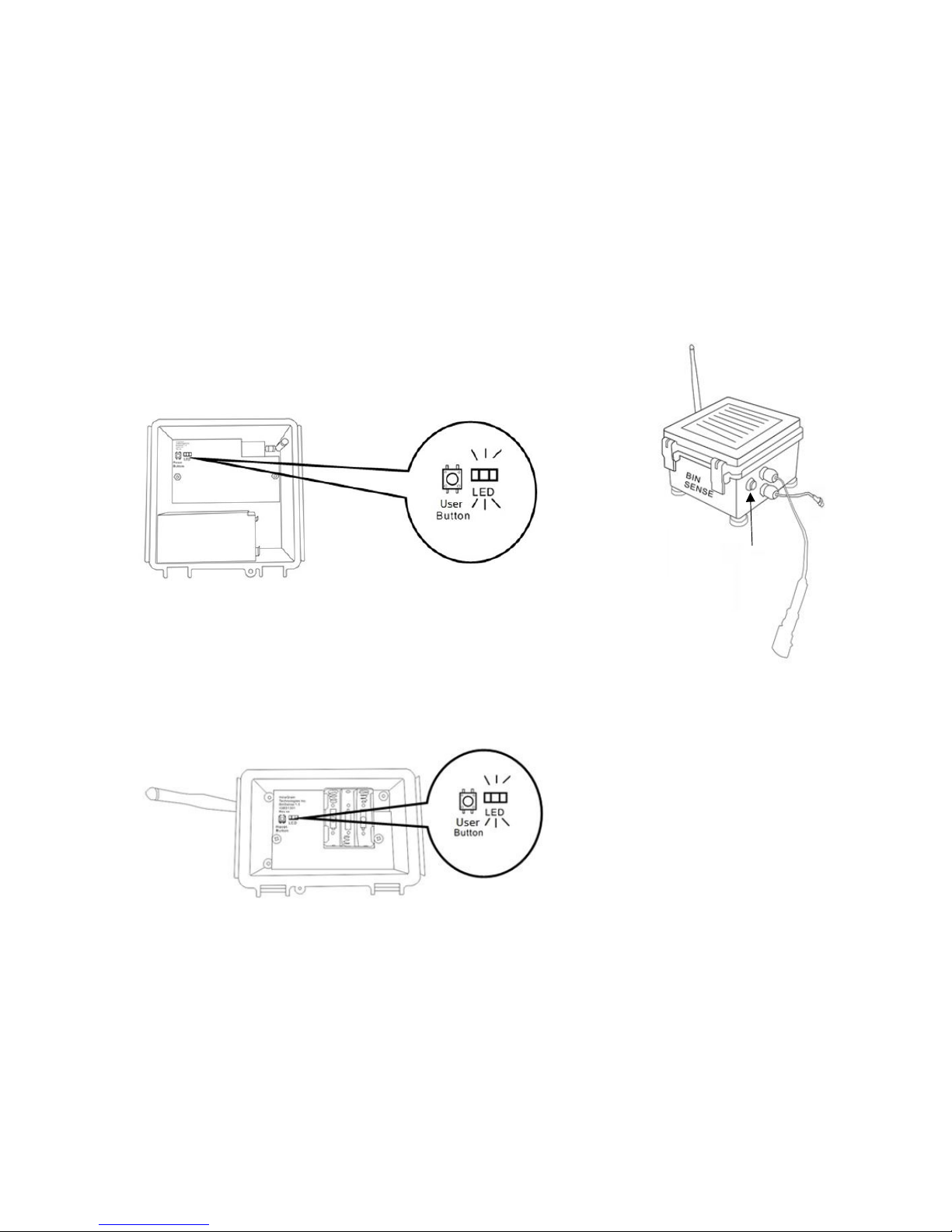
Figure 1
1. Sensor link cable
2. (Optional) auxiliary
battery cable
3. Scan button
Figure 2
2.2 Remote Overview
Figure 3
3.0 Getting Started
For first time installation, Master and Remote units must be initialized before you install them on
your bin. Use the following steps to initiate the connection between the Master and Remote units.
For detailed information and cable installation, please refer to BIN-SENSE® Live User Manual,
Section 2.0.
700001
Page 2
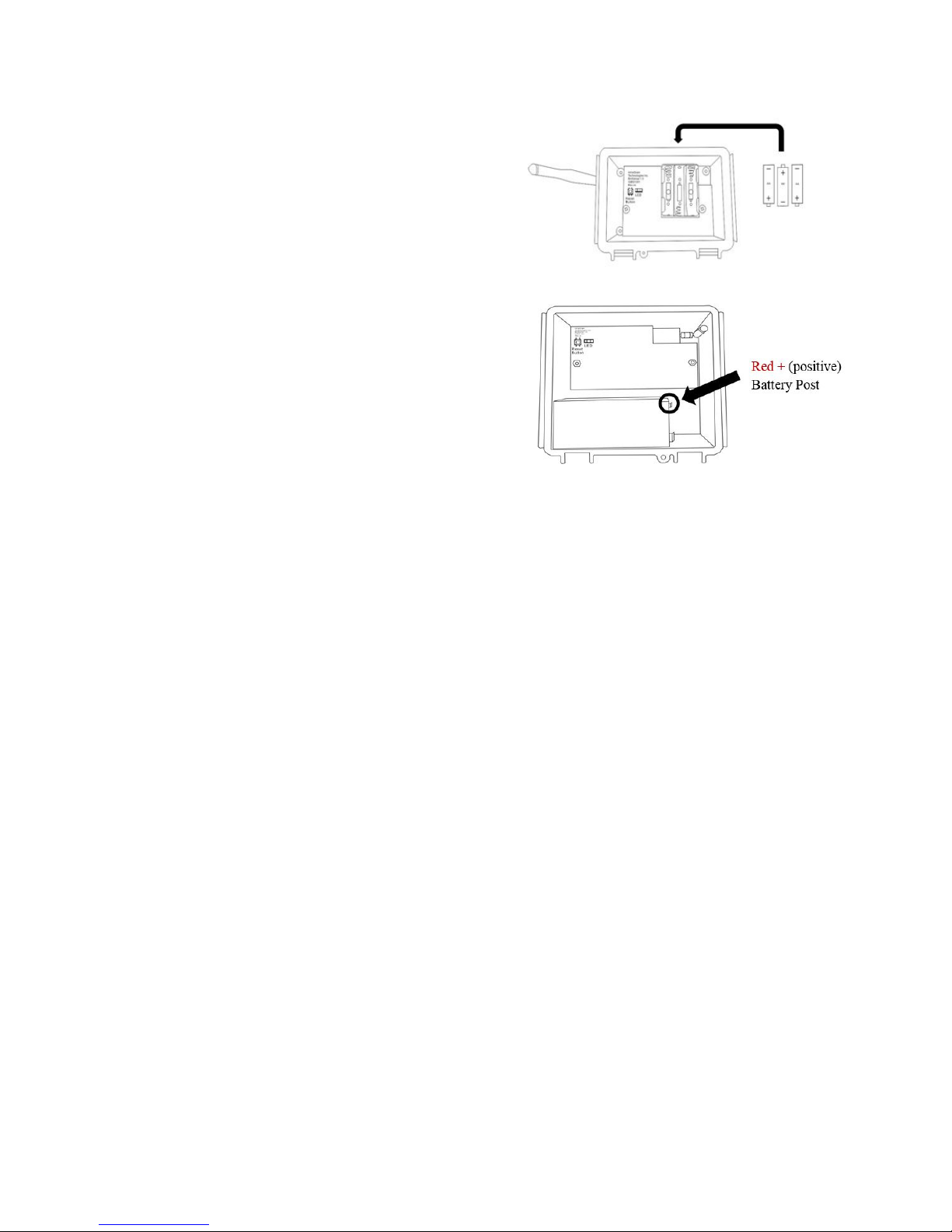
1. Install all 3 AA lithium batteries provided to
ALL Remote units first (see Figure 4). Secure
tightly with the Velcro strap provided. You
will see the LED flash RED (see Figure 3)
after the batteries are installed.
2. Inside the Master unit, locate the red wire,
Figure 4
which is taped to the side of the 6 volt battery.
Hook up the Master unit battery by connecting
this red wire to the red post on the battery (see
Figure 5). You will see the LED flash rapidly
GREEN (see Figure 2) after the battery is
connected. (If you are using an auxiliary
battery pack, plug the auxiliary battery cables
together. You will see the LED flash rapidly
Figure 5
GREEN after the battery is connected).
3. Press and release the scan button located on the right side of the Master unit (see Figure
2). The LED in the Master unit will turn off.
4. Press and hold the scan button for 5 seconds and then release. The GREEN LED will be
solid for a few seconds then turn off.
5. In the next 30 minutes, the LED in every Remote unit will turn off one by one, which
means they are connected to the Master unit. Within 1 hour, you will receive a text message
saying how many Remote units are connected with the Master unit.
6. Congratulations, you have initialized your BIN-SENSE® system! Now you can place your
Master and Remote units on top of your grain bins according to your MAP and connected
them with the sensor cables(s). Make sure to MOUNT IN THE CORRECT
ORIENTATION: For Remote Units mount with the antenna, and sensor link cable facing
the ground. For Master Units mount with the BIN-SENSE® logo facing the ground, and
hinge side facing the lid/opening of the bin.
Contact Us
For support questions, troubleshooting, or held with your BIN-SENSE® system, please contact your local retailer for
more information and assistance, or IntraGrain Technologies Inc. Head Office at [email protected] or 306-570-
7979.
Thank you!
700001
 Loading...