

Page 1
Page 2

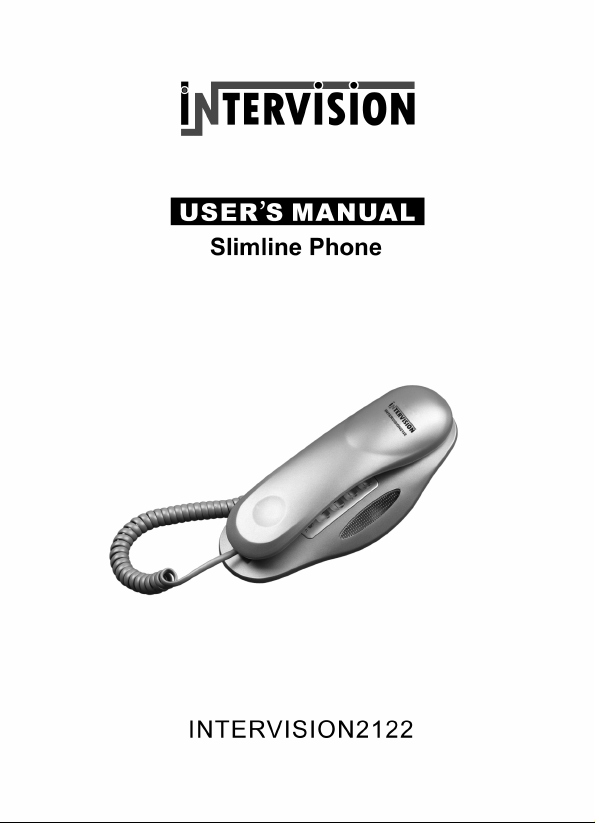
TELEFON INTERVISION 2122
Va multumim pentru achizitionarea telefonului INTERVISION 2122.Prezentul manual este
conceput pentru a va familiariza cu acest telefon si va sfatuim sa-l cititi cu atentie inainte de a
utiliza aparatul.
Masuri de precautie inainte de folosirea aparatului
1. Cititi si urmariti instructiunile cu atentie.
2. Scoateti aparatul din priza inainte de a-l curata. Nu folositi lichide pentru a-l curata. Folositi o
carpa uscata pentru curatire.
3. Nu amplasati aparatul pe suprafete instabile. Aparatul ar putea cadea si s-ar putea strica.
4. Nu supraincarca ti priza si cordoanele de legatura deoarece ar putea cauza un incendiu sa u
socuri electrice.
5. Nu amplasati obiecte straine pe aparat deoarece ar putea scurtcircuita aparatul si produce un
incendiu. Evitati scurgerea oricarui fel de lichid pe aparat.
6. Evitati mutarea sau deconectarea apa ratului pe timp de furtuna deoarece exis ta riscul unor
socuri electrice de la tunete sau fulgere.
7. Numai persoanele autorizate p ot u mbla in interiorul aparatului pentr u a- l repa ra . Daca apare
vreo defectiune contactati cel mai apropiat service autoriz at pent ru a evita pierderea garantiei.
8.Nu amplasati telefonul in mediu umed sau in apropierea apei(cada,piscine,chiuvete,etc) si in
zone unde sunt posibile scurgeri de gaze.
Caracteristici
Taste luminate
Formarea automata a ultimului numar format (REDIAL)
Mute ( dezactivarea volum ului)
Pause
Posibilitate selectare Ton/Puls
Reglarea nivelului soneriei tare/incet
Posibilitatea de a monta aparatul pe perete
Aprinderea unui beculet atunci cand se primeste un telefon
1
Page 3
DESCRIEREA TELEFONULUI
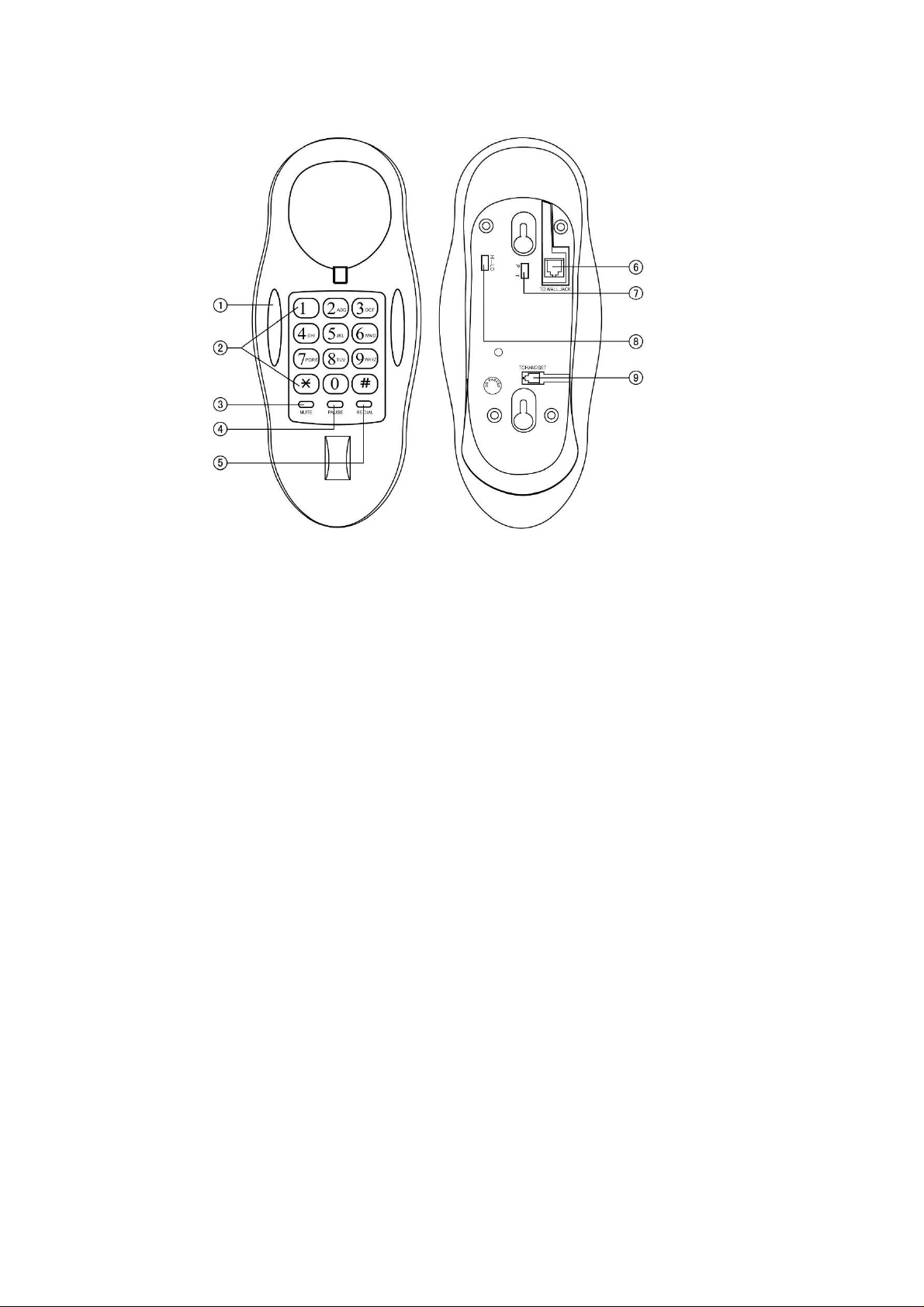
1- LED (beculet care se aprinde atunci cand suna sau se vorbeste la telefon)
2- Taste numerice
3-MUTE
4-PAUSE
5-REDIAL
6- Mufa pentru cablul telefonic
7- Volumul soneriei inalt/jos
8- Mufa pentru a introduce cordonul receptorului
Pregatirea aparatului pentru convorbi re
1. Conectati cablul telefonic la muf a co respunzatoare , iar celalalt capat al firului la priza
telefonica.
2. Conectati receptorul la unitate.
3. Setati telefonul la reteaua local a de telefonie, T pentru form area cu Ton sau P pentru cu pulse.
Primirea apelurilor
Daca telefonul suna, ridicati receptorul pentru a raspunde, iar dupa terminarea conversatiei
puneti la loc receptorul.
Formarea unui numar de telefon
Ridicati receptorul, formati numarul in timp ce auziti tonul, daca auziti un sunet lung do-do, linia
a fost prinsa, daca auziti un sunet scurt ca do…do…do… linia este ocupata. Puteti sa apasati
redial pentru a forma num arul di n n ou, dupa ce aveti ton pentru a forma. Puteti repeta acest
proces pana prindeti li nia.
2
Page 4

Formarea ultimului numar format (REDIAL)
Apasati REDIAL pentru a forma automat ultimul numar format.
Pause
Daca doriti sa formati de pe un telefon cu extensie, apasati codul PABX (0 sau 9 in mod normal)
+PAUSE+ numarul dorit, dupa care puteti apasa REDIAL pentru a forma din nou daca numarul
este ocupat.
Pulse/Ton
Selectati modul de formare T (tone) sau P (pulse)
Mute
Cand discutati cu cineva la telefon,daca aveti nevoie sa vorbiti in acelasi timp cu altcineva sau
doriti sa nu va auda cealalta persoana cu care vorbiti, apasati si tineti MUTE pentru a pune apelul
in asteptare. Daca ii dati drumul reveniti la normal.
Montarea pe perete
Puteti folosi aparatul pentru a-l mon t a pe pe re te sau pentru a-l pastra pe birou.
Volumul soneriei
Sunt 2 nivele pentru controlul volumui: HI si LO. Daca doriti sa nu fiti deranjat , mutati volumul
la pozitia LO daca este la pozitia HI,iar sunetul va fi oprit.
Disfunctionalitati
Problema Verificati Solutia
Fara voce Daca receptorul sau linia sunt conectate
sau nu
Numai primire de apeluri Daca modul de formare este bun Resetati modul de formare (T/P).
Zgomot a. Daca circuitul are intreruperi sau
cablul slabit
b. Daca priza sau cordonul sunt
uzate,pline de praf sau ude
Suna o singura data, dupa
aceea se intrerupe dar
merge sa formezi numere
de telefon
Verificati daca cablul de co ne ctare este intins prea mult sau plin de praf
Conectati-le sau schimbati linia
a. Schimbati cablul
b. Schimbati mufa sau priza
3
Page 5

GENERAL INTRODUCTION
Thank you for purchasing this telephone that adopts the up-to-the-minute
integrated circuit, with superior craftwork and stable capability. Please read the
manual carefully for proper use.
SAFETY INSTRUCTION
When using your telephone, please follow these basic safety precautions to
reduce the risk of fire, electric shock or injury to persons.
1. Read and understand all instructions.
2. Follow all warnings and instructions marked on the products.
3. Unplug this product from the wall outlet before cleaning. Do not use liquid
cleaners or aerosol cleaners. Use a damp cloth for cleaning.
4. Do not use this product near water (for example, near a bath tub, kitchen sink
or swimming pool).
5. Do not place this product on an unstable cart, stand, or table. The product may
fall, causing serious damage to the product.
6. Never spill liquid of any kind on the product.
7. To reduce the risk of electric shock, do not disassemble this product. If service
or repair work is required, contact your qualified technician.
8. Do not use the telephone to report a gas leak in the vicinity of the leak.
FUNCTIONS
¾ Back-lighted keypad
¾ Last number redial
¾ Mute
¾ Pause
¾ P/T mode compatible
¾ Ringer high/low
¾ Desk/wall mountable
¾ Incoming call with ring LED indicator
4
Page 6
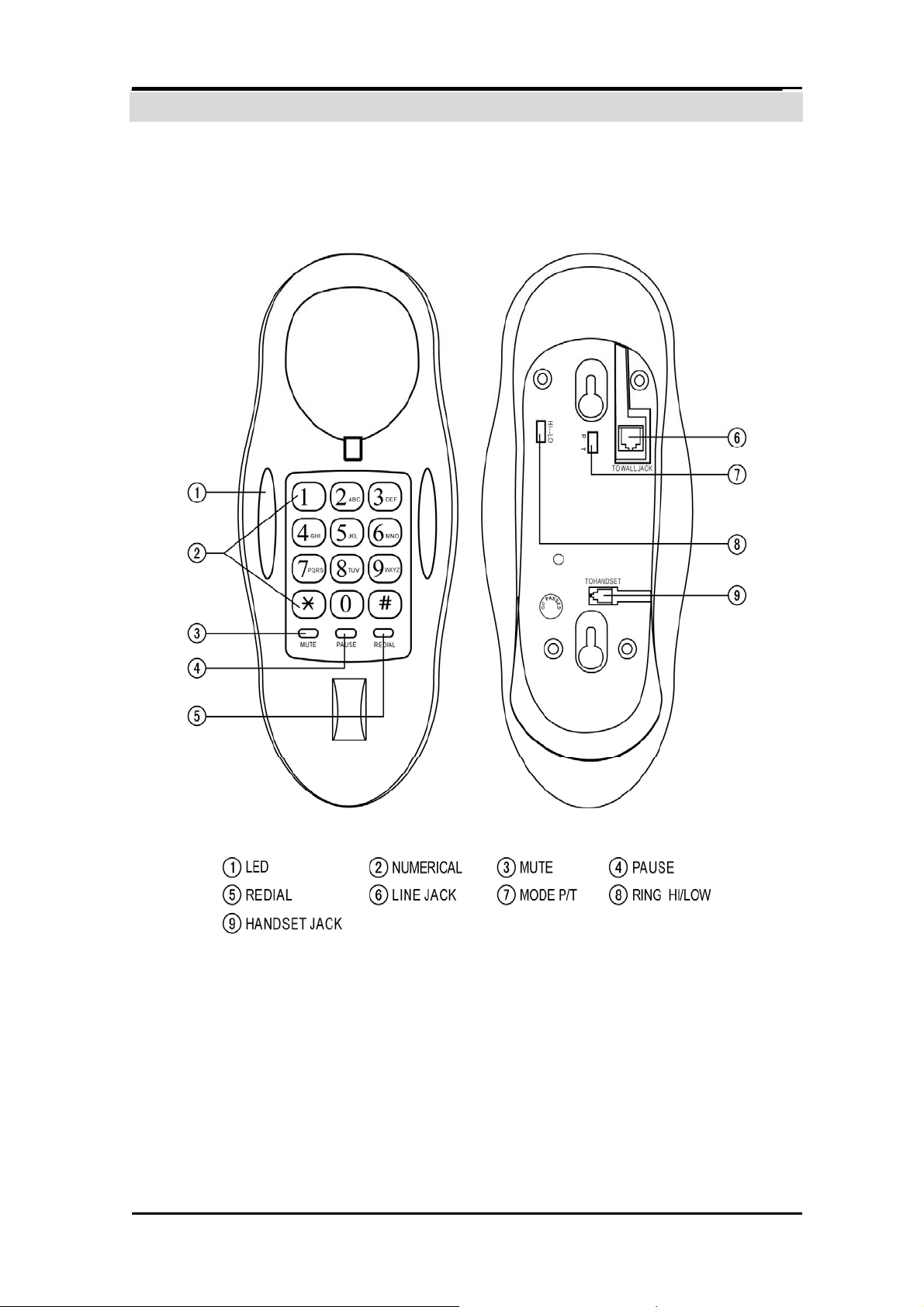
LOCATION DESCRIPTION
5
Page 7

OPERATION
1) Preparation
1.1 Connect the line plugs into phone line jack and the other plug to connect to the
wall jack.
1.2 Insert the handset coil cord into the phone jack at the bottom.
1.3 Set the dial mode according to local network, while T refers to Tone dialing and
P refers to pulse dialing.
2) Receiving
As it rings, pick up the handset from the cradle to answer, and put back the
handset to hang up to end the conversation.
3) Dialing
Pick up the handset, dial the desired number as hearing the dialing tone, then if
you hear the long tone like “do—do”, the line has got through. If you hear the short
tone like “do... do... do”, busy tone, you could press the hook switch then press
REDIAL to dial it out again after some time. You could repeat the above process
till getting the line through.
4) Redial
Press the REDIAL button the unit will redial the last number automatically.
5) Pause
If you want to dial out from the extension phone, press PABX code (normally “0”
or ”9”) + PAUSE + desired number, then you could just press REDIAL to dial out
when the dialed number is busy.
6) Pulse/Tone
Select the dial mode to T for tone dialing while P for pulse dialing accordingly.
7) Mute
When making a phone call, if you need a temporal talk with someone else and you
don’t want the phone receiver hear your speaking, press and hold MUTE key to
hold the line and keep the conversation at your side. And release it will quit.
6
Page 8

8) Wall Mountable
It can be used as wall-mounted, and it can also be used for desktop.
9) Ringer volume
There are two levels for the ringer volume control: HI & LO for selection. If you
don't want to be disturbed by the incoming calls, slide the ringer switch to LO
position when the switch at the high level, the ringer sound will be cut down.
TROUBLESHOOTING
Trouble Check Solution
No voice
Receiving
available
only
Noise
Ring only
Whether the handset or
transmission line breaks
off or not.
Whether dialing system is
proper.
a. Whether the circuit
breaks off or the line is
loose;
b. Whether the
connector box is moist
or rusty.
Connect them properly or change
the line.
Reset the dialing mode (T/P).
a. Change the line;
b. Change the connector
box.
once, then
Whether the connection site is moist or extension too much.
break off but
out-dialing
is available
7
 Loading...