

Page 1
Modem Adapter Instructions
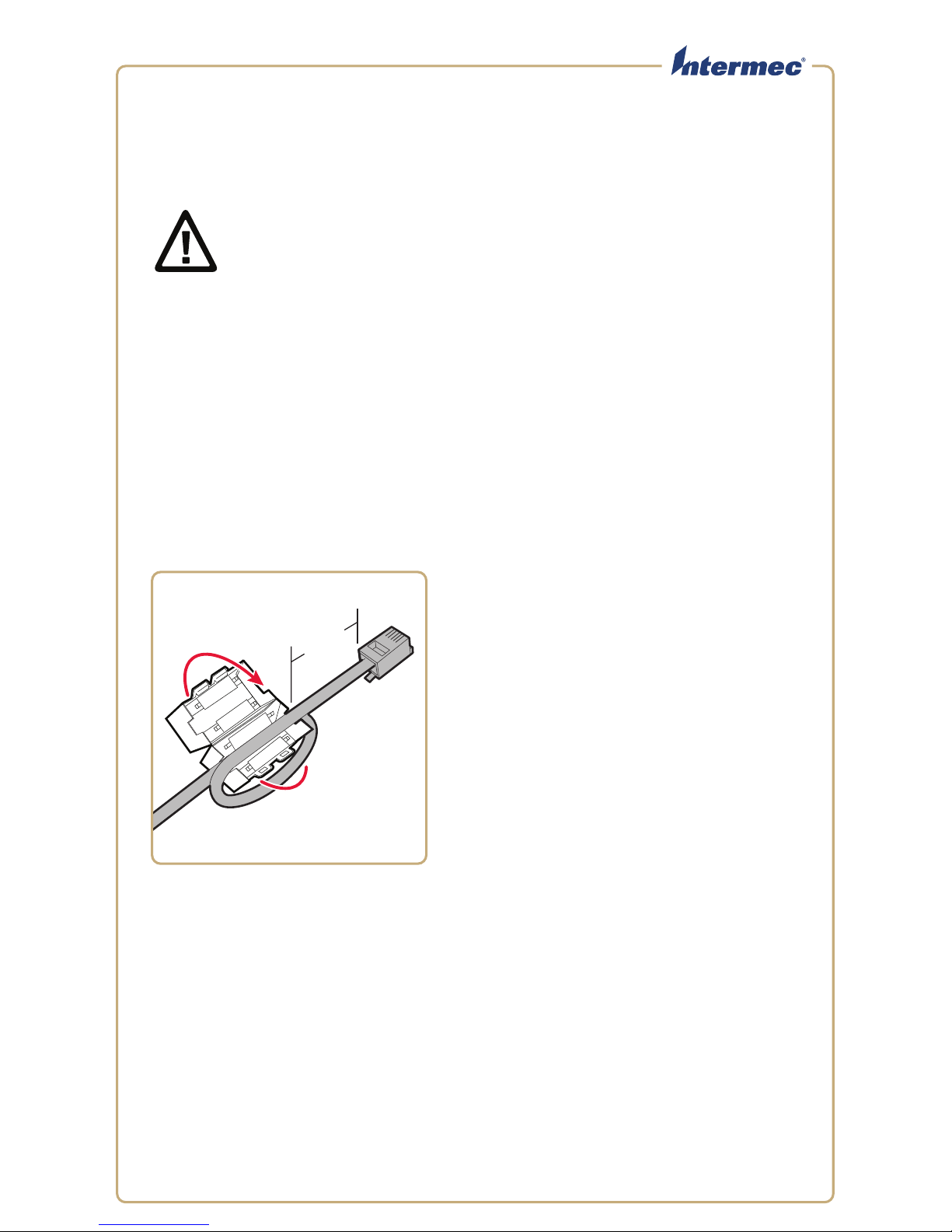
5 cm
(2 in)
To install the ferrite
Pour attacher le ferrite
Instructions pour l’adaptateur pour modem
1004UA02
Caution: To comply with radio frequency emissions limits in your
country, you need to install the included ferrite on your RJ-11
communications cable before operating the Modem Adapter. For
best results, install the ferrite no more than 5 cm (2 in) from the
connector as shown.
Mise en garde : Afin d’être en conformité avec les limites
d’émission de radiofréquence de votre pays, vous devez installer la
ferrite incluse sur votre câble de communications RJ-11 avant
d’utiliser l’adaptateur modem. Pour de meilleurs résultats,
installez la ferrite à 5cm au maximum du connecteur, tel
qu’illustré.
Page 2
2
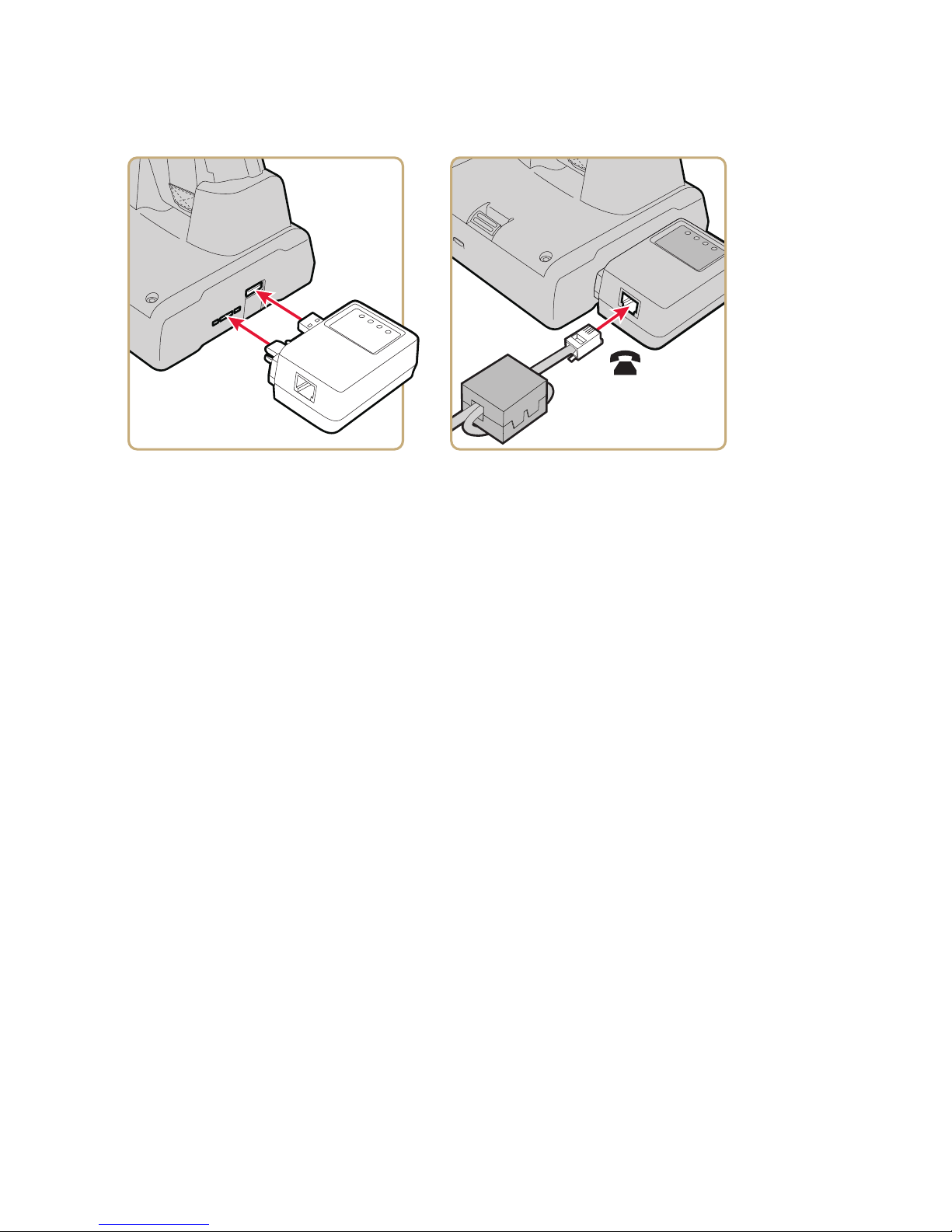
To use the adapter with the DX1
Pour utiliser l’adaptateur avec le DX1
1
Page 3

1
2
3
To use the adapter with the
AD10, AD20, or AD27
Pour utiliser l’adaptateur avec le
AD10, AD20, ou AD27
To learn more about using the modem adapter with other Intermec docks, contact
your local Intermec representative.
To configure your modem connection, on the mobile computer tap Start >
Settings > the Connections tab. For more information, see the computer user’s
manual.
Pour apprendre comment utiliser l’adaptateur pour modem avec d’autres socles
Intermec, communiquez avec le représentant Intermec de votre région.
Pour configurer votre connexion modem, sur votre ordinateur portable appuyez sur
Start > Settings > l’onglet Connections. Pour plus d’information, consultez le
guide d’utilisation de l’ordinateur.
Page 4
Worldwide Headquarters
6001 36th Avenue West
Everett, Washington 98203
U.S.A.
tel 425.348.2600
fax 425.355.9551
www.intermec.com
© 2012 Intermec Technologies
Corporation. All rights reserved.
Modem Adapter Instructions
*943-308-003*
P/N 943-308-003
 Loading...