

Page 1

Portable Digital Audio Player
EVOLUTION
EVOLUTION
IHP3
IHP3
User’s Manual
-
064
-
064
Page 2
What is ‘MP3’?
MP3 is a abbreviated form of ‘MPEG1 Layer 3’which is
the standards of digital data compression technology
used for coding audio- visual information. And MP3 file is
an audio file made by using the audio data compression
technology.
What is ‘MP3’player?
MP3 player is a digital audio player which can decode
MP3 files stored in flash memory. With MP3 player, you
can enjoy your favorite music which you downloaded from
internet and also can record/play back lectures or
important business meetings.
FCC Statements
THIS DEVICE COMPLIES WITH PART 15 OF THE FCC RULES.
OPERATION IS SUBJECT TO THE FOLLOWING TWO
CONDITIONS:(1) THIS DEVICE MAY NOT CAUSE HARFUL
INTERFACE, AND (2) THIS DEVICE MUST ACCEPT ANY
INTERFERENCE RECEIVED, INCLUDING INTERFERENCE
THAT MAY CAUSE UNDESIRED OPERATION.
FCC ID : PNWIHP3-064 MADE IN KOREA
FCC Caution : Any changes or modifications not expressly
approved by the party responsible for compliance could void
the user’s authority to operate this equipment
* Only supplied interface cable should be used, or may cause
undesired operation.
Page 3
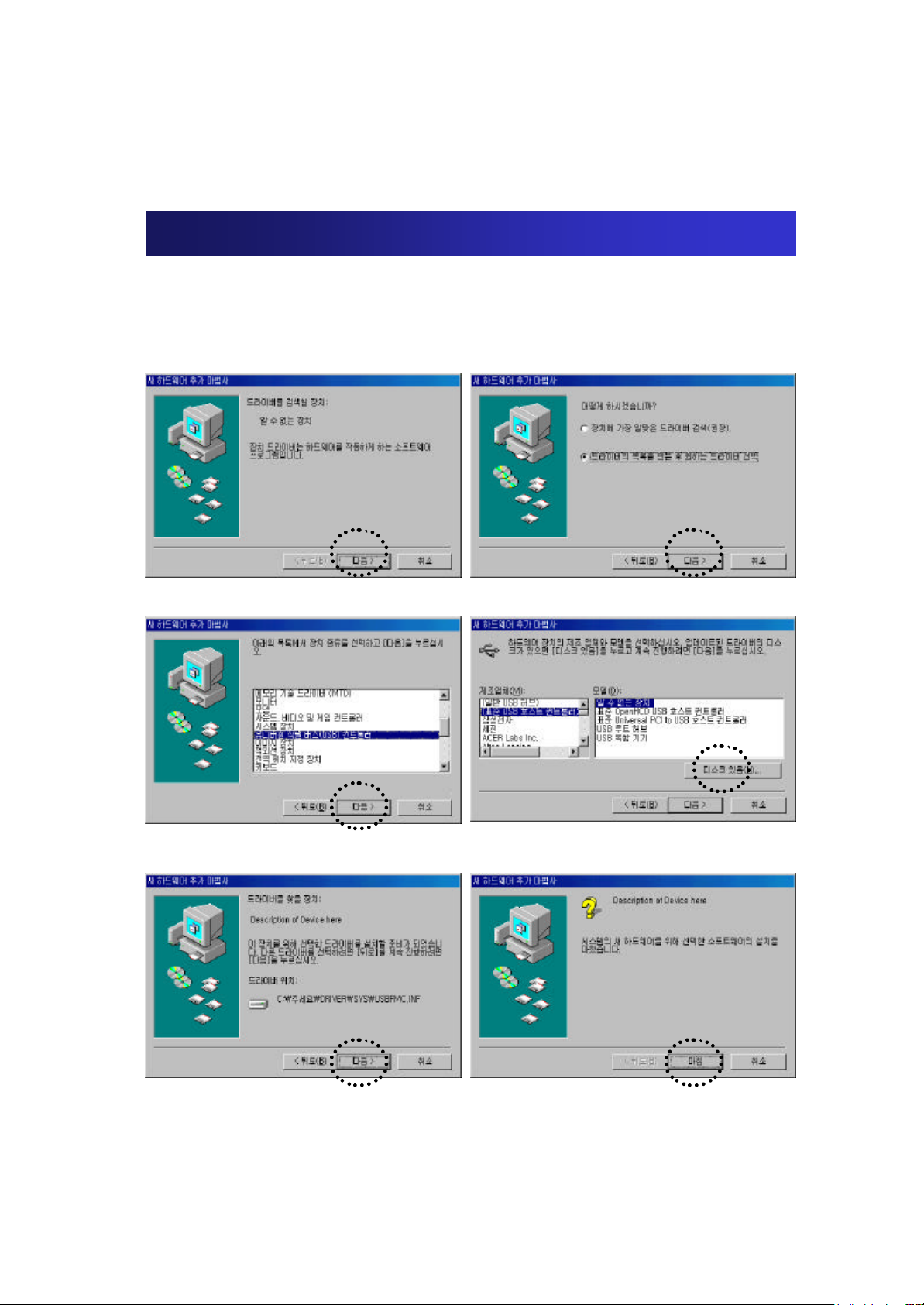
How to connect to PC?
Your PC will recognize the connection of Evolution automatically.
Then follow as below pictures instruct.
1. Select ‘Next
3. Select ‘Next
’
’
2. Select ‘Next
4. Select the Disk
’
5. Select ‘Next
-> Choose the ‘Drive folder’in the CD
’
6. Finish
Page 4
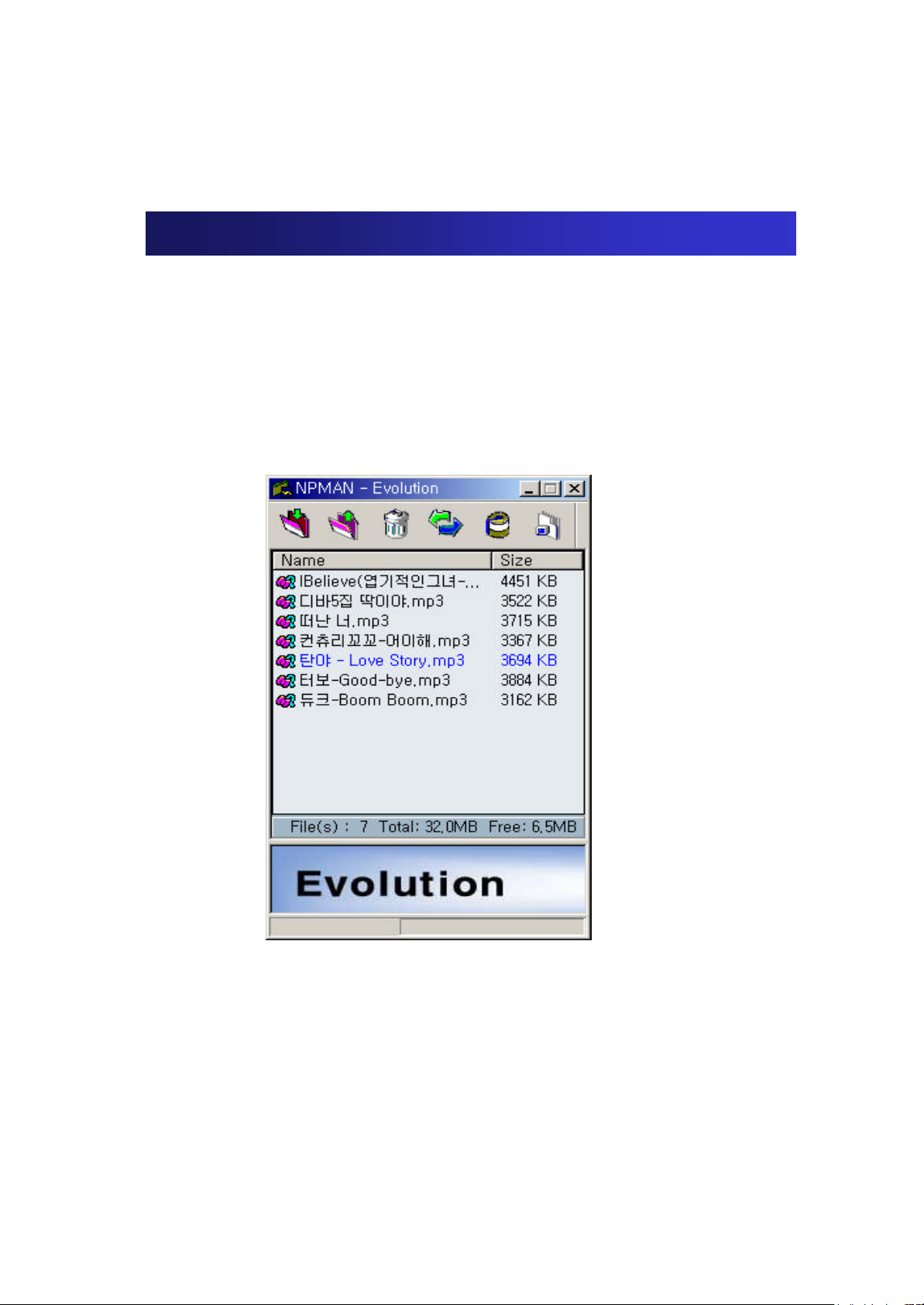
How to use Managing Program?
Find the folder which you have extracted the zip file. Then double click
the “evolution.exe”file.
Then the window of the Managing Program will be displayed as shown
below.
Page 5
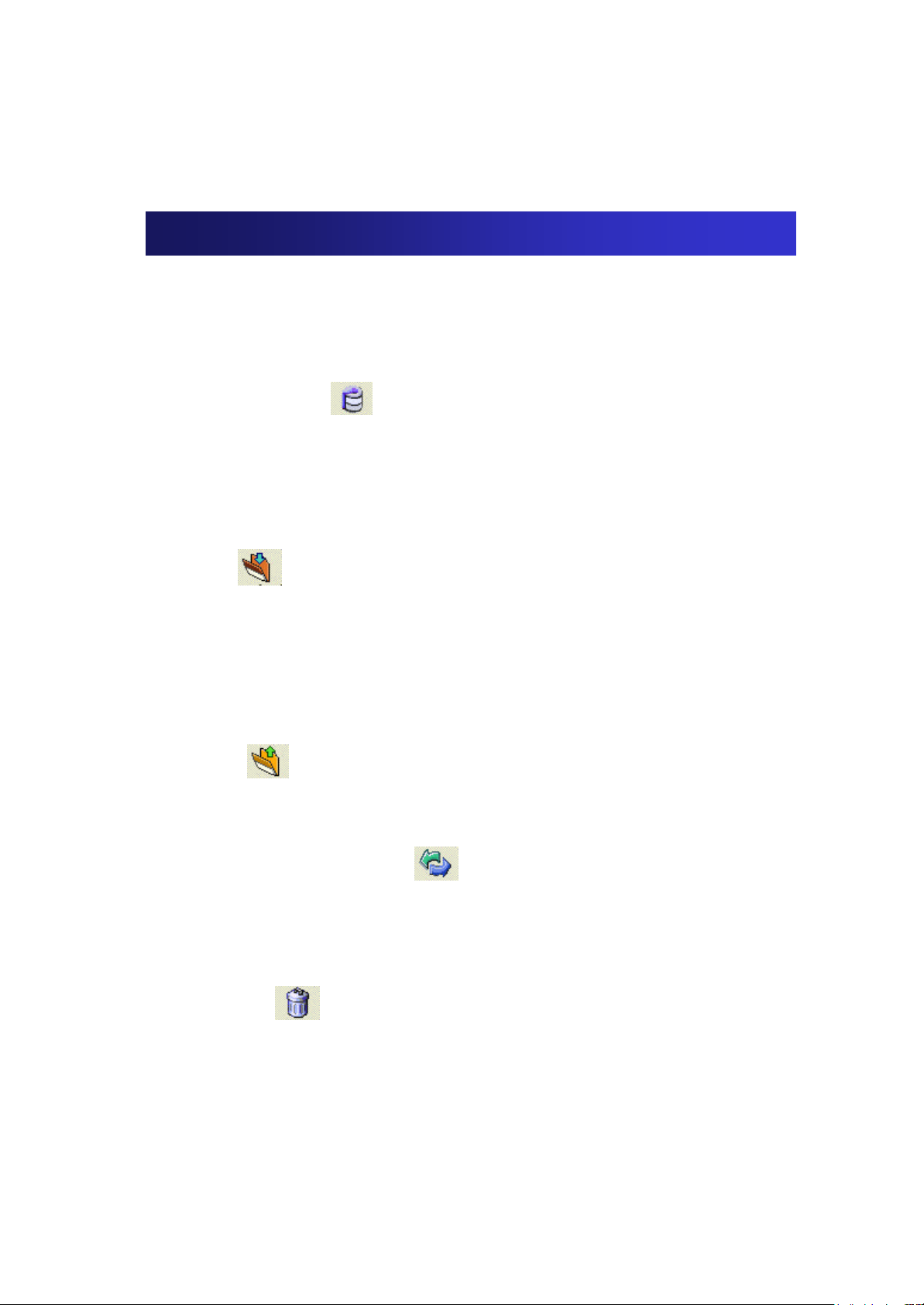
How to use Managing Program?
1. Memory Format
To download MP3 files in your memory, the memory
should be formatted first.
To format, click icon
2. Download/Upload
1) Download
To download MP3 files from PC to your player,
click icon.
* If [Open] window is displayed, choose the songs you to desire to
download and click [Open] to start download.
2) Upload
To upload MP3 files from the player to your PC,
click icon.
3. Refresh
To refresh memory, press icon.
4. Delete
To delete files, choose the files you desire to delete.
And click icon.
 Loading...