

Page 1
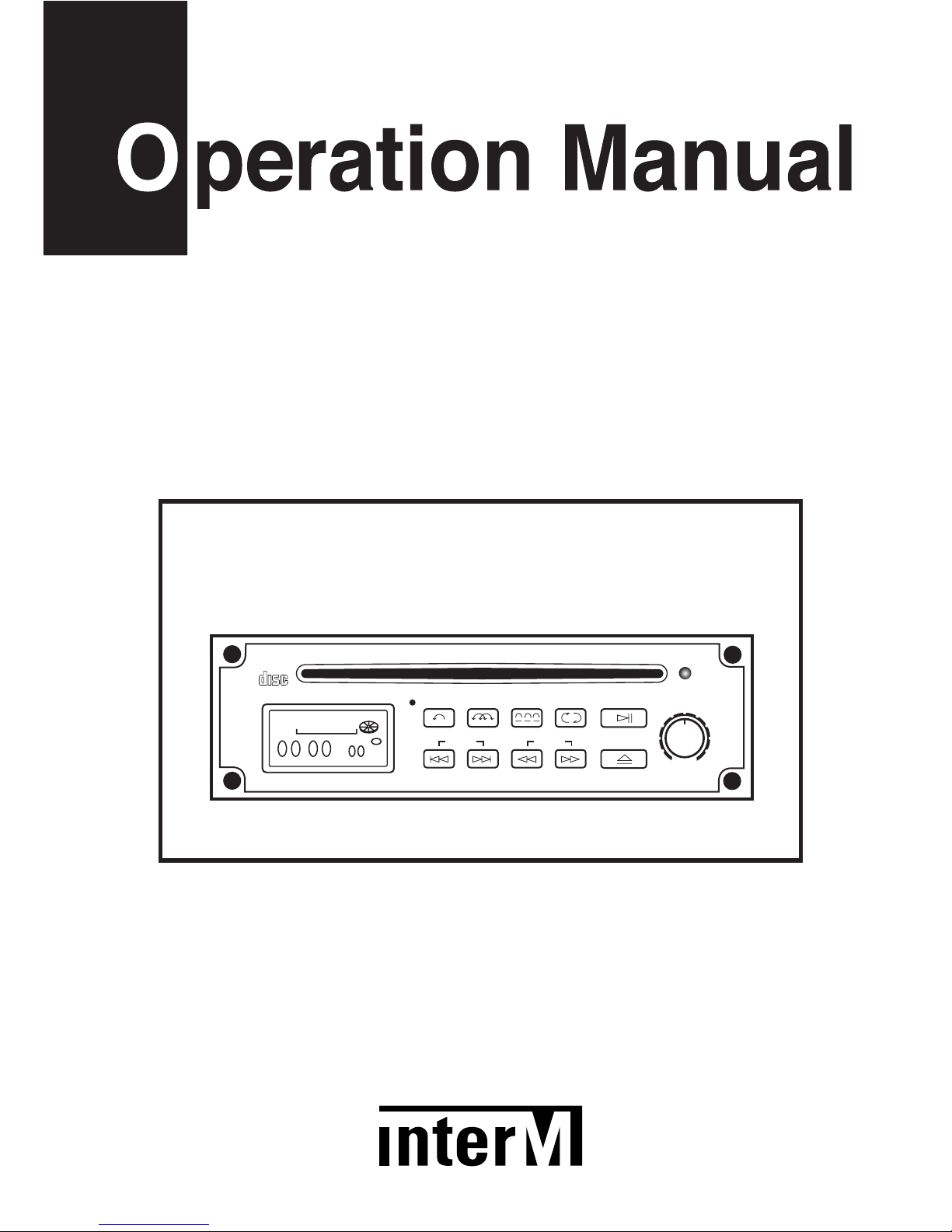
PAM-CDA Compact Disc Module
DIGITAL AUDIO
COMPACT
COMPACT DISC MODULE
PAM - CDA
DISC RDM SCAN RPT
TRACK
IN
RESET
TOP RANDOM M.S RPT PLAY / PAUSE
EJECT
MANU
PAU SE
VOLUME
ON / OFF MAX
TRACK
Page 2
COMPACT DISC MODULE
1
PAM-CDA
Unpacking and Installation
Unpacking and Installation
Although it is neither complicated to install nor difficult to operate your double cassette deck, a few
minutes of your time is required to read this manual for a properly wired installation and becoming
familiar with its many features and how to use them. Please take a great care in unpacking your set
and do not discard the carton and other packing materials. They may be needed when moving your
set and are required if it ever becomes necessary to return your set for service.
Never place the unit near radiator, in front of heating vents, to direct sun light, in excessive humid or
dusty location to avoid early damage and for your years of quality use. Connect your complementary
components as illustrated in the following page.
RISK OF ELECTRIC SHOCK
DO NOT OPEN
CAUTION
CAUTION: TO REDUCE THE RISK OF ELECTRIC SHOCK.
DO NOT REMOVE COVER (OR BACK).
NO USER-SERVICEABLE PARTS INSIDE.
REFER SERVICING TO QUALIFIED SERVICE PERSONNEL.
WARNING
To prevent fire or shock hazard, do not
expose the unit to rain or moisture.
This symbol is intended to alert the user to the
presence of uninsulated “dangerous voltage”
within the product’s enclosure that may be of
sufficient magnitude to constitute a risk of electric
shock to persons.
This symbol is intended to alert the user to the
presence of important operation and
maintenance (servicing) instructions in the
literature accompanying the appliance.
Caution: To prevent electric shock do not use this (polarized) plug
with an extension cord, receptacle or other outlet unless
the blades can be fully inserted to prevent blade
exposure.
Attentions: Pour prévenir les chocs électriques ne pas utiliser cette
fiche polarisée avec un prolongateur, une prise de
courant on une autre sortie de courant, sauf si les
lames peuvent étre insérées à fond sans en laisser
aucune partie à découvert.
Page 3
COMPACT DISC MODULE
3
PAM-CDA
Front Panel Controls
Front Panel Controls
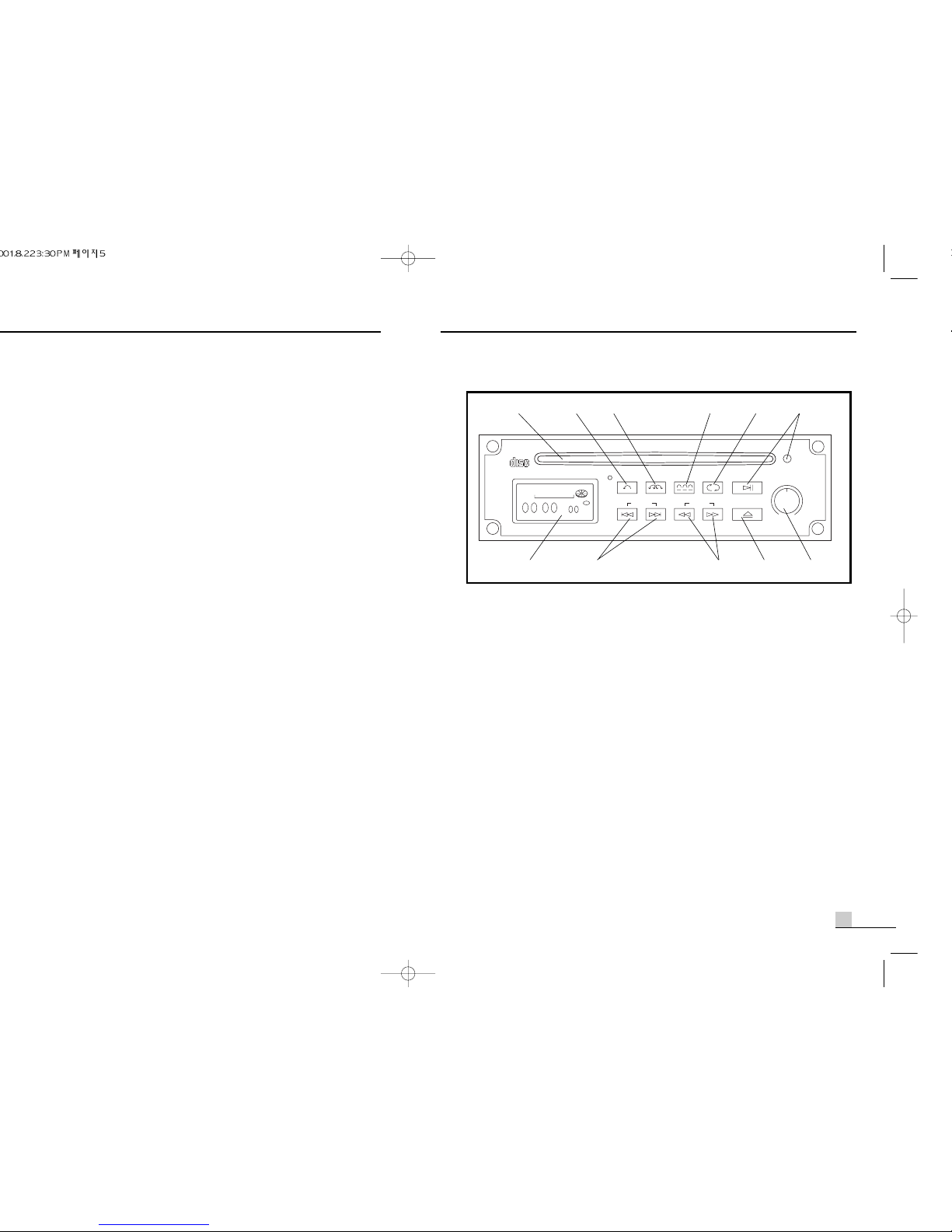
1. DISC PLAY
- Insert a compact disc into the disc insert slat (1) with the label surface facing up.
- The disc is automatically loaded into the unit and play starts at the beginning of the first track.
2. TOP SWITCH
- This key is to play first track of play mode.
- Scan/repeat/random function is cleared in mode.
3. RANDOM PLAY SWITCH
This is a playback made in which the built-in microcomputer selects the track numbers in random order.
- Press the switch to play the disc in random order.
The display screen will be displayed “RDM”. When the current track is over, other tracks will be
selected randomly.
- Press this switch again to clear the random play, and normal play is selected.
4. MUSIC SCAN SWITCH
This function allows playback of the first 10 seconds of each track in succession and is useful in
searching for a specific program ahead on a disc.
- Press the Music Scan switch to scan the selections. The digital display will indicate “SCAN” and
the track number display indicates the next number.
The unit advances to the beginning of the next selection, and starts to play the selection for 10
seconds, then scans on to the next selection for 10 seconds, and so on.
- Press this switch again to select the desired selection, causing the disc to stop instantly at the
position and starting the desired music.
DIGITALAUDIO
COMPACT
COMPACT DISC MODULE
PAM - CDA
DISC RDM SCAN RPT
TRACK
IN
RESET
TOP RANDOM MS RPT PLAY / PAUSE
EJECT
MANU
PAUSE
VOLUME
ON / OFF MAX
TRACK
123 456
78 91011
Page 4
COMPACT DISC MODULE
5
PAM-CDA
NOTE: RESET SWITCH
Use this Reset Switch for the following reasons:
- Initial installation of the unit when all wiring is completed.
- When CD disc does not work properly and does not accept the disc.
- CD disc is accepted but numeric indication is erratic or time readout is constantly
reset.
Everytime the reset switch is activated, disc programming will be erased, thus
requiring reprogramming of the unit.
Press this switch to repeat only one track on the disc. The display screen will indicate “RPT”.
- Press this switch again to cancel the repeat play.
Press the play/pause switch to play the disc. The disc will play at the first track number.
- Press again to stop playback and the pause indication LED on.
The “LOAD PLAY” indicator will appear, track number and play time (minute/second) are
displayed in the digital display.
If you wish to search for a particular track, push the Track Up/Down switch (“ , ”) until
the desired track number is indicated on the digital display.
- Forward Mode
1. Press the Track Up ( ) switch once.
The display counter indicator will display the next track number.
The unit will search the beginning of the next selection, and start to play it.
2. To search for a selection further ahead, press this switch until the desired track number is
indicated on the display counter.
- Reverse Mode
1. Press the Track Down ( ) switch once.
The beginning of the track being played is searched for.
2. To search for a track further back, push the switch until the desired track number is indicated
on the display counter.
Press the Manual Music Search Switch (“ , ”) to rapidly advance or retrace a short
distance to the desired position on a track during disc play.
Press the Eject Switch to remove the disc, and it will come out automatically.
NOTE: Press the Play/Pause switch on track the disc in to the insert slot instantly.
You can adjust the volume level of Compact Disc Player or the power ON/OFF of CD.
Page 5
COMPACT DISC MODULE
7
PAM-CDA
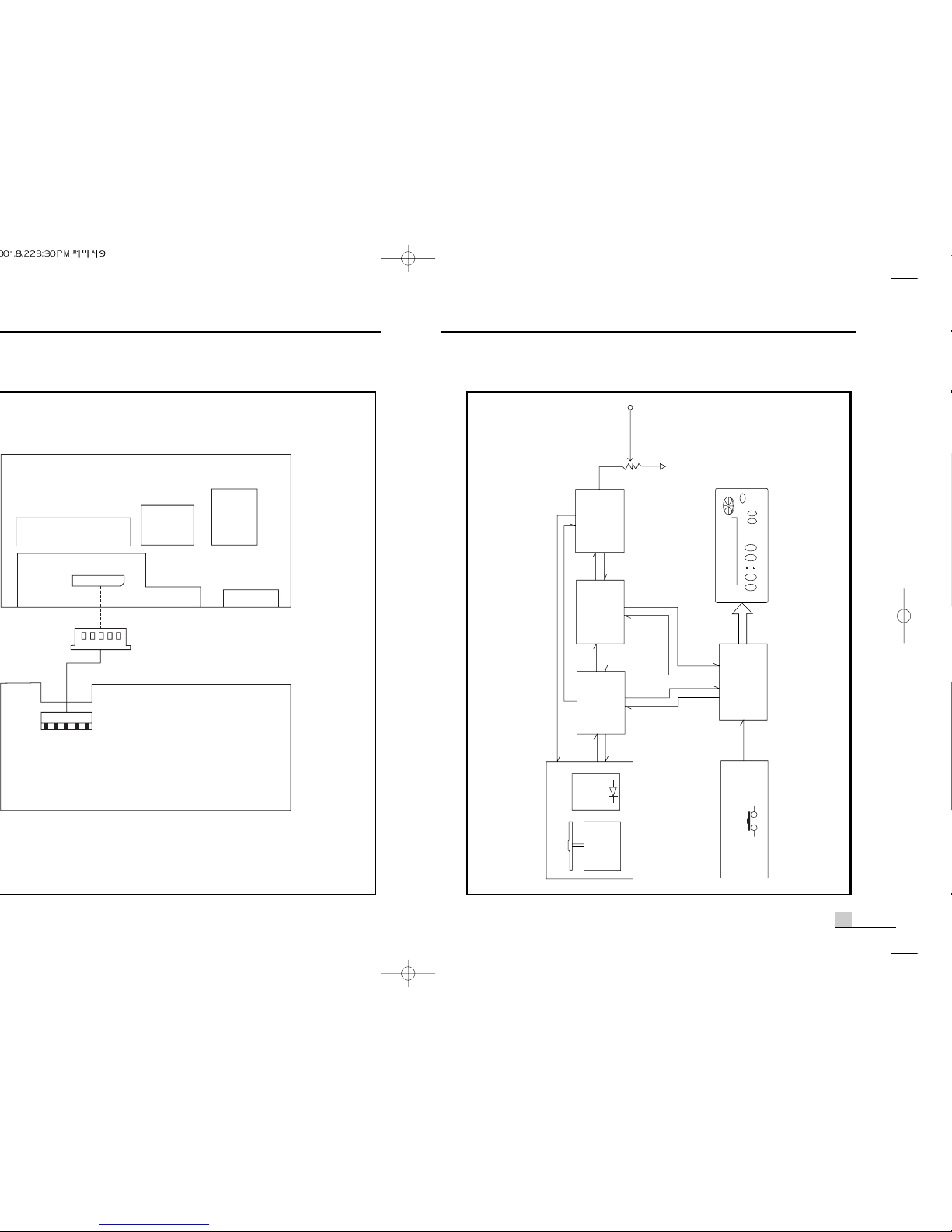
Block Diagram
Block Diagram
DISC RDM SCAN RPT
LCD DISPLAY
CD MECHANISM
TRACK
IN
DISC
SPINDLE
MOTOR
RF OUT
PHOTO
DIODE
SERVO
CONTROL
DIGITAL
SIGNAL
PROCESSOR
D / A
CONVERTER
& MOTOR
DRIVER
POWER ON/OFF
& CD VOLUME
OUTPUT
SYSTEM
CONTROL
KEY CONTROL
HEAT SINK
OPT
PT
MAIN B’D
AN7
CONNECTOR 5P
CN 101
MAIN B’D
PAM-60/120
PAM-CDA
Page 6

(At rated transformer output, 1kHz)
(At rated transformer output, 1kHz)
(At rated transformer output)
Page 7
MADE IN KOREA
December 2005 9007927090 A
Inter-M, Ltd. (Korea) began operations in 1983.
Since then, Inter-M has grown to become one of the largest manufacturers
of professional audio and commercial sound electronics equipment in the world.
Inter-M has gained worldwide recognition for its own branded products,
as well as private label manufacturing of electronics sold under other names (OEM).
The company is no longer just a Korean company, but rather a global company
that is truly international in scope, with factories and offices in Korea and China,
and sales and marketing operations located in Japan, Europe, and the U.S.A.
With more than 850 employees around the globe,
Inter-M is well-poised for further growth and expansion.
INTER-M AMERICAS, INC.
1 EAST BEACON LIGHT LANE CHESTER, PA USA 19013-4409
TEL : 1-610-874-8870, FAX : 1-610-874-8890
Home Page : http://www.inter-m.net, E-mail : [email protected]
INTER-M Corporation
SEOUL OFFICE:653-5 BANGHAK-DONG, DOBONG-KU, SEOUL, KOREA
TEL : 82-2-2289-8140~8, FAX : 82-2-2289-8149
Home Page : http://www.inter-m.com, E-mail : [email protected]
 Loading...