

Page 1
Users Manual
VP4450
Page 2

FCC Certication
This device complies with Part 15 of the FCC Rules.
Operation is subject to the following two conditions: (1)
This device may not cause harmful interference, and (2)
This device must accept any interference received, including
interference that may cause undesired operation.
This equipment has been tested and found to comply with
the limits for a CLASS B digital device, pursuant to Part
15 of the FCC rules. These limits are designed to provide
reasonable protection against harmful interference when
the equipment is operated in a residential installation. This
equipment generates, uses, can radiate radio frequency
energy and if not installed and used in accordance with the
instruction guide, may cause harmful interference to radio
communications. However, there is no guarantee that this
radio interference will not occur in a particular installation.
If this equipment does cause harmful interference to radio
or television reception, which can be determined by turning
the equipment on and off, the user is encouraged to try to
correct the interference by one or more of the following
measures:
Re-orient or relocate the receiving antenna.•
Increase the separation between the equipment and •
the receiver.
Consult the dealer or an experienced Radio-TV •
technician for help.
Notice:Anychangesormodicationsnotexpresslyapproved by the party responsible for compliance could void
the user’s authority to operate the equipment. Extension
cables are not recommended, if used, they must be shielded
in order to comply with the emission limits.
IC Certication
Theterm“IC”beforethecertication/registrationnumber
onlysigniesthattheIndustryCanadatechnicalspecica-
tions were met.
Declaration of conformity
Manufacturer: SMK-Link Electronics, Inc.
3601-B Calle Tecate
Camarillo, CA 93012
We declare under our sole responsibility that the VP4450
conforms to the following directives and norms:
Directive89/336/EEC,Amendedby93/68/EEC
EMI: EN 55022 (1992) Class B
EMC: EN 50082-1 (1992)
Directive73/23/EEC,Amendedby93/68/EEC
Safety: EN 60950: 2000
Page 3
Introduction
Overview
Congratulations on your purchase
of the VP4450 Presentation
Remote. The VP4450 offers full
control of presentations as well
as programmable buttons for
customizing it to work
with other programs
and the brightest
laser in its
class.
Installation
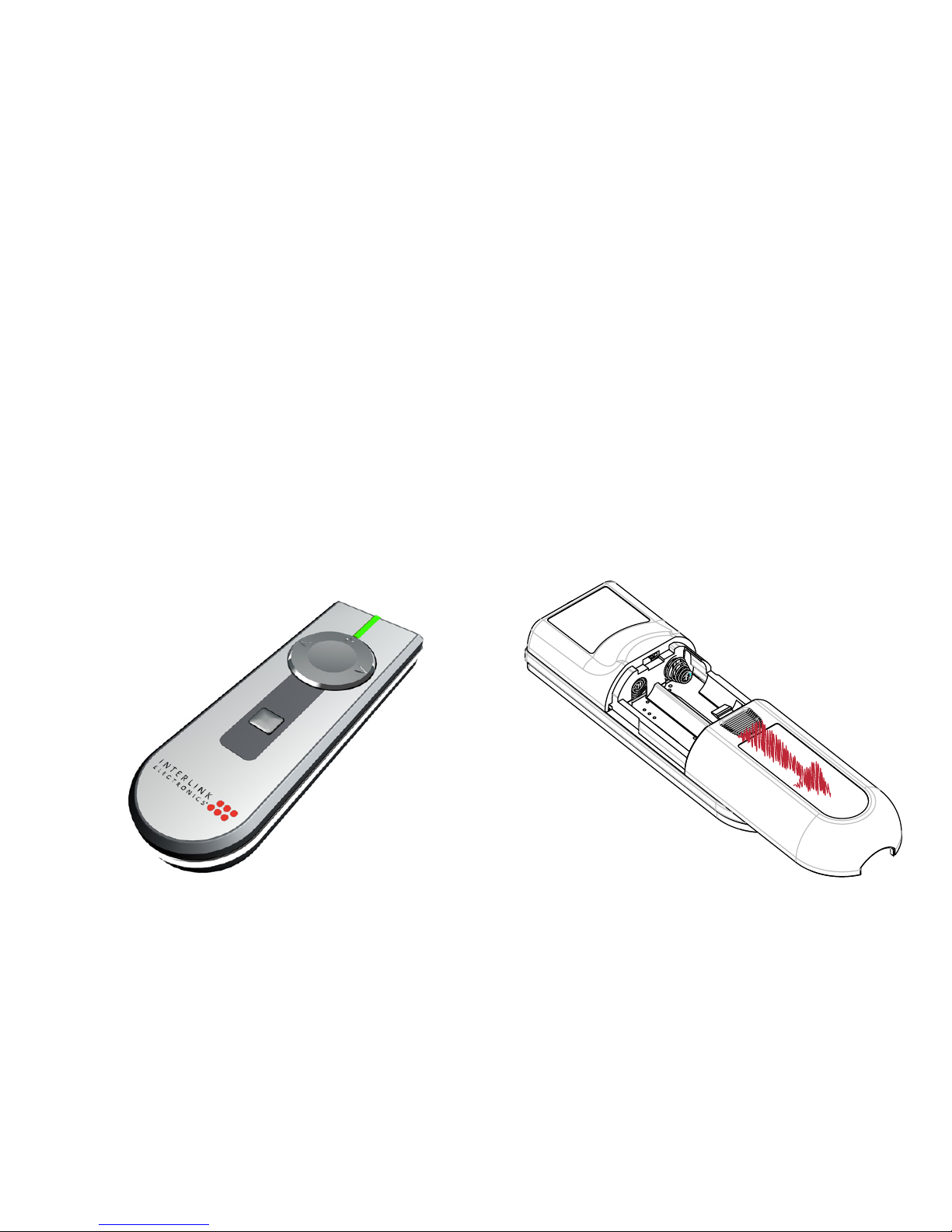
Adding or Changing Batteries
Open the battery compartment
by pressing down on the latch
and sliding open. Insert the
batteries per the diagram on the
remote. Standard AA
alkaline batteries are
recommended.
Page 4
Pairing the Receiver
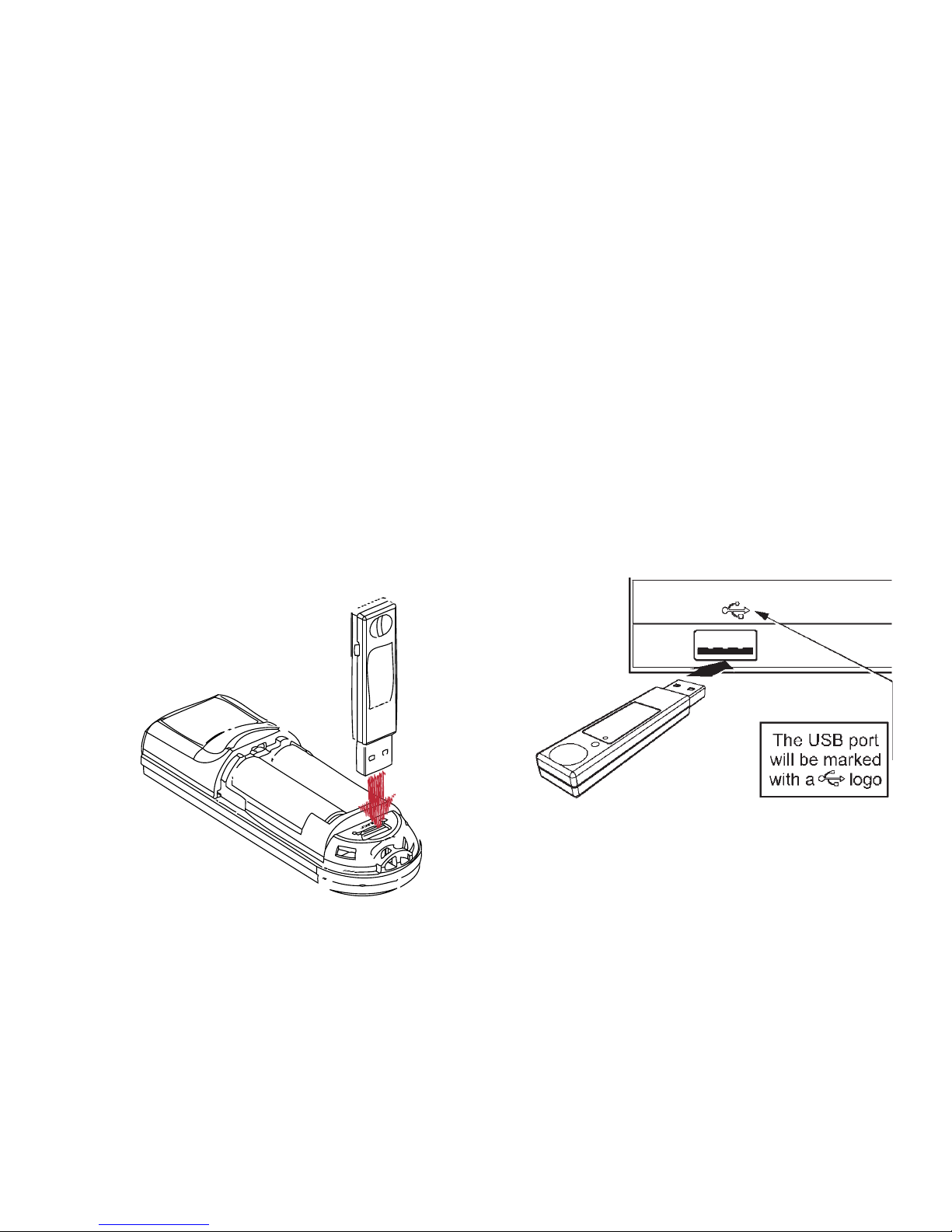
The receiver and remote come
pre-paired at the factory. The
remote will automatically adjust
frequencies and channels to ensure
reliable communication. Should
you have any problem with
communication, you can re-pair
them by opening the battery
door and plugging the USB
receiver into USB port
below the
batteries.
USB Receiver
Plug the USB receiver into a free
USB port, wait a few seconds for
the device to be recognized by
your computer and you are ready
to control your presentation.
Page 5
Familiarizing Yourself with
the Controls
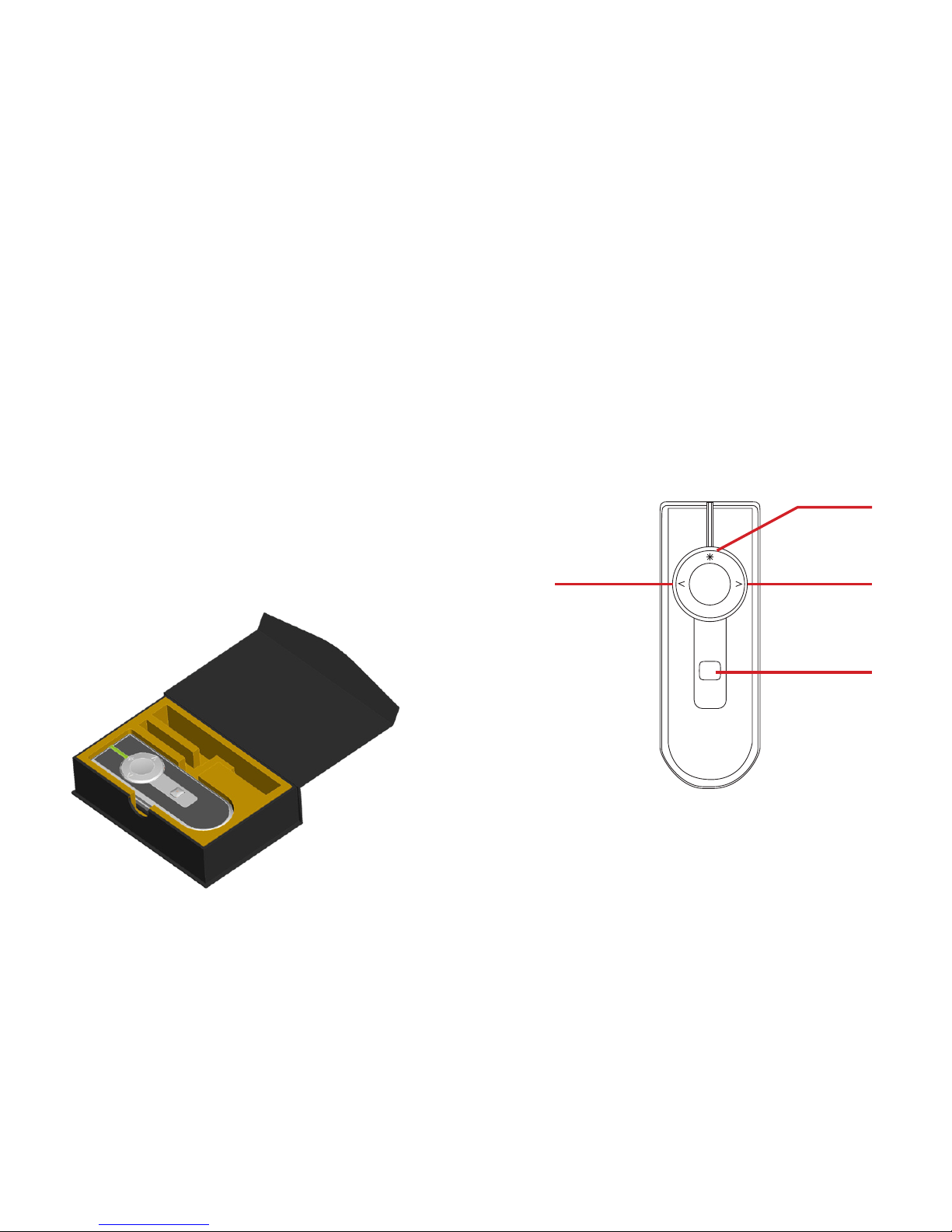
Next
Slide
Previous
Slide
Blank
Screen
These are the default controls, the
VP4450 can also be customized to
control other programs
Laser
Pointer
Travel Case
The box the remote ships in
doubles as a carrying case. Store
the remote in the large cavity. The
box also contains compartments
for 2 extra AA batteries and for
storing the receiver. Once stored,
close the magnetic latch and cover
with the included
sleeve.
Page 6

Using the Laser Pointer
Press the button on the top
of the ring to activate the laser
pointer. The laser pointer can be
used to highlight important points
on slides and graphs.
Because the laser emits a green
beam it will appear much brighter
than a standard laser beam.
Custom Programming
The buttons on the VP4450 can
be programmed to send a wide
variety of keystrokes to meet
your own needs. The software is
available online at
http://www.smklink.com/support/
downloads.html
From the program select the
desired keys and click “Program
Receiver.” Once programmed,
these changes are written to nonvolatile memory on the receiver.
Because the keys are stored on the
receiver, any machine you plug it
into will send these keys without
any need for software.
Page 7

Product Specications
Laser:
532 nm Green Class II Laser
Laser Power:
max < 1 mW
Battery Type:
2 x AA Alkaline Batteries
Battery Usage:
Approx. 6 Months
Frequency:
2.4 GHz Auto RF
Range:
Up to 100 feet
System Requirements
Operation:
PC or Mac with USB port
Programming:
Windows XP and up
For Product Support
Please Contact
SMK-Link Electronics, Inc.
3601-B Calle Tecate
Camarillo, CA 93012 USA
TEL 888 696 3500
FAX 805 987 6665
SMKLINK.COM
Page 8

Thank you for purchasing a
VP4450 RemotePoint™ Emerald
Navigator Green Laser Presentation
Remote. We know you had other
choices and we appreciate that
you chose Interlink Electronics by
SMK-Link for your wireless needs.
So that we may better serve you in
the future, please register online at
www.smklink.com/register.
Th a n k Yo u
Wa r r a n T Y
30-Day Money Back Guarantee
One Year, Limited Warranty
 Loading...