

Page 1

Version 1.0
Intenso 2,5“ MEMORY PLAY
Bedienungsanleitung Seite 1-4 DE
Manual Page 1-4 GB
Istruzioni per l’uso Pagina 1-4 IT
Notice d’utilisation Page 1-4 FR
Instrucciones de uso Página 1-4 ES
Manual de instruções Página 1-4 PT
Instrukcja obsługi Strona 1-4 PL
инструкция по эксплуатации Стр.1-4 RU
Page 2

Bedienungsanleitung
2,5“
MEMORY PLAY
Seite 1 von 4 DE
Page 3
Lieferumfang
Intenso Hi-Speed USB 2.0 Festplatte
Y- USB 2.0 Kabel
Bedienungsanleitung
Festplattenhalterung zur Wandmontage
Technische Daten
Externe Festplatte 2,5“ USB 2.0
Abmessungen: 13 x 78 x 127 mm
Transferrate max. 480 MBit /sek (USB 2.0)
Kapazität: 1MB = 1,000,000bytes / 1GB = 1,000,000,000 bytes
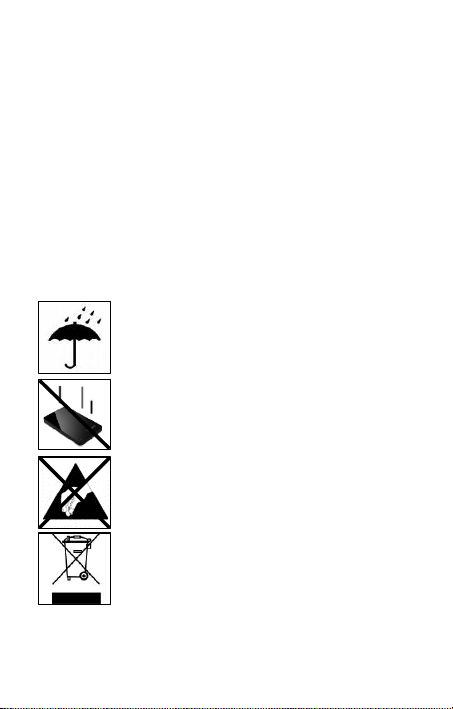
Anwendungshinweise
Betriebsbereit zwischen:
5 °C und 35 °C
Stoß, Fall:
Schützen Sie das Gerät in jedem Betriebszustand vor Stoß
und Fall. Bewegen Sie das Gerät nicht im Betrieb.
Elektrostatische Entladung:
Dieses Gerät ist sensibel gegenüber elektrostatischer
Entladung. Schützen Sie das Gerät vor jeder möglichen
elektrostatischen Entladung.
Entso rgun g von Ele ktro- Altg eräte n
Die mit diesem Symbol gekennzeichneten Geräte
unterliegen der europäischen Richtlinie 2002/96/EC.
Alle Elektro- und Elektroaltgeräte müssen getrennt
vom Hausmüll über die dafür vorgesehenen staatlichen
Stellen entsorgt werden.
Mit der ordnungsgemäßen Entsorgung von ElektroAltgeräten vermeiden Sie Umweltschäden.
Seite 2 von 4 DE
Page 4

Installationsanleitung
Systemanforderungen:
Diese Festplatte ist kompatibel mit den Betriebssystemen MS Windows XP / Vista,
Windows 7, Linux 2.4.x und Mac OS 10.x .
Hinweis: Die Hardwarekonfiguration Ihres PC's und das verwendete Betriebssystem
können die Kompatibilität der Festplatte beeinflussen.
Verbinden der Festplatte
Um die externe Festplatte an Ihr TV Gerät oder Ihren Computer anzuschließen,
verwenden Sie bitte nur das mitgelieferte USB Kabel. Verbinden Sie den miniUSB
Stecker mit der Intenso Festplatte und die beiden Stecker des Y-USB Kabelendes
mit Ihrem TV Gerät oder Computer. Folgen Sie zur weiteren Verwendung mit Ihrem
TV Gerät bitte der Bedienungsanleitung des Herstellers Ihres TV Gerätes.
Anschluss an einen Computer: Der Computer erkennt die „Neue Hardware“ und
installiert den Treiber automatisch. Warten Sie bis die Treiberinstallation
abgeschlossen ist. Im „Arbeitsplatz“ steht nun ein weiteres Laufwerk mit der
Bezeichnung „Intenso“ zur Verfügung.
Sobald die externe Festplatte mit dem TV Gerät oder Computer verbunden ist
leuchtet die LED. Die LED blinkt, wenn ein Schreib- oder Lesevorgang durchgeführt
wird.
Wichtige Hinweise für die Verwendung mit einem TV Gerät:
- Bitte beachten Sie, dass die maximal mögliche Aufnahmekapazität abhängig vom
verwendeten TV-Gerät, dem verwendeten Kompressionsverfahren und dem
aufgezeichneten Fernsehformat (DVB oder HD) variieren kann.
- Dieser Festplatte ist ein Y-Kabel beigelegt, um einer möglichen SpannungsUnterversorgung des verwendeten USB-Ports entgegenzuwirken und so einen
einwandfreien Betrieb zu ermöglichen. Hierzu verbinden Sie bitte – sofern möglich beide Enden des Y-USB Kabels mit Ihrem TV-Gerät. Sollte es trotzdem zu Problemen
kommen, wenden Sie sich bitte an den Support des Herstellers Ihres TV Gerätes und
erfragen Sie sich, ob es etwaige Einschränkungen für Ihr Modell gibt (Software ist
nicht freigeschaltet für TV Aufzeichnung, etc.).
Warenzeichen: Windows XP / Vista / Windows 7 sind eingetragene Warenzeichen der
Microsoft Corporation. Macintosh und MAC sind eingetragene Warenzeichen von
Apple Computer. Alle Marken und Namen Dritter sind das Eigentum der jeweiligen
Anwender.
Seite 3 von 4 DE
Page 5

Eingeschränkte Garantiebedingungen
Wichtiger Hinweis:
Die Garantie deckt nur den Ersatz dieses Intenso Produkts ab. Die
Garantie gilt nicht für normale Verschleißerscheinungen, die sich aus
fehlerhaftem, unsachgemäßen Gebrauch, Nachlässigkeit, Unfall,
Inkompatibilität, oder aus mangelhafter Leistung einer bestimmten
Computer Hardware oder Computer Software ergeben.
Es besteht kein Garantieanspruch bei Nichteinhaltung der Intenso
Bedienungsanleitung sowie bei unsachgemäßer Montage, Gebrauch
oder bei Defekten durch andere Geräte.
Wird das Produkt Erschütterungen, elektrostatische Entladungen,
Wärme- oder Feuchtigkeitseinwirkung jenseits der
Produktspezifikationen ausgesetzt besteht kein Garantieanspruch.
Intenso haftet nicht für Datenverluste oder jegliche auftretende
Begleitschäden oder Folgeschäden, für die Verletzung der
Garantiebedingungen oder für sonstige Schäden, gleich welche
Ursache zugrunde liegt.
Bitte beachten Sie, dass jeglicher Garantieanspruch erlischt, wenn
der Kapazitätsaufkleber (= Garantiesiegel) auf der Rückseite
beschädigt wurde oder das Gehäuse der Festplatte geöffnet wurde.
Dieses Produkt ist nicht für eine kommerzielle Nutzung oder für
medizinische und spezielle Anwendungen vorgesehen, in denen der
Ausfall des Produktes Verletzungen, Todesfälle oder erhebliche
Sachschäden verursachen kann.
Seite 4 von 4 DE
Page 6
Page 7

Operating instructions
2,5“
MEMORY PLAY
Page 1 of 4 GB
Page 8
Scope of Delivery
Intenso Hi-Speed USB 2.0 hard drive
Y- USB 2.0 cable
Operating instructions
Hard disk support bracket for wall mounting
Technical Data
External hard disk 2,5“ USB 2.0
Dimensions: 13 x 78 x 127 mm
Maximal transfer 480 MBit /sec (USB 2.0)
Capacity: 1MB = 1,000,000bytes / 1GB = 1,000,000,000 bytes
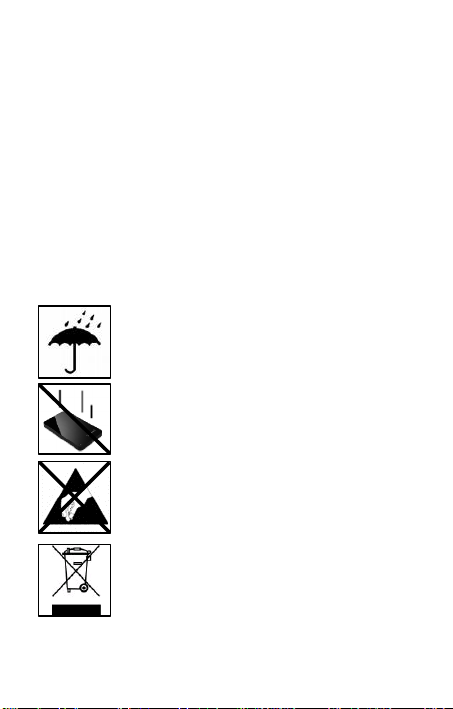
Instructions for use
Operational between:
5 °C and 35 °C
Crush, fall
Protect the device in every operation condition from crush
and fall. Do not move the device during operation.
Electrostatic discharge:
It is an electrostatic discharge sensitive device. Protect the
device from every kind of electrostatic discharge.
Dis posa l of WEEE (Was te E lectr ical and El ectro nic
Equip ment )
Devices marked with the WEEE logo are subject to the
European Community Directive 2002/96/EC.
Waste Electrical and Electronic Equipment must be
separated from household rubbish and disposed at sites
that collect WEEE.
By orderly disposing WEEE you will avoid damage caused
to the environment.
Page 2 of 4 GB
Page 9

Installation Instructions
System Requirements:
This hard drive is compatible with the operating systems MS Windows XP/Vista/
Windows 7, Linux 2.4.x and Mac OS 10.x.
Please note: Your PC’s hardware configuration as well as the operating system
employed can influence the compatibility of the hard drive.
Hard Drive Connection:
Please only use the delivered USB c able to connect the external hard disk to your TV
set or computer. Connect the miniUSB with the Intenso hard disk and both connectors
of the Y-USB cable ends with your TV set or c omputer. For further applications of
your TV set, please observe the TV set operating manual by the manufacturer.
Connecting to a computer: The computer automatically detects the “New Device” and
installs the driver. Please wait until driver installation is c ompleted. Your computer
now shows an additional drive named “Intenso”.
As soon as the external hard disk is connected to a TV set or computer, the LED is
illuminated. The LED flashes, when writing or reading procedure is carried out.
Important notes for usage with a TV set:
- Please note that the highest possible intake capacity depends on the TV set used,
the compression procedure and the TV format (DVB or HD) and it can vary.
- This hard disk is delivered with a Y-cable, so that a possible power shortage of the
USB ports used can be countered and proper operation is made possible. To do that,
connect both Y-USB cable ends – if possible – with your TV set. Should any problems
occur in spite of that, please contact the manufacturer’s cus tomer support and ask if
there are any limitations for your model (software not activated for TV recording, etc.).
Trademark: Windows XP / Vista / Windows 7 are registered trademarks of the
Microsoft Corporation. Macintosh and MAC are registered trademarks of Apple
Computer. All trademarks and names of third parties are property of the respective
user.
Page 3 of 4 GB
Page 10

Limited guarantee conditions
Important information:
The guarantee only covers the use of this Intenso product. The
guarantee does not cover normal wear resulting from faulty, improper
use, negligence, accidents, incompatibility or poor functionality of
certain computer hardware or computer software.
Claim under guarantee does not exist in the case of noncompliance
with the Intenso user manual as well as in case of improper
assembly, use or defects of other devices.
Claim under guarantee does not exist in the case that the device is
exposed to shock, electro-static discharge, heat or humidity beyond
the product specifications.
Intenso is not liable for data loss or any other occurring indirect
damages or secondary damages, for the violation of the guarantee
conditions or any other damages, no matter what the reason is.
Please note that any claim under guarantee expires, if the capacity
label ( = guarantee sealing) on the rear side is damaged and if the
housing of the hard disk is opened.
This product is not intended for commercial use, for medical or
special applications, where a failure of the product can cause
injuries, fatalities or substantial property damage.
Page 4 of 4 GB
Page 11

Page 12

Istruzioni d’uso
2,5“
MEMORY PLAY
Pagina 1 di 4 IT
Page 13
Volume di consegna
Disco fisso con USB 2.0 ad alta velocità
Cavo USB 2.0 Y
Istruzioni per l'uso
Supporto disco rigido per il montaggio a parete
Dati tecnici
Disco fisso esterno da 2,5“ USB 2.0
Dimensioni: 13 x 78 x 127 mm
Quota di trasmissione massimo 480 MBit /sec. (USB 2.0)
Capacità: 1MB = 1,000,000bytes / 1GB = 1,000,000,000 bytes
Avvisi di applicazione
Pronto per la messa in funzione:
5 °C fino a 35 °C
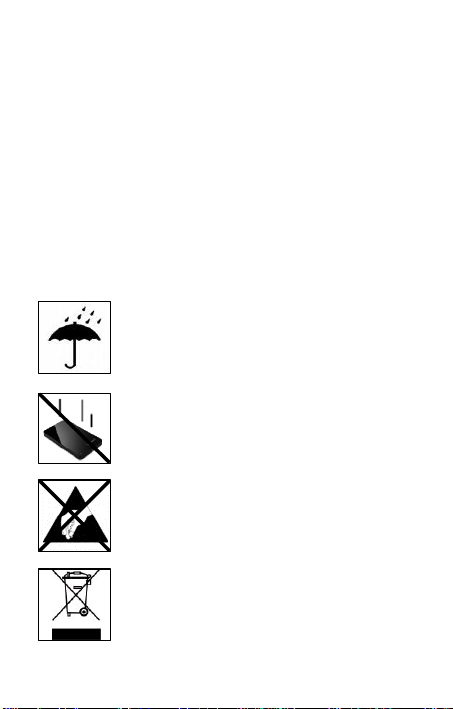
Urto, caduta
Protegga l’apparecchiatura da urti e cadute in ogni stato di
funzionamento. Non muova l’apparecchio durante il
funzionamento.
Scarica elettrostatica
Quest’apparecchiatura è sensibile alla scarica
elettrostatica. Protegga l’apparecchiatura da ogni possibile
scarica elettrostatica.
Smaltimento di apparecchiature elettroniche usate
Le apparecchiature caratterizzate con questo simbolo
sottostanno alla direttiva CEE/2002/96.
Tutte le apparecchiature elettroniche ed elettriche usate
devono essere smaltite separatamente dai rifiuti domestici
pressi i punti di smaltimento previsti dallo stato.
Smaltendo correttamente le apparecchiature elettroniche
usate evita danni all’ambiente.
Pagina 2 di 4 IT
Page 14

Istruzioni d‘installazione
Requisiti di sistema:
Questo disco fisso è compatibile con i s istemi operativi MS Windows
XP/Vista/Windows 7, Linux 2.4.x e Mac OS 10.x .
Avviso: La configurazione hardware del Suo PC e il sistema operativo impiegato
possono influenzare la compatibilità del disco fisso.
Collegamento del disco fisso:
Per collegare il disco rigido esterno al vostro televisore o al vostro computer, utilizzate
solo il cavo USB fornito in dotazione. Collegate il connettore micro USB con il disco
rigido Intenso ed entrambi i connettori estremi del cavo Y-USB con il vostro televisore
o computer. Per l’ulteriore utilizzo con il vostro televisore si prega di seguire le
istruzioni del produttore del vostro televisore.
Collegamento a un computer: Il computer riconosce il “nuovo hardware”, ins tallando
automaticamente il driver. Attenda la conclusione dell’installazione del driver. Ora su
“Il mio computer“ è disponibile un nuovo drive con la designazione “Intenso“.
Non appena il disco rigido esterno sarà collegato con il televisore o il computer, il LED
s’illuminerà. Il LED lampeggia, quando si esegue un procedimento di scrittura o
lettura.
Avvertenze importanti per l’utilizzo con il televisore:
- Tenete presente che la capacità mas sima di ricezione può variare a seconda del
televisore utilizzato, del processo di compressione utilizzato e del formato di
registrazione del televisore (DVB o HD).
- A questo disco rigido è allegato un cavo Y, per contrastare un’eventuale carenza di
alimentazione della porta USB utilizzata e per rendere possibile un funzionamento
ottimale. A questo scopo collegate - se possibile - entrambe le estremità del cavo YUSB con il televisore. Se dovessero comunque subentrare problemi, si prega di
rivolgersi all’assistenza clienti del produttore del vostro televisore, chiedendo se sono
presenti eventuali limitazioni per il vostro modello (il software non è abilitato per la
registrazione TV, ecc.).
Marche: Windows XP / Vista / Windows 7 sono marchi registrati presso Microsoft
Corporation. Macintosh e MAC sono marchi registrati di Apple Computer. Tutti i
marchi e i nomi di terzi sono proprietà dei relativi utilizzatori.
Pagina 3 di 4 IT
Page 15

Condizioni di garanzia limitate
Avviso importante:
La garanzia copre solo la sostituzione di questo prodotto di Intenso.
La garanzia non si applica in caso di segni abituali di usura causati
da uso erroneo e scorretto, negligenza, incidenti, incompatibilità o
prestazione insufficiente di un determinato hardware o software del
computer.
Non vi sono diritti di garanzia nel caso in cui non ci si attenga alle
istruzioni d’uso di Intenso o in caso di montaggio e uso scorretto o di
difetti causati da altre apparecchiature.
Se il prodotto viene esposto a urti, scariche elettrostatiche,
penetrazioni di calore o umidità al di là delle specifiche del prodotto,
non vi sono diritti di garanzia.
Intenso non si assume alcuna responsabilità per qualsiasi danno
secondario o successivo, per la violazione delle condizioni di
garanzia o per altri danni, indipendentemente dalla loro causa.
La preghiamo di considerare che tutti i diritti di garanzia sono nulli, se
l’etichetta della capacità ( = sigillo di garanzia) sul retro della scatola
è stata danneggiata o se è stata aperta la scatola del disco fisso.
Questo prodotto non è previsto per uso commerciale, per
applicazioni mediche e specialistiche, in cui il non funzionamento del
prodotto potrebbe causare ferite, decessi o notevoli danni materiali.
Pagina 4 di 4 IT
Page 16
Page 17

Instructions d’utilisation
2,5“
MEMORY PLAY
Page 1 sur 4 FR
Page 18
Contenu
Disque dur Intenso Hi-Speed USB 2.0
Câble Y- USB 2.0
Instructions pour l'utilisation
Support de disque dur pour le montage au mur
Données Techniques
Disque Dur Externe 2,5“ USB 2.0
Dimensions: 13 x 78 x 127 mm
Transfert Maximal 480 Mbits /sec (USB 2.0)
Capacité: 1MB = 1, 000,000 bytes / 1GB = 1, 000, 000,000 bytes
Consignes d‘utilisations
Prêt à l’usage entre:
5 °C - 35 °C
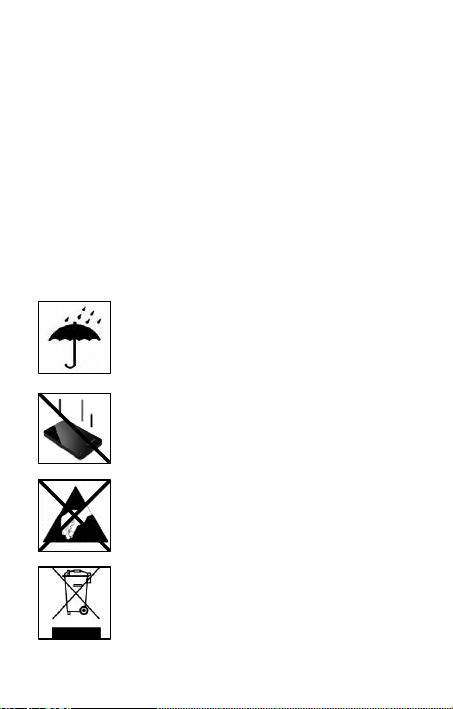
Ecrasement, chute:
L’appareil ne doit subir ni écrasement ni chute pendant son
fonctionnement. Evitez de déplacer l’appareil pendant son
fonctionnement.
Décharge Electrostatique:
Cet appareil es t sensible aux décharges électrostatiques.
N’exposez jamais cet appareil à des décharges
électrostatiques.
Mis e en rebut de v ieux apparei ls élec tro
Les appareils marqués avec ce symbole sont soumis à la
directive européenne 2002/96/EC.
Tous les vieux appareils électro doivent être mis en rebut
séparément du déchet domestique dans les poubelles
prévues par l’État.
Avec la mise en rebut correcte de vieux appareils électro,
vous évitez la pollution de l’environnment.
Page 2 sur 4 FR
Page 19

Instructions d’installation
Système:
Ce disque dur est compatible avec les systèmes d’exploitation MS Windows
XP/Vista/Windows7, Linux 2.4.x et Mac OS 10.x.
Note: La configuration matérielle de votre PC ainsi que le système d’exploitation
utilisé peuvent influencer la compatibilité du disque dur.
Connexion du disque dur:
Pour brancher le disque dur externe à votre téléviseur ou votre ordinateur, veillez à
n’utiliser que le câble USB compris dans la livraison. Connectez la prise mini-USB au
disque dur Intenso et les deux prises à l’extrémité du câble Y-USB à votre téléviseur
ou votre ordinateur. Pour des instructions d’utilisation supplémentaires avec votre
téléviseur, veuillez consulter le manuel de son fabricant.
Connexion à un ordinateur: L’ordinateur détecte automatiquement le “Nouveau
Matériel” et installe son pilote. Veuillez patienter jusqu’à la fin de l’installation du
pilote. Votre ordinateur affiche alors un nouveau disque appelé “Intenso”
Aussitôt que le disque dur externe est branché à un téléviseur ou un ordinateur, les
LEDs s’allument. Le LED clignote, lorsque le disque est en mode lecture ou écriture.
Renseignements importants pour l’utilisation avec un téléviseur :
- Veuillez prendre en compte que la capacité d’enregistrement maximale varie en
fonction du téléviseur, du processus de compression et du format de télévision (DVB
ou HD).
- Le disque dur est accompagné d’un câble Y afin de prévenir tout sousapprovisionnement en courant au port USB utilisé, garantissant ainsi son bon
fonctionnement. Pour ce faire, veuillez brancher (si possible) chaque extrémité du
câble Y-USB à v otre téléviseur. En cas de problèmes, veuillez contacter le soutien
technique du fabricant de votre téléviseur et renseignez-vous à savoir si votre modèle
n’est pas soumis à quelconque contrainte (le logiciel n’est pas déverrouillé pour
l’affichage TV, etc.).
Marques déposées: Windows XP / Vista /Windows7 s ont des marques déposées de
Microsoft Corporation. Macintosh et MAC sont des marques déposés d’Apple
Computer. Toutes les marques déposées et marques tierces parties sont la propriété
de leur utilisateur respectif.
Page 3 sur 4 FR
Page 20

Limites des Conditions de Garantie
La garantie ne couvre que l’utilisation de ce produit Intenso. La
garantie ne couvre pas l’usure normale résultant d’un usage
impropre ou défaillant, d’une négligence, d’accidents,
d’incompatibilité ou du mauvais fonctionnement de certains appareils
ou logiciels informatiques.
Les réclamations sous garantie ne sont pas prises en compte dans le
cas de non respect du manuel d’utilisation d’Intenso ainsi que dans
le cas d’assemblage incorrect, d’utilisation ou de défaillances
d’autres appareils. .
Les réclamations sous garantie ne sont pas prises en compte dans le
cas ou l’appareil a été exposé à des chocs, des décharges
électrostatiques, la chaleur ou un taux d’humidité dépassant les
spécifications du produit.
Intenso ne peut être tenu responsable en cas de perte de données
ou d’autres avaries directes ou secondaires, de violation des
conditions de garantie ou tout autre dommage, quelque puisse en
être la cause.
Informations Importantes :
Veuillez noter que toute réclamation sous garantie est caduque si
l’autocollant de capacité ( = cachet de garantie) sur la partie
postérieure est endommagé ou si le boitier du disque dur a été
ouvert.
Ce produit n’a pas été conçu à des fins commerciales, ni pour des
applications médicales ou particulières, conditions dans lesquelles
une défaillance du produit pourrait entraîner des blessures, le décès
ou des dommages substantiels aux biens.
Page 4 sur 4 FR
Page 21
Page 22

Manual de instrucciones
2,5“
MEMORY PLAY
Página 1 de 4 ES
Page 23
Volumen de suministro
Disco duro Intenso Hi-Speed USB 2.0
Cable Y- USB 2.0
Instrucciones de manejo
Soporte de disco duro para montaje en pared
Datos técnicos
Disco duro externo 2,5“ USB 2.0
Dimensiones: 13 x 78 x 127 mm
Tasa de transferencia máx. 480 MBit /seg. (USB 2.0)
Capacidad: 1MB = 1.000.000 bytes / 1GB = 1.000.000.000 bytes
Indicaciones de uso
Operable entre:
5 °C - 35 °C
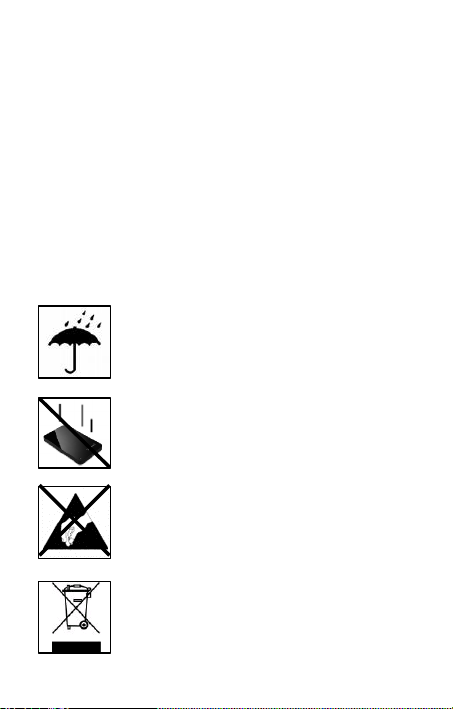
Golpe, caída:
Proteja al aparato en cada estado de funcionamiento de
golpes o caídas. No mueva el aparato cuando se encuentra
en funcionamiento.
Descarga electroestática:
Este aparato es sensible a descargas electroestáticas.
Proteja al aparato de cualquier posible descarga
electroestática.
Eliminación de aparatos eléctricos
Los aparatos marcados con este símbolo están sujetos a la
directiva europea 2002/96/EC.
Todos los aparatos y viejos aparatos eléctricos deben ser
eliminados separadamente de la basura doméstica, en los
lugares previstos para ello.
Página 2 de 4 ES
Page 24

Eliminando los viejos aparatos eléctricos
reglamentariamente estará evitando daños al medio
ambiente.
Instrucciones de instalación
Requerimientos de sistema:
Este disco duro es compatible con los sistemas operativos MS Windows
XP/Vista/Windows7, Linux 2.4.x y Mac OS 10.x .
Aviso: La configuración de hardware de su PC y el sistema operativo instalado
pueden tener efecto sobre la compatibilidad del disco duro.
Conectar el disco duro:
Para conectar el disco duro externo a su televisor o computadora, por favor utilice
solamente el cable USB suministrado. Conecte el enchufe miniUSB con el disco duro
Intenso y los dos enchufes en el extremo del cable Y-USB con su televisor o
computadora. Para posterior uso en su televisor, por favor siga las instrucciones en el
manual del fabricante del televisor.
Conexión con una computadora: El computador reconoce el „Hardware nuevo“ e
instala automáticamente los drivers. Espere hasta que la instalación de los drivers
haya finalizado. Ahora estará disponible en „Mi PC“ una unidad de disco con el
nombre „Intenso“.
En el momento de que el disco duro externo está conectado con un televisor se
enciende el LED. El piloto LED parpadea, cuando se realiza un proceso de escritura
o lectura.
Indicaciones importantes para el uso con un televisor:
- Por favor considere, que la capacidad de almacenamiento máximapuede variar
según del televisor empleado, el proco de compresión aplicado y el formato de
televisión (DVB o HD) grabado.
- En este disco duro se incluye un cable Y para facilitar el correcto funcionamiento al
contrarrestar un posible suministro insuficiente de tensión en el enchufe USB
empleado. Para ello, si es posible, conecte ambos extremos del cable Y-USB von su
televisor. Si aún así aparece algún problema, póngase en contacto con servicio al
cliente del fabricante de su televisor y consulte por posibles restricciones en su
modelo (software no está habilitada para la grabación de TV, etc.).
Marca registrada: Windows XP / Vista / Windows 7 son marcas registradas de
Microsoft Corporation. Macintosh y MAC son marcas registradas de Apple Computer.
Todas las marcas y nombres de terceros son propiedad del usuario correspondiente.
Página 3 de 4 ES
Page 25

Condiciones limitadas de garantía
Advertencia importante:
La garantía sólo cubre la sustitución de este producto Intenso. La
garantía no cubre muestras normales de desgaste producidas por un
uso erróneo o inadecuado, por negligencia, accidente,
incompatibilidad, o por el funcionamiento defectuoso de un hardware
o software informático.
No existe derecho a garantía si no se siguen las instrucciones de
uso de Intenso, así como en caso de montaje o uso inadecuado, o
por daños producidos por otros aparatos defectuosos.
No existe derecho a garantía, si el producto ha recibido sacudidas,
descargas eléctricas, o si ha sido expuesto a fuentes de calor o de
humedad no conformes a las especificaciones de estas instrucciones
de uso.
Intenso no se responsabiliza por la pérdida de datos o daño
colaterales o como consecuencia de estos, ni de la violación de las
condiciones de garantía, ni de otros daños, independientemente de
la causa.
Recuerde que se extingue cualquier derecho a garantía, si el
adhesivo de capacidad ( = sello de garantía) sur el dorso està
dañado o si se abre la carcasa del disco duro.
Este producto no es concebido para uso comercial o aplicaciones
médicas y especiales, en los que los fallos del producto, pueden
causar lesiones, la muerte o considerables daños colaterales.
Página 4 de 4 ES
Page 26
Page 27

Manual de instruções
2,5“
MEMORY PLAY
Pagina 1 de 4 PT
Page 28
Âmbito de fornecimento
Disco rígido USB 2.0 Intenso Hi-Speed
Cabo Y- USB 2.0
Manual de instruções
Suporte de disco rígido para montagem na parede
Informações técnicas
Disco rígido externo 2,5“ USB 2.0
Medidas: 13 x 78 x 127 mm
Velocidade de transferência máx. 480 MBit /seg (USB 2.0)
Capacidade: 1MB = 1,000,000bytes / 1GB = 1,000,000,000 bytes
Indicações de uso:
Operacional entre:
5 °C - 35 °C
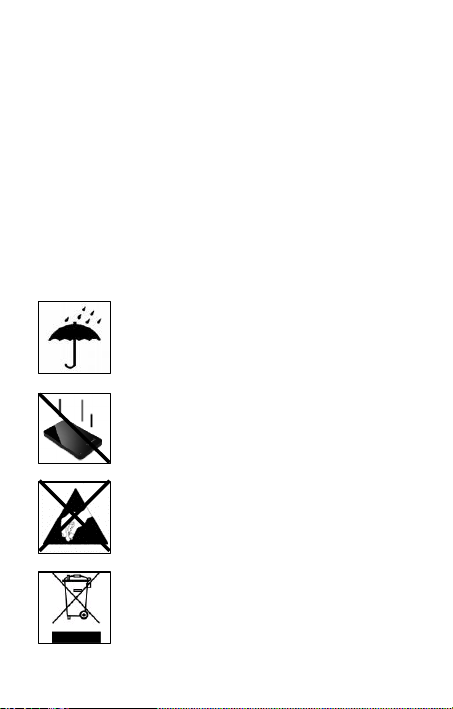
Colisões, quedas
Proteja o aparelho contra colisões ou quedas em qualquer
situação de funcionamento. Não mova o aparelho durante
o uso.
Descarga Eletroestática:
Este aparato es sensible a descargas electroestáticas.
Proteja al aparato de cualquier posible descarga
electroestática.
Eliminação de aparelhos domésticos
Os aparelhos que vêm marcados com este símbolo estão
sujeitos às normas européias 2002/96/EC.
Todos os aparelhos elétricos e eletrodomésticos devem ser
separados do lixo caseiro e depositados em lugares
próprios, determinados pelo estado.
Pagina 2 de 4 PT
Page 29

Com a eliminação correta de aparelhos eletrodomésticos
podem ser evitados danos no meio ambiente.
Instruções de instalação
Requisitos do sistema:
Este disco rígido é compatível c om os sistemas operativos MS Windows XP/Vista /
Windows 7, Linux 2.4.x e Mac OS 10.x .
Nota: A configuração de hardware do seu PC e o sistema operativo utilizado podem
influenciar a compatibilidade do disco rígido.
Ligar o disco rígido:
Para conectar o disco rígido externo ao seu televisor ou ao s eu computador, use
somente o cabo USB fornecido. Ligue o conector micro USB com o disco rígido
intenso e ambas as extremidades do cabo de conectores Y-USB com o seu televisor
ou computador. Para uso posterior com o seu televisor, por favor, siga as instruções
do fabricante do televisor.
Ligação ao computador: O computador reconhece o „Novo hardware“ e instala
automaticamente o controlador. Aguarde, até a instalação do controlador estar
terminada. No „Ambiente de trabalho“ encontra-se agora disponível outra unidade de
leitura com a designação „Intenso“
Quando o disco rígido externo seja ligado ao televisor ou ao computador, o LED
iluminar-se-à. O LED pisca quando processos de leitura e de salvamento estiverem
em curso.
Advertências importantes para utilização com o televisor:
- Tenha em mente que a capacidade máxima de receção pode variar dependendo do
televisor utilizado, do processo de compressão usado e do formato de gravação da
televisão (DVB ou HD).
- A este disco rígido está ligado um cabo Y, para neutralizar qualquer falta de
alimentação da porta USB usada e para permitir um funcionamento ótimo. Para este
efeito, ligue - se possível - ambas as extremidades do cabo Y-USB ao televisor. Se
ainda subsistirem problemas, por favor, entre em contato com o atendimento ao
cliente do fabricante do seu televisor, perguntando se existem algumas eventuais
limitações para o vosso modelo (o software não está habilitado para gravação TV,
etc.).
Marcas registadas: Windows XP / Vista / Windows7 são marcas registadas da
Microsoft Corporation. Macintosh e MAC são marcas registadas da Apple Computer.
Todas as marcas e nomes de terceiros são propriedade dos respectivos utilizadores.
Pagina 3 de 4 PT
Page 30

Condições limitadas de garantia
Aviso importante:
A garantia cobre somente a substituição deste produto Intenso. A
garantia não cobre marcas de desgaste normais, originadas por uso
incorreto ou fora das orientações indicadas, falta de cuidado,
acidente, incompatibilidade ou por desempenho insuficiente de
certos Hardwares ou Softwares.
A garantia não é válida se as instruções do Manual de Uso Intenso
não forem seguidas corretamente, bem como em caso de montagem
ou uso fora das orientações indicadas, ou defeitos provocados por
outros aparelhos.
Se o produto for submetido a abalos, descargas eletroestáticas,
influência de calor ou umidade além das indicadas nas
especificações do produto, não constitui direito à garantia.
A Intenso não se responsabiliza por perda de dados ou quaisquer
outros danos colaterais ou consequentes, por violações dos termos
da garantia ou por outros danos, seja qual for a causa.
Qualquer direito à garantia expira se o autocolante de capacidade (=
selo de garantia) na parte traseira tiver sido danificado ou se a caixa
do disco rígido tiver sido aberta.
Este produto não foi produzido para a utilização comercial, para uso
medicinal e especializado, nos quais a interrupção do funcionamento
do produto venha a causar ferimentos, falecimentos ou danos
materiais consideráveis.
Pagina 4 de 4 PT
Page 31
Page 32

Instrukcja obsługi
2,5“
MEMORY PLAY
Strona 1 z 4 PL
Page 33
Dostarczone elementy
Dysk twardy Intenso Hi-Speed USB 2.0
Kabel Y- USB 2.0
Instrukcja obsługi
Uchwyt dysku twardego do montażu na ścianie
Dane techniczne
Zewnętrzny dysk twardy 2,5“ USB 2.0
Wymiary: 13 x 78 x 127 mm
Prędkość transmisji max. 480 MBit /sek (USB 2.0)
Pojemność: 1MB = 1,000,000bytes / 1GB = 1,000,000,000 bytes
Warunki używania
Gotowy do użytku w temepraturze pomiędzy:
5 °C - 35 °C
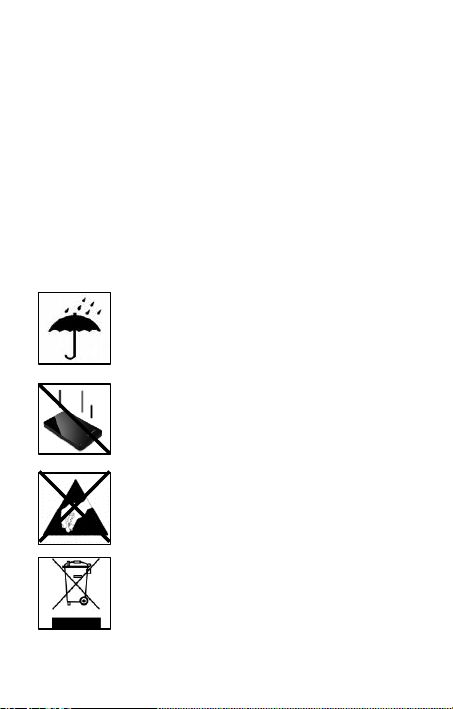
Uderzenie, upadek
Należy chronić urządzenie przed uderzeniem i upadkiem w
każdych warunkach. Nie należy poruszać urządzeniem w
czasie jego pracy.
Wyładowania elektrostatyczne
Urządzenie to jest wrażliwe na wyładowania
elektrostatyczne. Należy je chronić przed możliwymi
wyładowaniami elektrostatycznymi.
Ut yliza cja z użyt ego s przę tu elek tron iczne go
Oznaczone powyższym symbolem urządzenia podlegają
Dyrektywie europejskiej nr 2002/96/EC.
Wszystkie zużyte urządzenia elektryczne i elektroniczne
muszą być utylizowane osobno od pozostałych odpadków
domowych, za pośrednictwem specjalnie przeznaczonych
do tego celu placówek państwowych.
Utylizując zuż yty sprzę t el ektro niczny w od powie dni
sposó b zapob iega ją Pa ństwo zag rożen iu d la
śro dowi ska n atur alneg o!
Strona 2 z 4 PL
Page 34

Instrukcja instalacji
Instrukcja instalacyjna:
Niniejszy dysk twardy jest kompatybilny z systemami operacyjnymi MS Windows
XP/Vista/Windows7, Linux 2.4.x oraz Mac OS 10.x .
Uwaga: Konfiguracja sprzętowa Państwa komputera oraz używany system
operacyjny mogą wpłynąć na kompatybilność dysku twardego.
Podłączanie dysku twardego:
Aby podłączyć zewnętrzny dysk twardy do telewizora lub komputera, prosimy używać
wyłącznie zawartego w z estawie przewodu USB. Należy podłączyć wtyczkę miniUSB
do dysku twardego Intenso or az obie wtyczki końca Y przewodu USB do telewizora
lub komputera. W kwestii dalszego postępowania w przypadku podłączania do
telewizora należy stosować się do instrukcji obsługi producenta telewizora.
Podłączanie do komputera: Komputer rozpozna „Nowy sprzęt“ i automatycznie
zainstaluje sterownik. Proszę zaczekać do momentu zakończenia instalacji
sterownika. W oknie „Mój komputer” pojawi się nowy dysk opisany jako „Intenso“.
Kiedy nastąpi połączenie pomiędzy dyskiem twardym a telewizorem lub komputerem
zapali się kontrolka LED. Dioda miga, kiedy dysk przeprowadza operacje odczytu i
zapisu.
Ważne wskazówki dotyczące użytkowania w połączeniu z telewizorem:
– Należy zwrócić uwagę, że maksymalna dostępna pojemność zapisu zależna jest od
stosowane telewizora, stosowanej kompresji oraz zapisywanego formatu
telewizyjnego (DVB lub HD).
– Do tego dysku twardego załączony jest przewód Y, który ma za zadanie zapobiec
możliwym problemom z zasilaniem używanego portu USB i umożliwić w ten sposób
pracę bez zakłóceń. W tym celu należy podłączyć – o ile to możliwe – oba końce
przewodu Y USB z telewizorem. Jeśli mimo to nastąpią problemy, prosimy zwrócić
się do działu obsługi klienta producenta telewizora i dowiedzieć się, czy dla danego
modelu telewizora występują ograniczenia (nieudostępnione zostało oprogramowanie
do zapisu programu TV itp.).
Znaki towarowe: Windows XP / Vista / Windows7 są zastrzeżonymi znakami handlowymi korporacji
Microsoft. Macintosh i MAC są zastrzeżonymi znakami handlowymi korporacji Apple Computer.
Wszystkie marki i nazwy należące do podmiotów trzecich są wyłączną własnością ich użytkowników.
Strona 3 z 4 PL
Page 35

Warunki ograniczonej gwarancji
Ważna wskazówka:
Gwarancja obejmuje wyłącznie wymianę tego produktu Intenso.
Gwarancja nie obejmuje normalnych objawów eksploatacji
wynikających z błędnego, niewłaściwego użytkowania, zaniedbania,
wypadku, niekompatybilności lub z niewystarczającej wydajności
odpowiedniego sprzętu lub oprogramowania komputerowego.
Brak jest roszczeń z tytułu gwarancji w przypadku nie dostosowania
się do instrukcji obsługi Intenso, niewłaściwego montażu,
użytkowania lub uszkodzenia spowodowanego innym urządzeniem.
Brak jest roszczeń z tytułu gwarancji, jeśli urządzenie zostało
narażone na wstrząsy, wyładowania elektrostatyczne, temperaturę
lub wilgotność inną niż określona w specyfikacji produktu.
Intenso nie odpowiada za utratę danych i jakiekolwiek szkody z tym
związane i z tego wynikające, złamanie warunków gwarancji, lub za
jakiekolwiek szkody bez względu na ich przyczynę.
Proszę zwrócić uwagę na fakt utraty gwarancji w przypadku
uszkodzenia nalepki zdolnosci (= pieczatki gwarancyjnej) lub
otwarcia obudowy dysku twardego.
Ten produkt nie jest przeznaczony do użytkowania komercyjnego,
medycznego lub zastosowań specjalnych, w przypadku których jego
awaria może spowodować zranienia, śmierć lub znaczne straty
materialne.
Strona 4 z 4 PL
Page 36
Page 37

Руководство по эксплуатации
MEMORY PLAY
2,5“
Стр. 1 из 4 RU
Page 38
Комплект поставки
Intenso высокоскоростной USB 2.0 жесткий диск
Y- USB 2.0 кабель
Инструкция по эксплуатации
Держатель жёсткого диска для настенного монтажа
Технические данные
Внешний жёсткий диск 2,5“ USB 2.0
Размеры: 13 x 78 x 127 мм
Скорость передачи макс. 480 МБит /с (USB 2.0)
Ёмкость: 1МБ = 1 000 000 байтов / 1ГБ = 1 000 000 000 байтов
Указания пользователя
Рабочая температура между:
5 °C - 35 °C
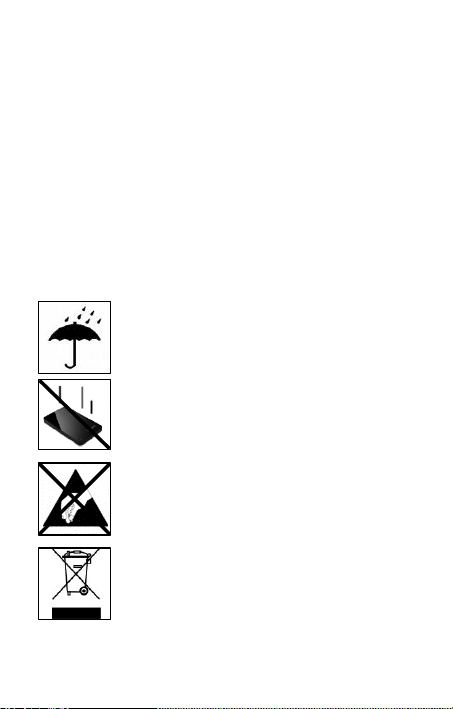
Удар, падение
Защищайте прибор в любом рабочем состоянии от
удара и падения. Не передвигайте прибор в рабочем
состоянии.
Электростатический разряд
Данный прибор очень чувствителен к электрическому
разряду. Защищайте прибор от всяких электрических
разрядов.
Ути лиза ция ста рых элект ропр иборо в
Обозначенные данным символом приборы должны
соответствовать европейской директиве 2002/96/EC.
Все электроприборы и старые электроприборы должны
утилизироваться отдельно от домашнего мусора через
предусмотренные для этого государством пункты.
Надлежащая утилизация электроприборов и старых
электроприборов служит предотвращению нанесения
вреда окружающей среде.
Стр. 2 из 4 RU
Page 39

Инструкция по инсталляции
Требования к системе:
Этот жесткий диск совместим с операционными системами MS Windows
XP/Vista /Windows 7, Linux 2.4.x и Mac OS 10.x .
Предупреждение: Конфигурация аппаратного обеспечения Вашего РК и
применяемая операционная система могут влиять на совместимость
жесткого диска.
Соединение жесткого диска:
Для подключения внешнего жёсткого диска к телевизионному приёмнику или
компьютеру следует использовать USB-кабель, входящий в комплект поставки.
Подключите разъём стандарта мини-USB к жёсткому диску Intenso, а оба Yразъёма U SB-кабеля подключите к своему телевизионному приёмнику или
компьютеру. За указаниями по дальнейшему использованию совместно с
телеприёмником обратитесь к эксплуатационной инструкции его изготовителя.
Соединение с компьютером: Компьютер распознает „Новое аппаратное
обеспечение“ и инсталлирует драйвер автоматически. Подождите, пока
завершится инсталляция драйвера. На „Рабочем месте“ в распоряжении теперь
имеется еще один дисковод с обозначением „Intenso“.
Сразу после подключения внешнего жёсткого диска к телевизионному
приёмнику или компьютеру загорится светодиодный сигнал. Светодиод мигает,
когда идет процесс записи или чтения.
Важные указания по эксплуатации совместно с телеприёмником.
- Следует помнить, что максимальная возможная ёмкость записи может
варьироваться в зависимости от используемого телеприёмника, применяемого
метода сжатия данных и формата записываемых телепередач (DVB или HD).
- Настоящий жёсткий диск поставляется с кабелем типа Y в целях обеспечения
нейтрализации возможных скачков напряжения в используемом USB-разъёме,
благодаря чему достигается безупречная работа устройства. Для достижения
такого результата к вашему телеприёмнику следует, по возможности,
подключить оба конца USB-кабеля типа Y. Если, невзирая на это, возникают
какие-либо трудности, то следует обратиться в сервисную службу изготовителя
вашего телеприёмника, чтобы выяснить, нет ли каких-либо ограничений по
вашей модели (напр., программное обеспечение не предназначено для записи
телепередач и т.п.).
Стр. 3 из 4 RU
Page 40

Торговая марка: Windows XP / Vista / Windows 7 являются зарегистрированными торговыми
марками корпорации Microsoft. Macintosh и MAC – это зарегистрированные торговые марки
Apple Computer. Все марки и названия третьей стороны являются собственностью
соответствующего пользователя.
Ограниченные условия гарантии
Важно:
Гарантия включает только возмещение продукта Интенсо.
Гарантия не распространяется на обычные признаки износа,
которые являются следствием неправильного и неумелого
использования, небрежности, аварии, несовместимости или
неудовлетворительной работы определённого компьютерного
оборудования или программного обеспечения.
Гарантия не распространяется на случаи несоблюдения условий
эксплуатации, а также неумелого монтажа, использования или
при повреждениях другими предметами.
Если продукт был повергнут влиянию сотрясений,
электростатических разрядов, тепла или влажности, которые не
входят в описание продукта, требование на гарантию теряется.
Интенсо не отвечает за потерю данных или возникшие
сопутствующие или косвенные убытки, за нарушение
гарантийных условий или другие убытки, независимо от того,
какова их причина.
Помните, требование на гарантию теряется, если этикетка с
данными об объёме (=гарантийный штамп) на обратной стороне
повреждена или, если корпус жёсткого диска был открыт.
Данный продукт не предназначен для коммерческого
использования, медицинского или особого употребления, при
котором выход продукта из строя может привести к телесным
повреждениям или значительным материальным ущербам.
Стр. 4 из 4 RU
Page 41
 Loading...