

Page 1
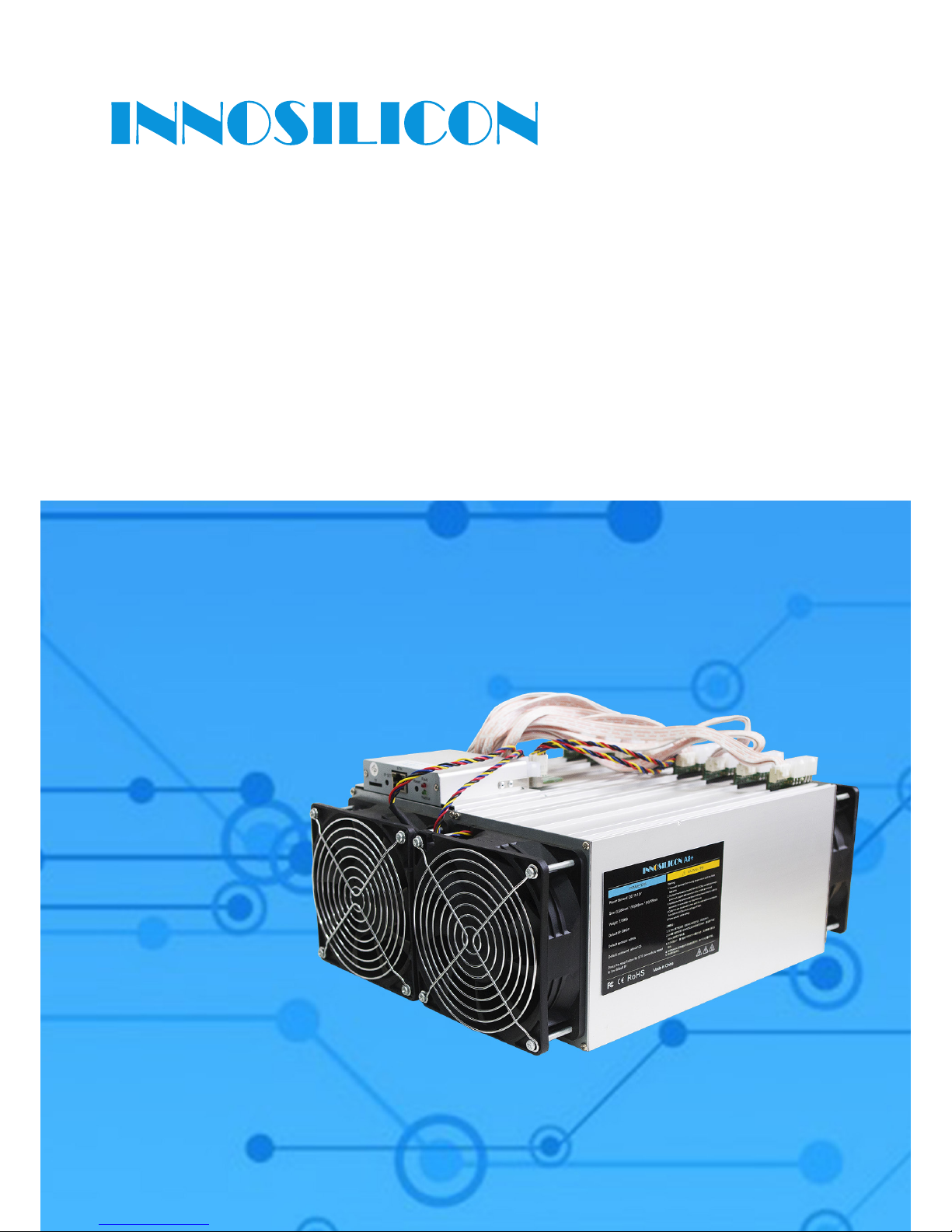
A8+ CryptoMaster
USER MANUAL
INNOSILICON CONFIDENTIAL
Page 2

Table of Contents
1. OVERVIEW
1
2. MINER ASSEMBLE 2
2.1 Check the miner before power on 2
2.2 Connect the PSU 3
2.3 Connect the Ethernet Cable 3
3. OPERATE THE MINER
4
3.1 Enter the miner console 4
3.2 Modify the pool settings 5
3.3 Check the hashrate 6
3.4 Network 6
3.5 Other pages 7
INNOSILICON CONFIDENTIAL
INNOSILICON A8+ CryptoMaster
INNOSILICON CONFIDENTIAL
Page 3
1
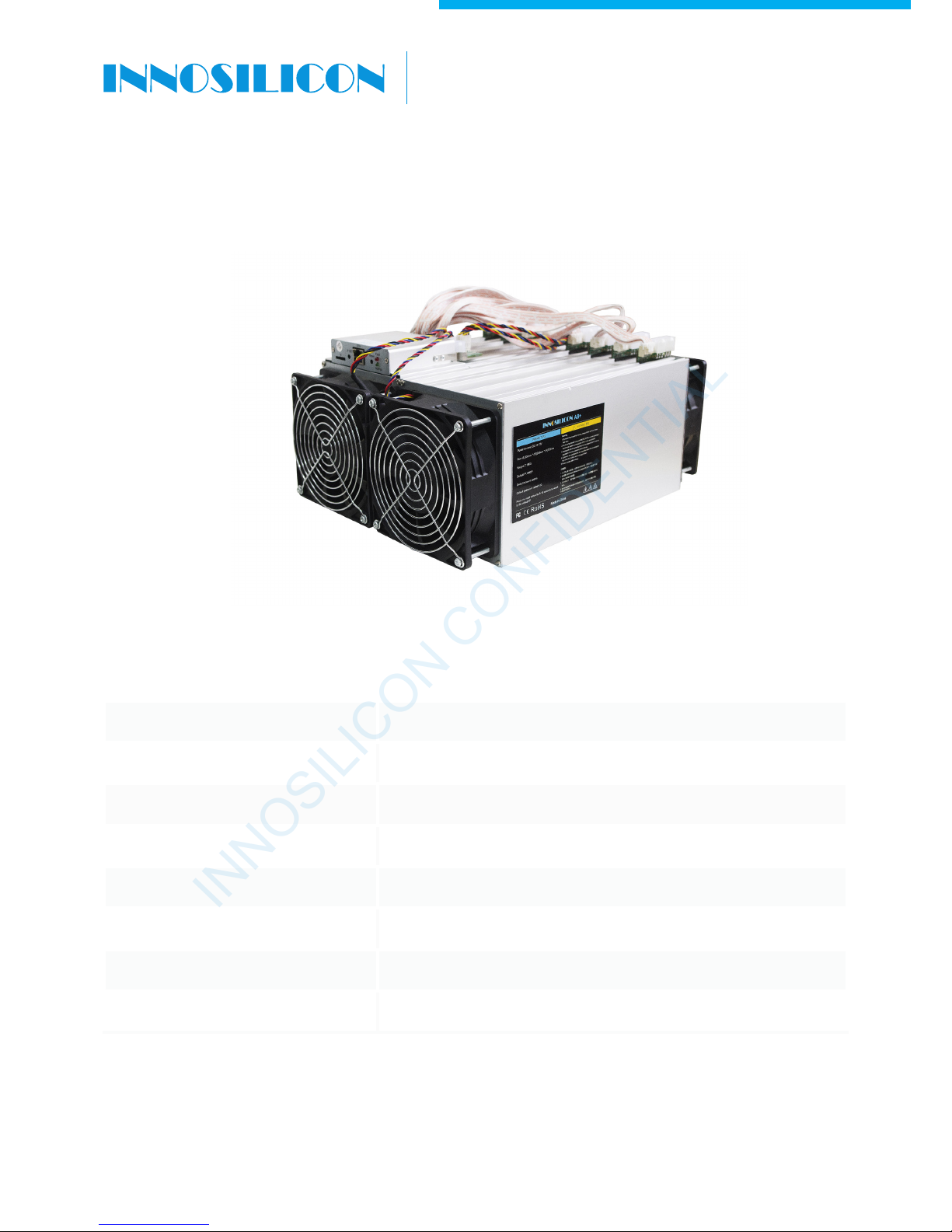
1. OVERVIEW
INNOSILICON CONFIDENTIAL
A8+ CryptoMaster
Part Number A8+
Hash Rate 240kh/s (+-8%)
Power 480W +/-8%
Size (L×W×H) (L)350mm*(W)250mm*(H)160mm
Net Weight 7.3KG (without PSU)
Operating Temperature 0-40
℃
Required rated PSU 600W or above, 17 * PCI-E 6Pin
Network Connection Ethernet
INNOSILICON CONFIDENTIAL
Page 4
2
2. CABLE CONNECTION
2.1 CHECK THE MINER BEFORE POWER ON
·
Check the warranty sticker is well or not, especially the hashboards PSU port side. If the warranty sticker
is damaged when you received the miner, please contact our After-sales.
·
Before you power on the miner, shake the miner softly, if you can hear the sound of metal banging on
metal, please contact our After-sales.
·
Check if the fan work well, if you find the fans broken please contact our After-sales.
·
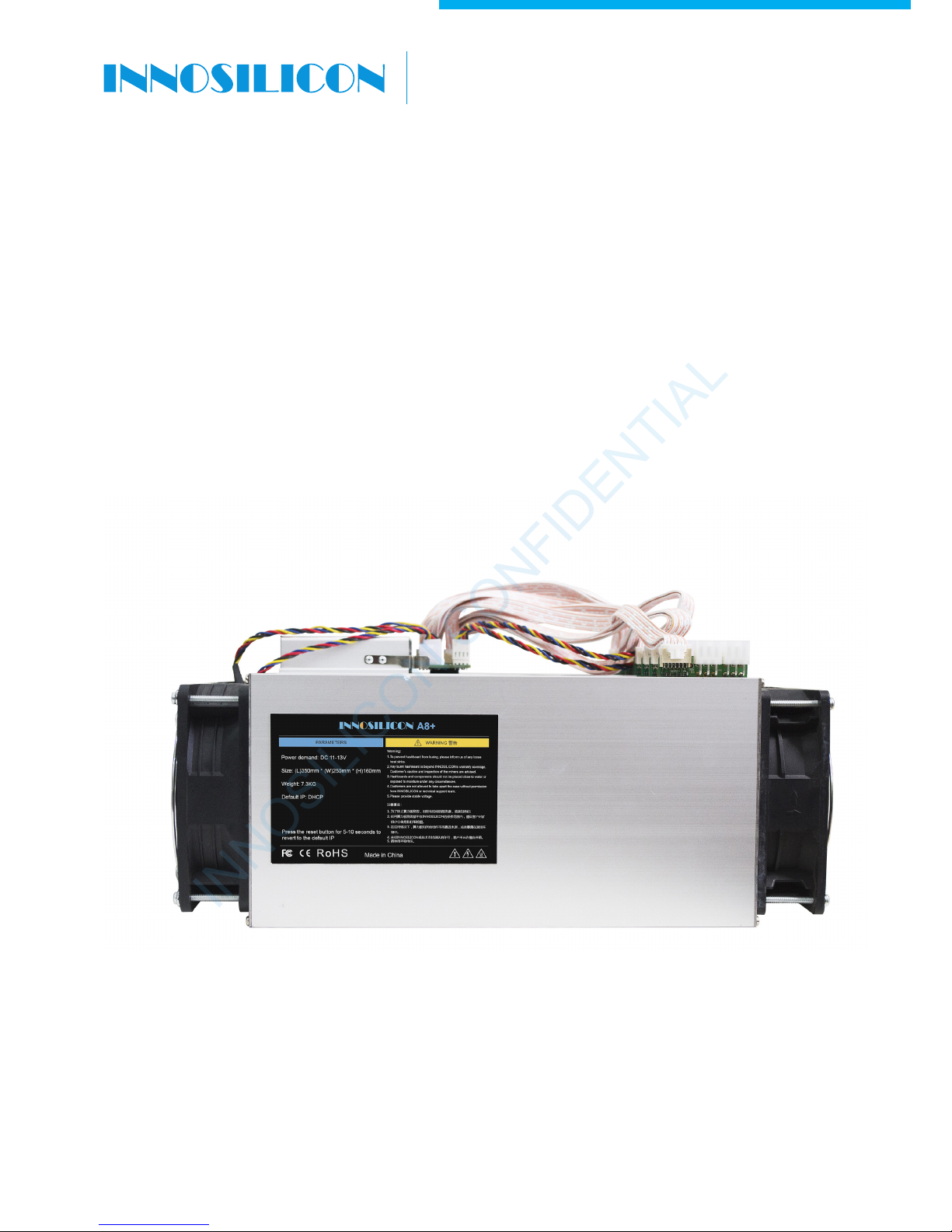
Check the cable connection, if it is different from below picture, please connect the cables as below.
INNOSILICON CONFIDENTIAL
A8+ CryptoMaster
INNOSILICON CONFIDENTIAL
Page 5
3
2.2 CONNECT THE PSU
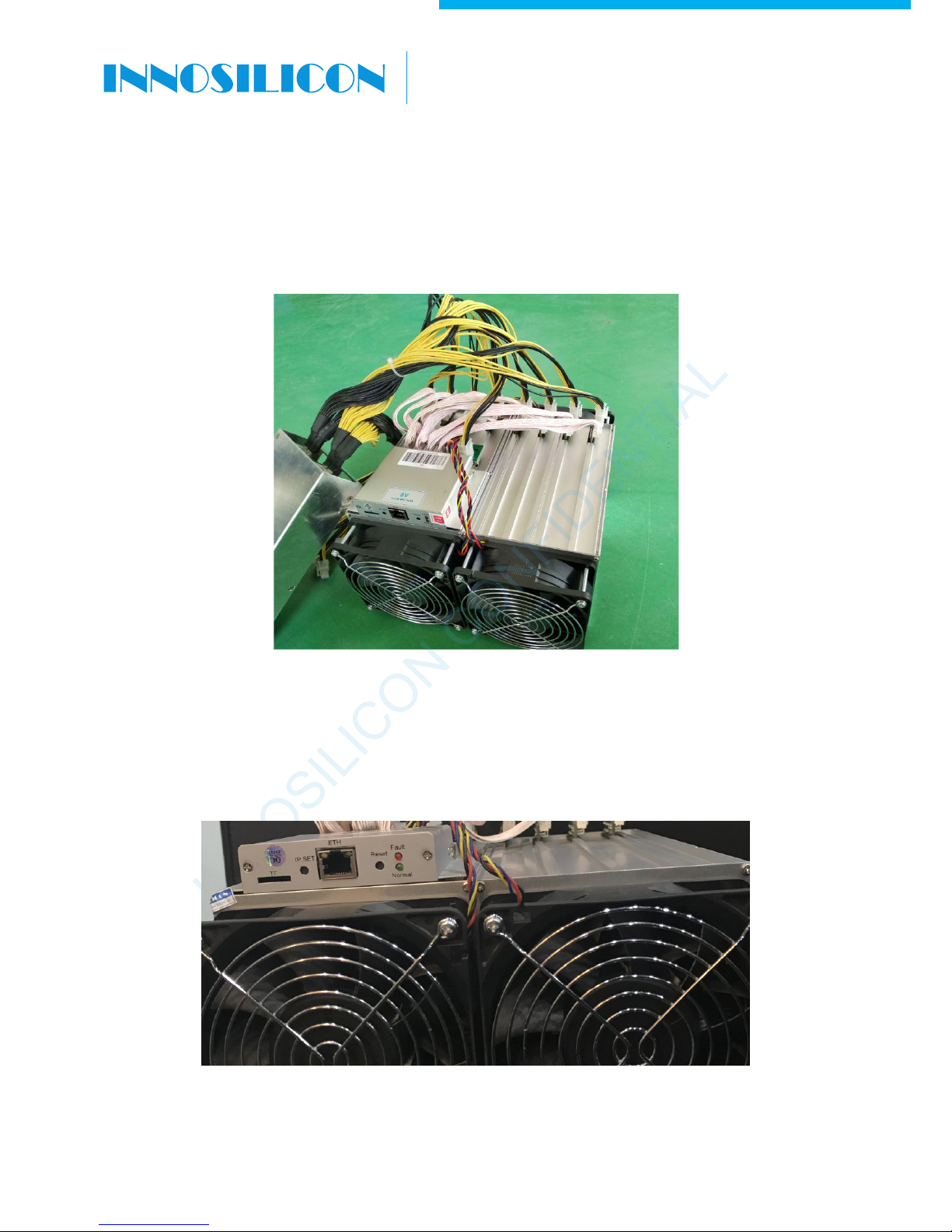
Every hash board needs to be inserted with 2 PSU cables, controller only needs 1 PSU cable according to
the following image .
2.3 CONNECT THE ETHERNET CABLE
Insert one end of the Ethernet cable into the router and the other end into the slot shown in the following
image, you should plug in the miner one by one, only when you have accomplished IP Setting of the
previous one you can plug in another miner .
IP SET button: Press it more than 5 seconds to recover the IP to 192.168.1.254.
RESET button: Your miner will restart if you press it. It wont recover your settings to the default.
INNOSILICON CONFIDENTIAL
A8+ CryptoMaster
INNOSILICON CONFIDENTIAL
Page 6

4
3. OPERATE THE MINER
3.1 ENTER THE MINER CONSOLE
DHCP(the Normal led on the control board should be blinking) is the default IP mode of the miner, find the
IP via the router or the IP scanner.
Enter the IP of the miner on the browser and press the Enter button. The chrome is the suggested
browser.
INNOSILICON CONFIDENTIAL
A8+ CryptoMaster
INNOSILICON CONFIDENTIAL
Page 7
5
INNOSILICON CONFIDENTIAL
A8+ CryptoMaster
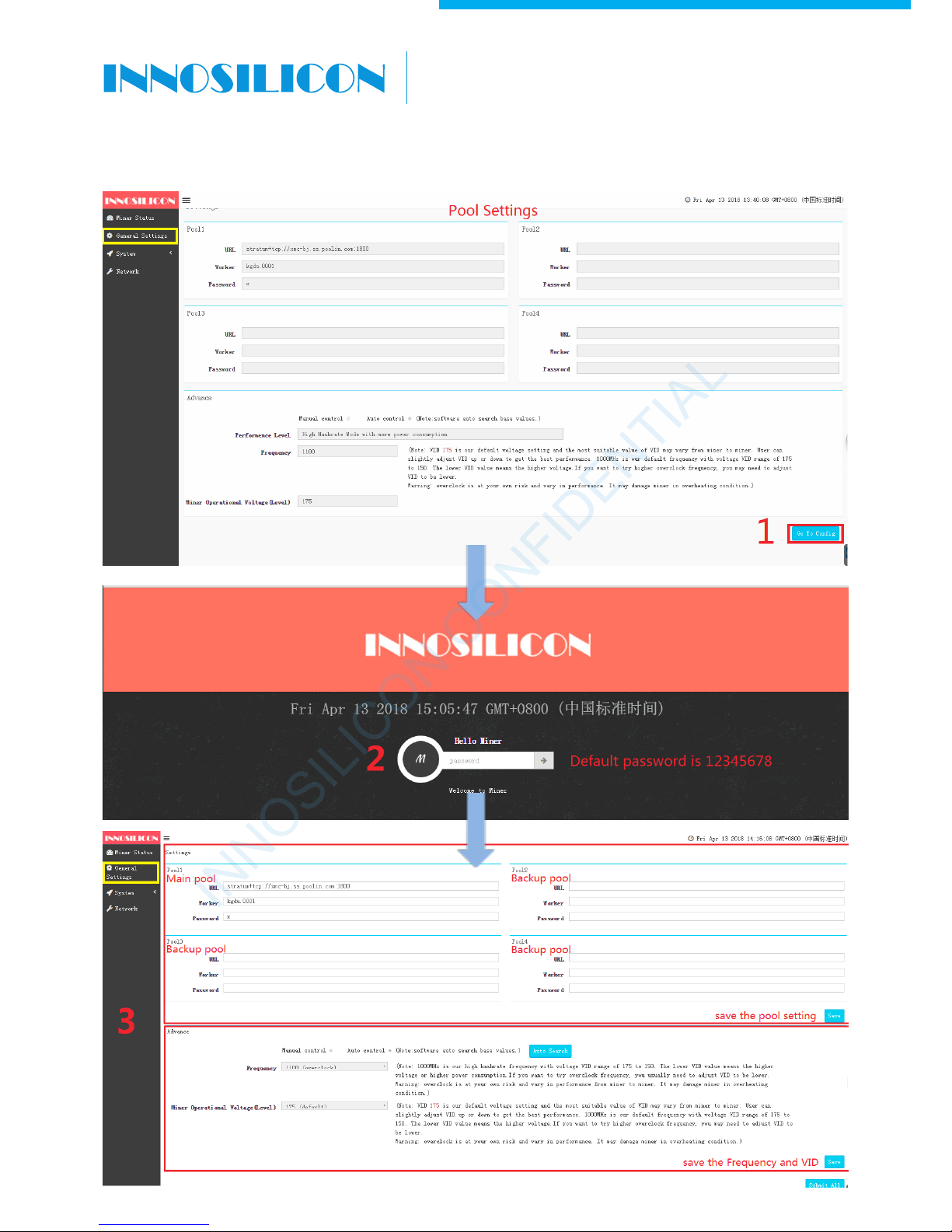
3.2 MODIFY THE POOL SETTINGS
INNOSILICON CONFIDENTIAL
Page 8
6
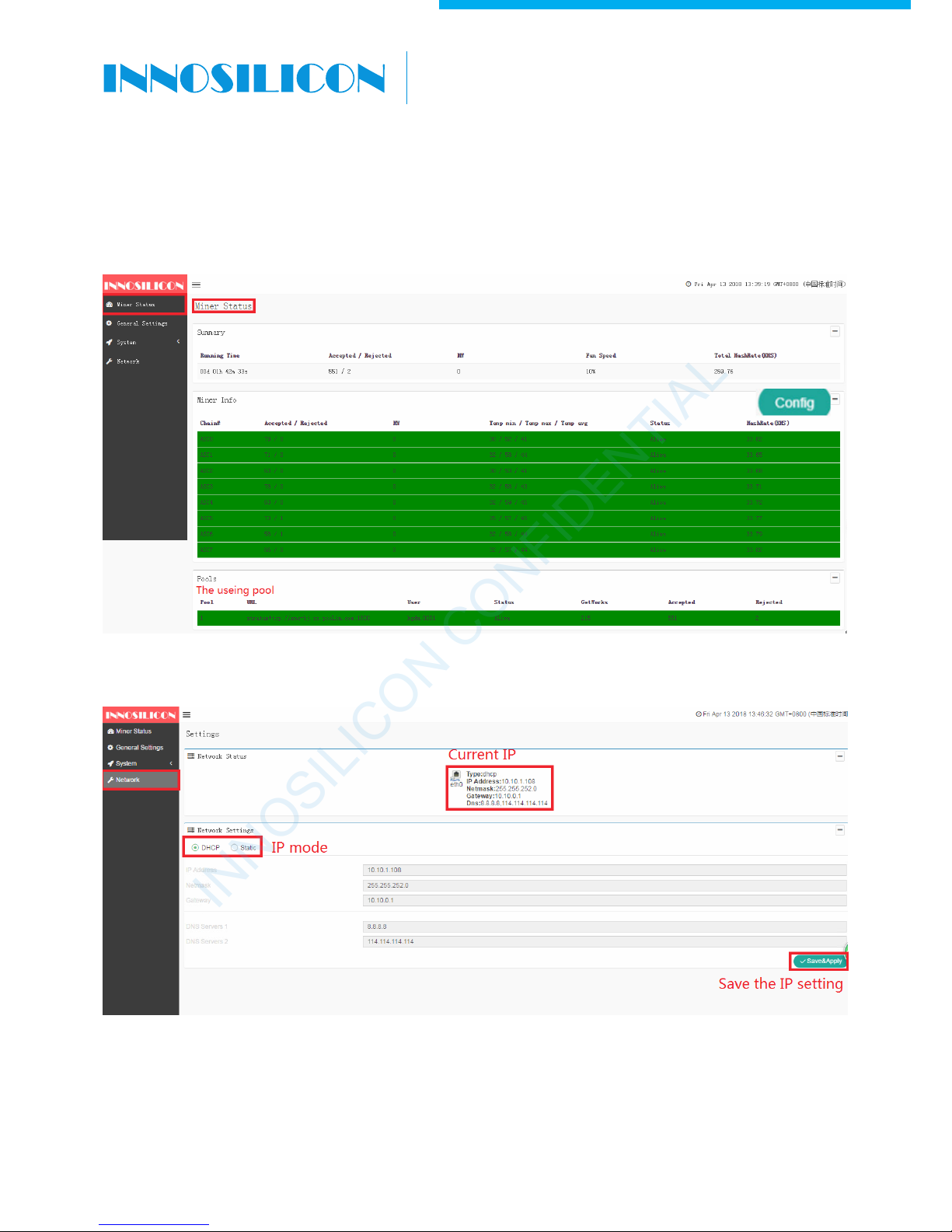
3.3 CHECK THE HASHRATE
The miner will work for you after you complete the configuration, then you can check the hashrate.
3.4 NETWORK
INNOSILICON CONFIDENTIAL
A8+ CryptoMaster
INNOSILICON CONFIDENTIAL
Page 9
7
INNOSILICON CONFIDENTIAL
A8+ CryptoMaster
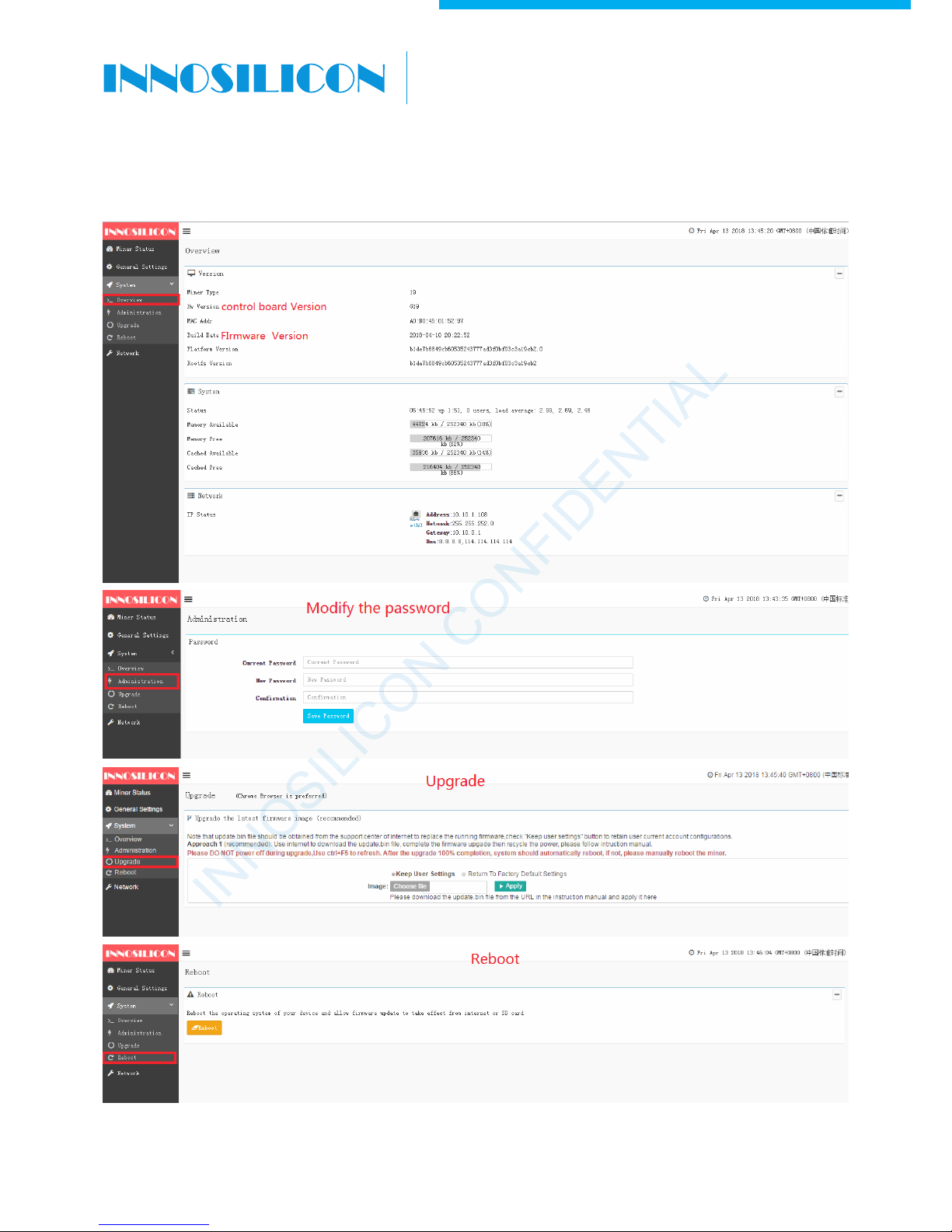
3.5 OTHER PAGES
INNOSILICON CONFIDENTIAL
 Loading...