

Page 1
Versa
Installation Guide
Whats included:
• (1) Versa drawer
• (1) Versa adjustable top mounting bracket
• (6) 3/4" screws
• (1) Removable accessory tray
• (2) Magnetic adjustable C-brackets to secure documents, laptops, or
Step 1
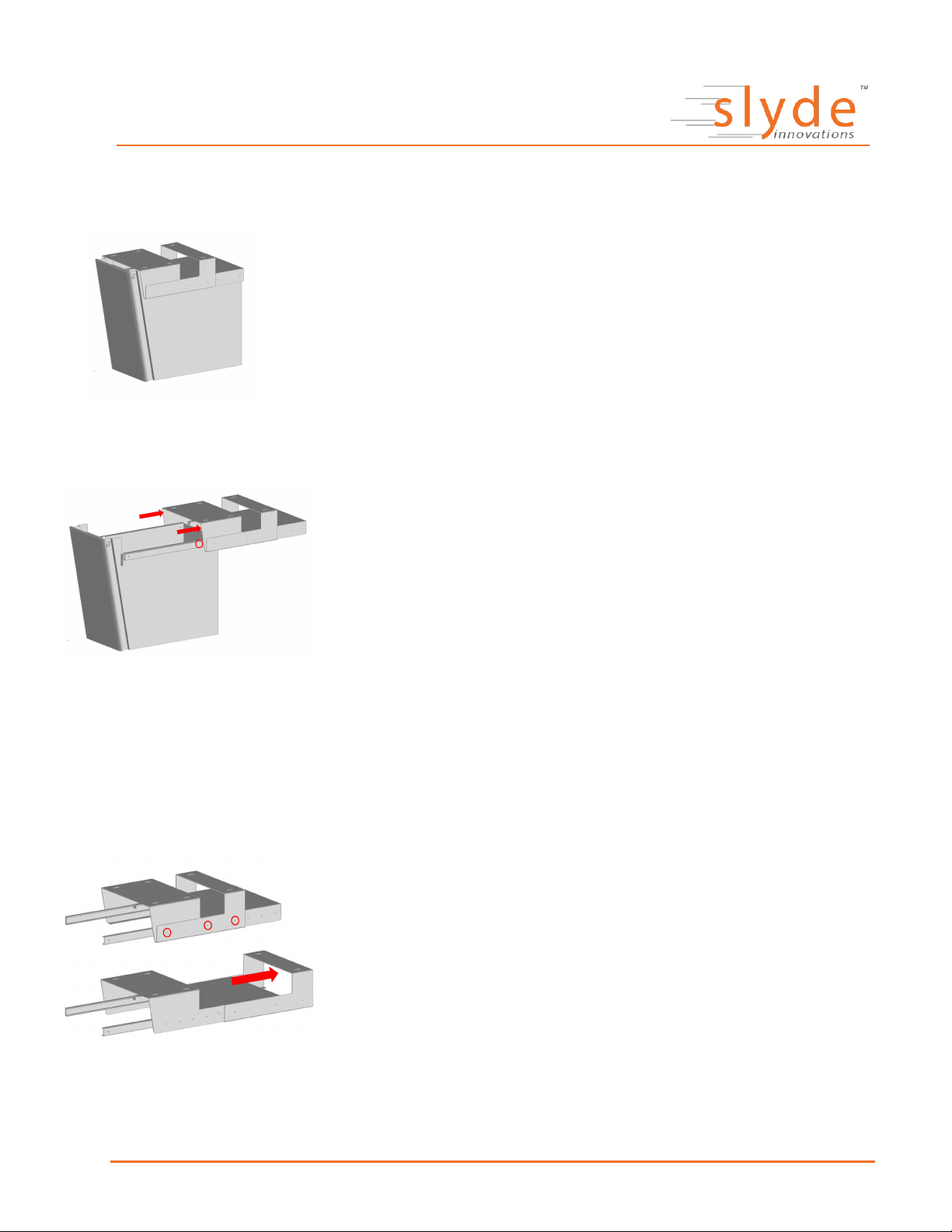
Detach the mounting bracket from the Versa
hang file folders
• Slide bracket all the way back
• Locate black plastic tabs (circled) and press down or lift up to release rails
• Slide bracket rest of way off to detach from Versa
Step 2
Pick where you want to mount the Versa
• Best placed as far left or right the desk will allow
Note: If locking is on the Versa, the far left may be preferred to
allow easiest access to the lock
Step 3
A
B
• The Versa comes with a universal adjustable mounting bracket to fit
around almost every support bar that may be on a sit-stand
• Begin by removing the small screws (A) on either side of the
mounting bracket, position bracket to required length (B), and
refasten screws
Page 2
2.25"
Versa
Installation Guide (continued)
Step 4
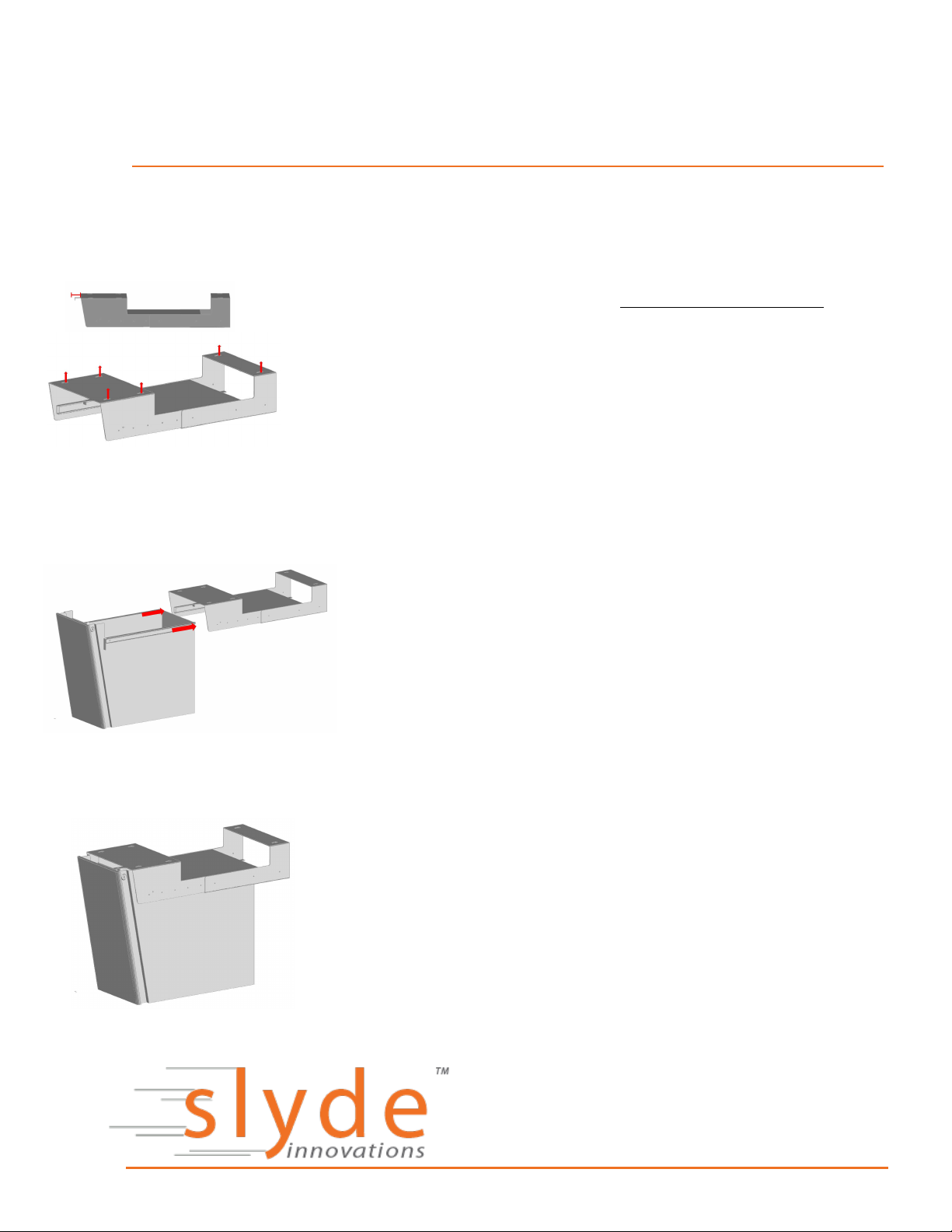
Once bracket is ready to be mounted, begin with middle (2) screws
• Front edge of bracket should be parallel front edge of work surface
and set back about 2.25" to ensure Versa drawer closes flush to
edge once attached
Note: If the work-surface does not have a flat front edge you may
want to next fix the front (2) screws, stop, and attach the Versa
drawer (Step 5) to ensure it closes flush, in case any adjustments
need to be made before securing final the back (2) screws
Step 5
Attach the Versa Drawer to bracket
• Hold drawer up to bracket, making sure that the side rails are
alligned, and push in fully (note: If Versa has charging the power
unit arrives facing outward for shipping purposes, this is a good
time to switch it around so that outlets are facing in and the cord is
on the outside)
Step 6
• Finishing Touches
o Attach magnetic brackets to inside Versa, and place
accessories tray across the top
o If Versa has charging, plug in to power source, ensuring the
cord has enough slack to allow the drawer to open freely
https://slydeinnovations.com
 Loading...