

Page 1
Customer Support: 1-888-999-4215
iLive | ITB105 v1204-01
Quickstart Guide
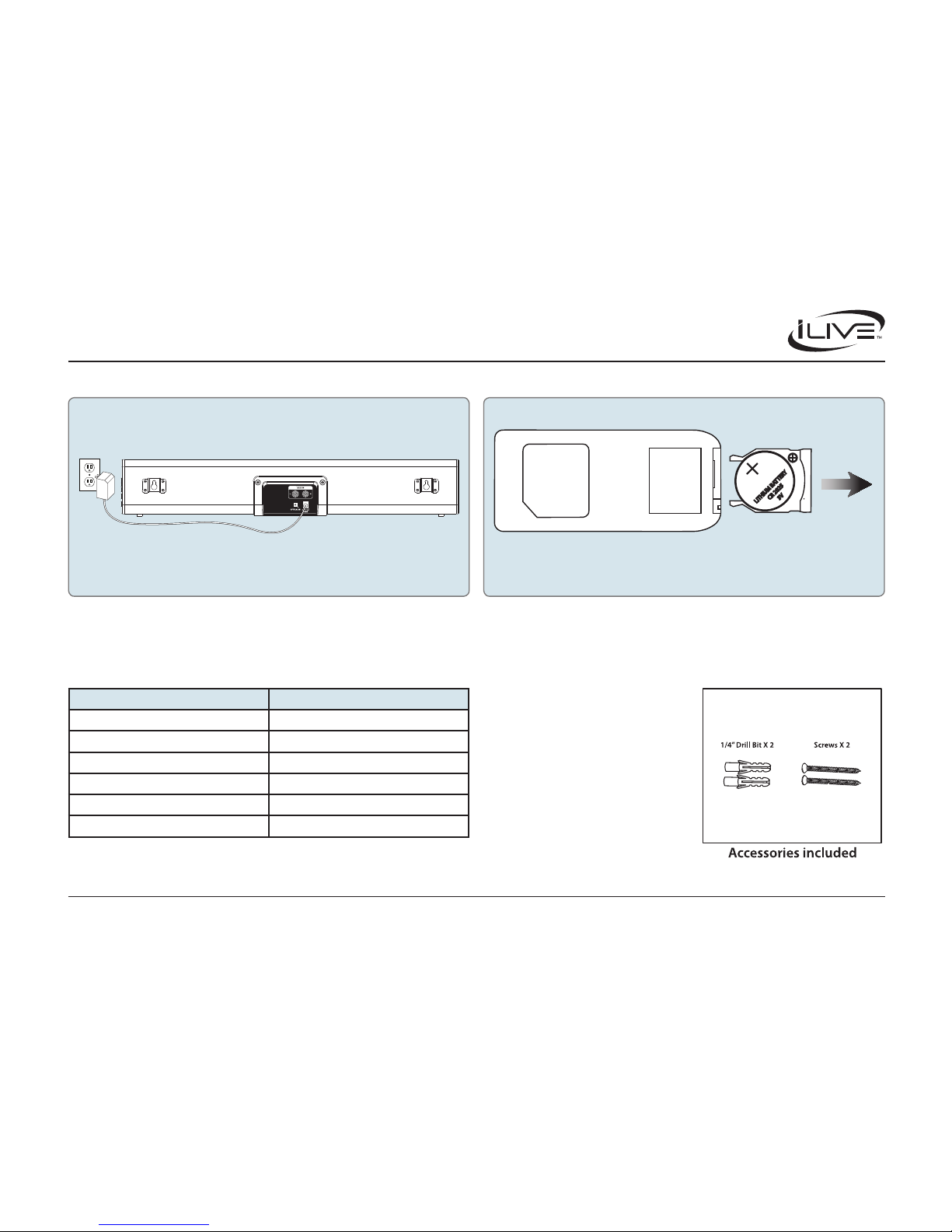
Plug the small end of the power cord into the DC Input on the back of the speaker,
and the large plug into a standard wall outlet.
Remote control: requires one CR2025 coin/button cell battery (included).
Power Remote Batteries
LITHIUM BA
T
TER
Y
CR 2025
3V
Out
Slide
Indicator Lights Mounting to a Wall
STATUS INDICATOR
Power O Red Light
Optical Mode Amber Light
Aux In Mode White Light
Line In Mode Green Light
Bluetooth Pairing Flashing Blue Light
Bluetooth Connected Blue Light
Use the included Mounting Template to
mount your to the wall.
Page 2
Customer Support: 1-888-999-4215
iLive | ITB105 v1204-01
Quickstart Guide
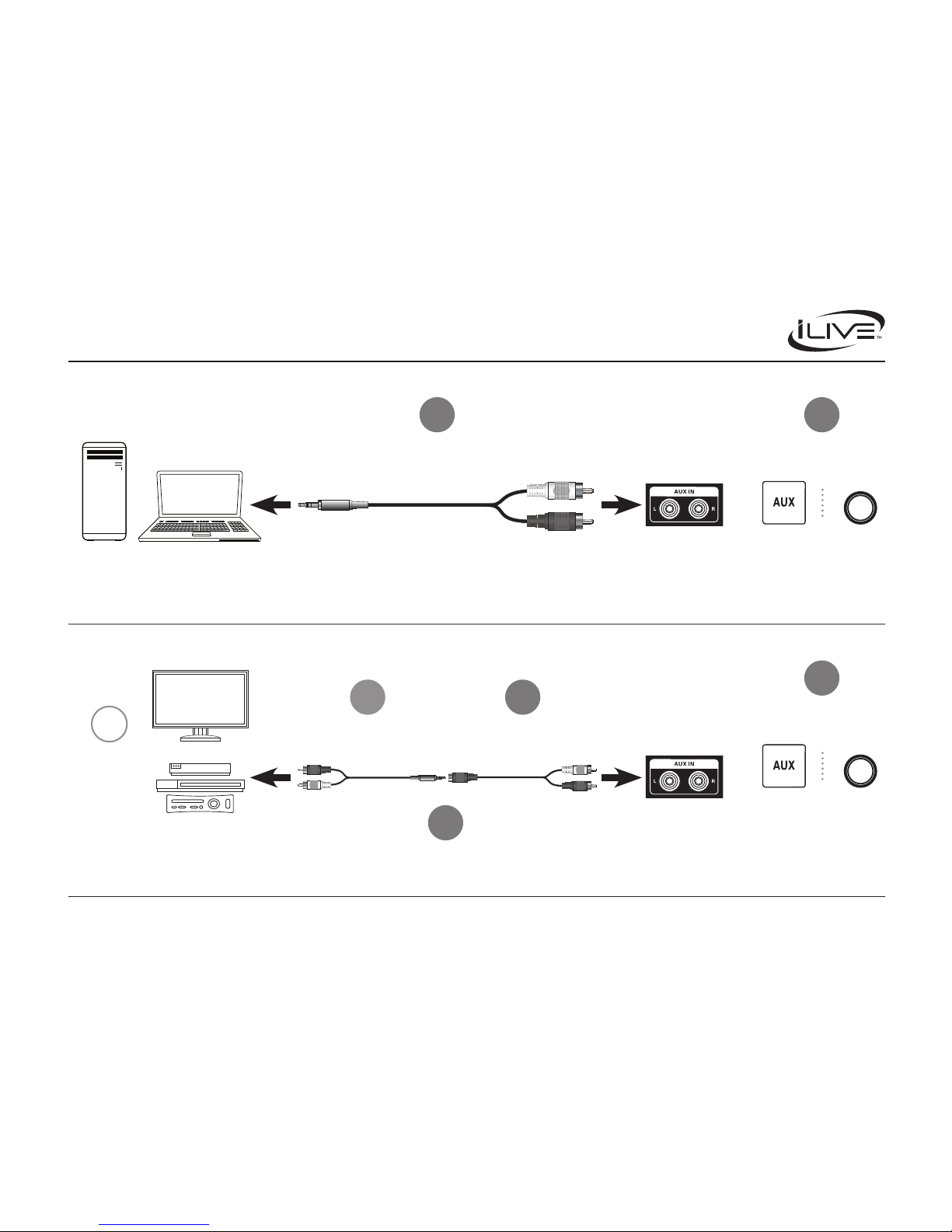
Desktop or Laptop Computer
TV/Cable Box/DVD Player/
Gaming Console
Soundbar
Soundbar
On
Soundbar
On
Remote
Set Soundbar Source to Aux
Set Soundbar Source to Aux
Connect using
3.5mm to RCA Cable
(male)
Connect using
3.5mm to RCA Cable
(male)
Connect Male and Female
3.5mm to RCA Cables
Connect using
3.5mm to RCA Cable
(female)TV and Device
should already
be connected
Aux In (RCA) Inputs
Aux In (RCA) Inputs
3.5mm Audio Input
RCA Audio Input
POWER
SOURCE
1
1
!
3
2
2
4
CONNECTING TO A COMPUTER
+
CONNECTING TO A DVD PLAYER, GAMING CONSOLE, OR OTHER DEVICE
On
Soundbar
On
Remote
POWER
SOURCE
 Loading...