

Page 1
Digital Housing
Supplemental Instructions
6210.83 Sony DSC-W830
Thank you for your purchase of Ikelite equipment. Please read the
“Instruction Manual” and “Supplemental Instructions” completely before
attempting to operate or dive with this product.
Page 2

Housing Specifications
Controls ............................All camera functions
Width ................................5.8 in (147 mm) including controls
Height ..............................4.6 in (117 mm) including controls
Depth ................................4.5 in (114 mm) including controls
Weight ..............................1.5 lb (680 g)
Buoyancy..........................Slightly positive in freshwater
Depth Rating ....................200 ft (60 m)
Built-in Flash ....................Yes
Strobe Connection............Fiber Optic or Slave
Tray Mounting ..................12-24 thread with 3 in spacing (76 mm)
Main O-Ring ....................0132.45
Port O-Ring ......................0103
Port Outer Diameter ........3.9 in (99 mm)
4
6mm Acc. Lenses ..........No
67mm Acc. Lenses ..........Macro lenses only with 9306.82 Macro Adapter
Bayonet Mount Lenses ....No
WD-4 Wide Angle Dome ..Yes
What’s in the Box
Housing
Port Cover 0200.08
Vinyl Break-away Safety Lanyard 0321.10
Silicone Lubricant 0184.1
Flash Diffuser
Flash Deflector
Extra Control Tips/Sleeves
2
Page 3
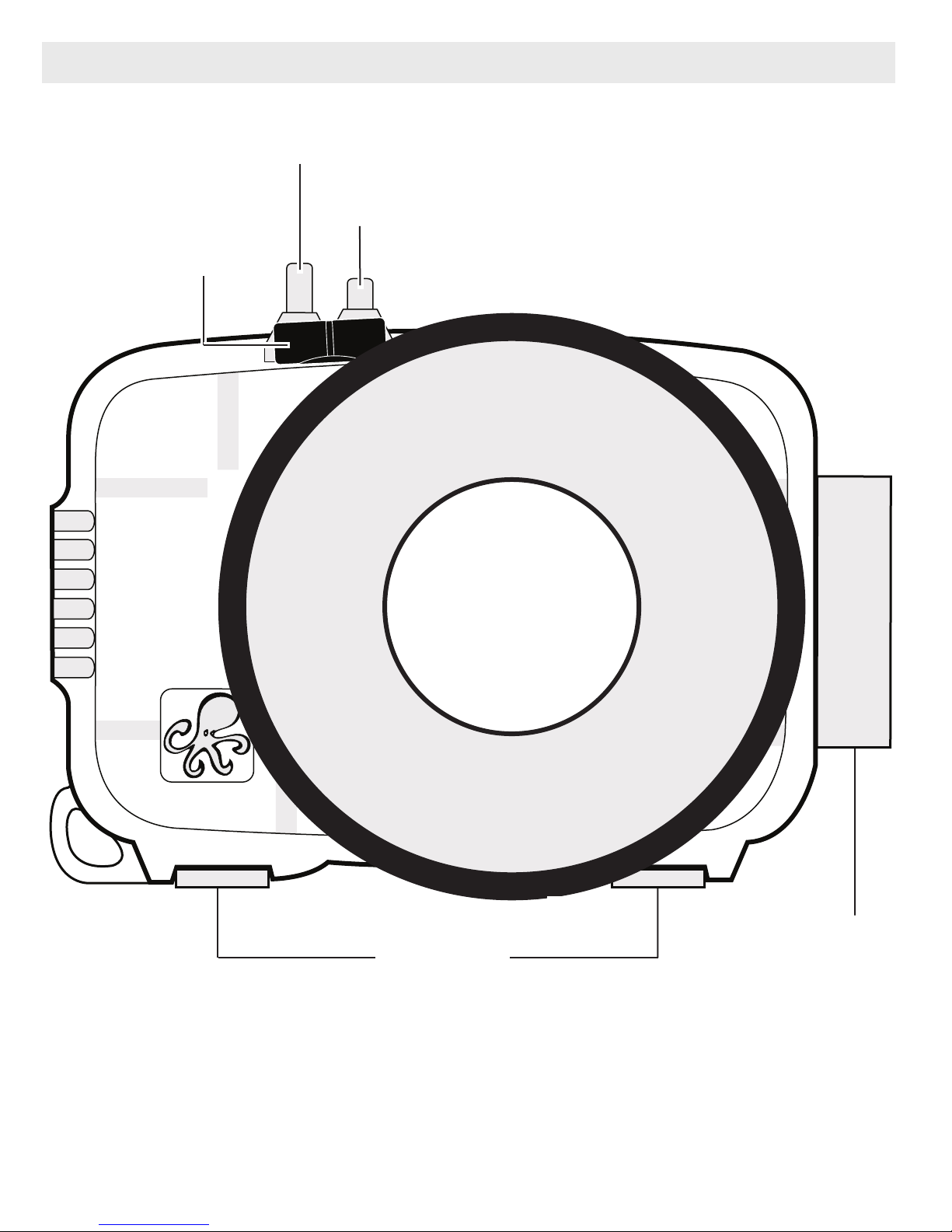
Parts of the Housing - Front View
Shutter Button
ON/OFF Button
Fiber Optic Ports
Lens Port
Tray Mounts
Latch
3
Page 4
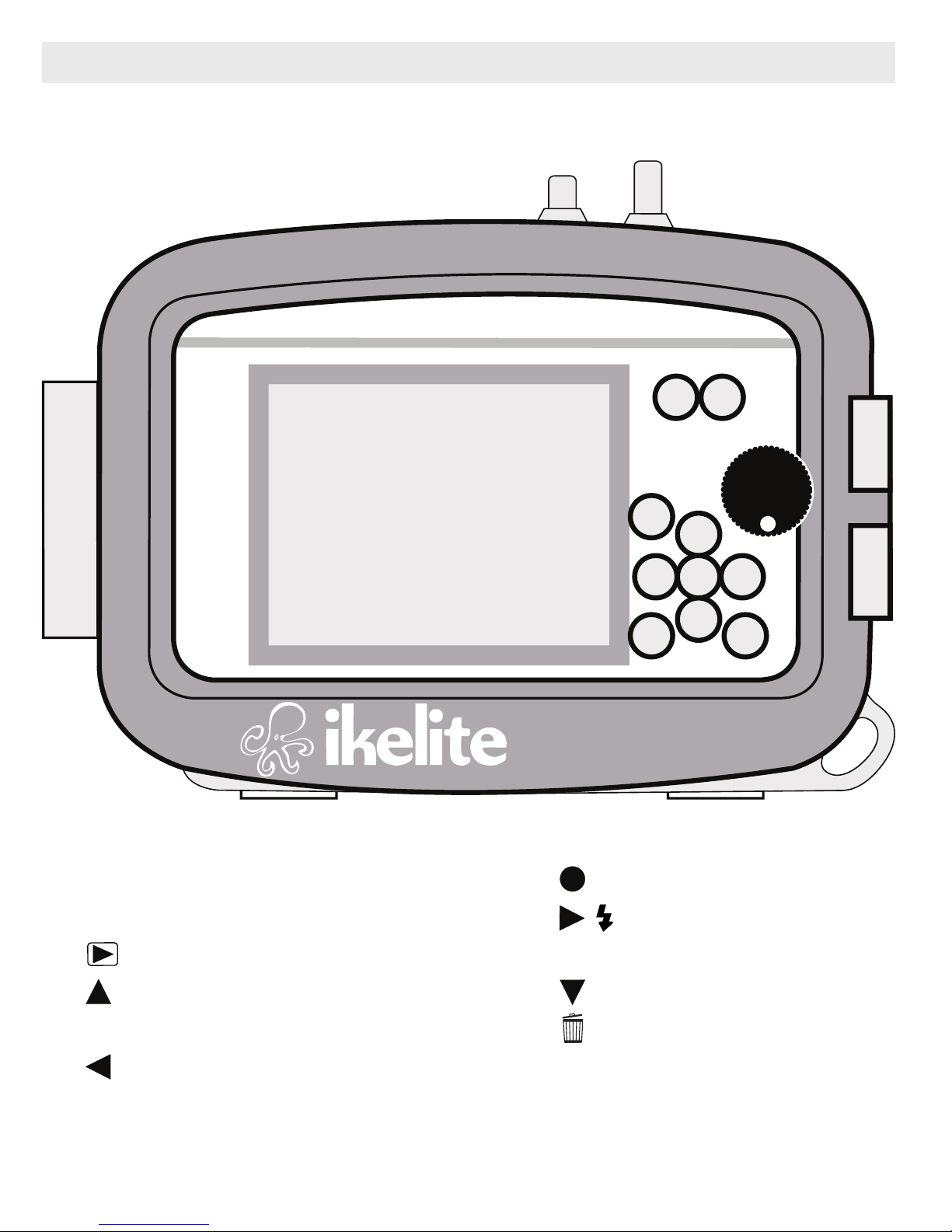
Parts of the Housing - Back View
3
1
2
5
4
1. W/T Zoom Button (Wide)
2. W/T Zoom Button (Telephoto)
3. Playback Button
4. Up / DISP Display Button
6
7
8
10
9
ULTRA
Made in USA
7. Set Button
8. Right / Flash Button
9. MENU Button
10. Down / Self-timer Button
compact
11
5. Mode Switch
6. Left / Smile Button
4
11. Delete Button
Page 5

Initial Camera Settings
SET
(before placing camera in housing)
- Insert fully charged camera battery and turn camera on.
- Set Mode Switch to .”
- In MENU:
Set Rec Mode to “P” Program Auto. The shutter speed will be locked at
1/30th second when the flash is activated.
Set Still Image Size to “4:3(20M).”
Set ISO to “200.
”
Set White Balance to WB/Auto. For best results, manually set white
balance for each working depth using “One Push Set.”
Set Focus to “Center AF” and Metering Mode to “Center.”
Set Face Detection to “Off.”
Set DRO to DRO STD.”
- In MENU:
Set Movie Format to “AVCHD”.
Set AF Illuminator to “Off.”
Set Digital Zoom and Red Eye Reduction to “Off.”
Set Monitor Brightness to 5 “Bright.”
Set Disp. Resolution to “Standard.”
Set Power Save to “Off.”
Insert and format an SD memory card.
Set Area, Date and Time.
- Set flash function to “On” Always use flash.
* All menu functions not listed should be set to the user’s preference.
5
Page 6
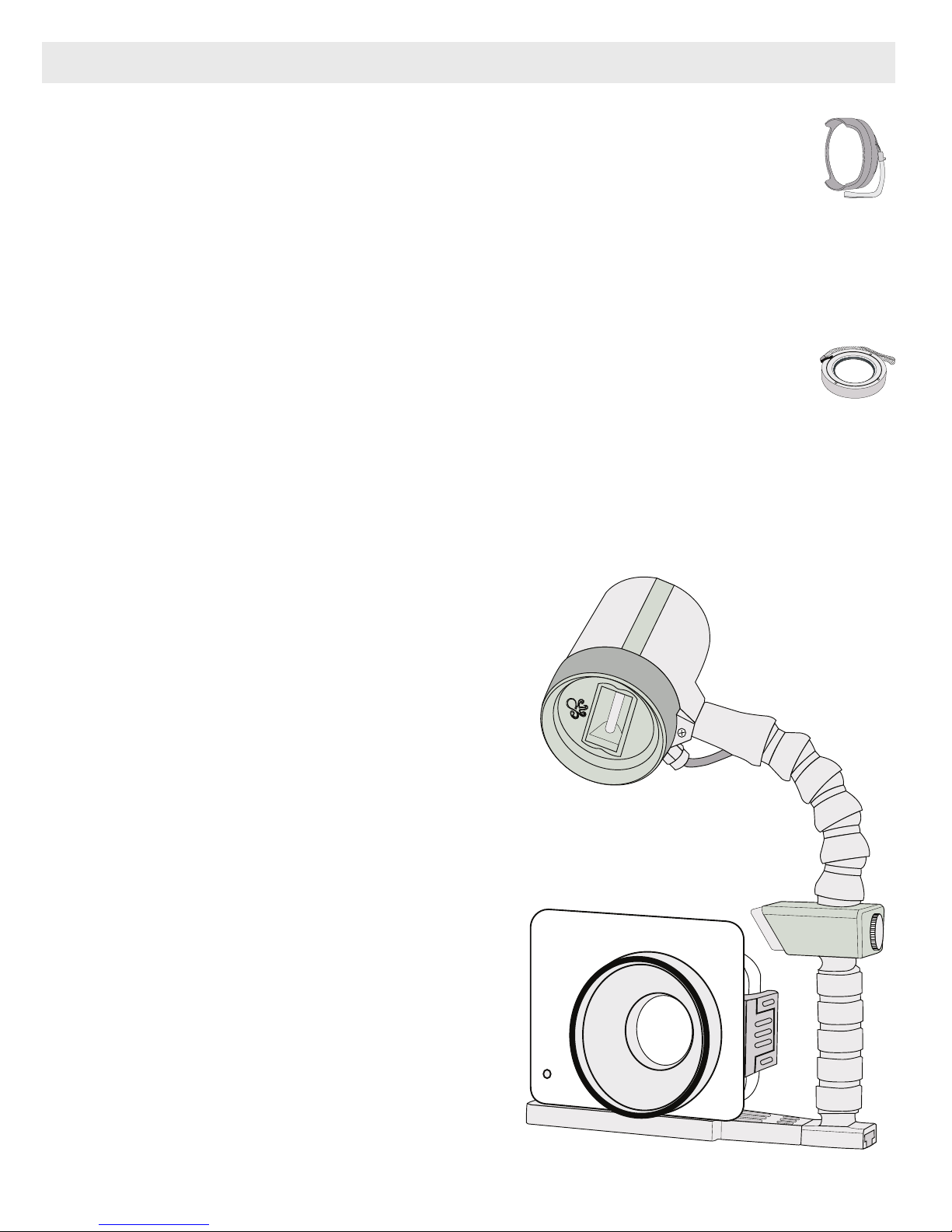
Housing Accessories
WD-4 Wide-Angle Conversion Dome 6430.4
The removeable WD-4 corrects light refraction underwater,
restoring the camera’s original angle of coverage. Approximately
3/4 of the camera's zoom range can be used with the dome in
place. Slight vignetting may occur at camera’s widest angle setting.
External Macro Adaptor 9306.82
Allows attachment of 67mm threaded macro lenses from Inon and
Epoque. NOT for use with 67mm threaded wide-angle lenses.
Note: Other wide angle conversion or accessory lenses cannot be used
with this housing.
AF35 Strobe Package 4035
The AutoFlash AF35 kit is a great
compliment, and an effortless,
affordable way to add a flash to your
new Ikelite point and shoot camera
system. Everything you need to get
started is in the box. Just attach it to
the bottom of your housing and start
taking pictures!
The AF35 Strobe Package is available
to support your housing along with a
full range of accessories. Please visit
www.ikelite.com to see the most
35
AF
ikelite
AUTOFLASH
ikelite
current information about
recommended accessories for your
housing.
6
Page 7

Customer Support
Please read the troubleshooting section of the “Instruction Manual”
before contacting Ikelite.
Limited Warranty
This Ikelite product is warranted against any manufacturing defects for a
period of one (1) year from the original date of purchase. Defective
products should be returned to Ikelite postage paid. Ikelite will, at its sole
discretion, repair or replace such products, and will return to customer
postage paid. All other claims of any nature are not covered. Except as
mentioned above, no other warranty expressed or implied applies to this
Ikelite product.
7
Page 8

Ikelite Underwater Systems
50 West 33rd Street
Indianapolis, IN 46208 USA
www.ikelite.com
© 2014 Ikelite Underwater Systems
6210.83_Sony_W830_1-0814
 Loading...