

Page 1
Quick Start Guide
S7P-DK
Saga 7" Super High Bright 3G-SDI/HDMI Touchscreen Monitor
with 3D LUTs and Scopes Deluxe Kit
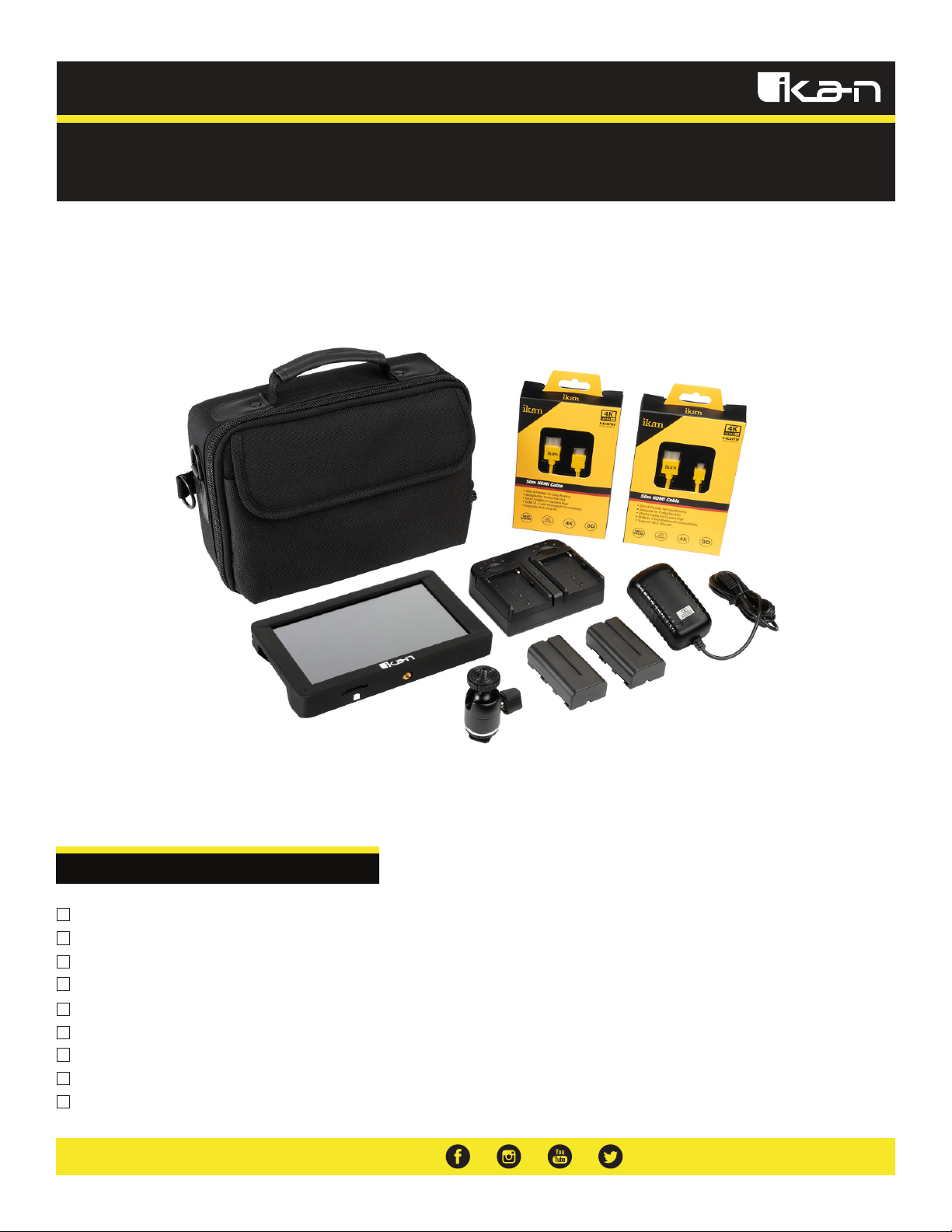
What’s Included
1 x S7P Monitor
1 x Power Adapter
1 x Shoe Mount
1 x Soft Carry Case
1 x Slim HDMI Cable (Mini to Standard)
1 x Slim HDMI Cable (Micro to Standard)
1 x Slim SDI Cable
2 x IBS-550 Battery
1 x Battery Charger
Page 2
Getting Started
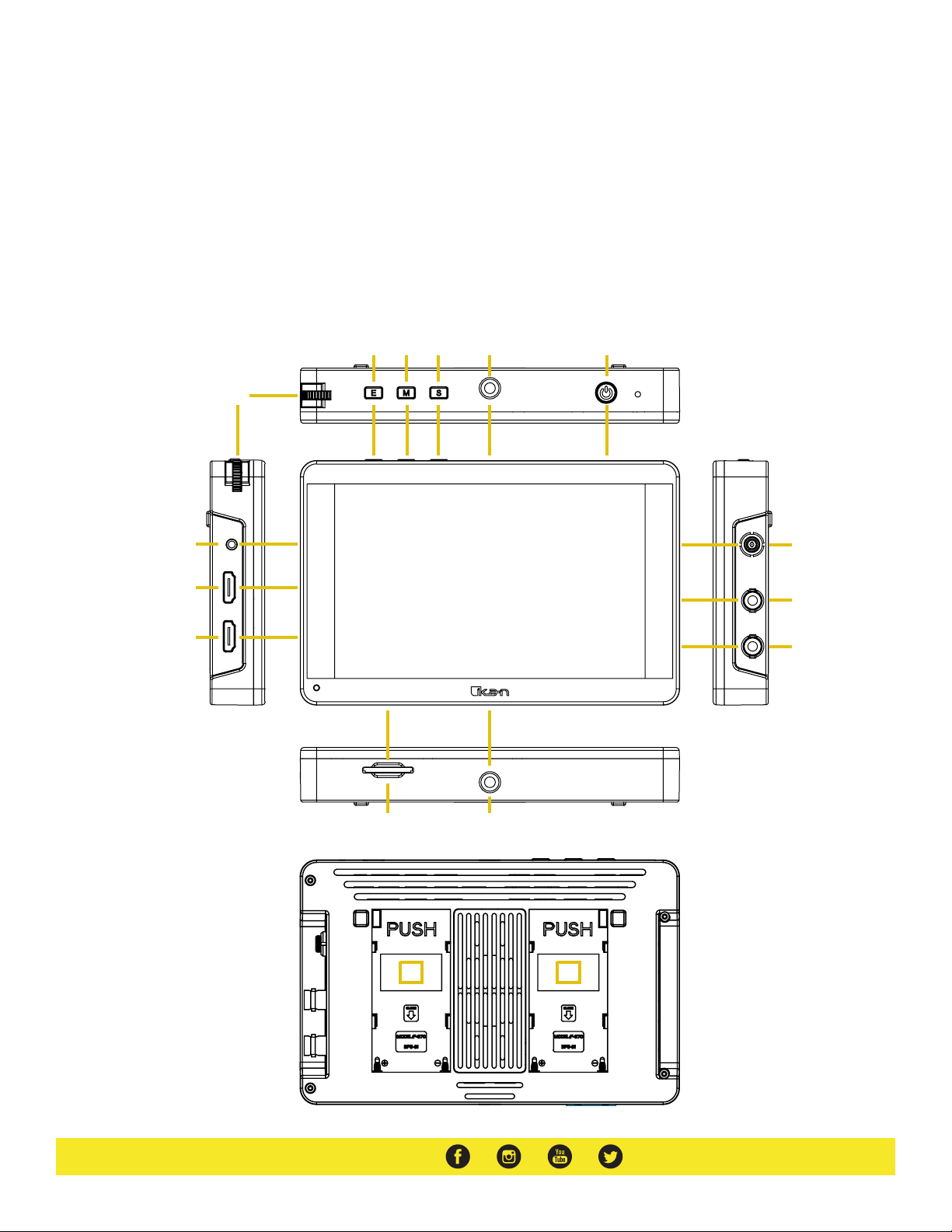
1. Menu Button - Scroll Wheel
Used to enter and navigate the menu
2. Exit / Back
Used to exit or go back
3. Mute
Toggle sound on and off
4. Source
Switch between SDI and HDMI inputs
1
11
12
5. 1/4”-20 Threaded Mounting Points
6. Power Button
Hold 3 seconds to turn on/off
7. DC 7-24V Power Terminal
8. SDI Input Terminal
9. SDI Output Terminal
2 3 4 5 6
1920 x 1200
7 in.
2000 NITS
10. SD Card Slot
Used to load LUTs
11. 3.5mm Headphone Output
12. HDMI Input Terminal
13. HDMI Output Terminal
14. L Series Battery Slots
Option to use 1 or 2 DV batteries
7
8
13
10
14 14
5
9
Page 3
Configuration of Menu Settings
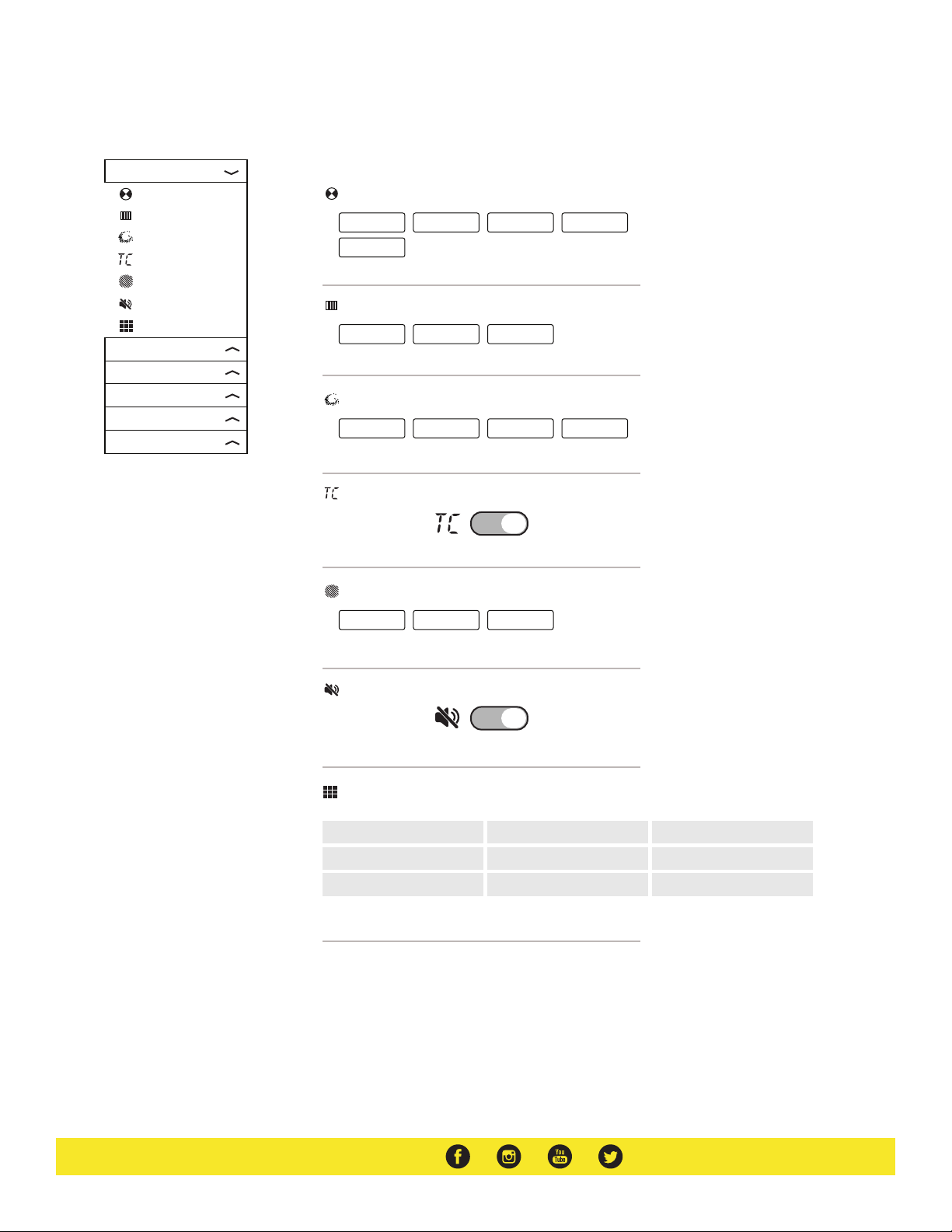
Assist Menu Dropdown
Assist
Monochrome
False Color
Peak Color
Timecode
Zebra
Mute
Nine Grid
Mark
Image Setting
Color Setting
Signal Analysis
System
Monochrome — Toggle between off, gray, red, green, and blue
off
blue
False Color — Two types of visual exposure image overlay
off
Peak Color — Activate peaking in select color
off
Timecode — Toggle timecode on/off
gray
type 1
red
red
type 2
green
green
blue
Zebra — Use 75IRE or 100IRE to check exposure
off
75IRE
100IRE
Mute — Toggle sound on/off
Nine Grid — Zoom in on one of the 9 sections
Page 4
Configuration of Menu Settings
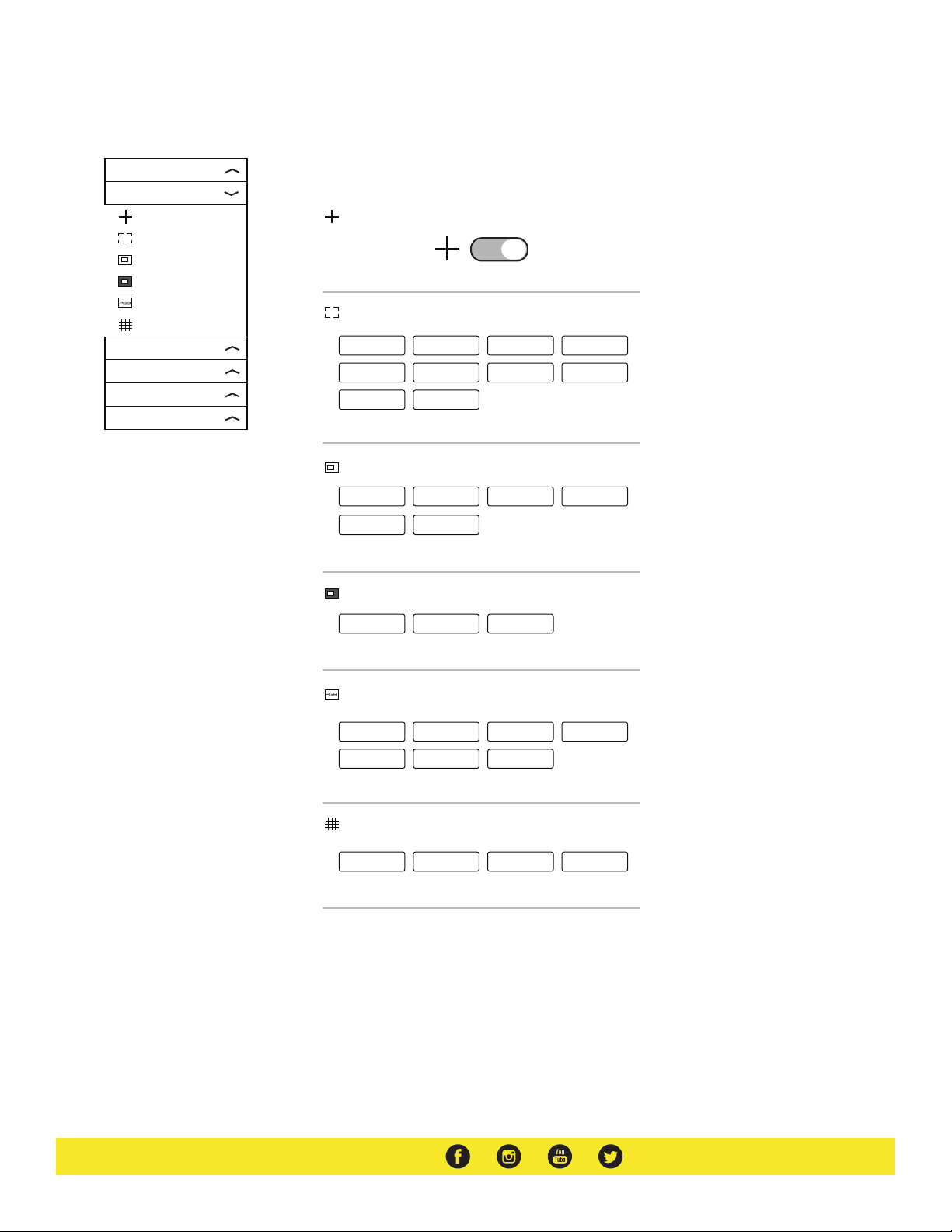
Mark Menu Dropdown
Assist
Mark
Center Mark
Safety Marker
Guide
Guide Back
Marker Color
Grid Line
Image Setting
Color Setting
Signal Analysis
System
Center Mark — Toggle center crosshair on/off
Safety Marker — Select action area and title safe areas displayed
off
16:9
1.85:1
Guide — Apply aspect ratio frame guides
70%
16:10
2.35:1
80%
4:3
90%
5:4
off
1.85:1
16:9
2.35:1
16:10
4:3
Guide Back — Option black out or half tone the areas outside of frame guides
off
black
half tone
Marker Color — Pick marker line color
gray
blue
yellow
white
red
black
green
Grid — Apply grid lines to assist with composure
off
small
middle
large
Page 5
Configuration of Menu Settings
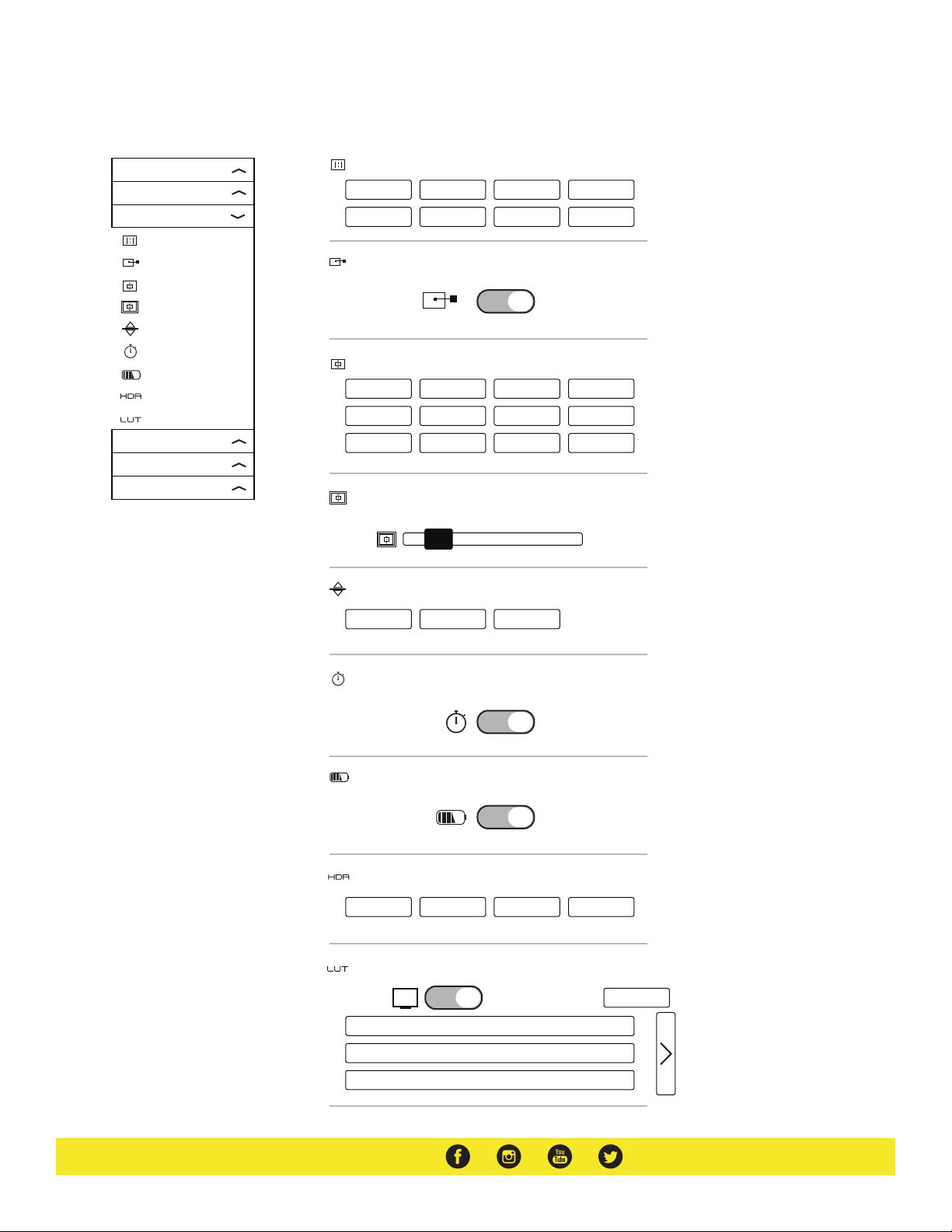
Image Setting Menu Dropdown
Assist
Mark
Image Setting
Video Aspect
Pixel to Pixel
Zoom
Zoom Times
Flip
Freeze
Battery Level
HDR
Lut
Color Setting
Signal Analysis
System
Video Aspect — Adjust video aspect ratio
auto
5:4
16:9
1.85:1 2.35:1 Stretch
16:10
4:3
Pixel to Pixel — Toggle on/off
Zoom — Select amount to punch in and check focus
off
4X
8X
1.4X
5X
9X
2X
6X
10X
3X
7X
user
Zoom Times — Adjust zoom by percentage
100
Flip — Flip image
off
on
auto
Freeze — Freeze frame
Battery Level — Toggle Battery Level icon on/off
HDR — Preview HLG 2020, HLG 709, or HLG P3
off
HLG 2020
HLG 709
HLG P3
LUT — Toggle 3D LUTs on/off; import 3D LUTs from SD Card
Import
SLOG2
SLOG3
LOGC
Page 6
Configuration of Menu Settings
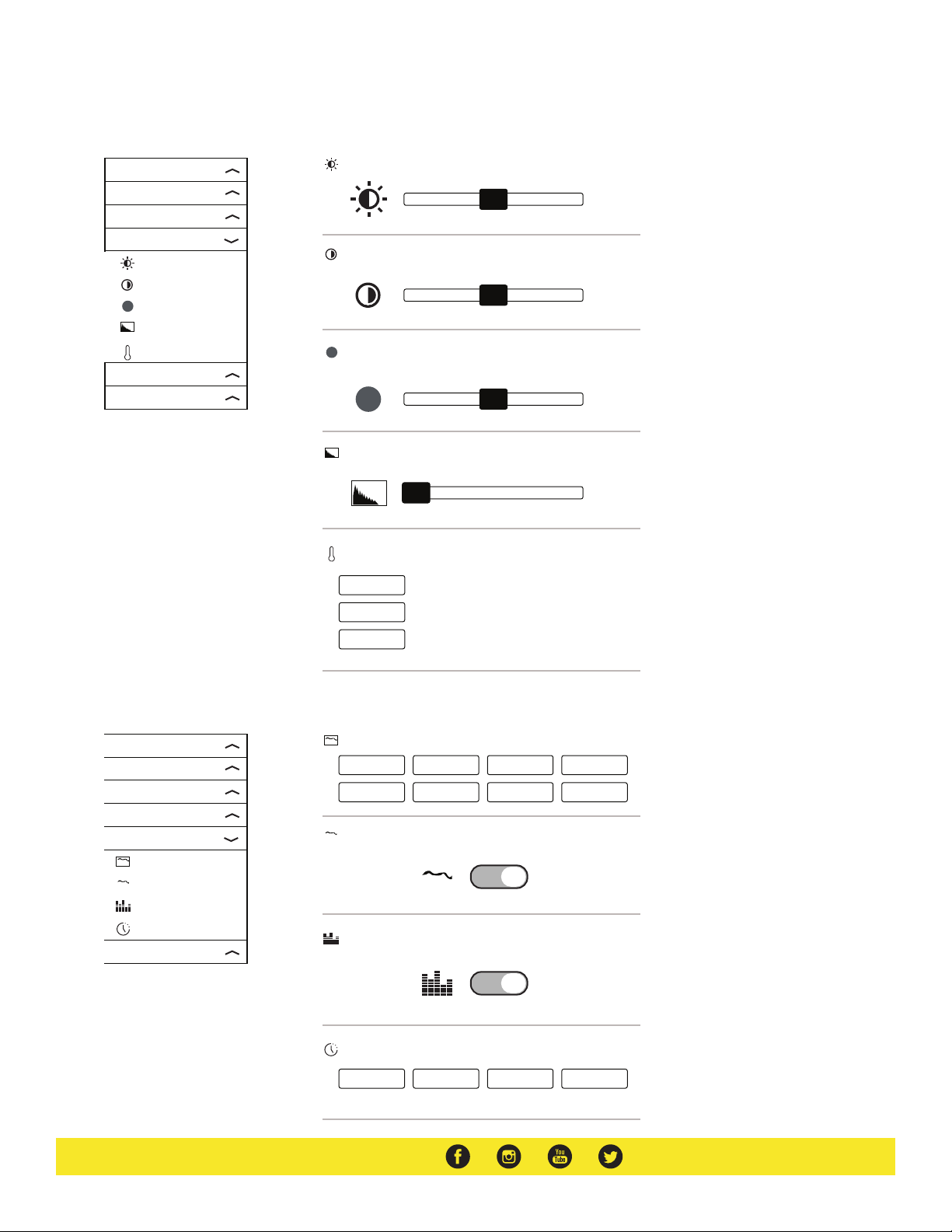
Color Setting Menu Dropdown
Assist
Mark
Image Setting
Color Setting
Brightness
Contrast
Saturation
Sharpness
Colortemp
Signal Analysis
System
Brightness
50
Contrast
50
Saturation
50
Sharpness
0
Colortemp
USER
6500K
Assist
Mark
Image Setting
Color Setting
Signal Analysis
Wave Display
Wave Full Screen
Audio Meter
H/V Delay
System
9300K
Signl Analysis Menu Dropdown
Wave Display — Select scopes to display
off
Y Histogram
Wave Full Screen — Toggle full screen waveform
Audio Meter — Toggle on/off
H/V Delay — Toggle H/V Delay
off
Y Parade
RGB Histogram
H Delay
YUV Parade
Vector
V Delay
RGB Parade
Wave All
H/V Delay
Page 7
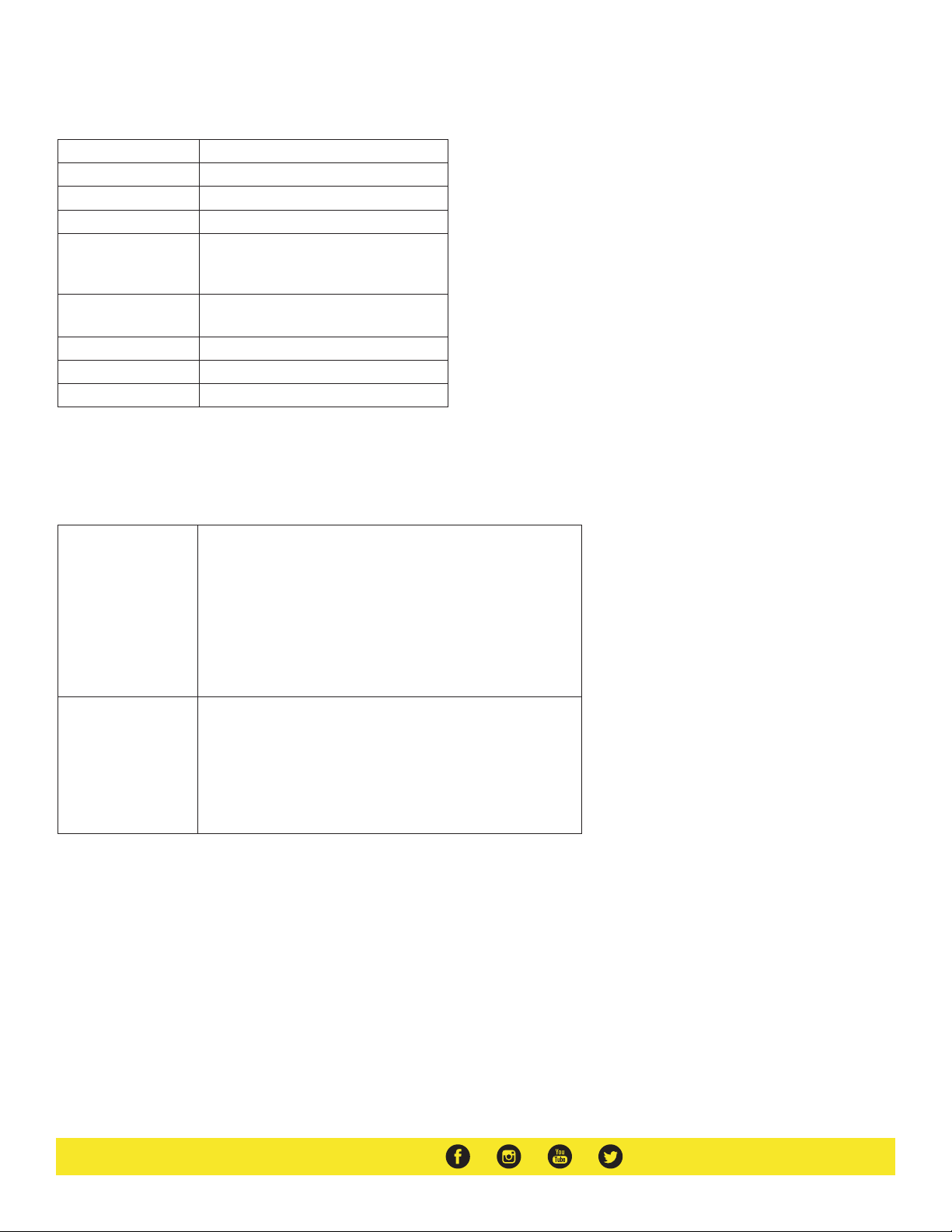
Specifications
Aspect Ratio 16:10
Battery L Series Battery
Brightness 2000 nits
Contrast Ratio 1100:1
Inputs 1 x HDMI
1 x 3G-SDI
1 x 3.5mm Audio
Outputs 1 x HDMI
1 x 3G-SDI
Resolution 1920 x 1200
UPC Code 847983030736
Viewing Angle 178° (89°/89°)
Supported Video Signals Specifications
HDMI 720x480i & 720x480p @ 59.94, 60 Hz
720x576i & 720x576p @ 50 Hz
1280x720p @ 50, 59.94, 60 Hz
1920x1080i @ 50, 59.94, 60 Hz
1920x1080psf @ 24, 25, 29.97, 30 Hz
1920x1080p @ 23.97, 24, 25, 29.94, 30, 50, 59.94, 60 Hz
3840x2160p @ 24, 25, 30 Hz
4096x2160p @ 24 Hz
3G-SDI 720x480i @ 59.94, 60 Hz
720x576i & 720*576p @ 50 Hz
1280x720p @ 50, 60 Hz
1920x1080i @ 50, 59.94, 60 Hz
1920x1080psf @ 24, 25, 29.97, 30 Hz
1920x1080p @ 23.93, 24, 25, 29.97, 30, 50, 59.94, 60 Hz
Optional Accessories
Some other products that work well with this item available from Ikan include:
MA207
MA211
MA211-R
IBS-750
IBS-970
7 in. Articulating Arm
11 in. Articulating Arm
11 in. Articulating Arm w/ Single Rod Mount
IBS Sony L-Series NP-F750 Compatible Battery
IBS Sony L-Series NP-F970 Compatible Battery
Page 8

Learn More
More dynamic information at official website: www.ikancorp.com
Support
Contact email: [email protected]
CONDITIONS OF WARRANTY SERVICE
• Free service for one year from the day of purchase if the problem is caused by manufacturing errors.
• The components and maintenance service fee will be charged if the warranty period is expired.
Free Service will not be provided in the following situations: (*Even if the product is still within the warranty period.)
• Damage caused by abuse or misuse, dismantling, or changes to the product not made by the company.
• Damage caused by natural disaster, abnormal voltage, and environmental factors, etc.
©2019 Ikan International. All rights reserved.
 Loading...