

Page 1
Quick Start Guide
RLB48-M2
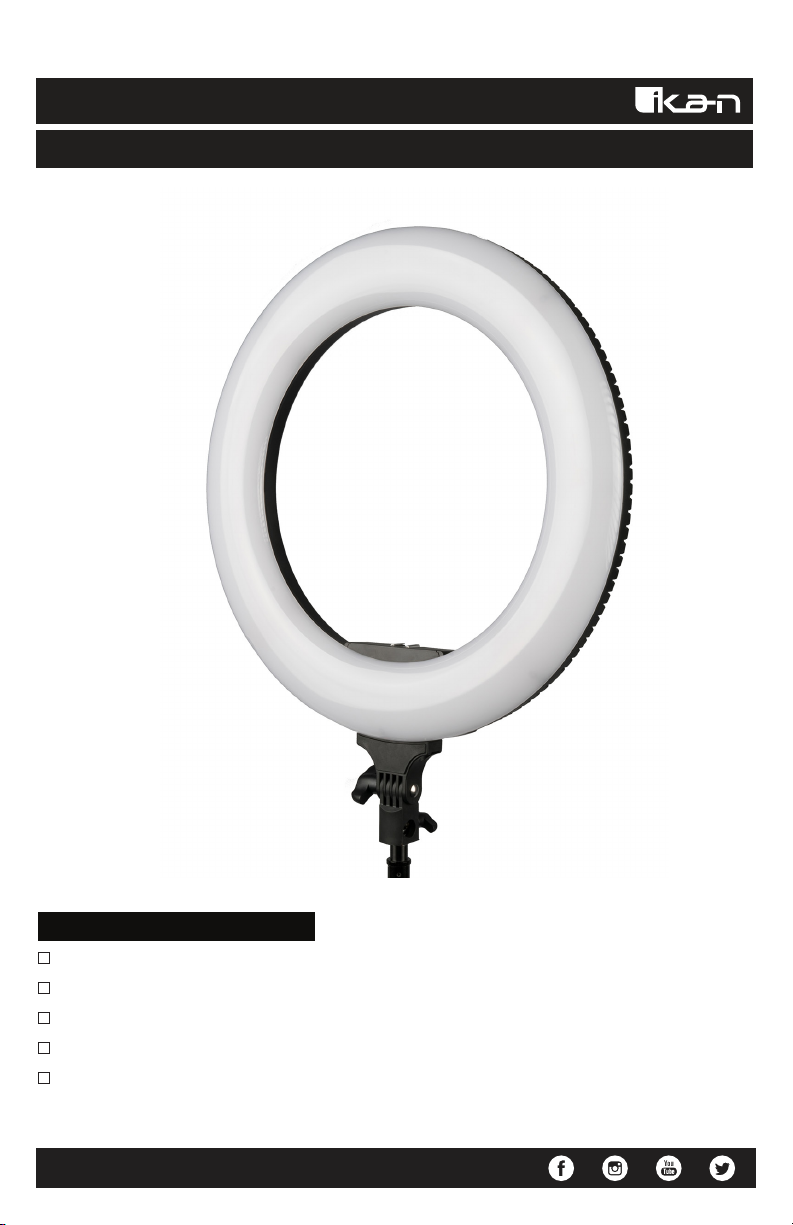
Oryon 18” Bi-Color 2700K-5600K Ring Light (Version 2)
What’s Included
1 x 18” Ring Light
1 x 18” Carry Bag
1 x Phone Mount
1 x Power Cord
1 x Remote Control
www.ikancorp.com | 1.713.272.8822 | [email protected]
Page 2
Warning
- Do not expose the light to rain or extreme moisture conditions.
- The ring light does not have charging capabilities. Use a dedicated charger to charge batteries.
- Do NOT use both AC adapter and battery at the same time.
- Do not attempt to open or modify the ring light.
Light Overview
1
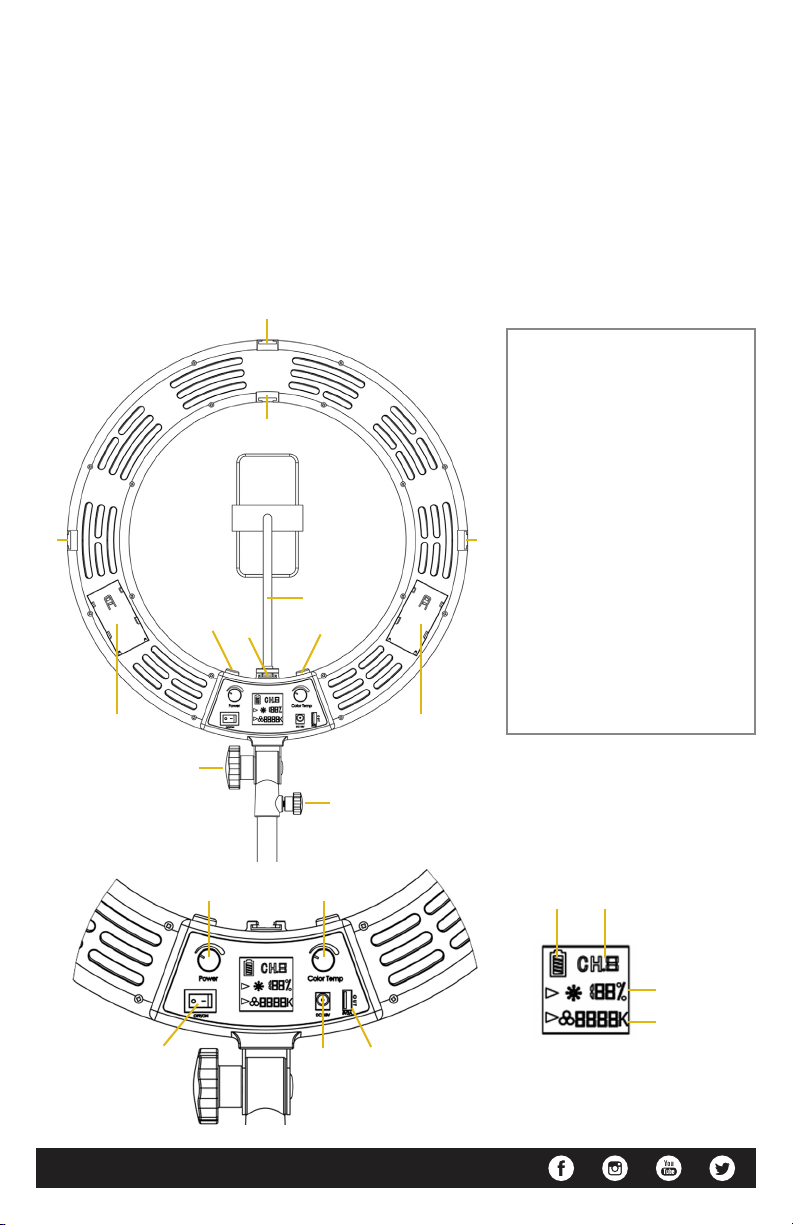
1. Shoe Mounts
2. Smartphone Holder
1
1
2
1
4 4
33
3. ¼”-20 Threads
4. Battery Slots
5. Light Angle Knob
6. Locking Knob
7. Brightness/Standby Knob
8. Color Temperature Knob
1
9. Power Switch
10. 18V DC Port
11. 5V 2A USB Power Output
12. Battery Level Indicator
13. Ring Light Mode
14. Brightness Display
15. Color Temperature Display
5
6
7
9
www.ikancorp.com | 1.713.272.8822 | [email protected]
8
10 11
12
13
14
15
Page 3
Basic Operation
The light can be powered with either the included power adapter or with L Series battery. For L series
battery use either the F750 or F970.
Press the switch to the on side to power the light on. You can put the light into a standby mode by
pressing the Brightness Knob. This will turn the LEDs off. While in standby mode the light can still be
controlled with the included remote control.
Use the Brightness Knob to adjust the brightness from 0% to 100%. Brightness increases and
decreases by values of 1%.
Use the Color Temperature Knob to adjust the color temperature from 2700K to 5600K. Color
temperature increases and decreases by values of 100K.
Remote Control Operations
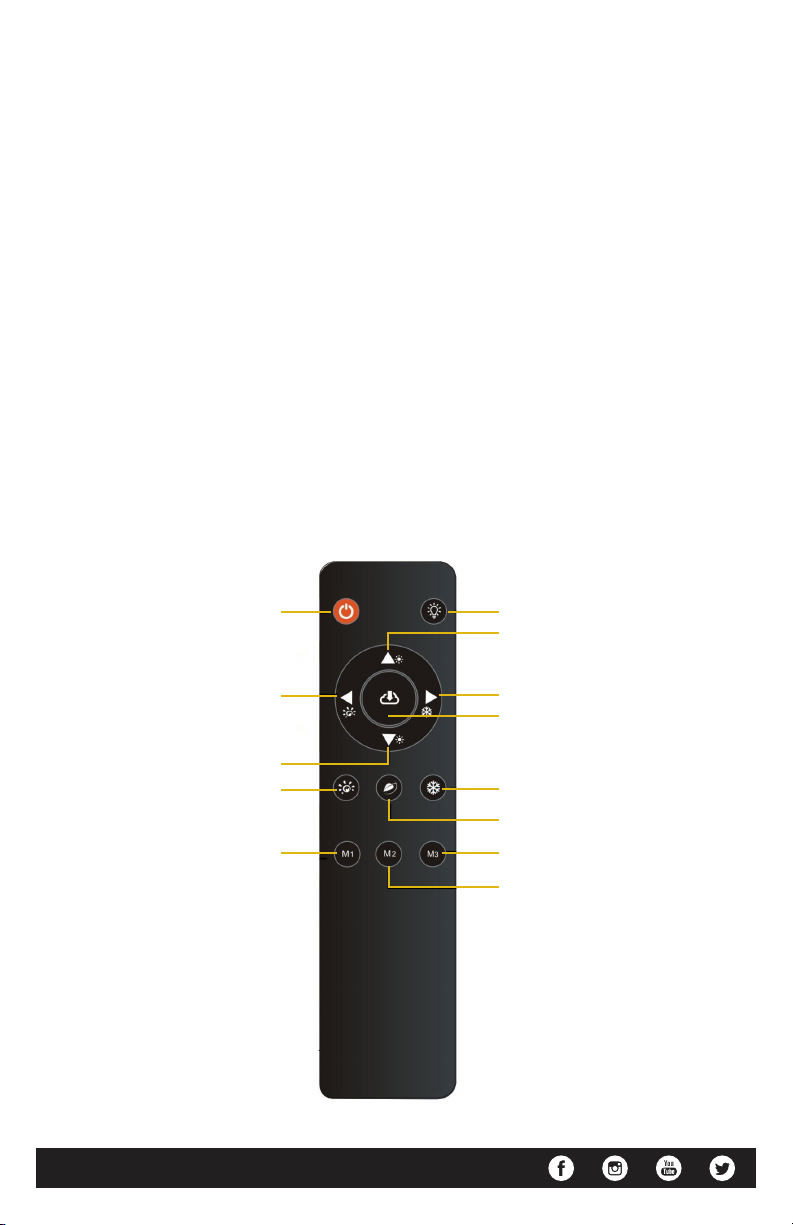
Standby On / Off Night Light Mode
Increase Brightness
Decrease Color Temperature
Decrease Brightness
2700K Max Brightness
4100K Half Brightness
www.ikancorp.com | 1.713.272.8822 | [email protected]
Increase Color Temperature
Memory Save / Recall
5600K Max Brightness
4100K Max Brightness
5600K Half Brightness
2700K Half Brightness
Page 4
Ring Light Modes
Ch.0 – Standby Mode
Ch.1 – Manual Control Mode
Ch.2 – 5600K @ 50% Brightness
Ch.3 – 4100K @ 50% Brightness
Ch.4 – 2700K @ 50% Brightness
Ch.5 – 4100K @ 100% Brightness
Ch.6 – 5600K @ 100% Brightness
Ch.7 – 2700K @ 100% Brightness
Ch.8 – 4100K @ 4% Brightness
Specifications
Input Power 110V/240V 50Hz/60Hz
Output Power 90W
Brightness Range 0% - 100%
Color Temperature 2700K - 5600K
CRI 97
TLCI 98
Dimensions Internal Diameter - 12.4 in. / 31.5 cm
Outer Diameter - 18 in. / 45.5 cm
Thickness - 1.4 in. / 3.5 cm
www.ikancorp.com | 1.713.272.8822 | [email protected]
Page 5

Learn More
More dynamic information at official website: www.ikancorp.com
Support
Contact email: [email protected]
CONDITIONS OF WARRANTY SERVICE
• Free service for one year from the day of purchase if the problem is caused by manufacturing errors.
• The components and maintenance service fee will be charged if the warranty period is
expired.
Free Service will not be Provided in the Following Situations:
(Even if the product is still within the warranty period.)
• Damage caused by abuse or misuse, dismantling, or changes to the product not made
by the company.
• Damage caused by natural disaster, abnormal voltage, and environmental factors, etc.
©2020 Ikan International. All rights reserved.
www.ikancorp.com | 1.713.272.8822 | [email protected]
 Loading...