

Page 1
PT-PEDAL Product Manual
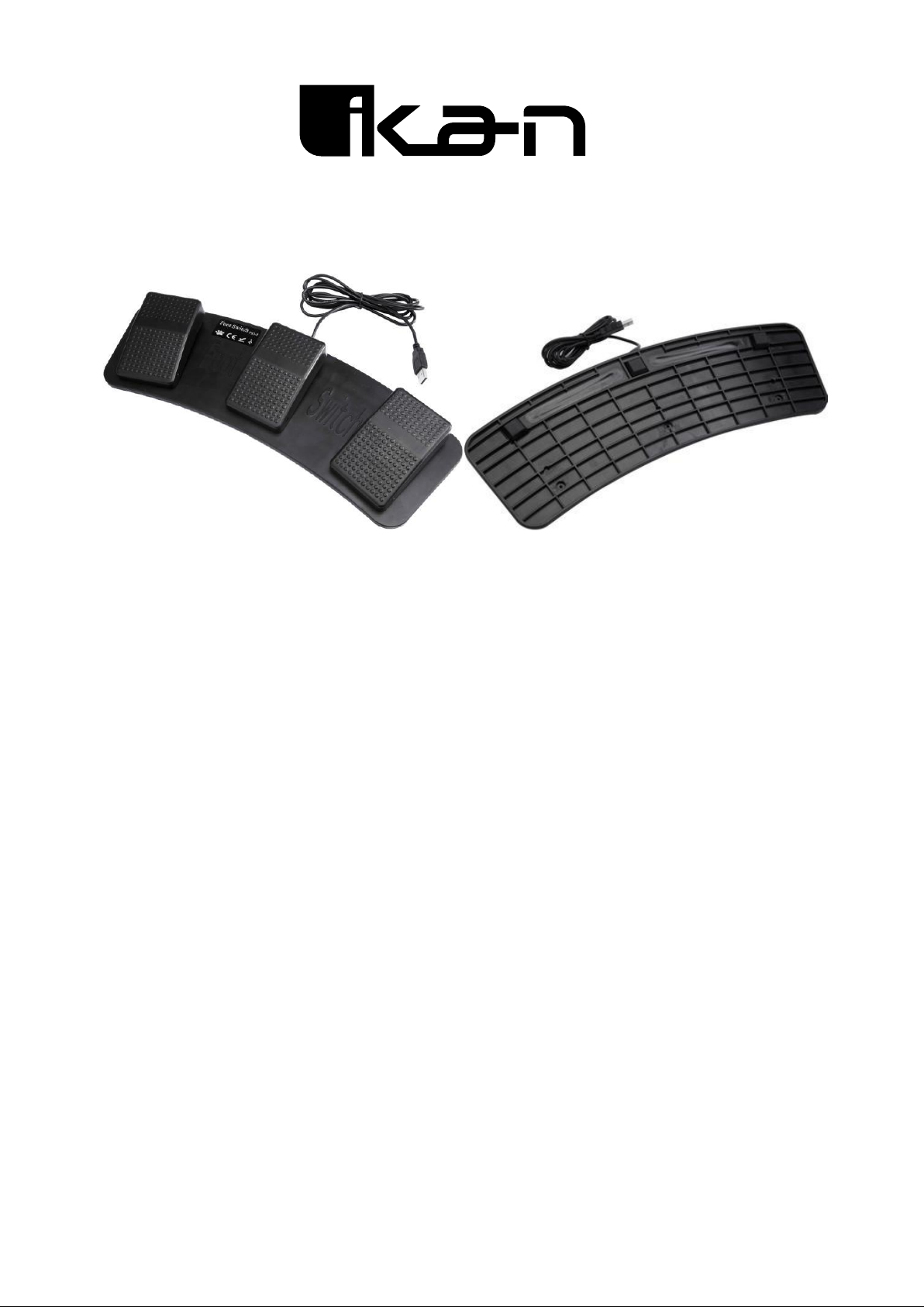
Product description
Control your teleprompter and set your own pace with the Foot Control Pedal from Ikan. Designed
to work with the Ikan Beam Splitter Glass Teleprompters, this wired foot controller connects to your
computer via a USB cable to control dierent aspects of your prompter sessions such as scroll
speed, start, and stop. The Teleprompter Foot Pedal includes dampeners that dramatically reduce
the sound of the pedals when they are pressed down.
The foot pedal's curved design facilitates right- or left-foot congurations. It connects to your
computer's Ikan's Prompter Pro software and three spaced pedals oer simple prompter controls.
Use the center pedal to start or stop your session, use the left pedal to slow down scroll speed,
and use the right pedal to increase scroll speed. Use on a at surface for better control.
Control start, stop, and scroll speed with three pedals
Curved design facilitates right- or left-foot congurations
Compatible with Ikan's Prompter Pro software for prompter session control
Connects to any computer running Microsoft Windows 10, 8, or 7 via a 5' standard USB cable
3. Use of software:
Install the Key Remapper software and insert the foot switch into the computer’s USB port and
run the Key Remapper software. The software window is as follows:
Page 2
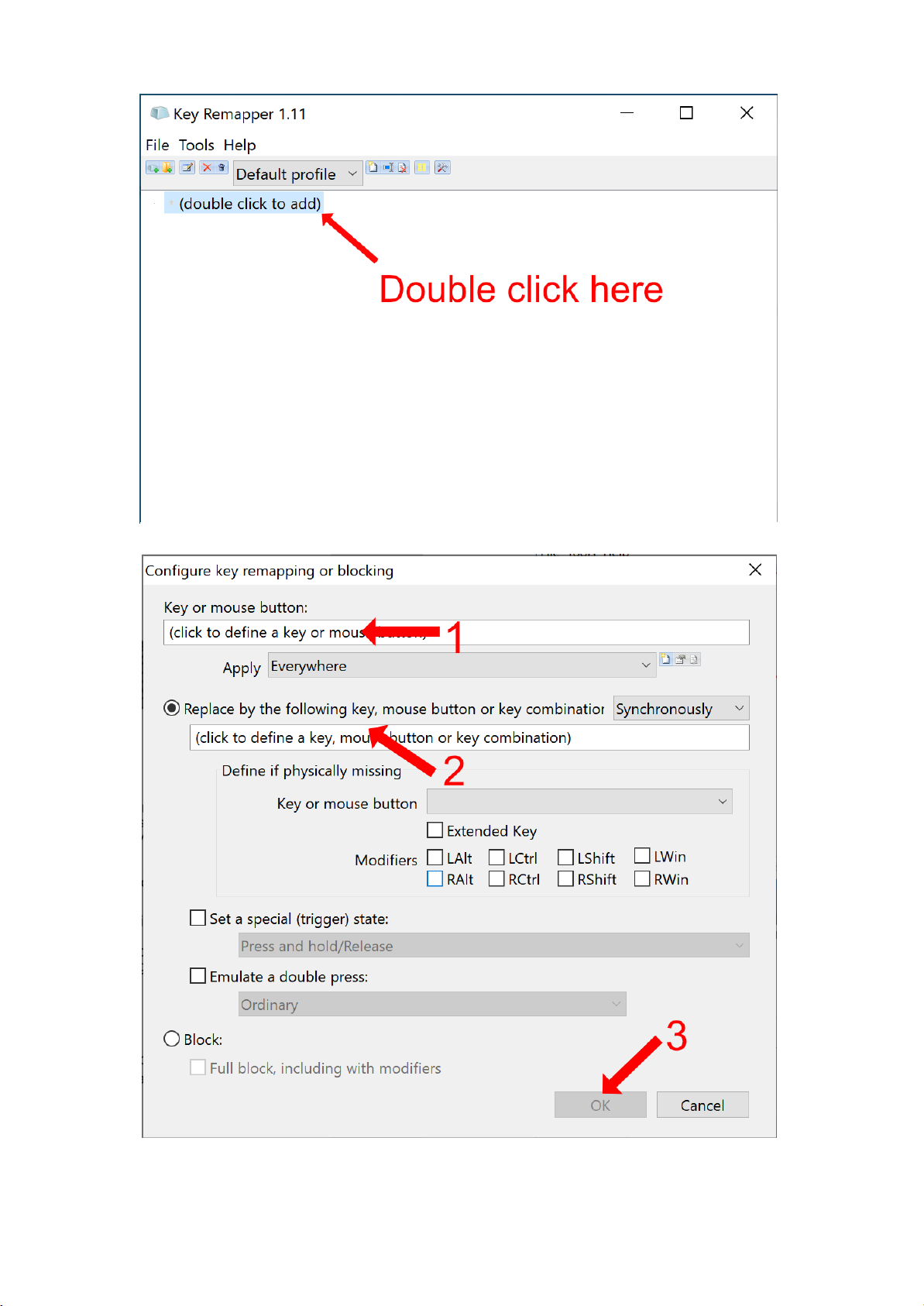
Double click the text "(double click to add)"
1. Click the "Key of mouse button" section, then tap the left pedal.
2. Click the "Replace by following key" section, then press the space bar on your keyboard.
3. Click OK
Page 3
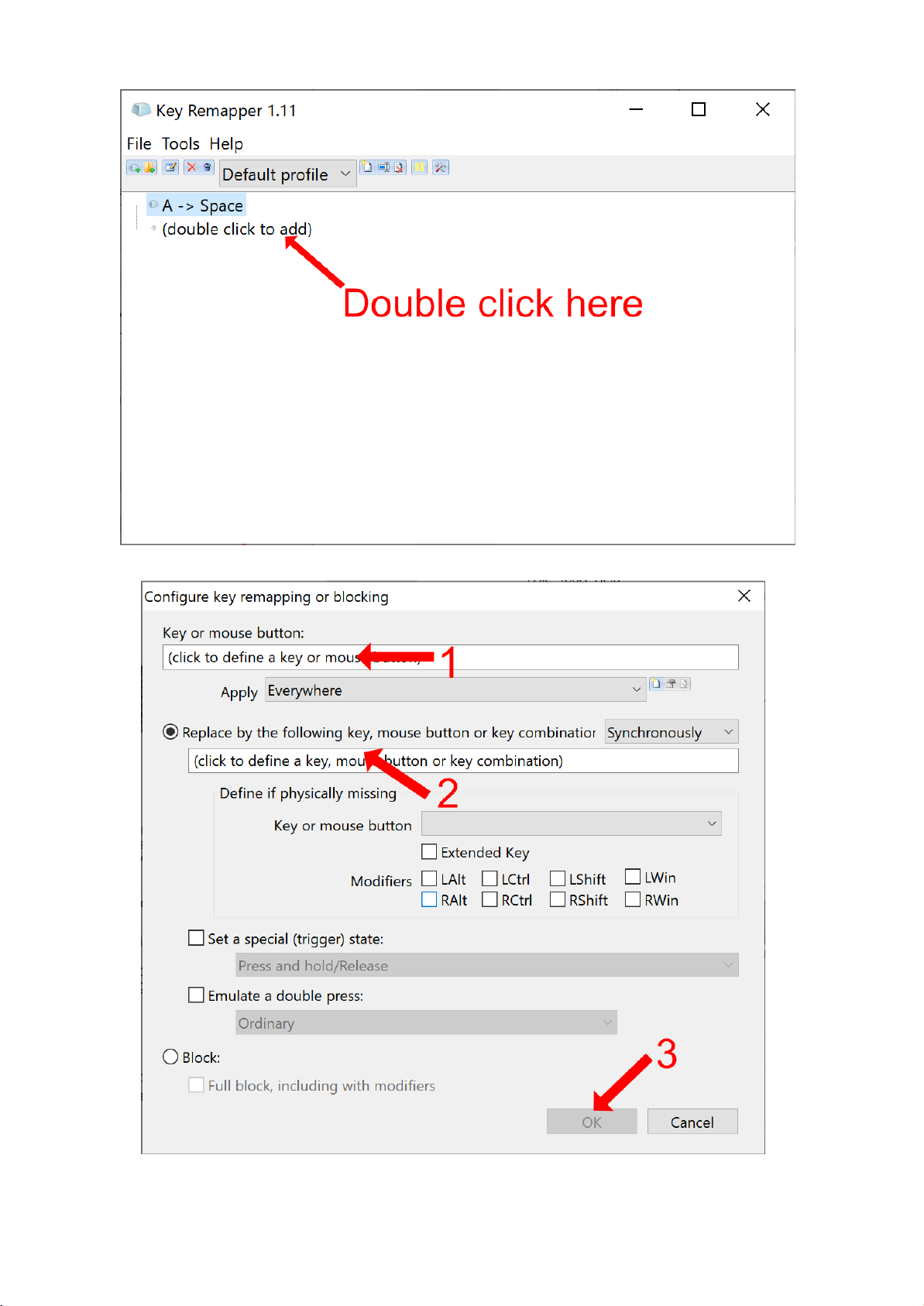
Double click the text "(double click to add)"
1. Click the "Key of mouse button" section, then tap the middle pedal.
2. Click the "Replace by following key" section, then scroll up on your mouse.
3. Click OK
Page 4
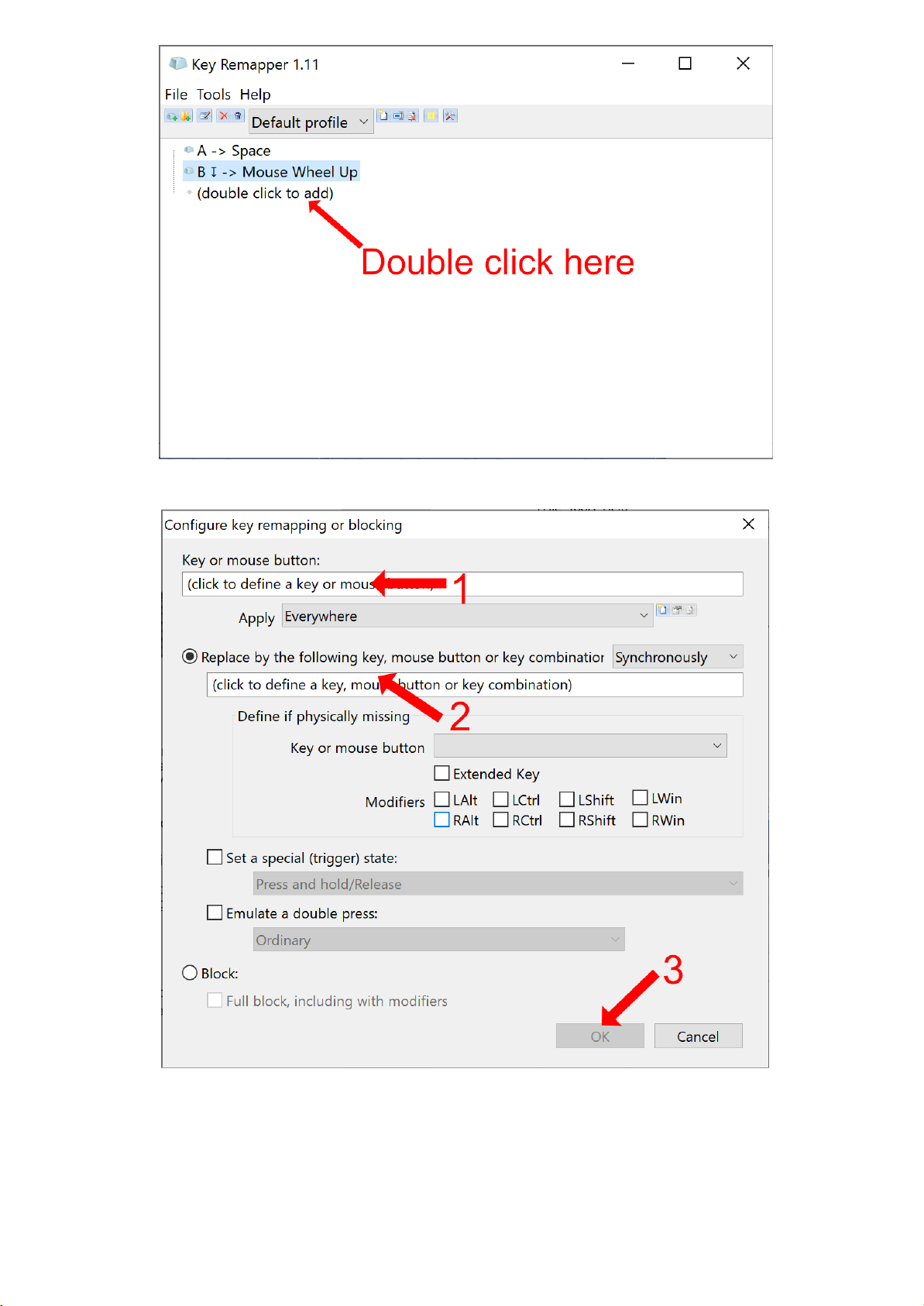
Double click the text "(double click to add)"
1. Click the "Key of mouse button" section, then tap the right pedal.
2. Click the "Replace by following key" section, then scroll down on your mouse.
3. Click OK
Once you have nished mapping the keys and mouse movements, you
can open Prompter Pro and use the Foot Pedal to control the scroll of the
script. By pushing the scroll pedals multiple times, you can control the
speed of the script. The Left pedal will stop the script.
 Loading...