

Page 1
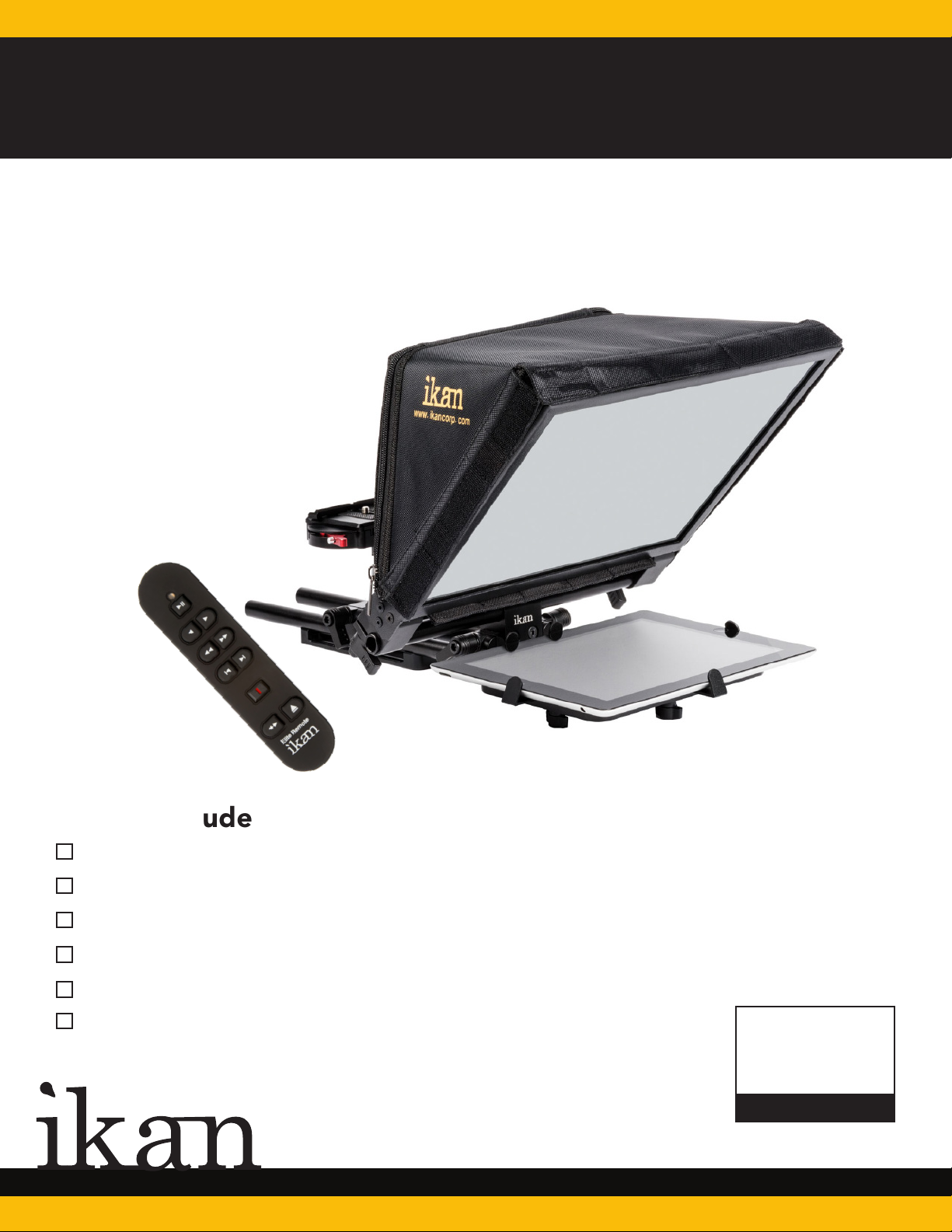
QUICKSTART GUIDE
PT-ELITE-V2-RC
Elite Universal Tablet & iPad Teleprompter w/ Elite Remote
What’s Included
1 x Glass Assembly
1 x Magnetic Hood
2 x 12-Inch Rods
1 x Baseplate Assembly
1 x Tablet Holder
1 x Elite Remote
CHECKED BY
www.ikancorp.com
713.272.8822
Page 2
PT-ELITE-V2
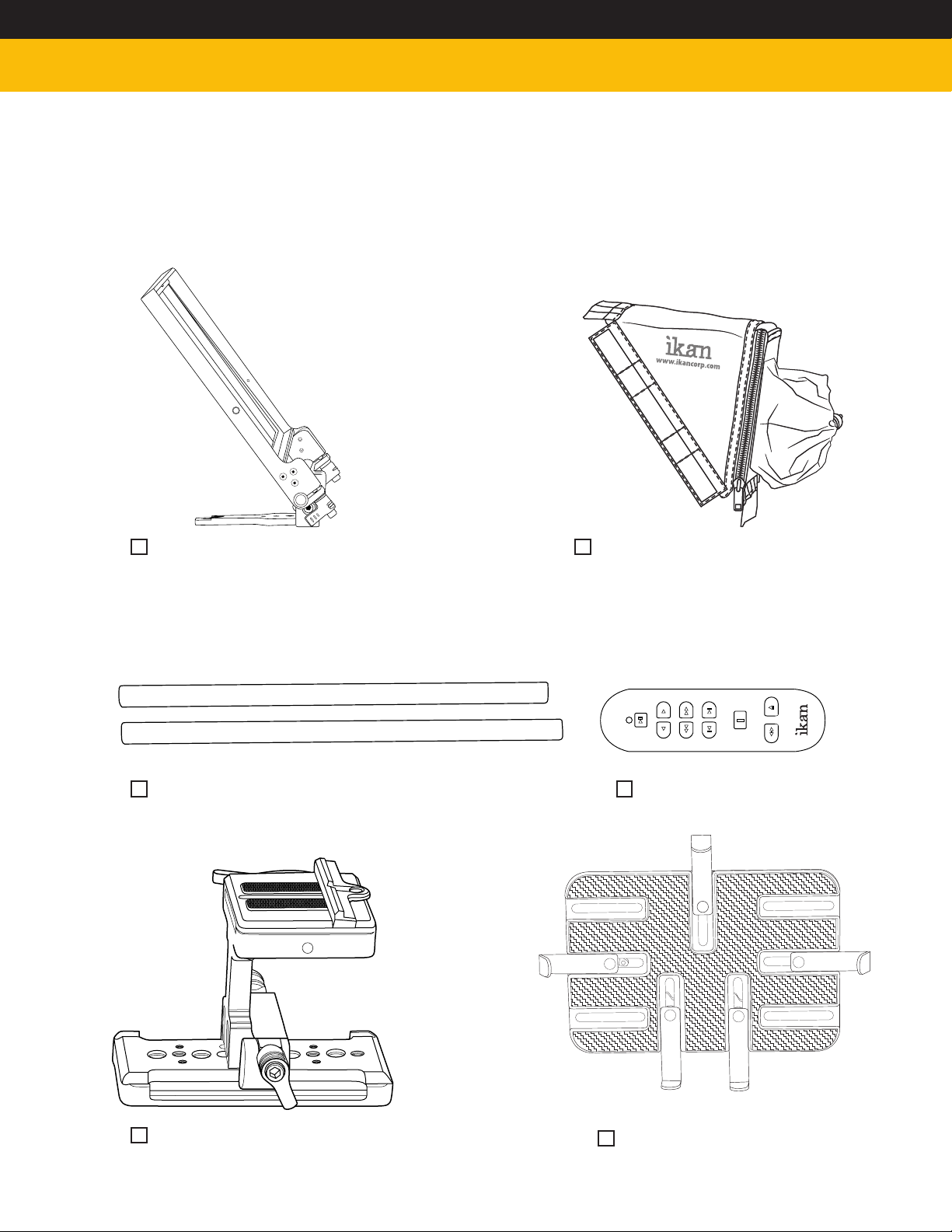
What’s Included
Glass Frame Assembly
2 x 12-Inch Rods
Magnetic Sunhood
Elite Remote
Baseplate Assembly
Tablet Holder
Page 3
PT-ELITE-V2
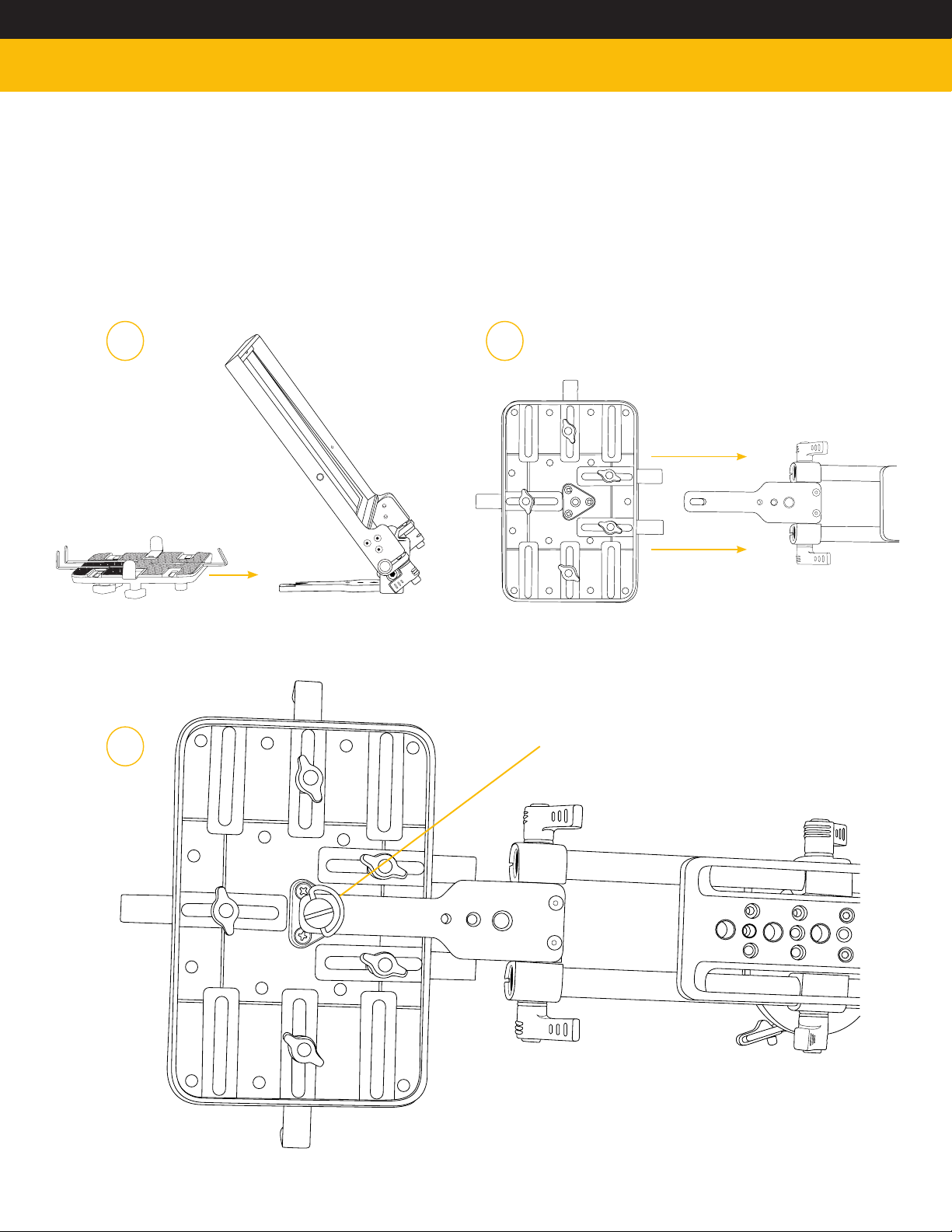
How to Assemble
1. Attach tablet mount to glass frame assembly. Figures 1a, 1b, 1c.
1.a 1.b
1.c
Use included D Ring
Page 4
PT-ELITE-V2
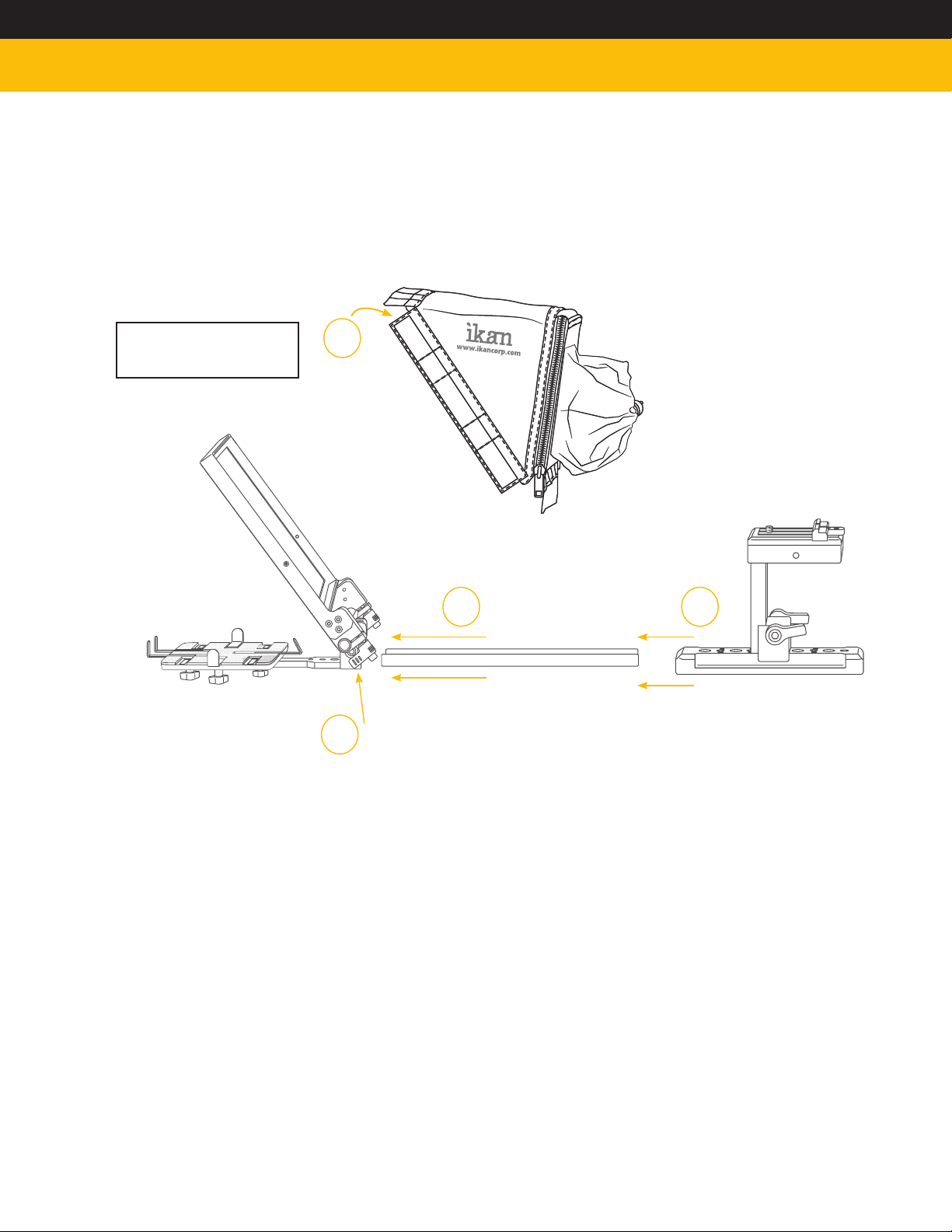
2. Insert rods into rail mount on glass frame assembly.
3. Slide baseplate onto rods.
4. Adjust spacing for your camera.
5. Tighten & loosen thumb screws to adjust glass frame. Ideal angle is 45 degrees.
NOTE: Glass can be removed
by unscrewing the three (3)
screws around glass frame.
6.
5.
2.
3.
6. Attach magnetic hood to glass frame.
7. Remove quick release plate & attach your camera. Reattach.
DO NOT THROW AWAY FOAM INSERT.
8. The PT-ELITE-v2 comes packaged in high quality custom-cut foam. It is sized
perfectly to fit inside an SKB-i Series 1914-8 waterproof case.
Software Options
Windows: Choose from PrompterPro from Ikan, or from multiple third party options in the
Windows Store or on the Web.
iOS: Choose from multiple 3rd party options on Apple Store
Android: Choose from multiple 3rd party options on Google Play Store
Visit www.ikancorp.com for a list of recommended apps.
Page 5

Learn More
More dynamic information at official website: www.ikancorp.com
Support
Contact email: [email protected]
CONDITIONS OF WARRANTY SERVICE
• Free service for one year from the day of purchase if the problem is caused by manufacturing errors.
• The components and maintenance service fee will be charged if the warranty period is expired.
Free Service will not be Provided in the Following Situations:(*Even if the product is still within the warranty period.)
• Damage caused by abuse or misuse, dismantling, or changes to the product not made by the company.
• Damage caused by natural disaster, abnormal voltage, and environmental factors, etc.
©2015 ikan Coporation. All rights reserved
 Loading...