

Page 1
IPD
Power Dock QUICKSTART GUIDE
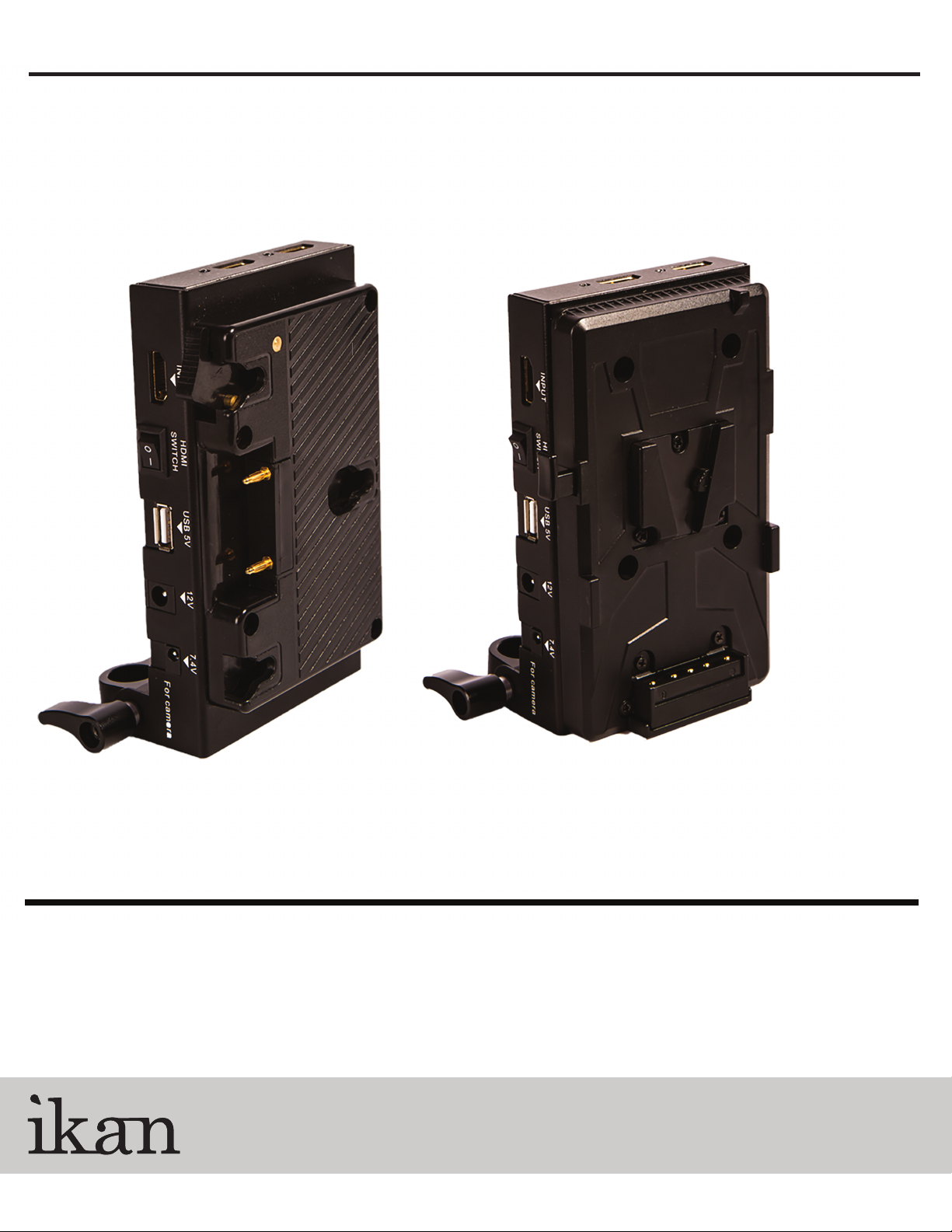
IPD-A IPD-S
CONDITIONS OF WARRANTY SERVICE
• Free service for one year from the day of purchase if the problem is caused by manufacturing errors.
• The components and maintenance service fee will be charged if the warranty period has expired.
Free Service will not be Provided in the Following Situations: (* Even if the product is still within the warranty period.)
• Damage caused by abuse or misuse, dismantling, or changes to the product not made by the company.
• Damage caused by natural disaster, abnormal voltage, and environmental factors etc.
1.713.272.8822
www.ikancorp.com
© 2014 ikan Corporation. All right reserved
Page 2
IPD
Power Dock QUICKSTART GUIDE
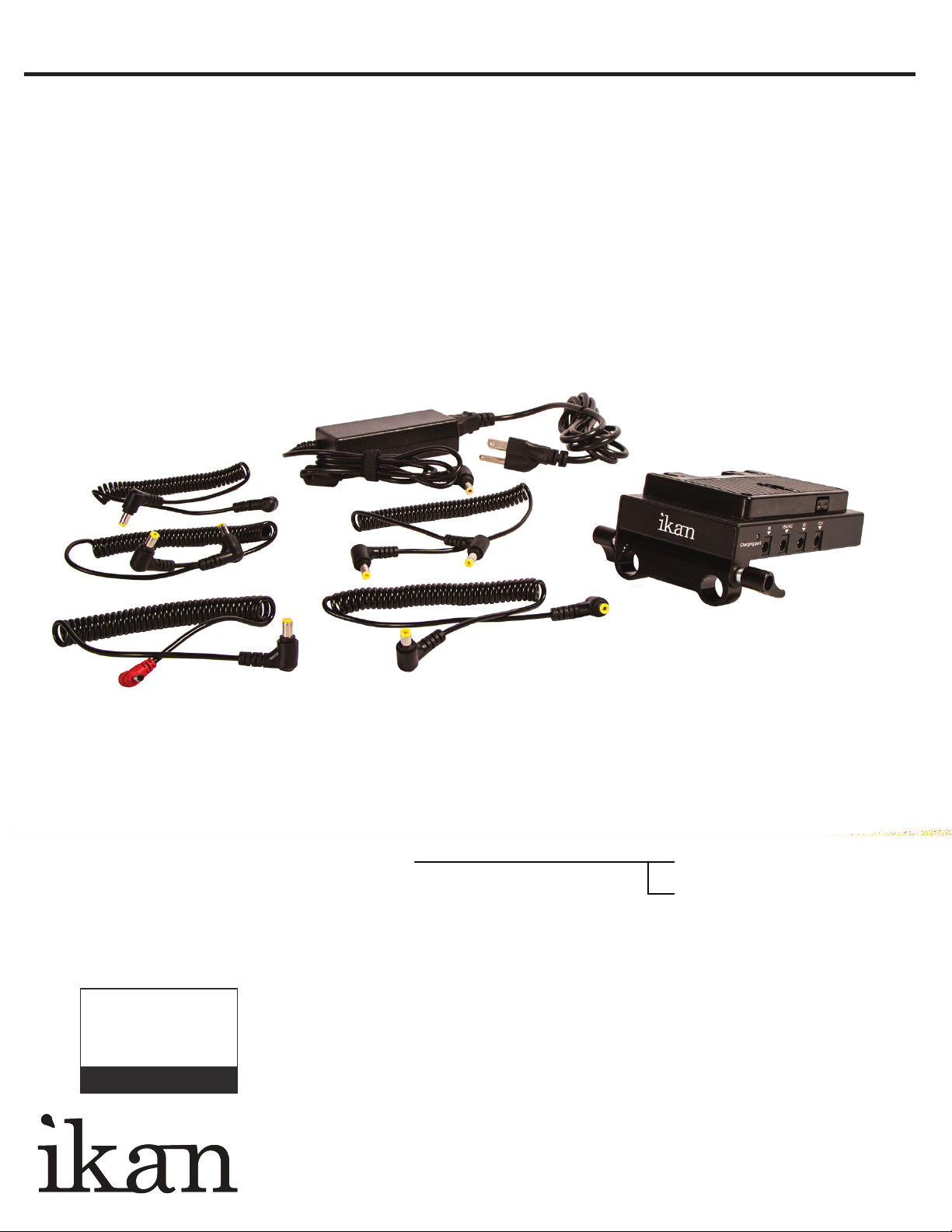
What’s Included
PACKAGE CHECK LIST:
Power Dock (Check One)
5 x DC Cables
AC Power Supply
SPECIFICATIONS:
Output Voltage (V): 5 7.4 12 12 15
Max Output Current (A): 2.5 2.5 2.5 2.5
Overvoltage Protection: 0.5v
Checked by
Working Temperature: 14˚F 113˚F
Dimensions (H x W x D): 5.6” x 4.8” x 2.4”
Weight: 1.73 lbs.
www.ikancorp.com 713-272-8822
o
AB Mount
V-Mount
o
Page 3
IPD
Power Dock QUICKSTART GUIDE
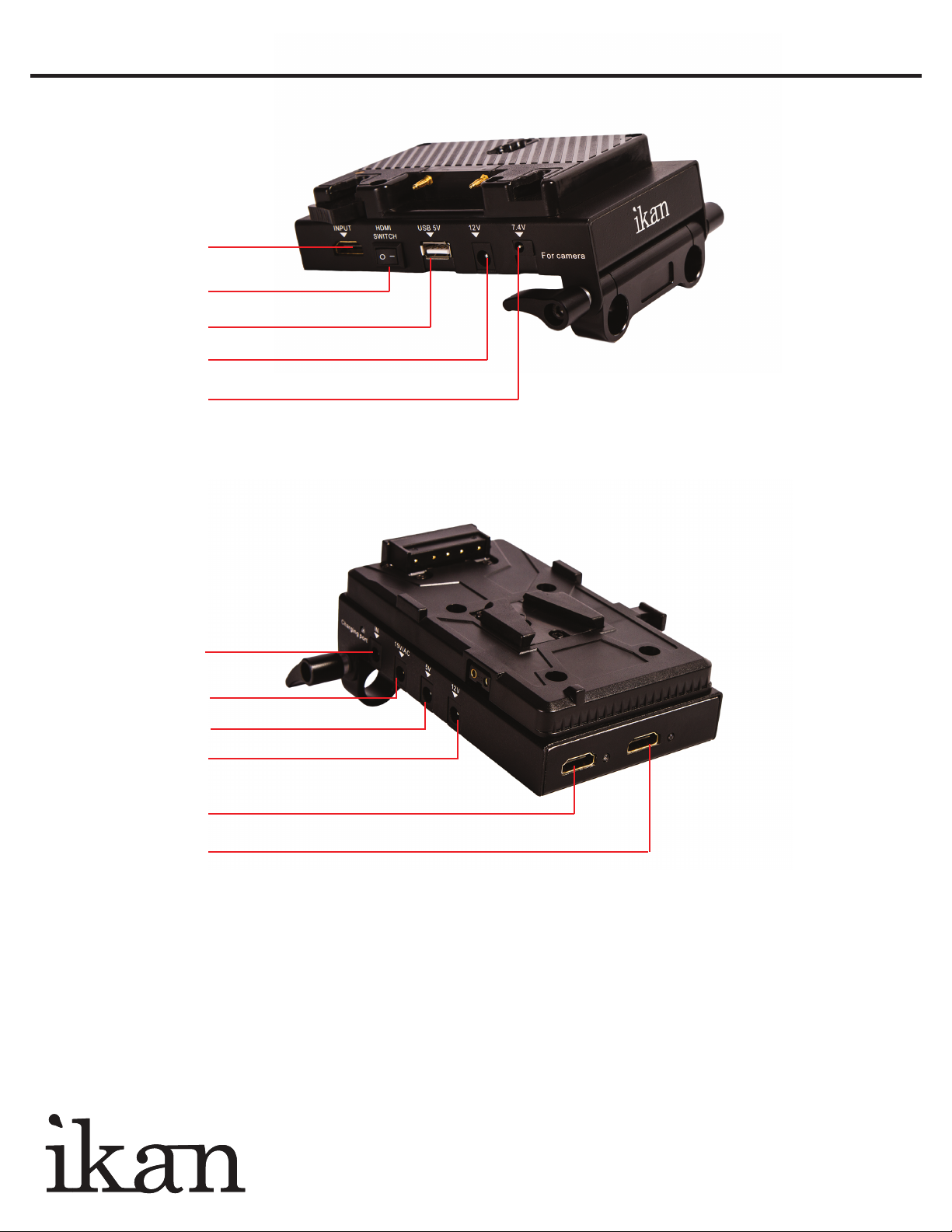
HDMI IN
HDMI SWITCH
USB 5V OUT
12V OUT
7.4V OUT
19V
15V/AC OUT
5V OUT
12V OUT
HDMI OUT
HDMI OUT
HDMI SPLITTER:
1.Connect the video feed to be split into the HDMI
Input port located on the side of the power dock.
2.Connect each monitor to the power dock using the
2 HDMI output ports located on the back.
3.Turn the HDMI splitter on by ipping the HDMI
power switch.
CHARGING OPERATION:
To charge the battery, connect the AC Power Supply
into the 19 V IN port on the power dock.
POWER SUPPLY PORTS:
Port Quantity Recommended Use
5V OUT 1 Signal switch
7.4 OUT 1 DSLR (adapter not included)
12V OUT 2 Monitor
15V OUT 1 Battery Voltage
USB OUT 1 Any USB device
19V IN 1 Charging Port
by
www.ikancorp.com 713-272-8822
Page 4

www.ikancorp.com
CONDITIONS OF WARRANTY SERVICE
• Free service for one year from the day of purchase if the problem is caused by manufacturing errors.
• The components and maintenance service fee will be charged if the warranty period has expired.
Free Service will not be Provided in the Following Situations: (* Even if the product is still within the warranty period.)
• Damage caused by abuse or misuse, dismantling, or changes to the product not made by the company.
• Damage caused by natural disaster, abnormal voltage, and environmental factors etc.
 Loading...