

Page 1
ID 500-KIT
ID 500 Three Point Light Kit QUICKSTART GUIDE
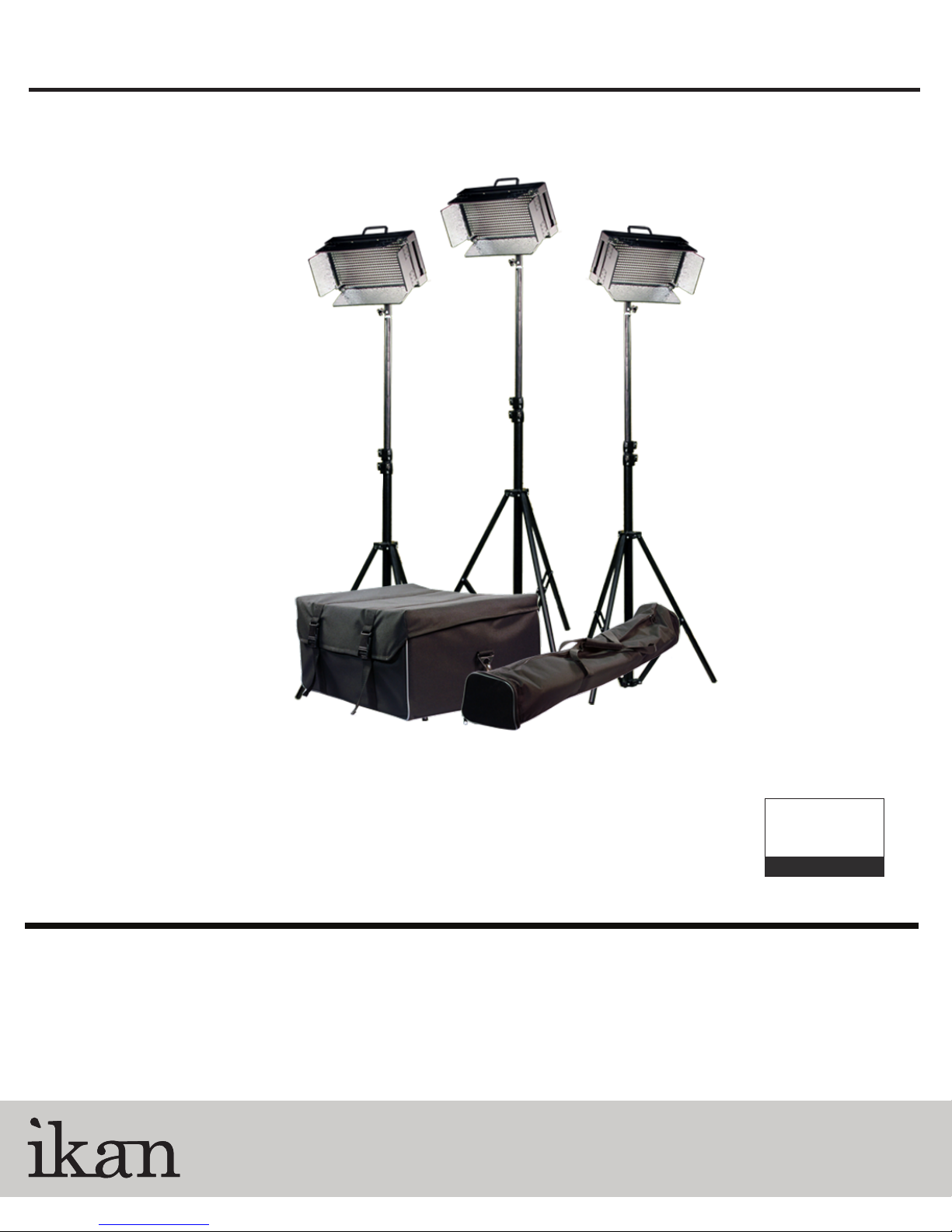
What’s included
3 x ID 500 Light
3 x AC Adapter + Power Cord
3 x Remote Control
3 x Light Stand
1 x Light Carrying Bag
1 x Light Stand Carrying Bag
CONDITIONS OF WARRANTY SERVICE
• Free service for one year from the day of purchase if the problem is caused by manufacturing errors.
• The components and maintenance service fee will be charged if the warranty period has expired.
Free Service will not be Provided in the Following Situations: (* Even if the product is still within the warranty period.)
• Damage caused by abuse or misuse, dismantling, or changes to the product not made by the company.
• Damage caused by natural disaster, abnormal voltage, and environmental factors etc.
3903 Stoney Brook Dr. Houston TX 77063
www.ikancorp.com
© 2010 ikan Corporation. All right reserved
Checked by
1.713.272.8822
Page 2
ID 500-KIT
ID 500 Three Point Light Kit QUICKSTART GUIDE
GETTING STARTED
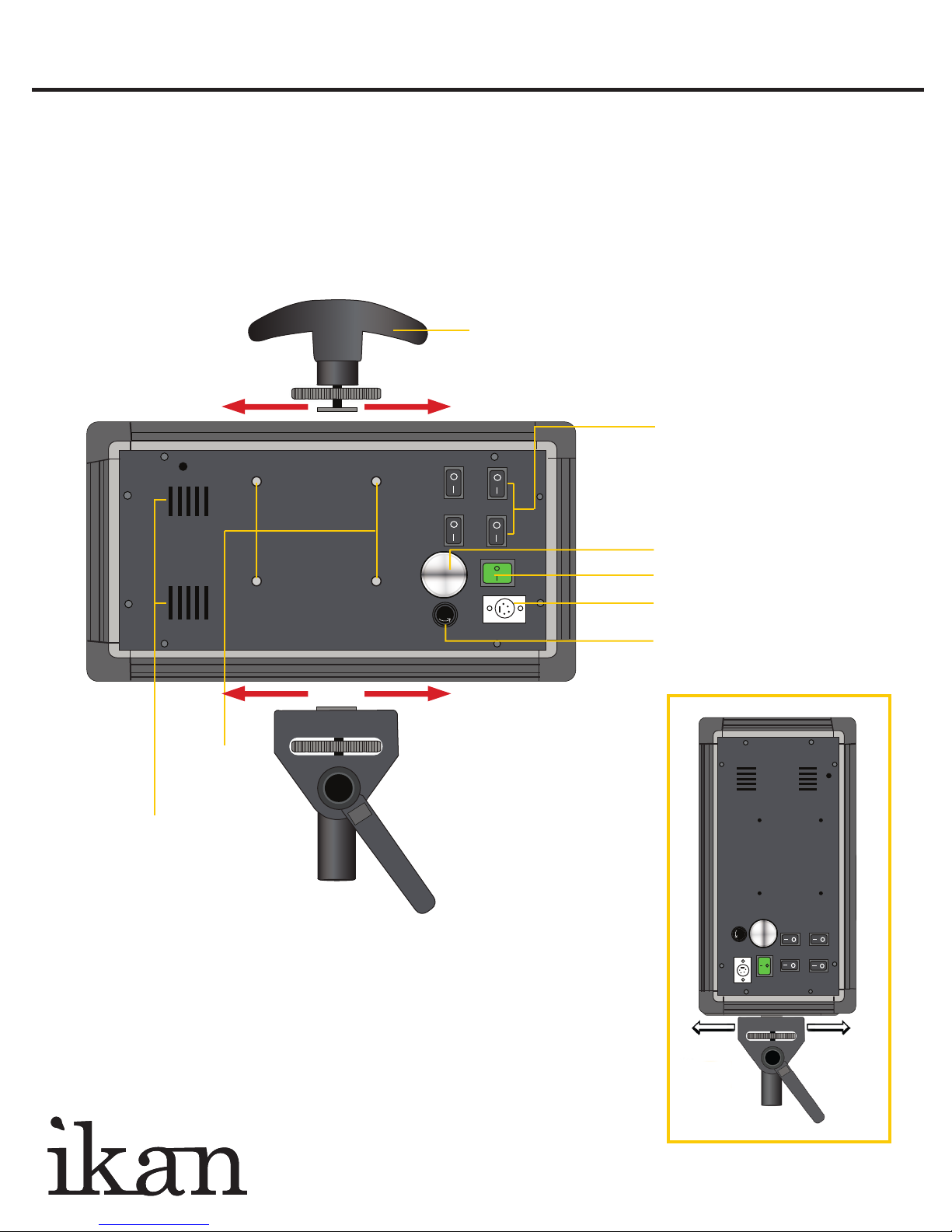
1. Connect the included AC Adapter to power the ID 500 light.
2. Turn the light on / off with the Power Switch.
3. Control the amount of the light with the Dimmer knob. Adjust the intensity of the light by
turning the Dimmer Knob clock-wise to increase the intensity and counter clock-wise to reduce it.
4. The ID 500 can also be powered by pro battery (optional accessories).
Handle
(The handle can easily be mounted on any side of the fixture
- left, right, top or bottom. Simply slide it into one of the four
grooves, position it and tighten down into place.)
+
+
Vents
+
+
Mounting
Pro Battery
Option
FUSE
Back View
+
+
+
+
+
+
Bank Switches
Dimmer knob
Power Switch
DC Power Connection
Fuse
+
+
+
+
Put it Where You Want It
The ID 500 comes with a movable and detachable
Light Stand Adapter allowing you to mount your light
either horizontally or vertically.
FUSE
+
+
+
+
+
+
www.ikancorp.com 713-272-8822
Page 3
ID 500-KIT
ID 500 Three Point Light Kit QUICKSTART GUIDE
www.ikancorp.com 713-272-8822
Operation
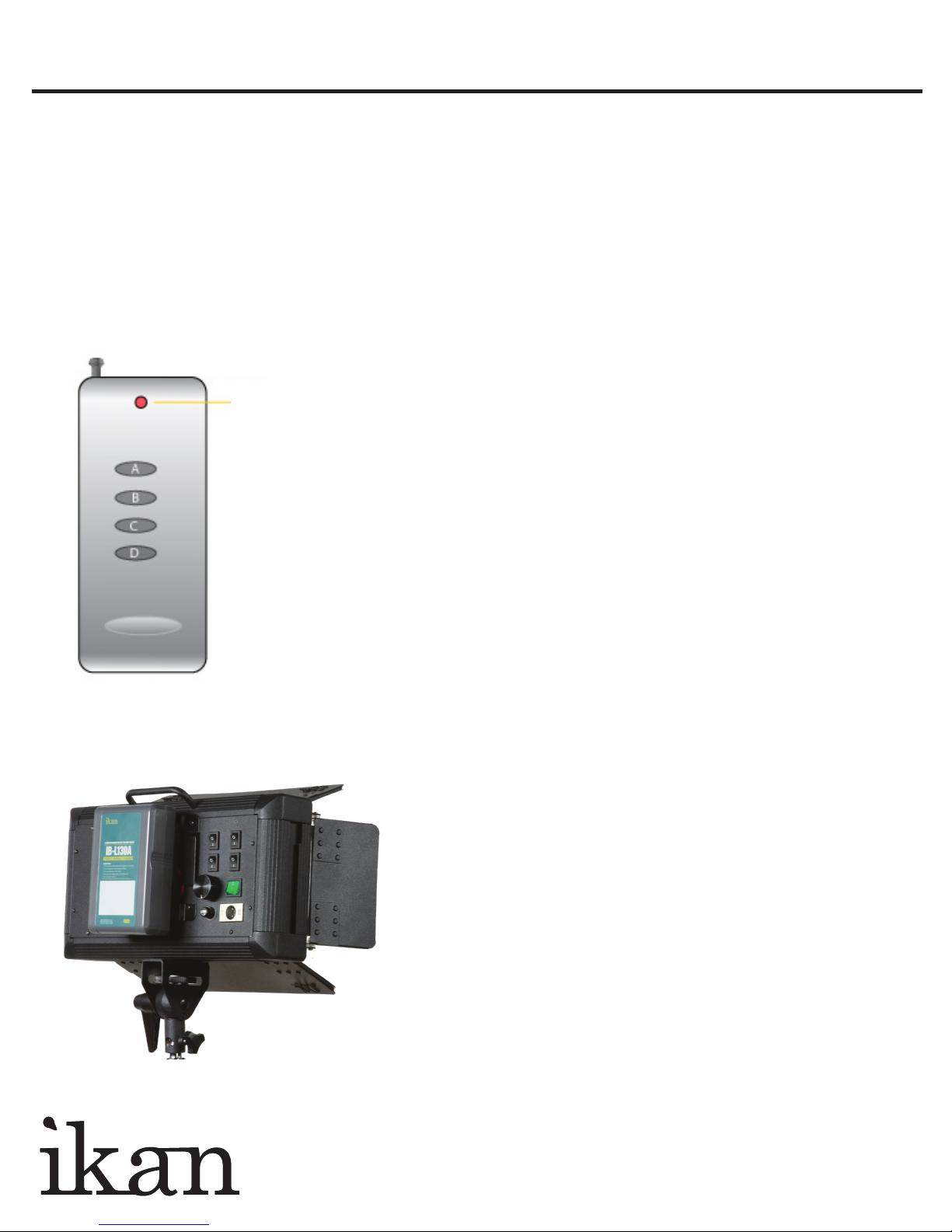
Indicator
On/Off
Remote Control Buttons
A. Power On/Off
Press and hold for 5 seconds to sync remote control to light.
B. Press button to adjust 4 levels of light intensity.
Press and hold for 5 seconds to enable/disable sound.
C. Hold down to increase light intensity
D. Hold down to decrease light intensity
SPECIFICATIONS
Operating Volts: 12v - 14.4v
Wattage: 30w
Brightness: 2.55Klux/50cm
Color Temperature: 5600K
Dimension: 13.8” x 7.5” x 2.7”
Weight (lbs): 5.8
• Pro Battery Option
Optional Accessories
• V17PBK-S Pro Battery Kit $149.00
• V17PBK-A Pro Battery Kit $149.00
• IB-L130A AB Mount Professional Battery $375.00
• IB-L130S V Mount Professional Battery $375.00
Page 4
ID 500-KIT
ID 500 Three Point Light Kit QUICKSTART GUIDE
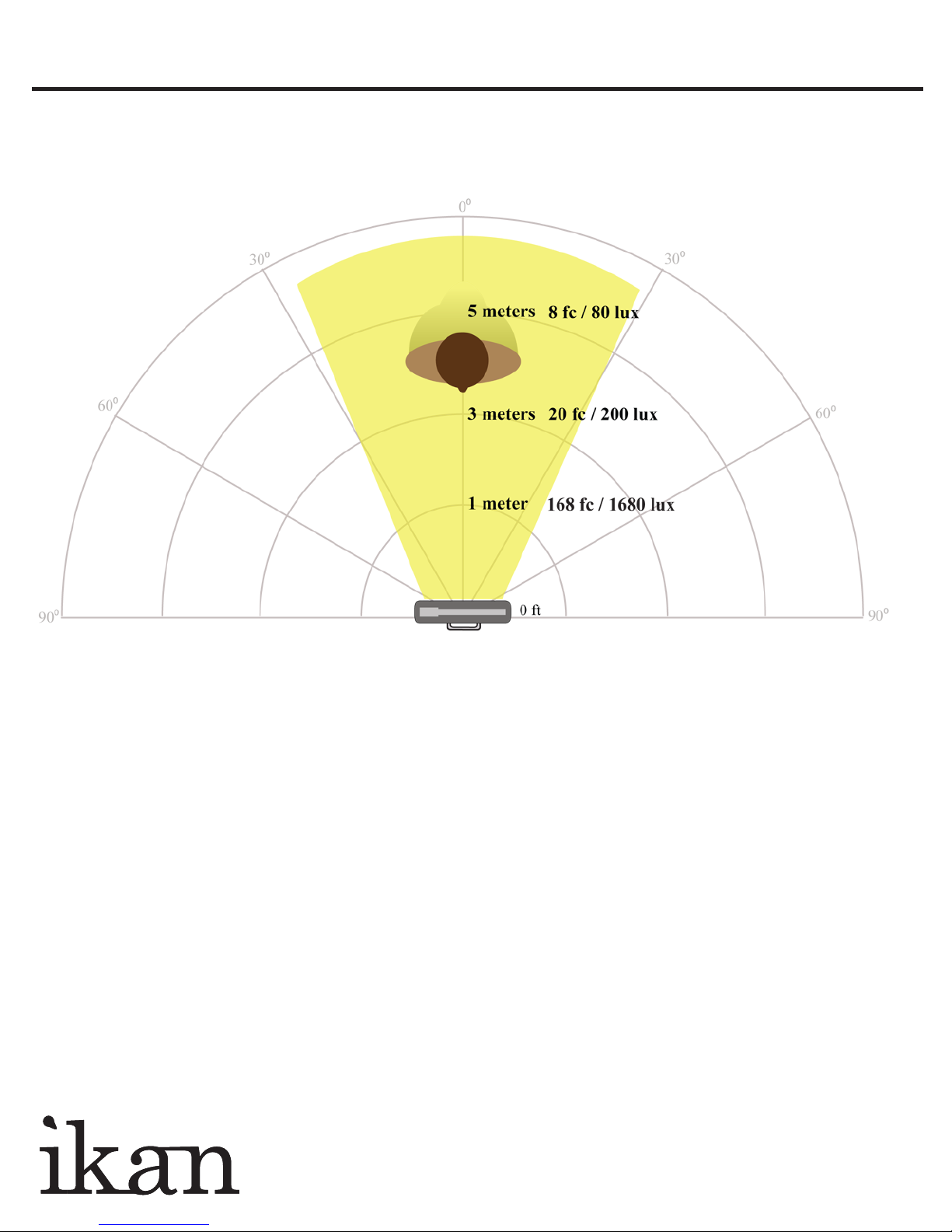
ID 500 LUX Drop Off
www.ikancorp.com 713-272-8822
 Loading...