

Page 1
www.ikancorp.com | 1.713.272.8822 | [email protected]
because we’re filmmakers too
AX17
Quick Start Guide
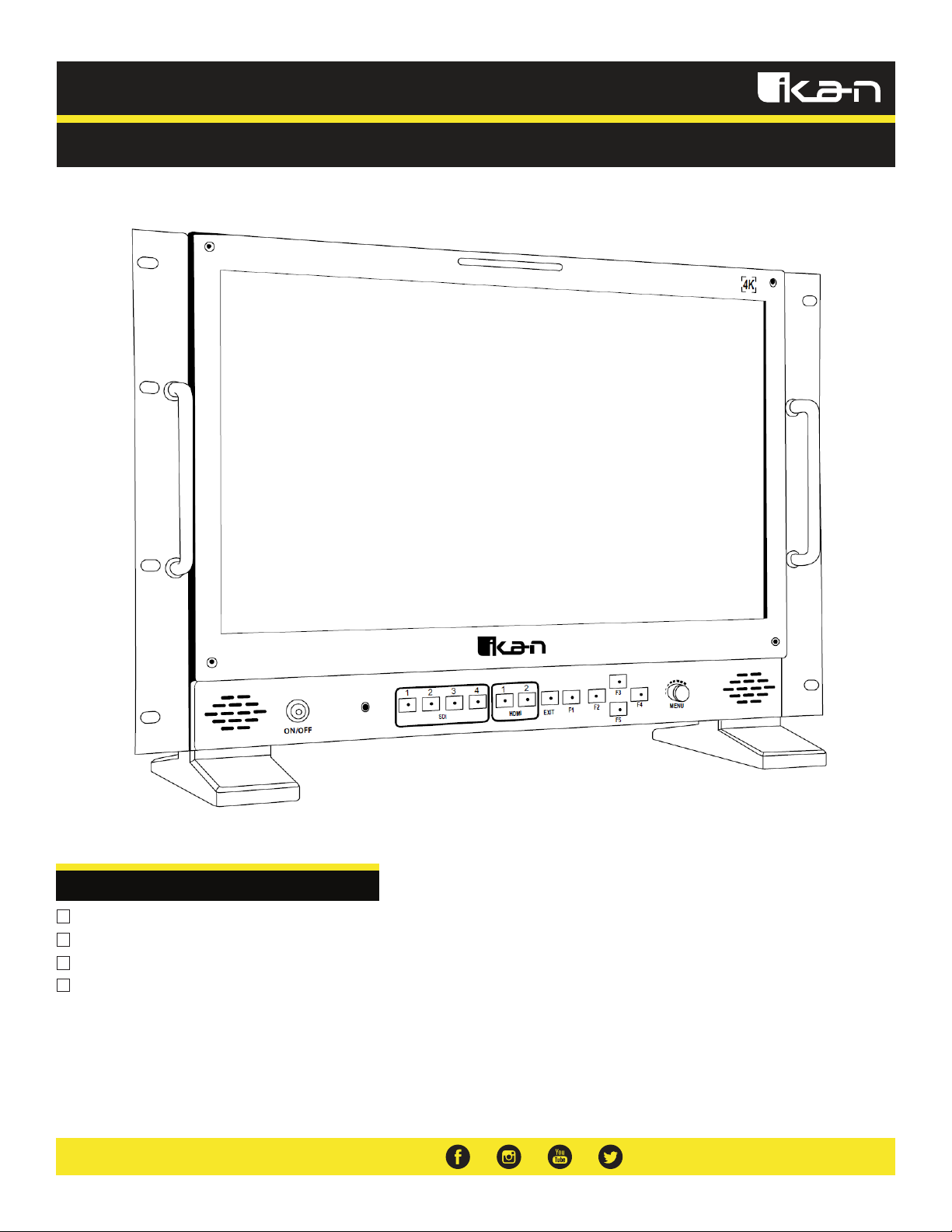
Atlas 17” Quad 3G-SDI/HDMI 4K Monitor
What’s Included
1x AX17 Monitor
1x Power Cable
1x Light Stand Mount
1x Rack Mount Set
Page 2
www.ikancorp.com | 1.713.272.8822 | [email protected]
because we’re filmmakers too
Getting Started
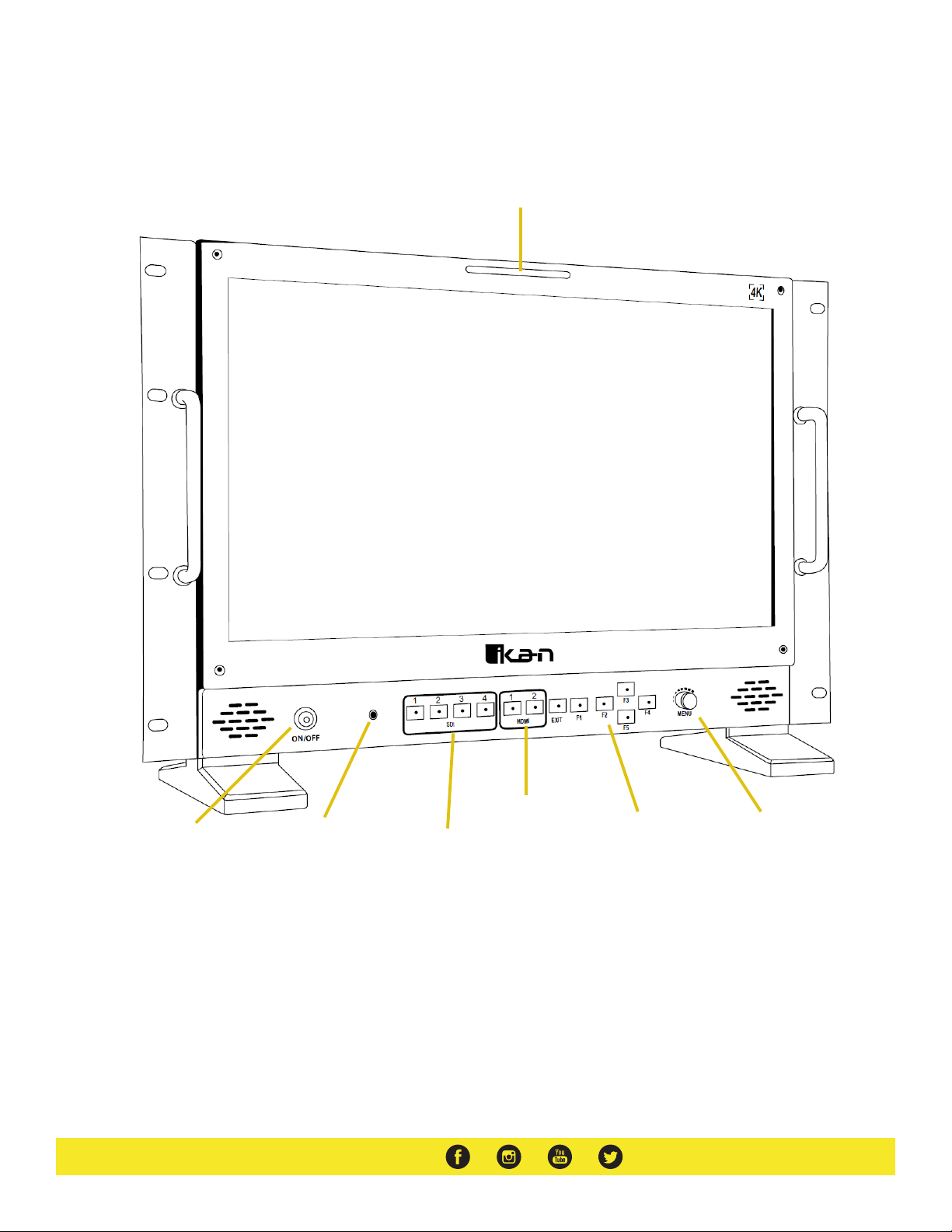
Button Notes
F1 - F5 Buttons: Functions can be mapped in the menu.
Menu Wheel/Button: Press to opens the menu options.
Tally Lights
HDMI Input Switch
SDI Input Switch
Function Buttons* Menu Wheel/Button*
On/Off Button 3.5mm Headphone
Output
Page 3

www.ikancorp.com | 1.713.272.8822 | [email protected]
because we’re filmmakers too
Configuration of Setting Menus
Functions
Center Mark – On, Off
Safe Area – Off, 95, 93, 90, 88, 85, 80 (Percent)
Display Ratio – Full, 16:9, 4:3, 5:4, 1:1, 1.85:1
Peaking Color – On, Off
Underscan – On, Off
Check Field – Off, Red, Green, Blue
Battery Information – On, Off
Display Mode
1P – Display single signal output
2P LR – Display two signal left and right
2P TB – Display two signal top and bottom
2P PIP – Display two signal picture in picture
Display Functions
Display Rotate – 0, 90, 180, 270 (Degrees)
Freeze – On, Off
L/R Ratio – Adjust L/R display ratio
Swap – switch the two signals
Flip-H – Flips the image horizontally
Signal Source
SDI 1
SDI 2
SDI 3
SDI 4
HDMI 1
HDMI 2
Audio
Volume – 0-100
Audio Source – Analog, Digital
Mute – On, Off
System
Reset – reset to factory settings
OSD HPOS – Adjust horizontal location of menu
OSD VPOS – Adjust vertical location of menu
Language – English, Chinese
Rotate – 0, 90, 270 (Degree)
Border Width – 0-100
Border Color – Red, Green, Blue
Display Settings
Brightness – 0-100
Contrast – 0-100
Saturation – 0-100
Hue – 0-100
Sharpness – 0 ; 2 ; 4
Backlight – 0-100
Color Temp – 9300K, 7500K, 6500K, 58000K, sRGB, User (Custom)
Gamma – Off, 1.8, 2.0, 2.2, 2.4
Freeze – On, Off
4P – Display four signals
Page 4

www.ikancorp.com | 1.713.272.8822 | [email protected]
because we’re filmmakers too
Rack Mount Installation
Light Stand Mount Installation
Page 5

www.ikancorp.com | 1.713.272.8822 | [email protected]
because we’re filmmakers too
Specifications
Supported Video Signals Specifications
Optional Accessories
Some other products that work well with the AX17 available from Ikan include:
IB-HDL98S
C-2KIT-98S
98Wh Professional Battery (V-Mount)
Dual Charger and 2x 98Wh Battery Kit (V-Mount)
Aspect Ratio 16:9
Display Size 17”
Brightness 400 cd/m2
Contrast Ratio 1000:1
Inputs 2 x HDMI, 4 x 3G-SDI
Outputs 4 x 3G-SDI
Resolution 3840 x 2160
Shipping Dimensions 23.5 x 8.5 x 16 in.
Shipping Weight 19 lb
UPC Code 847983026005
Viewing Angle 178°(89°/89°)
HDMI 720x480i & 720x480p @ 59.94, 60 Hz
720x576i & 720x576p @ 50 Hz
1280x720p @ 50, 59.94, 60 Hz
1920x1080i @ 50, 59.94, 60 Hz
1920x1080psf @ 24, 25, 29.97, 30 Hz
1920x1080p @ 23.97, 24, 25, 29.94, 30, 50, 59.94, 60 Hz
3840x2160p @ 24, 25, 30 Hz
4096x2160p @ 24 Hz
SDI 720x480i @ 59.94, 60 Hz
720x576i & 720*576p @ 50 Hz
1280x720p @ 50, 60 Hz
1920x1080i @ 50, 59.94, 60 Hz
1920x1080psf @ 24, 25, 29.97, 30 Hz
1920x1080p @ 23.93, 24, 25, 29.97, 30, 50, 59.94, 60 Hz
Page 6

www.ikancorp.com | 1.713.272.8822 | [email protected]
because we’re filmmakers too
Learn More
More dynamic information at official website: www.ikancorp.com
Support
Contact email: [email protected]
CONDITIONS OF WARRANTY SERVICE
• Free service for one year from the day of purchase if the problem is caused by manufacturing errors.
• The components and maintenance service fee will be charged if the warranty period is expired.
Free Service will not be provided in the following situations:
(*Even if the product is still within the warranty period.)
• Damage caused by abuse or misuse, dismantling, or changes to the product not made by the company.
• Damage caused by natural disaster, abnormal voltage, and environmental factors, etc.
©2018 Ikan Corporation. All rights reserved
 Loading...