

Page 1
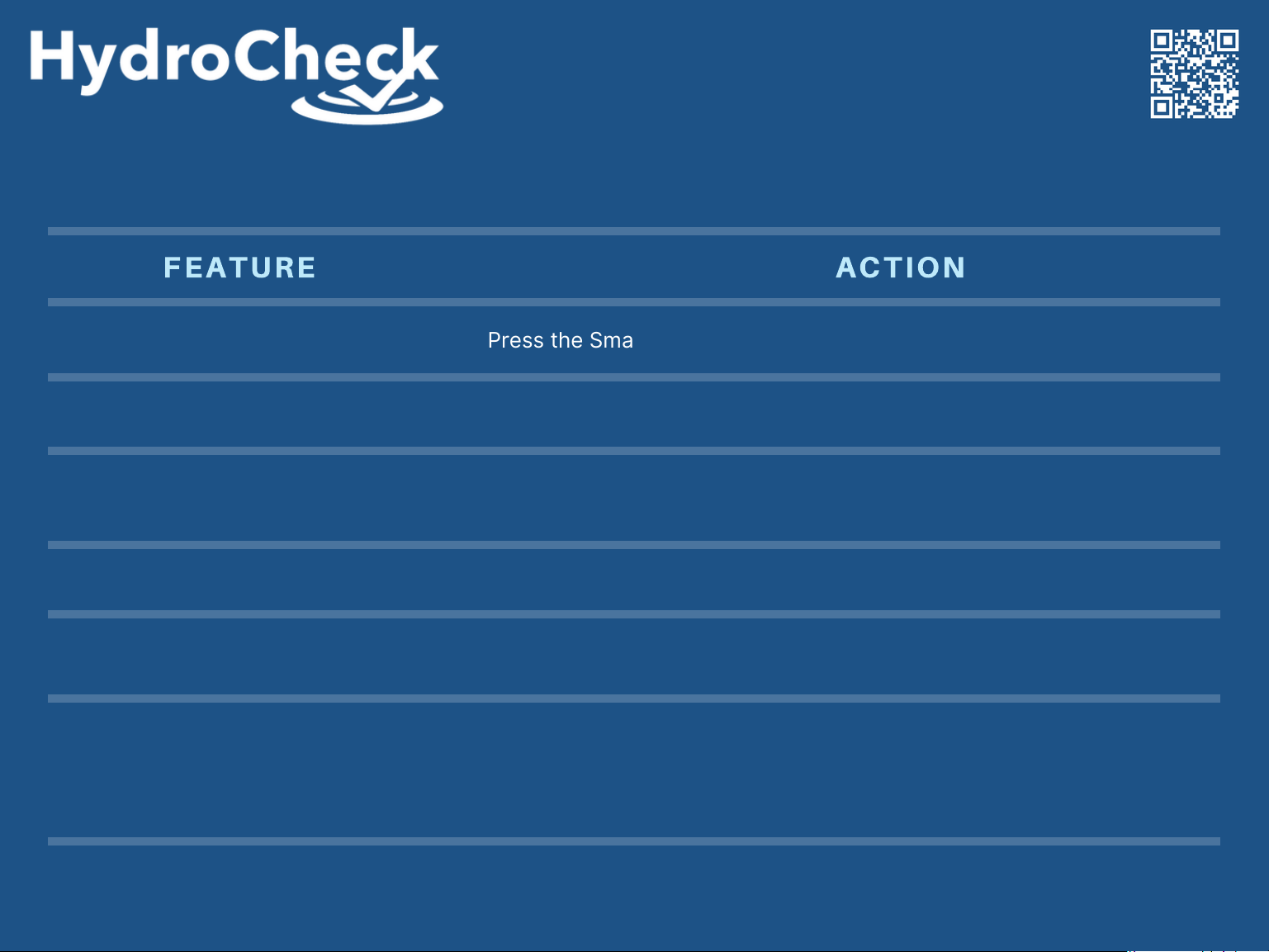
Press and hold the Smart Button for 3 beeps to access the Alarm Menu.
While the desired alarm is displayed, press the Red Button to either
disable or enable that alarm.
Press and hold the Smart Button for 3 beeps to exit the Alarm Menu.
Scrolling Function
System Test
Alarm Menu Access
Silence Active Alarm
Mute Active Alarm for 24hrs
Disable or Enable Alarms
FEATURE ACTION
Press the Smart Button to scroll through different data screens.
Press and hold the Red Button. Release after 3 beeps.
Press and hold the Smart Button for 3 beeps to access the Alarm Menu.
Press and hold the Smart Button for 3 beeps to exit the Alarm Menu.
Press the Smart Button to silence an active alarm.
Press and hold the Smart Button to disable an active alarm for
24 hrs. 3 beeps indicates that the alarm has been disabled.
[email protected] | www.hydrocheckproducts.com | 1(877)-225-2124
Visit us online for additional
product information!
Engineered for Reliability
PUSH BUTTON OPERATION
Page 2
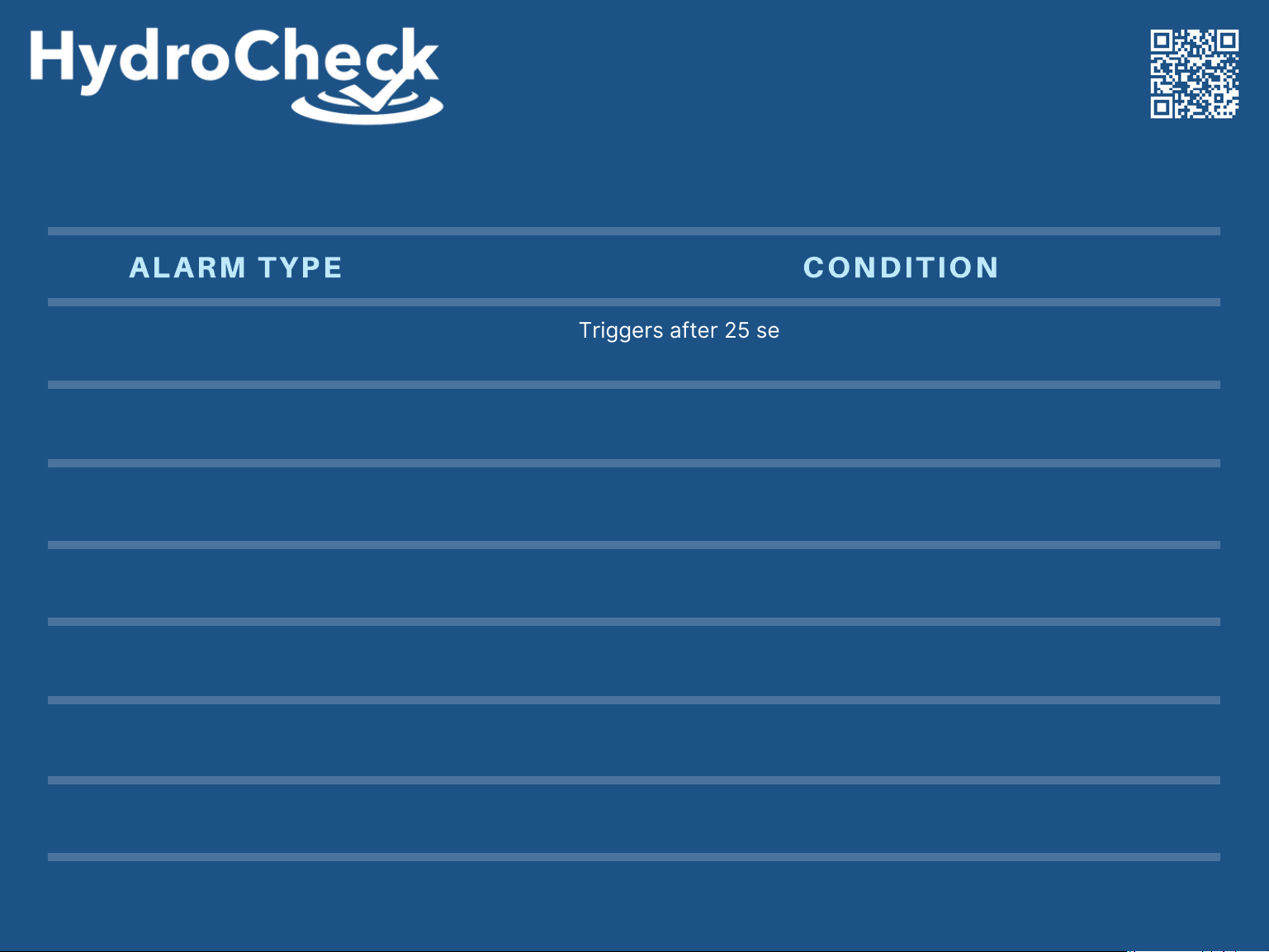
Triggers during an Auto Test if the switch determines that the
Black Sensor should be cleaned.
High Water
Pump Not Detected
Auto Test No Amp
Weak Ground
Red Sensor Dirty
Black Sensor Dirty
ALARM TYPE
CONDITION
Triggers after 25 seconds if the Red Sensor is still detecting
water after two “air lock” attempts.
Triggers if the switch turns the pump on, but no pump current
is detected.
Triggers if the switch turns the pump on during an Auto Test
and no pump current is detected.
Triggers if water reaches the Red Sensor and the Black
Sensor isn’t detecting water due to a weak/missing ground.
Triggers during an Auto Test if the switch determines that the
Red Sensor should be cleaned.
[email protected] | www.hydrocheckproducts.com | 1(877)-225-2124
Visit us online for additional
product information!
Engineered for Reliability
ALARM CONDITIONS
Black Sensor Fail
Triggers if the Black Sensor isn’t detecting water at the start of
the pump cycle.
 Loading...