

Page 1

PV202
user guide
Page 2
Contact
For customer support please contact the
HumanWare office nearest you:
USA (800) 722 3393
Canada (888) 723 7273
9
Page 3
Caution
The PocketViewer is robust but not
indestructible. The following precautions will
ensure the long life of your PocketViewer:
Keep your PocketViewer in its case when not
in use.
Keep your PocketViewer dry.
Avoid exposing your PocketViewer to heat
by e.g. leaving it on a radiator, in a hot car
or near a sunny window.
To clean your PocketViewer or screen, simply
wipe with a clean, damp, cotton cloth. Do not
use nylon or any other synthetic fabric.
Your PocketViewer comes with the following
accessories:
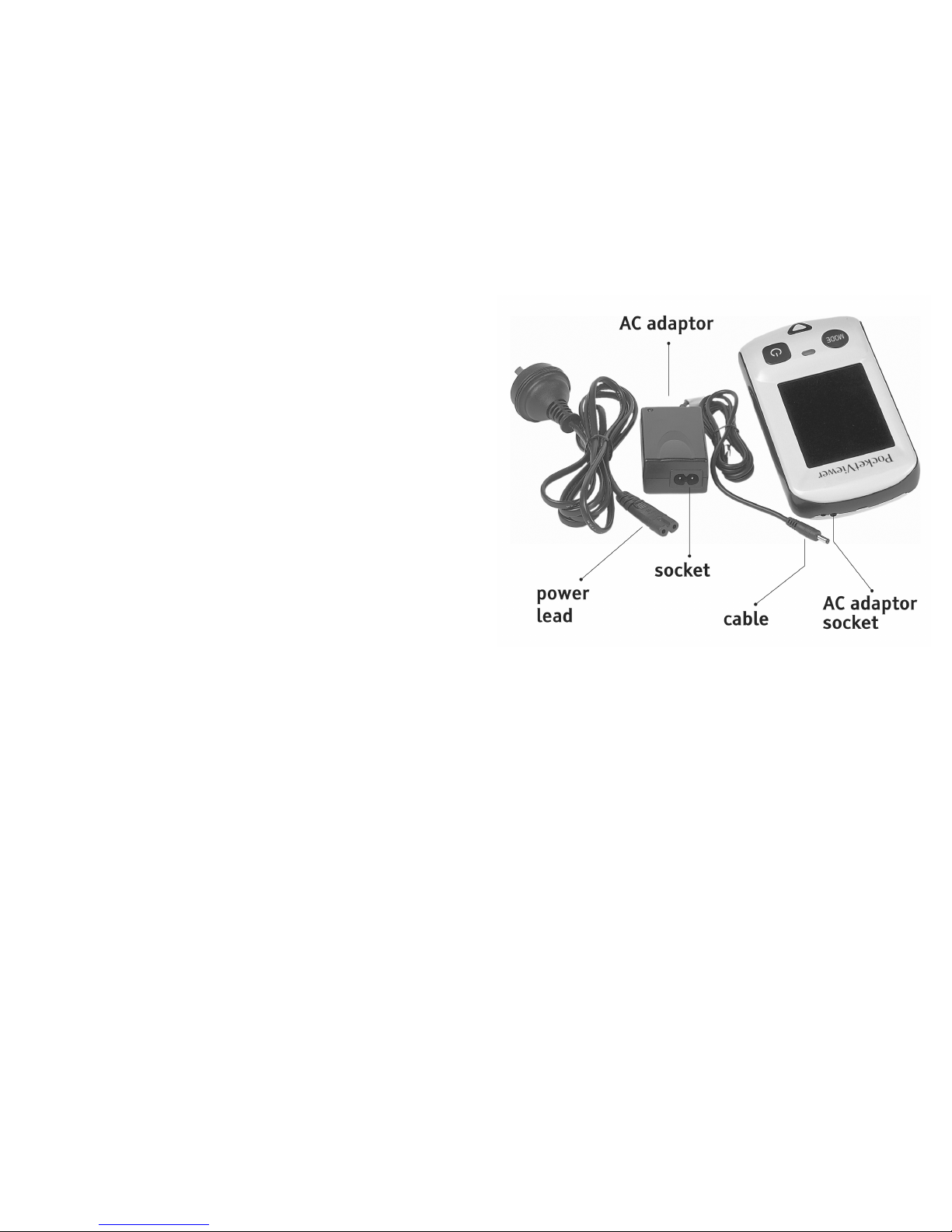
• AC adaptor and power lead
• carry case
• this User Guide
Your PocketViewer has a 12 month warranty
from date of purchase.
8 1
Page 4
Overview
The PocketViewer is easy to use. Turn your
PocketViewer on, guide it over the text and
read off the screen.
The tiny camera lens at one end transmits
the magnified image to the screen.
Before using the PocketViewer, charge the
battery for a minimum of 4 hours - for
instructions on how to charge the battery,
see page 6.
On one end of the AC Adaptor is a cable, plug
this into the AC adaptor socket. On the other
end of the AC adaptor is a socket. Plug the
power lead into this, then plug the other end
into a power outlet and switch on.
If the battery indicator light does not start
to flash, it means there is no charging
happening. Check that the power outlet is
switched on, and that all leads are properly
plugged in.
72
Page 5
Turning off and on
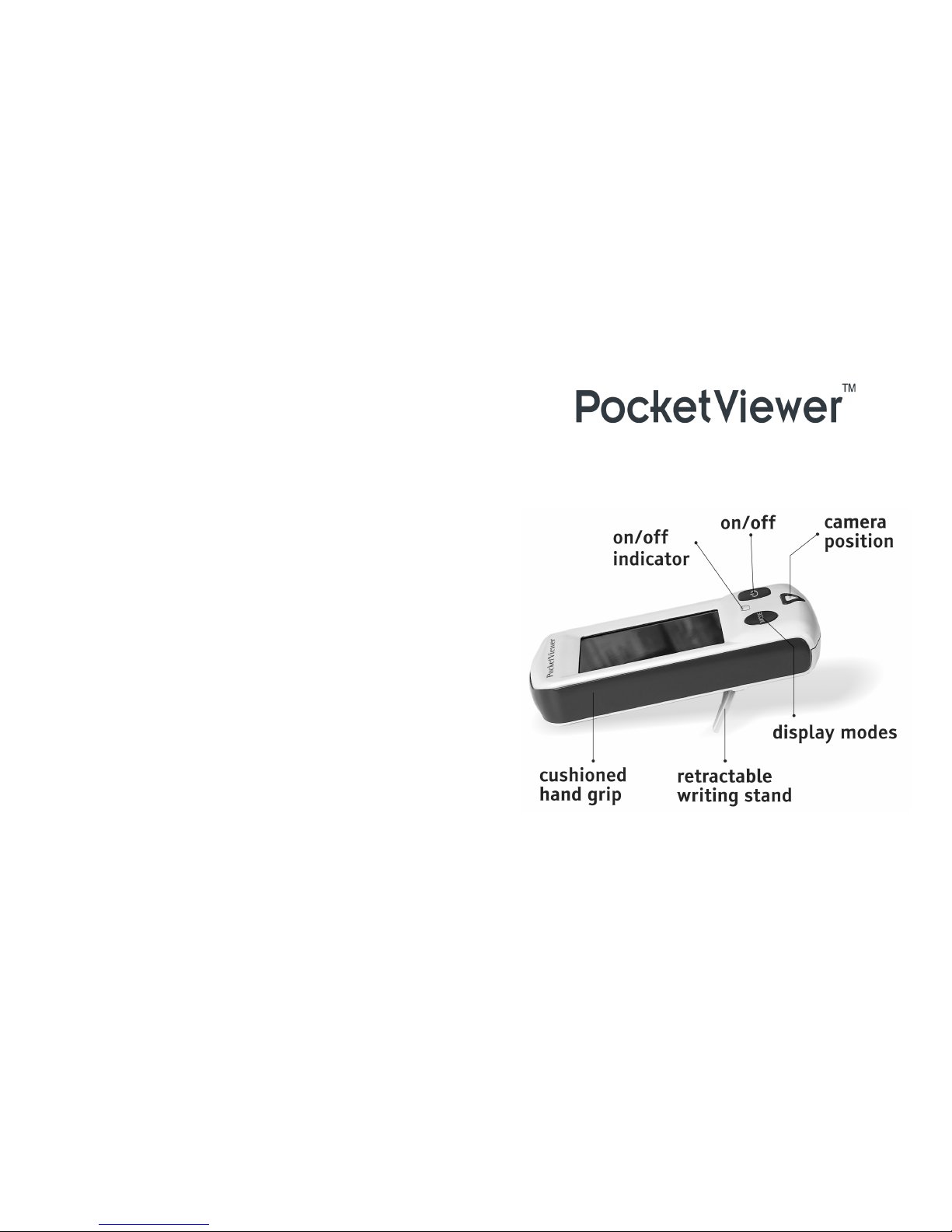
Turn the PocketViewer on and off by pressing
the large square button. When the
PocketViewer is on, the on/off indicator light
on the top of the unit glows. Turn off by
pressing the square button again.
The PocketViewer switches itself off
automatically after 10 minutes to save battery
time.
About ten minutes before the battery goes
flat, the on/off light on top of the unit starts
to flash.
The PocketViewer has a rechargeable battery.
An AC adaptor and power lead are provided
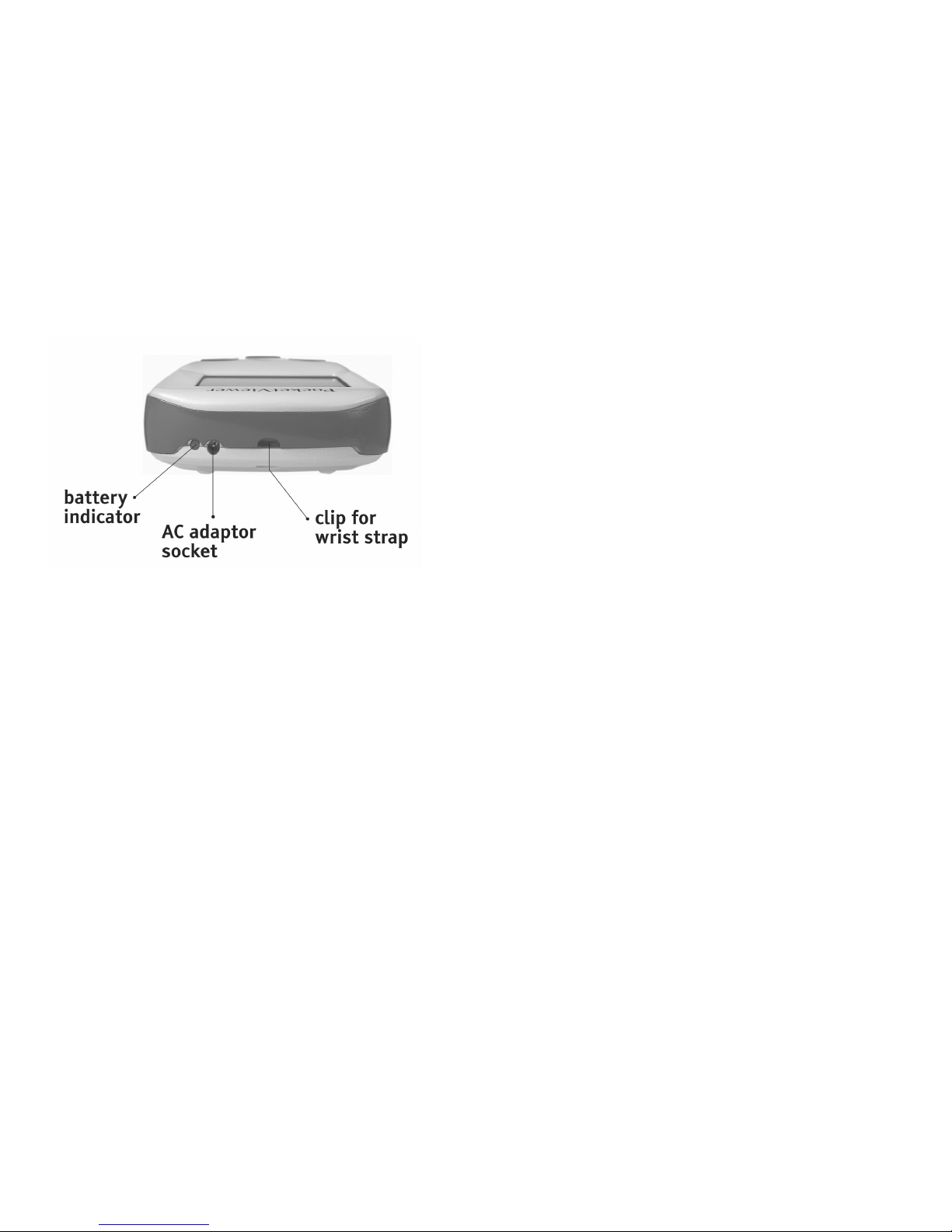
for charging it. The battery indicator light
beside the AC adaptor socket flashes while
the battery is charging and glows continuously
when the battery is fully charged.
When fully charged, the battery gives 2 hours
of continuing operating time. A full charge
takes 3 hours. Less charging time results in
less operational time. You will know the
battery is low as the on/off light on top of
the unit starts to flash about ten minutes
before it goes flat.
Charging the Battery
6 3
Page 6

Resizing the image
The camera lens is on the underside of your
PocketViewer. The large arrow on the topside
shows its position. Text or objects seen
through the camera appear seven times bigger
on the screen. To see more, smaller text on
the screen, lift the PocketViewer away from
the text. Increase the magnification by tilting
the camera end closer to the text.
Selecting color, blackboard or
whiteboard modes
You can view the image on the screen in any
of three modes: full color, whiteboard (black
text on a white background), or blackboard
(white text on black background). Change
mode by pressing the large round MODE
button.
Hand Writing with the
PocketViewer
The PocketViewer has a fold-away writing
stand so that you can use it to help you write
hands free.
To use this stand, locate the hollow under
the arrow and let it guide your finger or thumb
to the notch. Simply flick the stand out of its
recess and push it back until it locks in place.
Stand the PocketViewer so that the writing
surface is visible on the screen.
To fold away the writing stand, pivot it back
into its recess and press it until it locks in
place.
54
 Loading...