

Page 1
FAQ For HUAWEI Wingle
Safety Level: Open
2015-05-29
HUAWEI Confidential
Page1, Total10
FAQ For HUAWEI Wingle V1.0
Huawei Technologies Co., Ltd.
All Rights Reserved
Page 2
FAQ For HUAWEI Wingle
Safety Level: Open
2015-05-29
HUAWEI Confidential
Page2, Total10
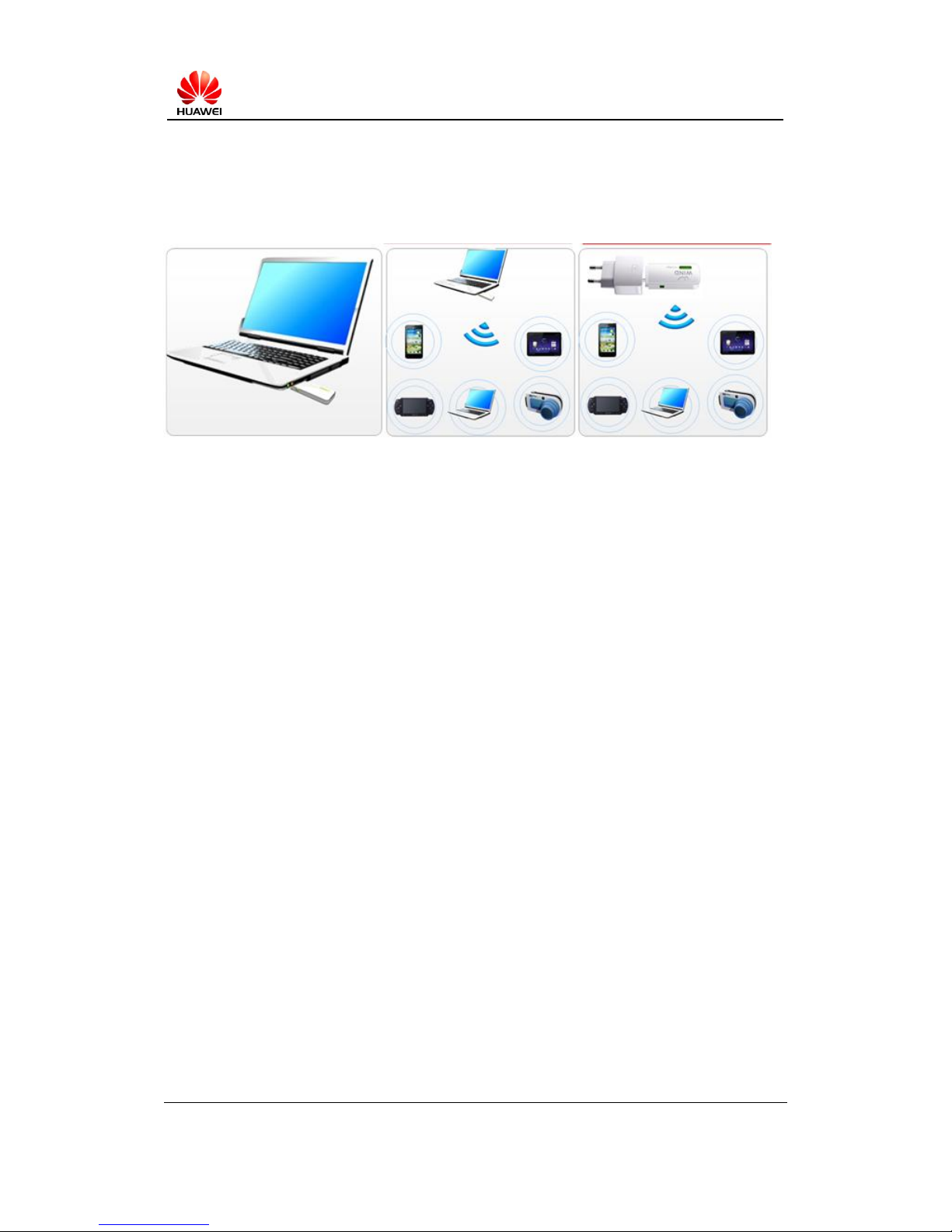
Work Scene of Wingle:
Page 3

FAQ For HUAWEI Wingle
Safety Level: Open
2015-05-29
HUAWEI Confidential
Page3, Total10
1. Which OS does Wingle support? ....................................................................................... 4
2. LED is off by connecting to PC, how should I do? ........................................................... 4
3. Wingle is recognized as“Unknown device”when connect it to PC. How should I do? ..... 4
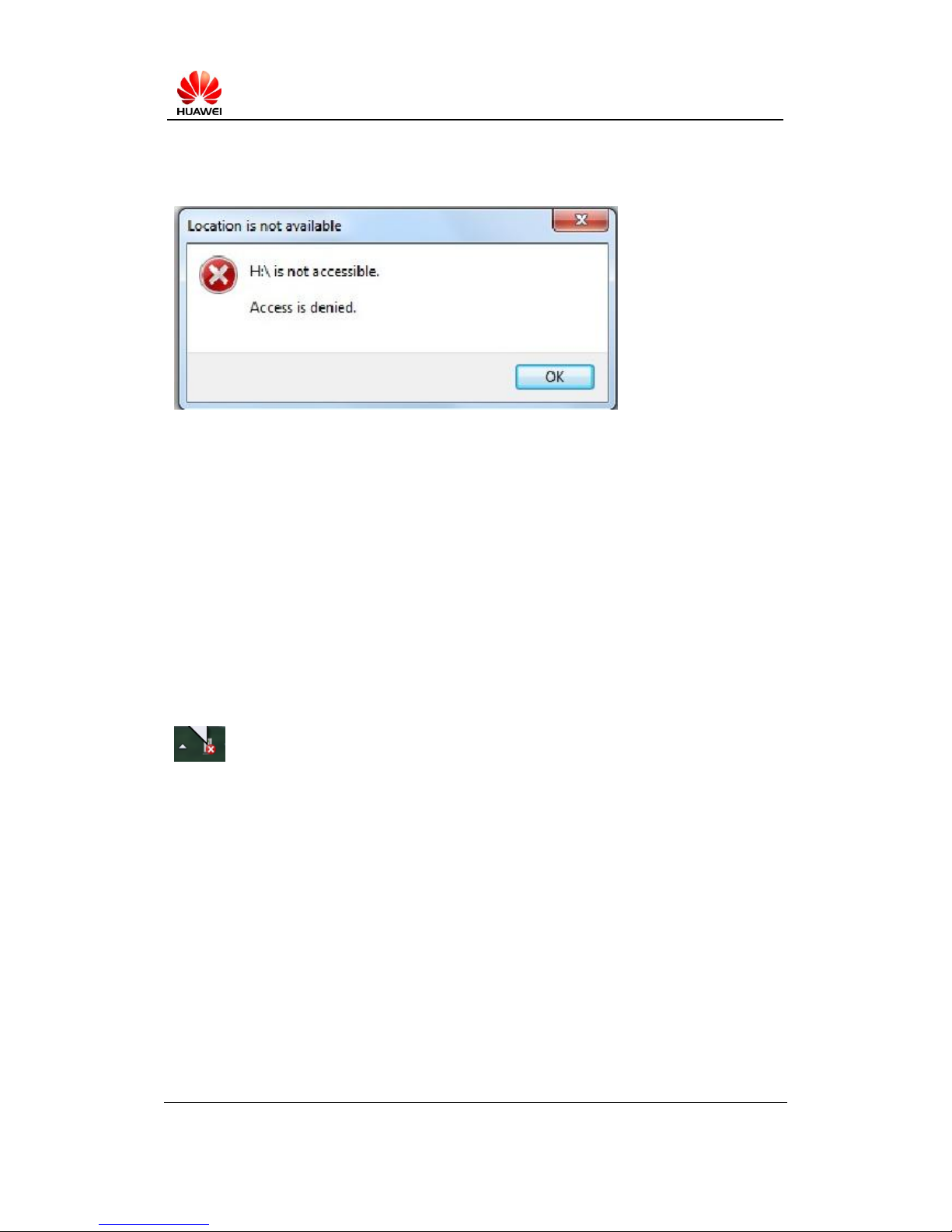
4. PC cannot read drivers disk after connect Wingle to PC? ............................................... 5
5. PC prompts “Drivers install failed” after connect it to PC. How should I do? ................ 5
6. PC is dead after inserted card into a computer? .............................................................. 6
7. During the use of my data card, my PC's screen turns blue, what should I do? ............... 6
8. How many devices can be connected to a Wingle at the same time though Wi-Fi?...... 6
9. How far can Wi-Fi signal of Wingle cover? ........................................................................ 7
10. What kind of charger and Mobile Power can Wingle use? ............................................. 7
11. Wi-Fi signal cannot be found, what should I do? ............................................................ 7
12. When connecting Wi-Fi, Wi-Fi password prompt error? ................................................ 7
13. The device can connect the Wi-Fi, but can not connect the network, what should I do?
8
14. How to view the data card hardware and software versions? ....................................... 8
15. When there is no signal or no service, How to deal with it? .......................................... 8
16. Can not find 3G/4G network,How to deal with? ......................................................... 9
17. Signal display properly, the network suddenly interrupted,How to deal with? .......... 9
18. Why connected to Wi-Fi and mobile networks but still can not open the Web UI page?
10
19. What is the APN?How to set APN? ............................................................................. 10
Page 4

FAQ For HUAWEI Wingle
Safety Level: Open
2015-05-29
HUAWEI Confidential
Page4, Total10
1. Which OS does Wingle support?
1. The OS that Wingle supports is related with the firmware of itself. Generally, please refer to
the information printed on gift box.
2. When a new OS is released, certainly the OS may be added some features, and created some
protocols which should require device-designer to develop new drivers to fit the OS. If so,
the Wingle may not support the new OS and you need to contact product-provider from
whom you buy the Wingle to get if the product supports.
2. LED is off by connecting to PC, how should I do?
Probable Cause:
May be the Wingle’s issue
May be the USB of PC’s issue
Method:
Step1:Change USB interface to try. If it works well, the original USB is damaged.
Step2:Change PC to try. If it works well, the USB interface of original PC is damaged.
Step3:IF Wingle cannot work on any PC or adaptor, then contact agent of HUAWEI.
3. Wingle is recognized as“Unknown device”when connect it to
PC. How should I do?
Probable Cause:
May be the Driver files of PC was damaged
May be USB of PC has weak power
May be software of Wingle is damaged
Method:
Step1:Change USB interface to try. If it works well, the original USB is damaged.
Step2:Change PC to try. If it works well, the system files of original PC may be damaged.
Step3:IF Wingle cannot work on any PC or adaptor, then contact agent of HUAWEI.
Page 5
FAQ For HUAWEI Wingle
Safety Level: Open
2015-05-29
HUAWEI Confidential
Page5, Total10
4. PC cannot read drivers disk after connect Wingle to PC?
Probable Cause:
Potential virus may exist in PC
May be the Software issue of Wingle
Method:
Step1:Scan PC and clear virus to try.
Step2:Change PC to try. If it works well, PC may inflect virus.
Step3:if it does not work after changing PC, then please contact local agent of HUAWEI.
5. PC prompts “Drivers install failed” after connect it to PC. How
should I do?
Probable Cause:
Drivers of USB interface may be damaged
Drivers of Wingle may be damaged
Method:
Step1:exchange to other computers, if it is not working as well, please contact local service
agent, if works well, Please follow the steps two.
Step2: try to copy ‘usbstor.inf’ from the same file system(System path:C:\WINDOWS\
usbstor .inf),then cover the source file.
PS:’usbstor.inf’ file must be copied from the same version of the OS; otherwise it will lead
failures
Page 6

FAQ For HUAWEI Wingle
Safety Level: Open
2015-05-29
HUAWEI Confidential
Page6, Total10
Step3:after you replace the file but it cannot be resolved, try other methods to repair the
system , like restore OS etc.
6. PC is dead after inserted card into a computer?
Probable Cause:
Third-party software or system files may conflict with data card
Your data card may be damaged
Method:
Step1:Try to use on other computers, if the data card is working properly, try to uninstall the
special software installed on original computer,then restart the computer
Step2:If the data card cannot work on other computer with same OS version, please contact
your local service agent for repair .
Note: If you still have the same problem on a cleaning computer system. Please Feedback on
your computer model, system version number to Huawei Customer Service.
7. During the use of my data card, my PC's screen turns blue,
what should I do?
Probable Cause:
Third-party software or System files conflict with data card
Method:
Step1:Record information displayed on a blue screen, search for relevant documents on the
Internet, if the file is installed on your computer, your special third-party software files, uninstall
the third-party software;
Step2:If the file is a system file o third-party software,please feedback to Huawei Customer
Service.
8. How many devices can be connected to a Wingle at the same
time though Wi-Fi?
Different products have different capability of Wi-Fi connection. Specifically, you can check on
product package
Page 7

FAQ For HUAWEI Wingle
Safety Level: Open
2015-05-29
HUAWEI Confidential
Page7, Total10
9. How far can Wi-Fi signal of Wingle cover?
In the open environment, Wi-Fi coverage radius is about 50 to 100 meters,but in the room it
depends on obstacle's characteristics, thickness, etc.. The signal will gradually decay with
increasing distance.
10. What kind of charger and Mobile Power can Wingle use?
Voltage 5V, current 1A. You are recommended to use the regular HUAWEI charger or HUAWEI
mobile power.
11. Wi-Fi signal cannot be found, what should I do?
Probable Cause:
Incorrect settings may cause that SSID is not displayed or displayed as other identification.
Method:
Step1:Make sure you have selected the correct SSID: Log WEB-UI, open WLAN basic settings,
you can see your device corresponding SSID.
If the SSID exists in the PC connection area, if the SSID is in the results please click to login.
Step2:if the SSID is not in the results , View WLAN basic settings, Check the status SSID closed,
open it.
Step3:If you still can not search WIFI signal, try 5 to 10 seconds long press "RESET" button to
restore factory settings; restore factory settings and then refresh the list of search to confirm the
existence of the SSID on the back of the Datacard
Step4:If you still can not see WIFI signal inspection, please contact your local customer service
Huawei.
12. When connecting Wi-Fi, Wi-Fi password prompt error?
Probable Cause:
Enter the wrong password for Wi-Fi
Method:
There are two ways to solve:
1. Restore the factory settings, and then use the default password for Wi-Fi.
2. Hilink can log WebUI view wifi key, Dongle can log background software check wifi key.
Page 8

FAQ For HUAWEI Wingle
Safety Level: Open
2015-05-29
HUAWEI Confidential
Page8, Total10
13. The device can connect the Wi-Fi, but can not connect the
network, what should I do?
Probable Cause:
May be the wrong SIM card
Tariff may be a problem
Network signal failure
The Device maybe is a fault
Method:
Step1:Please check the SIM card
Step2:Check for arrears;
Step3:Please check the signal strength; If the signal is weak, consult your network operator;
Step4:If the above were not resolved, try to replace the computer and change the position, if it
is still not available, you can contact your local service agent.
14. How to view the data card hardware and software versions?
Logging in WEB UI, click the " system " menu → " Device Information" you can see the
following information::
serial number
IMEI
hardware version
sub-bit version
client software version
15. When there is no signal or no service, How to deal with it?
Probable Cause:
maybe the SIM card has expired
No network coverage
Firewall maybe faulty
The Device maybe is a fault
Method:
Step1:Make sure whether the use of the SIM card is correct or the SIM card expired or not;
Step2:Please consult your network operator if there is a good network coverage,or Insert the
SIM card into other phones and other terminals whether have signal;
Page 9

FAQ For HUAWEI Wingle
Safety Level: Open
2015-05-29
HUAWEI Confidential
Page9, Total10
Step3:Turn off the firewall and monitor software, and then have a try;
Step4:If the above method does not work, please go to the local data card data card service
point to detect the function.
16. Can not find 3G/4G network,How to deal with?
Probable Cause:
SIM card may be faulty or SIM card does not have permission
3G/4G network No network coverage
Data card is probably the fault
Method:
Step1:Make sure the correct use of the SIM card
Step2:Please consult your network operator if there is network coverage or not( Insert the SIM
card into the other phones or other terminals which support 3G/4G to confirm whether have 3G
signal / 4G signal),If there is no signal, contact your network operator;
Step3 : When replacing other terminal using normal, go to the local data card data card service
point detection function.
17. Signal display properly, the network suddenly interrupted,
How to deal with?
Probable Cause:
A long time have not Data services
SIM card balance may be insufficient
Operator network failure
Data card is probably the fault
Method:
Step1:Make sure if you do not data services a long time, if there is long time without data
services, the device will automatically start the network interruption,it is normal。
Step2: If a sudden interruption in the use of the network, please reconnect attempts, if you can
not connect, Please check rates;
Step3: Try to replace the position, If does not work, consult your network operator;
Page 10

FAQ For HUAWEI Wingle
Safety Level: Open
2015-05-29
HUAWEI Confidential
Page10, Total10
Step4: When replacing other terminal using normal, go to the local data card data card service
point detection function.
18. Why connected to Wi-Fi and mobile networks but still can
not open the Web UI page?
Probable Cause:
Maybe poor network signal
Maybe IE faulty or Web site failures
Method:
STEP 1:Confirm is not subject to electromagnetic interference; can try to replace the position, if
can connect to the network properly, please contact your network operator;
STEP2:Replace IE access and access to different URLs to try;
STEP3:If the above is not resolved, go to the local data card data card service point detection
function。
19. What is the APN?How to set APN?
APN refers to a network access technology. The APN( Access Point Name), Chinese name is called
an access point, is a configured parameter when your phone or mobile terminal via the Internet,
it determines the network access you can access.
Under the normal circumstances, the operator or dealer has a custom preset to support APN, no
need to re-set
Note: The APN user name and password and other information is provided by the operator.
 Loading...