

Page 1

Quick Start
WATCH Kid
Page 2
Hi! I'm so glad to be part of your family.
I'm made from harmless materials, so you can wear me without having
to worry. If you happen to experience discomfort when wearing me,
please take me off and consult your doctor. From now on, I'll be your
companion, by your side day and night.
WATCH Kid
Dear children and parents:
Quick Start
Page 3
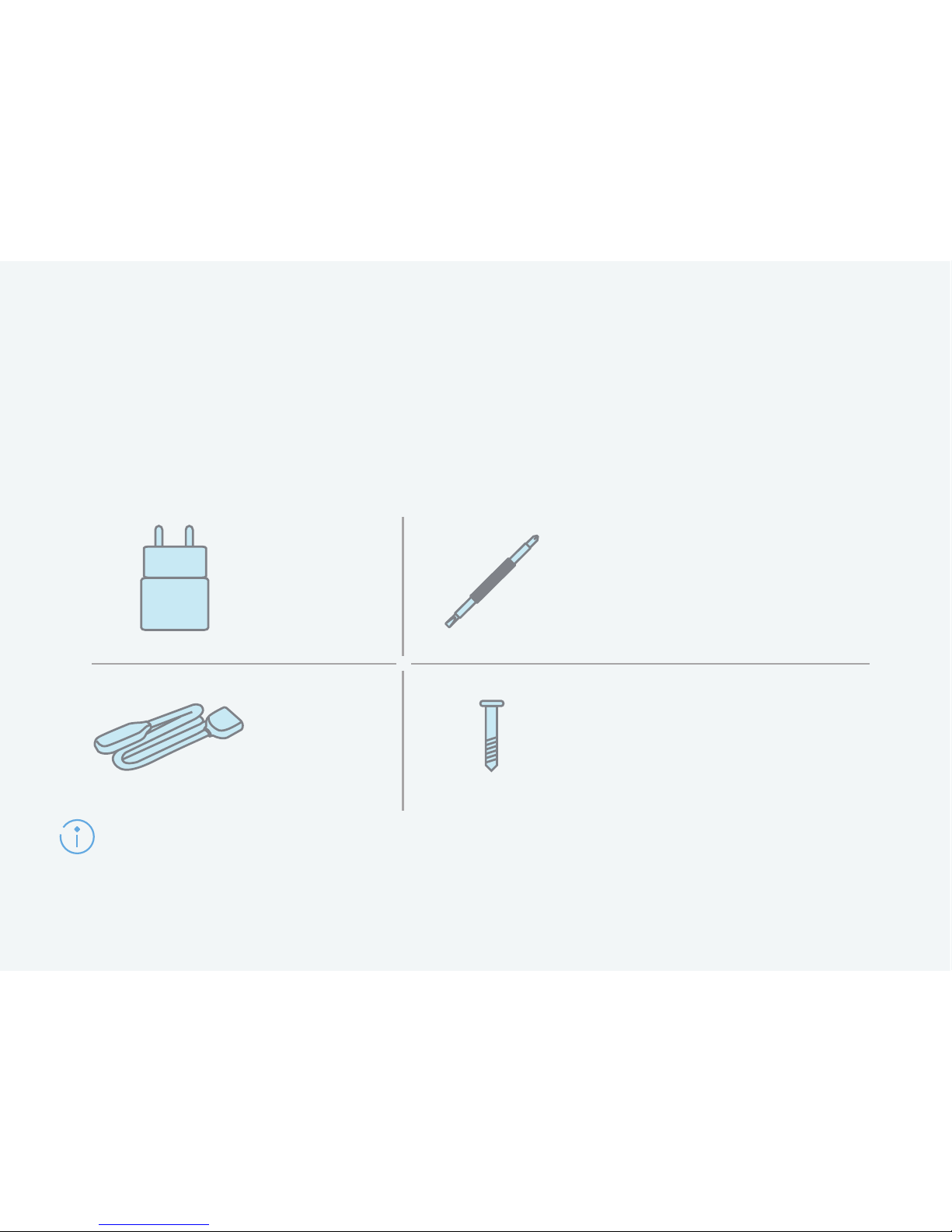
Accessories
Below are some accessories that come with your HUAWEI
WATCH Kid. Let's get to know them!
Charger
Charging
cable
Screwdriver
(to attach or remove the
nano-SIM card cover)
Spare screw
(to fasten the nano-SIM
card cover)
Pictures are for reference only and may vary in appearance from actual objects.
Page 4
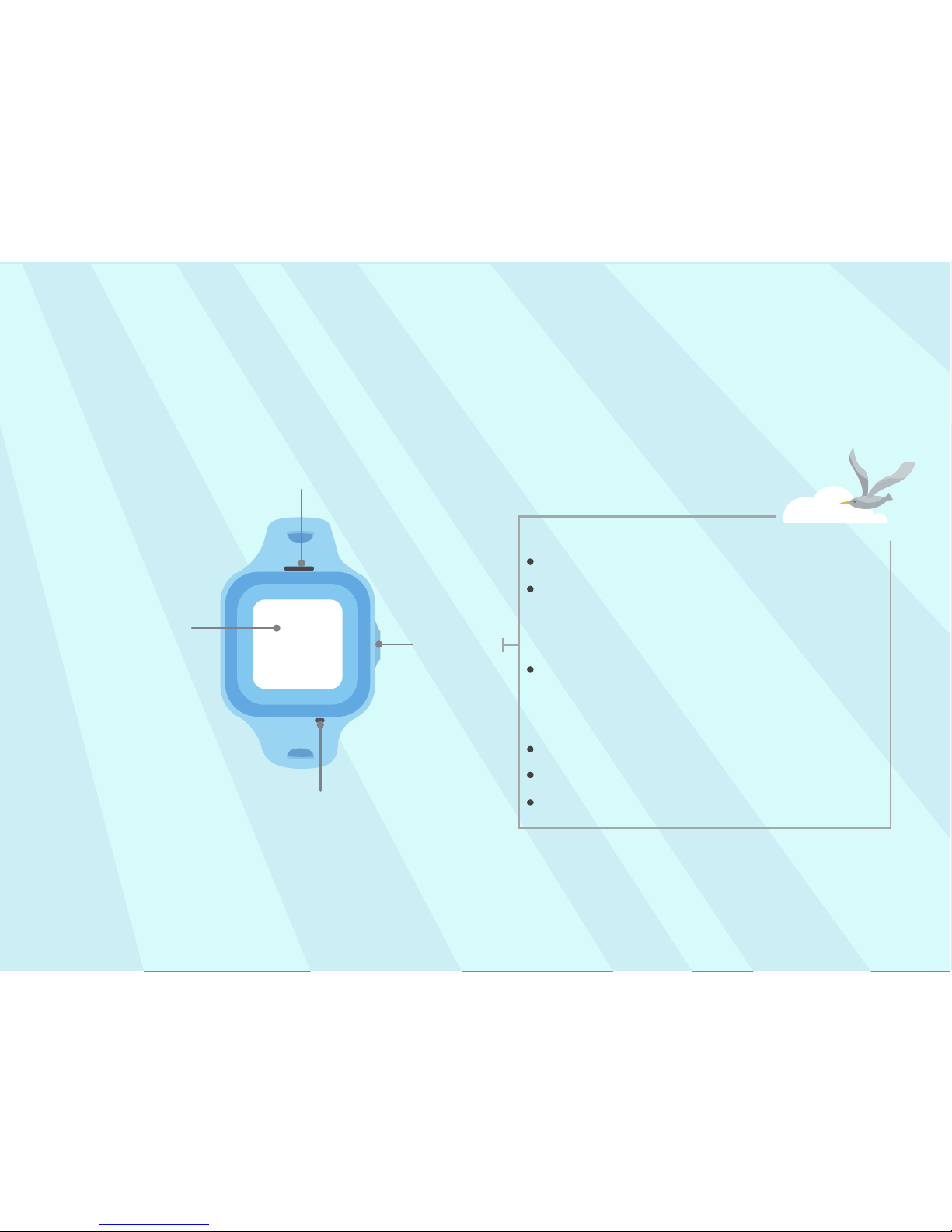
My introduction
Press and hold to:
Side
button
Microphone
Speaker
Touch to:
Turn the screen on or off
Return to the home screen
Mute ringtones
Touchscreen
Power on
Place SOS emergency calls (press
and hold the button for 5s and then
release the button when it vibrates)
Restart (press and hold for 10s)
Page 5
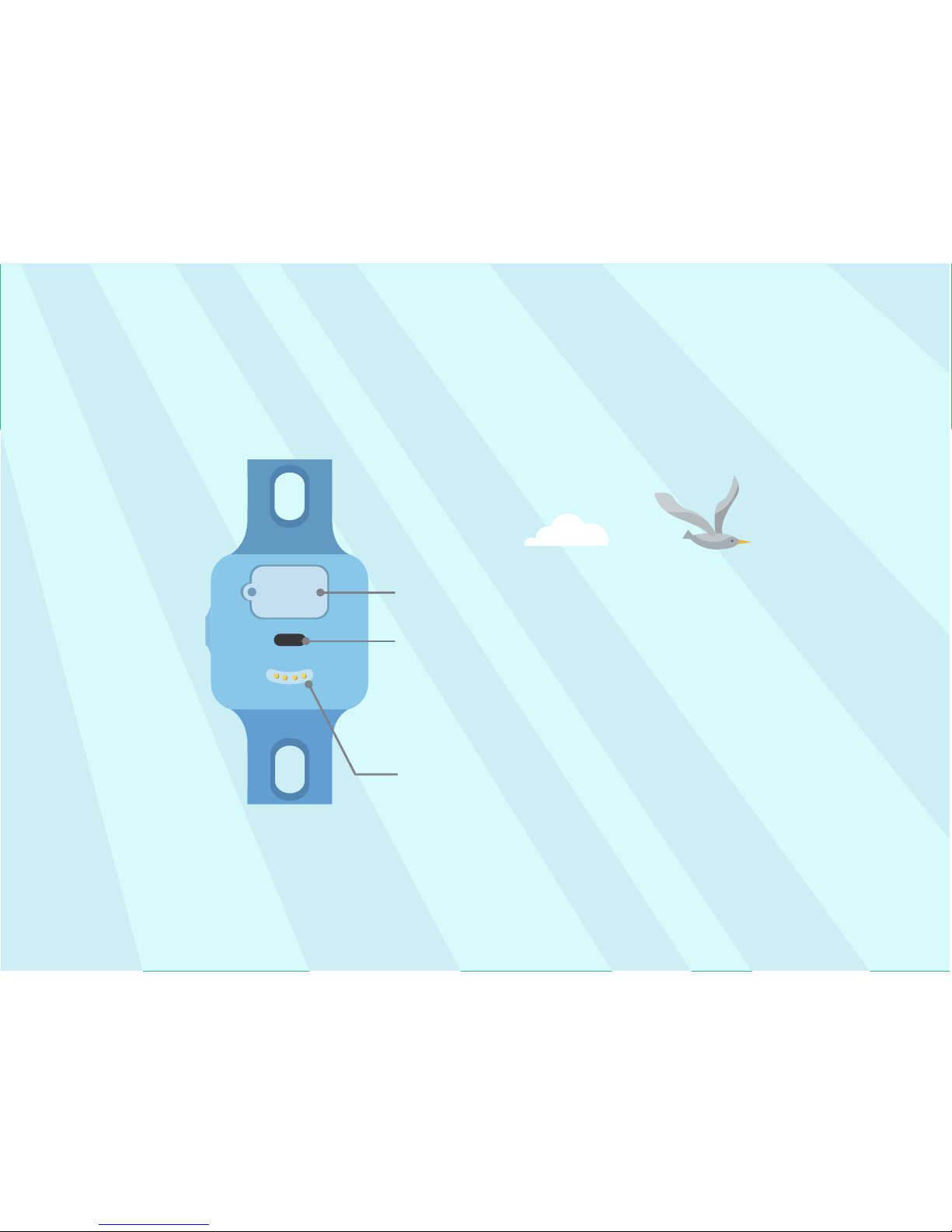
Senses whether or not your child is
wearing the HUAWEI WATCH Kid. If it
is taken off, you will be notified.
Nano-SIM card slot
Infrared sensor
Charging port
Page 6
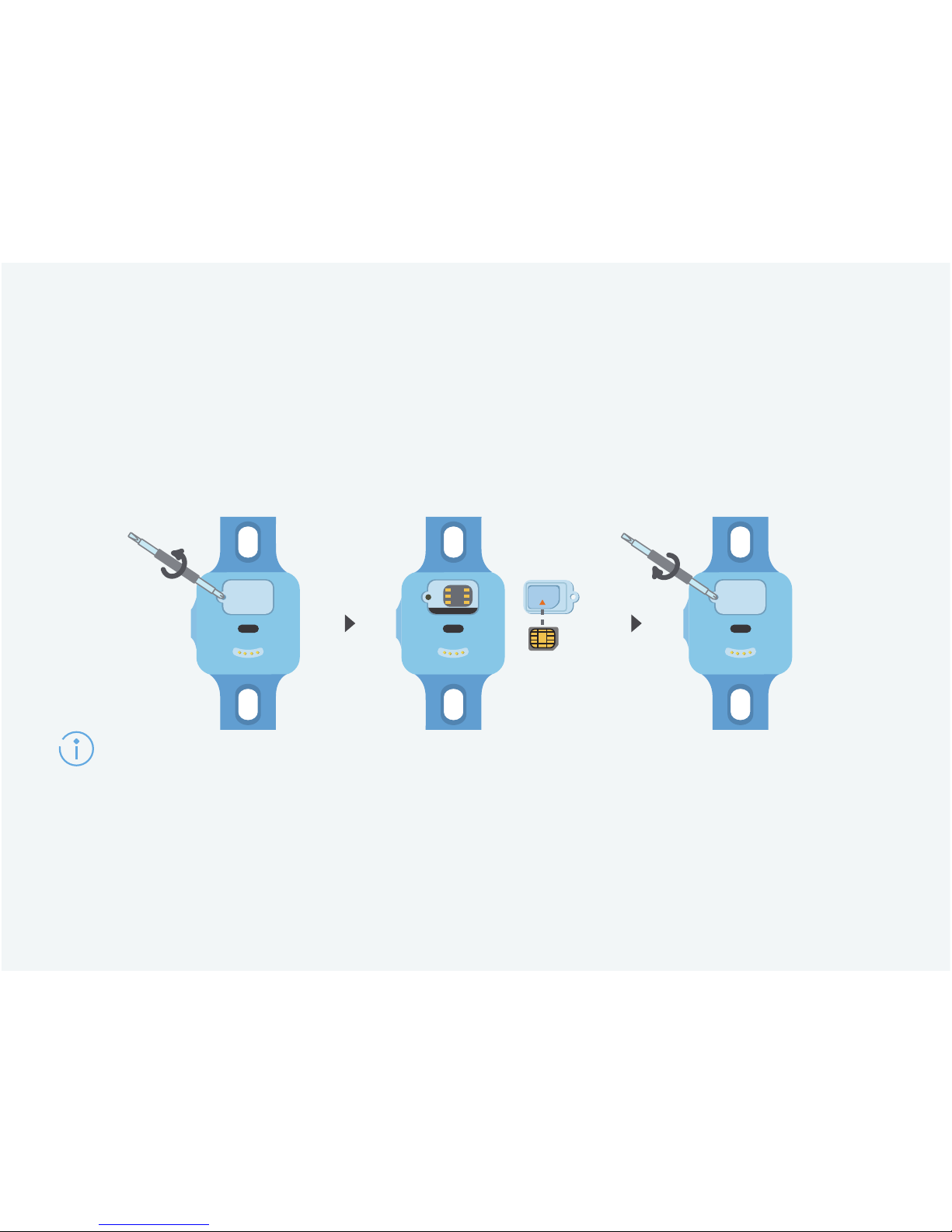
Before use
Insert a nano-SIM card when your HUAWEI WATCH Kid is
powered off.
If you insert a nano-SIM card when your HUAWEI WATCH Kid is on, press and hold the
side button to restart.
To avoid damage, do not use sharp objects to touch the metal contacts in the card
slot.
Nano-SIM card
Page 7
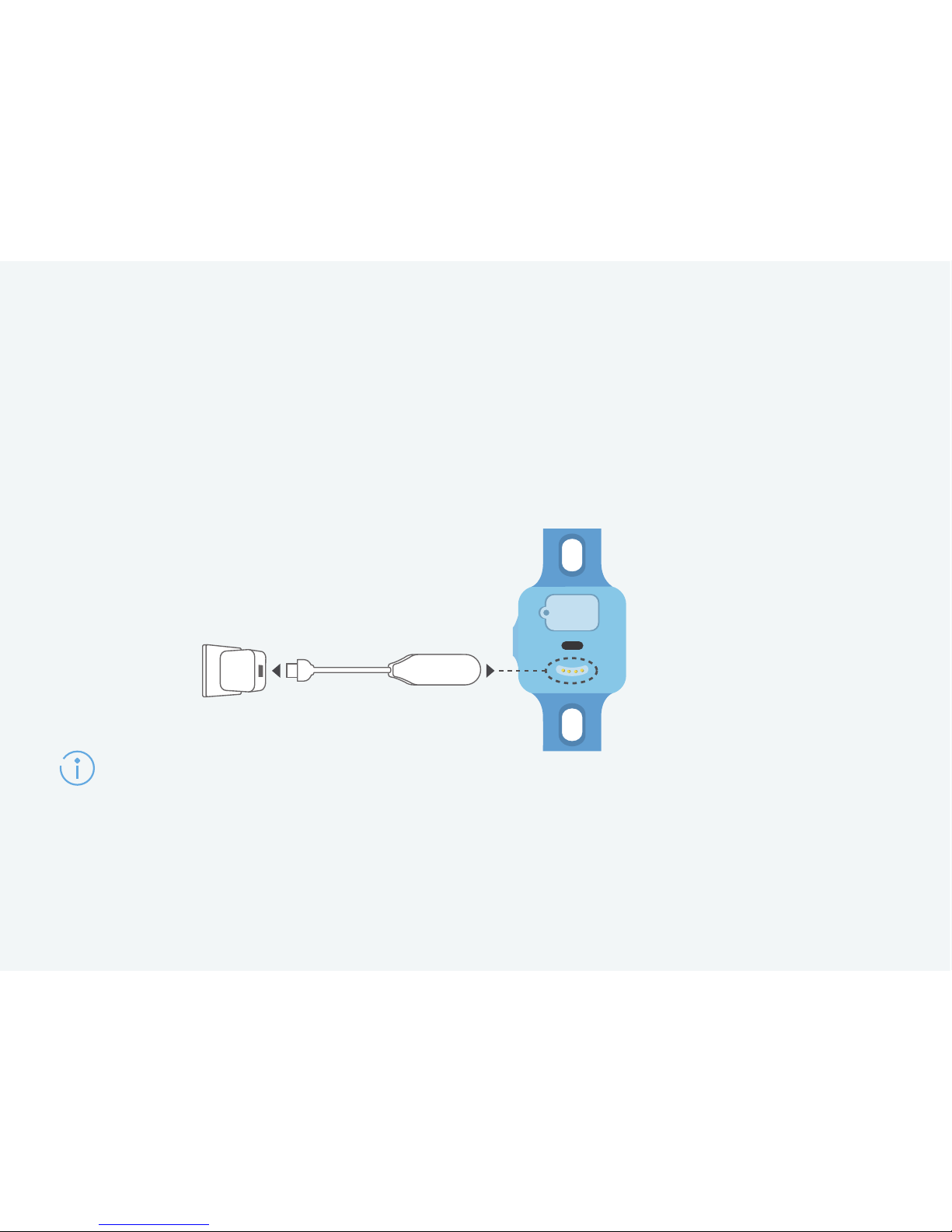
Charging
Wipe the charging port dry before charging to avoid corrosion of metal contacts,
short-circuiting, or other risks.
If you haven't used your HUAWEI WATCH Kid for a long time, its power will be
completely used up and may not power on immediately the next time you charge it.
Please charge your HUAWEI WATCH Kid until the touchscreen turns on, and then
power it on.
Line up the metal end of the charging cable head with the charging
port and your HUAWEI WATCH Kid will automatically plug in and
start charging.
Page 8

Your companion
Downloading and installing the FiLIP app
Your HUAWEI WATCH Kid works with the FiLIP app to provide a
better user experience for you and your child.
Scan the QR code to download and install the app.
Page 9
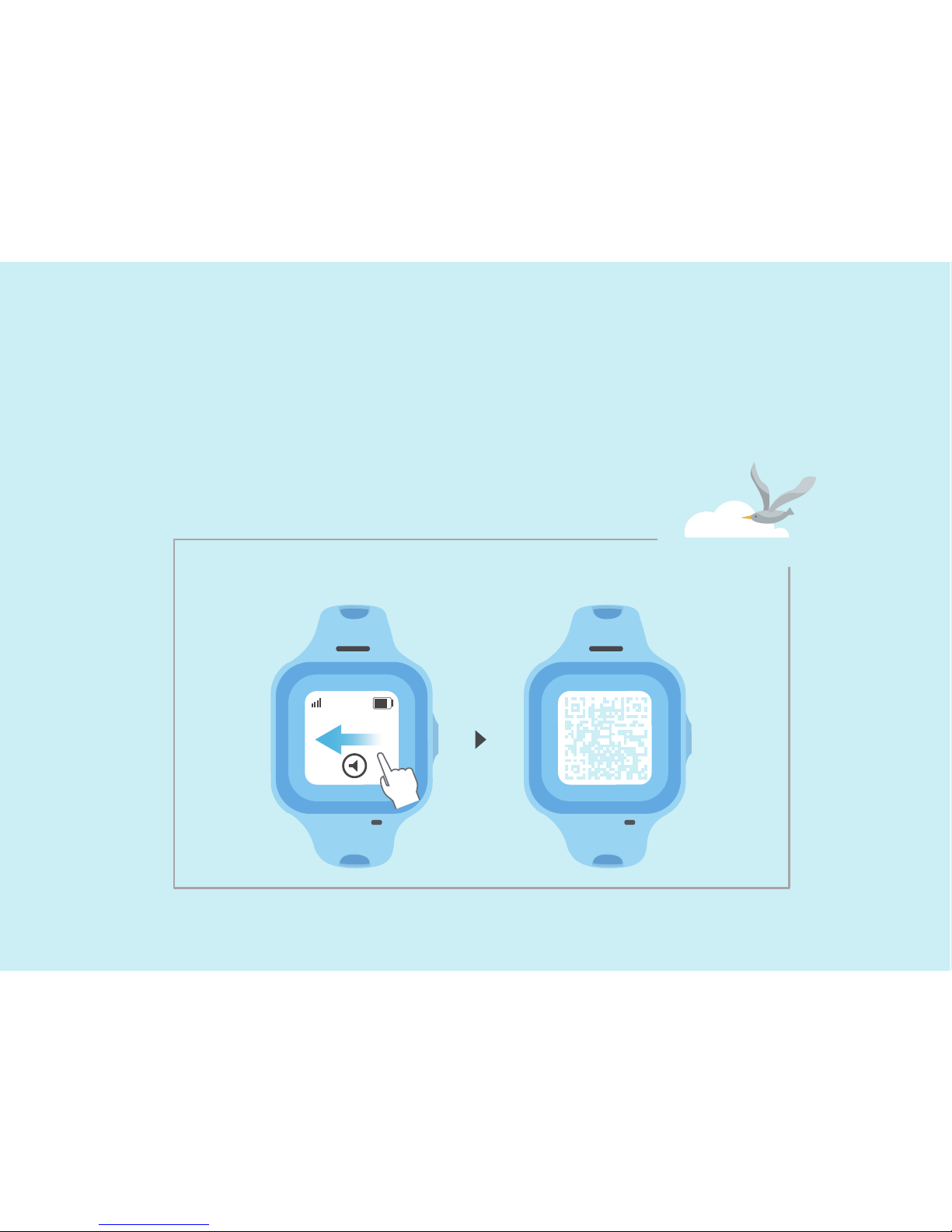
Pairing
Follow the steps on the app to pair your
HUAWEI WATCH Kid with your phone.
Find the QR code
Page 10
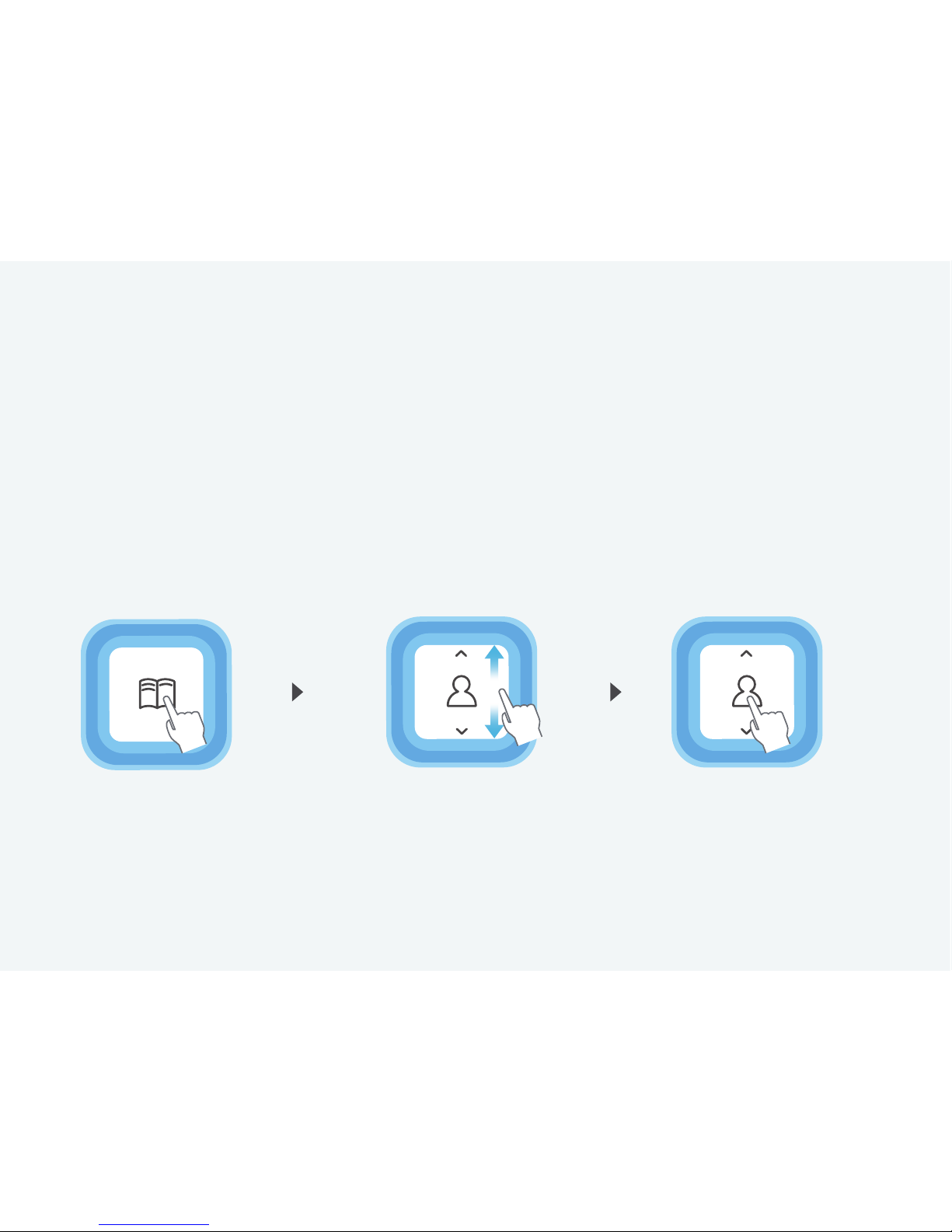
Using the HUAWEI WATCH Kid
1. Touch Contacts. 3. Touch the
contact's picture.
Make a call
2. Swipe up and
down to find a
contact.
Page 11
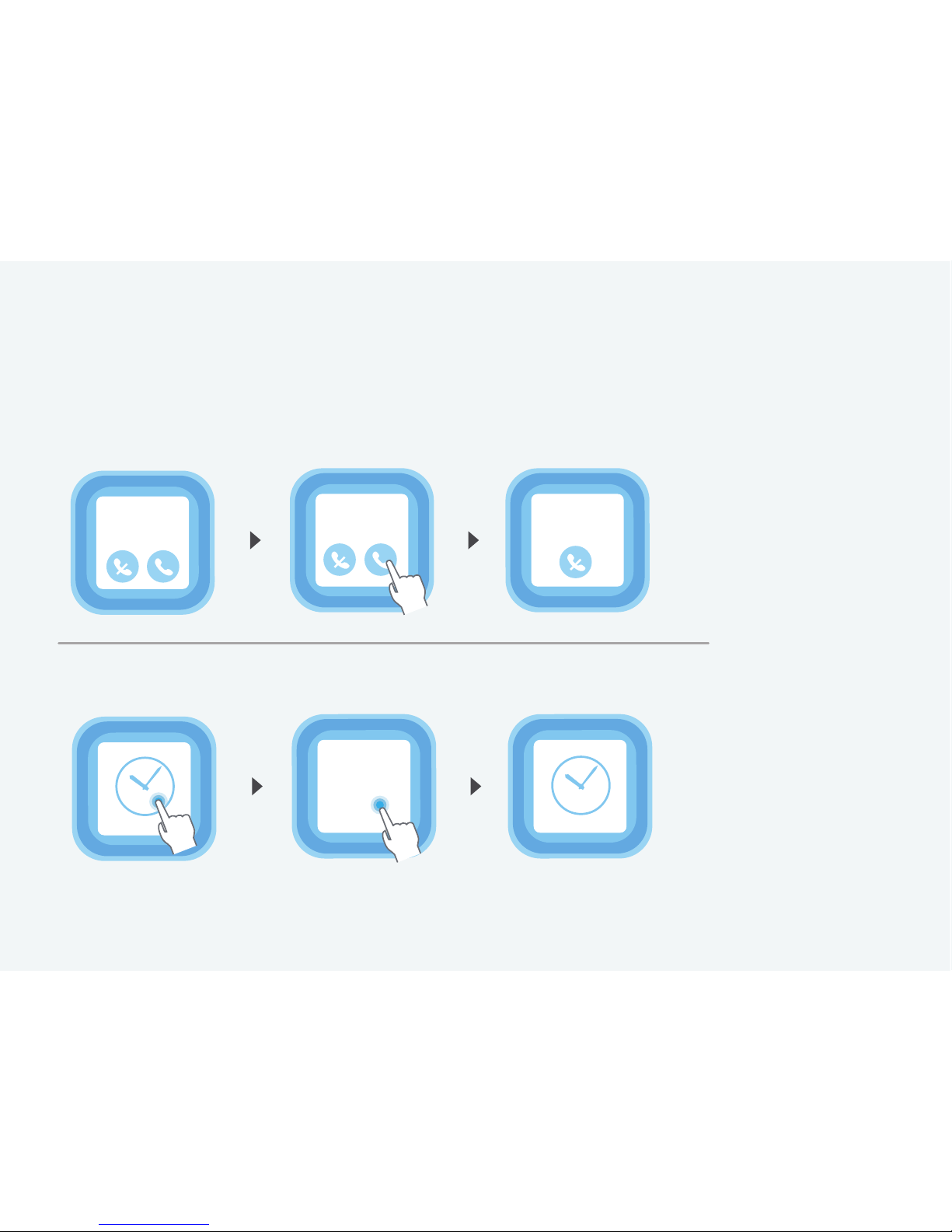
Answer a call
Mum
Incoming call
Mum
00:02
Mum
Incoming call
Change the time display format
10:10
Page 12
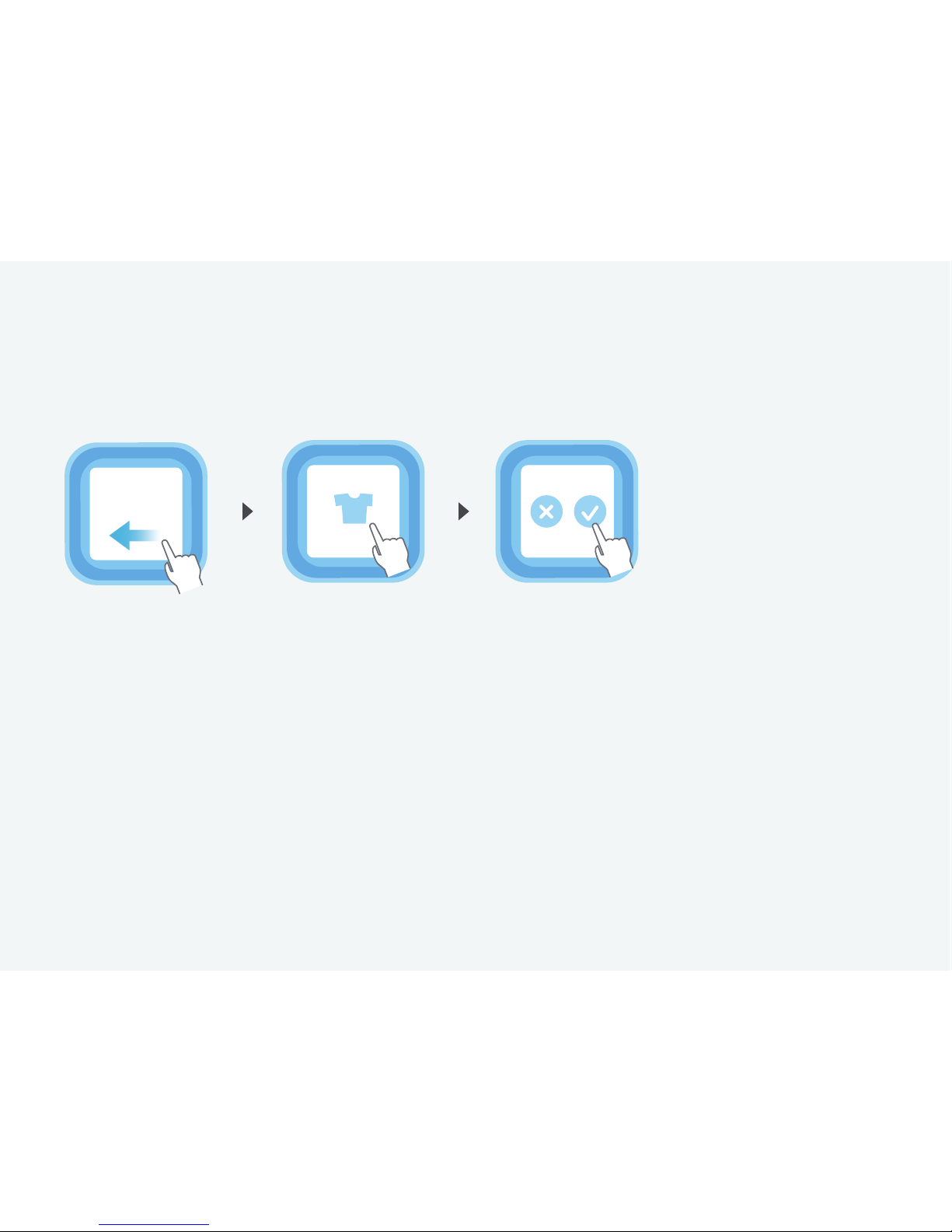
Change the theme
Change
theme
Page 13
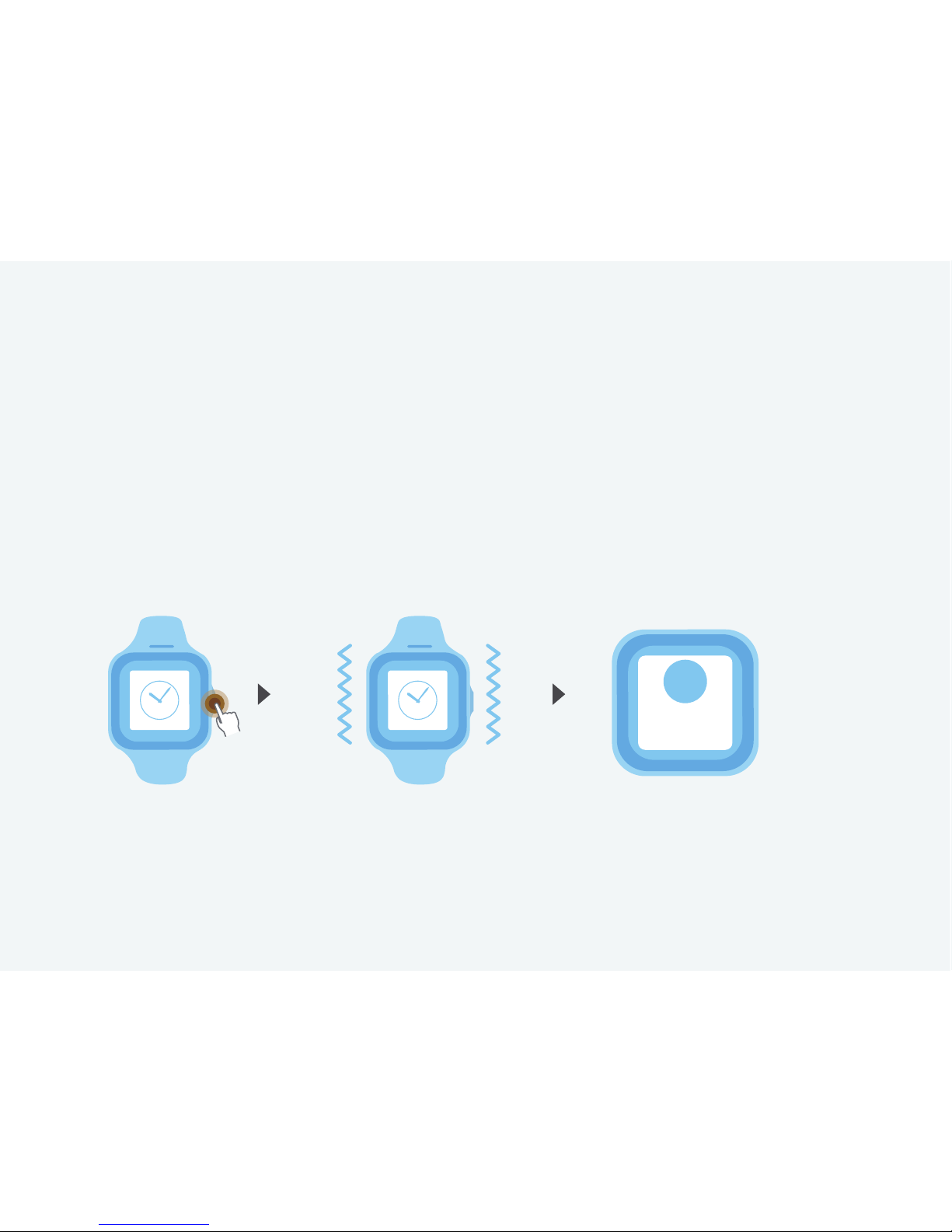
To place an SOS emergency call, press and hold the side
button for 5s and then release the button when it vibrates. �
Your HUAWEI WATCH Kid will then call the emergency
contacts in order.
SOS emergency call
SOS
Sending
SOS...
Page 14

Waterproof
Your HUAWEI WATCH Kid can be used when you're washing your
hands or in the rain. Remember to quickly wipe it dry if it gets
wet.
Page 15
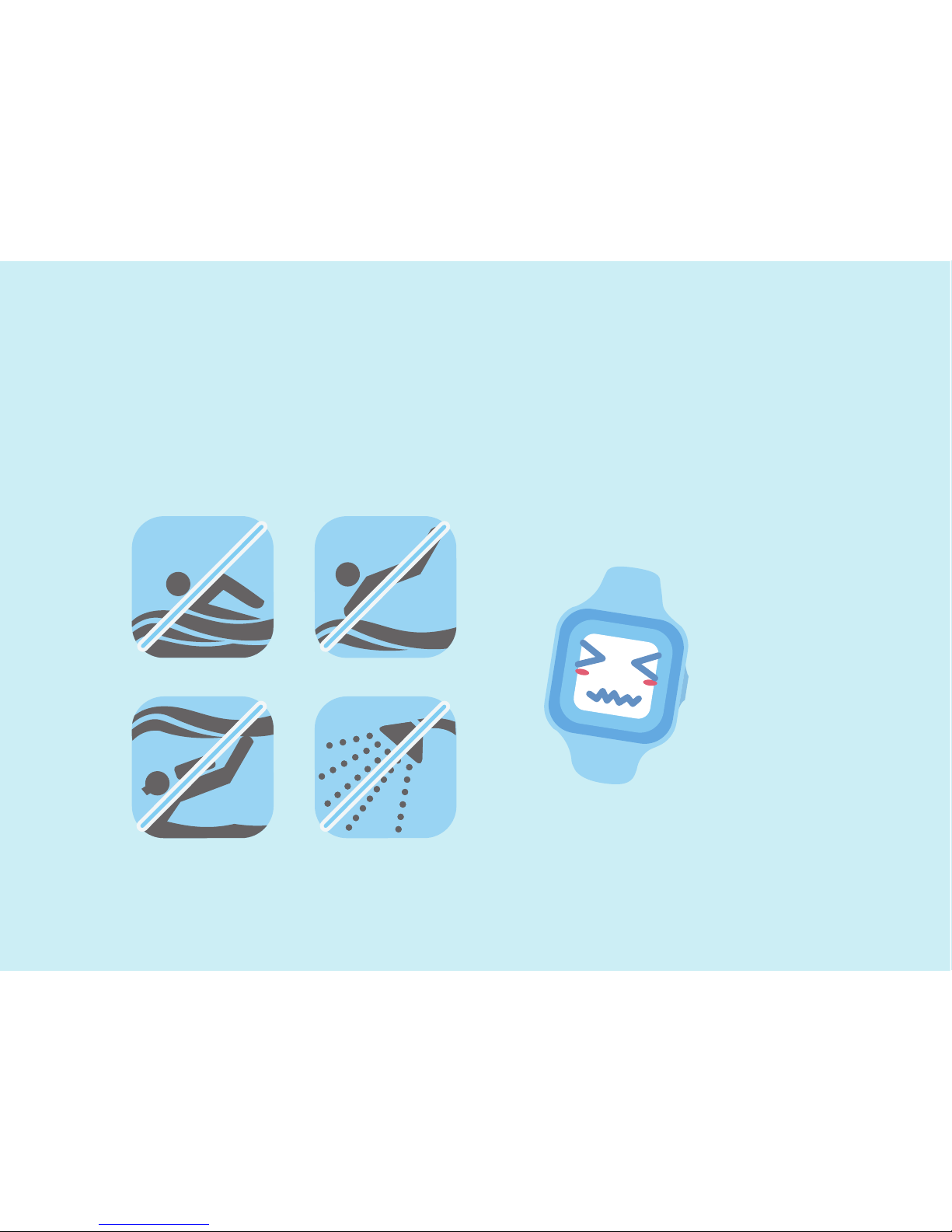
To protect your HUAWEI WATCH Kid, do not use it when
swimming, diving, scuba diving, or taking a shower.
Page 16

Copyright © Huawei Technologies Co., Ltd.
2015. All rights reserved.
Page 17

This document is for reference only.
Nothing in this guide constitutes a warranty of any
kind, express or implied.
Page 18
9672xxxx_01
To find out how to use all the HUAWEI WATCH Kid
functions, access Support in the app.
Support
 Loading...